seat HONDA PILOT 2015 2.G Manual PDF
[x] Cancel search | Manufacturer: HONDA, Model Year: 2015, Model line: PILOT, Model: HONDA PILOT 2015 2.GPages: 488, PDF Size: 11.34 MB
Page 155 of 488
uuInterior Lights/Interior Convenience Items uInterior Convenience Items
154
Controls
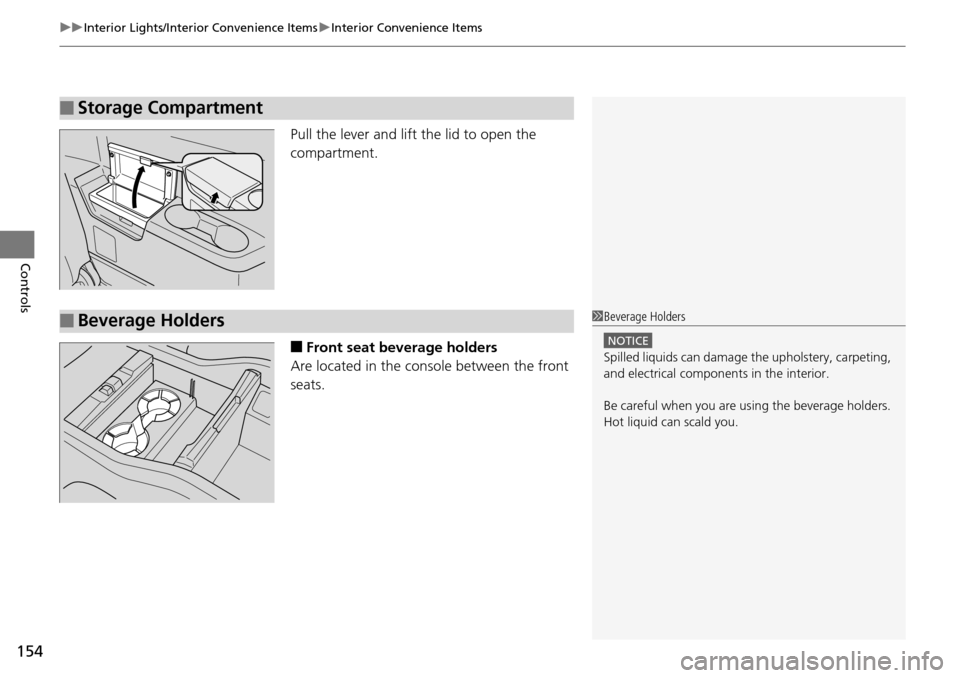
Pull the lever and lift the lid to open the
compartment.
■Front seat beverage holders
Are located in the console between the front
seats.
■Storage Compartment
■Beverage Holders1 Beverage Holders
NOTICE
Spilled liquids ca n damage the upholstery, carpeting,
and electrical components in the interior.
Be careful when you are us ing the beverage holders.
Hot liquid can scald you.
Page 156 of 488
155
uuInterior Lights/Interior Convenience Items uInterior Convenience Items
Continued
Controls
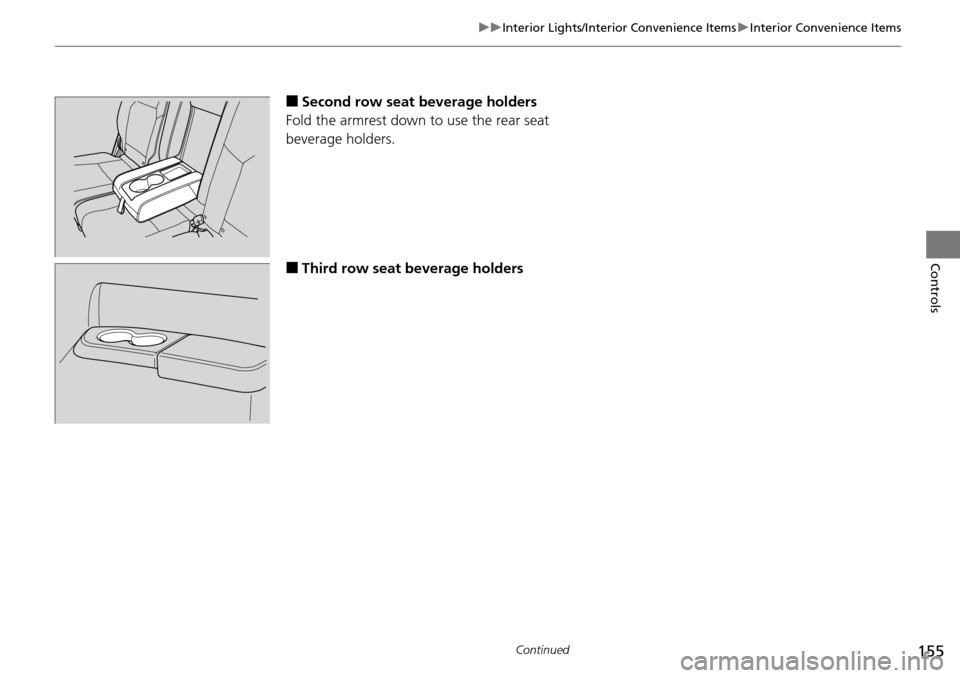
■Second row seat beverage holders
Fold the armrest down to use the rear seat
beverage holders.
■Third row seat beverage holders
Page 160 of 488
Continued159
uuInterior Lights/Interior Convenience Items uInterior Convenience Items
Controls
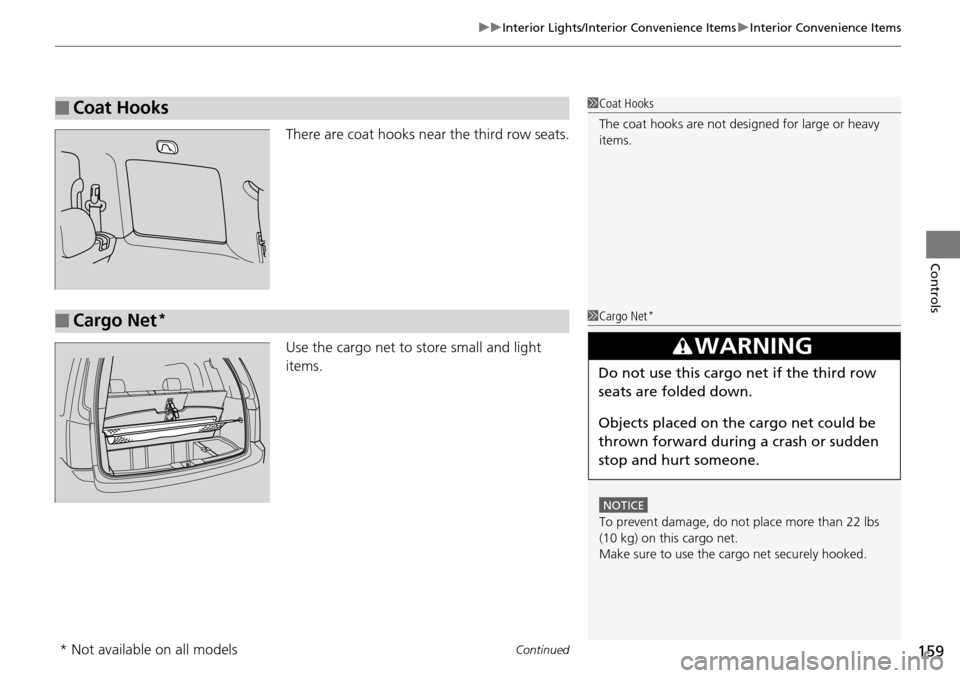
There are coat hooks near the third row seats.
Use the cargo net to store small and light
items.
■Coat Hooks1Coat Hooks
The coat hooks are not desi gned for large or heavy
items.
■Cargo Net*1 Cargo Net*
NOTICE
To prevent damage, do not place more than 22 lbs
(10 kg) on this cargo net.
Make sure to use the cargo net securely hooked.
3WARNING
Do not use this cargo net if the third row
seats are folded down.
Objects placed on the cargo net could be
thrown forward during a crash or sudden
stop and hurt someone.
* Not available on all models
Page 162 of 488
Continued161
uuInterior Lights/Interior Convenience Items uInterior Convenience Items
Controls
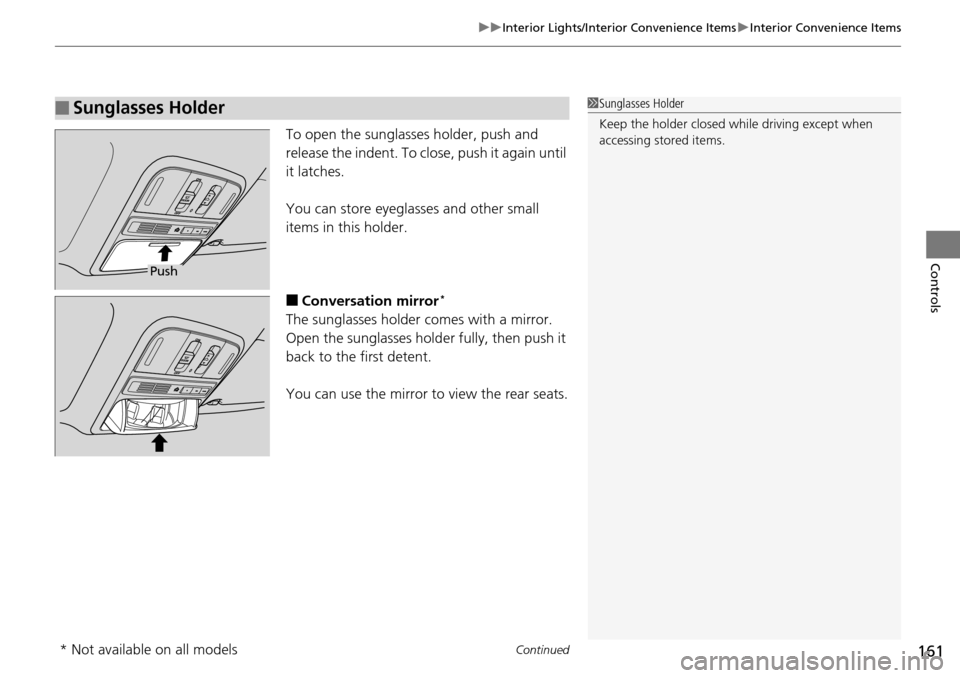
To open the sunglasses holder, push and
release the indent. To close, push it again until
it latches.
You can store eyeglasses and other small
items in this holder.
■Conversation mirror*
The sunglasses holder comes with a mirror.
Open the sunglasses hold er fully, then push it
back to the first detent.
You can use the mirror to view the rear seats.
■Sunglasses Holder1 Sunglasses Holder
Keep the holder closed wh ile driving except when
accessing stored items.
Push
* Not available on all models
Page 163 of 488
uuInterior Lights/Interior Convenience Items uInterior Convenience Items
162
Controls
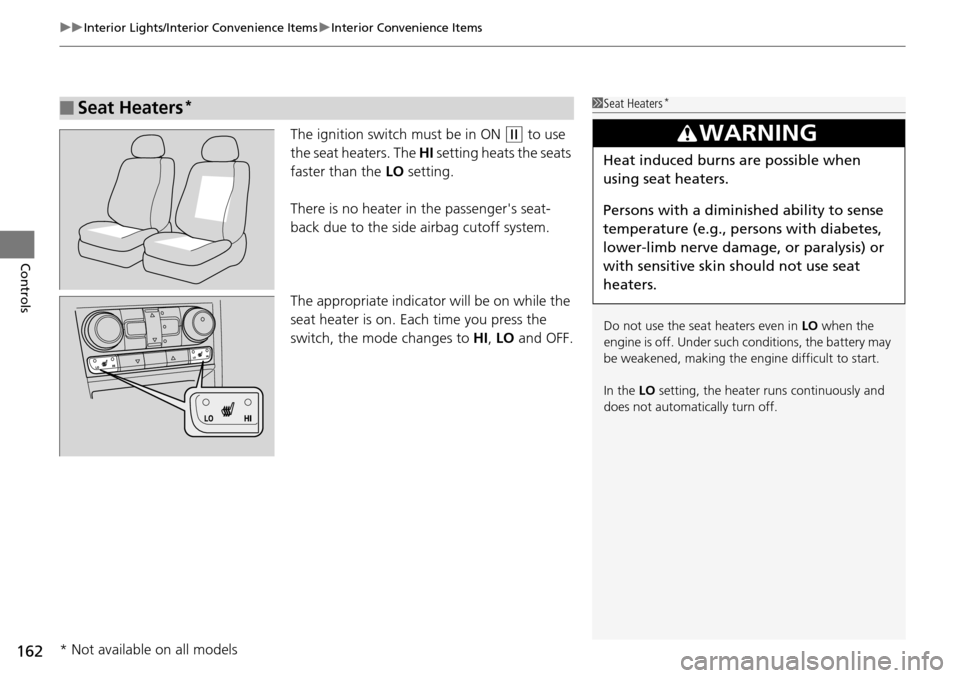
The ignition switch must be in ON (w to use
the seat heaters. The HI setting heats the seats
faster than the LO setting.
There is no heater in the passenger's seat-
back due to the side airbag cutoff system.
The appropriate indicator will be on while the
seat heater is on. Each time you press the
switch, the mode changes to HI, LO and OFF.
■Seat Heaters*1Seat Heaters*
Do not use the seat heaters even in LO when the
engine is off. Under such conditions, the battery may
be weakened, making the engine difficult to start.
In the LO setting, the heater runs continuously and
does not automatically turn off.
3WARNING
Heat induced burns are possible when
using seat heaters.
Persons with a diminished ability to sense
temperature (e.g., persons with diabetes,
lower-limb nerve damage, or paralysis) or
with sensitive skin should not use seat
heaters.
* Not available on all models
Page 164 of 488
163
uuInterior Lights/Interior Convenience Items uInterior Convenience Items
Continued
Controls
■Second row seat heaters*
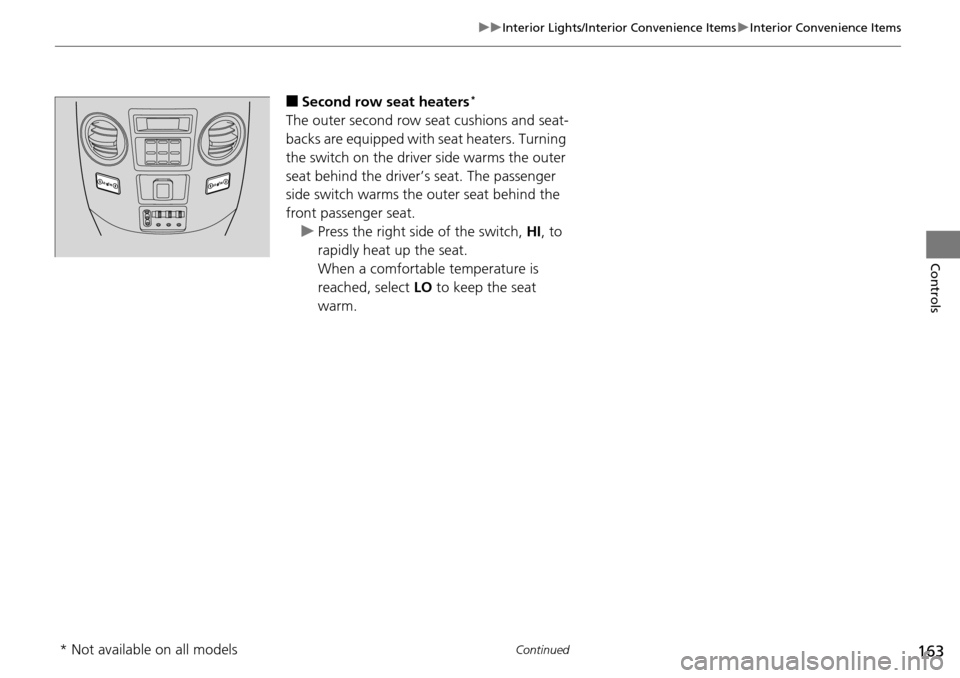
The outer second row seat cushions and seat-
backs are equipped with seat heaters. Turning
the switch on the driver side warms the outer
seat behind the driver’s seat. The passenger
side switch warms the outer seat behind the
front passenger seat. u Press the right side of the switch, HI, to
rapidly heat up the seat.
When a comfortable temperature is
reached, select LO to keep the seat
warm.
* Not available on all models
Page 252 of 488
251Continued
Features
Rear Entertainment System*
Allows the rear passengers to enjoy a different entertainment source, such as DVD,
CD, CD Library*, HDD*, and radio, than the front passengers.
The rear seat passengers can listen to audio from the rear entertainment system by
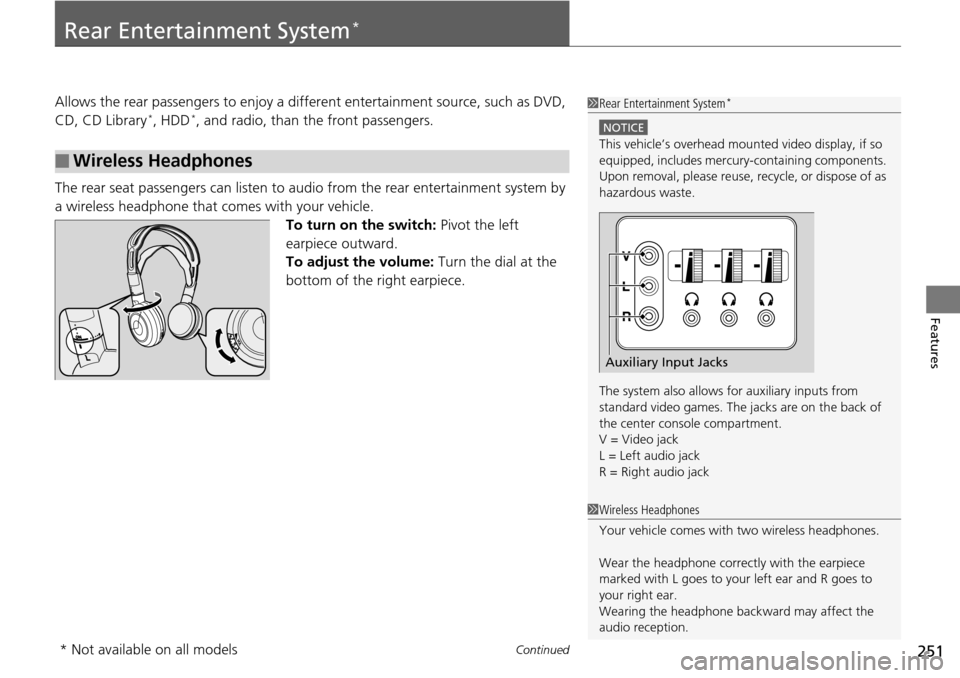
a wireless headphone that comes with your vehicle. To turn on the switch: Pivot the left
earpiece outward.
To adjust the volume: Turn the dial at the
bottom of the right earpiece.
■Wireless Headphones
1 Rear Entertainment System*
NOTICE
This vehicle’s overhead mount ed video display, if so
equipped, includes mercur y-containing components.
Upon removal, please reuse, recycle, or dispose of as
hazardous waste.
The system also allows for auxiliary inputs from
standard video games. The jacks are on the back of
the center console compartment.
V = Video jack
L = Left audio jack
R = Right audio jack
Auxiliary Input Jacks
1 Wireless Headphones
Your vehicle comes with two wireless headphones.
Wear the headphone correc tly with the earpiece
marked with L goes to y our left ear and R goes to
your right ear.
Wearing the headphone back ward may affect the
audio reception.
* Not available on all models
Page 255 of 488
uuRear Entertainment System*uOperating the System
254
Features
■Playing a DVD
• Insert a DVD into the lower slot of the front audio unit.
u The system automatically starts the DVD.
• To fast forward, press and hold the (S KIP) bar, and to reverse, press and hold
the bar on the front panel.
• To go to the next chapter, press the bar, and to go to the beginning of the
current chapter, press the bar on th e front panel. Quickly press the bar
twice to go to the previous chapter.
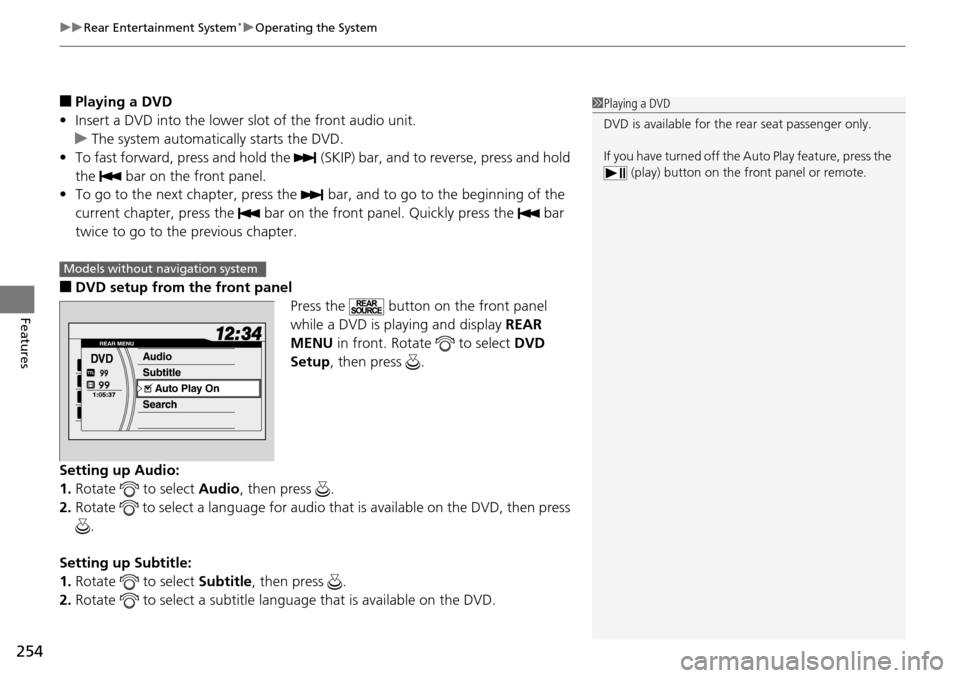
■DVD setup from the front panel Press the button on the front panel
while a DVD is playing and display REAR
MENU in front. Rotate to select DVD
Setup , then press .
Setting up Audio:
1. Rotate to select Audio, then press .
2. Rotate to select a language for audio th at is available on the DVD, then press
.
Setting up Subtitle:
1. Rotate to select Subtitle, then press .
2. Rotate to select a subtitle langu age that is available on the DVD.
1Playing a DVD
DVD is available for the rear seat passenger only.
If you have turned off the Auto Play feature, press the (play) button on the fr ont panel or remote.
Models without navigation system
Page 264 of 488
263
uuRear Entertainment System*uOperating the System
Features
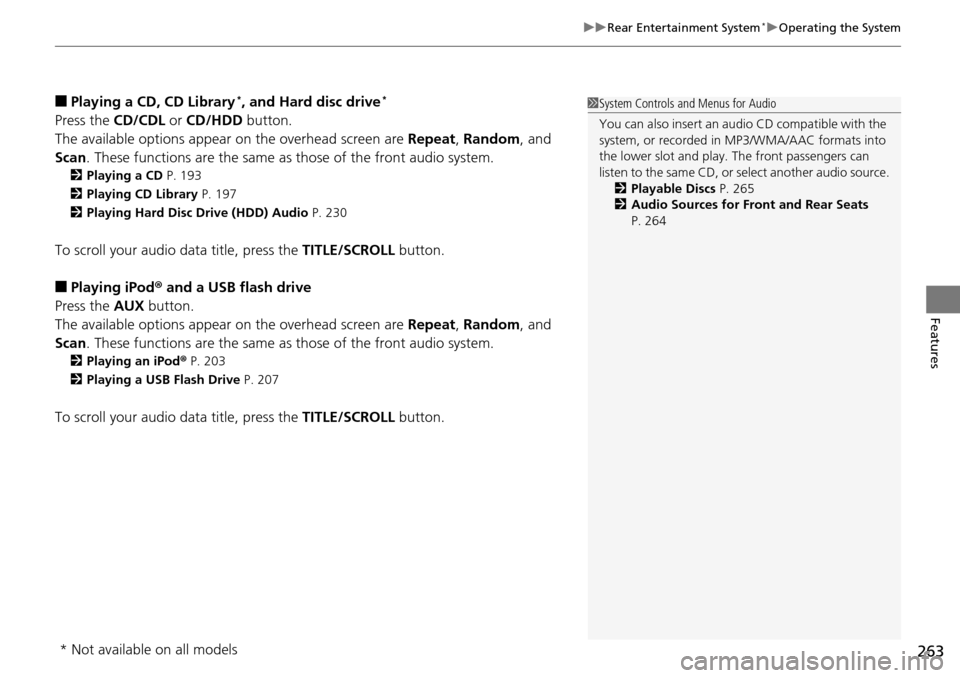
■Playing a CD, CD Library*, and Hard disc drive*
Press the CD/CDL or CD/HDD button.
The available options appear on the overhead screen are Repeat, Random , and
Scan . These functions are the same as those of the front audio system.
2Playing a CD P. 193
2 Playing CD Library P. 197
2 Playing Hard Disc Drive (HDD) Audio P. 230
To scroll your audio data title, press the TITLE/SCROLL button.
■Playing iPod® and a USB flash drive
Press the AUX button.
The available options appear on the overhead screen are Repeat, Random , and
Scan . These functions are the same as those of the front audio system.
2Playing an iPod ® P. 203
2 Playing a USB Flash Drive P. 207
To scroll your audio data title, press the TITLE/SCROLL button.
1System Controls and Menus for Audio
You can also insert an audio CD compatible with the
system, or recorded in MP3/WMA/AAC formats into
the lower slot and play. The front passengers can
listen to the same CD, or select another audio source.
2 Playable Discs P. 265
2 Audio Sources for Front and Rear Seats
P. 264
* Not available on all models
Page 265 of 488
264
uuRear Entertainment System*uAudio Sources for Front and Rear Seats
Features
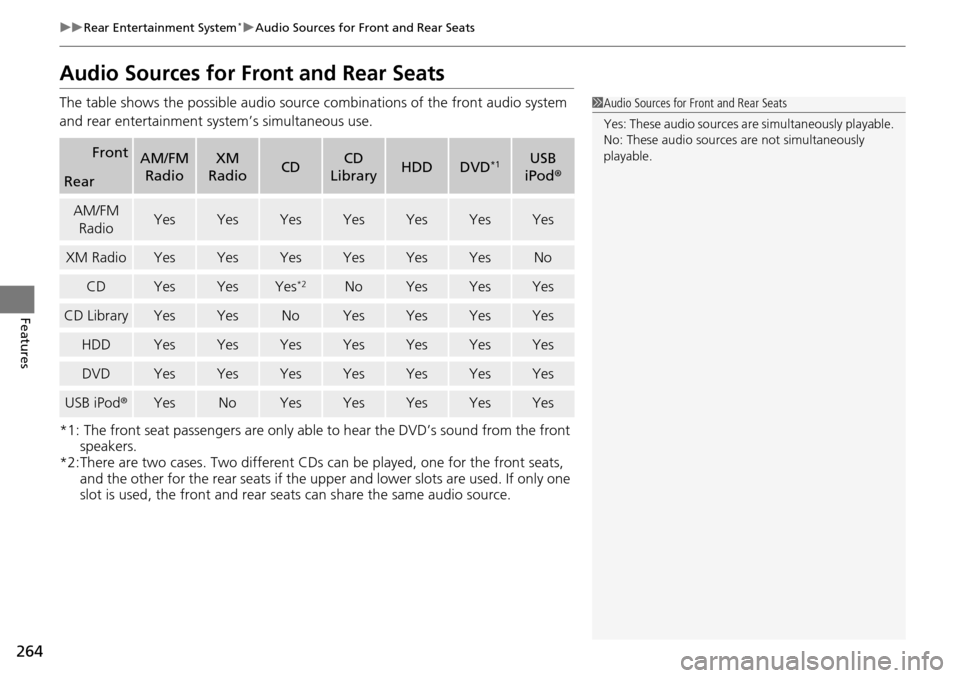
Audio Sources for Front and Rear Seats
The table shows the possible audio source combinations of the front audio system
and rear entertainment sy stem’s simultaneous use.
*1: The front seat passengers are only able to hear the DVD’s sound from the front speakers.
*2:There are two cases. Two different CDs can be played, one for the front seats,
and the other for the rear seats if the upper and lower slots are used. If only one
slot is used, the front and rear seats can share the same audio source.
FrontAM/FM
RadioXM
RadioCDCD
LibraryHDDDVD*1USB
iPod ®
Rear
AM/FM
RadioYesYesYesYesYesYesYes
XM RadioYesYesYesYesYesYesNo
CDYesYesYes*2NoYesYesYes
CD LibraryYesYesNoYesYesYesYes
HDDYesYesYesYesYesYesYes
DVDYesYesYesYesYesYesYes
USB iPod ®YesNoYesYesYesYesYes
1Audio Sources for Front and Rear Seats
Yes: These audio sources ar e simultaneously playable.
No: These audio sources are not simultaneously
playable.