display HONDA PILOT 2016 3.G Navigation Manual
[x] Cancel search | Manufacturer: HONDA, Model Year: 2016, Model line: PILOT, Model: HONDA PILOT 2016 3.GPages: 145, PDF Size: 8.06 MB
Page 46 of 145
45Continued
System Setup
Other Settings
Units & Time
Hu (Back) uSettings uUnits & Time
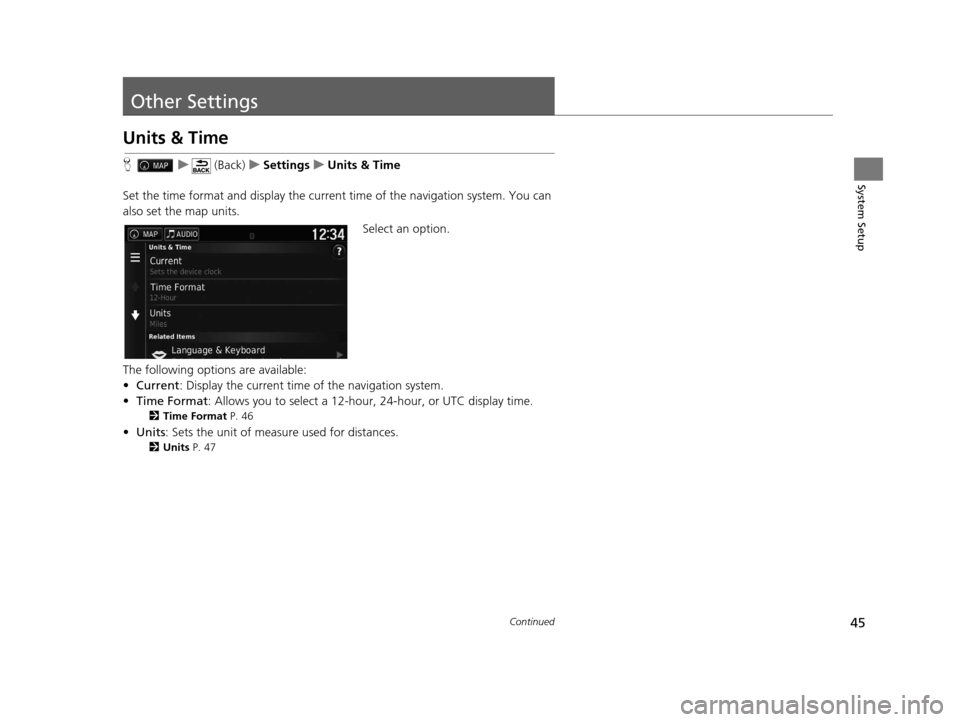
Set the time format and display the current time of the navigation system. You can
also set the map units.
Select an option.
The following options are available:
• Current : Display the current time of the navigation system.
• Time Format : Allows you to select a 12-hour, 24-hour, or UTC display time.
2Time Format P. 46
•Units : Sets the unit of measure used for distances.
2Units P. 47
16 PILOT NAVI-31TG78000.book 45 ページ 2015年4月21日 火曜日 午前8時30分
Page 47 of 145
46
uuOther Settings uUnits & Time
System SetupH u (Back) uSettings uUnits & Time uTime Format
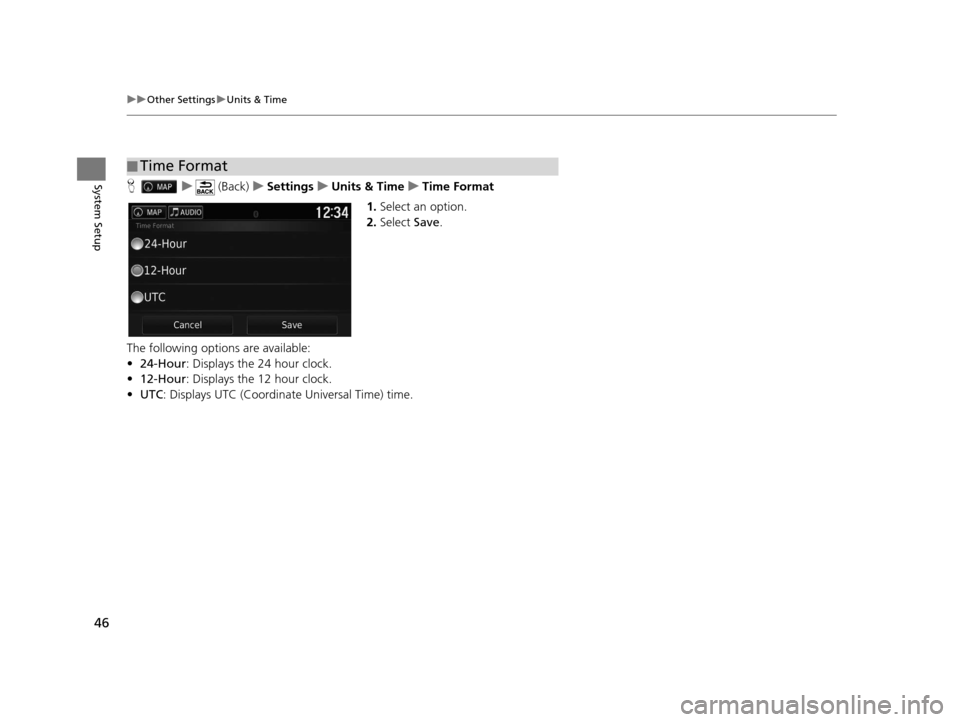
1. Select an option.
2. Select Save.
The following options are available:
• 24-Hour : Displays the 24 hour clock.
• 12-Hour : Displays the 12 hour clock.
• UTC : Displays UTC (Coordinate Universal Time) time.
■Time Format
16 PILOT NAVI-31TG78000.book 46 ページ 2015年4月21日 火曜日 午前8時30分
Page 52 of 145
51
uuOther Settings uDevice
Continued
System Setup
Device
H u (Back) uSettings uDevice
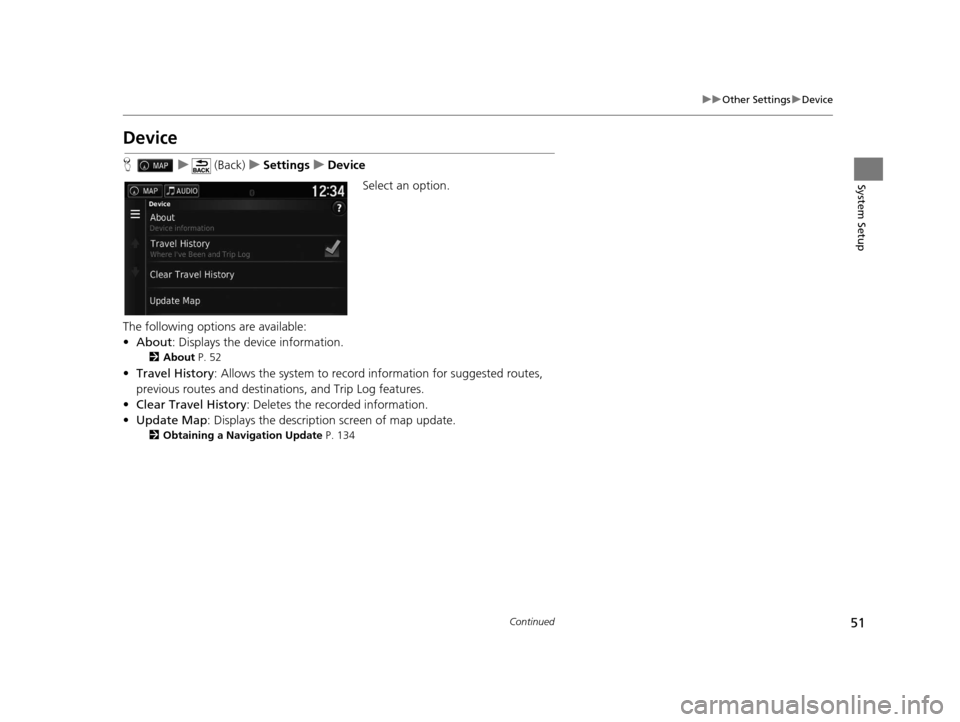
Select an option.
The following options are available:
• About : Displays the device information.
2About P. 52
•Travel History: Allows the system to record information for suggested routes,
previous routes and destinations, and Trip Log features.
• Clear Travel History: Deletes the recorded information.
• Update Map : Displays the description screen of map update.
2Obtaining a Navigation Update P. 134
16 PILOT NAVI-31TG78000.book 51 ページ 2015年4月21日 火曜日 午前8時30分
Page 53 of 145
52
uuOther Settings uDevice
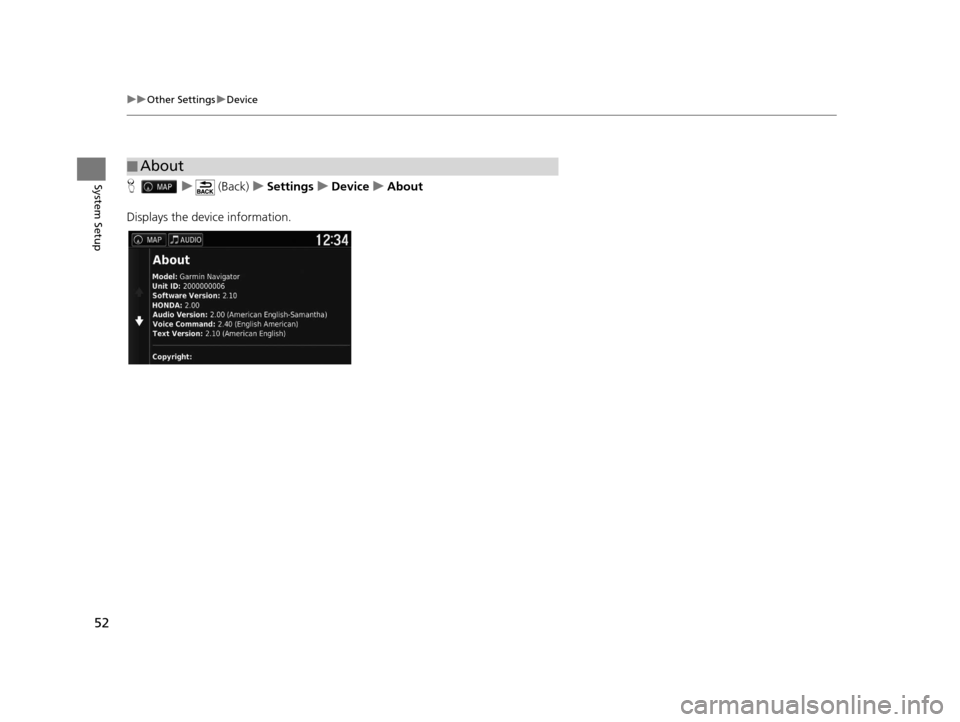
System SetupH u (Back) uSettings uDevice uAbout
Displays the device information.
■ About
16 PILOT NAVI-31TG78000.book 52 ページ 2015年4月21日 火曜日 午前8時30分
Page 59 of 145
uuEntering a Destination u
58
Navigation
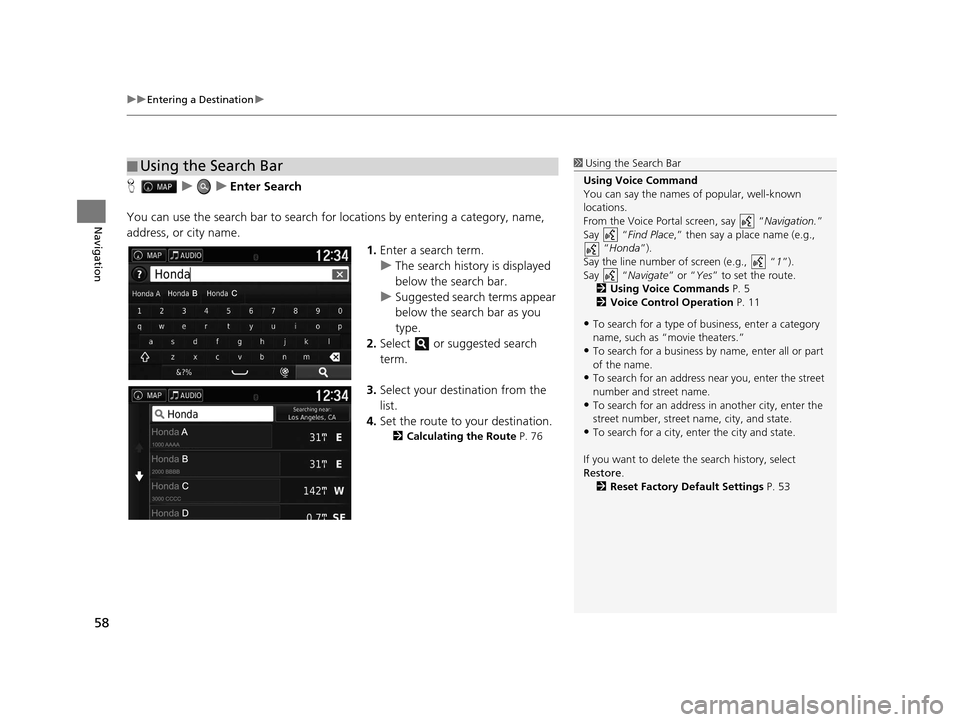
HuuEnter Search
You can use the search bar to search for locations by entering a category, name,
address, or city name.
1.Enter a search term.
u The search history is displayed
below the search bar.
u Suggested search terms appear
below the search bar as you
type.
2. Select or suggested search
term.
3. Select your destination from the
list.
4. Set the route to your destination.
2 Calculating the Route P. 76
■Using the Search Bar1
Using the Search Bar
Using Voice Command
You can say the names of popular, well-known
locations.
From the Voice Portal screen, say “ Navigation.”
Say “ Find Place ,” then say a place name (e.g.,
“Honda ”).
Say the line number of screen (e.g., “ 1”).
Say “ Navigate” or “Yes” to set the route.
2 Using Voice Commands P. 5
2 Voice Control Operation P. 11
•To search for a type of business, enter a category
name, such as “movie theaters.”
•To search for a business by name, enter all or part
of the name.
•To search for an address near you, enter the street
number and street name.
•To search for an address in another city, enter the
street number, street name, city, and state.
•To search for a city, enter the city and state.
If you want to delete th e search history, select
Restore .
2 Reset Factory Default Settings P. 53
16 PILOT NAVI-31TG78000.book 58 ページ 2015年4月21日 火曜日 午前8時30分
Page 64 of 145
63
uuEntering a Destination uAddress
Continued
Navigation
Address
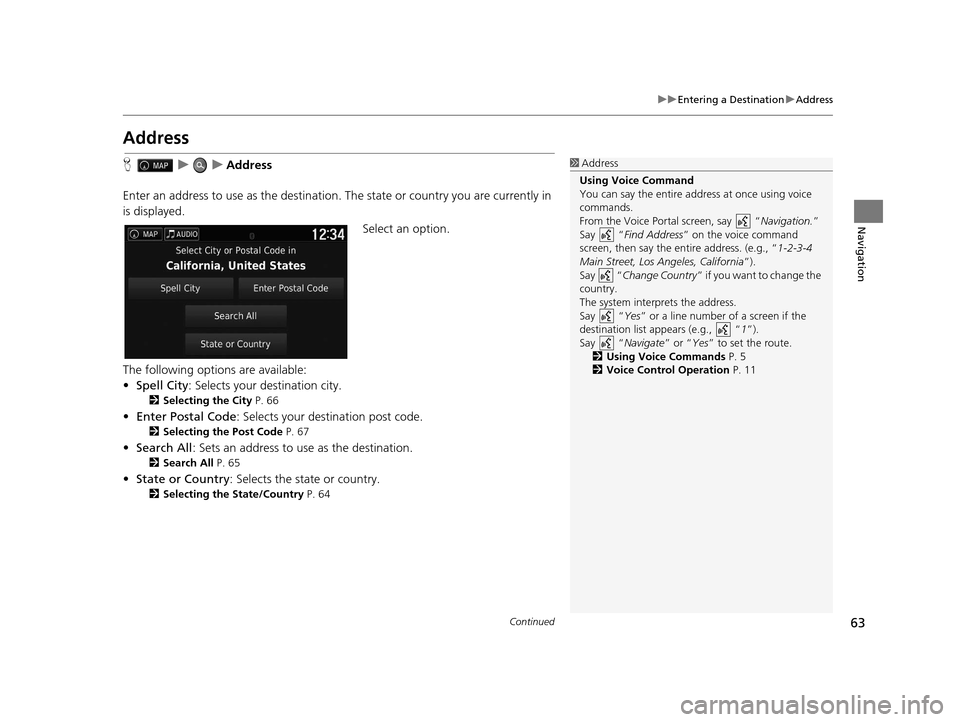
H uuAddress
Enter an address to use as th e destination. The state or country you are currently in
is displayed.
Select an option.
The following options are available:
• Spell City : Selects your destination city.
2Selecting the City P. 66
•Enter Postal Code : Selects your destination post code.
2Selecting the Post Code P. 67
•Search All : Sets an address to use as the destination.
2Search All P. 65
•State or Country : Selects the state or country.
2Selecting the State/Country P. 64
1Address
Using Voice Command
You can say the entire a ddress at once using voice
commands.
From the Voice Portal screen, say “ Navigation.”
Say “ Find Address ” on the voice command
screen, then say the entire address. (e.g., “1-2-3-4
Main Street, Los Angeles, California ”).
Say “ Change Country ” if you want to change the
country.
The system interprets the address.
Say “ Yes” or a line number of a screen if the
destination list appears (e.g., “ 1”).
Say “ Navigate” or “Yes ” to set the route.
2 Using Voice Commands P. 5
2 Voice Control Operation P. 11
16 PILOT NAVI-31TG78000.book 63 ページ 2015年4月21日 火曜日 午前8時30分
Page 66 of 145
Continued65
uuEntering a Destination uAddress
Navigation
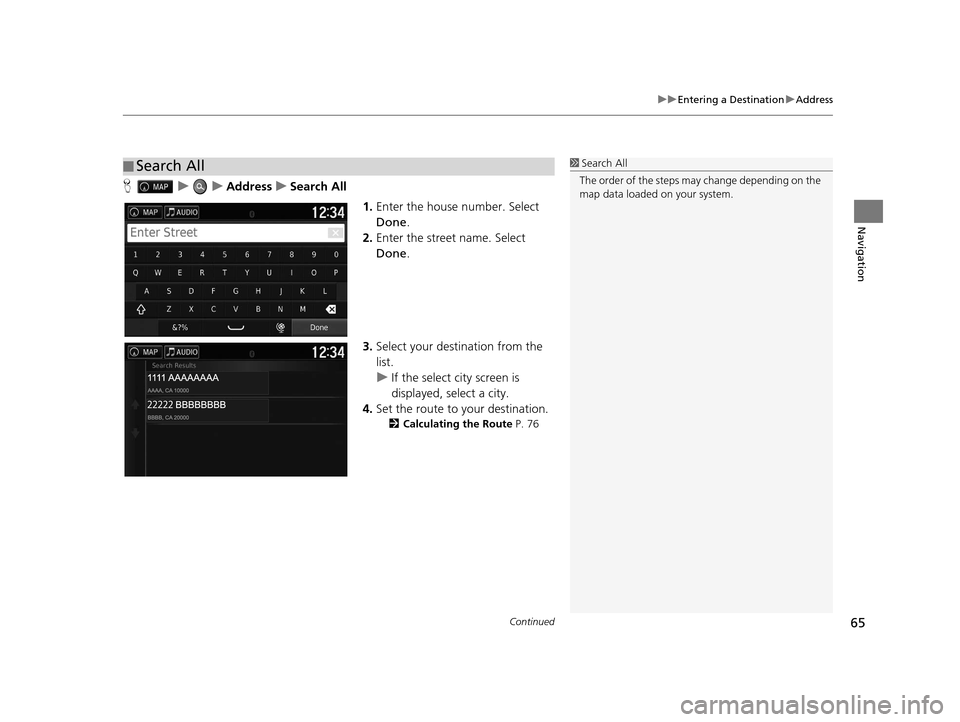
H uuAddressuSearch All
1.Enter the house number. Select
Done .
2. Enter the street name. Select
Done .
3. Select your destination from the
list.
u If the select city screen is
displayed, select a city.
4. Set the route to your destination.
2 Calculating the Route P. 76
■Search All1
Search All
The order of the steps may change depending on the
map data loaded on your system.
16 PILOT NAVI-31TG78000.book 65 ページ 2015年4月21日 火曜日 午前8時30分
Page 67 of 145
uuEntering a Destination uAddress
66
Navigation
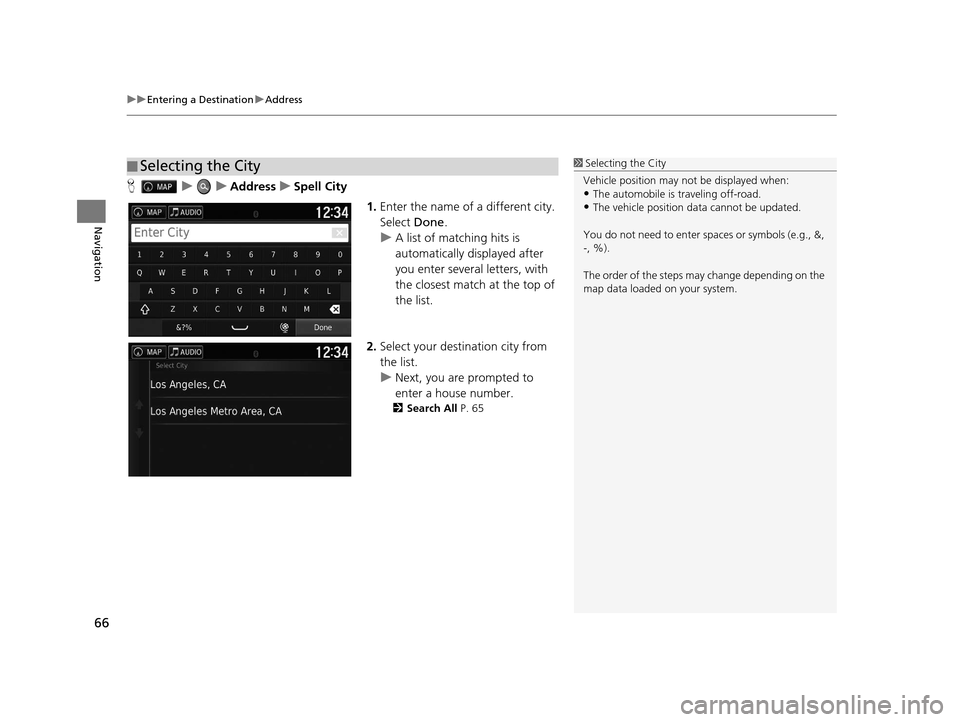
H uuAddressuSpell City
1.Enter the name of a different city.
Select Done.
u A list of matching hits is
automatically displayed after
you enter several letters, with
the closest match at the top of
the list.
2. Select your destination city from
the list.
u Next, you are prompted to
enter a house number.
2 Search All P. 65
■Selecting the City1
Selecting the City
Vehicle position may not be displayed when:
•The automobile is traveling off-road.
•The vehicle position data cannot be updated.
You do not need to enter spaces or symbols (e.g., &,
-, %).
The order of the steps may change depending on the
map data loaded on your system.
16 PILOT NAVI-31TG78000.book 66 ページ 2015年4月21日 火曜日 午前8時30分
Page 69 of 145
68
uuEntering a Destination uCategories
Navigation
Categories
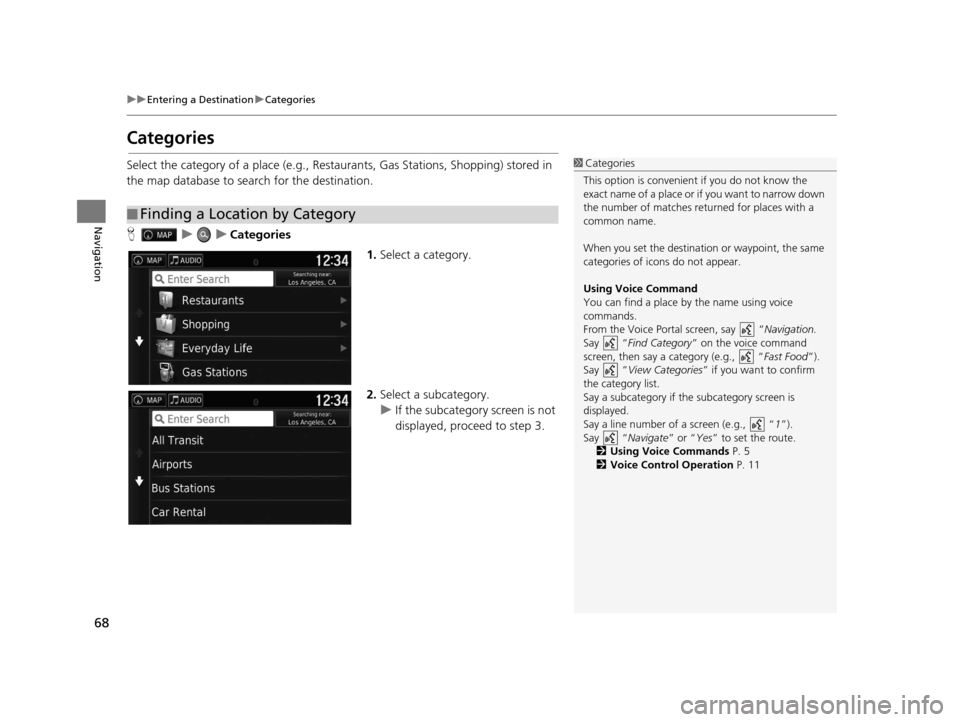
Select the category of a place (e.g., Restaurants, Gas Stations, Shopping) stored in
the map database to search for the destination.
H uuCategories
1.Select a category.
2. Select a subcategory.
u If the subcategory screen is not
displayed, proceed to step 3.
■Finding a Location by Category
1
Categories
This option is convenient if you do not know the
exact name of a place or if you want to narrow down
the number of matches returned for places with a
common name.
When you set the destination or waypoint, the same
categories of icons do not appear.
Using Voice Command
You can find a place by the name using voice
commands.
From the Voice Portal screen, say “ Navigation.
Say “ Find Category ” on the voice command
screen, then say a category (e.g., “ Fast Food”).
Say “ View Categories ” if you want to confirm
the category list.
Say a subcategory if the subcategory screen is
displayed.
Say a line number of a screen (e.g., “ 1”).
Say “ Navigate” or “Yes” to set the route.
2 Using Voice Commands P. 5
2 Voice Control Operation P. 11
16 PILOT NAVI-31TG78000.book 68 ページ 2015年4月21日 火曜日 午前8時30分
Page 70 of 145
Continued69
uuEntering a Destination uCategories
Navigation
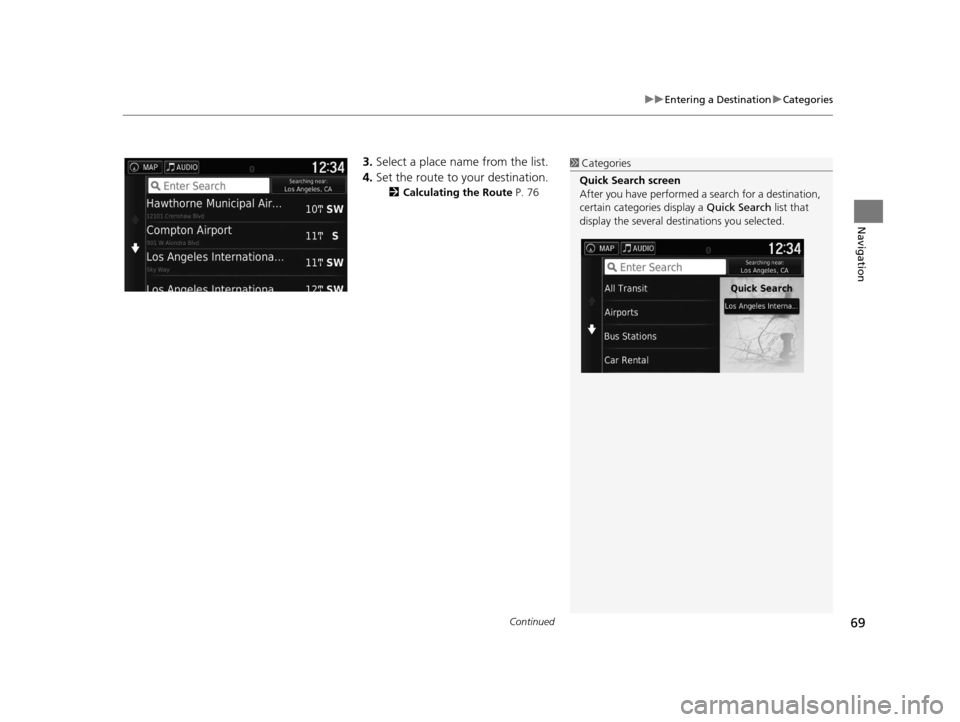
3. Select a place name from the list.
4. Set the route to your destination.
2 Calculating the Route P. 76
1Categories
Quick Search screen
After you have perf ormed a search for a destination,
certain categories display a Quick Search list that
display the several dest inations you selected.
16 PILOT NAVI-31TG78000.book 69 ページ 2015年4月21日 火曜日 午前8時30分