Accessory mode HONDA PILOT 2016 3.G User Guide
[x] Cancel search | Manufacturer: HONDA, Model Year: 2016, Model line: PILOT, Model: HONDA PILOT 2016 3.GPages: 661, PDF Size: 37.79 MB
Page 169 of 661
168
uuOperating the Switches Around the Steering Wheel uDriving Position Memory System*
Controls
Driving Position Memory System*
You can store two driver’s seat (except for power lumbar) and door mirror positions
with the driving position memory system.
When you unlock and open the driver’s door with a remote transmitter, or smart
entry system, the seat and door mirrors adju st automatically to one of the two preset
positions.
The MID shows you which remote transmitter you used to unlock the vehicle when
you enter.
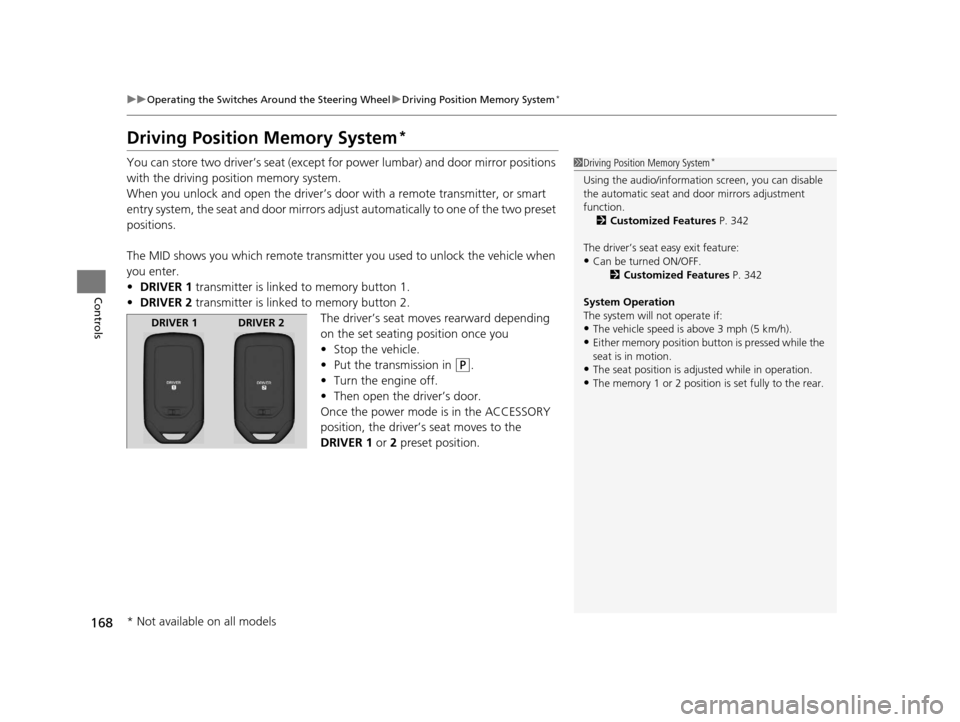
• DRIVER 1 transmitter is linked to memory button 1.
• DRIVER 2 transmitter is linked to memory button 2.
The driver’s seat moves rearward depending
on the set seating position once you
•Stop the vehicle.
• Put the transmission in
(P.
• Turn the engine off.
• Then open the driver’s door.
Once the power mode is in the ACCESSORY
position, the driver’s seat moves to the
DRIVER 1 or 2 preset position.
1Driving Position Memory System*
Using the audio/informati on screen, you can disable
the automatic seat and d oor mirrors adjustment
function. 2 Customized Features P. 342
The driver’s seat easy exit feature:
•Can be turned ON/OFF. 2Customized Features P. 342
System Operation
The system will not operate if:
•The vehicle speed is above 3 mph (5 km/h).•Either memory position button is pressed while the
seat is in motion.
•The seat position is adju sted while in operation.•The memory 1 or 2 position is set fully to the rear.
DRIVER 1 DRIVER 2
* Not available on all models
16 PILOT-31TG76000.book 168 ページ 2015年6月15日 月曜日 午前11時30分
Page 189 of 661
188
Controls
Interior Lights/Interior Convenience Items
Interior Lights
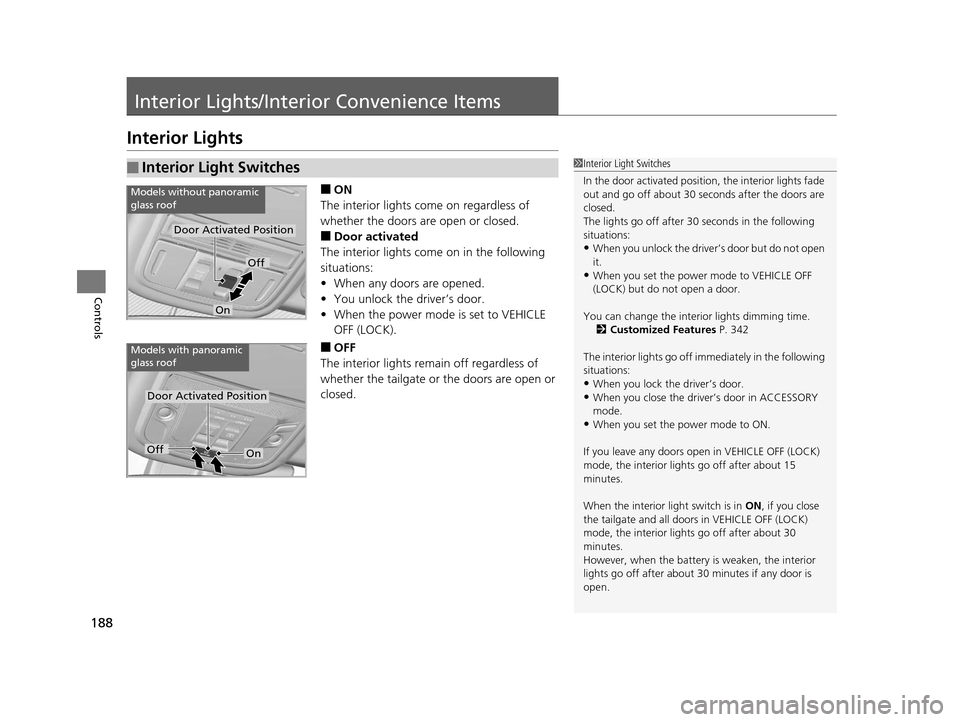
■ON
The interior lights come on regardless of
whether the doors are open or closed.
■Door activated
The interior lights come on in the following
situations:
• When any doors are opened.
• You unlock the driver’s door.
• When the power mode is set to VEHICLE
OFF (LOCK).
■OFF
The interior lights remain off regardless of
whether the tailgate or the doors are open or
closed.
■Interior Light Switches1 Interior Light Switches
In the door activated position, the interior lights fade
out and go off about 30 se conds after the doors are
closed.
The lights go off after 30 seconds in the following
situations:
•When you unlock the driver’s door but do not open
it.
•When you set the power mode to VEHICLE OFF
(LOCK) but do not open a door.
You can change the interi or lights dimming time.
2 Customized Features P. 342
The interior lights go off i mmediately in the following
situations:
•When you lock the driver’s door.
•When you close the driver’s door in ACCESSORY
mode.
•When you set the power mode to ON.
If you leave any doors open in VEHICLE OFF (LOCK)
mode, the interior light s go off after about 15
minutes.
When the interior light switch is in ON, if you close
the tailgate and all doors in VEHICLE OFF (LOCK)
mode, the interior light s go off after about 30
minutes.
However, when the battery is weaken, the interior
lights go off after about 30 minutes if any door is
open.
Door Activated Position
Off
On
Models without panoramic
glass roof
Door Activated Position
Models with panoramic
glass roof
OffOn
16 PILOT-31TG76000.book 188 ページ 2015年6月15日 月曜日 午前11時30分
Page 197 of 661
uuInterior Lights/Interior Convenience Items uInterior Convenience Items
196
Controls
The accessory power sockets can be used when the power mode is in ACCESSORY
or ON.
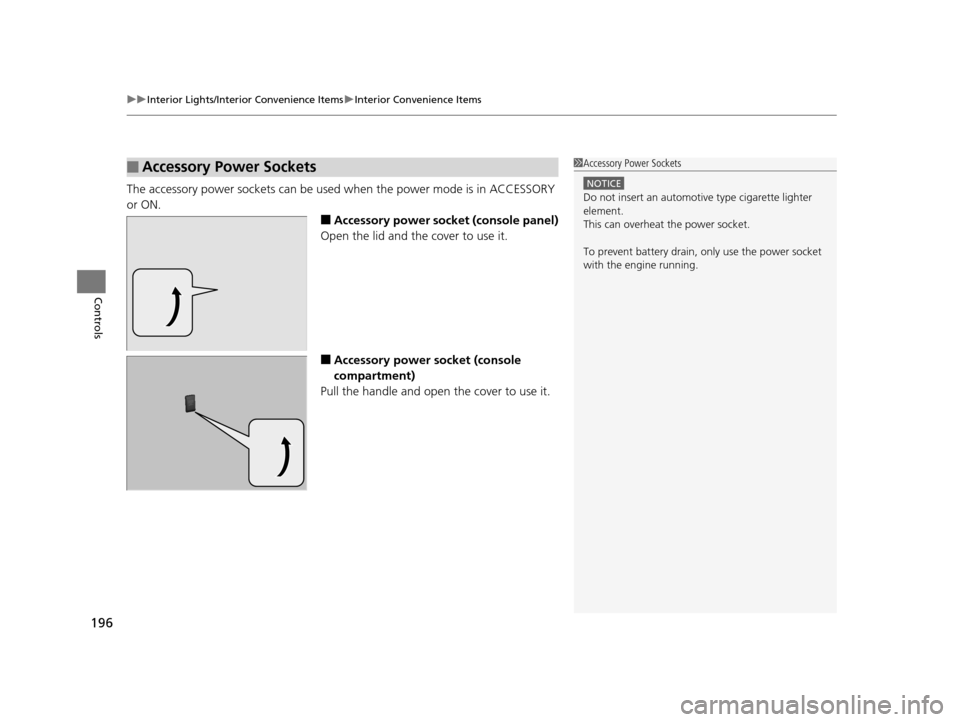
■Accessory power socket (console panel)
Open the lid and the cover to use it.
■Accessory power socket (console
compartment)
Pull the handle and open the cover to use it.
■Accessory Power Sockets1 Accessory Power Sockets
NOTICE
Do not insert an automotive type cigarette lighter
element.
This can overheat the power socket.
To prevent battery drain, only use the power socket
with the engine running.
16 PILOT-31TG76000.book 196 ページ 2015年6月15日 月曜日 午前11時30分
Page 198 of 661
Continued197
uuInterior Lights/Interior Convenience Items uInterior Convenience Items
Controls
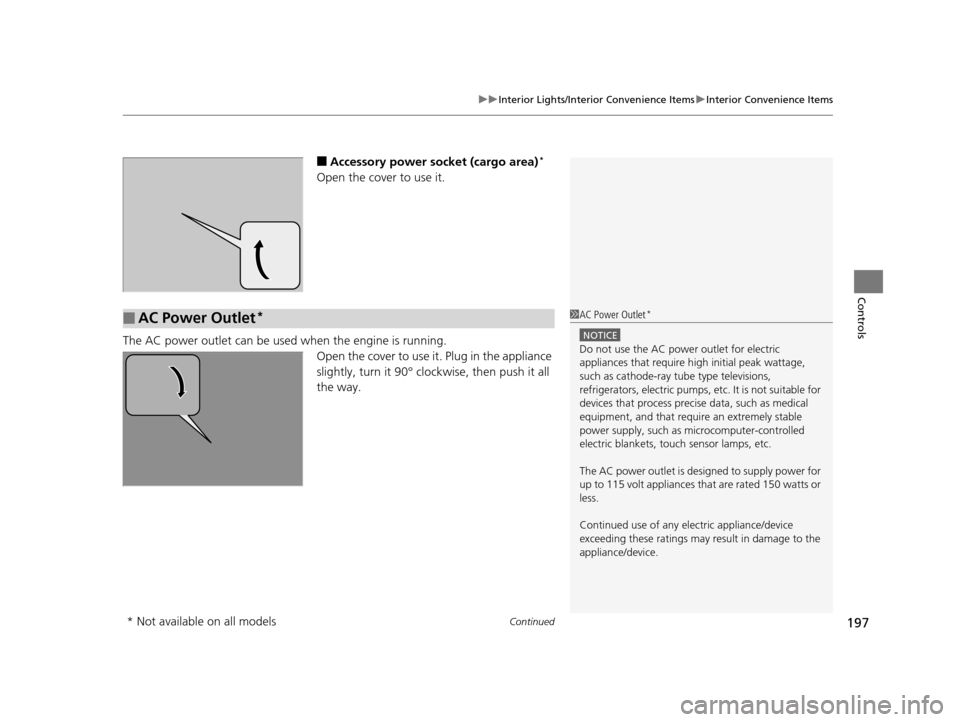
■Accessory power socket (cargo area)*
Open the cover to use it.
The AC power outlet can be used when the engine is running.
Open the cover to use it. Plug in the appliance
slightly, turn it 90° clockwise, then push it all
the way.
■AC Power Outlet*1AC Power Outlet*
NOTICE
Do not use the AC power outlet for electric
appliances that require hi gh initial peak wattage,
such as cathode-ray tube type televisions,
refrigerators, electric pumps, etc. It is not suitable for
devices that process precis e data, such as medical
equipment, and that require an extremely stable
power supply, such as microcomputer-controlled
electric blankets, touc h sensor lamps, etc.
The AC power outlet is desi gned to supply power for
up to 115 volt appliances that are rated 150 watts or
less.
Continued use of any elec tric appliance/device
exceeding these ratings may result in damage to the
appliance/device.
* Not available on all models
16 PILOT-31TG76000.book 197 ページ 2015年6月15日 月曜日 午前11時30分
Page 220 of 661
219
uuAudio System uUSB Port(s)
Features
USB Port(s)
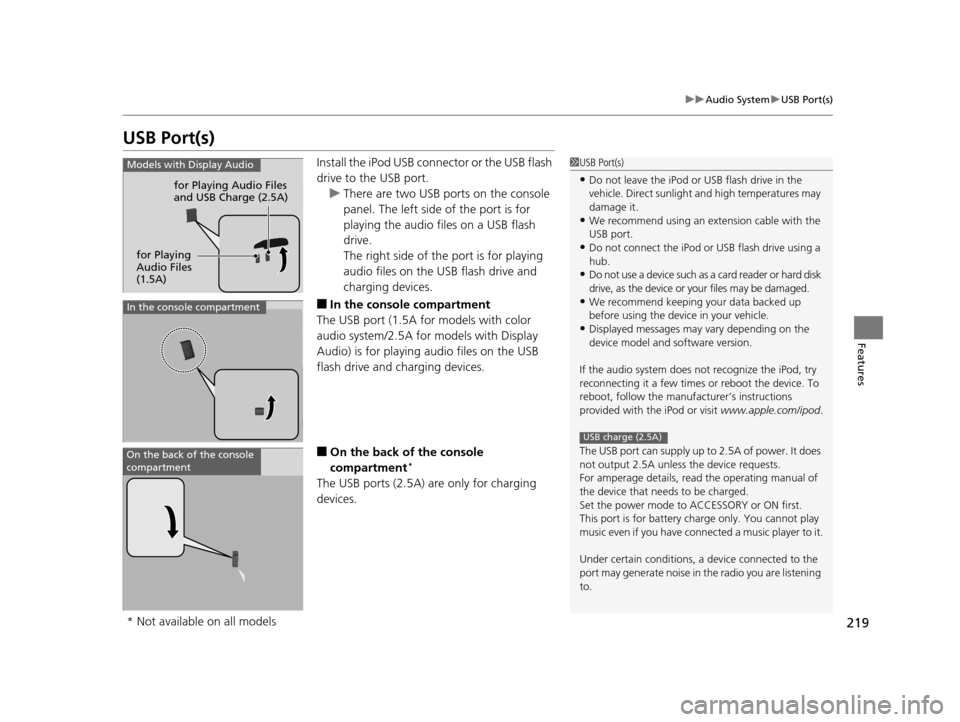
Install the iPod USB connector or the USB flash
drive to the USB port.
u There are two USB ports on the console
panel. The left side of the port is for
playing the audio files on a USB flash
drive.
The right side of th e port is for playing
audio files on the USB flash drive and
charging devices.
■In the consol e compartment
The USB port (1.5A for models with color
audio system/2.5A for models with Display
Audio) is for playing audio files on the USB
flash drive and charging devices.
■On the back of the console
compartment*
The USB ports (2.5A) are only for charging
devices.
1 USB Port(s)
•Do not leave the iPod or USB flash drive in the
vehicle. Direct sunlight and high temperatures may
damage it.
•We recommend using an extension cable with the
USB port.
•Do not connect the iPod or USB flash drive using a
hub.
•Do not use a device such as a card reader or hard disk
drive, as the device or your files may be damaged.
•We recommend keeping y our data backed up
before using the device in your vehicle.
•Displayed messages may vary depending on the
device model and software version.
If the audio system does not recognize the iPod, try
reconnecting it a few times or reboot the device. To
reboot, follow the manufac turer’s instructions
provided with the iPod or visit www.apple.com/ipod.
The USB port can supply up to 2.5A of power. It does
not output 2.5A unless the device requests.
For amperage details, read the operating manual of
the device that ne eds to be charged.
Set the power mode to ACCESSORY or ON first.
This port is for battery charge only. You cannot play
music even if you have conne cted a music player to it.
Under certain condi tions, a device connected to the
port may generate noise in the radio you are listening
to.
USB charge (2.5A)
Models with Display Audio
for Playing Audio Files
and USB Charge (2.5A)
for Playing
Audio Files
(1.5A)
In the console compartment
On the back of the console
compartment
* Not available on all models
16 PILOT-31TG76000.book 219 ページ 2015年6月15日 月曜日 午前11時30分
Page 225 of 661
224
Features
Audio System Basic Operation
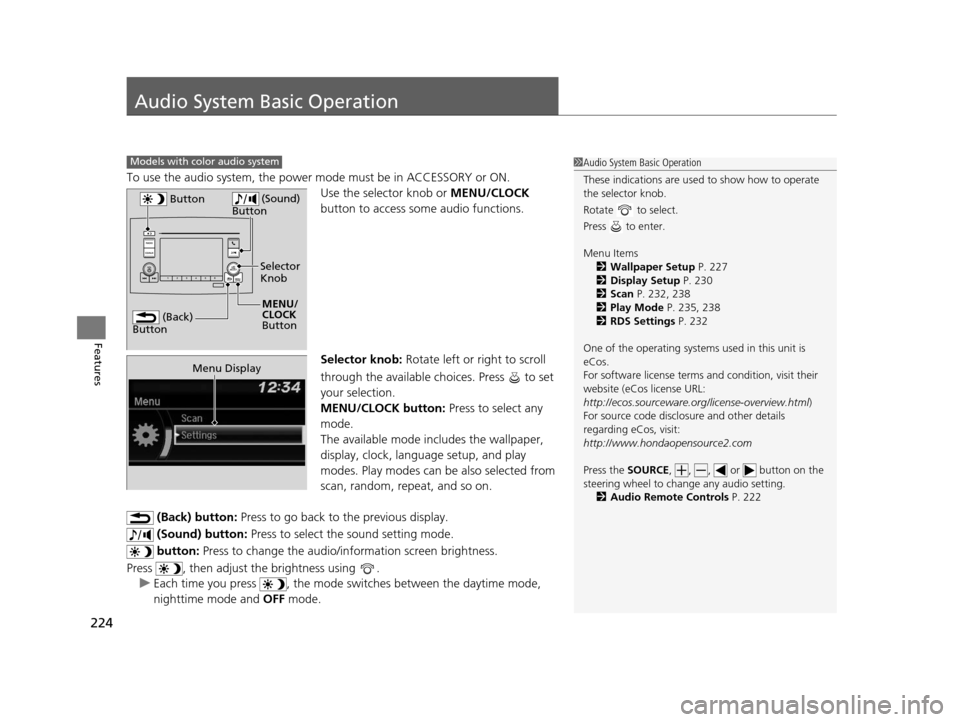
To use the audio system, the power mode must be in ACCESSORY or ON.
Use the selector knob or MENU/CLOCK
button to access some audio functions.
Selector knob: Rotate left or right to scroll
through the available choices. Press to set
your selection.
MENU/CLOCK button: Press to select any
mode.
The available mode includes the wallpaper,
display, clock, langu age setup, and play
modes. Play modes can be also selected from
scan, random, rep eat, and so on.
(Back) button: Press to go back to the previous display.
(Sound) button: Press to select the sound setting mode.
button: Press to change the audio/information screen brightness.
Press , then adjust th e brightness using .
u Each time you press , the mode switches between the daytime mode,
nighttime mode and OFF mode.
Models with color audio system1Audio System Basic Operation
These indications are used to show how to operate
the selector knob.
Rotate to select.
Press to enter.
Menu Items 2 Wallpaper Setup P. 227
2 Display Setup P. 230
2 Scan P. 232, 238
2 Play Mode P. 235, 238
2 RDS Settings P. 232
One of the operating system s used in this unit is
eCos.
For software license terms and condition, visit their
website (eCos license URL:
http://ecos.sourceware.org/license-overview.html )
For source code disclo sure and other details
regarding eCos, visit:
http://www.hondaopensource2.com
Press the SOURCE, , , or button on the
steering wheel to cha nge any audio setting.
2 Audio Remote Controls P. 222
(Back)
Button
Selector
Knob
MENU/
CLOCK
Button
Button
(Sound)
Button
Menu Display
16 PILOT-31TG76000.book 224 ページ 2015年6月15日 月曜日 午前11時30分
Page 243 of 661
242
Features
Audio System Basic Operation
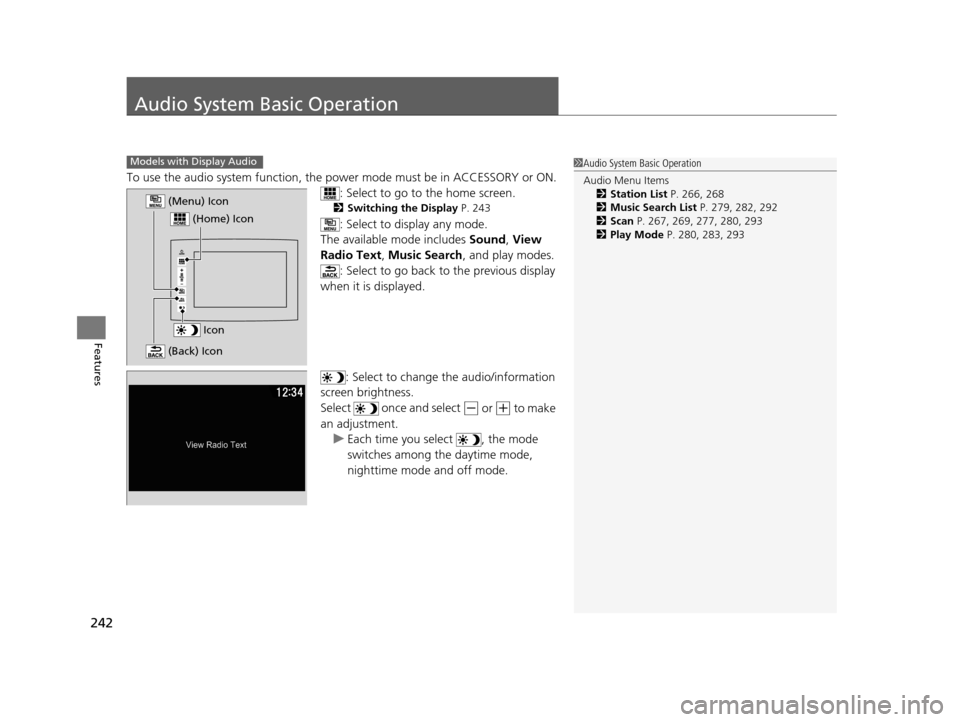
To use the audio system function, the power mode must be in ACCESSORY or ON.
: Select to go to the home screen.
2Switching the Display P. 243
: Select to display any mode.
The available mode includes Sound, View
Radio Text, Music Search , and play modes.
: Select to go back to the previous display
when it is displayed.
: Select to change the audio/information
screen brightness.
Select once and select
(- or (+ to make
an adjustment. u Each time you select , the mode
switches among the daytime mode,
nighttime mode and off mode.
Models with Display Audio1Audio System Basic Operation
Audio Menu Items
2 Station List P. 266, 268
2 Music Search List P. 279, 282, 292
2 Scan P. 267, 269, 277, 280, 293
2 Play Mode P. 280, 283, 293
Icon
(Home) Icon
(Menu) Icon
(Back) Icon
16 PILOT-31TG76000.book 242 ページ 2015年6月15日 月曜日 午前11時30分
Page 317 of 661
316
uuBlu-ray/DVD Rear Entertainment System*uOverhead Screen
Features
Overhead Screen
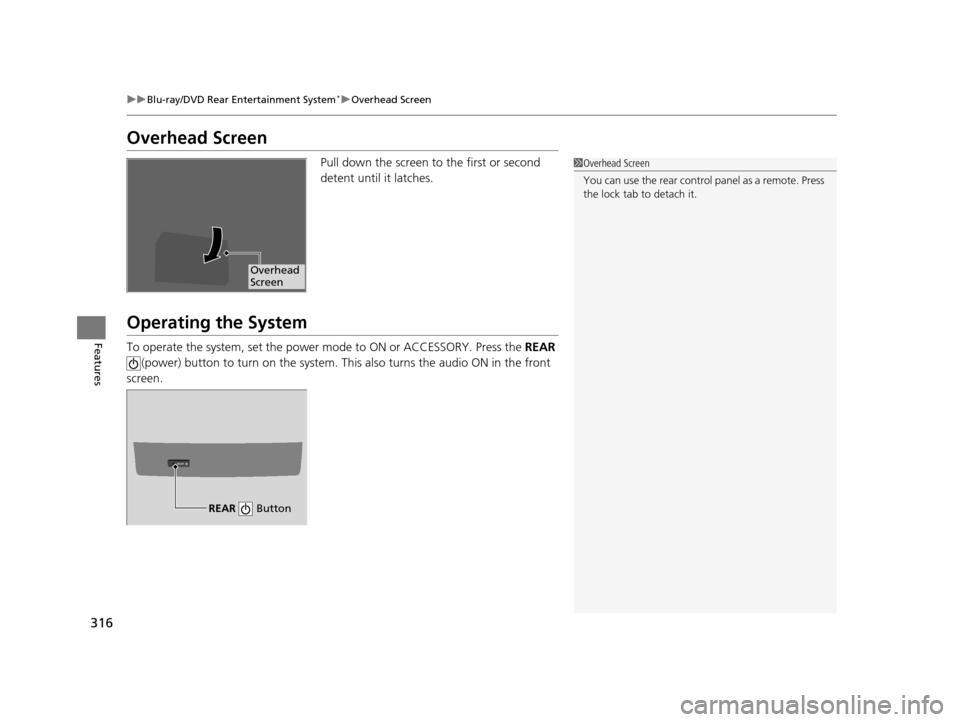
Pull down the screen to the first or second
detent until it latches.
Operating the System
To operate the system, set the power mode to ON or ACCESSORY. Press the REAR
(power) button to turn on the system. Th is also turns the audio ON in the front
screen.
1 Overhead Screen
You can use the rear control panel as a remote. Press
the lock tab to detach it.
Overhead
Screen
REAR
REAR Button
16 PILOT-31TG76000.book 316 ページ 2015年6月15日 月曜日 午前11時30分
Page 468 of 661
467
uuWhen Driving uPrecautions While Driving
Driving
Precautions While Driving
Utility vehicles have a significantly higher rollover rate than other types of vehicles.
To prevent rollovers or loss of control:
• Take corners at slower speeds than yo u would with a passenger vehicle.
• Avoid sharp turns and abrupt maneuvers whenever possible.
• Do not modify your vehicle in any way th at you would raise the center of gravity.
• Do not carry heavy cargo on the roof.
Never carry more than 165 lbs (75 kg) of ca rgo on the roof rack (Honda accessory).
Avoid driving in deep water and on flooded roads. This can damage the engine,
driveline, or cause electrical component failure.
If there is a strong impact with something under the vehicle, stop in a safe location.
Check the underside of the vehicle for damage or any fluid leaks.
■Driving Guidelines for Your Utility Vehicle
■In Rain
■Other Precautions
1 Precautions While Driving
NOTICE
Do not change the gear position while pressing the
accelerator pedal. You could damage the
transmission.
NOTICE
If you repeatedly turn the steering wheel at an
extremely low speed, or hold the steering wheel on
the full left or right position for a while, the system
heats up. The system goes into a protective mode,
and limits its performa nce. The steering wheel
becomes harder and harder to operate. Once the
system cools down, the EPS system is restored.
Repeated operation under these conditions can
eventually damage the system.
If the power mode is set to ACCESSORY or VEHICLE
OFF (LOCK) while driving, the engine will shut down
and all steering and brake pow er assist functions will
stop, making it difficult to control the vehicle.
Do not change the gear position to
( N, as you will
lose engine braking (and acceleration) performance.
During the first 600 miles (1,000 km) of operation,
avoid sudden acceleration or full throttle operation so
as not to damage the engine or powertrain.
Avoid hard braking for the first 200 miles (300 km).
You should also follow this when the brake pads are
replaced.
16 PILOT-31TG76000.book 467 ページ 2015年6月15日 月曜日 午前11時30分
Page 476 of 661
![HONDA PILOT 2016 3.G User Guide 475
uuWhen Driving uShifting
Continued
Driving
■If you want to keep the transmission in (N position [car wash mode]
With the engine running:
1. Press and hold the brake pedal.
2. Select
(N, then re](/img/13/6023/w960_6023-475.png "HONDA PILOT 2016 3.G User Guide 475
uuWhen Driving uShifting
Continued
Driving
■If you want to keep the transmission in (N position [car wash mode]
With the engine running:
1. Press and hold the brake pedal.
2. Select
(N, then re")
475
uuWhen Driving uShifting
Continued
Driving
■If you want to keep the transmission in (N position [car wash mode]
With the engine running:
1. Press and hold the brake pedal.
2. Select
(N, then release the button to display (Neutral) (N hold mode on the MID.
3. Press and hold
(N again for two seconds. At this point you can either:
u Leave the engine ru nning, the transmission remains in
(N.
u Or press the ENGINE STOP/START button to turn off the engine. The
Transmission remains in
(N.
In either case the transmission remains in
(N
for 15 minutes.
If the ENGINE STOP/START button is pressed
once, the power mode changes to ACCESSORY
and a message is displayed on the MID. u This puts the vehicle in car wash mode
which must be used when your vehicle is
pulled through a conveyor type
automatic car wash where you or an
attendant do not remain in the vehicle.
u The gear position remains in
(N with the
power mode in ACCESSORY for 15
minutes, then, it automatically changes to
(P and the power mode changes to OFF.
Manually changing to
(P cancels
ACCESSORY mode. The
(P indicator comes
on and the power mode changes to OFF. You
must always shift to
(P when car wash mode
is no longer needed.
16 PILOT-31TG76000.book 475 ページ 2015年6月15日 月曜日 午前11時30分