audio HONDA PILOT 2016 3.G User Guide
[x] Cancel search | Manufacturer: HONDA, Model Year: 2016, Model line: PILOT, Model: HONDA PILOT 2016 3.GPages: 661, PDF Size: 37.79 MB
Page 121 of 661
120
Controls
Clock
Adjusting the Clock
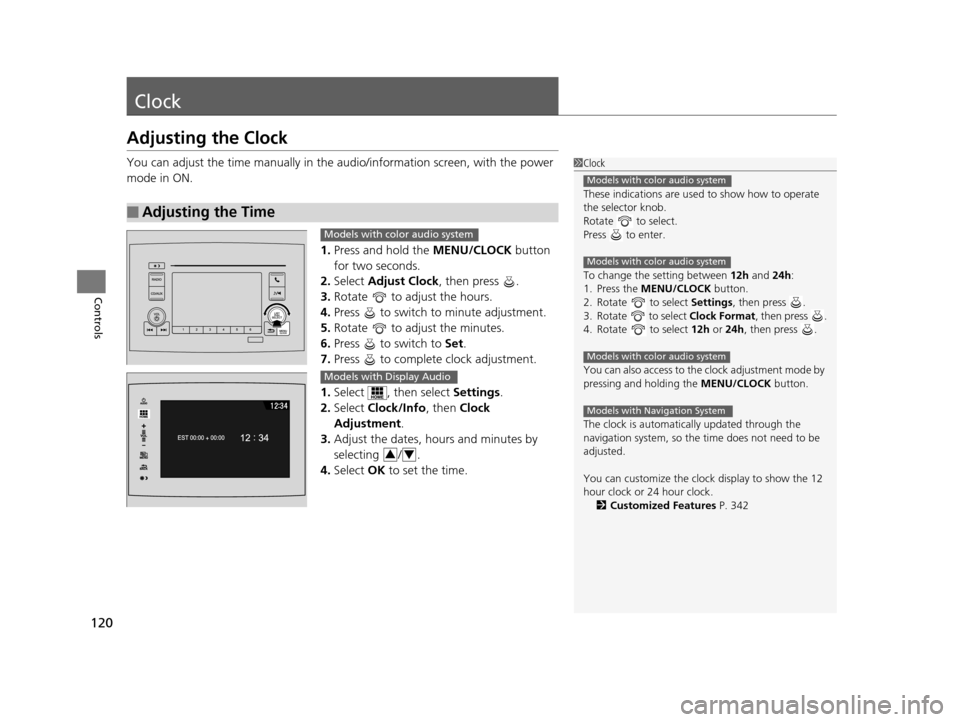
You can adjust the time manually in the audio/information screen, with the power
mode in ON.
1.Press and hold the MENU/CLOCK button
for two seconds.
2. Select Adjust Clock , then press .
3. Rotate to adjust the hours.
4. Press to switch to minute adjustment.
5. Rotate to adjust the minutes.
6. Press to switch to Set.
7. Press to complete clock adjustment.
1. Select , then select Settings.
2. Select Clock/Info , then Clock
Adjustment .
3. Adjust the dates, hours and minutes by
selecting / .
4. Select OK to set the time.
■Adjusting the Time
1Clock
These indications are used to show how to operate
the selector knob.
Rotate to select.
Press to enter.
To change the setting between 12h and 24h:
1. Press the MENU/CLOCK button.
2. Rotate to select Settings, then press .
3. Rotate to select Clock Format, then press .
4. Rotate to select 12h or 24h , then press .
You can also access to the clock adjustment mode by
pressing and holding the MENU/CLOCK button.
The clock is automatica lly updated through the
navigation system, so the ti me does not need to be
adjusted.
You can customize the clock display to show the 12
hour clock or 24 hour clock. 2 Customized Features P. 342
Models with color audio system
Models with color audio system
Models with color audio system
Models with Navigation System
Models with color audio system
Models with Display Audio
34
16 PILOT-31TG76000.book 120 ページ 2015年6月15日 月曜日 午前11時30分
Page 126 of 661
Continued125
uuLocking and Unlocking the Doors uLocking/Unlocking the Doors from the Outside
Controls
■Locking the doors and tailgate (Walk
away auto lock)
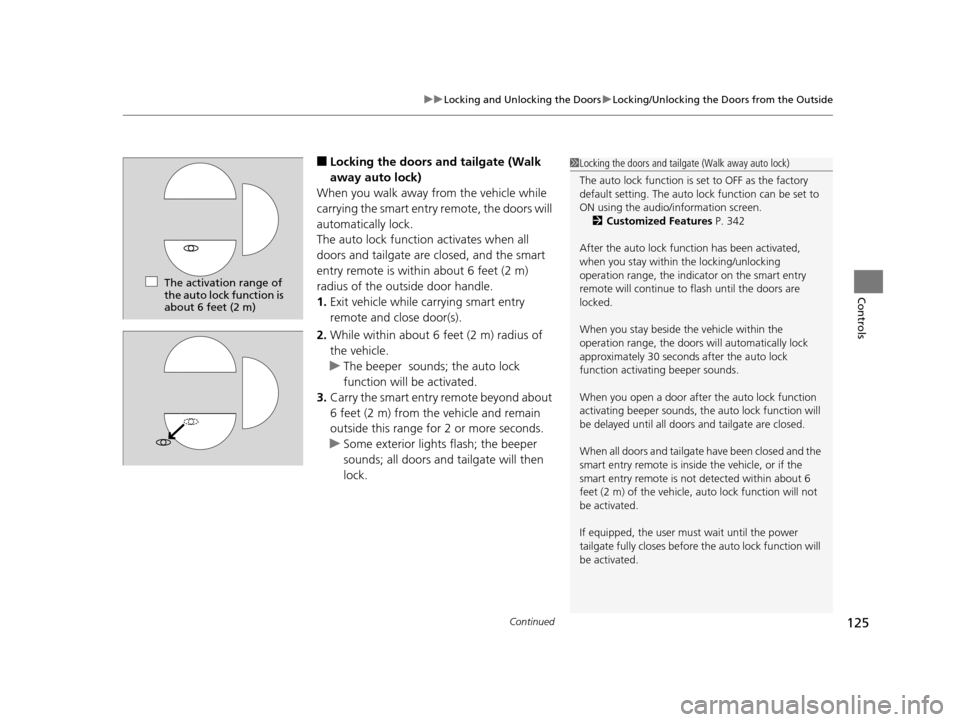
When you walk away from the vehicle while
carrying the smart entry remote, the doors will
automatically lock.
The auto lock function activates when all
doors and tailgate are closed, and the smart
entry remote is within about 6 feet (2 m)
radius of the outside door handle.
1. Exit vehicle while ca rrying smart entry
remote and close door(s).
2. While within about 6 feet (2 m) radius of
the vehicle.
u The beeper sounds ; the auto lock
function will be activated.
3. Carry the smart entry remote beyond about
6 feet (2 m) from the vehicle and remain
outside this range for 2 or more seconds.
u Some exterior lights flash; the beeper
sounds; all doors and tailgate will then
lock.1Locking the doors and tailgate (Walk away auto lock)
The auto lock function is set to OFF as the factory
default setting. The auto lo ck function can be set to
ON using the audio/information screen. 2 Customized Features P. 342
After the auto lock function has been activated,
when you stay within the locking/unlocking
operation range, the indicator on the smart entry
remote will continue to flash until the doors are
locked.
When you stay beside the vehicle within the
operation range, the doors wi ll automatically lock
approximately 30 seconds after the auto lock
function activating beeper sounds.
When you open a door after the auto lock function
activating beeper sounds, the auto lock function will
be delayed until all doors and tailgate are closed.
When all doors and tailgate have been closed and the
smart entry remote is inside the vehicle, or if the
smart entry remote is not detected within about 6
feet (2 m) of the vehicle, auto lock function will not
be activated.
If equipped, the user mu st wait until the power
tailgate fully closes before the auto lock function will
be activated.
The activation range of
the auto lock function is
about 6 feet (2 m)
16 PILOT-31TG76000.book 125 ページ 2015年6月15日 月曜日 午前11時30分
Page 128 of 661
Continued127
uuLocking and Unlocking the Doors uLocking/Unlocking the Doors from the Outside
Controls
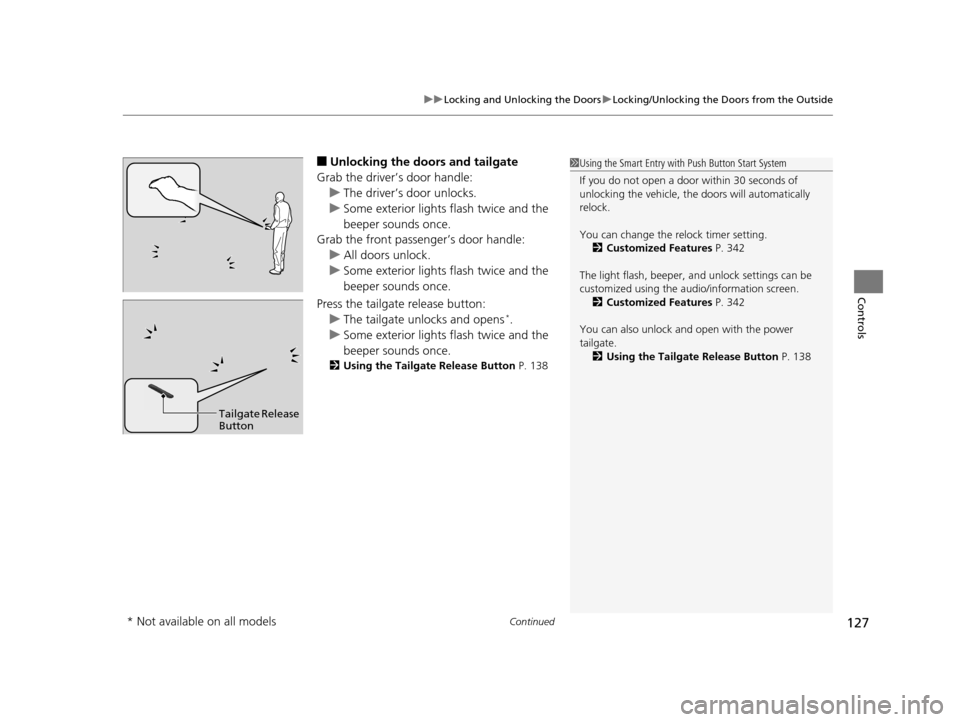
■Unlocking the doors and tailgate
Grab the driver’s door handle: u The driver’s door unlocks.
u Some exterior lights flash twice and the
beeper sounds once.
Grab the front passenger’s door handle:
u All doors unlock.
u Some exterior lights flash twice and the
beeper sounds once.
Press the tailgate release button: u The tailgate unlocks and opens
*.
u Some exterior lights flash twice and the
beeper sounds once.
2 Using the Tailgate Release Button P. 138
1Using the Smart Entry with Push Button Start System
If you do not open a door within 30 seconds of
unlocking the vehicle, th e doors will automatically
relock.
You can change the relock timer setting. 2 Customized Features P. 342
The light flash, beeper, a nd unlock settings can be
customized using the audio/information screen. 2 Customized Features P. 342
You can also unlock and open with the power
tailgate. 2 Using the Tailgate Release Button P. 138
Tailgate Release
Button
* Not available on all models
16 PILOT-31TG76000.book 127 ページ 2015年6月15日 月曜日 午前11時30分
Page 133 of 661
uuLocking and Unlocking the Doors uLocking/Unlocking the Doors from the Inside
132
Controls
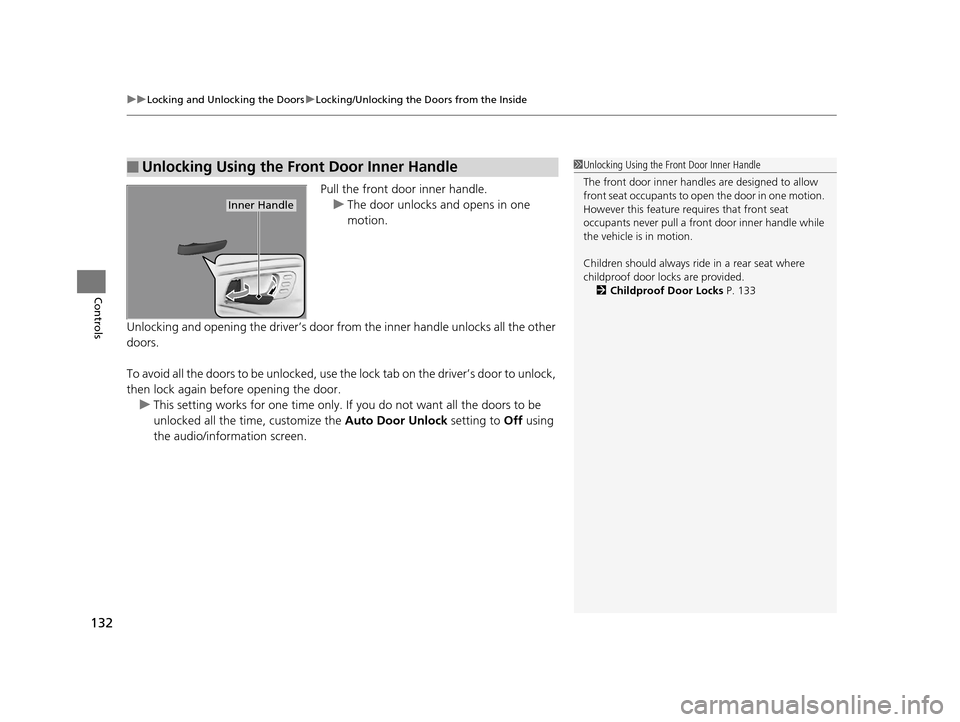
Pull the front door inner handle.
u The door unlocks and opens in one
motion.
Unlocking and opening the driver’s door from the inner handle unlocks all the other
doors.
To avoid all the doors to be unlocked, use the lock tab on the driver’s door to unlock,
then lock again before opening the door. u This setting works for one time only. If you do not want all the doors to be
unlocked all the time, customize the Auto Door Unlock setting to Off using
the audio/information screen.
■Unlocking Using the Front Door Inner Handle1 Unlocking Using the Front Door Inner Handle
The front door inne r handles are designed to allow
front seat occupants to open the door in one motion.
However this feature requires that front seat
occupants never pull a front door inner handle while
the vehicle is in motion.
Children should always ride in a rear seat where
childproof door locks are provided.
2 Childproof Door Locks P. 133
Inner Handle
16 PILOT-31TG76000.book 132 ページ 2015年6月15日 月曜日 午前11時30分
Page 135 of 661
134
uuLocking and Unlocking the Doors uAuto Door Locking/Unlocking
Controls
Auto Door Locking/Unlocking
Your vehicle locks all doors and unlocks all doors or the driver’s door automatically
when a certain condition is met.
■Drive lock mode
All doors and tailgate lock when the ve hicle’s speed reaches about 10 mph (15
km/h).
■Driver’s door open mode
All doors unlock when the driver’s door is opened.
■Auto Door Locking
■Auto Door Unlocking
1 Auto Door Locking/Unlocking
You can turn off or cha nge to another auto door
locking/unlocking sett ing using the audio/
information screen. 2 Customized Features P. 342
16 PILOT-31TG76000.book 134 ページ 2015年6月15日 月曜日 午前11時30分
Page 152 of 661
151Continued
Controls
Operating the Switches Around the Steering Wheel
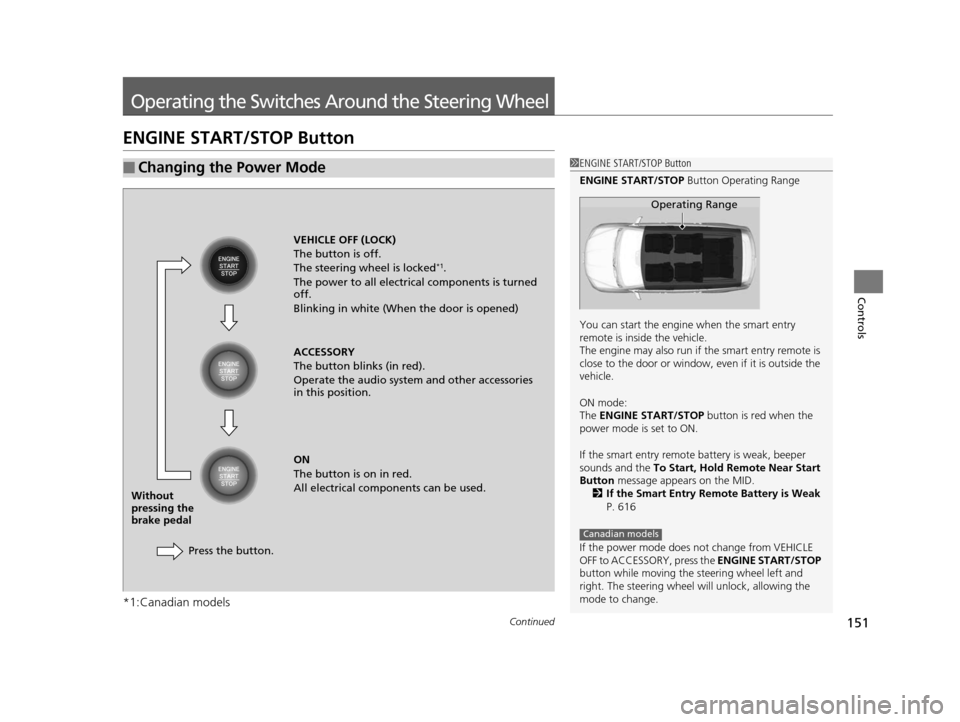
ENGINE START/STOP Button
*1:Canadian models
■Changing the Power Mode1ENGINE START/STOP Button
ENGINE START/STOP Button Operating Range
You can start the engine when the smart entry
remote is inside the vehicle.
The engine may also run if the smart entry remote is
close to the door or window, ev en if it is outside the
vehicle.
ON mode:
The ENGINE START/STOP button is red when the
power mode is set to ON.
If the smart entry remote battery is weak, beeper
sounds and the To Start, Hold Remote Near Start
Button message appears on the MID.
2 If the Smart Entry Remote Battery is Weak
P. 616
If the power mode does not change from VEHICLE
OFF to ACCESSORY, press the ENGINE START/STOP
button while moving the st eering wheel left and
right. The steering wheel will unlock, allowing the
mode to change.
Operating Range
Canadian models
VEHICLE OFF (LOCK)
The button is off.
The steering wheel is locked
*1.
The power to all electrical components is turned
off.
Blinking in white (When the door is opened)
ACCESSORY
The button blinks (in red).
Operate the audio system and other accessories
in this position.
ON
The button is on in red.
All electrical components can be used.
Press the button.
Without
pressing the
brake pedal
16 PILOT-31TG76000.book 151 ページ 2015年6月15日 月曜日 午前11時30分
Page 169 of 661
168
uuOperating the Switches Around the Steering Wheel uDriving Position Memory System*
Controls
Driving Position Memory System*
You can store two driver’s seat (except for power lumbar) and door mirror positions
with the driving position memory system.
When you unlock and open the driver’s door with a remote transmitter, or smart
entry system, the seat and door mirrors adju st automatically to one of the two preset
positions.
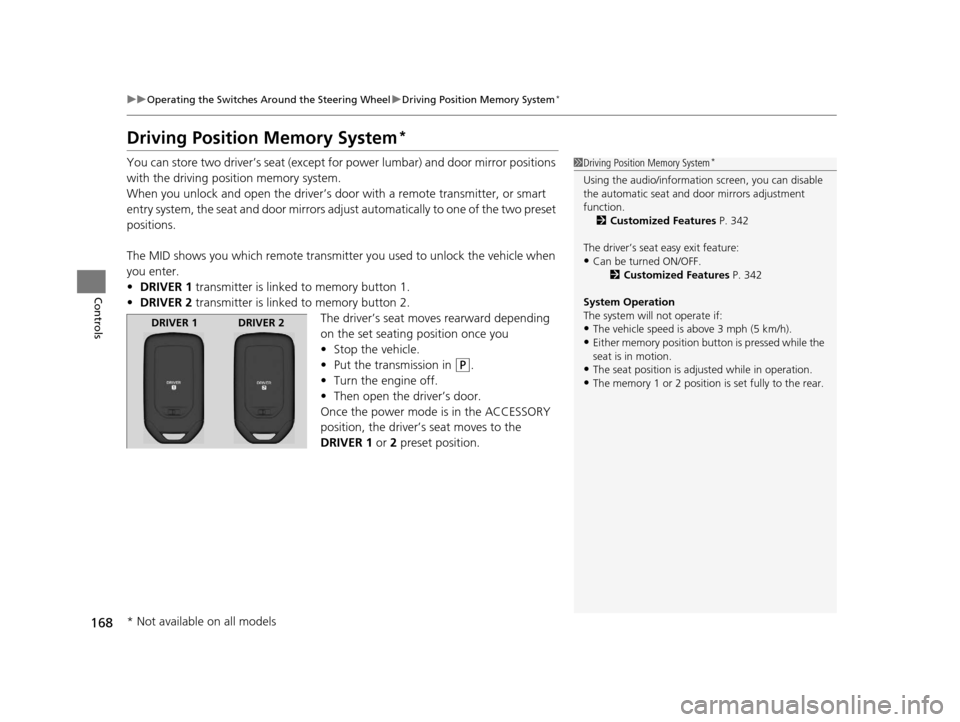
The MID shows you which remote transmitter you used to unlock the vehicle when
you enter.
• DRIVER 1 transmitter is linked to memory button 1.
• DRIVER 2 transmitter is linked to memory button 2.
The driver’s seat moves rearward depending
on the set seating position once you
•Stop the vehicle.
• Put the transmission in
(P.
• Turn the engine off.
• Then open the driver’s door.
Once the power mode is in the ACCESSORY
position, the driver’s seat moves to the
DRIVER 1 or 2 preset position.
1Driving Position Memory System*
Using the audio/informati on screen, you can disable
the automatic seat and d oor mirrors adjustment
function. 2 Customized Features P. 342
The driver’s seat easy exit feature:
•Can be turned ON/OFF. 2Customized Features P. 342
System Operation
The system will not operate if:
•The vehicle speed is above 3 mph (5 km/h).•Either memory position button is pressed while the
seat is in motion.
•The seat position is adju sted while in operation.•The memory 1 or 2 position is set fully to the rear.
DRIVER 1 DRIVER 2
* Not available on all models
16 PILOT-31TG76000.book 168 ページ 2015年6月15日 月曜日 午前11時30分
Page 218 of 661
217
Features
This chapter describes how to operate technology features.
Audio SystemAbout Your Audio System ................ 218
USB Port(s) ....................................... 219
Auxiliary Input Jack .......................... 220
Audio System Theft Protection ......... 221
Audio Remote Controls .................... 222
Audio System Basic Operation ........ 224
Audio System Basic Operation ........ 242
Models with color audio system
Models with Display Audio
Audio Error Messages...................... 304
CD Player*....................................... 304
iPod/USB Flash Drive ........................ 305
Pandora ®
*....................................... 306
Android/Apps .................................. 307
General Information on the Audio
System ............................................. 308
SiriusXM ® Radio Service ................... 308
Recommended CD
*......................... 309
Compatible iPod, iPhone, and USB Flash Drives............................................. 311
About Open Source Licenses ............ 312 Blu-ray/DVD Rear Entertainment
System
*........................................... 313
Customized Features ........................ 342
HomeLink ® Universal Transceiver
*.. 378
Bluetooth ® HandsFreeLink® ............. 381
Bluetooth ® HandsFreeLink® ............. 406
Compass
*.......................................... 439
Compass Calibration........................ 439
Compass Zone Selection .................. 440
Models with color audio system
Models with Display Audio
* Not available on all models
16 PILOT-31TG76000.book 217 ページ 2015年6月15日 月曜日 午前11時30分
Page 219 of 661
218
Features
Audio System
About Your Audio System
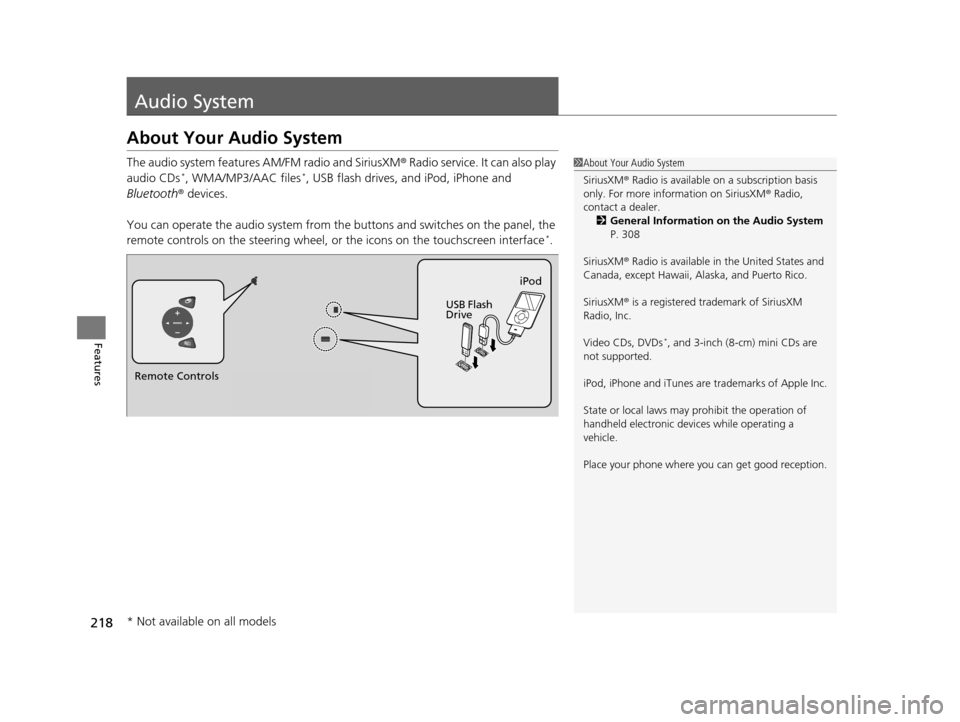
The audio system features AM/FM radio and SiriusXM® Radio service. It can also play
audio CDs*, WMA/MP3/AAC files*, USB flash drives, and iPod, iPhone and
Bluetooth ® devices.
You can operate the audio system from the buttons and switches on the panel, the
remote controls on the steering wheel, or the icons on the touchscreen interface
*.
1About Your Audio System
SiriusXM ® Radio is available on a subscription basis
only. For more information on SiriusXM ® Radio,
contact a dealer.
2 General Information on the Audio System
P. 308
SiriusXM ® Radio is available in the United States and
Canada, except Ha waii, Alaska, and Puerto Rico.
SiriusXM ® is a registered trademark of SiriusXM
Radio, Inc.
Video CDs, DVDs
*, and 3-inch (8-cm) mini CDs are
not supported.
iPod, iPhone and iTunes are trademarks of Apple Inc.
State or local laws may pr ohibit the operation of
handheld electronic devi ces while operating a
vehicle.
Place your phone where y ou can get good reception.
Remote Controls iPod
USB Flash
Drive
* Not available on all models
16 PILOT-31TG76000.book 218 ページ 2015年6月15日 月曜日 午前11時30分
Page 220 of 661
219
uuAudio System uUSB Port(s)
Features
USB Port(s)
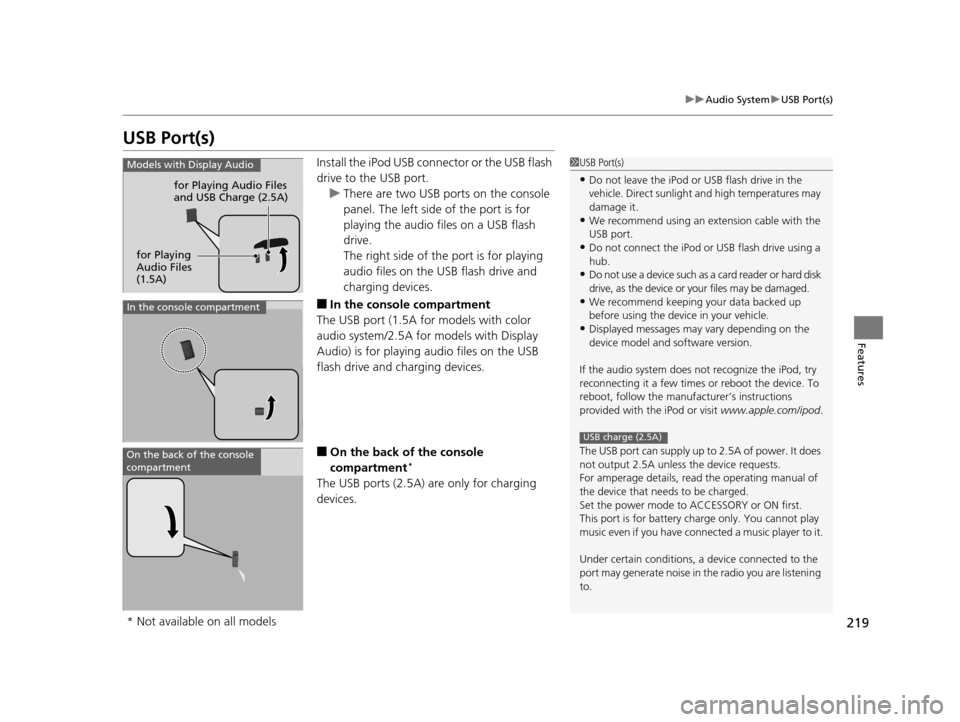
Install the iPod USB connector or the USB flash
drive to the USB port.
u There are two USB ports on the console
panel. The left side of the port is for
playing the audio files on a USB flash
drive.
The right side of th e port is for playing
audio files on the USB flash drive and
charging devices.
■In the consol e compartment
The USB port (1.5A for models with color
audio system/2.5A for models with Display
Audio) is for playing audio files on the USB
flash drive and charging devices.
■On the back of the console
compartment*
The USB ports (2.5A) are only for charging
devices.
1 USB Port(s)
•Do not leave the iPod or USB flash drive in the
vehicle. Direct sunlight and high temperatures may
damage it.
•We recommend using an extension cable with the
USB port.
•Do not connect the iPod or USB flash drive using a
hub.
•Do not use a device such as a card reader or hard disk
drive, as the device or your files may be damaged.
•We recommend keeping y our data backed up
before using the device in your vehicle.
•Displayed messages may vary depending on the
device model and software version.
If the audio system does not recognize the iPod, try
reconnecting it a few times or reboot the device. To
reboot, follow the manufac turer’s instructions
provided with the iPod or visit www.apple.com/ipod.
The USB port can supply up to 2.5A of power. It does
not output 2.5A unless the device requests.
For amperage details, read the operating manual of
the device that ne eds to be charged.
Set the power mode to ACCESSORY or ON first.
This port is for battery charge only. You cannot play
music even if you have conne cted a music player to it.
Under certain condi tions, a device connected to the
port may generate noise in the radio you are listening
to.
USB charge (2.5A)
Models with Display Audio
for Playing Audio Files
and USB Charge (2.5A)
for Playing
Audio Files
(1.5A)
In the console compartment
On the back of the console
compartment
* Not available on all models
16 PILOT-31TG76000.book 219 ページ 2015年6月15日 月曜日 午前11時30分