heating HONDA PILOT 2016 3.G Owners Manual
[x] Cancel search | Manufacturer: HONDA, Model Year: 2016, Model line: PILOT, Model: HONDA PILOT 2016 3.GPages: 661, PDF Size: 37.79 MB
Page 3 of 661
Contents
This owner’s manual should be considered a permanent part of the
vehicle and should remain with the vehicle when it is sold.
This owner’s manual covers all models of your vehicle. You may find
descriptions of equipment and features that are not on your
particular model.
Images throughout this owner’s manu al (including the front cover)
represent features and equipment that are available on some, but
not all, models. Your particular mo del may not have some of these
features.
This owner’s manual is for vehicles sold in the United States and
Canada.
The information and specifications in cluded in this publication were
in effect at the time of approval for printing. Honda Motor Co., Ltd.
reserves the right, however, to discontinue or change specifications
or design at any time without notice and without incurring any
obligation.2 Safe Driving P. 31
For Safe Driving P. 32 Seat Belts P. 37 Airbags P. 45
2Instrument Panel P. 77
Indicators P. 78 Gauges and Multi-Information Display (MID) P. 113
2Controls P. 119
Clock P. 120 Locking and Unlocking the Doors P. 121
Opening and Closing the Moonroof* P. 149
Adjusting the Mirrors P. 171 Adjusting the Seats P. 174
Climate Control System
* P. 210
2 Features P. 217
Audio System P. 218
General Information on the Audio System P. 308
HomeLink ® Universal Transceiver
* P. 378 Bluetooth ® HandsFreeLink ® P. 381
2 Driving P. 441
Before Driving P. 442 Towing a Trailer P. 448
Parking Your Vehicle P. 540Multi-view rear camera* P. 549
2Maintenance P. 555
Before Performing Maintenance P. 556 Maintenance MinderTM P. 559
Checking and Maintaining Wiper Blades P. 581
Remote Control and Wireless Headphone Care
* P. 597
2 Handling the Unexpected P. 605
Tools P. 606 If a Tire Goes Flat P. 607
Overheating P. 622 Indicator, Coming On/Blinking P. 624
When You Cannot Unlock the Fuel Fill Door P. 634
2 Information P. 637
Specifications P. 638 Identification Numbers P. 640
Emissions Testing P. 643 Warranty Coverages P. 645
16 PILOT-31TG76000.book 2 ページ 2015年6月15日 月曜日 午前11時30分
Page 4 of 661
Contents
Child Safety P. 58Exhaust Gas Hazard P. 74Safety Labels P. 75
Opening and Closing the Tailgate P. 135 Security System P. 144 Opening and Closing the Windows P. 147
Panoramic Glass Roof* P. 150 Operating the Switches Around the Steering Wheel P. 151
Interior Lights/Interior Convenience Items P. 188 Heating and Cooling* P. 205
Audio System Basic Operation P. 224, 242 Audio Error Messages P. 304
Blu-ray/DVD Rear Entertainment System* P. 313 Customized Features P. 342
Bluetooth® HandsFreeLink ® P. 406 Compass* P. 439
Off-Highway Driving Guidelines P. 459 When Driving P. 461 Braking P. 527
Refueling P. 550 Fuel Economy P. 552Accessories and Modifications P. 553
Maintenance Under the Hood P. 563 Replacing Light Bulbs P. 575
Checking and Maintaining Tires P. 585 Battery P. 594 Remote Transmitter Care P. 596
Heating and Cooling System
*/Climate Control System* Maintenance P. 599 Cleaning P. 600
Engine Does Not Start P. 615 Shift Lever Does Not Move* P. 618 Jump Starting P. 619
Fuses P. 628 Emergency Towing P. 633
When You Cannot Open the Tailgate P. 636 Refueling P. 635
Devices that Emit Radio Waves P. 641 Reporting Safety Defects P. 642
Authorized Manuals P. 647 Customer Service Information P. 648
Quick Reference GuideP. 4
Safe DrivingP. 31
Instrument PanelP. 77
ControlsP. 119
FeaturesP. 217
DrivingP. 441
MaintenanceP. 555
Handling the UnexpectedP. 605
InformationP. 637
IndexP. 649
16 PILOT-31TG76000.book 3 ページ 2015年6月15日 月曜日 午前11時30分
Page 5 of 661
4
Quick Reference Guide
Quick Reference Guide
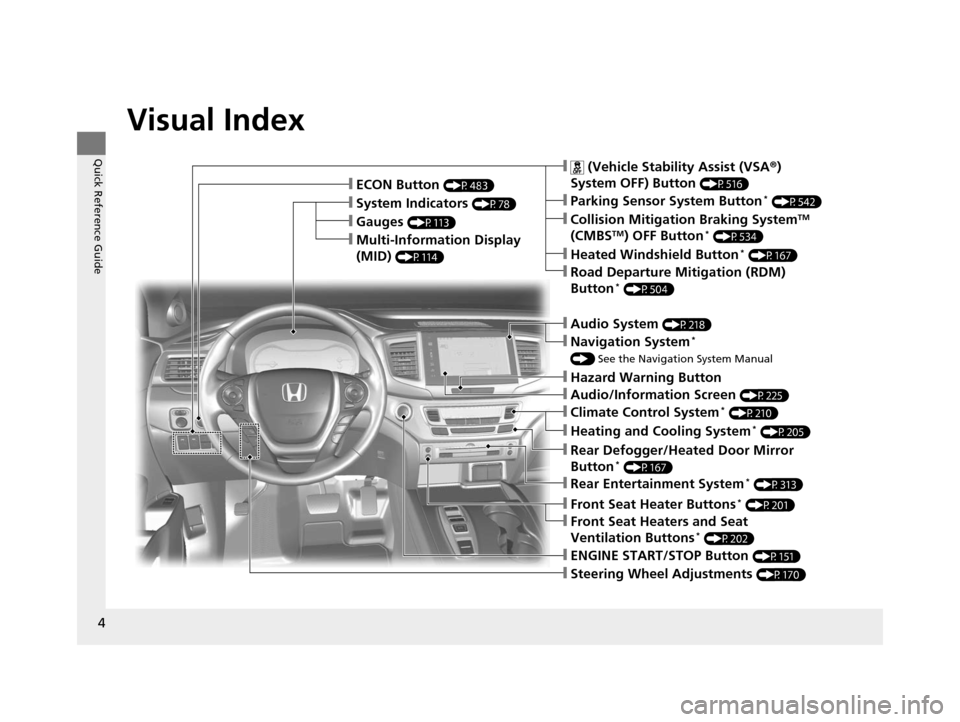
Visual Index
❙Gauges (P113)
❙Multi-Information Display
(MID)
(P114)
❙System Indicators (P78)
❙ECON Button (P483)
❙Audio System (P218)
❙Navigation System*
() See the Navigation System Manual
❙Audio/Information Screen (P225)
❙Hazard Warning Button
❙ (Vehicle Stability Assist (VSA ®)
System OFF) Button
(P516)
❙Collision Mitigation Braking SystemTM
(CMBSTM) OFF Button* (P534)
❙Heated Windshield Button* (P167)
❙Road Departure Mitigation (RDM)
Button* (P504)
❙Parking Sensor System Button* (P542)
❙Climate Control System* (P210)
❙Heating and Cooling System* (P205)
❙Rear Defogger/Heated Door Mirror
Button* (P167)
❙Rear Entertainment System* (P313)
❙Front Seat Heaters and Seat
Ventilation Buttons* (P202)
❙Front Seat Heater Buttons* (P201)
❙Steering Wheel Adjustments (P170)
❙ENGINE START/STOP Button (P151)
16 PILOT-31TG76000.book 4 ページ 2015年6月15日 月曜日 午前11時30分
Page 17 of 661
16
Quick Reference Guide
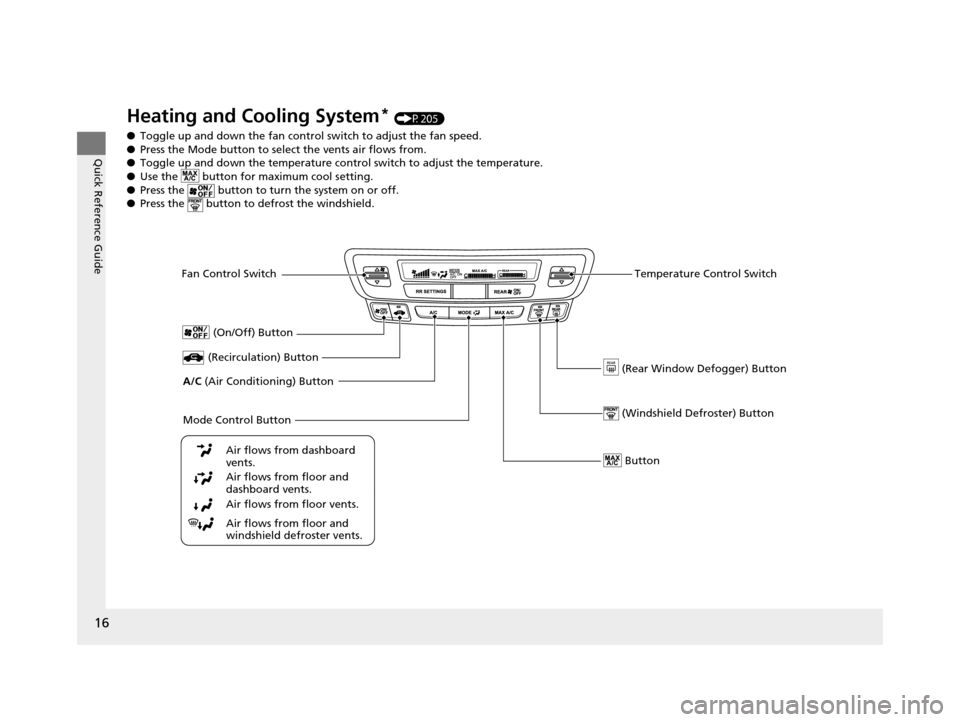
Heating and Cooling System* (P205)
● Toggle up and down the fan contro l switch to adjust the fan speed.
● Press the Mode button to sele ct the vents air flows from.
● Toggle up and down the temperature control switch to adjust the temperature.
● Use the button for ma ximum cool setting.
● Press the button to turn the system on or off.
● Press the button to de frost the windshield.
Fan Control Switch
(Rear Window Defogger) Button
A/C (Air Conditioning) Button
Air flows from floor and
windshield defroster vents.
Air flows from floor vents. Air flows from floor and
dashboard vents. Air flows from dashboard
vents.
Button
(Recirculation) Button
Temperature Control Switch
(On/Off) Button
Mode Control Button (Windshield De froster) Button
16 PILOT-31TG76000.book 16 ページ 2015年6月15日 月曜日 午前11時30分
Page 27 of 661
26
Quick Reference Guide
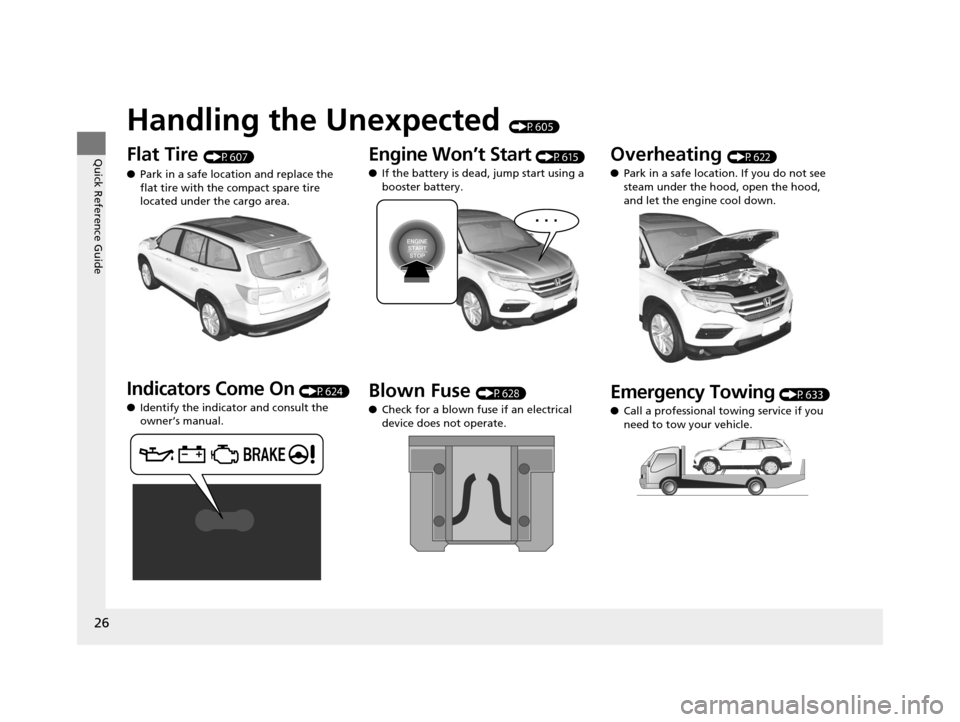
Handling the Unexpected (P605)
Flat Tire (P607)
● Park in a safe location and replace the
flat tire with the compact spare tire
located under the cargo area.
Indicators Come On (P624)
● Identify the indicator and consult the
owner’s manual.
Engine Won’t Start (P615)
● If the battery is dead, jump start using a
booster battery.
Blown Fuse (P628)
● Check for a blown fuse if an electrical
device does not operate.
Overheating (P622)
● Park in a safe location. If you do not see
steam under the hood, open the hood,
and let the engine cool down.
Emergency Towing (P633)
● Call a professional towing service if you
need to tow your vehicle.
16 PILOT-31TG76000.book 26 ページ 2015年6月15日 月曜日 午前11時30分
Page 99 of 661
98
uuIndicators uMulti-Information Display (MID) Warning and Information Messages
Instrument Panel
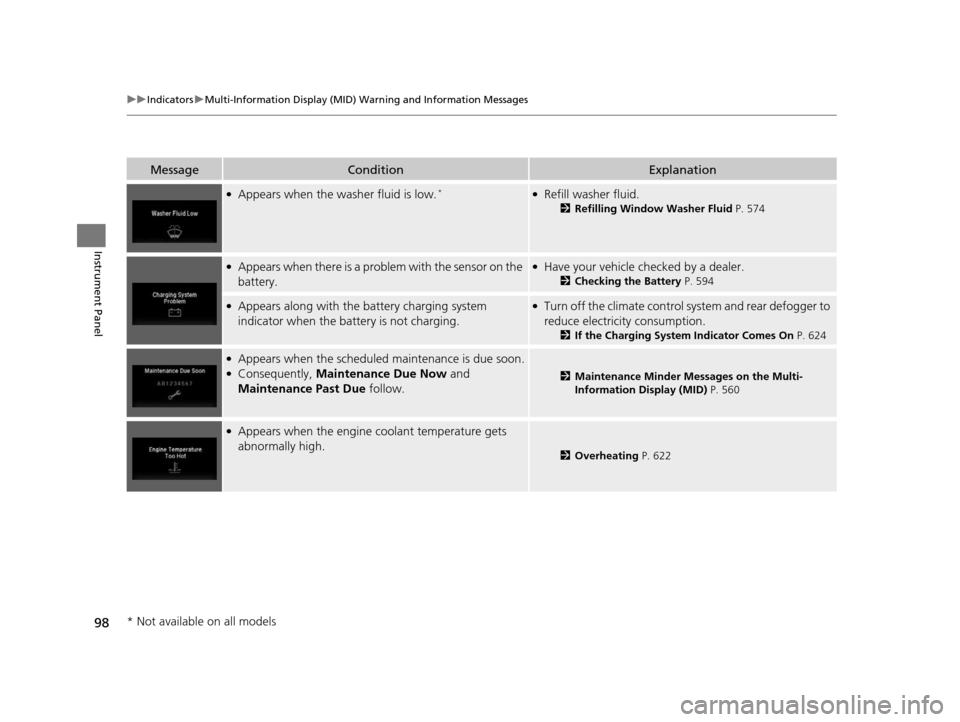
MessageConditionExplanation
●Appears when the washer fluid is low.*●Refill washer fluid.
2 Refilling Window Washer Fluid P. 574
●Appears when there is a problem with the sensor on the
battery.●Have your vehicle ch ecked by a dealer.
2Checking the Battery P. 594
●Appears along with the battery charging system
indicator when the battery is not charging.●Turn off the climate control sy stem and rear defogger to
reduce electricity consumption.
2 If the Charging System Indicator Comes On P. 624
●Appears when the scheduled maintenance is due soon.●Consequently, Maintenance Due Now and
Maintenance Past Due follow.2Maintenance Minder Messages on the Multi-
Information Display (MID) P. 560
●Appears when the engine coolant temperature gets
abnormally high.
2Overheating P. 622
* Not available on all models
16 PILOT-31TG76000.book 98 ページ 2015年6月15日 月曜日 午前11時30分
Page 102 of 661
101
uuIndicators uMulti-Information Display (MID) Warning and Information Messages
Continued
Instrument Panel
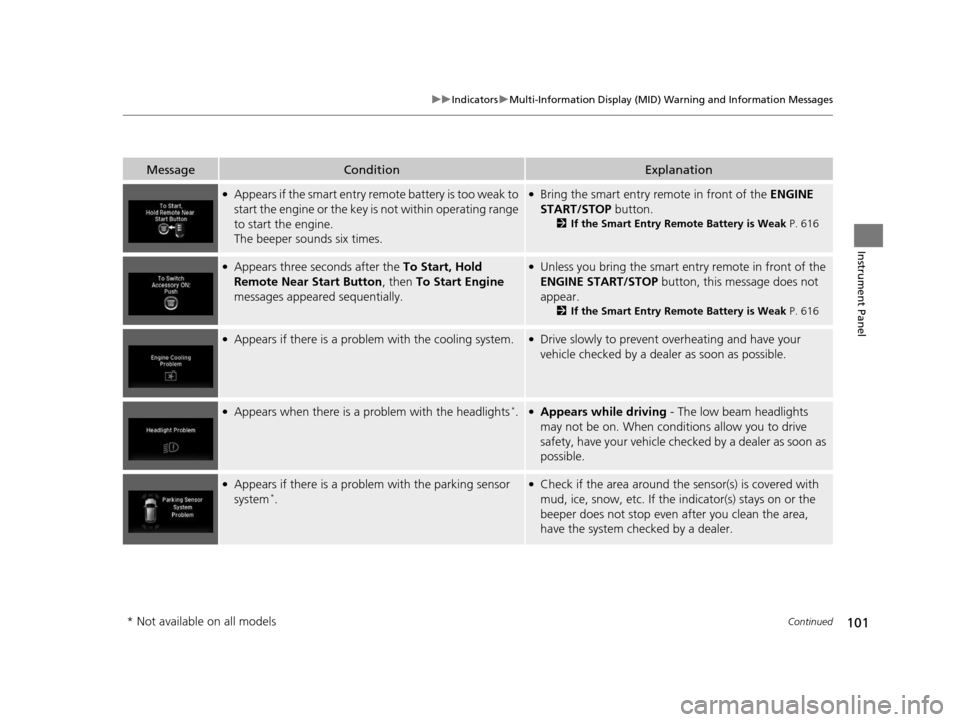
MessageConditionExplanation
●Appears if the smart entry remote battery is too weak to
start the engine or the key is not within operating range
to start the engine.
The beeper sounds six times.●Bring the smart entry remote in front of the ENGINE
START/STOP button.
2If the Smart Entry Remote Battery is Weak P. 616
●Appears three seconds after the To Start, Hold
Remote Near Start Button , then To Start Engine
messages appeared sequentially.●Unless you bring the smart entry remote in front of the
ENGINE START/STOP button, this message does not
appear.
2 If the Smart Entry Remote Battery is Weak P. 616
●Appears if there is a problem with the cooling system.●Drive slowly to prevent overheating and have your
vehicle checked by a dealer as soon as possible.
●Appears when there is a problem with the headlights*.●Appears while driving - The low beam headlights
may not be on. When conditions allow you to drive
safety, have your vehicle chec ked by a dealer as soon as
possible.
●Appears if there is a problem with the parking sensor
system*.
●Check if the area around the sensor(s) is covered with
mud, ice, snow, etc. If the indicator(s) stays on or the
beeper does not stop even after you clean the area,
have the system checked by a dealer.
* Not available on all models
16 PILOT-31TG76000.book 101 ページ 2015年6月15日 月曜日 午前11時30分
Page 114 of 661
113
Instrument Panel
Gauges and Multi-Information Display (MID)
Gauges
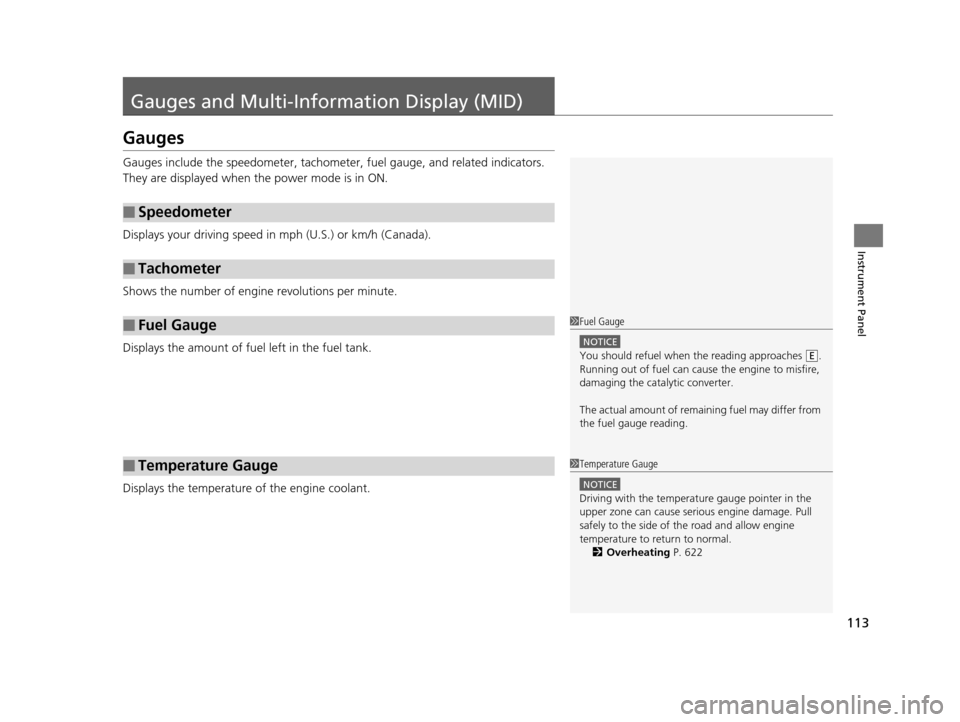
Gauges include the speedometer, tachometer, fuel gauge, and related indicators.
They are displayed when the power mode is in ON.
Displays your driving speed in mph (U.S.) or km/h (Canada).
Shows the number of engine revolutions per minute.
Displays the amount of fuel left in the fuel tank.
Displays the temperature of the engine coolant.
■Speedometer
■Tachometer
■Fuel Gauge
■Temperature Gauge
1Fuel Gauge
NOTICE
You should refuel when the reading approaches .
Running out of fuel can cause the engine to misfire,
damaging the cata lytic converter.
The actual amount of remain ing fuel may differ from
the fuel gauge reading.E
1 Temperature Gauge
NOTICE
Driving with the temperat ure gauge pointer in the
upper zone can cause serious engine damage. Pull
safely to the side of th e road and allow engine
temperature to return to normal.
2 Overheating P. 622
16 PILOT-31TG76000.book 113 ページ 2015年6月15日 月曜日 午前11時30分
Page 120 of 661
119
Controls
This chapter explains how to operate the various controls necessary for driving.
Clock.................................................. 120
Locking and Unlocking the Doors ... 121
Key Types and Functions .................. 121
Locking/Unlocking the Doors from the Outside .......................................... 123
Low Smart Entry Remote Signal Strength ..... 130Locking/Unlocking the Doors from the Inside ............................................. 131
Childproof Door Locks ..................... 133
Auto Door Locking/Unlocking .......... 134
Opening and Closing the Tailgate ... 135
Security System ................................ 144
Immobilizer System .......................... 144
Security System Alarm ...................... 144
Opening and Closing the Windows.... 147
Opening and Closing the Moonroof*.. 149Panoramic Glass Roof*..................... 150
Operating the Switches Around the
Steering Wheel ............................... 151
ENGINE START/STOP Button............. 151
Turn Signals ..................................... 154
Light Switches.................................. 155
Fog Lights
*...................................... 158
Auto High-Beam System*................ 159
Daytime Running Lights ................... 162
Wipers and Washers ........................ 163
Brightness Control ........................... 166
Defogger/Heated Door Mirror
*........ 167
Driving Position Memory System*.... 168
Adjusting the Steering Wheel........... 170 Adjusting the Mirrors
....................... 171
Interior Rearview Mirror ................... 171
Power Door Mirrors ......................... 172
Adjusting the Seats .......................... 174
Adjusting the Seat Positions ............. 174
Rear Seats........................................ 183
Armrest ........................................... 186
Interior Lights/Interior Convenience Items ................................................ 188
Interior Lights .................................. 188
Interior Convenience Items .............. 191
Heating and Cooling
*....................... 205
Climate Control System*.................. 210
* Not available on all models
16 PILOT-31TG76000.book 119 ページ 2015年6月15日 月曜日 午前11時30分
Page 168 of 661
167
uuOperating the Switches Around the Steering Wheel uDefogger/Heated Door Mirror*
Controls
Defogger/Heated Door Mirror*
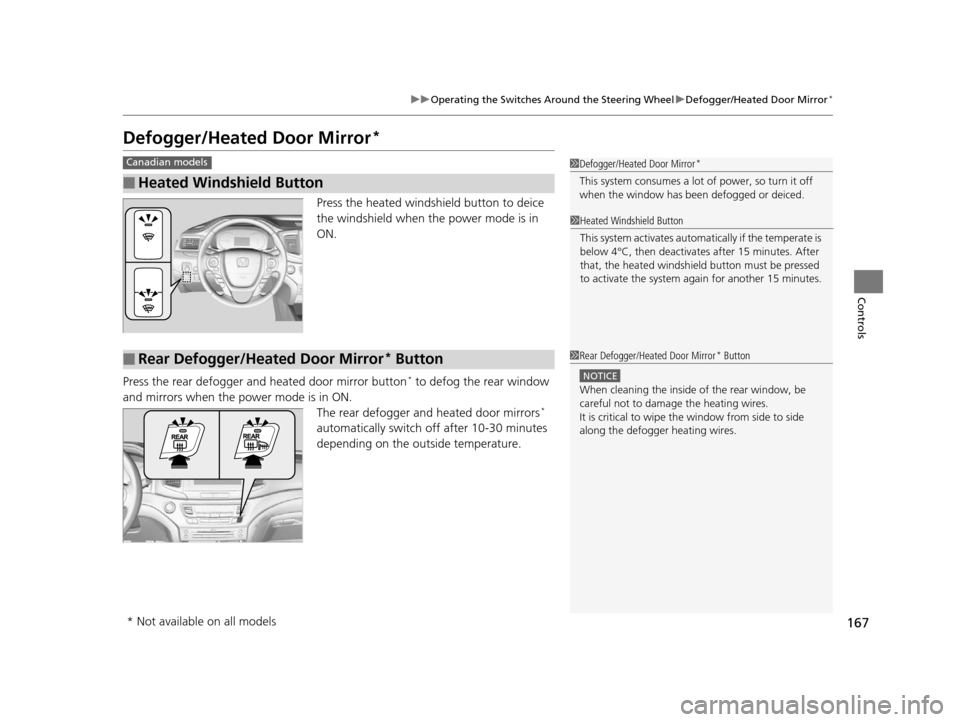
Press the heated windshield button to deice
the windshield when the power mode is in
ON.
Press the rear defogger and heated door mirror button
* to defog the rear window
and mirrors when the power mode is in ON. The rear defogger and heated door mirrors
*
automatically switch of f after 10-30 minutes
depending on the outside temperature.
■Heated Windshield Button
Canadian models1 Defogger/Heated Door Mirror*
This system consumes a lot of power, so turn it off
when the window has been defogged or deiced.
1Heated Windshield Button
This system activates automatically if the temperate is
below 4°C, then deactiva tes after 15 minutes. After
that, the heated windshield button must be pressed
to activate the system again for another 15 minutes.
■Rear Defogger/Heated Door Mirror* Button1 Rear Defogger/Heated Door Mirror* Button
NOTICE
When cleaning the inside of the rear window, be
careful not to damage the heating wires.
It is critical to wipe the window from side to side
along the defogger heating wires.
* Not available on all models
16 PILOT-31TG76000.book 167 ページ 2015年6月15日 月曜日 午前11時30分