tow HONDA PILOT 2016 3.G Owners Manual
[x] Cancel search | Manufacturer: HONDA, Model Year: 2016, Model line: PILOT, Model: HONDA PILOT 2016 3.GPages: 661, PDF Size: 37.79 MB
Page 3 of 661
Contents
This owner’s manual should be considered a permanent part of the
vehicle and should remain with the vehicle when it is sold.
This owner’s manual covers all models of your vehicle. You may find
descriptions of equipment and features that are not on your
particular model.
Images throughout this owner’s manu al (including the front cover)
represent features and equipment that are available on some, but
not all, models. Your particular mo del may not have some of these
features.
This owner’s manual is for vehicles sold in the United States and
Canada.
The information and specifications in cluded in this publication were
in effect at the time of approval for printing. Honda Motor Co., Ltd.
reserves the right, however, to discontinue or change specifications
or design at any time without notice and without incurring any
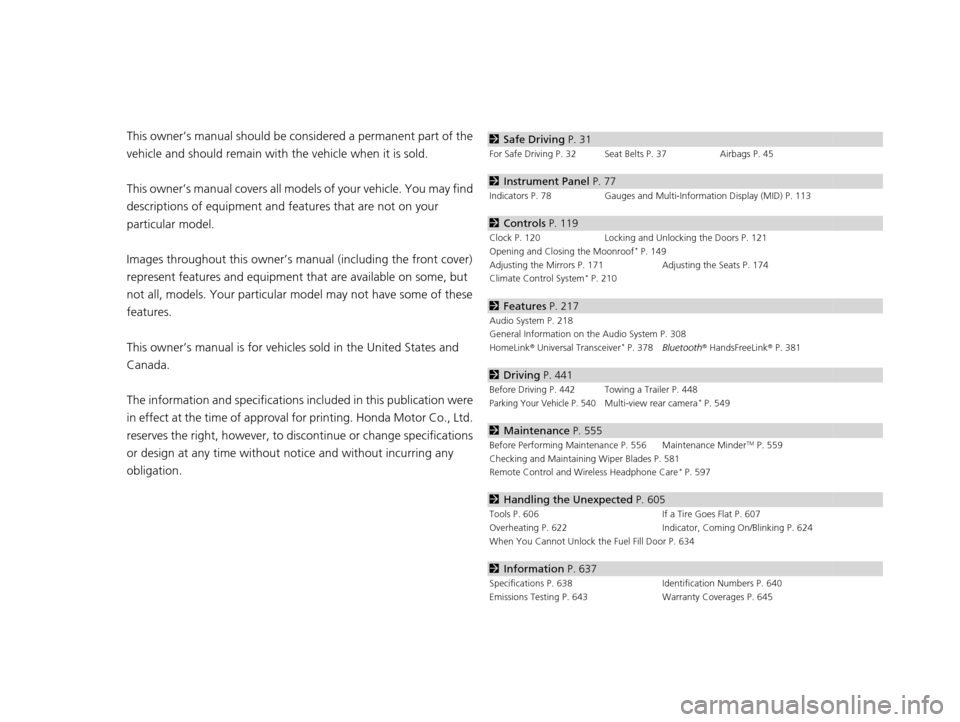
obligation.2 Safe Driving P. 31
For Safe Driving P. 32 Seat Belts P. 37 Airbags P. 45
2Instrument Panel P. 77
Indicators P. 78 Gauges and Multi-Information Display (MID) P. 113
2Controls P. 119
Clock P. 120 Locking and Unlocking the Doors P. 121
Opening and Closing the Moonroof* P. 149
Adjusting the Mirrors P. 171 Adjusting the Seats P. 174
Climate Control System
* P. 210
2 Features P. 217
Audio System P. 218
General Information on the Audio System P. 308
HomeLink ® Universal Transceiver
* P. 378 Bluetooth ® HandsFreeLink ® P. 381
2 Driving P. 441
Before Driving P. 442 Towing a Trailer P. 448
Parking Your Vehicle P. 540Multi-view rear camera* P. 549
2Maintenance P. 555
Before Performing Maintenance P. 556 Maintenance MinderTM P. 559
Checking and Maintaining Wiper Blades P. 581
Remote Control and Wireless Headphone Care
* P. 597
2 Handling the Unexpected P. 605
Tools P. 606 If a Tire Goes Flat P. 607
Overheating P. 622 Indicator, Coming On/Blinking P. 624
When You Cannot Unlock the Fuel Fill Door P. 634
2 Information P. 637
Specifications P. 638 Identification Numbers P. 640
Emissions Testing P. 643 Warranty Coverages P. 645
16 PILOT-31TG76000.book 2 ページ 2015年6月15日 月曜日 午前11時30分
Page 4 of 661
Contents
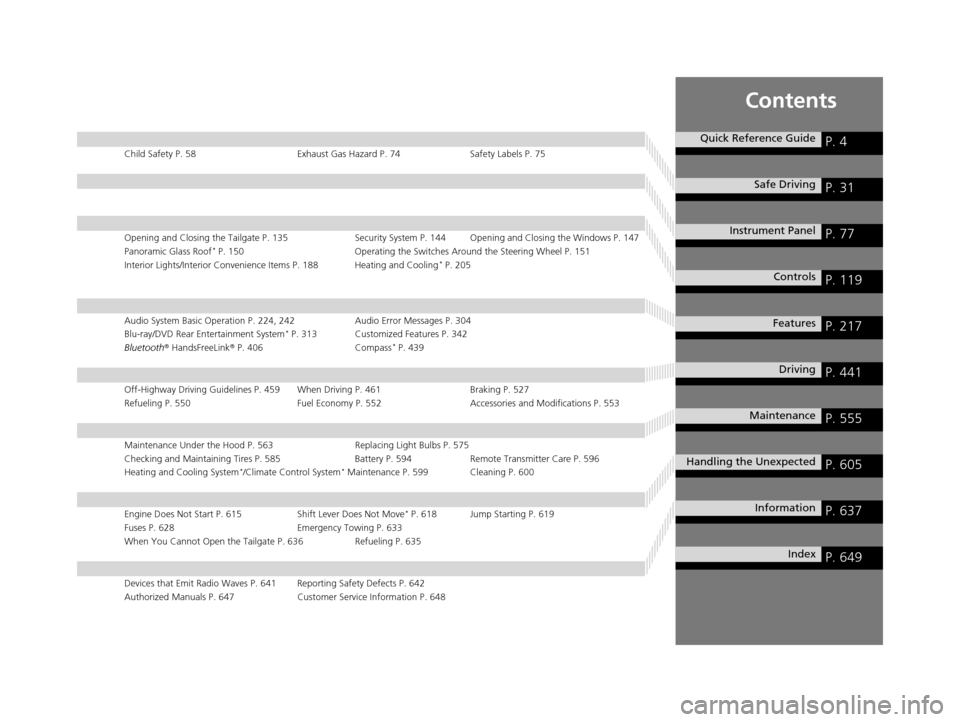
Child Safety P. 58Exhaust Gas Hazard P. 74Safety Labels P. 75
Opening and Closing the Tailgate P. 135 Security System P. 144 Opening and Closing the Windows P. 147
Panoramic Glass Roof* P. 150 Operating the Switches Around the Steering Wheel P. 151
Interior Lights/Interior Convenience Items P. 188 Heating and Cooling* P. 205
Audio System Basic Operation P. 224, 242 Audio Error Messages P. 304
Blu-ray/DVD Rear Entertainment System* P. 313 Customized Features P. 342
Bluetooth® HandsFreeLink ® P. 406 Compass* P. 439
Off-Highway Driving Guidelines P. 459 When Driving P. 461 Braking P. 527
Refueling P. 550 Fuel Economy P. 552Accessories and Modifications P. 553
Maintenance Under the Hood P. 563 Replacing Light Bulbs P. 575
Checking and Maintaining Tires P. 585 Battery P. 594 Remote Transmitter Care P. 596
Heating and Cooling System
*/Climate Control System* Maintenance P. 599 Cleaning P. 600
Engine Does Not Start P. 615 Shift Lever Does Not Move* P. 618 Jump Starting P. 619
Fuses P. 628 Emergency Towing P. 633
When You Cannot Open the Tailgate P. 636 Refueling P. 635
Devices that Emit Radio Waves P. 641 Reporting Safety Defects P. 642
Authorized Manuals P. 647 Customer Service Information P. 648
Quick Reference GuideP. 4
Safe DrivingP. 31
Instrument PanelP. 77
ControlsP. 119
FeaturesP. 217
DrivingP. 441
MaintenanceP. 555
Handling the UnexpectedP. 605
InformationP. 637
IndexP. 649
16 PILOT-31TG76000.book 3 ページ 2015年6月15日 月曜日 午前11時30分
Page 15 of 661
14
Quick Reference Guide
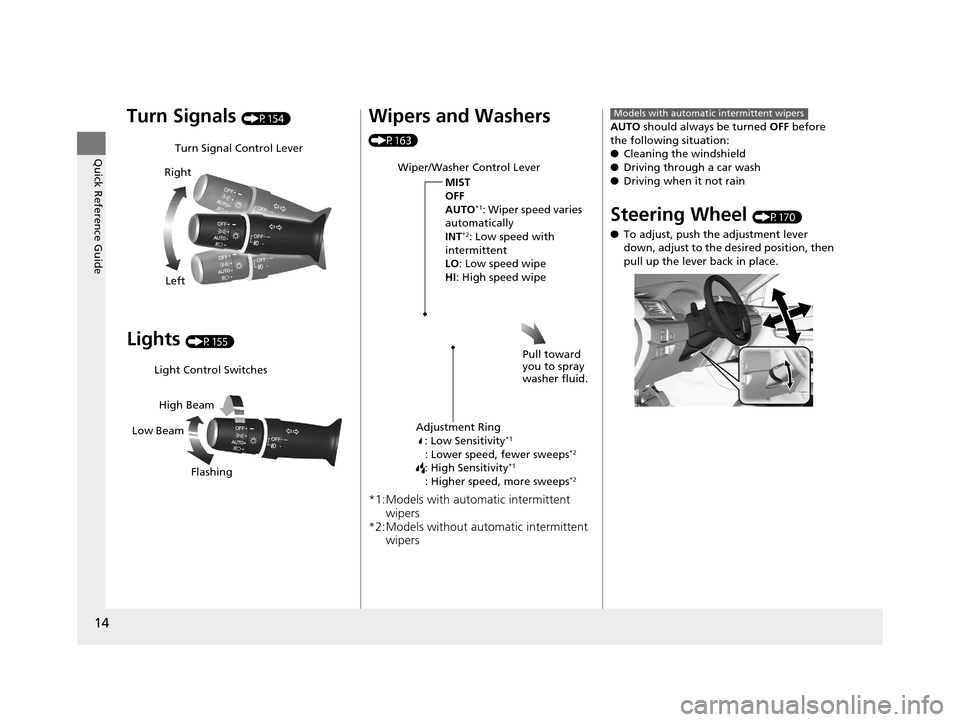
Turn Signals (P154)
Lights (P155)
Turn Signal Control Lever
Right
Left
Light Control Switches
Low Beam High Beam
Flashing
Wipers and Washers
(P163)
*1:Models with automatic intermittent wipers
*2:Models without automatic intermittent wipers
Wiper/Washer Control Lever
MIST
OFF
AUTO
*1: Wiper speed varies
automatically
INT
*2: Low speed with
intermittent
LO : Low speed wipe
HI: High speed wipe
Pull toward
you to spray
washer fluid.
Adjustment Ring: Low Sensitivity*1
: Lower speed, fewer sweeps*2
: High Sensitivity*1
: Higher speed, more sweeps*2
AUTO should always be turned OFF before
the following situation:
● Cleaning the windshield
● Driving through a car wash
● Driving when it not rain
Steering Wheel (P170)
● To adjust, push the adjustment lever
down, adjust to the de sired position, then
pull up the lever back in place.
Models with automatic intermittent wipers
16 PILOT-31TG76000.book 14 ページ 2015年6月15日 月曜日 午前11時30分
Page 24 of 661
23
Quick Reference Guide
Automatic transmission models with shift lever
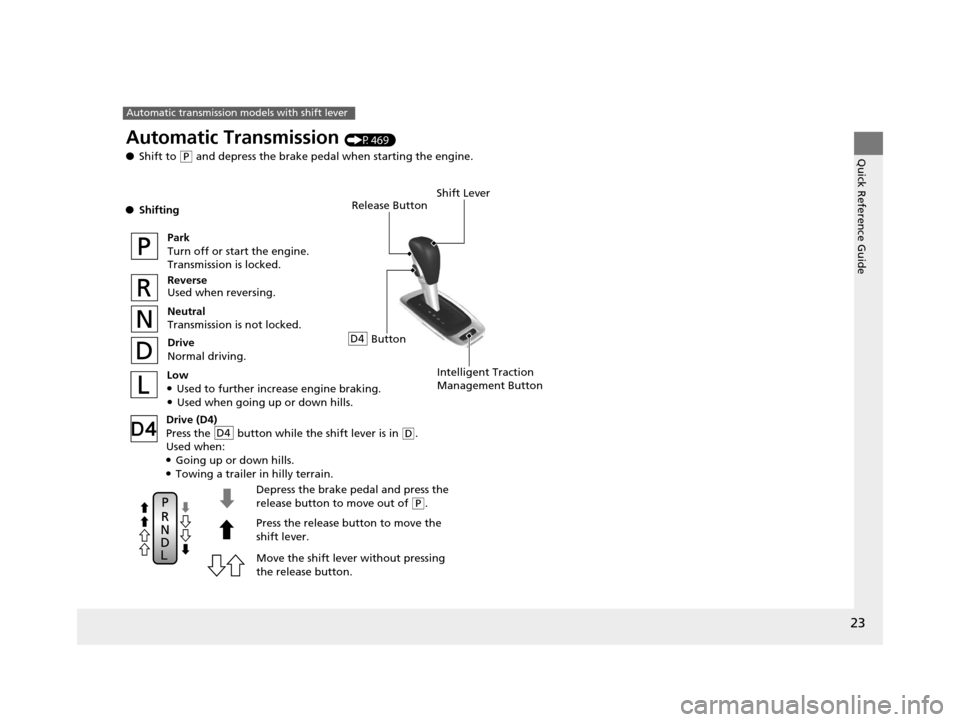
Release Button
Depress the brake pedal and press the
release button to move out of
( P.
Move the shift lever without pressing
the release button. Press the release button to move the
shift lever.
Automatic Transmission (P469)
● Shift to
(P and depress the brake pedal when starting the engine.
● Shifting
Park
Turn off or start the engine.
Transmission is locked.
Reverse
Used when reversing.
Neutral
Transmission is not locked.
Drive
Normal driving.
Shift Lever
Intelligent Traction
Management ButtonLow●Used to further increase engine braking.●Used when going up or down hills.
Drive (D4)
Press the button while the shift lever is in
(D.
Used when:
●Going up or down hills.●Towing a trailer in hilly terrain.
D4
ButtonD4
16 PILOT-31TG76000.book 23 ページ 2015年6月15日 月曜日 午前11時30分
Page 27 of 661
26
Quick Reference Guide
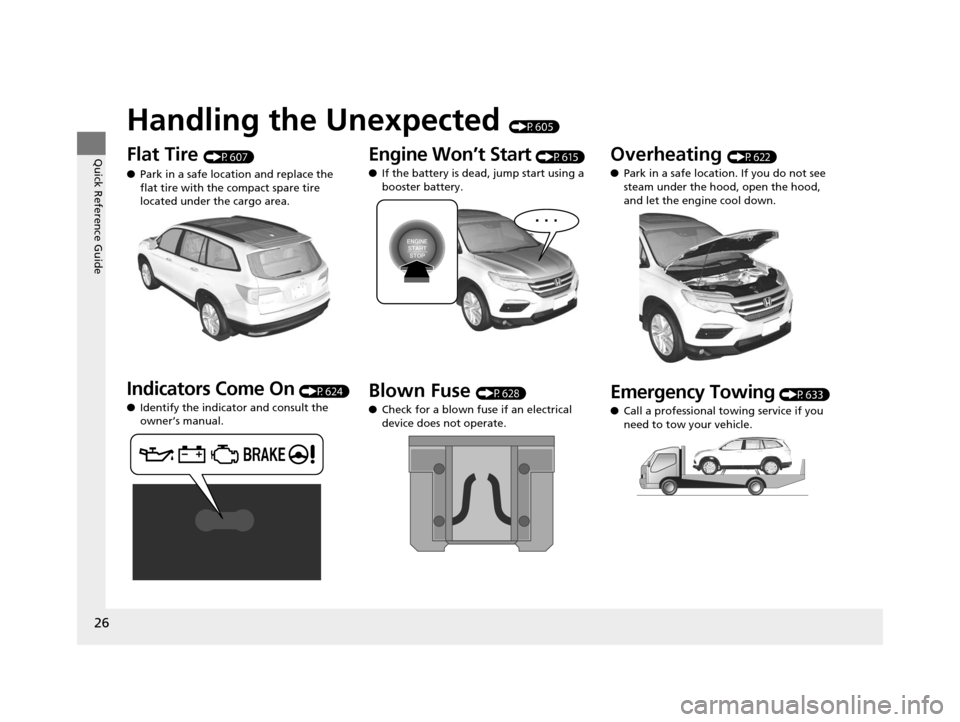
Handling the Unexpected (P605)
Flat Tire (P607)
● Park in a safe location and replace the
flat tire with the compact spare tire
located under the cargo area.
Indicators Come On (P624)
● Identify the indicator and consult the
owner’s manual.
Engine Won’t Start (P615)
● If the battery is dead, jump start using a
booster battery.
Blown Fuse (P628)
● Check for a blown fuse if an electrical
device does not operate.
Overheating (P622)
● Park in a safe location. If you do not see
steam under the hood, open the hood,
and let the engine cool down.
Emergency Towing (P633)
● Call a professional towing service if you
need to tow your vehicle.
16 PILOT-31TG76000.book 26 ページ 2015年6月15日 月曜日 午前11時30分
Page 51 of 661
50
uuAirbags uFront Airbags (SRS)
Safe Driving
■When front airbags should not deploy
Minor frontal crashes: Front airbags were designed to supplement seat belts and
help save lives, not to prevent minor scrapes, or even broken bones that might occur
during a less than moderate-to-severe frontal crash.
Side impacts: Front airbags can provide protection when a sudden deceleration
causes a driver or front passenger to move toward the front of the vehicle. Side
airbags and side curtain airbag s have been specifically designed to help reduce the
severity of injuries that can occur durin g a moderate-to-severe side impact which
can cause the driver or passenger to move toward the side of the vehicle.
Rear impacts: Head restraints and seat belts are your best protection during a rear
impact. Front airbags cannot provide any si gnificant protection and are not designed
to deploy in such collisions.
Rollovers: Seat belts, and in vehicles equipped with a rollover sensor, side airbags,
and side curtain airbags offer the best prot ection in a rollover. Because front airbags
could provide little if any protection, they are not designed to deploy during a
rollover.
■When front airbags deploy with little or no visible damage
Because the airbag system senses sudden deceleration, a strong impact to the
vehicle framework or suspension might caus e one or more of the airbags to deploy.
Examples include running into a curb, the edge of a hole, or other low fixed object
that causes a sudden deceleration in th e vehicle chassis. Since the impact is
underneath the vehicle, damage may not be readily apparent.
■When front airbags may not deploy, even though exterior damage
appears severe
Since crushable body parts absorb crash energy during an impact, the amount of
visible damage does not always indicate proper airbag operation. In fact, some
collisions can result in severe damage but no airbag deployment because the airbags
would not have been needed or would not have provided protection even if they
had deployed.
16 PILOT-31TG76000.book 50 ページ 2015年6月15日 月曜日 午前11時30分
Page 54 of 661
53
uuAirbags uSide Airbags
Safe Driving
■When a side airbag deploys with little or no visible damage
Because the airbag system senses sudden acceleration, a strong impact to the side
of the vehicle’s framework can cause a side airbag to deploy. In such cases, there
may be little or no damage, but the side impact sensors detected a severe enough
impact to deploy the airbag.
■When a side airbag may not deploy, even though visible damage appears
severe
It is possible for a side airbag to not deploy during an impact that results in
apparently severe damage. This can occur when the point of impact was toward the
far front or rear of the vehicle, or when the vehicle’s crushable body parts absorbed
most of the crash energy. In either case , the side airbag would not have been
needed nor provided protection even if it had deployed.
16 PILOT-31TG76000.book 53 ページ 2015年6月15日 月曜日 午前11時30分
Page 82 of 661
81
uuIndicators u
Continued
Instrument Panel
IndicatorNameOn/BlinkingExplanationMessage
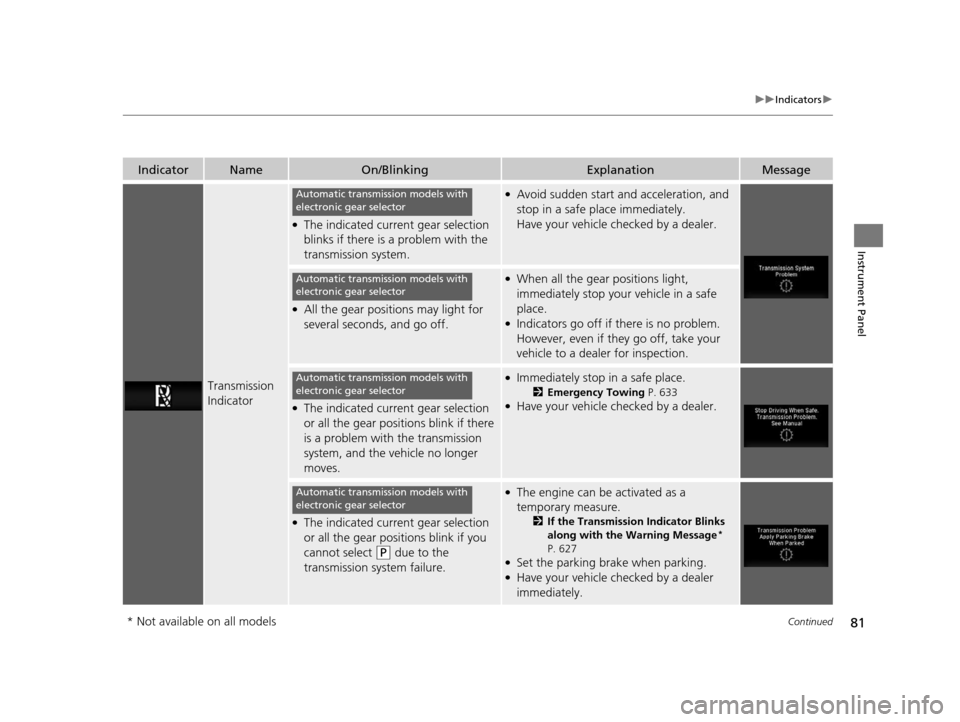
Transmission
Indicator
●The indicated current gear selection
blinks if there is a problem with the
transmission system.
●Avoid sudden start and acceleration, and
stop in a safe place immediately.
Have your vehicle checked by a dealer.
●All the gear positions may light for
several seconds, and go off.
●When all the gear positions light,
immediately stop your vehicle in a safe
place.
●Indicators go off if there is no problem.
However, even if they go off, take your
vehicle to a dealer for inspection.
●The indicated current gear selection
or all the gear positions blink if there
is a problem with the transmission
system, and the vehicle no longer
moves.
●Immediately stop in a safe place.
2Emergency Towing P. 633●Have your vehicle checked by a dealer.
●The indicated current gear selection
or all the gear positions blink if you
cannot select
(P due to the
transmission system failure.
●The engine can be activated as a
temporary measure.
2 If the Transmission Indicator Blinks
along with the Warning Message*
P. 627
●Set the parking brake when parking.●Have your vehicle checked by a dealer
immediately.
Automatic transmission models with
electronic gear selector
Automatic transmission models with
electronic gear selector
Automatic transmission models with
electronic gear selector
Automatic transmission models with
electronic gear selector
* Not available on all models
16 PILOT-31TG76000.book 81 ページ 2015年6月15日 月曜日 午前11時30分
Page 162 of 661
161
uuOperating the Switches Around the Steering Wheel uAuto High-Beam System*
Controls
■To manually cancel th e system temporarily
You can cancel the operation when you ma nually change the headlights to high
beams. Push the lever forward until you hear a click, or lightly pull the lever towards
you to flash high beams. The auto hi gh-beam system indicator goes off.
If you want the auto high-beam system operation to resume at once, pull the lever
towards you.
Disable the system when the vehicle is parked
with the power mode in ON and the light
switch is in the AUTO position.
To disable the system: Pull the light switch
lever towards you and hold it for 40 seconds.
The auto high-beam indica tor in the meter will
blink twice.
To enable the system: Pull the light switch
lever towards you and hold it for 30 seconds.
The auto high-beam indica tor in the meter will
blink once.
■To Disable the System
1 To Operate the System
If the Can Not Operate: message appears:
Park your vehicle in a safe place. Wipe away debris
blocking the windshield, then start driving again. If
the message remains on even after driving for a while
with the clean windshield, have your vehicle checked
by a dealer.
1 To Disable the System
The auto high-beam system will remain in the
selected disabled or enab led setting each time you
start the engine.
16 PILOT-31TG76000.book 161 ページ 2015年6月15日 月曜日 午前11時30分
Page 164 of 661
163
uuOperating the Switches Around the Steering Wheel uWipers and Washers
Continued
Controls
Wipers and Washers
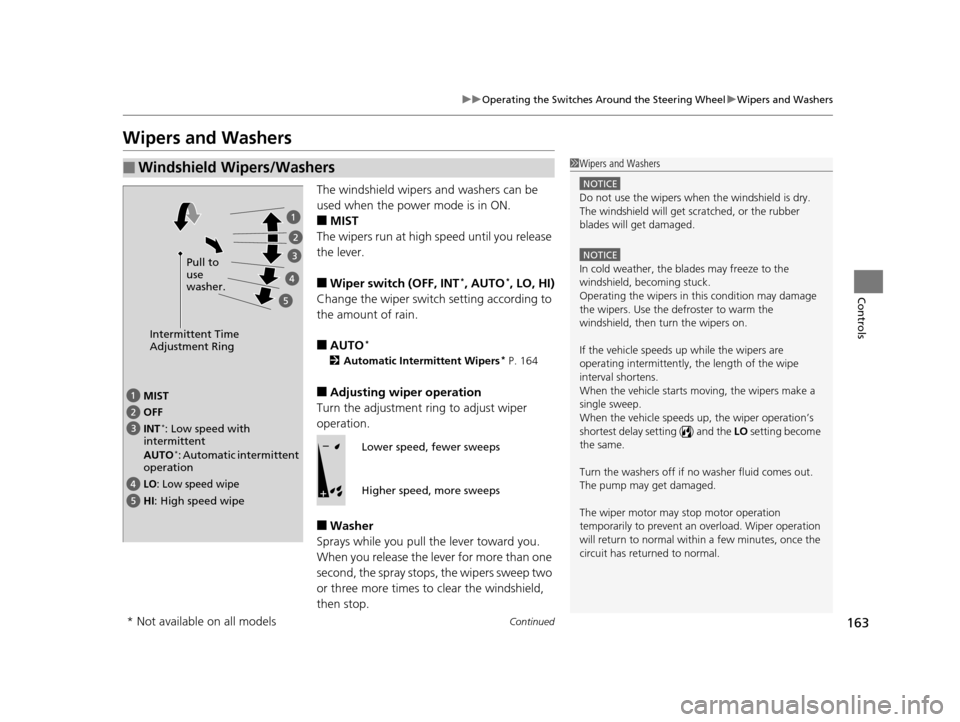
The windshield wipers and washers can be
used when the power mode is in ON.
■MIST
The wipers run at high speed until you release
the lever.
■Wiper switch (OFF, INT*, AUTO*, LO, HI)
Change the wiper switch setting according to
the amount of rain.
■AUTO*
2 Automatic Intermittent Wipers* P. 164
■Adjusting wiper operation
Turn the adjustment ring to adjust wiper
operation.
■Washer
Sprays while you pull the lever toward you.
When you release the le ver for more than one
second, the spray stops, the wipers sweep two
or three more times to clear the windshield,
then stop.
■Windshield Wipers/Washers1 Wipers and Washers
NOTICE
Do not use the wipers when the windshield is dry.
The windshield will get sc ratched, or the rubber
blades will get damaged.
NOTICE
In cold weather, the blades may freeze to the
windshield, becoming stuck.
Operating the wipers in th is condition may damage
the wipers. Use the defroster to warm the
windshield, then turn the wipers on.
If the vehicle speeds up while the wipers are
operating intermittently, the length of the wipe
interval shortens.
When the vehicle starts moving, the wipers make a
single sweep.
When the vehicle speeds up, the wiper operation’s
shortest delay setting ( ) and the LO setting become
the same.
Turn the washers off if no washer fluid comes out.
The pump may get damaged.
The wiper motor may stop motor operation
temporarily to prevent an overload. Wiper operation
will return to normal within a few minutes, once the
circuit has returned to normal.
Intermittent Time
Adjustment Ring
MIST
INT
*: Low speed with
intermittent
AUTO
*: Automatic intermittent
operation OFF
LO: Low speed wipe
HI: High speed wipe Pull to
use
washer.
Lower speed, fewer sweeps
Higher speed, more sweeps
* Not available on all models
16 PILOT-31TG76000.book 163 ページ 2015年6月15日 月曜日 午前11時30分