brake HONDA PILOT 2017 3.G User Guide
[x] Cancel search | Manufacturer: HONDA, Model Year: 2017, Model line: PILOT, Model: HONDA PILOT 2017 3.GPages: 673
Page 29 of 673
28
Quick Reference Guide
What to Do If
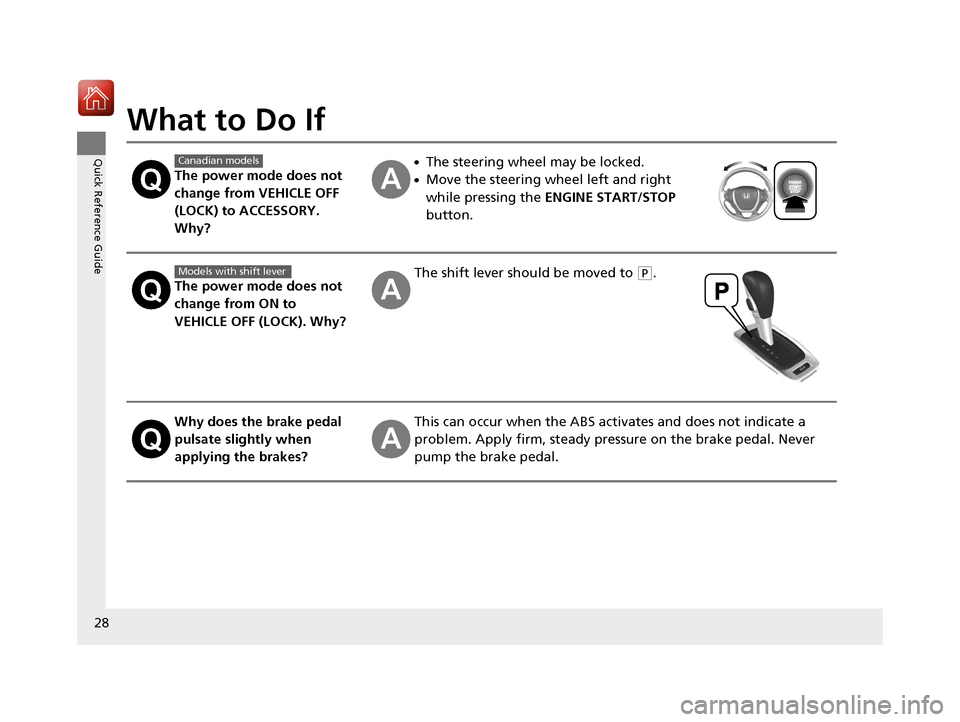
The power mode does not
change from VEHICLE OFF
(LOCK) to ACCESSORY.
Why?
●The steering wheel may be locked.
●Move the steering wheel left and right
while pressing the ENGINE START/STOP
button.
The power mode does not
change from ON to
VEHICLE OFF (LOCK). Why?
The shift lever should be moved to (P.
Why does the brake pedal
pulsate slightly when
applying the brakes?This can occur when the ABS activates and does not indicate a
problem. Apply firm, steady pressure on the brake pedal. Never
pump the brake pedal.
Canadian models
Models with shift lever
17 PILOT-31TG76100.book 28 ページ 2016年9月20日 火曜日 午後4時9分
Page 30 of 673
29
Quick Reference Guide
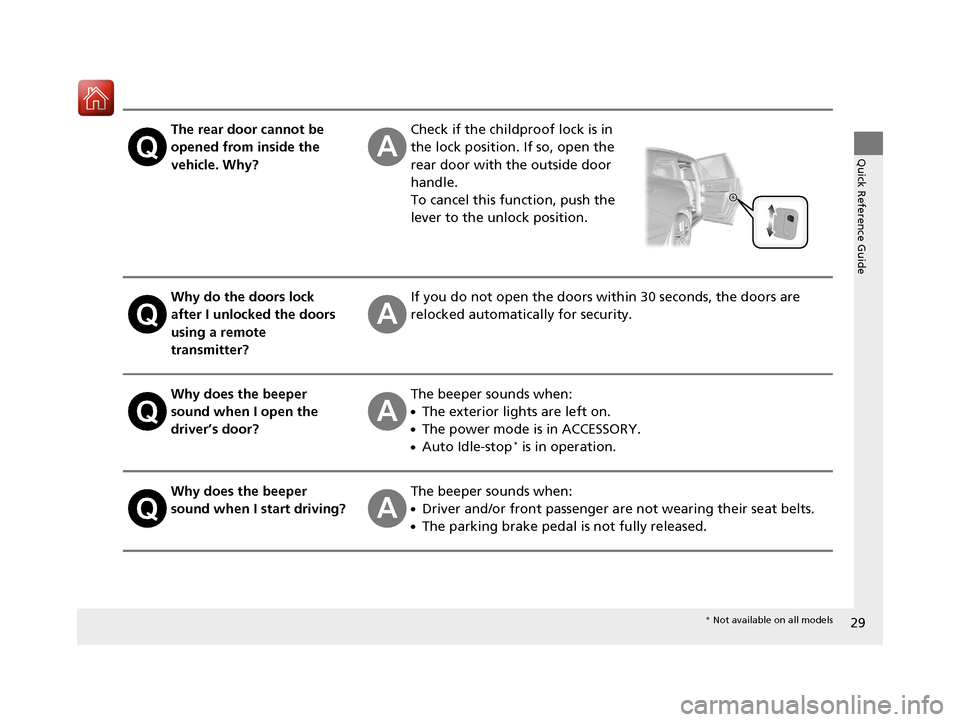
The rear door cannot be
opened from inside the
vehicle. Why?Check if the childproof lock is in
the lock position. If so, open the
rear door with the outside door
handle.
To cancel this function, push the
lever to the unlock position.
Why do the doors lock
after I unlocked the doors
using a remote
transmitter?If you do not open the doors within 30 seconds, the doors are
relocked automatically for security.
Why does the beeper
sound when I open the
driver’s door?The beeper sounds when:
●The exterior lights are left on.
●The power mode is in ACCESSORY.
●Auto Idle-stop* is in operation.
Why does the beeper
sound when I start driving?The beeper sounds when:
●Driver and/or front passenger are not wearing their seat belts.
●The parking brake pedal is not fully released.
* Not available on all models
17 PILOT-31TG76100.book 29 ページ 2016年9月20日 火曜日 午後4時9分
Page 31 of 673
30
Quick Reference Guide
Why do I hear a screeching
sound when I apply the
brake pedal?The brake pads may need to be replaced. Have your vehicle
inspected by a dealer.
Why does the gear position
automatically change to
(P
when I open the driver’s
door to check for parking
space lines when
reversing?
●Fasten the driver’s seat belt.
●Close the driver’s door and manually change the gear
position. u
When opening the driver’s door (P484)
I'm seeing an amber
indicator of a tire with an
exclamation point. What is
that?The Tire Pressure Monitoring Syst em (TPMS) needs attention. If
you recently inflated or changed a tire, you have to recalibrate
the system. u
Tire Pressure Monitoring System (TPMS) with Tire Fill Assist (P535)
Models with electronic gear selector
17 PILOT-31TG76100.book 30 ページ 2016年9月20日 火曜日 午後4時9分
Page 79 of 673
78
Instrument Panel
Indicators
IndicatorNameOn/BlinkingExplanationMessage
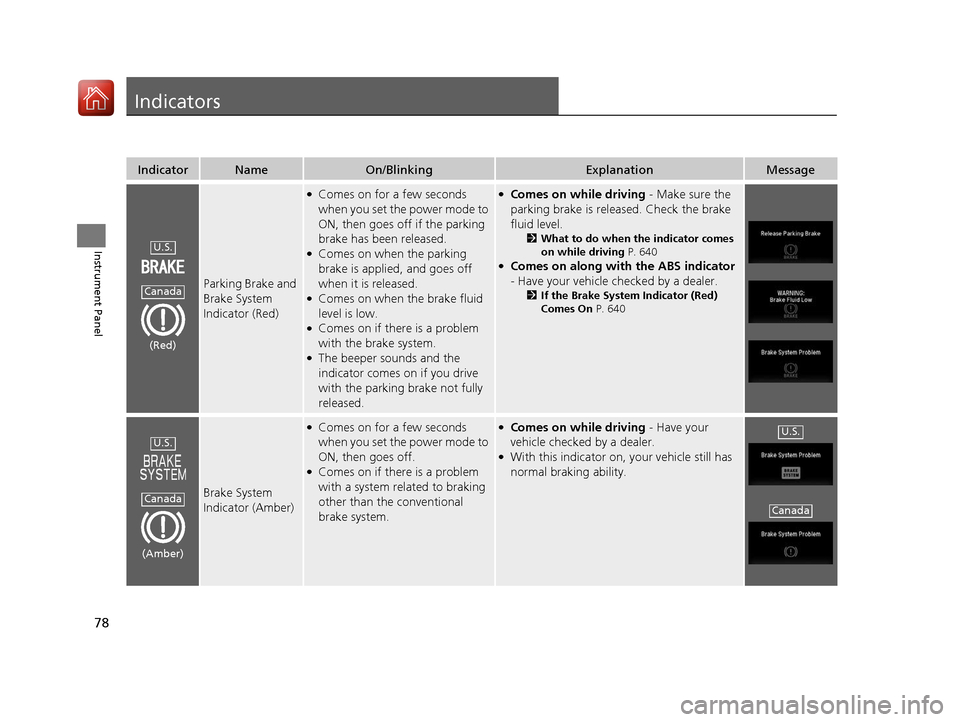
Parking Brake and
Brake System
Indicator (Red)
●Comes on for a few seconds
when you set the power mode to
ON, then goes off if the parking
brake has been released.
●Comes on when the parking
brake is applied, and goes off
when it is released.
●Comes on when the brake fluid
level is low.
●Comes on if there is a problem
with the brake system.
●The beeper sounds and the
indicator comes on if you drive
with the parking brake not fully
released.
●Comes on while driving - Make sure the
parking brake is released. Check the brake
fluid level.
2 What to do when the indicator comes
on while driving P. 640
●Comes on along with the ABS indicator
- Have your vehicle checked by a dealer.
2 If the Brake System Indicator (Red)
Comes On P. 640
Brake System
Indicator (Amber)
●Comes on for a few seconds
when you set the power mode to
ON, then goes off.
●Comes on if there is a problem
with a system related to braking
other than the conventional
brake system.
●Comes on while driving - Have your
vehicle checked by a dealer.
●With this indicator on, your vehicle still has
normal braking ability.
U.S.
Canada
(Red)
U.S.
Canada
(Amber)
U.S.
Canada
17 PILOT-31TG76100.book 78 ページ 2016年9月20日 火曜日 午後4時9分
Page 82 of 673
81
uuIndicators u
Continued
Instrument Panel
IndicatorNameOn/BlinkingExplanationMessage
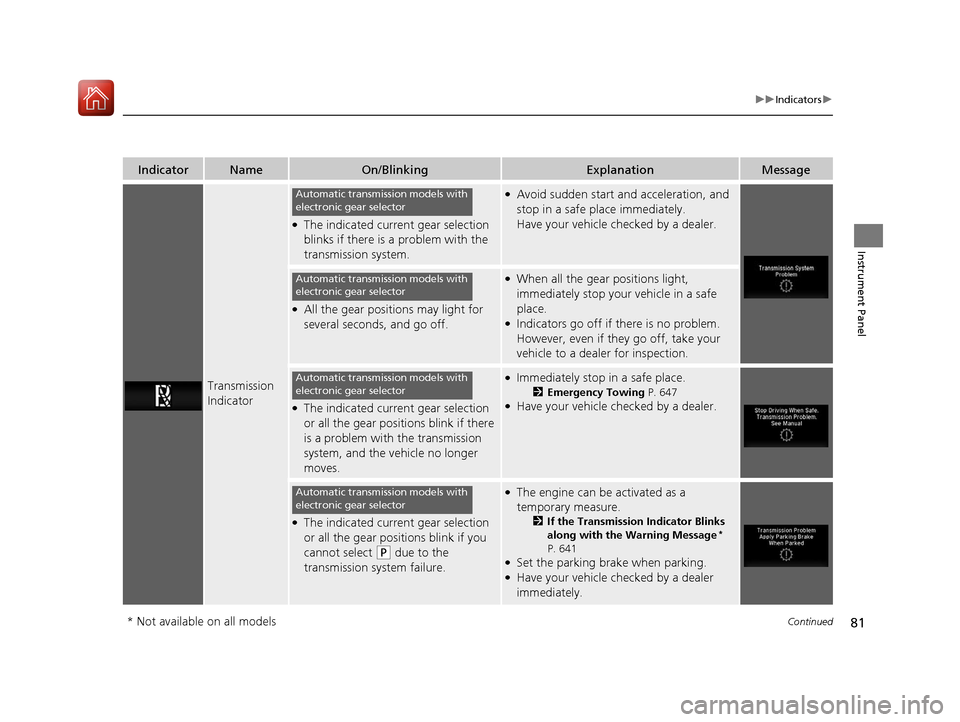
Transmission
Indicator
●The indicated current gear selection
blinks if there is a problem with the
transmission system.
●Avoid sudden start and acceleration, and
stop in a safe place immediately.
Have your vehicle checked by a dealer.
●All the gear positions may light for
several seconds, and go off.
●When all the gear positions light,
immediately stop your vehicle in a safe
place.
●Indicators go off if there is no problem.
However, even if they go off, take your
vehicle to a dealer for inspection.
●The indicated current gear selection
or all the gear positions blink if there
is a problem with the transmission
system, and the vehicle no longer
moves.
●Immediately stop in a safe place.
2Emergency Towing P. 647●Have your vehicle checked by a dealer.
●The indicated current gear selection
or all the gear positions blink if you
cannot select
(P due to the
transmission system failure.
●The engine can be activated as a
temporary measure.
2 If the Transmission Indicator Blinks
along with the Warning Message*
P. 641
●Set the parking brake when parking.●Have your vehicle checked by a dealer
immediately.
Automatic transmission models with
electronic gear selector
Automatic transmission models with
electronic gear selector
Automatic transmission models with
electronic gear selector
Automatic transmission models with
electronic gear selector
* Not available on all models
17 PILOT-31TG76100.book 81 ページ 2016年9月20日 火曜日 午後4時9分
Page 84 of 673
83
uuIndicators u
Continued
Instrument Panel
IndicatorNameOn/BlinkingExplanationMessage
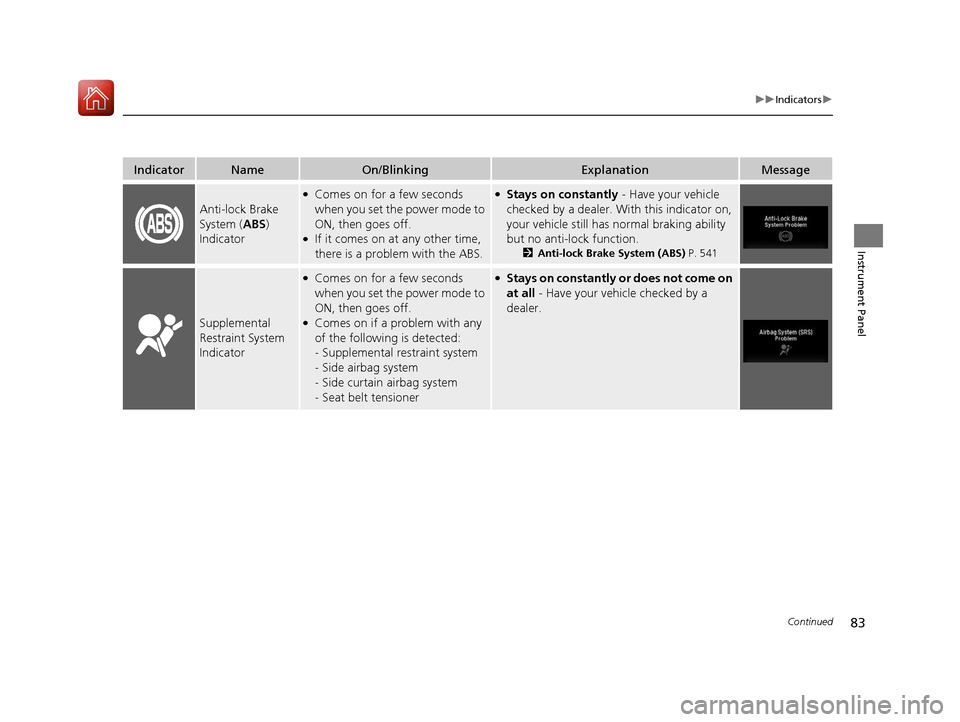
Anti-lock Brake
System (ABS)
Indicator
●Comes on for a few seconds
when you set the power mode to
ON, then goes off.
●If it comes on at any other time,
there is a problem with the ABS.
●Stays on constantly - Have your vehicle
checked by a dealer. With this indicator on,
your vehicle still has normal braking ability
but no anti-lock function.
2 Anti-lock Brake System (ABS) P. 541
Supplemental
Restraint System
Indicator
●Comes on for a few seconds
when you set the power mode to
ON, then goes off.
●Comes on if a problem with any
of the following is detected:
-Supplemental restraint system
- Side airbag system
- Side curtain airbag system
- Seat belt tensioner
●Stays on constantly or does not come on
at all - Have your vehicle checked by a
dealer.
17 PILOT-31TG76100.book 83 ページ 2016年9月20日 火曜日 午後4時9分
Page 85 of 673
84
uuIndicators u
Instrument Panel
IndicatorNameOn/BlinkingExplanationMessage
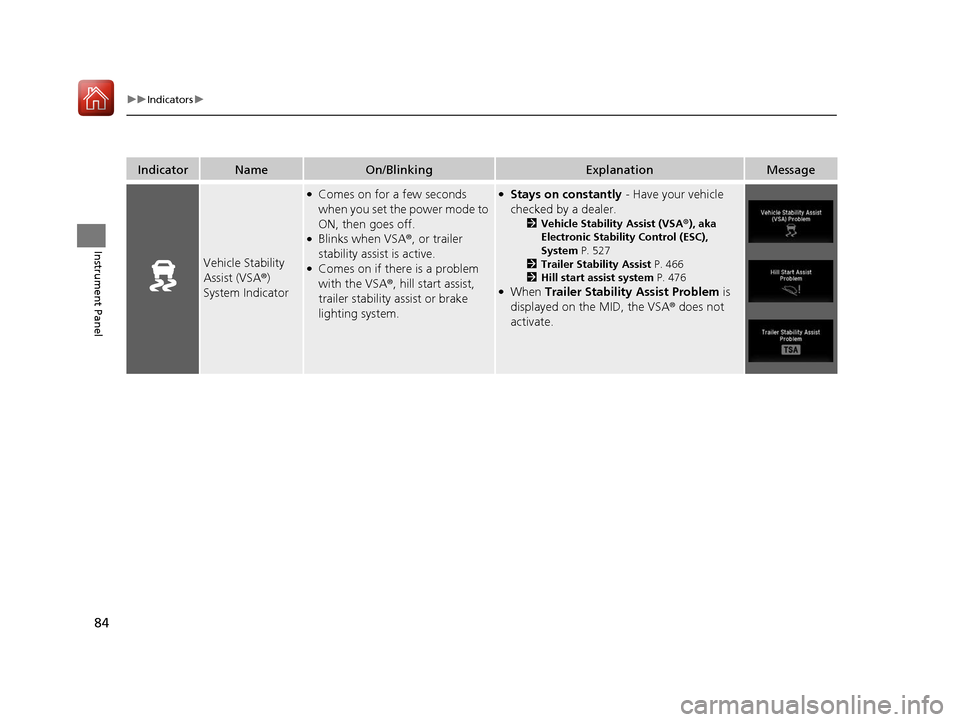
Vehicle Stability
Assist (VSA ®)
System Indicator
●Comes on for a few seconds
when you set the power mode to
ON, then goes off.
●Blinks when VSA ®, or trailer
stability assist is active.
●Comes on if there is a problem
with the VSA ®, hill start assist,
trailer stability assist or brake
lighting system.
●Stays on constantly - Have your vehicle
checked by a dealer.
2 Vehicle Stability Assist (VSA ®), aka
Electronic Stability Control (ESC),
System P. 527
2 Trailer Stability Assist P. 466
2 Hill start assist system P. 476
●When Trailer Stability Assist Problem is
displayed on the MID, the VSA ® does not
activate.
17 PILOT-31TG76100.book 84 ページ 2016年9月20日 火曜日 午後4時9分
Page 101 of 673
100
uuIndicators uMulti-Information Display (MID) Warning and Information Messages
Instrument Panel
MessageConditionExplanation
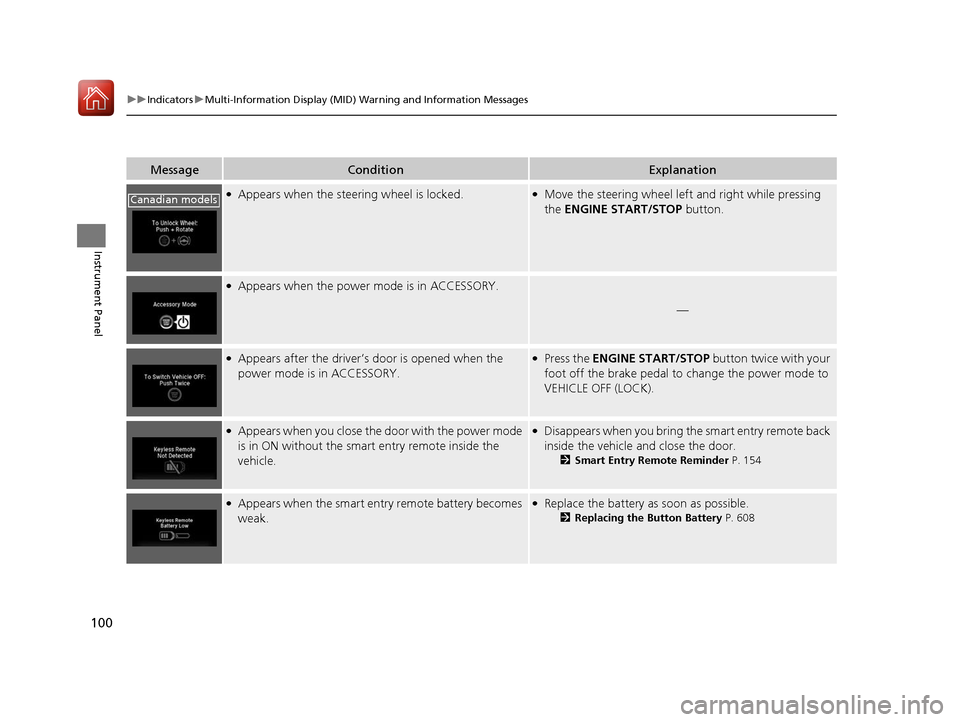
●Appears when the steering wheel is locked.●Move the steering wheel left and right while pressing
the ENGINE START/STOP button.
●Appears when the power mode is in ACCESSORY.
—
●Appears after the driver’s door is opened when the
power mode is in ACCESSORY.●Press the ENGINE START/STOP button twice with your
foot off the brake pedal to change the power mode to
VEHICLE OFF (LOCK).
●Appears when you close the door with the power mode
is in ON without the smart entry remote inside the
vehicle.●Disappears when you bring the smart entry remote back
inside the vehicle and close the door.
2 Smart Entry Remote Reminder P. 154
●Appears when the smart entry remote battery becomes
weak.●Replace the battery as soon as possible.
2Replacing the Button Battery P. 608
Canadian models
17 PILOT-31TG76100.book 100 ページ 2016年9月20日 火曜日 午後4時9分
Page 104 of 673
103
uuIndicators uMulti-Information Display (MID) Warning and Information Messages
Continued
Instrument Panel
MessageConditionExplanation
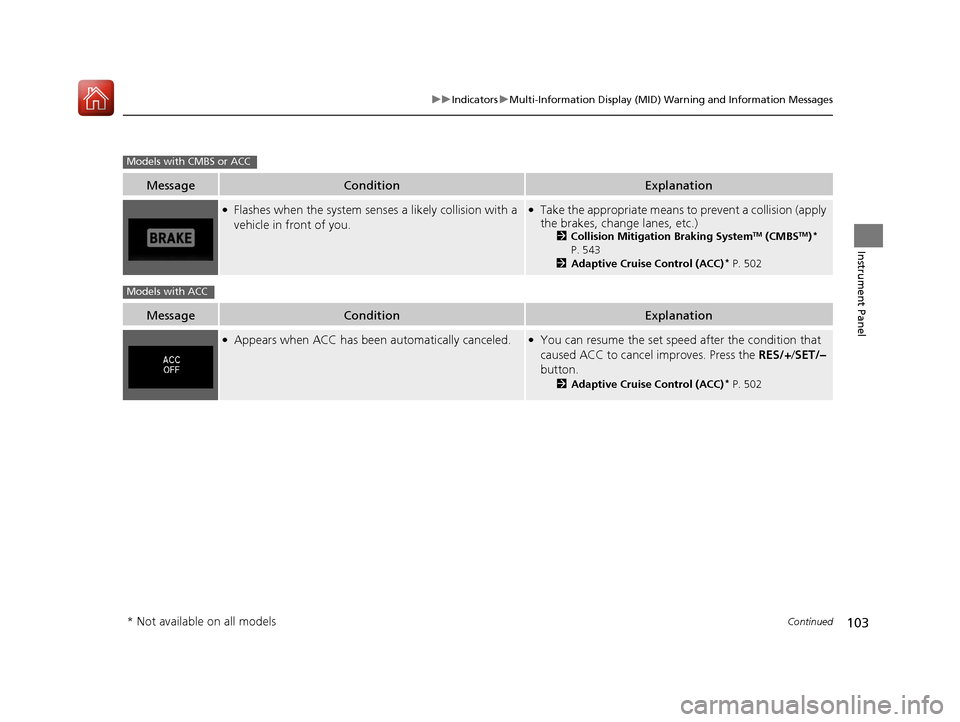
●Flashes when the system sens es a likely collision with a
vehicle in front of you.●Take the appropriate means to prevent a collision (apply
the brakes, change lanes, etc.)
2 Collision Mitigation Braking SystemTM (CMBSTM)*
P. 543
2 Adaptive Cruise Control (ACC)
* P. 502
MessageConditionExplanation
●Appears when ACC has been automatically canceled.●You can resume the set speed after the condition that
caused ACC to cancel improves. Press the RES/+/SET/–
button.
2 Adaptive Cruise Control (ACC)* P. 502
Models with CMBS or ACC
Models with ACC
* Not available on all models
17 PILOT-31TG76100.book 103 ページ 2016年9月20日 火曜日 午後4時9分
Page 106 of 673
105
uuIndicators uMulti-Information Display (MID) Warning and Information Messages
Continued
Instrument Panel
MessageConditionExplanation
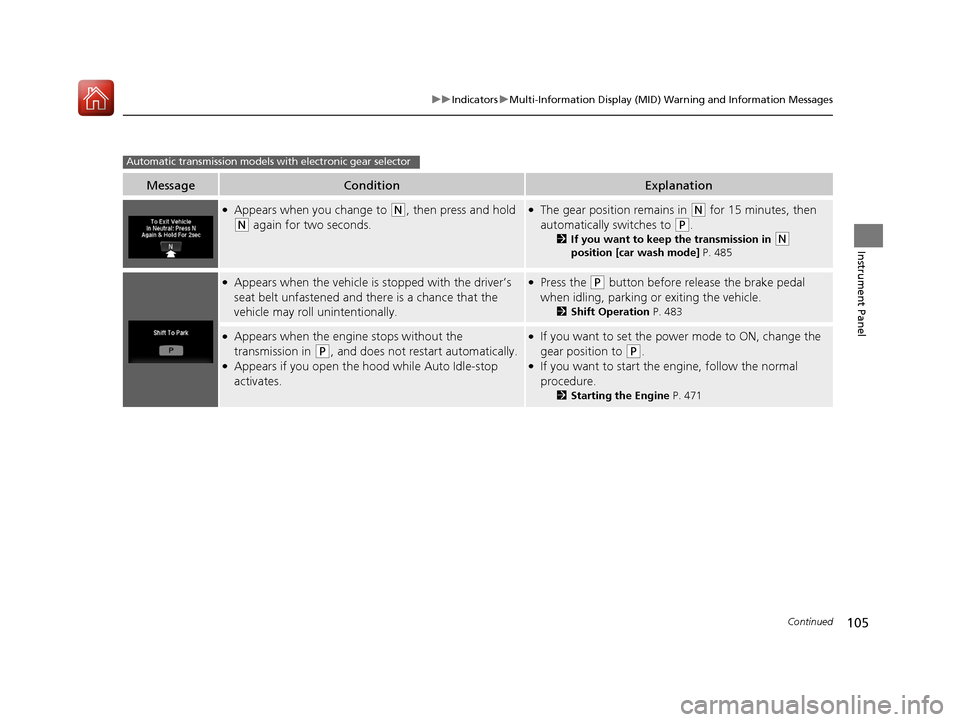
●Appears when you change to (N, then press and hold
(N again for two seconds.
●The gear position remains in (N for 15 minutes, then
automatically switches to
(P.
2 If you want to keep the transmission in (N
position [car wash mode] P. 485
●Appears when the vehicle is stopped with the driver’s
seat belt unfastened and there is a chance that the
vehicle may roll unintentionally.●Press the (P button before release the brake pedal
when idling, parking or exiting the vehicle.
2 Shift Operation P. 483
●Appears when the engine stops without the
transmission in
(P, and does not restart automatically.●Appears if you open the hood while Auto Idle-stop
activates.
●If you want to set the power mode to ON, change the
gear position to
(P.●If you want to start the engine, follow the normal
procedure.
2Starting the Engine P. 471
Automatic transmission models with electronic gear selector
17 PILOT-31TG76100.book 105 ページ 2016年9月20日 火曜日 午後4時9分