start stop button HONDA PILOT 2017 3.G User Guide
[x] Cancel search | Manufacturer: HONDA, Model Year: 2017, Model line: PILOT, Model: HONDA PILOT 2017 3.GPages: 673
Page 120 of 673
119
Controls
This chapter explains how to operate the various controls necessary for driving.
Clock.................................................. 120
Locking and Unlocking the Doors Key Types and Functions .................. 121
Locking/Unlocking the Doors from the Outside .......................................... 124
Low Smart Entry Remote Signal Strength ..... 123Locking/Unlocking the Doors from the Inside ............................................. 131
Childproof Door Locks ..................... 133
Auto Door Locking/Unlocking .......... 134
Opening and Closing the Tailgate ... 135
Security System
Immobilizer System .......................... 143
Security System Alarm ...................... 143
Opening and Closing the Windows.... 146
Moonroof*.............................................. 148Panoramic Roof*............................... 149
Operating the Switches Around the
Steering Wheel ENGINE START/STOP Button............. 152
Turn Signals ..................................... 155
Light Switches.................................. 156
Fog Lights
*...................................... 159
Auto High-Beam System*................ 160
Daytime Running Lights ................... 163
Wipers and Washers ........................ 164
Brightness Control ........................... 167
Defogger/Heated Door Mirror
*........ 168
Driving Position Memory System*.... 169
Adjusting the Steering Wheel........... 171 Adjusting the Mirrors
Interior Rearview Mirror ................... 172
Power Door Mirrors ......................... 173
Adjusting the Seats Adjusting the Seat Positions ............. 174
Rear Seats........................................ 183
Armrest ........................................... 186
Interior Lights/Interior Convenience Items
Interior Lights .................................. 188
Interior Convenience Items .............. 191
Heating and Cooling
*....................... 205
Climate Control System*.................. 210
* Not available on all models
17 PILOT-31TG76100.book 119 ページ 2016年9月20日 火曜日 午後4時9分
Page 141 of 673
uuOpening and Closing the Tailgate uOpening/Closing the Power Tailgate*
140
Controls
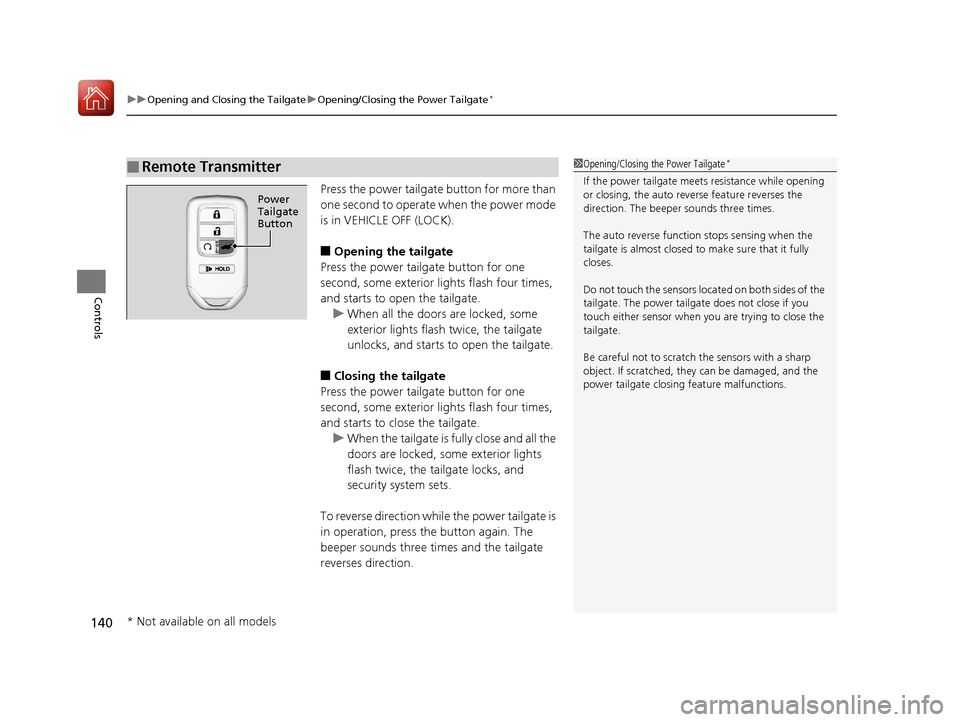
Press the power tailgate button for more than
one second to operate when the power mode
is in VEHICLE OFF (LOCK).
■Opening the tailgate
Press the power tailgate button for one
second, some exterior lights flash four times,
and starts to open the tailgate. u When all the doors are locked, some
exterior lights flash twice, the tailgate
unlocks, and starts to open the tailgate.
■Closing the tailgate
Press the power tailgate button for one
second, some exterior lights flash four times,
and starts to close the tailgate. u When the tailgate is fully close and all the
doors are locked, some exterior lights
flash twice, the tailgate locks, and
security system sets.
To reverse direction whil e the power tailgate is
in operation, press the button again. The
beeper sounds three times and the tailgate
reverses direction.
■Remote Transmitter1 Opening/Closing the Power Tailgate*
If the power tailgate meet s resistance while opening
or closing, the auto reverse feature reverses the
direction. The beeper sounds three times.
The auto reverse function stops sensing when the
tailgate is almost closed to make sure that it fully
closes.
Do not touch the sensors located on both sides of the
tailgate. The power tailga te does not close if you
touch either sensor when you are trying to close the
tailgate.
Be careful not to scratch the sensors with a sharp
object. If scratched, they can be damaged, and the
power tailgate closing feature malfunctions.
Power
Tailgate
Button
* Not available on all models
17 PILOT-31TG76100.book 140 ページ 2016年9月20日 火曜日 午後4時9分
Page 144 of 673
143Continued
Controls
Security System
Immobilizer System
The immobilizer system prevents a key that has not been pre-registered from
starting the engine. Each key contains electronic transmitters that use electronic
signals to verify the key.
Pay attention to the follo wing when pressing the ENGINE START/STOP button:
• Do not allow objects that emit strong radio waves near the ENGINE START/
STOP button.
• Make sure the key is not covered by or touching a metal object.
• Do not bring a key from another vehicle’s immobilizer system with the smart entry
remote.
Security System Alarm
The security system alarm activates when the tailgate, hood or doors are forcibly
opened. The alarm does not go off if the tailgate or doors are opened with the key,
remote transmitter or smart entry system.
However, the alarm goes off when a door is opened with the key, then the hood is
opened before the power mode is set to ON.
However, the alarm goes off when a door is opened with the key, then the hood is
opened or gear position is changed from out of
(P before the power mode is set to
ON.
■When the security system alarm activates
The horn sounds intermittently , some exterior lights flash.
1Immobilizer System
NOTICE
Leaving the smart entry remote in the vehicle can
result in theft or accident al movement of the vehicle.
Always take the key with you whenever you leave the
vehicle unattended.
Do not alter the system or add other devices to it.
Doing so may damage the system and make your
vehicle inoperable.
1 Security System Alarm
The security alarm continues for a maximum of two
minutes until the security system alarm deactivates.
Except automatic transmission models with shift lever
Automatic transmission models with shift lever
17 PILOT-31TG76100.book 143 ページ 2016年9月20日 火曜日 午後4時9分
Page 153 of 673
152
Controls
Operating the Switches Around the Steering Wheel
ENGINE START/STOP Button
*1:Canadian models
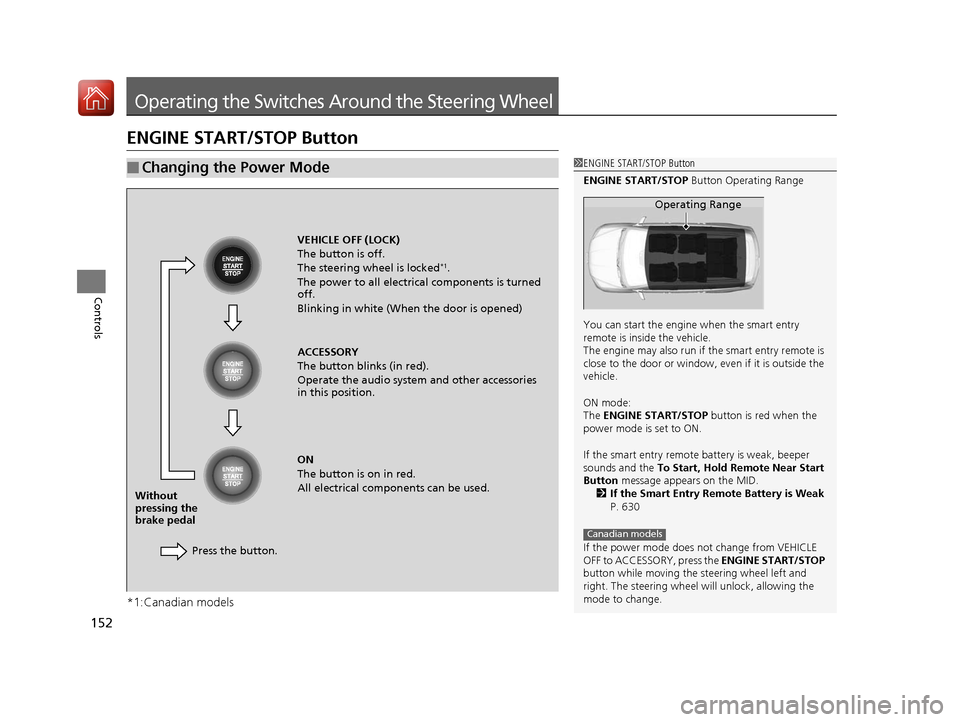
■Changing the Power Mode1ENGINE START/STOP Button
ENGINE START/STOP Button Operating Range
You can start the engine when the smart entry
remote is inside the vehicle.
The engine may also run if the smart entry remote is
close to the door or window, ev en if it is outside the
vehicle.
ON mode:
The ENGINE START/STOP button is red when the
power mode is set to ON.
If the smart entry remote battery is weak, beeper
sounds and the To Start, Hold Remote Near Start
Button message appears on the MID.
2 If the Smart Entry Remote Battery is Weak
P. 630
If the power mode does not change from VEHICLE
OFF to ACCESSORY, press the ENGINE START/STOP
button while moving the st eering wheel left and
right. The steering wheel will unlock, allowing the
mode to change.
Operating Range
Canadian models
VEHICLE OFF (LOCK)
The button is off.
The steering wheel is locked
*1.
The power to all electrical components is turned
off.
Blinking in white (When the door is opened)
ACCESSORY
The button blinks (in red).
Operate the audio system and other accessories
in this position.
ON
The button is on in red.
All electrical components can be used.
Press the button.
Without
pressing the
brake pedal
17 PILOT-31TG76100.book 152 ページ 2016年9月20日 火曜日 午後4時9分
Page 154 of 673
153
uuOperating the Switches Around the Steering Wheel uENGINE START/STOP Button
Continued
Controls
If you leave the vehicle for 30 to 60 minutes with the transmission in (P and the
power mode in ACCESSORY, the vehicle automa tically goes into the mode similar to
VEHICLE OFF (LOCK) to avoid the battery drain.
When in this mode:
The steering wheel does not lock.
You cannot lock or unlock doors with th e remote transmitter or the smart entry
system.
Press the ENGINE START/STOP button to switch the mode to VEHICLE OFF (LOCK).
If you open the driver’s door when the power mode is set to ACCESSORY, a warning
beeper sounds.
■Automatic Power Off
■Power Mode Reminder
Canadian models
17 PILOT-31TG76100.book 153 ページ 2016年9月20日 火曜日 午後4時9分
Page 155 of 673
uuOperating the Switches Around the Steering Wheel uENGINE START/STOP Button
154
Controls
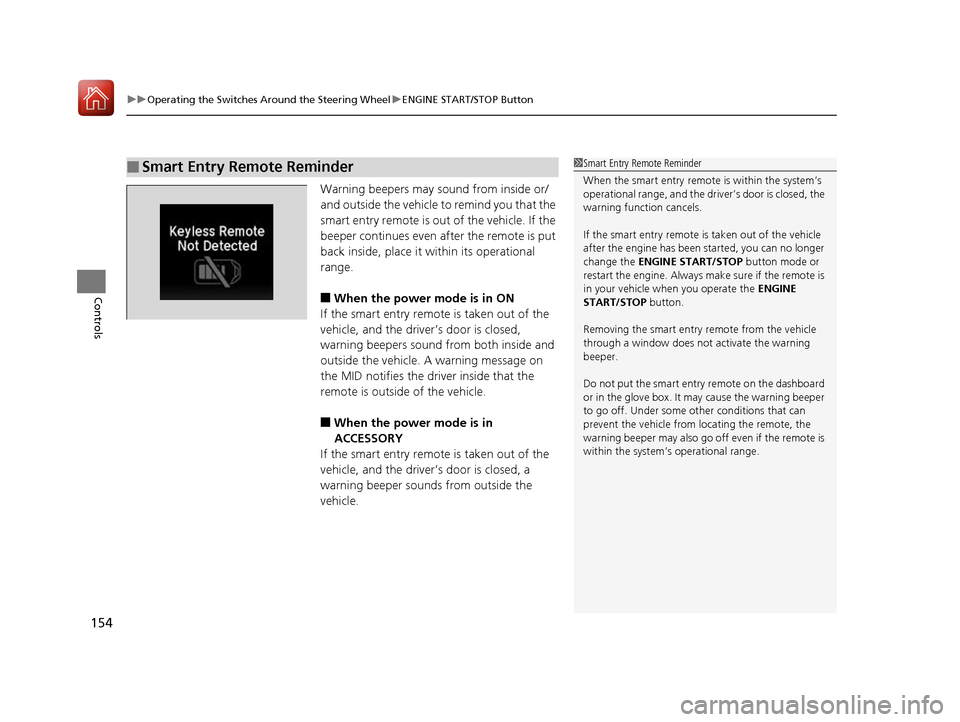
Warning beepers may sound from inside or/
and outside the vehicle to remind you that the
smart entry remote is out of the vehicle. If the
beeper continues even a fter the remote is put
back inside, place it within its operational
range.
■When the power mode is in ON
If the smart entry remote is taken out of the
vehicle, and the driver’s door is closed,
warning beepers sound from both inside and
outside the vehicle. A warning message on
the MID notifies the driver inside that the
remote is outside of the vehicle.
■When the power mode is in
ACCESSORY
If the smart entry remote is taken out of the
vehicle, and the driver’s door is closed, a
warning beeper sounds from outside the
vehicle.
■Smart Entry Remote Reminder1 Smart Entry Remote Reminder
When the smart entry remote is within the system’s
operational range, and the driv er’s door is closed, the
warning function cancels.
If the smart entry remote is taken out of the vehicle
after the engine has been started, you can no longer
change the ENGINE START/STOP button mode or
restart the engine. Always make sure if the remote is
in your vehicle when you operate the ENGINE
START/STOP button.
Removing the smart entry remote from the vehicle
through a window does not activate the warning
beeper.
Do not put the smart entr y remote on the dashboard
or in the glove box. It ma y cause the warning beeper
to go off. Under some other conditions that can
prevent the vehicle from locating the remote, the
warning beeper may also go of f even if the remote is
within the system’s operational range.
17 PILOT-31TG76100.book 154 ページ 2016年9月20日 火曜日 午後4時9分
Page 212 of 673
Continued211
uuClimate Control System*uUsing Automatic Climate Control
Controls
■Switching between the recirc ulation and fresh air modes
Press the button and switch the mode depending on environmental conditions.
Recirculation Mode (indicator on): Recirculates air from the vehicle’s interior through
the system.
Fresh Air Mode (indicator off): Maintains outside ventilation. Keep the system in
fresh air mode in normal situations.
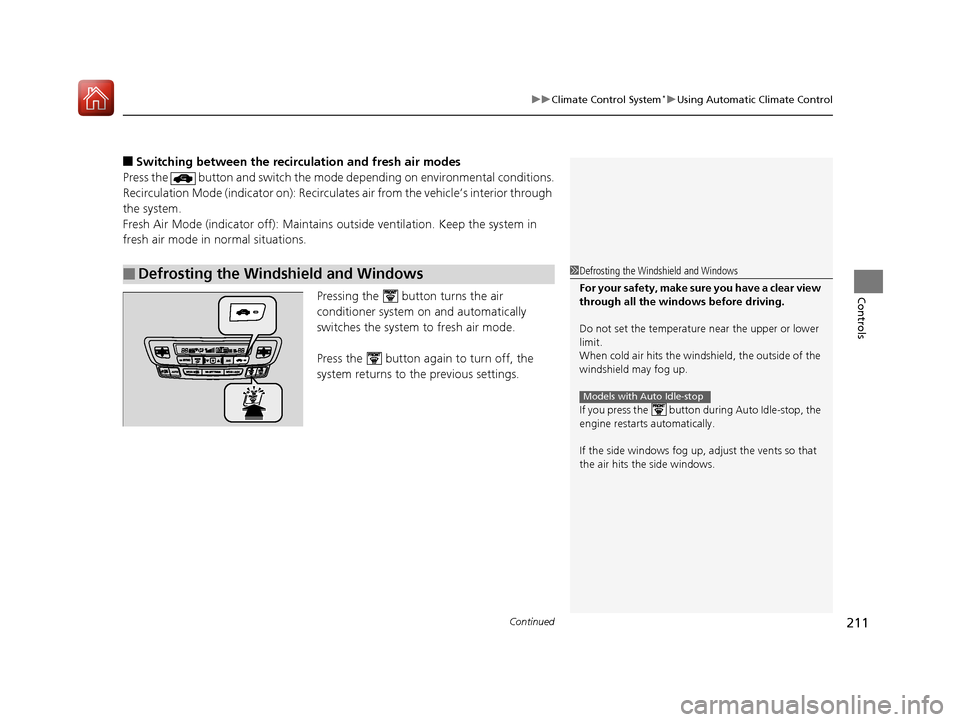
Pressing the button turns the air
conditioner system on and automatically
switches the system to fresh air mode.
Press the button again to turn off, the
system returns to the previous settings.
■Defrosting the Windshield and Windows1Defrosting the Windshield and Windows
For your safety, make sure you have a clear view
through all the windows before driving.
Do not set the temperatur e near the upper or lower
limit.
When cold air hits the windshield, the outside of the
windshield may fog up.
If you press the button during Auto Idle-stop, the
engine restarts automatically.
If the side windows fog up, adjust the vents so that
the air hits th e side windows.
Models with Auto Idle-stop
17 PILOT-31TG76100.book 211 ページ 2016年9月20日 火曜日 午後4時9分
Page 328 of 673
Continued327
uuBlu-ray/DVD Rear Entertainment System*uPlaying a DVD/Blu-rayTM*
Features
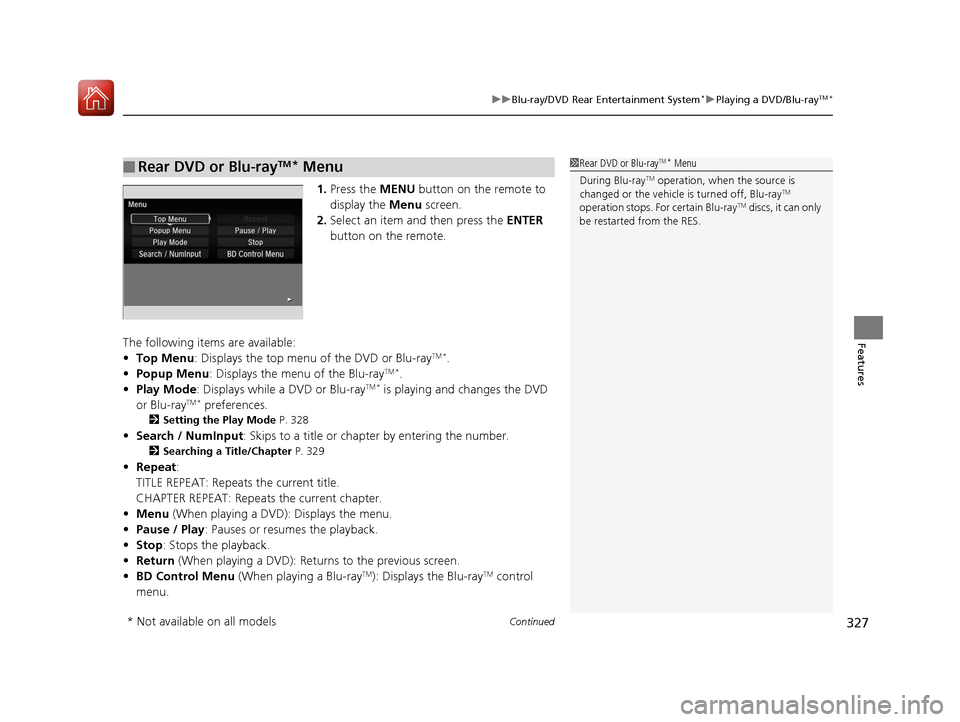
1. Press the MENU button on the remote to
display the Menu screen.
2. Select an item and then press the ENTER
button on the remote.
The following items are available:
• Top Menu : Displays the top menu of the DVD or Blu-ray
TM *.
• Popup Menu : Displays the menu of the Blu-rayTM *.
• Play Mode : Displays while a DVD or Blu-rayTM * is playing and changes the DVD
or Blu-rayTM * preferences.
2 Setting the Play Mode P. 328
•Search / NumInput : Skips to a title or chapte r by entering the number.
2Searching a Title/Chapter P. 329
•Repeat :
TITLE REPEAT: Repeats the current title.
CHAPTER REPEAT: Repeats the current chapter.
• Menu (When playing a DVD): Displays the menu.
• Pause / Play: Pauses or resumes the playback.
• Stop : Stops the playback.
• Return (When playing a DVD): Return s to the previous screen.
• BD Control Menu (When playing a Blu-ray
TM): Displays the Blu-rayTM control
menu.
■Rear DVD or Blu-rayTM* Menu1 Rear DVD or Blu-rayTM* Menu
During Blu-ray
TM operation, when the source is
changed or the vehicle is turned off, Blu-rayTM
operation stops. For certain Blu-rayTM discs, it can only
be restarted from the RES.
* Not available on all models
17 PILOT-31TG76100.book 327 ページ 2016年9月20日 火曜日 午後4時9分
Page 472 of 673
471Continued
Driving
When Driving
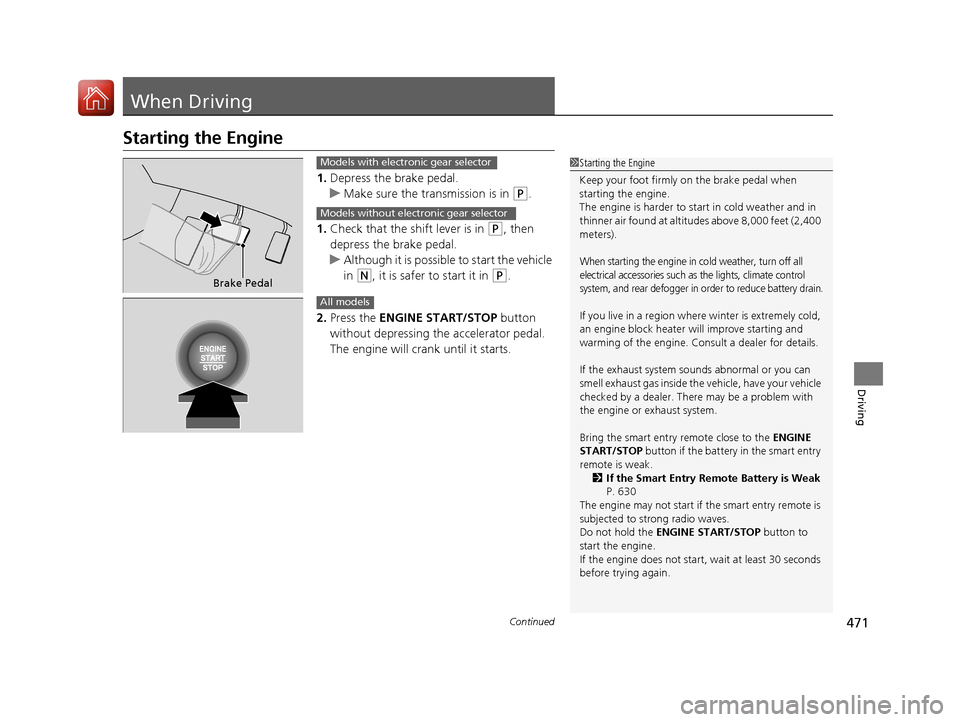
Starting the Engine
1.Depress the brake pedal.
u Make sure the transmission is in
(P.
1. Check that the shift lever is in
(P, then
depress the brake pedal.
u Although it is possible to start the vehicle
in
(N, it is safer to start it in (P.
2. Press the ENGINE START/STOP button
without depressing the accelerator pedal.
The engine will crank until it starts.
1 Starting the Engine
Keep your foot firmly on the brake pedal when
starting the engine.
The engine is harder to st art in cold weather and in
thinner air found at altitudes above 8,000 feet (2,400
meters).
When starting the engine in cold weather, turn off all
electrical accessories such as the lights, climate control
system, and rear defogger in order to reduce battery drain.
If you live in a region where winter is extremely cold,
an engine block heater will improve starting and
warming of the engine. Cons ult a dealer for details.
If the exhaust system sounds abnormal or you can
smell exhaust gas inside the vehicle, have your vehicle
checked by a dealer. There may be a problem with
the engine or exhaust system.
Bring the smart entry remote close to the ENGINE
START/STOP button if the battery in the smart entry
remote is weak. 2 If the Smart Entry Remote Battery is Weak
P. 630
The engine may not start if the smart entry remote is
subjected to strong radio waves.
Do not hold the ENGINE START/STOP button to
start the engine.
If the engine does not start, wait at least 30 seconds
before trying again.
Brake Pedal
Models with electronic gear selector
Models without electronic gear selector
All models
17 PILOT-31TG76100.book 471 ページ 2016年9月20日 火曜日 午後4時9分
Page 473 of 673
uuWhen Driving uStarting the Engine
472
Driving
You can turn the engine off when the vehicle is completely stopped.
1. Change the gear position to
(P.
2. Press the ENGINE START/STOP button with your foot on the brake pedal.
■Stopping the Engine1Starting the Engine
The immobilizer system pr otects your vehicle from
theft.
If an improperly c oded device is used, the engine’s
fuel system is disabled. 2 Immobilizer System P. 143
17 PILOT-31TG76100.book 472 ページ 2016年9月20日 火曜日 午後4時9分