buttons HONDA PILOT 2017 3.G Owner's Guide
[x] Cancel search | Manufacturer: HONDA, Model Year: 2017, Model line: PILOT, Model: HONDA PILOT 2017 3.GPages: 673
Page 510 of 673
Continued509
uuWhen Driving uAdaptive Cruise Control (ACC)*
Driving
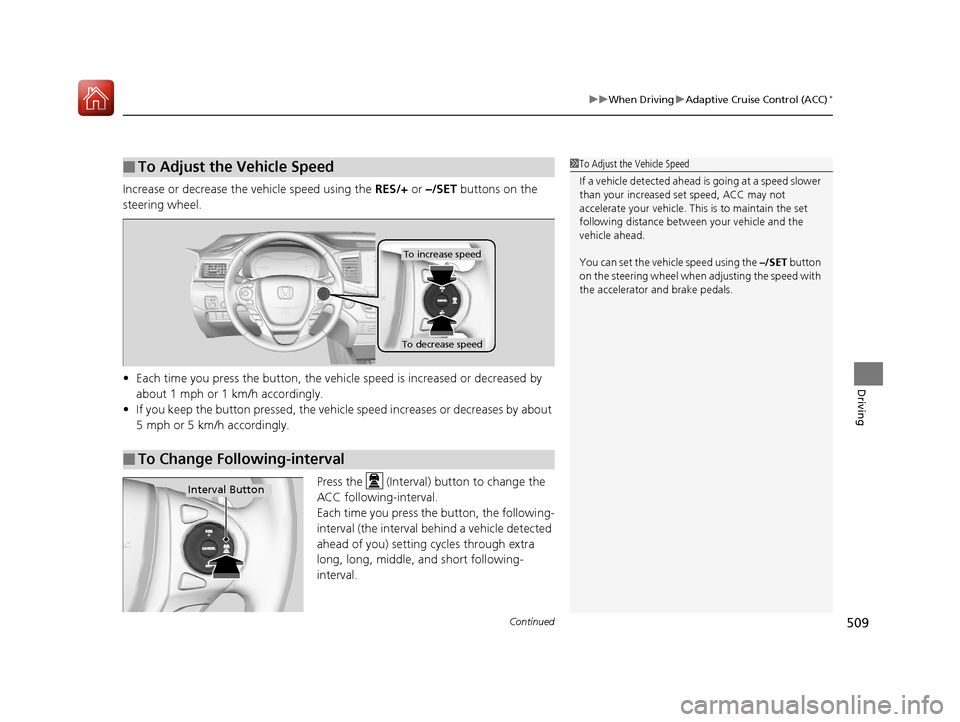
Increase or decrease the vehicle speed using the RES/+ or –/SET buttons on the
steering wheel.
• Each time you press the button, the vehicl e speed is increased or decreased by
about 1 mph or 1 km/h accordingly.
• If you keep the button pressed, the vehicle speed increases or decreases by about
5 mph or 5 km/h accordingly.
Press the (Interval) button to change the
ACC following-interval.
Each time you press th e button, the following-
interval (the interval behind a vehicle detected
ahead of you) setting cycles through extra
long, long, middle, and short following-
interval.
■To Adjust the Vehicle Speed1 To Adjust the Vehicle Speed
If a vehicle detected ahead is going at a speed slower
than your increased set speed, ACC may not
accelerate your vehicle. This is to maintain the set
following distance between your vehicle and the
vehicle ahead.
You can set the vehicle speed using the –/SET button
on the steering wheel when adjusting the speed with
the accelerator and brake pedals.
■To Change Following-interval
To increase speed
To decrease speed
Interval Button
17 PILOT-31TG76100.book 509 ページ 2016年9月20日 火曜日 午後4時9分
Page 609 of 673
608
Maintenance
Remote Transmitter Care
Replacing the Button Battery
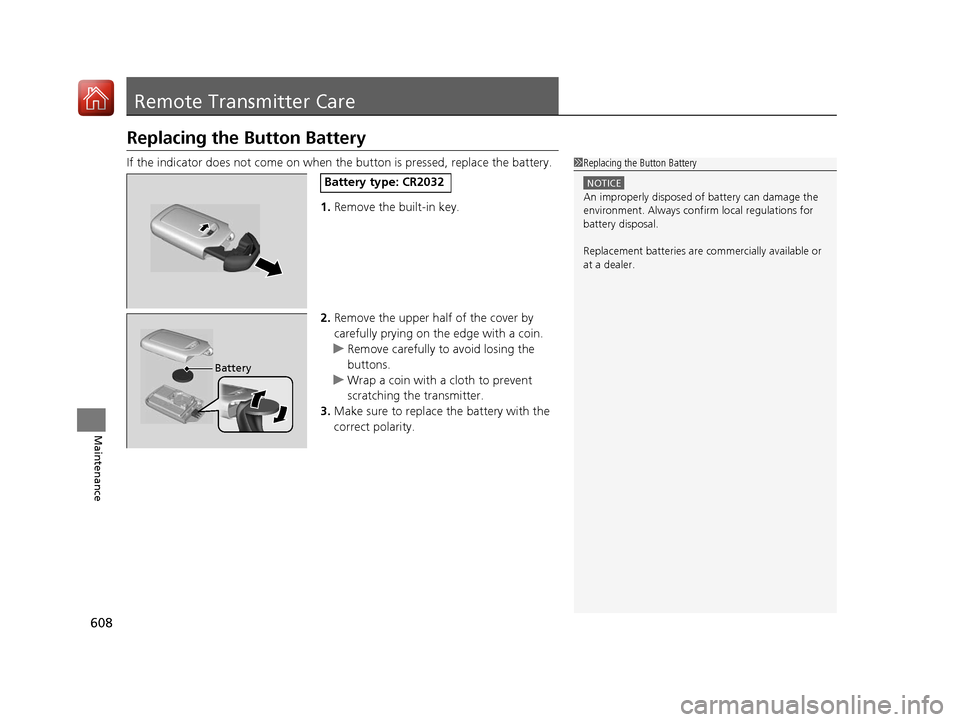
If the indicator does not come on when the button is pressed, replace the battery.
1. Remove the built-in key.
2. Remove the upper half of the cover by
carefully prying on the edge with a coin.
u Remove carefully to avoid losing the
buttons.
u Wrap a coin with a cloth to prevent
scratching the transmitter.
3. Make sure to replace the battery with the
correct polarity.1 Replacing the Button Battery
NOTICE
An improperly disposed of battery can damage the
environment. Always conf irm local regulations for
battery disposal.
Replacement batteries are commercially available or
at a dealer.
Battery type: CR2032
Battery
17 PILOT-31TG76100.book 608 ページ 2016年9月20日 火曜日 午後4時9分
Page 610 of 673
609Continued
Maintenance
Remote Control and Wireless Headphone Care*
Replacing the Battery
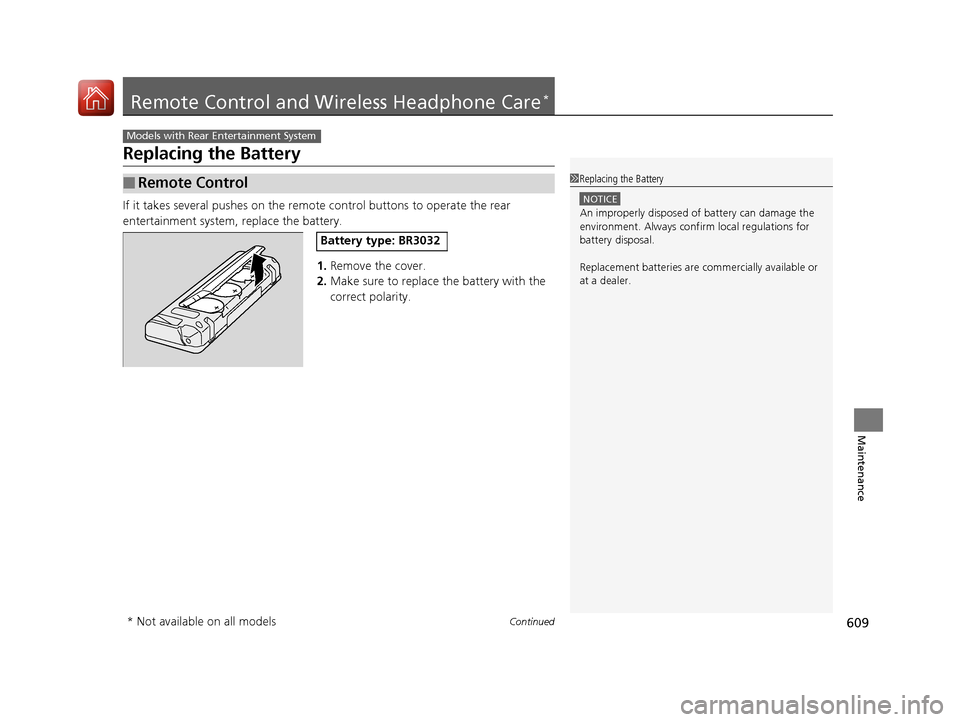
If it takes several pushes on the remo te control buttons to operate the rear
entertainment system, replace the battery.
1.Remove the cover.
2. Make sure to replace the battery with the
correct polarity.
■Remote Control
Models with Rear Entertainment System
1Replacing the Battery
NOTICE
An improperly disposed of battery can damage the
environment. Always conf irm local regulations for
battery disposal.
Replacement batteries are commercially available or
at a dealer.
Battery type: BR3032
* Not available on all models
17 PILOT-31TG76100.book 609 ページ 2016年9月20日 火曜日 午後4時9分
Page 631 of 673
630
uuEngine Does Not Start uIf the Smart Entry Remote Battery is Weak
Handling the Unexpected
If the Smart Entry Remote Battery is Weak
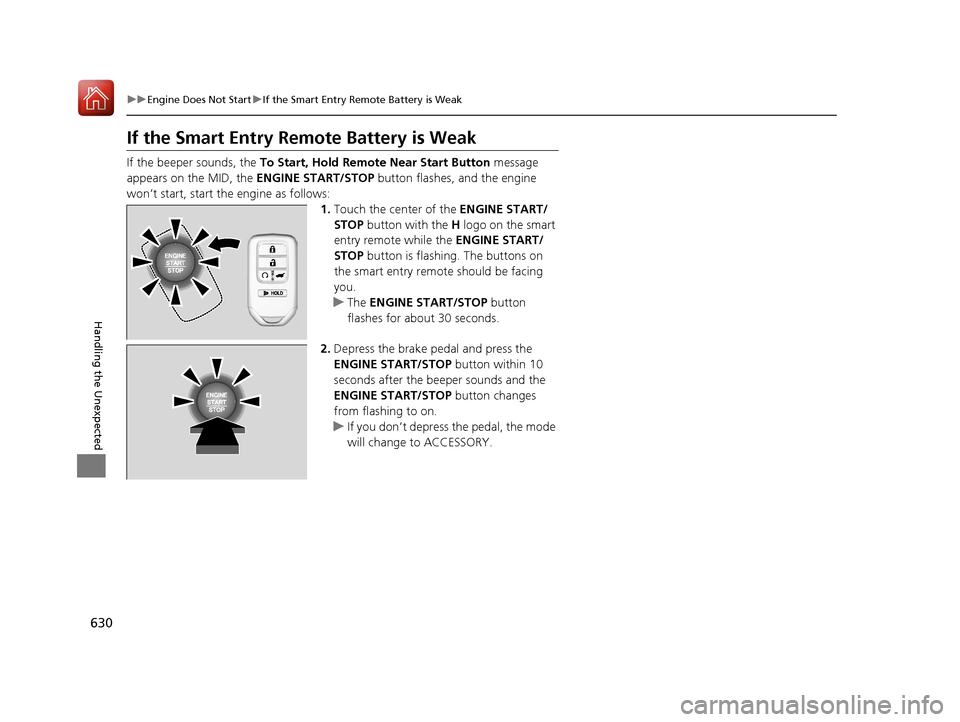
If the beeper sounds, the To Start, Hold Remote Near Start Button message
appears on the MID, the ENGINE START/STOP button flashes, and the engine
won’t start, start the engine as follows:
1.Touch the center of the ENGINE START/
STOP button with the H logo on the smart
entry remote while the ENGINE START/
STOP button is flashing. The buttons on
the smart entry remote should be facing
you.
u The ENGINE START/STOP button
flashes for about 30 seconds.
2. Depress the brake pedal and press the
ENGINE START/STOP button within 10
seconds after the beeper sounds and the
ENGINE START/STOP button changes
from flashing to on.
u If you don’t depress the pedal, the mode
will change to ACCESSORY.
17 PILOT-31TG76100.book 630 ページ 2016年9月20日 火曜日 午後4時9分
Page 668 of 673
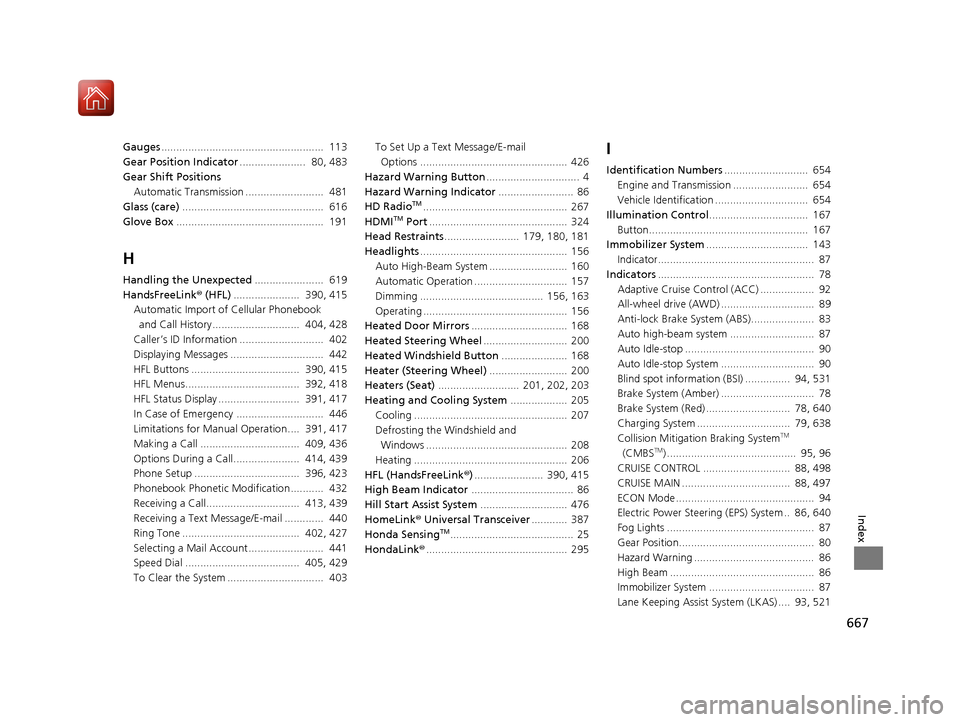
667
Index
Gauges...................................................... 113
Gear Position Indicator ...................... 80, 483
Gear Shift Positions Automatic Transmission .......................... 481
Glass (care) ............................................... 616
Glove Box ................................................. 191
H
Handling the Unexpected ....................... 619
HandsFreeLink ® (HFL) ...................... 390, 415
Automatic Import of Cellular Phonebook
and Call History............................. 404, 428
Caller’s ID Information ............................ 402
Displaying Messages ............................... 442
HFL Buttons .................................... 390, 415
HFL Menus...................................... 392, 418
HFL Status Display ........................... 391, 417
In Case of Emergency ............................. 446
Limitations for Manual Operation.... 391, 417
Making a Call ................................. 409, 436
Options During a Call...................... 414, 439
Phone Setup ................................... 396, 423
Phonebook Phonetic Modification........... 432
Receiving a Call............................... 413, 439
Receiving a Text Message/E-mail ............. 440
Ring Tone ....................................... 402, 427
Selecting a Mail Account......................... 441
Speed Dial ...................................... 405, 429
To Clear the System ................................ 403 To Set Up a Text Message/E-mail
Options ................................................. 426
Hazard Warning Button ............................... 4
Hazard Warning Indicator ......................... 86
HD Radio
TM................................................ 267
HDMITM Port .............................................. 324
Head Restraints ......................... 179, 180, 181
Headlights ................................................. 156
Auto High-Beam System .......................... 160
Automatic Operation ............................... 157
Dimming ......................................... 156, 163
Operating ................................................ 156
Heated Door Mirrors ................................ 168
Heated Steering Wheel ............................ 200
Heated Windshield Button ...................... 168
Heater (Steering Wheel) .......................... 200
Heaters (Seat) ........................... 201, 202, 203
Heating and Cooling System ................... 205
Cooling ................................................... 207
Defrosting the Windshield and Windows ............................................... 208
Heating ................................................... 206
HFL (HandsFreeLink ®)....................... 390, 415
High Beam Indicator .................................. 86
Hill Start Assist System ............................. 476
HomeLink® Universal Transceiver ............ 387
Honda Sensing
TM......................................... 25
HondaLink® ............................................... 295
I
Identification Numbers ............................ 654
Engine and Transmission ......................... 654
Vehicle Identification ............................... 654
Illumination Control ................................. 167
Button..................................................... 167
Immobilizer System .................................. 143
Indicator.................................................... 87
Indicators .................................................... 78
Adaptive Cruise Control (ACC) .................. 92
All-wheel drive (AWD) ............................... 89
Anti-lock Brake System (ABS)..................... 83
Auto high-beam system ............................ 87
Auto Idle-stop ........................................... 90
Auto Idle-stop System ............................... 90
Blind spot information (BSI) ............... 94, 531
Brake System (Amber) ............................... 78
Brake System (Red) ............................ 78, 640
Charging System ............................... 79, 638
Collision Mitigati on Braking System
TM
(CMBSTM) ........................................... 95, 96
CRUISE CONTROL ............................. 88, 498
CRUISE MAIN .................................... 88, 497
ECON Mode .............................................. 94
Electric Power Steering (EPS) System .. 86, 640
Fog Lights ................................................. 87
Gear Position............................................. 80
Hazard Warning ........................................ 86
High Beam ................................................ 86
Immobilizer System ................................... 87
Lane Keeping Assist System (LKAS) .... 93, 521
17 PILOT-31TG76100.book 667 ページ 2016年9月20日 火曜日 午後4時9分