ECO mode HONDA PILOT 2018 (in English) Manual PDF
[x] Cancel search | Manufacturer: HONDA, Model Year: 2018, Model line: PILOT, Model: HONDA PILOT 2018Pages: 695, PDF Size: 48.42 MB
Page 185 of 695
Continued183
uuAdjusting the Seats uAdjusting the Seat Positions
Controls
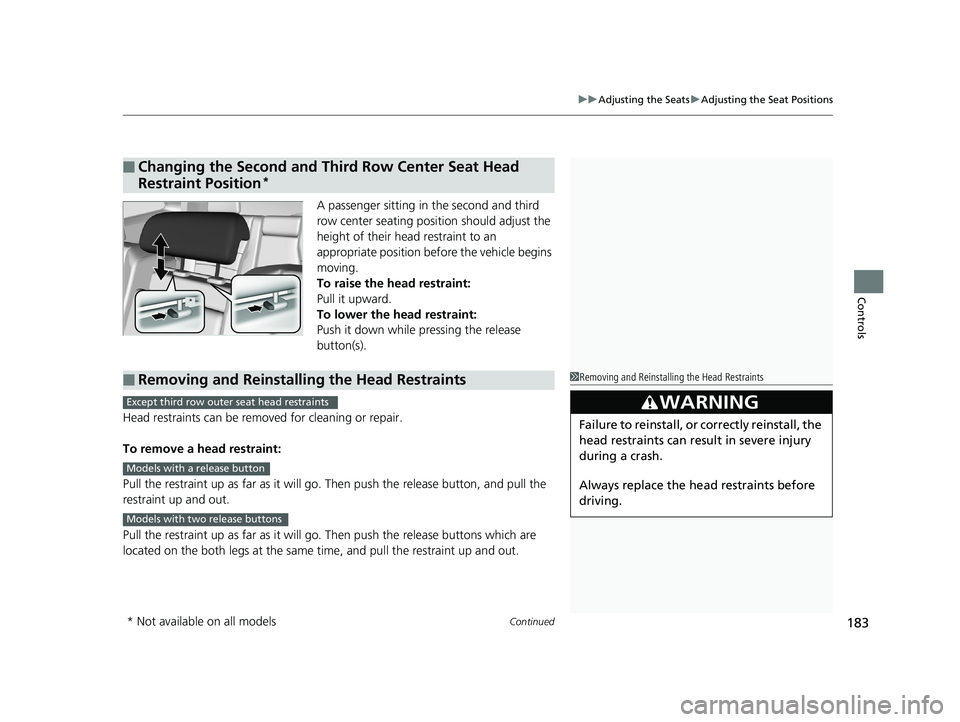
A passenger sitting in the second and third
row center seating position should adjust the
height of their head restraint to an
appropriate position before the vehicle begins
moving.
To raise the head restraint:
Pull it upward.
To lower the head restraint:
Push it down while pressing the release
button(s).
Head restraints can be removed for cleaning or repair.
To remove a head restraint:
Pull the restraint up as far as it will go. Then push the release button, and pull the
restraint up and out.
Pull the restraint up as far as it will go . Then push the release buttons which are
located on the both legs at the same time, and pull the restraint up and out.
■Changing the Second and Third Row Center Seat Head
Restraint Position
*
*
■Removing and Reinstalling the Head Restraints1Removing and Reinstalling the Head Restraints
3WARNING
Failure to reinstall, or correctly reinstall, the
head restraints can result in severe injury
during a crash.
Always replace the he ad restraints before
driving.
Except third row outer seat head restraints
Models with a release button
Models with two release buttons
* Not available on all models
18 PILOT-31TG76200.book 183 ページ 2018年3月30日 金曜日 午前11時51分
Page 188 of 695
186
uuAdjusting the Seats uRear Seats
Controls
Rear Seats
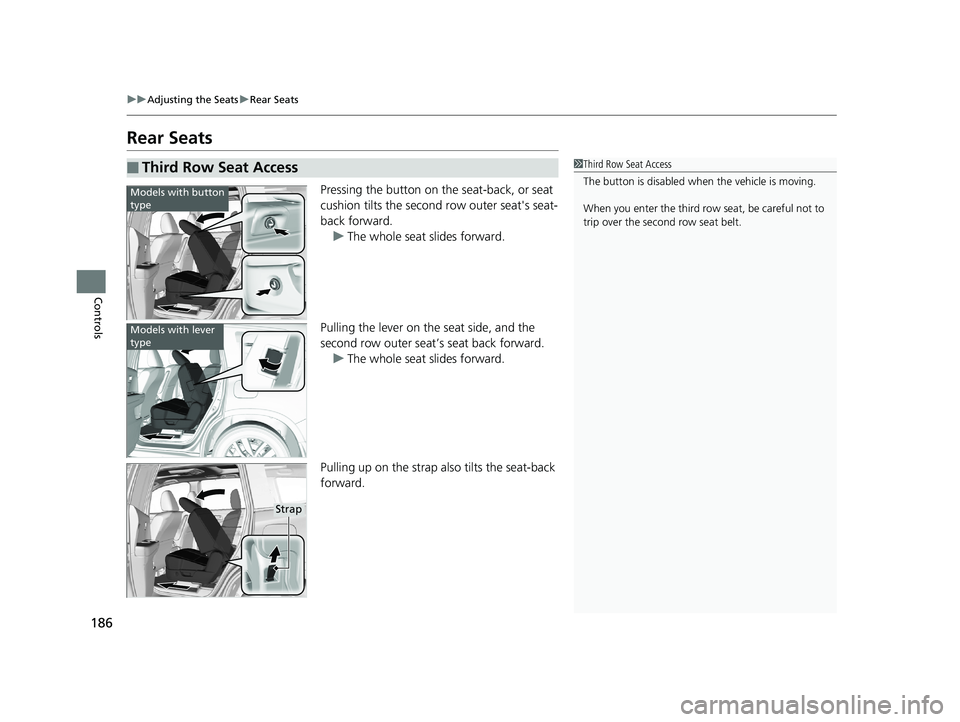
Pressing the button on the seat-back, or seat
cushion tilts the second row outer seat's seat-
back forward. u The whole seat slides forward.
Pulling the lever on the seat side, and the
second row outer seat’s seat back forward. u The whole seat slides forward.
Pulling up on the strap also tilts the seat-back
forward.
■Third Row Seat Access1 Third Row Seat Access
The button is disabled wh en the vehicle is moving.
When you enter the third row seat, be careful not to
trip over the second row seat belt.
Models with button
type
Models with lever
type
Strap
18 PILOT-31TG76200.book 186 ページ 2018年3月30日 金曜日 午前11時51分
Page 192 of 695
190
uuAdjusting the Seats uArmrest
Controls
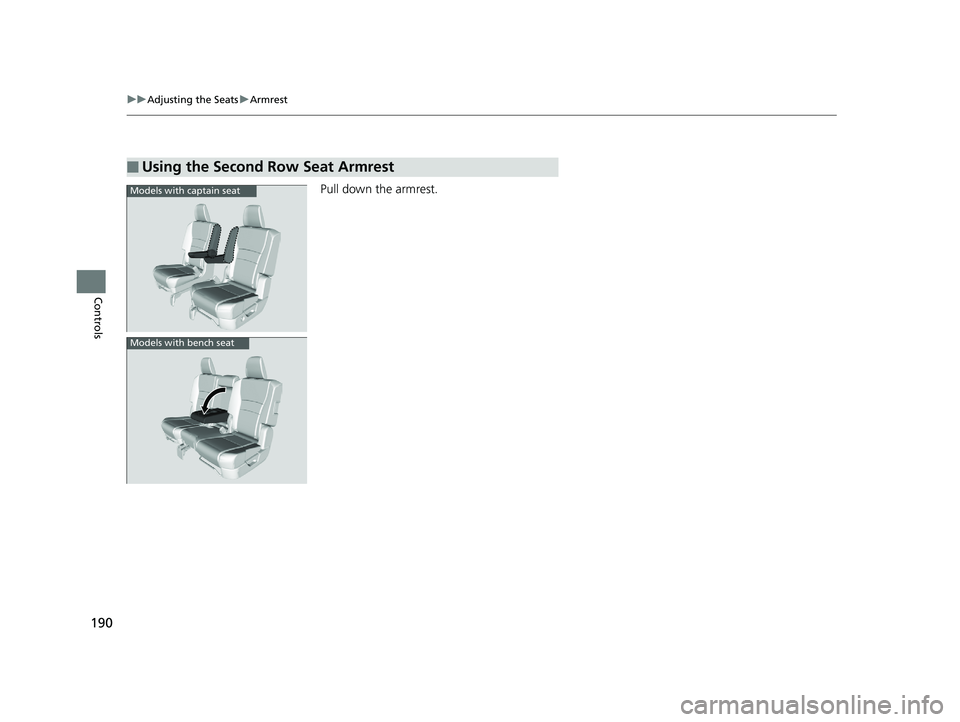
Pull down the armrest.
■Using the Second Row Seat Armrest
Models with captain seat
Models with bench seat
18 PILOT-31TG76200.book 190 ページ 2018年3月30日 金曜日 午前11時51分
Page 193 of 695
191Continued
Controls
Interior Lights/Interior Convenience Items
Interior Lights
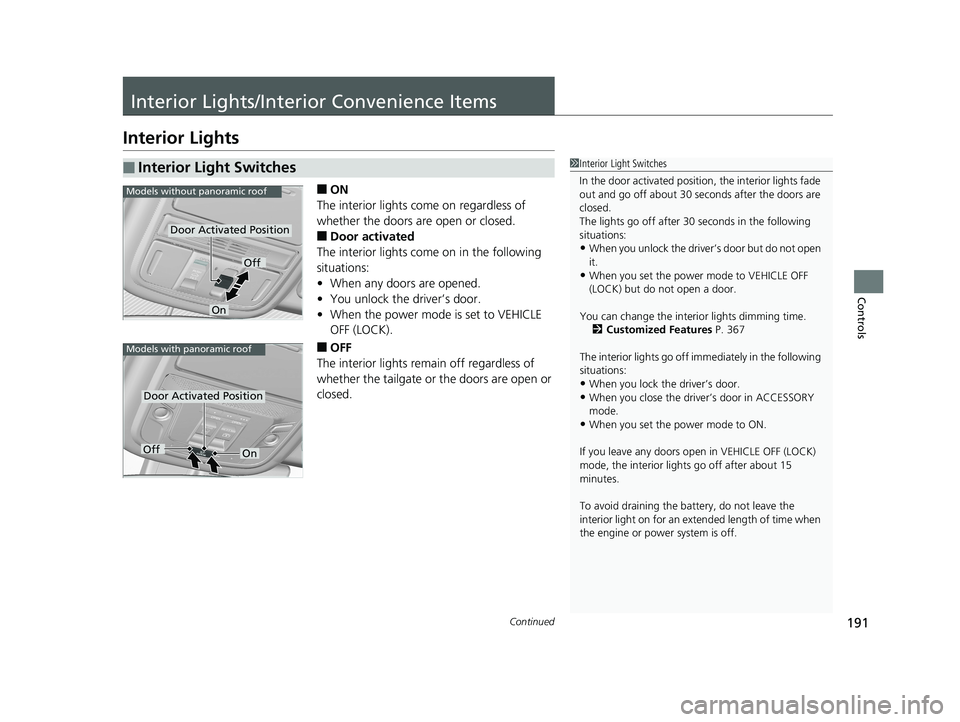
■ON
The interior lights come on regardless of
whether the doors are open or closed.
■Door activated
The interior lights come on in the following
situations:
• When any doors are opened.
• You unlock the driver’s door.
• When the power mode is set to VEHICLE
OFF (LOCK).
■OFF
The interior lights remain off regardless of
whether the tailgate or the doors are open or
closed.
■Interior Light Switches1 Interior Light Switches
In the door activated position, the interior lights fade
out and go off about 30 se conds after the doors are
closed.
The lights go off after 30 seconds in the following
situations:
•When you unlock the driver’s door but do not open
it.
•When you set the power mode to VEHICLE OFF
(LOCK) but do not open a door.
You can change the interi or lights dimming time.
2 Customized Features P. 367
The interior lights go off i mmediately in the following
situations:
•When you lock the driver’s door.
•When you close the driver’s door in ACCESSORY
mode.
•When you set the power mode to ON.
If you leave any doors open in VEHICLE OFF (LOCK)
mode, the interior light s go off after about 15
minutes.
To avoid draining the ba ttery, do not leave the
interior light on for an extended length of time when
the engine or power system is off.
Models without panoramic roof
Door Activated Position
Off
On
Models with panoramic roof
Door Activated Position
OffOn
18 PILOT-31TG76200.book 191 ページ 2018年3月30日 金曜日 午前11時51分
Page 195 of 695
193
uuInterior Lights/Interior Convenience Items uInterior Lights
Continued
Controls
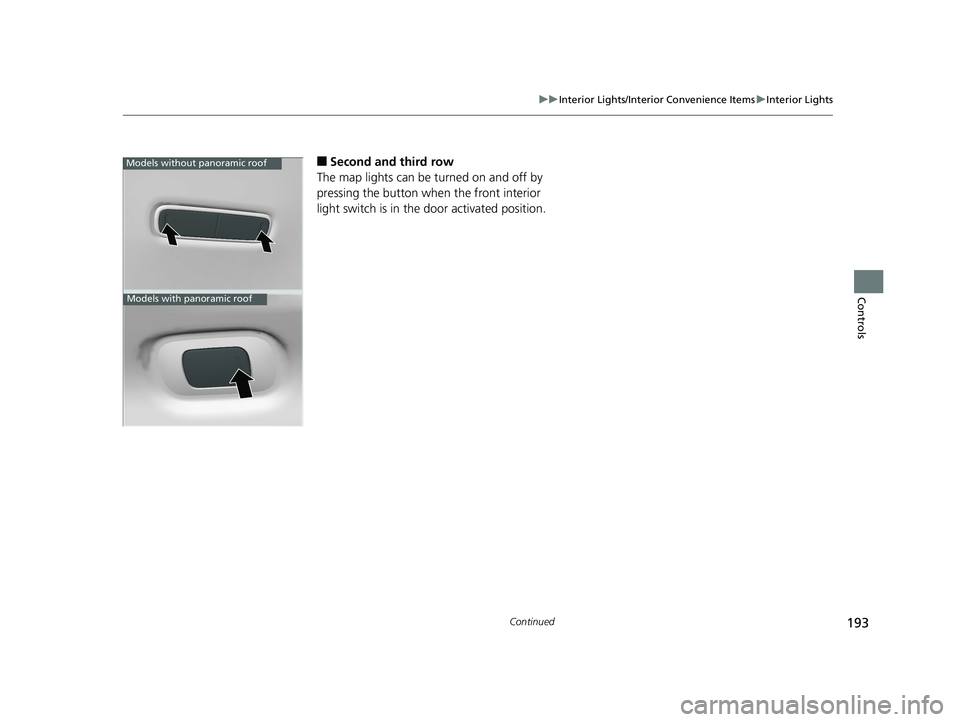
■Second and third row
The map lights can be turned on and off by
pressing the button when the front interior
light switch is in the door activated position.Models without panoramic roof
Models with panoramic roof
18 PILOT-31TG76200.book 193 ページ 2018年3月30日 金曜日 午前11時51分
Page 201 of 695
199
uuInterior Lights/Interior Convenience Items uInterior Convenience Items
Continued
Controls
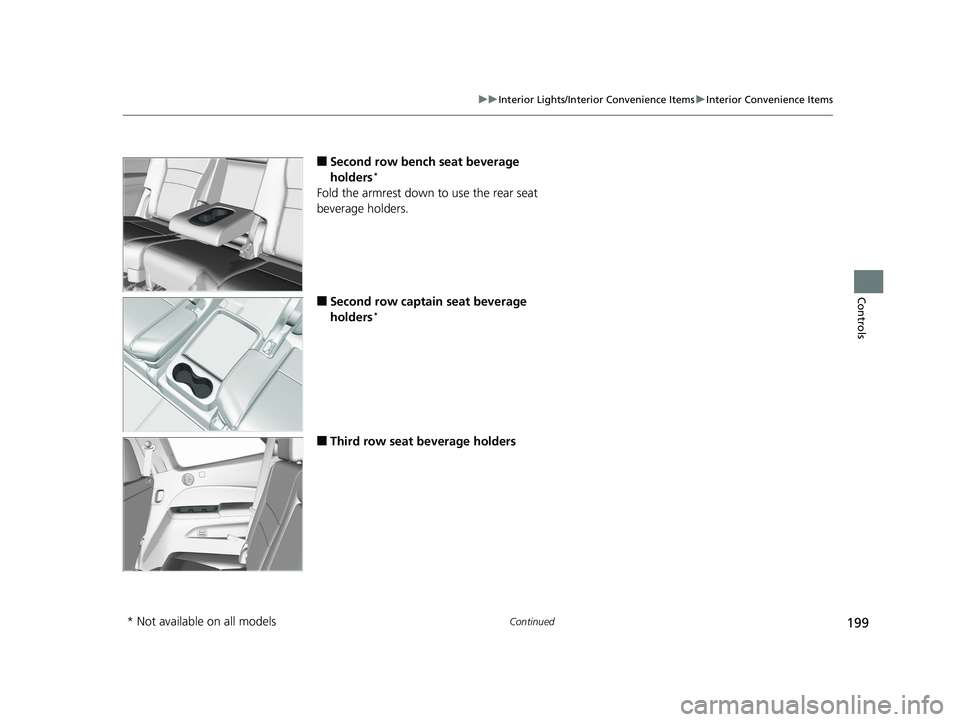
■Second row bench seat beverage
holders*
Fold the armrest down to use the rear seat
beverage holders.
■Second row captain seat beverage
holders*
■Third row seat beverage holders
* Not available on all models
18 PILOT-31TG76200.book 199 ページ 2018年3月30日 金曜日 午前11時51分
Page 209 of 695
Continued207
uuInterior Lights/Interior Convenience Items uInterior Convenience Items
Controls
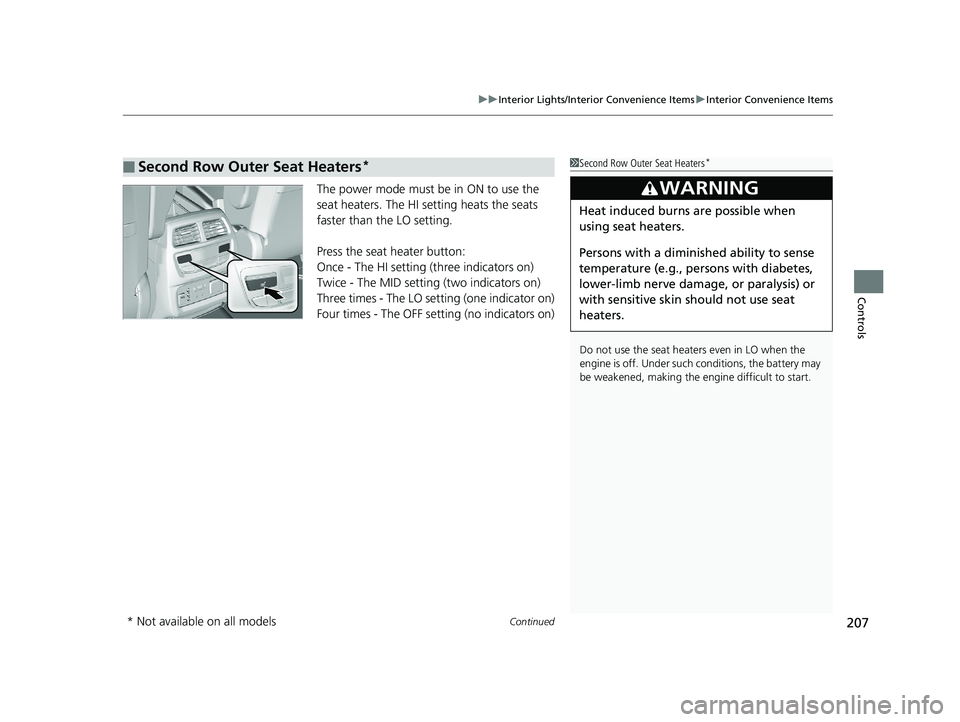
The power mode must be in ON to use the
seat heaters. The HI setting heats the seats
faster than the LO setting.
Press the seat heater button:
Once - The HI setting (three indicators on)
Twice - The MID setting (two indicators on)
Three times - The LO setting (one indicator on)
Four times - The OFF setting (no indicators on)
■Second Row Outer Seat Heaters*1Second Row Outer Seat Heaters*
Do not use the seat heaters even in LO when the
engine is off. Under such conditions, the battery may
be weakened, making the engine difficult to start.
3WARNING
Heat induced burns are possible when
using seat heaters.
Persons with a diminished ability to sense
temperature (e.g., persons with diabetes,
lower-limb nerve damage, or paralysis) or
with sensitive skin should not use seat
heaters.
* Not available on all models
18 PILOT-31TG76200.book 207 ページ 2018年3月30日 金曜日 午前11時51分
Page 223 of 695
221
Features
This chapter describes how to operate technology features.
Audio SystemAbout Your Audio System ................ 222
USB Port(s) ....................................... 223
Auxiliary Input Jack .......................... 224
Audio System Theft Protection ......... 225
Audio Remote Controls .................... 226
Audio System Basic Operation ........ 228
Audio System Basic Operation ........ 246
Audio Error Messages
CD Player
*....................................... 314
iPod/USB Flash Drive ........................ 315
Models with color audio system
Models with Display Audio
Pandora ®*....................................... 316
Android/Apps*................................ 317
General Information on the Audio
System SiriusXM ® Radio Service
*................. 318
Recommended CD*......................... 319
Compatible iPod, iPhone, and USB Flash Drives............................................. 321
Honda App License Agreement ........ 322
Legal Information on Apple CarPlay
TM/
Android AutoTM.............................. 334
About Open Source Licenses ............ 336
License Information
*........................ 337 Blu-ray/DVD Rear Entertainment
System
*........................................... 338
Customized Features ........................ 367
HomeLink ® Universal Transceiver
*.. 403
Bluetooth ® HandsFreeLink® ............. 406
Bluetooth ® HandsFreeLink® ............. 431
Compass
*
Compass Calibration........................ 465
Compass Zone Selection .................. 466
Models with color audio system
Models with Display Audio
* Not available on all models
18 PILOT-31TG76200.book 221 ページ 2018年3月30日 金曜日 午前11時51分
Page 225 of 695
223
uuAudio System uUSB Port(s)
Continued
Features
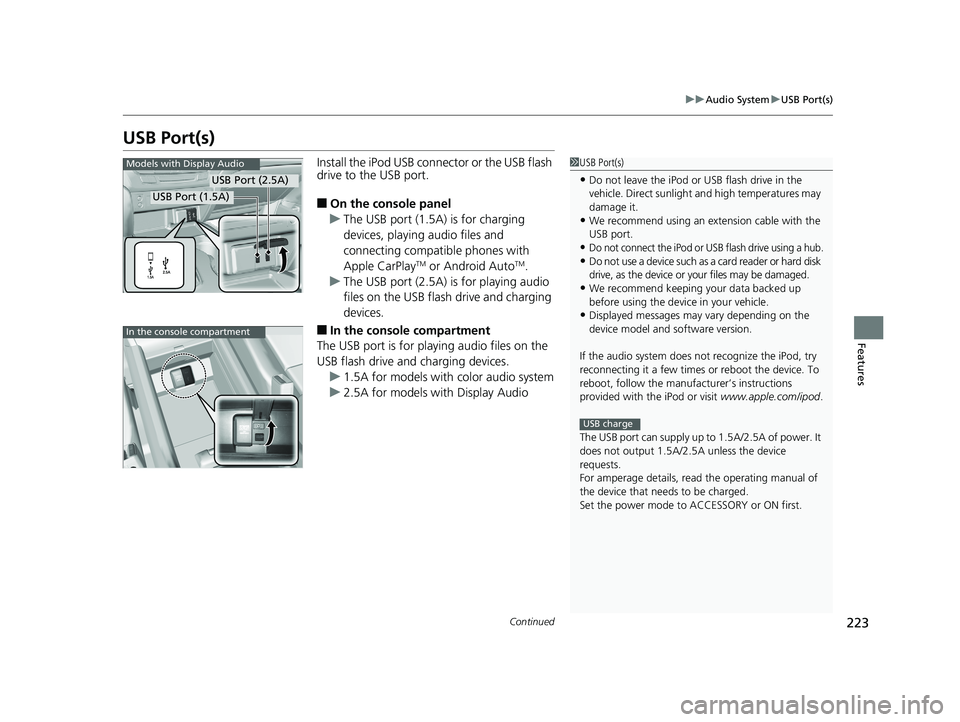
USB Port(s)
Install the iPod USB connector or the USB flash
drive to the USB port.
■On the console panel
u The USB port (1.5A) is for charging
devices, playing audio files and
connecting compatib le phones with
Apple CarPlay
TM or Android AutoTM.
u The USB port (2.5A) is for playing audio
files on the USB flash drive and charging
devices.
■In the consol e compartment
The USB port is for playing audio files on the
USB flash drive and charging devices.
u 1.5A for models with color audio system
u 2.5A for models with Display Audio
1USB Port(s)
•Do not leave the iPod or USB flash drive in the
vehicle. Direct sunlight and high temperatures may
damage it.
•We recommend using an ex tension cable with the
USB port.
•Do not connect the iPod or USB flash drive using a hub.
•Do not use a device such as a card reader or hard disk
drive, as the device or your files may be damaged.
•We recommend keeping y our data backed up
before using the device in your vehicle.
•Displayed messages may vary depending on the
device model and software version.
If the audio system does not recognize the iPod, try
reconnecting it a few times or reboot the device. To
reboot, follow the manufac turer’s instructions
provided with the iPod or visit www.apple.com/ipod.
The USB port can supply up to 1.5A/2.5A of power. It
does not output 1.5A/2.5A unless the device
requests.
For amperage details, read the operating manual of
the device that ne eds to be charged.
Set the power mode to ACCESSORY or ON first.
USB charge
Models with Display Audio
USB Port (2.5A)
USB Port (1.5A)
In the console compartment
18 PILOT-31TG76200.book 223 ページ 2018年3月30日 金曜日 午前11時51分
Page 227 of 695
225
uuAudio System uAudio System Theft Protection
Features
Audio System Theft Protection
The audio system is disabled when it is disconnected from the power source, such as
when the battery is disconnected or goes dead. In certain conditions, the system
may display a code entry screen. If this occurs, reactivate the audio system.
■Reactivating the audio system
1. Set the power mode to ON.
2. Turn on the audio system.
3. Press and hold the audio system powe r button for more than two seconds.
u The audio system is reac tivated when the audio co ntrol unit establishes a
connection with the vehicl e control unit. If the control unit fails to recognize
the audio unit, you must go to a deal er and have the audio unit checked.
18 PILOT-31TG76200.book 225 ページ 2018年3月30日 金曜日 午前11時51分