lights HONDA PILOT 2021 (in English) User Guide
[x] Cancel search | Manufacturer: HONDA, Model Year: 2021, Model line: PILOT, Model: HONDA PILOT 2021Pages: 739, PDF Size: 44.86 MB
Page 103 of 739
101
uuIndicators uDriver Information Interface Wa rning and Information Messages
Continued
Instrument Panel
MessageConditionExplanation
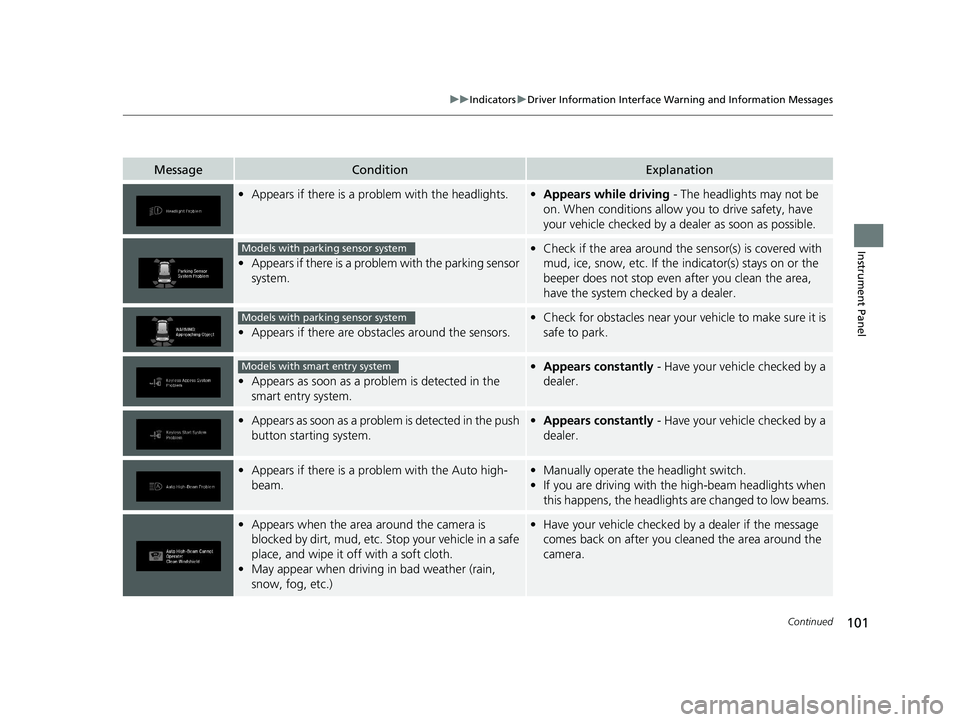
•Appears if there is a pr oblem with the headlights.•Appears while driving - The headlights may not be
on. When conditions allow you to drive safety, have
your vehicle checked by a dealer as soon as possible.
•Appears if there is a proble m with the parking sensor
system.
• Check if the area around the sensor(s) is covered with
mud, ice, snow, etc. If the indicator(s) stays on or the
beeper does not stop even after you clean the area,
have the system checked by a dealer.
• Appears if there are obstacles around the sensors.
•Check for obstacles near your vehicle to make sure it is
safe to park.
•Appears as soon as a prob lem is detected in the
smart entry system.
• Appears constantly - Have your vehicle checked by a
dealer.
•Appears as soon as a problem is detected in the push
button starting system.•Appears constantly - Have your vehicle checked by a
dealer.
•Appears if there is a prob lem with the Auto high-
beam.• Manually operate the headlight switch.
• If you are driving with the high-beam headlights when
this happens, the headlights are changed to low beams.
•Appears when the area around the camera is
blocked by dirt, mud, etc. Stop your vehicle in a safe
place, and wipe it off with a soft cloth.
• May appear when driving in bad weather (rain,
snow, fog, etc.)•Have your vehicle checked by a dealer if the message
comes back on after you cleaned the area around the
camera.
Models with parking sensor system
Models with parking sensor system
Models with smart entry system
21 PILOT-31TG76500.book 101 ページ 2020年3月18日 水曜日 午後4時38分
Page 131 of 739
129
uuGauges and Displays uDriver Information Interface
Continued
Instrument Panel
*1:Default SettingSetup Group Customizable Features
Description Selectable settings
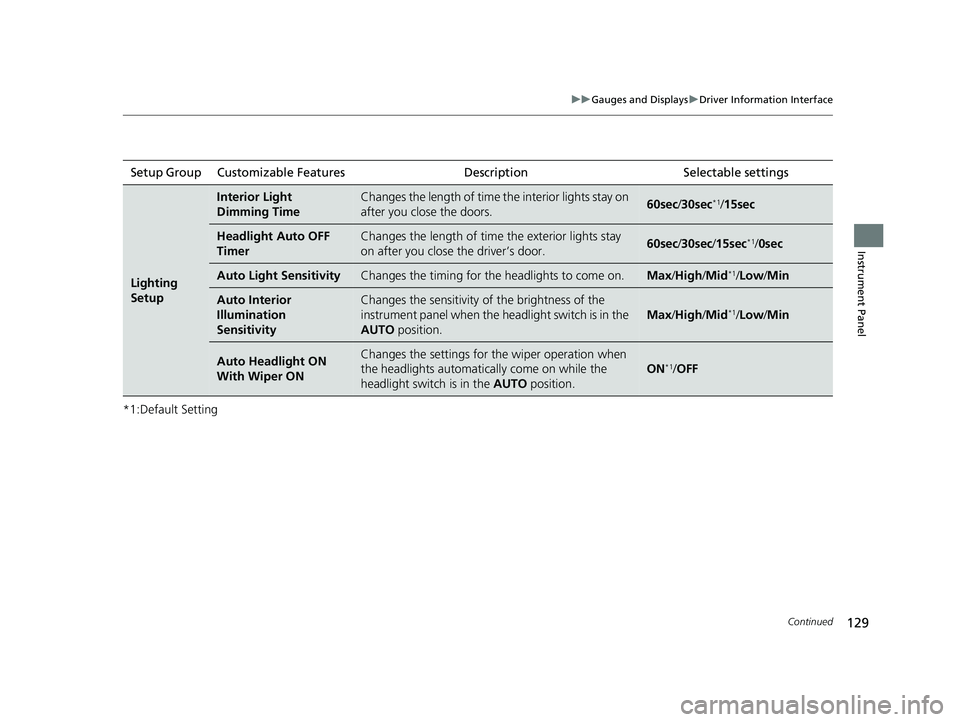
Lighting
Setup
Interior Light
Dimming TimeChanges the length of time the interior lights stay on
after you close the doors.60sec/30sec*1/15sec
Headlight Auto OFF
TimerChanges the length of time the exterior lights stay
on after you close the driver’s door.60sec /30sec /15sec*1/ 0sec
Auto Light SensitivityChanges the timing for the headlights to come on.Max /High /Mid*1/ Low /Min
Auto Interior
Illumination
SensitivityChanges the sensitivity of the brightness of the
instrument panel when the headlight switch is in the
AUTO position.
Max/High /Mid*1/ Low /Min
Auto Headlight ON
With Wiper ONChanges the settings for the wiper operation when
the headlights automatica lly come on while the
headlight switch is in the AUTO position.
ON*1/OFF
21 PILOT-31TG76500.book 129 ページ 2020年3月18日 水曜日 午後4時38分
Page 132 of 739
130
uuGauges and Displays uDriver Information Interface
Instrument Panel
*1:Default SettingSetup Group Customizable Features Description Selectable settings
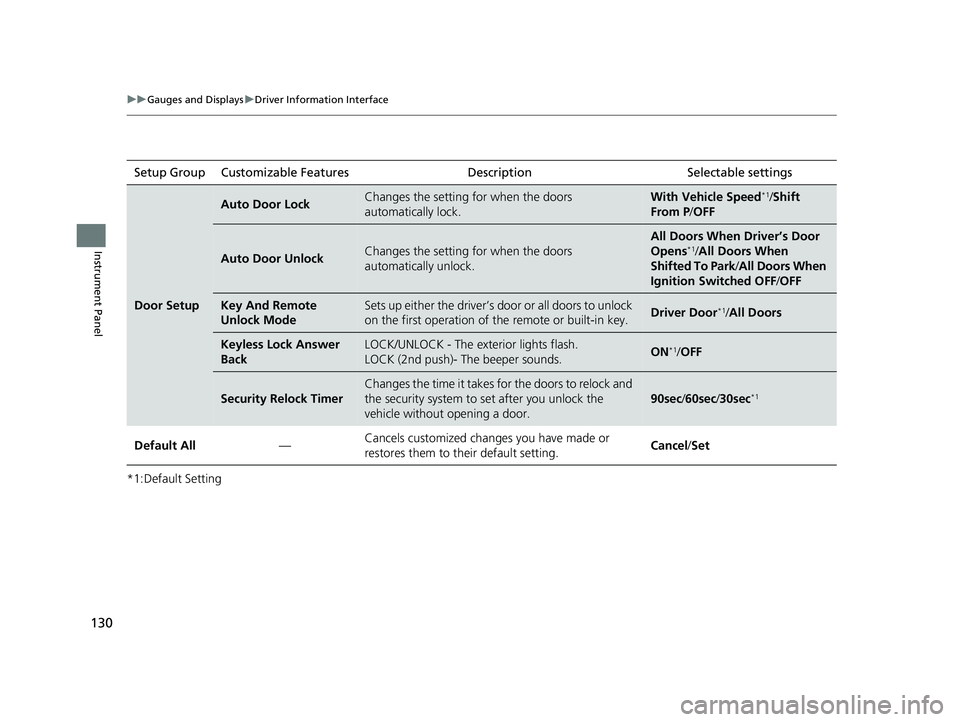
Door Setup
Auto Door LockChanges the setting for when the doors
automatically lock.With Vehi
cle Speed*1/Shift
From P /OFF
Auto Door UnlockChanges the setting for when the doors
automatically unlock.
All Doors When Driver’s Door
Opens*1/All Doors When
Shifted To Park /All Doors When
Ignition Switched OFF /OFF
Key And Remote
Unlock ModeSets up either the driver’s door or all doors to unlock
on the first operation of the remote or built-in key.Driver Door*1/ All Doors
Keyless Lock Answer
BackLOCK/UNLOCK - The exterior lights flash.
LOCK (2nd push)- The beeper sounds.ON*1/OFF
Security Relock Timer
Changes the time it takes for the doors to relock and
the security system to set after you unlock the
vehicle without opening a door.
90sec /60sec /30sec*1
Default All —Cancels customized changes you have made or
restores them to their default setting.
Cancel
/Set
21 PILOT-31TG76500.book 130 ページ 2020年3月18日 水曜日 午後4時38分
Page 137 of 739
135
Controls
This chapter explains how to operate the various controls necessary for driving.
Clock.................................................. 136
Locking and Unlocking the Doors Key Types and Functions .................. 139
Low Smart Entry Remote Signal Strength .. 141Locking/Unlocking the Doors from the Outside .......................................... 142
Locking/Unlocking the Doors from the Inside ............................................. 149
Childproof Door Locks ..................... 151
Auto Door Locking/Unlocking .......... 152
Opening and Closing the Tailgate ... 153
Security System Immobilizer System .......................... 163
Security System Alarm ...................... 163
Opening and Closing the Windows .... 166Moonroof*........................................ 169
Panoramic Roof*............................... 170
Operating the Switches Around the Steering Wheel ENGINE START/STOP Button............. 171
Turn Signals ..................................... 174
Light Switches.................................. 175
Fog Lights
*...................................... 178
Auto High-Beam .............................. 179
Daytime Running Lights ................... 182
Wipers and Washers ........................ 183
Rear Defogger/Heat ed Door Mirror
*
Button ........................................... 186 Brightness Control ........................... 188
Driving Position Memory System
*.... 189
Adjusting the Steering Wheel .......... 191
Adjusting the Mirrors Interior Rearview Mirror ................... 192
Power Door Mirrors ......................... 193
Adjusting the Seats Front Seats ...................................... 194
Rear Seats........................................ 204
Armrest ........................................... 207
Interior Lights/Interior Convenience Items Interior Lights .................................. 209
Interior Convenience Items .............. 213
Climate Control System ................... 231
* Not available on all models
21 PILOT-31TG76500.book 135 ページ 2020年3月18日 水曜日 午後4時38分
Page 144 of 739
142
uuLocking and Unlocking the Doors uLocking/Unlocking the Doors from the Outside
Controls
Locking/Unlocking the Doors from the Outside
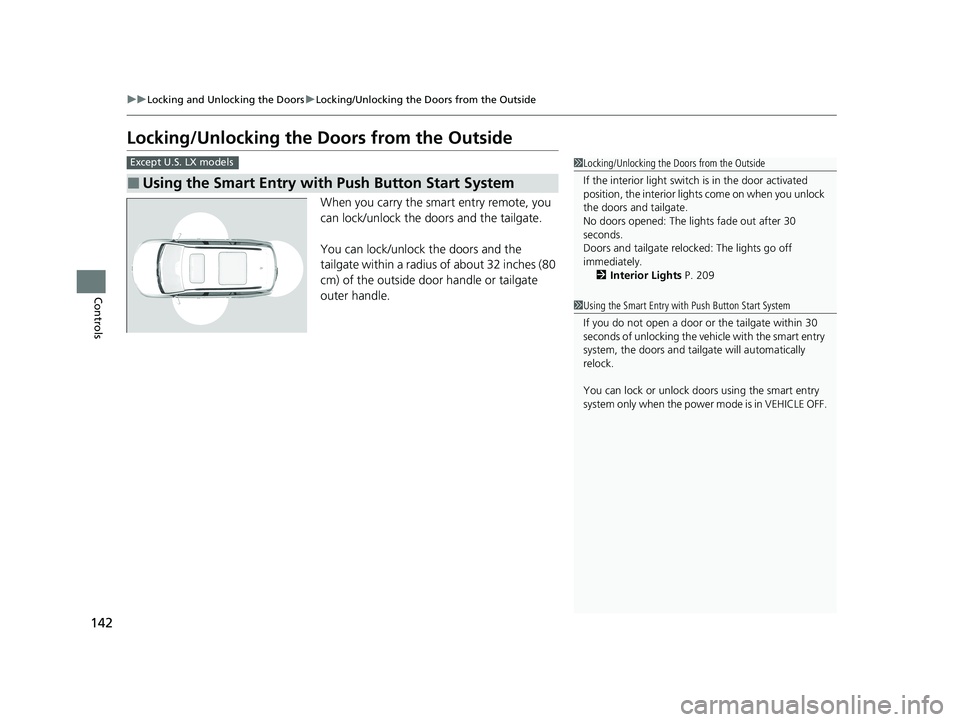
When you carry the smart entry remote, you
can lock/unlock the doors and the tailgate.
You can lock/unlock the doors and the
tailgate within a radius of about 32 inches (80
cm) of the outside door handle or tailgate
outer handle.
■Using the Smart Entry with Push Button Start System
Except U.S. LX models1Locking/Unlocking the Doors from the Outside
If the interior light switch is in the door activated
position, the interior light s come on when you unlock
the doors and tailgate.
No doors opened: The li ghts fade out after 30
seconds.
Doors and tailgate relo cked: The lights go off
immediately. 2 Interior Lights P. 209
1Using the Smart Entry with Push Button Start System
If you do not open a door or the tailgate within 30
seconds of unlocking the vehicle with the smart entry
system, the doors and tailg ate will automatically
relock.
You can lock or unlock doors using the smart entry
system only when the power mode is in VEHICLE OFF.
21 PILOT-31TG76500.book 142 ページ 2020年3月18日 水曜日 午後4時38分
Page 145 of 739
Continued143
uuLocking and Unlocking the Doors uLocking/Unlocking the Doors from the Outside
Controls
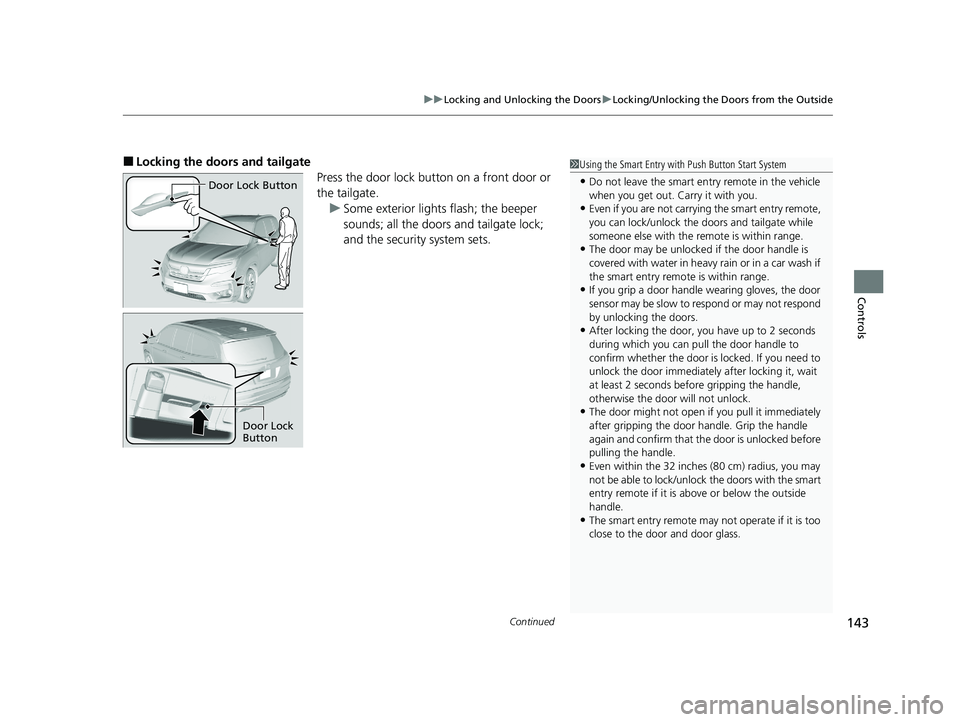
■Locking the doors and tailgate
Press the door lock button on a front door or
the tailgate.u Some exterior lights flash; the beeper
sounds; all the doors and tailgate lock;
and the security system sets.1Using the Smart Entry with Push Button Start System
•Do not leave the smart entry remote in the vehicle
when you get out. Carry it with you.
•Even if you are not carrying the smart entry remote,
you can lock/unlock the doors and tailgate while
someone else with the remote is within range.
•The door may be unlocked if the door handle is
covered with water in heavy rain or in a car wash if
the smart entry remote is within range.
•If you grip a door handle wearing gloves, the door
sensor may be slow to respond or may not respond
by unlocking the doors.
•After locking the door, you have up to 2 seconds
during which you can pull the door handle to
confirm whether the door is locked. If you need to
unlock the door immediately after locking it, wait
at least 2 seconds befo re gripping the handle,
otherwise the door will not unlock.
•The door might not open if you pull it immediately
after gripping the door handle. Grip the handle
again and confirm that th e door is unlocked before
pulling the handle.
•Even within the 32 inches (80 cm) radius, you may
not be able to lock/unlock the doors with the smart
entry remote if it is a bove or below the outside
handle.
•The smart entry remote may not operate if it is too
close to the door and door glass.
Door Lock Button
Door Lock
Button
21 PILOT-31TG76500.book 143 ページ 2020年3月18日 水曜日 午後4時38分
Page 146 of 739
uuLocking and Unlocking the Doors uLocking/Unlocking the Doors from the Outside
144
Controls
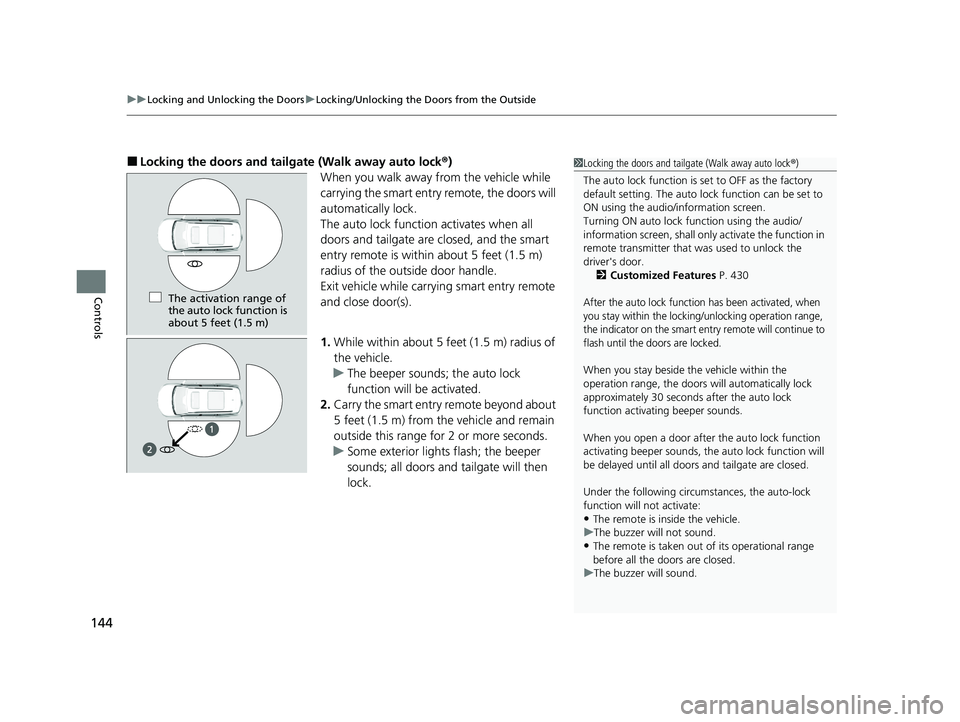
■Locking the doors and tailg ate (Walk away auto lock®)
When you walk away from the vehicle while
carrying the smart entry remote, the doors will
automatically lock.
The auto lock function activates when all
doors and tailgate are closed, and the smart
entry remote is within about 5 feet (1.5 m)
radius of the outside door handle.
Exit vehicle while carrying smart entry remote
and close door(s).
1. While within about 5 feet (1.5 m) radius of
the vehicle.
u The beeper sounds; the auto lock
function will be activated.
2. Carry the smart entry remote beyond about
5 feet (1.5 m) from the vehicle and remain
outside this range fo r 2 or more seconds.
u Some exterior lights flash; the beeper
sounds; all doors and tailgate will then
lock.1Locking the doors and tailg ate (Walk away auto lock®)
The auto lock function is set to OFF as the factory
default setting. The auto lo ck function can be set to
ON using the audio/information screen.
Turning ON auto lock function using the audio/
information screen, shall only activate the function in
remote transmitter that was used to unlock the
driver's door. 2 Customized Features P. 430
After the auto lock function has been activated, when
you stay within the locking/unlocking operation range,
the indicator on the smart en try remote will continue to
flash until the doors are locked.
When you stay beside the vehicle within the
operation range, the doors wi ll automatically lock
approximately 30 seconds after the auto lock
function activating beeper sounds.
When you open a door after the auto lock function
activating beeper sounds, the auto lock function will
be delayed until all doors and tailgate are closed.
Under the following circumstances, the auto-lock
function will not activate:
•The remote is inside the vehicle.
u The buzzer will not sound.
•The remote is taken out of its operational range
before all the doors are closed.
u The buzzer will sound.
The activation range of
the auto lock function is
about 5 feet (1.5 m)
21 PILOT-31TG76500.book 144 ページ 2020年3月18日 水曜日 午後4時38分
Page 148 of 739
uuLocking and Unlocking the Doors uLocking/Unlocking the Doors from the Outside
146
Controls
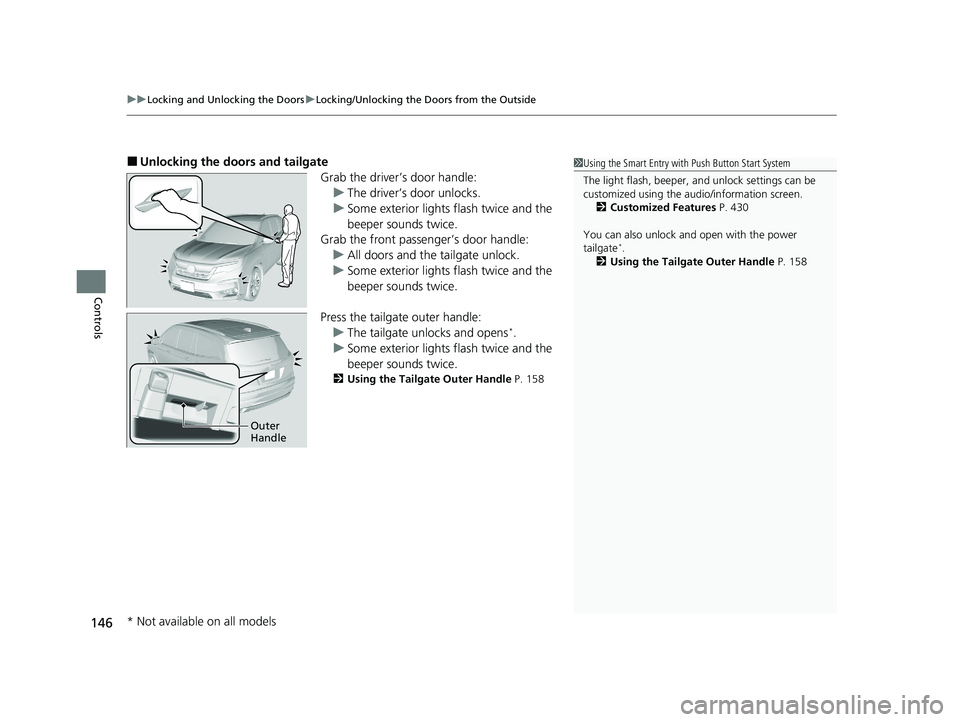
■Unlocking the doors and tailgate
Grab the driver’s door handle:u The driver’s door unlocks.
u Some exterior lights flash twice and the
beeper sounds twice.
Grab the front passenger’s door handle:
u All doors and the tailgate unlock.
u Some exterior lights flash twice and the
beeper sounds twice.
Press the tailgate outer handle: u The tailgate unlocks and opens
*.
u Some exterior lights flash twice and the
beeper sounds twice.
2 Using the Tailgate Outer Handle P. 158
1Using the Smart Entry with Push Button Start System
The light flash, beeper, a nd unlock settings can be
customized using the audio/information screen.
2 Customized Features P. 430
You can also unlock and open with the power
tailgate
*.
2 Using the Tailgate Outer Handle P. 158
Outer
Handle
* Not available on all models
21 PILOT-31TG76500.book 146 ページ 2020年3月18日 水曜日 午後4時38分
Page 149 of 739
Continued147
uuLocking and Unlocking the Doors uLocking/Unlocking the Doors from the Outside
Controls
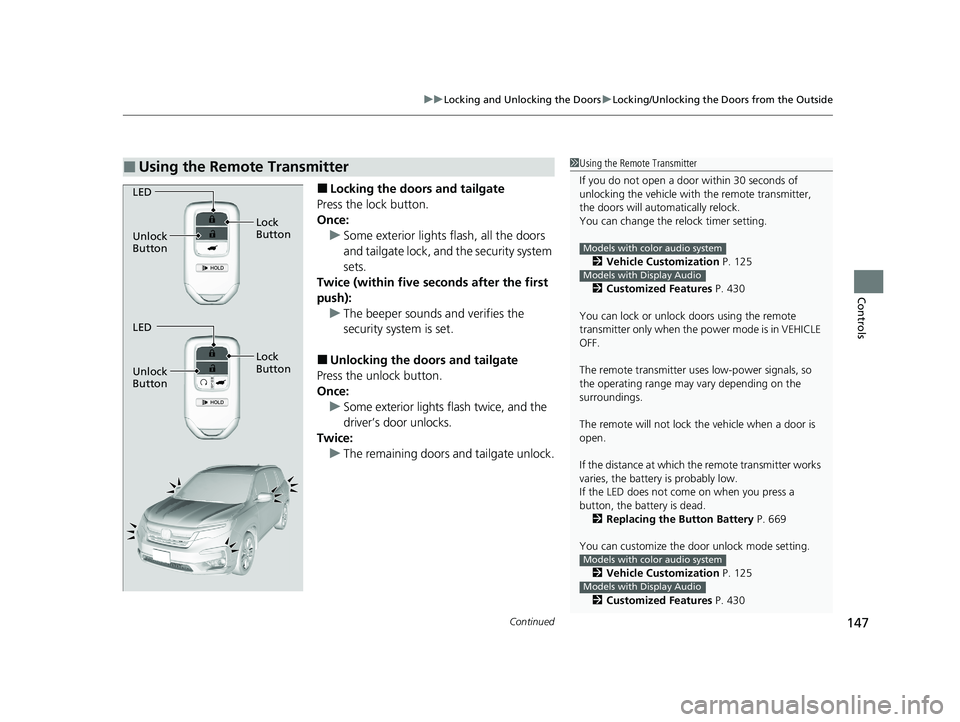
■Locking the doors and tailgate
Press the lock button.
Once: u Some exterior lights flash, all the doors
and tailgate lock, and the security system
sets.
Twice (within five se conds after the first
push): u The beeper sounds and verifies the
security system is set.
■Unlocking the doors and tailgate
Press the unlock button.
Once:
u Some exterior lights flash twice, and the
driver’s door unlocks.
Twice: u The remaining doors and tailgate unlock.
■Using the Remote Transmitter1Using the Remote Transmitter
If you do not open a door within 30 seconds of
unlocking the vehicle with the remote transmitter,
the doors will automatically relock.
You can change the relock timer setting.
2 Vehicle Customization P. 125
2 Customized Features P. 430
You can lock or unlock doors using the remote
transmitter only when the power mode is in VEHICLE
OFF.
The remote transmitter us es low-power signals, so
the operating range may vary depending on the
surroundings.
The remote will not lock th e vehicle when a door is
open.
If the distance at which the remote transmitter works
varies, the batter y is probably low.
If the LED does not come on when you press a
button, the battery is dead.
2 Replacing the Button Battery P. 669
You can customize the door unlock mode setting. 2 Vehicle Customization P. 125
2 Customized Features P. 430
Models with color audio system
Models with Display Audio
Models with color audio system
Models with Display Audio
LED
Unlock
Button Lock
Button
LED
Unlock
Button Lock
Button
21 PILOT-31TG76500.book 147 ページ 2020年3月18日 水曜日 午後4時38分
Page 157 of 739
Continued155
uuOpening and Closing the Tailgate uOpening/Closing the Power Tailgate*
Controls
Opening/Closing the Power Tailgate*
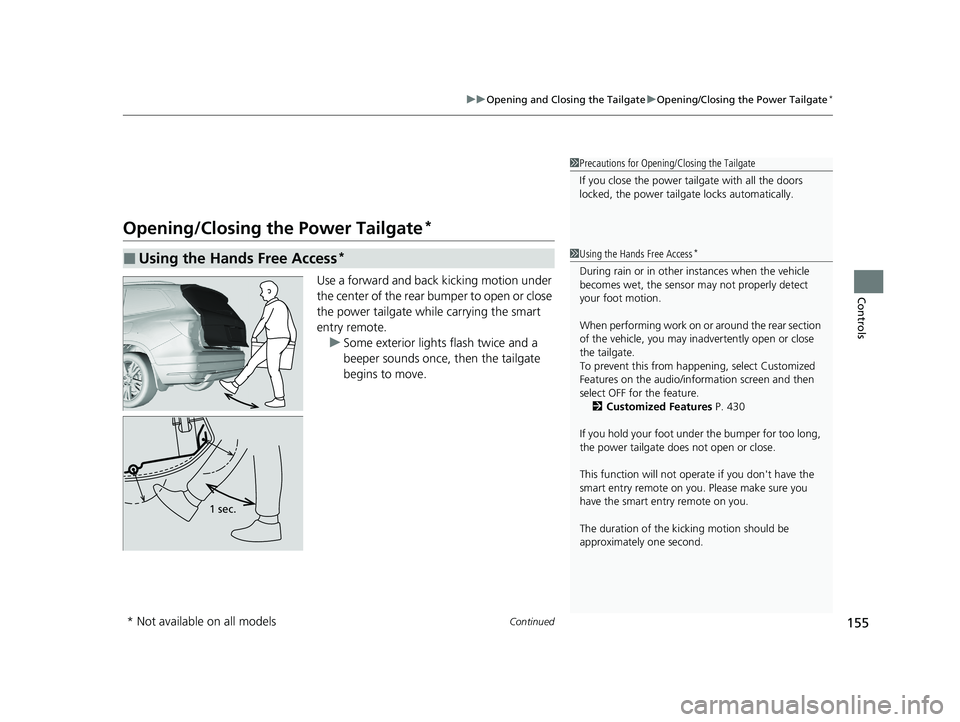
Use a forward and back kicking motion under
the center of the rear bumper to open or close
the power tailgate while carrying the smart
entry remote.
u Some exterior lights flash twice and a
beeper sounds once, then the tailgate
begins to move.
■Using the Hands Free Access*
1Precautions for Opening/Closing the Tailgate
If you close the power tail gate with all the doors
locked, the power tailgate locks automatically.
1 Using the Hands Free Access*
During rain or in other instances when the vehicle
becomes wet, the sensor may not properly detect
your foot motion.
When performing work on or around the rear section
of the vehicle, you may in advertently open or close
the tailgate.
To prevent this from happe ning, select Customized
Features on the audio/information screen and then
select OFF for the feature.
2 Customized Features P. 430
If you hold your foot under the bumper for too long,
the power tailgate doe s not open or close.
This function will not opera te if you don't have the
smart entry remote on you. Please make sure you
have the smart entry remote on you.
The duration of the kick ing motion should be
approximately one second.
1 sec.
* Not available on all models
21 PILOT-31TG76500.book 155 ページ 2020年3月18日 水曜日 午後4時38分