audio HONDA PILOT 2022 Owners Manual
[x] Cancel search | Manufacturer: HONDA, Model Year: 2022, Model line: PILOT, Model: HONDA PILOT 2022Pages: 737, PDF Size: 28.84 MB
Page 294 of 737
292
uuAudio System Basic Operation uAdjusting the Sound
Features
Adjusting the Sound
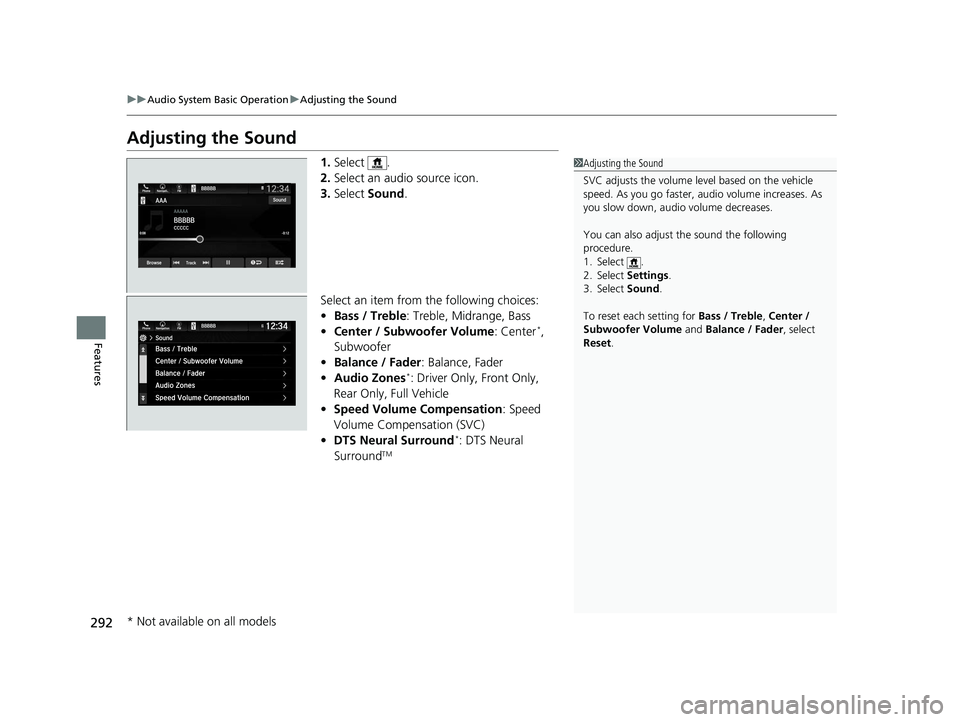
1. Select .
2. Select an audio source icon.
3. Select Sound.
Select an item from the following choices:
• Bass / Treble : Treble, Midrange, Bass
• Center / Subwoofer Volume : Center
*,
Subwoofer
• Balance / Fader : Balance, Fader
• Audio Zones
*: Driver Only, Front Only,
Rear Only, Full Vehicle
• Speed Volume Compensation : Speed
Volume Compensation (SVC)
• DTS Neural Surround
*: DTS Neural
SurroundTM
1 Adjusting the Sound
SVC adjusts the volume level based on the vehicle
speed. As you go faster, audio volume increases. As
you slow down, audi o volume decreases.
You can also adjust the sound the following
procedure.
1. Select .
2. Select Settings .
3. Select Sound .
To reset each setting for Bass / Treble , Center /
Subwoofer Volume and Balance / Fader , select
Reset .
* Not available on all models
22 PILOT-31TG76600.book 292 ページ 2021年6月11日 金曜日 午後4時40分
Page 295 of 737
293
uuAudio System Basic Operation uDisplay Setup
Continued
Features
Display Setup
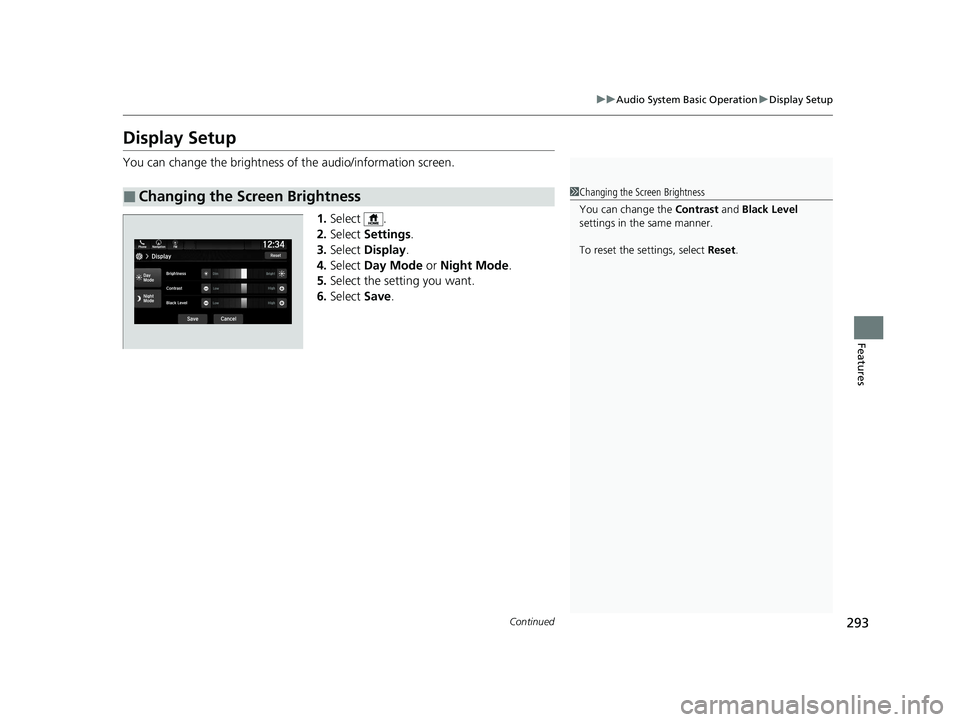
You can change the brightness of the audio/information screen.
1.Select .
2. Select Settings .
3. Select Display .
4. Select Day Mode or Night Mode .
5. Select the setting you want.
6. Select Save.
■Changing the Screen Brightness1Changing the Screen Brightness
You can change the Contrast and Black Level
settings in the same manner.
To reset the settings, select Reset.
22 PILOT-31TG76600.book 293 ページ 2021年6月11日 金曜日 午後4時40分
Page 296 of 737
294
uuAudio System Basic Operation uDisplay Setup
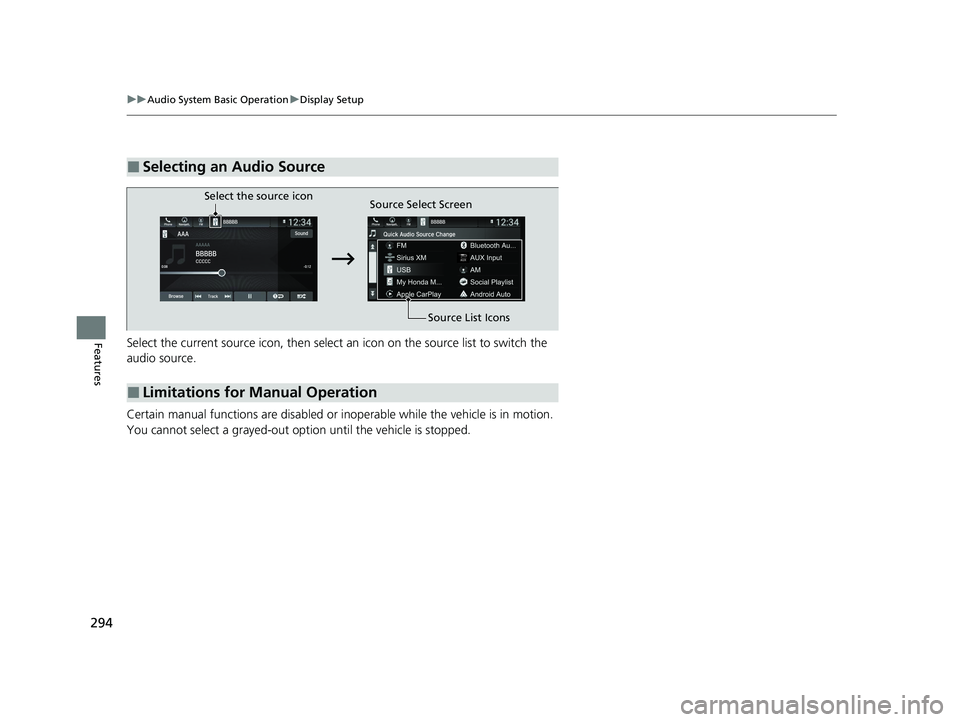
FeaturesSelect the current source icon, then select an icon on the source list to switch the
audio source.
Certain manual functions are disabled or inoperable while the vehicle is in motion.
You cannot select a grayed-out option until the vehicle is stopped.
■Selecting an Audio Source
■Limitations for Manual Operation
Select the source icon Source Select Screen
Source List Icons
22 PILOT-31TG76600.book 294 ページ 2021年6月11日 金曜日 午後4時40分
Page 297 of 737
295
uuAudio System Basic Operation uVoice Control Operation
Continued
Features
Voice Control Operation
Your vehicle has a voice control syst em that allows hands-free operation.
The voice control system uses the (tal k) and (back) buttons on the steering
wheel and a microphone near the map lights on the ceiling.
To achieve optimum voice recognition when using the voice control system:
• Make sure the correct screen is displa yed for the voice command that you are
using.
The system recognizes only certain commands.
Available voice commands.
2 Voice Portal Screen P. 296
•Close the windows and moonroof*.
• Adjust the dashboard and side vents so air does not blow onto the microphone
on the ceiling.
• Speak clearly in a clear, natural speaking voice without pausing between words.
• Reduce any background noise if possible. The system may misinterpret your
command if more than one person is speaking at the same time.
■Voice Recognition
1Voice Control Operation
When you press the button, a helpful prompt asks
what you would like to do. Press and release the
button again to bypass this prompt and give a
command.
1 Voice Recognition
The voice control system can only be used from the
driver’s seat because the microphone unit removes
noises from the front passenger’s side.
* Not available on all models
22 PILOT-31TG76600.book 295 ページ 2021年6月11日 金曜日 午後4時40分
Page 298 of 737
296
uuAudio System Basic Operation uVoice Control Operation
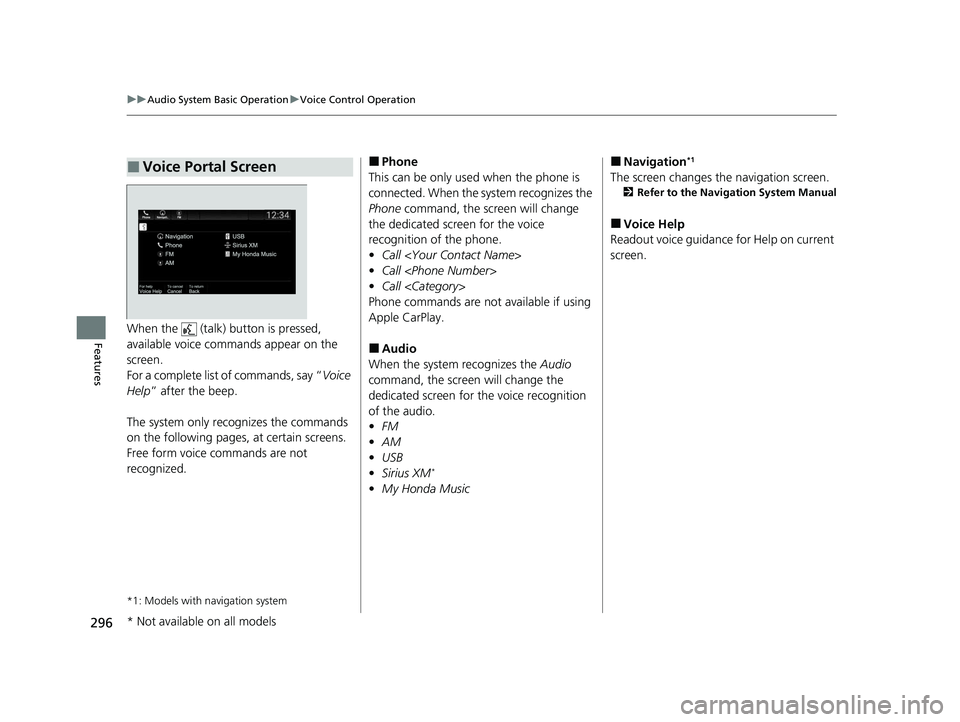
FeaturesWhen the (talk) button is pressed,
available voice commands appear on the
screen.
For a complete list of commands, say “ Voice
Help ” after the beep.
The system only reco gnizes the commands
on the following pages, at certain screens.
Free form voice commands are not
recognized.
*1: Models with navigation system
■Voice Portal Screen■Phone
This can be only used when the phone is
connected. When the sy stem recognizes the
Phone command, the screen will change
the dedicated screen for the voice
recognition of the phone.
• Call
• Call
• Call
Phone commands are not available if using
Apple CarPlay.
■Audio
When the system recognizes the Audio
command, the screen will change the
dedicated screen for the voice recognition
of the audio.
• FM
• AM
• USB
• Sirius XM
*
•My Honda Music
■Navigation*1
The screen changes the navigation screen.
2 Refer to the Navigation System Manual
■Voice Help
Readout voice guidance for Help on current
screen.
* Not available on all models
22 PILOT-31TG76600.book 296 ページ 2021年6月11日 金曜日 午後4時40分
Page 299 of 737
297
uuAudio System Basic Operation uVoice Control Operation
Features
The system accepts th ese commands on the
dedicated screen for the voice recognition
of the phone.
• Call
• Call
• Call
■Phone Commands
The system accepts these commands on the
dedicated screen for the voice recognition
of the audio.
■FM Commands
• Tune to <87.7-107.9> FM
■AM Commands
• Tune to <530-1710> AM
■Sirius XM Commands*
•Channel <1-999>
• Channel
■USB/My Honda Music Commands
• Play Artist
• Play Album
• Play Genre
• Play Playlist
• Play Music
• Play Song
■Audio Commands
* Not available on all models
22 PILOT-31TG76600.book 297 ページ 2021年6月11日 金曜日 午後4時40分
Page 300 of 737
298
uuAudio System Basic Operation uPlaying AM/FM Radio
Features
Playing AM/FM Radio
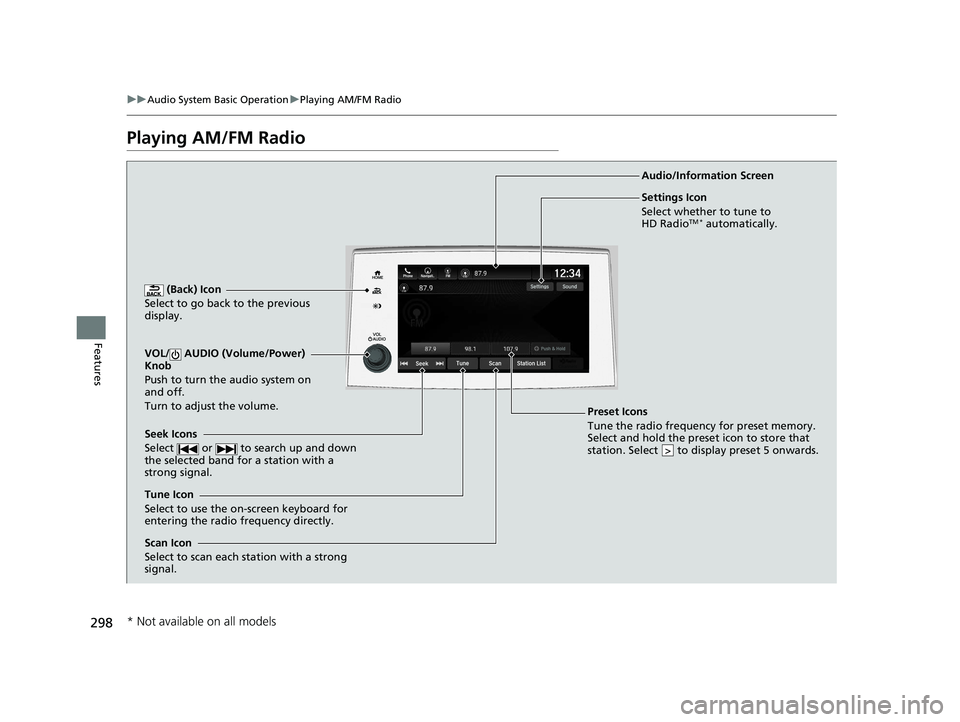
(Back) Icon
Select to go back to the previous
display.
Seek Icons
Select or to search up and down
the selected band for a station with a
strong signal.
VOL/ AUDIO (Volume/Power)
Knob
Push to turn the audio system on
and off.
Turn to adjust the volume.
Tune Icon
Select to use the on-screen keyboard for
entering the radio frequency directly. Audio/Information Screen
Scan Icon
Select to scan each station with a strong
signal.
Preset Icons
Tune the radio frequency for preset memory.
Select and hold the preset icon to store that
station. Select to display preset 5 onwards.
>
Settings Icon
Select whether to tune to
HD Radio
TM * automatically.
* Not available on all models
22 PILOT-31TG76600.book 298 ページ 2021年6月11日 金曜日 午後4時40分
Page 301 of 737
Continued299
uuAudio System Basic Operation uPlaying AM/FM Radio
Features
To store a station:
1. Tune to the selected station.
2. Select and hold the preset number for the station you want to store.
Lists the strongest stations on the selected band.
1. Select Station List to display a list.
2. Select the station.
■Manual update
Updates your available st ation list at any time.
1. Select Station List to display a list.
2. Select Refresh .
■Preset Memory
■Station List
1Preset Memory
The ST indicator appears on the display indicating
stereo FM broadcasts.
Stereo reproduction in AM is not available.
Switching the Audio Mode
Press the or button on the steering wheel or
select the audio source icon on the screen. 2 Audio Remote Controls P. 244
You can store 12 AM/FM st ations into preset
memory.
HD Radio Technology manufactured under license
from iBiquity Digi tal Corporation. U.S. and Foreign
Patents. HD Radio
TM and the HD, HD Radio, and
“Arc” logos are proprietary trademarks of iBiquity
Digital Corp.
34
Models with HD RadioTM feature
22 PILOT-31TG76600.book 299 ページ 2021年6月11日 金曜日 午後4時40分
Page 302 of 737
uuAudio System Basic Operation uPlaying AM/FM Radio
300
Features
Samples each of the strongest stations on th e selected band for 10 seconds. To turn
off scan, select Stop or .
Provides text data information related to your selected RDS-capable FM station.
■To find an RDS station from Station List
1. Select Station List to display a list while listening to an FM station.
2. Select the station.
■Manual update
Updates your available station list at any time.
1. Select Station List to display a list while listening to an FM station.
2. Select Refresh .
■Scan
■Radio Data System (RDS)1Radio Data System (RDS)
When you select an RDS-capable FM station, the RDS
automatically turns on, and the frequency display
changes to the station name. However, when the
signals of that station become weak, the display
changes from the statio n name to the frequency.
22 PILOT-31TG76600.book 300 ページ 2021年6月11日 金曜日 午後4時40分
Page 303 of 737
301
uuAudio System Basic Operation uPlaying AM/FM Radio
Features
Displays the subchannel list when an HD RadioTM station is selected while listening to
an FM station.
1. Select HD Radio Channels.
2. Select the channel number.
■HD Subchannel
Models with HD RadioTM feature
22 PILOT-31TG76600.book 301 ページ 2021年6月11日 金曜日 午後4時40分