wipers HONDA PILOT 2023 User Guide
[x] Cancel search | Manufacturer: HONDA, Model Year: 2023, Model line: PILOT, Model: HONDA PILOT 2023Pages: 814, PDF Size: 29.02 MB
Page 453 of 814
452
uuCustomized Features u
Features
■Lighting Setup
*1:Default Setting
Customizable Features Description Selectable Settings
Auto High BeamTurns on/off auto high beam function.ON*1/OFF
Interior Light Dimming Time Selects the length of time the inte
rior lights stay on after doors are
closed.
2 Interior Lights P. 260
60sec/30sec*1/15sec
Headlight Auto OFF Timer
Selects the length of time the exterior lights stay on after you close
the driver's door.
2 Automatic Lighting Off Feature P. 223
60sec/30sec /15sec*1/0sec
Auto Light Sensitivity
*Changes the timing for the headlights to come on. Min/Low /Mid*1/ High /Max
Auto Headlight On with
Wiper OnSelects On/Off headlight function and wiper operation when the
headlight is in AUTO setting.
2Headlight Integration with Wipers P. 223
ON*1/OFF
* Not available on all models
23 PILOT-31T906000_03.book 452 ページ 2022年10月31日 月曜日 午前10時26分
Page 579 of 814
578
uuHonda Sensing ®u Collision Mitigation Braking SystemTM (CMBSTM)
Driving
■Vehicle conditions
• Headlight lenses are dirty or the headlights are not properly adjusted.
• The outside of the windshie ld is blocked by dirt, mud, leaves, wet snow, etc.
• The inside of the windshield is fogged.
• An abnormal tire or wheel condition (incorre ct sizes, varied sizes or construction,
improperly inflated, compact spare tire
*, etc.).
• When tire chains are installed.
• The vehicle is tilted due to a heav y load or suspension modifications.
• The camera temperature gets too high.
• Driving with the electri c parking brake applied.
• When the radar sensor behind the Honda emblem gets dirty.
• The vehicle is towing a trailer.
• Driving at night or in a dark place (e .g., a tunnel) with the headlights off.
• There is residue on the windshie ld from the windshield wipers.
* Not available on all models
23 PILOT-31T906000_03.book 578 ページ 2022年10月31日 月曜日 午前10時26分
Page 625 of 814
624
uuHonda Sensing ®u Lane Keeping Assist System (LKAS)
Driving
■Vehicle conditions
• When lighting is weak due to dirt covering the headlight lenses, or there is poor
visibility in a dark place due to th e headlights being improperly adjusted.
• The front of the camera is covered by dirt, fog, rain, mud, wet snow, seals,
accessories, stickers, or film on the windshield.
• Driving at night or in a dark place (e .g., a tunnel) with the headlights off.
• There is residue on the windshie ld from the windshield wipers.
• An abnormal tire or wheel condition (incorre ct sizes, varied sizes or construction,
improperly inflated, compact spare tire
*, etc.).
• The vehicle is tilted due to a heavy load in the cargo area or rear seats.
• The suspension has been modified.
• Tire chains are installed.
• The vehicle is towing a trailer.
* Not available on all models
23 PILOT-31T906000_03.book 624 ページ 2022年10月31日 月曜日 午前10時26分
Page 634 of 814
633
uuHonda Sensing ®u Traffic Jam Assist
Driving
■Vehicle conditions
• When lighting is weak due to dirt covering the headlight lenses, or there is poor
visibility in a dark place due to the headlights being improperly adjusted.
• The front of the camera is covered by dirt, fog, rain, mud, wet snow, seals,
accessories, stickers, or film on the windshield.
• Driving at night or in a dark place (e.g., a tunnel) with the headlights off.
• There is residue on the windshi eld from the windshield wipers.
• An abnormal tire or wheel condition (inco rrect sizes, varied sizes or construction,
improperly inflated, compact spare tire
* etc.).
• The vehicle is tilted due to a heavy load in the cargo area or rear seats.
• The suspension has been modified.
• Tire chains are installed.
• The vehicle is towing a trailer.
* Not available on all models
23 PILOT-31T906000_03.book 633 ページ 2022年10月31日 月曜日 午前10時26分
Page 641 of 814
640
uuHonda Sensing ®u Road Departure Mitigation System
Driving
■Vehicle conditions
• When lighting is weak due to dirt covering the headlight lenses, or there is poor
visibility in a dark place due to th e headlights being improperly adjusted.
• The front of the camera is covered by dirt, fog, rain, mud, wet snow, seals,
accessories, stickers, or film on the windshield.
• Driving at night or in a dark place (e .g., a tunnel) with the headlights off.
• When the driver operates the brake pedal and steering wheel.
• There is residue on the windshie ld from the windshield wipers.
• An abnormal tire or wheel condition (incorre ct sizes, varied sizes or construction,
improperly inflated, compact spare tire
*, etc.).
• The vehicle is tilted due to heavy lo ad in the cargo area or rear seats.
• Tire chains are installed.
• The suspension has been modified.
• The vehicle is towing a trailer.
■Examples of limitations on detectio n due to the condition of oncoming
vehicles
• The oncoming vehicle or vehicle ahead of you is sideways.
• The oncoming vehicle jumps out in front of you.
• When the oncoming vehicle blends in with the background, preventing the
system from recognizing it.
• The headlights of an oncoming vehicle are lit on one side or not lit on either side
in a dark place.
• The distance between your vehicle and the oncoming vehicle is too short.
• Part of the oncoming vehicle is not vi sible due to the vehicle ahead of you.
• There are multiple oncoming lanes or turning lanes.
• The vehicle in the adjacent lane is parked or moving at an extremely slow speed.
* Not available on all models
23 PILOT-31T906000_03.book 640 ページ 2022年10月31日 月曜日 午前10時26分
Page 645 of 814
uuHonda Sensing ®u Traffic Sign Recognition System
644
Driving
The Traffic Sign Recognition system may incorrectly recognize, be slow to identify,
or fail to recognize the traffi c sign in the following cases.
■Environmental conditions
• Driving into low sunlight (e.g., at dawn or dusk).
• Strong light is reflected onto the roadway.
• Driving at night, in dark areas such as long tunnels.
• Driving in bad weather (rain, fog, snow, etc.).
• Sudden changes between light and dark, such as the entrance or exit of a tunnel
or the shadows of trees, buildings, etc.
• Water is sprayed by or snow blown from a vehicle ahead.
■Roadway conditions
• Your vehicle is strongly shaken on uneven road surfaces.
■Vehicle conditions
• When lighting is weak due to dirt covering the headlight lenses, or there is poor
visibility in a dark place due to th e headlights being improperly adjusted.
• The front of the camera is covered by dirt, fog, rain, mud, wet snow, seals,
accessories, stickers, or film on the windshield.
• There is residue on the windshie ld from the windshield wipers.
• An abnormal tire or wheel condition (incorre ct sizes, varied sizes or construction,
improperly inflated, compact spare tire
*, etc.).
• The vehicle is tilted due to heavy lo ad in the cargo area or rear seats.
• The suspension has been modified.
• Tire chains are installed.
• Driving at night or in a dark place (e .g., a tunnel) with the headlights off.
• The vehicle is towing a trailer.
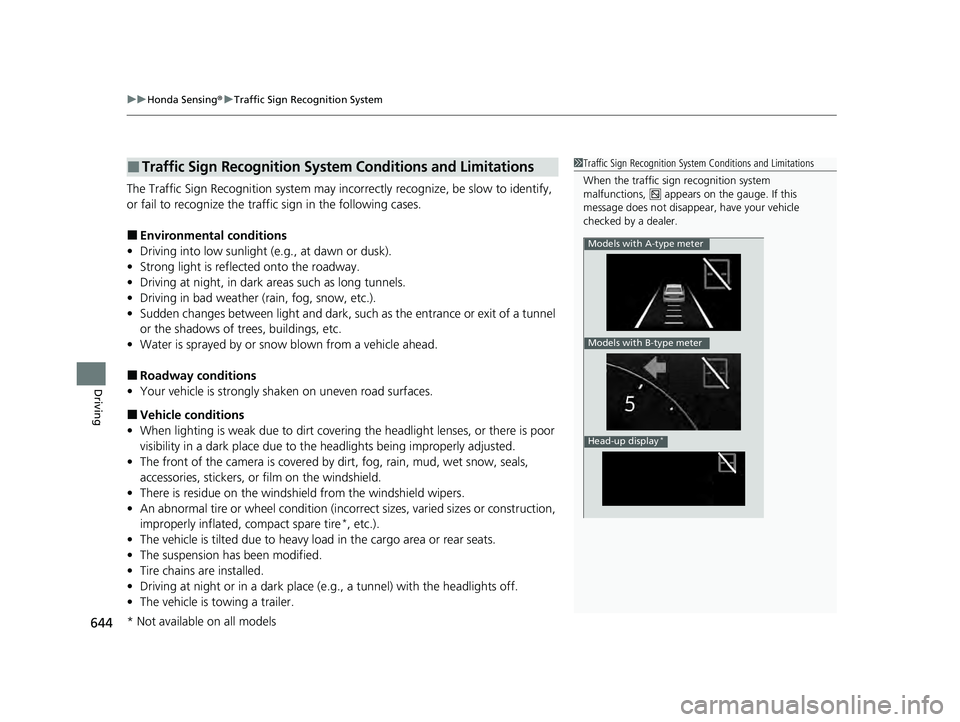
■Traffic Sign Recognition System Conditions and Limitations1Traffic Sign Recognition System Conditions and Limitations
When the traffic sign recognition system
malfunctions, appears on the gauge. If this
message does not disappear, have your vehicle
checked by a dealer.
Models with A-type meter
Models with B-type meter
Head-up display*
* Not available on all models
23 PILOT-31T906000_03.book 644 ページ 2022年10月31日 月曜日 午前10時26分
Page 676 of 814
675
uuSurround View Camera System*uDisplaying an Image From the Surround View Cameras
Continued
Driving
Displaying an Image From the Surround View
Cameras
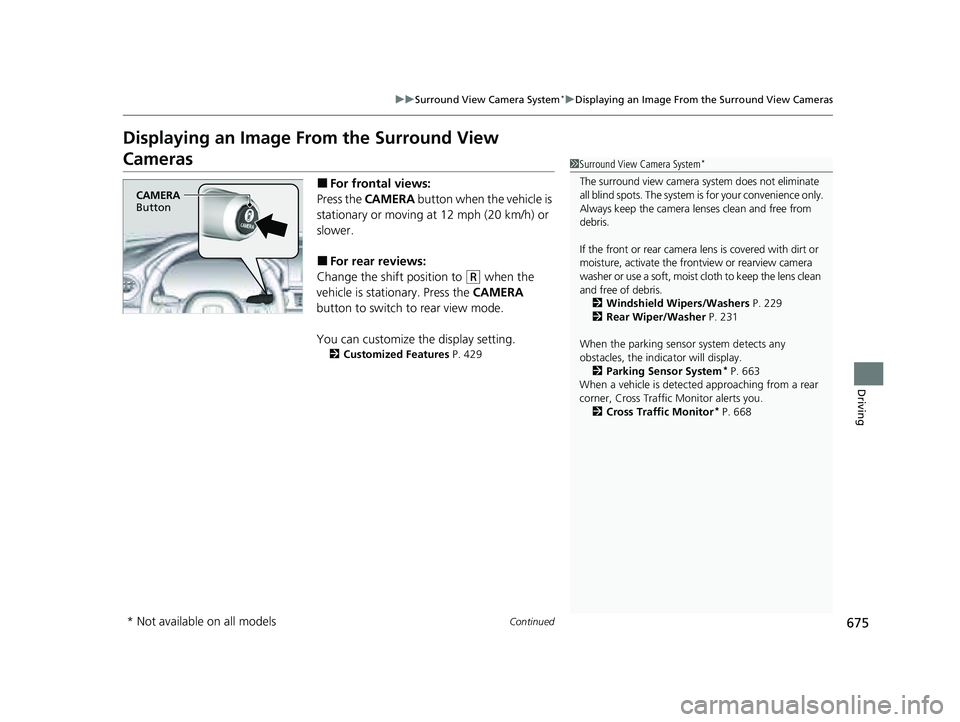
■For frontal views:
Press the CAMERA button when the vehicle is
stationary or moving at 12 mph (20 km/h) or
slower.
■For rear reviews:
Change the shift position to
(R when the
vehicle is stationary. Press the CAMERA
button to switch to rear view mode.
You can customize the display setting.
2 Customized Features P. 429
1Surround View Camera System*
The surround view camera system does not eliminate
all blind spots. The system is for your convenience only.
Always keep the camera lenses clean and free from
debris.
If the front or rear camera lens is covered with dirt or
moisture, activate the front view or rearview camera
washer or use a soft, moist cloth to keep the lens clean
and free of debris. 2 Windshield Wipers/Washers P. 229
2 Rear Wiper/Washer P. 231
When the parking sensor system detects any
obstacles, the indica tor will display.
2 Parking Sensor System
* P. 663
When a vehicle is detected approaching from a rear
corner, Cross Traffic Monitor alerts you.
2 Cross Traffic Monitor
* P. 668
CAMERA
Button
* Not available on all models
23 PILOT-31T906000_03.book 675 ページ 2022年10月31日 月曜日 午前10時26分
Page 686 of 814
685
uuSurround View Camera System*uUsing the Surround View Camera System
Driving
The system may not work properly under the following conditions.
■Surround View Camera System Limitations
ConditionsSolutions
The images may not
appear clearly when:●You activate the system in bad weather (heavy rain,
snow, fog, etc.) or in the dark.
●Camera temperatures are high.●A sudden change between light and dark such as an
entrance or exit of a tunnel.
●You drive into the sunlight (e.g., at dawn or dusk.)
Do not use the surround view camera system but rely
only on visual confirmation until the conditions allow
the system to work properly.
●A camera lens is covered with dirt, moisture, or
debris.
●A camera lens is scratched.
Clean camera lenses with the frontview or rearview
camera washer or a soft cloth moisturized with water,
mild detergent or glass cleaner.
2 Windshield Wipers/Washers P. 229
2 Rear Wiper/Washer P. 231
The audio/information screen is dirty.Wipe off the screen using a soft dry cloth.
A camera angle is
altered.A camera or the area around the camera has been
severely impacted.Do not use the surround view camera system and
contact a dealer.
An error message is displayed while the surround view camera system is in use.
23 PILOT-31T906000_03.book 685 ページ 2022年10月31日 月曜日 午前10時26分
Page 707 of 814
706
uuMaintenance Under the Hood uOpening the Hood
Maintenance
Opening the Hood
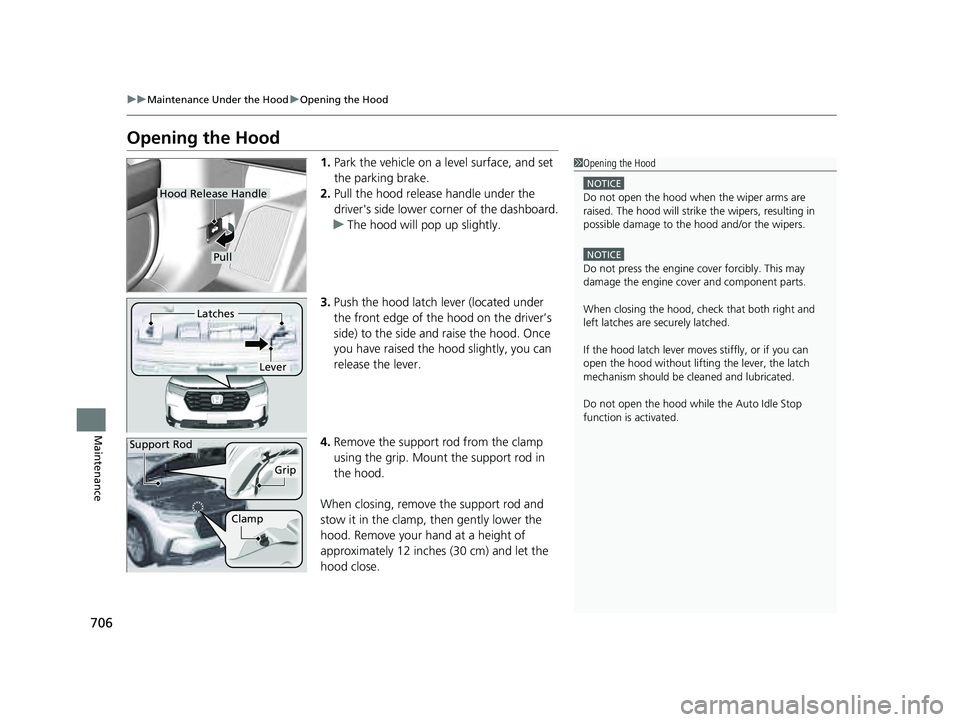
1. Park the vehicle on a level surface, and set
the parking brake.
2. Pull the hood release handle under the
driver's side lower corner of the dashboard.
u The hood will pop up slightly.
3. Push the hood latch lever (located under
the front edge of the hood on the driver’s
side) to the side and raise the hood. Once
you have raised the hood slightly, you can
release the lever.
4. Remove the support rod from the clamp
using the grip. Mount the support rod in
the hood.
When closing, remove the support rod and
stow it in the clamp, then gently lower the
hood. Remove your hand at a height of
approximately 12 inches (30 cm) and let the
hood close.1 Opening the Hood
NOTICE
Do not open the hood when the wiper arms are
raised. The hood will strike the wipers, resulting in
possible damage to the hood and/or the wipers.
NOTICE
Do not press the engine cover forcibly. This may
damage the engine cover and component parts.
When closing the hood, check that both right and
left latches are securely latched.
If the hood latch lever moves stiffly, or if you can
open the hood without lifti ng the lever, the latch
mechanism should be cl eaned and lubricated.
Do not open the hood while the Auto Idle Stop
function is activated.
Hood Release Handle
Pull
Lever
Latches
Support Rod
Grip
Clamp
23 PILOT-31T906000_03.book 706 ページ 2022年10月31日 月曜日 午前10時26分
Page 745 of 814
744
uuCleaning uExterior Care
Maintenance
Exterior Care
Dust off the vehicle body after you drive.
Regularly inspect your vehi cle for scratches on painted surfaces. A scratch on a
painted surface can result in body rust. If you find a scratch, promptly repair it.
Wash the vehicle regularly. Wash more frequently when driving in the following
conditions:
• If driving on roads with road salt.
• If driving in coastal areas.
• If tar, soot, bird droppings, insects, or tree sap is stuck to painted surfaces.
• Make sure to follow the instructions indicated on the automated car wash.
• Fold in the door mirrors.
• For models equipped with automatic inte rmittent wipers, turn the wipers off.
• Keep sufficient distance between the cleaning nozzl e and the vehicle body.
• Take particular care around the windows. St anding too close may cause water to
enter the vehicle interior.
• Do not spray high pressure water directly into the engine compartment. Instead,
use low pressure water and a mild detergent.
• Do not spray water directly onto the ca mera or the area around it. Water may
enter the lens and cause the camera to malfunction.
■Washing the Vehicle
■Using an Automated Car Wash
■Using High Pressure Cleaners
1 Washing the Vehicle
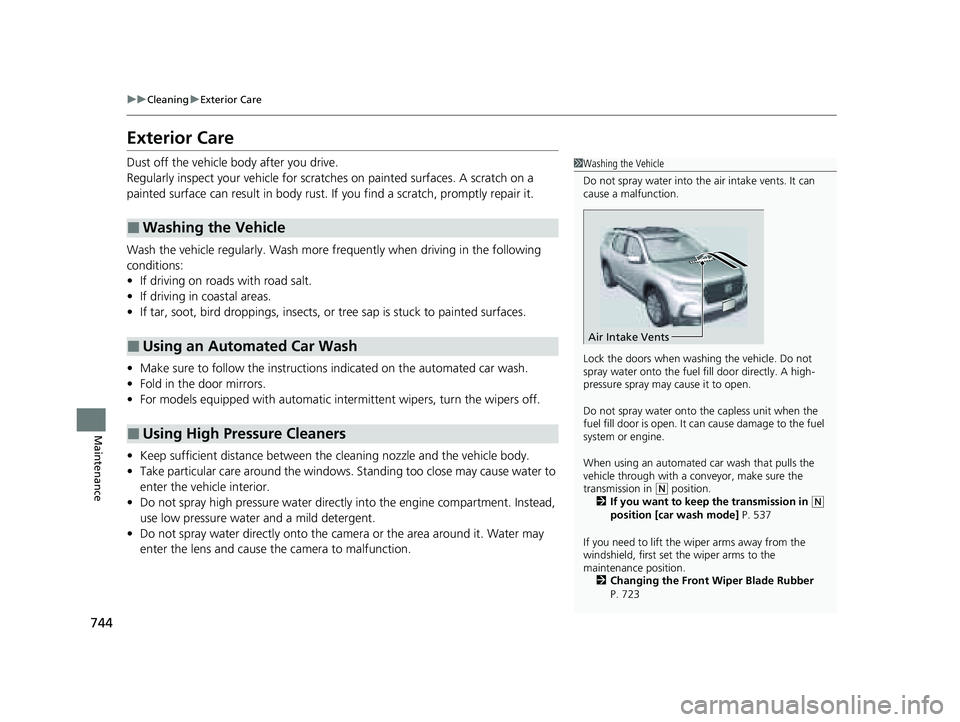
Do not spray water into the air intake vents. It can
cause a malfunction.
Lock the doors when washing the vehicle. Do not
spray water onto the fuel fill door directly. A high-
pressure spray may cause it to open.
Do not spray water onto the capless unit when the
fuel fill door is open. It ca n cause damage to the fuel
system or engine.
When using an automated car wash that pulls the
vehicle through with a c onveyor, make sure the
transmission in
( N position.
2 If you want to keep the transmission in (N
position [car wash mode] P. 537
If you need to lift the wiper arms away from the
windshield, first set the wiper arms to the
maintenance position. 2 Changing the Front Wiper Blade Rubber
P. 723
Air Intake Vents
23 PILOT-31T906000_03.book 744 ページ 2022年10月31日 月曜日 午前10時26分