interval HONDA PILOT 2023 Owner's Manual
[x] Cancel search | Manufacturer: HONDA, Model Year: 2023, Model line: PILOT, Model: HONDA PILOT 2023Pages: 814, PDF Size: 29.02 MB
Page 601 of 814
uuHonda Sensing ®u Adaptive Cruise Control (ACC) with Low Speed Follow
600
Driving
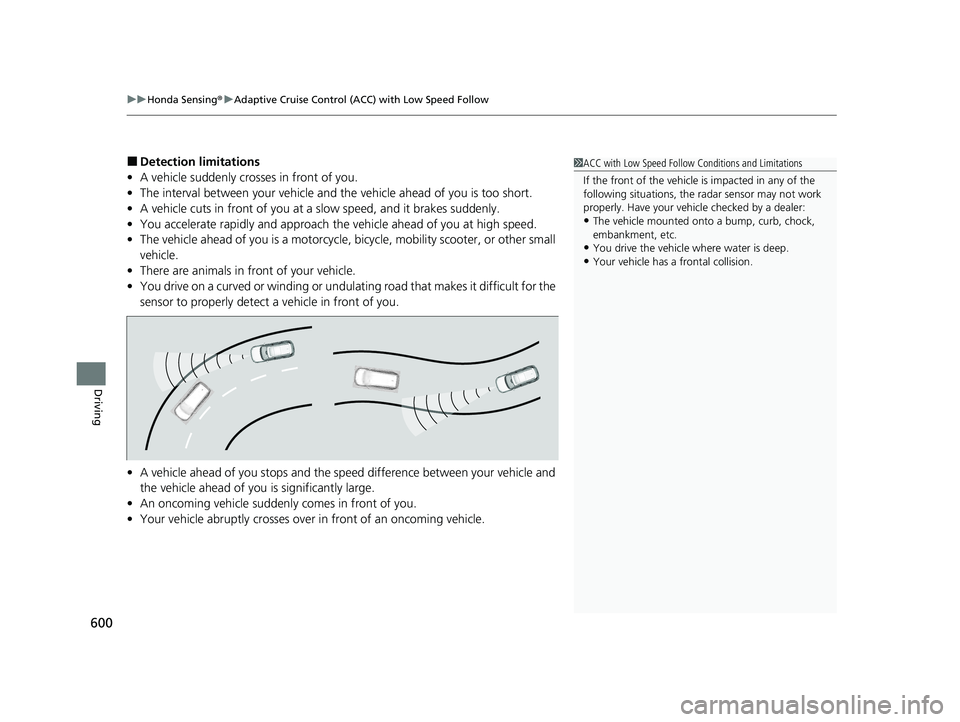
■Detection limitations
• A vehicle suddenly crosses in front of you.
• The interval between your vehicle and the vehicle ahead of you is too short.
• A vehicle cuts in front of you at a slow speed, and it brakes suddenly.
• You accelerate rapidly and approach the vehicle ahead of you at high speed.
• The vehicle ahead of you is a motorcycle, bicycle, mobility scooter, or other small
vehicle.
• There are animals in front of your vehicle.
• You drive on a curved or winding or undulating road that makes it difficult for the
sensor to properly detect a vehicle in front of you.
• A vehicle ahead of you stops and the sp eed difference between your vehicle and
the vehicle ahead of you is significantly large.
• An oncoming vehicle suddenly comes in front of you.
• Your vehicle abruptly crosses over in front of an oncoming vehicle.1ACC with Low Speed Follow Conditions and Limitations
If the front of the vehicle is impacted in any of the
following situations, the ra dar sensor may not work
properly. Have your vehi cle checked by a dealer:
•The vehicle mounted onto a bump, curb, chock,
embankment, etc.
•You drive the vehicle where water is deep.
•Your vehicle has a frontal collision.
23 PILOT-31T906000_03.book 600 ページ 2022年10月31日 月曜日 午前10時26分
Page 604 of 814
Continued603
uuHonda Sensing ®u Adaptive Cruise Control (ACC) with Low Speed Follow
Driving
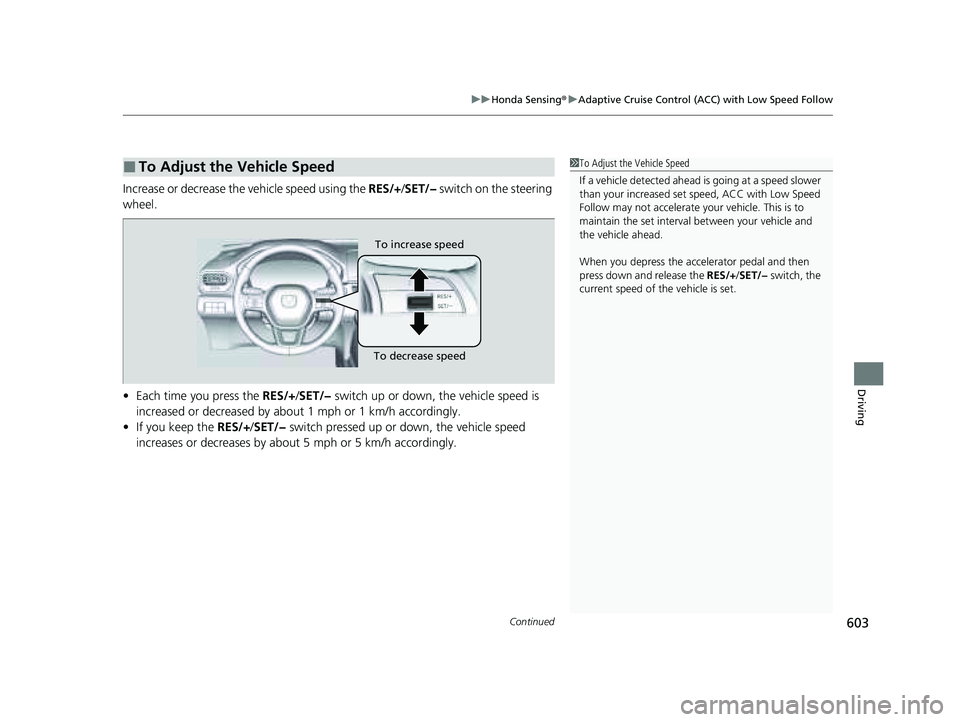
Increase or decrease the vehicle speed using the RES/+/SET/− switch on the steering
wheel.
• Each time you press the RES/+/SET/− switch up or down, the vehicle speed is
increased or decreased by about 1 mph or 1 km/h accordingly.
• If you keep the RES/+/SET/− switch pressed up or down, the vehicle speed
increases or decreases by about 5 mph or 5 km/h accordingly.
■To Adjust the Vehicle Speed1 To Adjust the Vehicle Speed
If a vehicle detected ahead is going at a speed slower
than your increased set speed, ACC with Low Speed
Follow may not accelerate y our vehicle. This is to
maintain the set interval between your vehicle and
the vehicle ahead.
When you depress the accelerator pedal and then
press down and release the RES/+/SET/− switch, the
current speed of the vehicle is set.
To increase speed
To decrease speed
23 PILOT-31T906000_03.book 603 ページ 2022年10月31日 月曜日 午前10時26分
Page 605 of 814
604
uuHonda Sensing ®u Adaptive Cruise Control (ACC) with Low Speed Follow
Driving
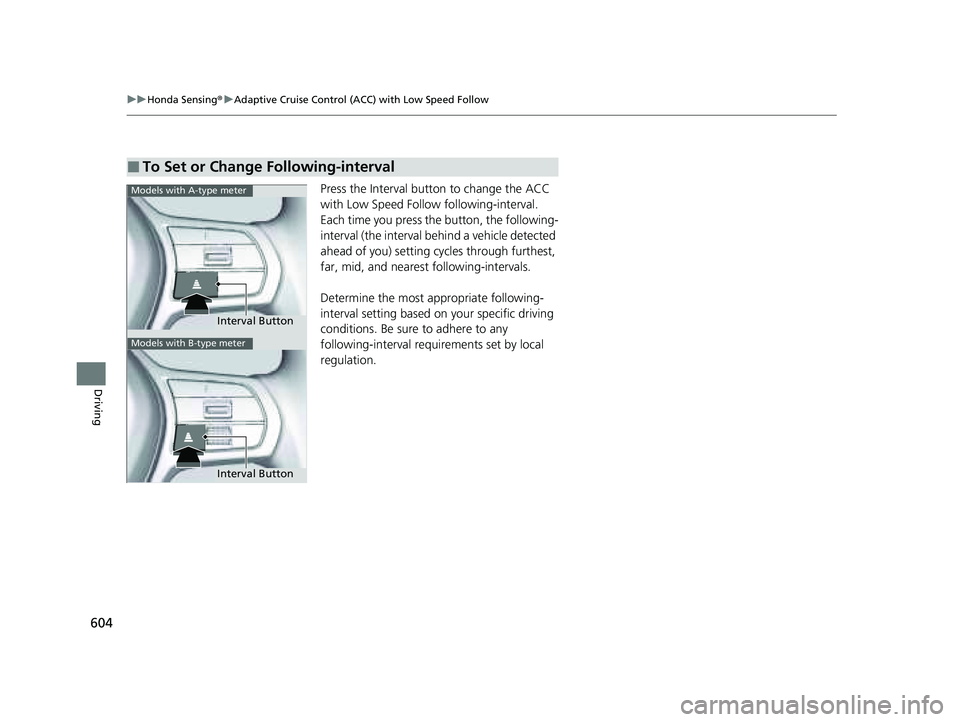
Press the Interval butt on to change the ACC
with Low Speed Follow following-interval.
Each time you press the button, the following-
interval (the interval behind a vehicle detected
ahead of you) setting cycles through furthest,
far, mid, and neares t following-intervals.
Determine the most appropriate following-
interval setting based on your specific driving
conditions. Be sure to adhere to any
following-interval requ irements set by local
regulation.
■To Set or Change Following-interval
Interval Button
Models with A-type meter
Models with B-type meter
Interval Button
23 PILOT-31T906000_03.book 604 ページ 2022年10月31日 月曜日 午前10時26分
Page 606 of 814
605
uuHonda Sensing ®u Adaptive Cruise Control (ACC) with Low Speed Follow
Continued
Driving
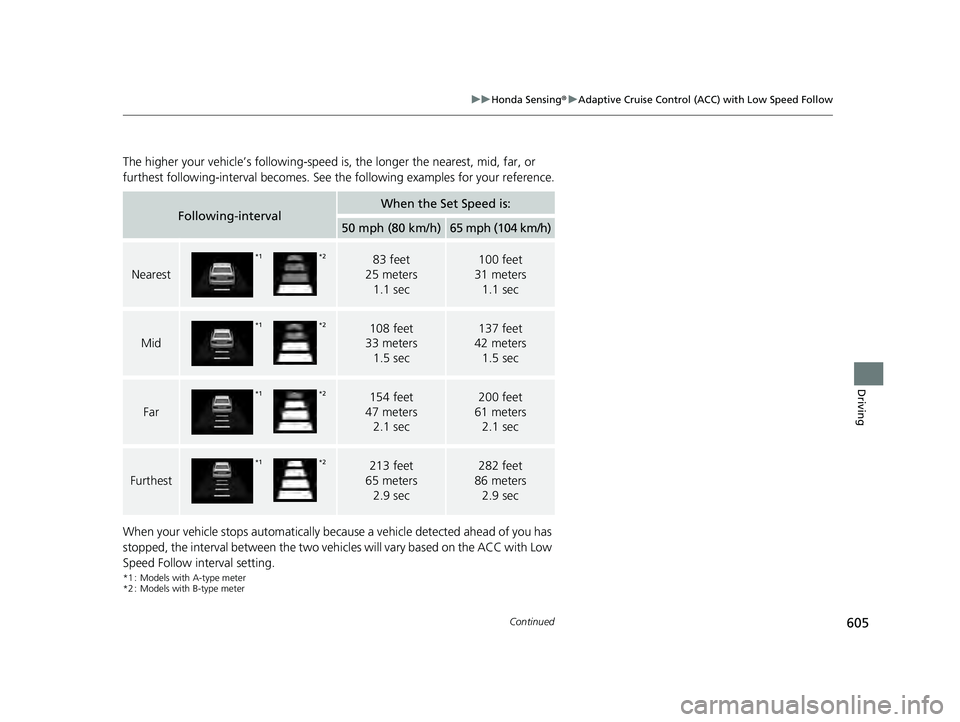
The higher your vehicle’s following-speed is , the longer the nearest, mid, far, or
furthest following-interval becomes. See the following examples for your reference.
When your vehicle stops automatically beca use a vehicle detected ahead of you has
stopped, the interval between the two vehicl es will vary based on the ACC with Low
Speed Follow interval setting.
*1 : Models with A-type meter
*2 : Models with B-type meter
Following-intervalWhen the Set Speed is:
50 mph (80 km/h)65 mph (104 km/h)
Nearest
83 feet
25 meters 1.1 sec100 feet
31 meters 1.1 sec
Mid
108 feet
33 meters 1.5 sec137 feet
42 meters 1.5 sec
Far
154 feet
47 meters 2.1 sec200 feet
61 meters 2.1 sec
Furthest
213 feet
65 meters
2.9 sec282 feet
86 meters
2.9 sec
*2*1
*2*1
*2*1
*2*1
23 PILOT-31T906000_03.book 605 ページ 2022年10月31日 月曜日 午前10時26分
Page 610 of 814
Continued609
uuHonda Sensing ®u Adaptive Cruise Control (ACC) with Low Speed Follow
Driving
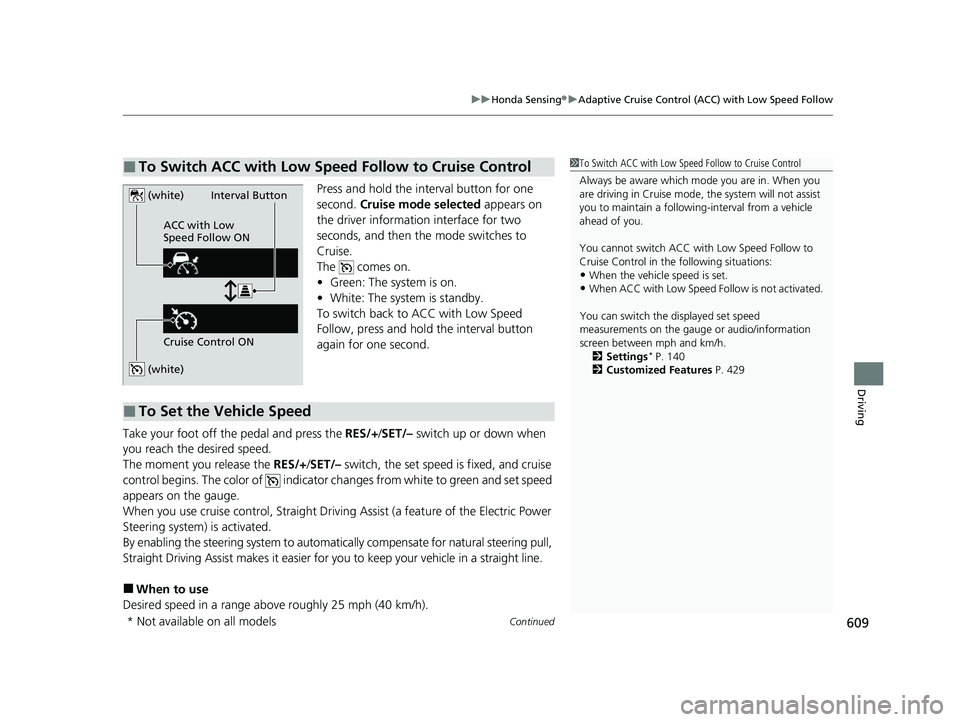
Press and hold the interval button for one
second. Cruise mode selected appears on
the driver information interface for two
seconds, and then the mode switches to
Cruise.
The comes on.
• Green: The system is on.
• White: The system is standby.
To switch back to ACC with Low Speed
Follow, press and hold the interval button
again for one second.
Take your foot off the pedal and press the RES/+/SET/– switch up or down when
you reach the desired speed.
The moment you release the RES/+/SET/– switch, the set speed is fixed, and cruise
control begins. The color of indicator changes from white to green and set speed
appears on the gauge.
When you use cruise control, Straight Drivin g Assist (a feature of the Electric Power
Steering system) is activated.
By enabling the steering system to automatica lly compensate for natural steering pull,
Straight Driving Assist makes it easier for you to keep your vehicle in a straight line.
■When to use
Desired speed in a range above roughly 25 mph (40 km/h).
■To Switch ACC with Low Speed Follow to Cruise Control1 To Switch ACC with Low Speed Follow to Cruise Control
Always be aware which mode you are in. When you
are driving in Cruise mode, the system will not assist
you to maintain a following-interval from a vehicle
ahead of you.
You cannot switch ACC with Low Speed Follow to
Cruise Control in the following situations:
•When the vehicle speed is set.
•When ACC with Low Speed Follow is not activated.
You can switch the displayed set speed
measurements on the gauge or audio/information
screen between mph and km/h. 2 Settings
* P. 140
2 Customized Features P. 429
(white)
(white)
ACC with Low
Speed Follow ON
Cruise Control ONInterval Button
■To Set the Vehicle Speed
* Not available on all models
23 PILOT-31T906000_03.book 609 ページ 2022年10月31日 月曜日 午前10時26分
Page 667 of 814
666
uuParking Your Vehicle uParking Sensor System*
Driving
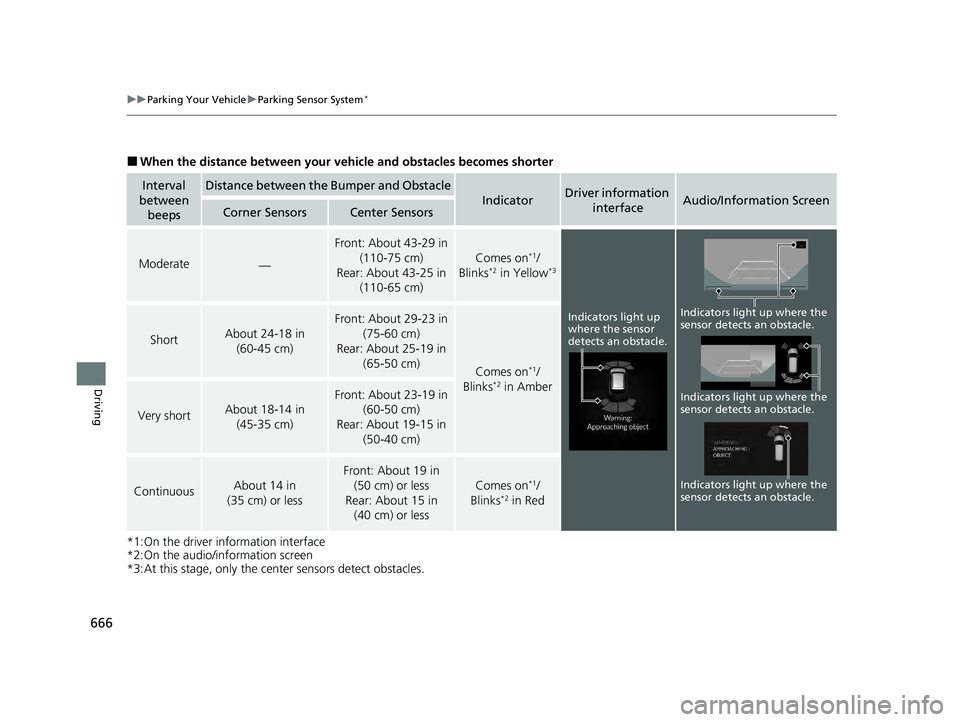
■When the distance betwe en your vehicle and obstacles becomes shorter
*1:On the driver information interface
*2:On the audio/information screen
*3:At this stage, only the center sensors detect obstacles.
Interval
between beepsDistance between the Bumper and Obstacle
IndicatorDriver information
interfaceAudio/Information ScreenCorner SensorsCenter Sensors
Moderate—
Front: About 43-29 in (110-75 cm)
Rear: About 43-25 in (110-65 cm)
Comes on*1/
Blinks*2 in Yellow*3
ShortAbout 24-18 in (60-45 cm)
Front: About 29-23 in
(75-60 cm)
Rear: About 25-19 in (65-50 cm)
Comes on*1/
Blinks*2 in Amber
Very shortAbout 18-14 in (45-35 cm)
Front: About 23-19 in (60-50 cm)
Rear: About 19-15 in
(50-40 cm)
ContinuousAbout 14 in
(35 cm) or less
Front: About 19 in (50 cm) or less
Rear: About 15 in (40 cm) or less
Comes on*1/
Blinks*2 in Red
Indicators light up
where the sensor
detects an obstacle.
Indicators light up where the
sensor detects an obstacle.
Indicators light up where the
sensor detects an obstacle. Indicators light up where the
sensor detects an obstacle.
23 PILOT-31T906000_03.book 666 ページ 2022年10月31日 月曜日 午前10時26分
Page 693 of 814
692
Maintenance
Before Performing Maintenance
Inspection and Maintenance
For your safety, perform all listed inspections and maintenance to keep your vehicle
in good condition. If you become aware of an y abnormality (noise, smell, insufficient
brake fluid, oil residue on the ground, etc.), have your vehicle inspected by a dealer.
(Note, however, that service at a dealer is not mandatory to keep your warranties in
effect.)
■Routine inspections
Perform inspections before long distance tri ps, when washing the vehicle, or when
refueling.
2 Maintenance P. 32
■Periodic inspections
• Check the brake fluid level monthly.
2 Checking the Brake Fluid P. 717
•Check the tire pressure monthly. Examin e the tread for wear and foreign objects.
2Checking and Maintaining Tires P. 728
•Check the operation of the exterior lights monthly.
2 Replacing Light Bulbs P. 718
•Check the condition of the wiper bl ades at least every six months.
2Checking and Maintaining Wiper Blades P. 723
■Types of Inspection and Maintenance
1Inspection and Maintenance
Maintenance, replacement, or repair of
emissions control devices and systems may be
done by any automotive repair establishment or
individuals using parts that are “certified” to
EPA standards.
According to state and fede ral regulations, failure to
perform maintenance on the maintenance main
items marked with # will not void your emissions
warranties. However, all ma intenance services should
be performed in accordan ce with the intervals
indicated by the driver information interface.
2 Maintenance Service Items P. 700
If you want to perform complex maintenance tasks
that require more skills a nd tools, you can purchase a
subscription to the Service Express website at
www.techinfo.honda.com .
2 Authorized Manuals P. 800
If you want to perform ma intenance yourself, make
sure that you have the necessary tools and skills first.
After performing maintenanc e, update the records in
the separate maintenance booklet.
U.S. models
23 PILOT-31T906000_03.book 692 ページ 2022年10月31日 月曜日 午前10時26分
Page 704 of 814
Continued703
uuMaintenance MinderTMuTo Use Maintenance MinderTM
Maintenance
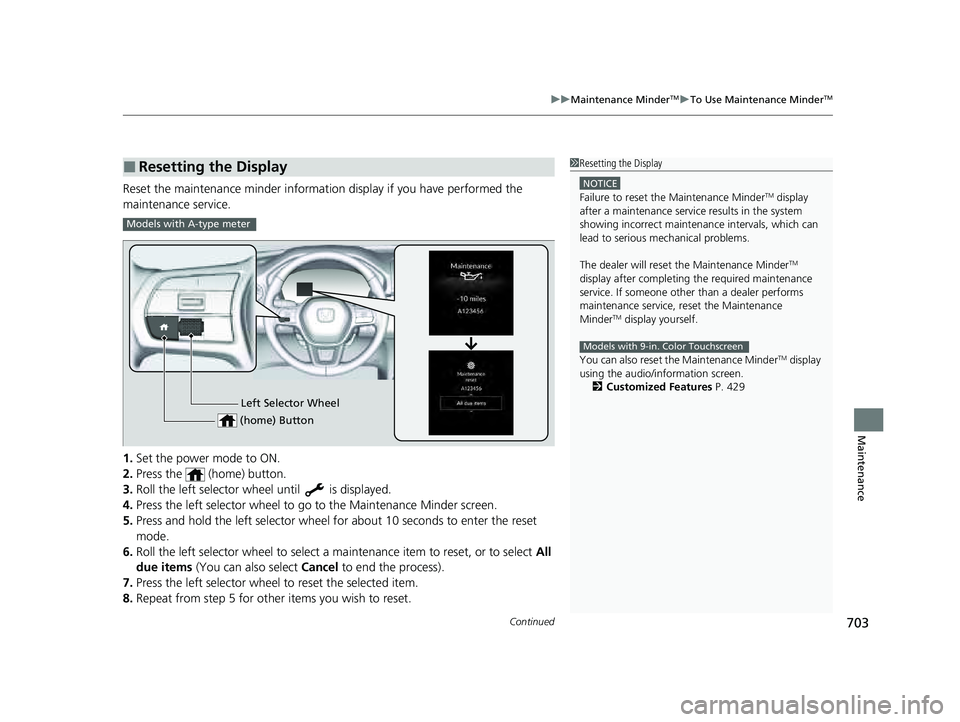
Reset the maintenance minder information display if you have performed the
maintenance service.
1. Set the power mode to ON.
2. Press the (home) button.
3. Roll the left selector wheel until is displayed.
4. Press the left selector wheel to go to the Maintenance Minder screen.
5. Press and hold the left selector wheel for about 10 seconds to enter the reset
mode.
6. Roll the left selector wheel to select a ma intenance item to reset, or to select All
due items (You can also select Cancel to end the process).
7. Press the left selector wheel to reset the selected item.
8. Repeat from step 5 for other items you wish to reset.
■Resetting the Display1Resetting the Display
NOTICE
Failure to reset the Maintenance MinderTM display
after a maintenance servic e results in the system
showing incorrect maintenance intervals, which can
lead to serious mechanical problems.
The dealer will reset the Maintenance Minder
TM
display after completing th e required maintenance
service. If someone other than a dealer performs
maintenance service, reset the Maintenance
Minder
TM display yourself.
You can also reset the Maintenance Minder
TM display
using the audio/information screen.
2 Customized Features P. 429
Models with 9-in. Color Touchscreen
Models with A-type meter
Left Selector Wheel
(home) Button
23 PILOT-31T906000_03.book 703 ページ 2022年10月31日 月曜日 午前10時26分
Page 717 of 814
716
uuMaintenance Under the Hood uTransmission Fluid
Maintenance
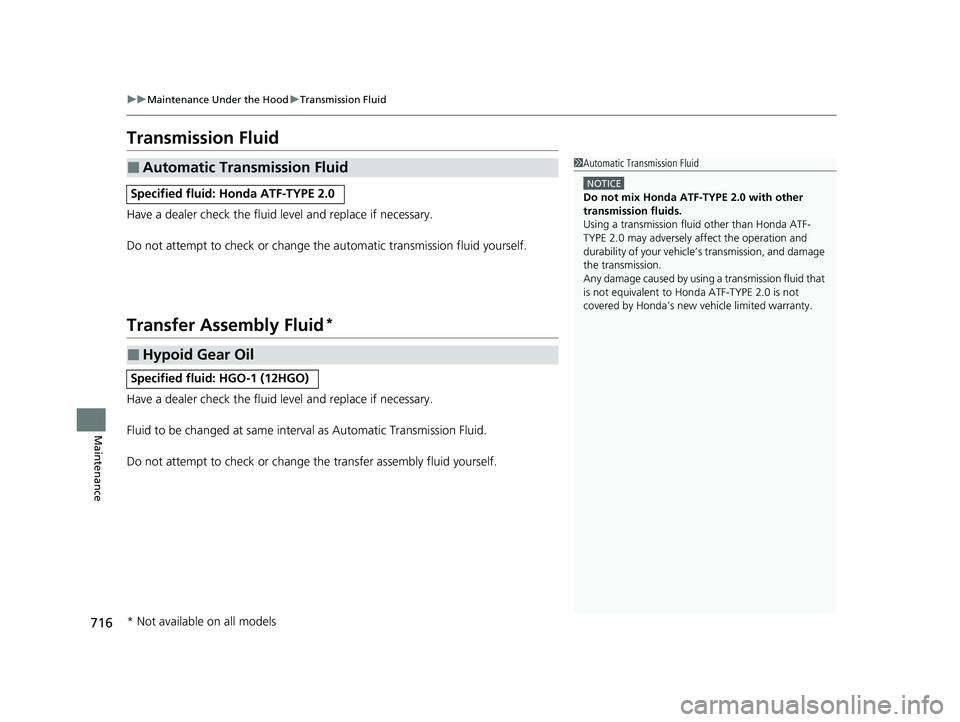
Transmission Fluid
Have a dealer check the fluid level and replace if necessary.
Do not attempt to check or change th e automatic transmission fluid yourself.
Transfer Assembly Fluid*
Have a dealer check the fluid level and replace if necessary.
Fluid to be changed at same interval as Automatic Transmission Fluid.
Do not attempt to check or change the transfer assembly fluid yourself.
■Automatic Transmission Fluid
Specified fluid: Honda ATF-TYPE 2.0
1Automatic Transmission Fluid
NOTICE
Do not mix Honda ATF-TYPE 2.0 with other
transmission fluids.
Using a transmission flui d other than Honda ATF-
TYPE 2.0 may adversely af fect the operation and
durability of your vehicle’ s transmission, and damage
the transmission.
Any damage caused by using a transmission fluid that
is not equivalent to Honda ATF-TYPE 2.0 is not
covered by Honda’s new ve hicle limited warranty.
■Hypoid Gear Oil
Specified fluid: HGO-1 (12HGO)
* Not available on all models
23 PILOT-31T906000_03.book 716 ページ 2022年10月31日 月曜日 午前10時26分
Page 777 of 814
776
uuIndicator Coming On/BlinkinguIf the Low Tire Pressure/TPMS Indicator Comes On or Blinks
Handling the Unexpected
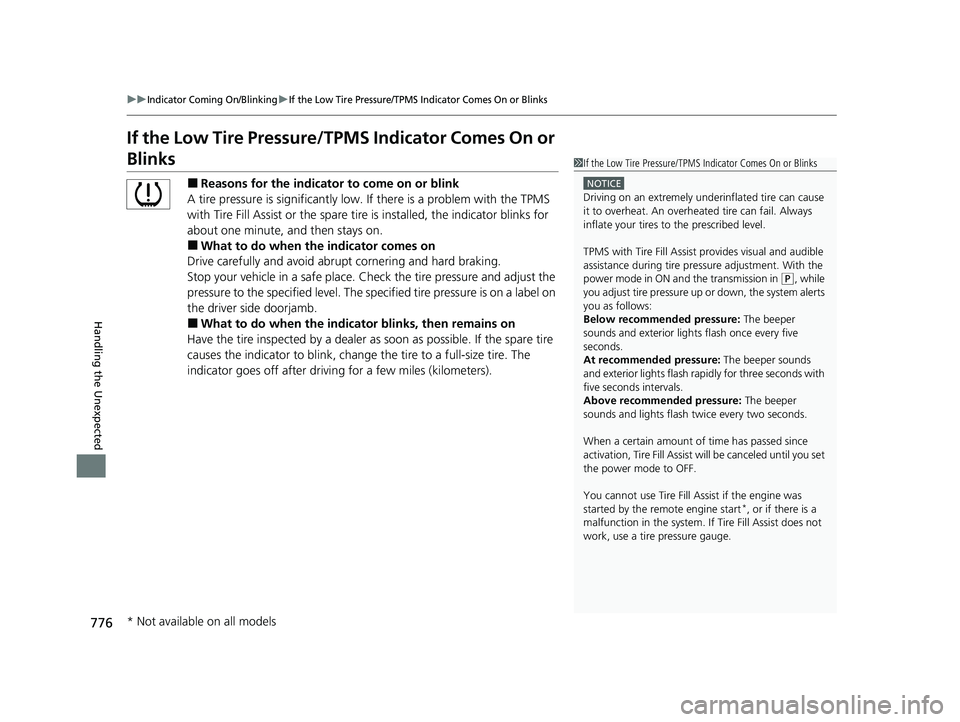
If the Low Tire Pressure/TPMS Indicator Comes On or
Blinks
■Reasons for the indicator to come on or blink
A tire pressure is significantly low. If there is a problem with the TPMS
with Tire Fill Assist or the spare tire is installed, the indicator blinks for
about one minute, and then stays on.
■What to do when the indicator comes on
Drive carefully and avoid abrupt cornering and hard braking.
Stop your vehicle in a safe place. Ch eck the tire pressure and adjust the
pressure to the specified level. The sp ecified tire pressure is on a label on
the driver side doorjamb.
■What to do when the indica tor blinks, then remains on
Have the tire inspected by a dealer as soon as possible. If the spare tire
causes the indicator to blink, change the tire to a full-size tire. The
indicator goes off after driving for a few miles (kilometers).
1If the Low Tire Pressure/TPMS Indicator Comes On or Blinks
NOTICE
Driving on an extremely underinflated tire can cause
it to overheat. An overheated tire can fail. Always
inflate your tires to the prescribed level.
TPMS with Tire Fill Assist provides visual and audible
assistance during tire pre ssure adjustment. With the
power mode in ON and the transmission in
( P, while
you adjust tire pressure up or down, the system alerts
you as follows:
Below recommended pressure: The beeper
sounds and exterior lights flash once every five
seconds.
At recommended pressure: The beeper sounds
and exterior lights flash ra pidly for three seconds with
five seconds intervals.
Above recommended pressure: The beeper
sounds and lights flash tw ice every two seconds.
When a certain amount of time has passed since
activation, Tire Fill Assist wi ll be canceled until you set
the power mode to OFF.
You cannot use Tire Fill Assist if the engine was
started by the remote engine start
*, or if there is a
malfunction in the system. If Tire Fill Assist does not
work, use a tire pressure gauge.
* Not available on all models
23 PILOT-31T906000_03.book 776 ページ 2022年10月31日 月曜日 午前10時26分