lock HONDA RIDGELINE 2012 1.G Owner's Guide
[x] Cancel search | Manufacturer: HONDA, Model Year: 2012, Model line: RIDGELINE, Model: HONDA RIDGELINE 2012 1.GPages: 429, PDF Size: 7.72 MB
Page 127 of 429
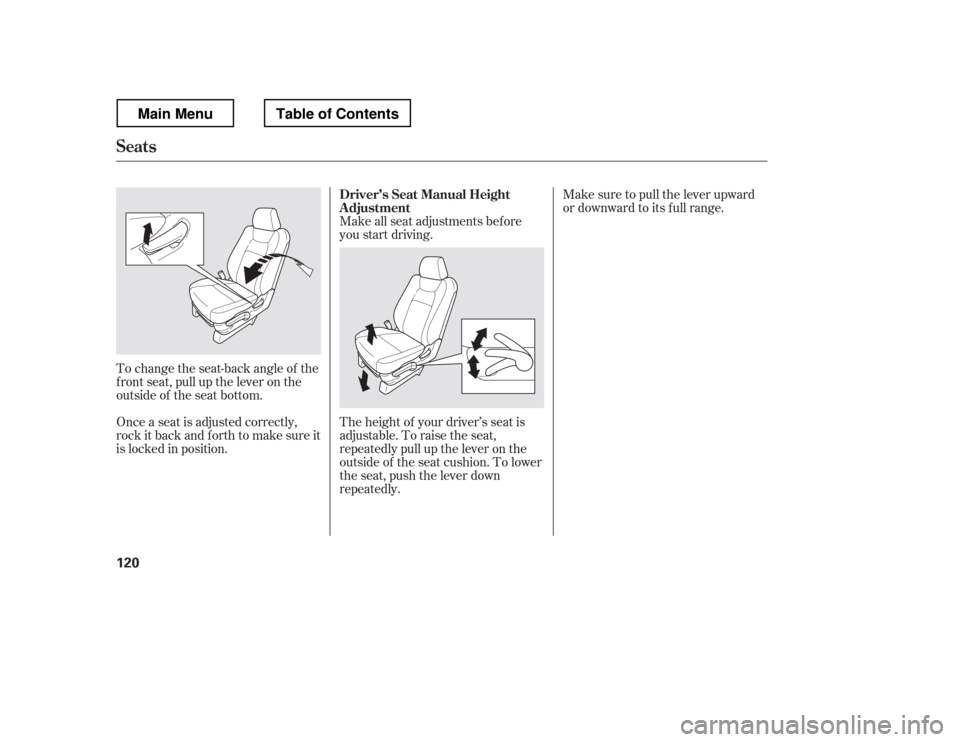
Make sure to pull the lever upward
or downward to its f ull range.
Make all seat adjustments bef ore
you start driving.
To change the seat-back angle of the
f ront seat, pull up the lever on the
outside of the seat bottom.
Once a seat is adjusted correctly,
rock it back and f orth to make sure it
is locked in position. The height of your driver
Page 132 of 429
CONT INUED
For a head restraint system to work
properly:Do not hang any items on the head
restraints, or f rom the restraint
legs.
Do not place any object between
an occupant and the seat-back.
Install each restraint in its proper
location.
Only use genuine Honda
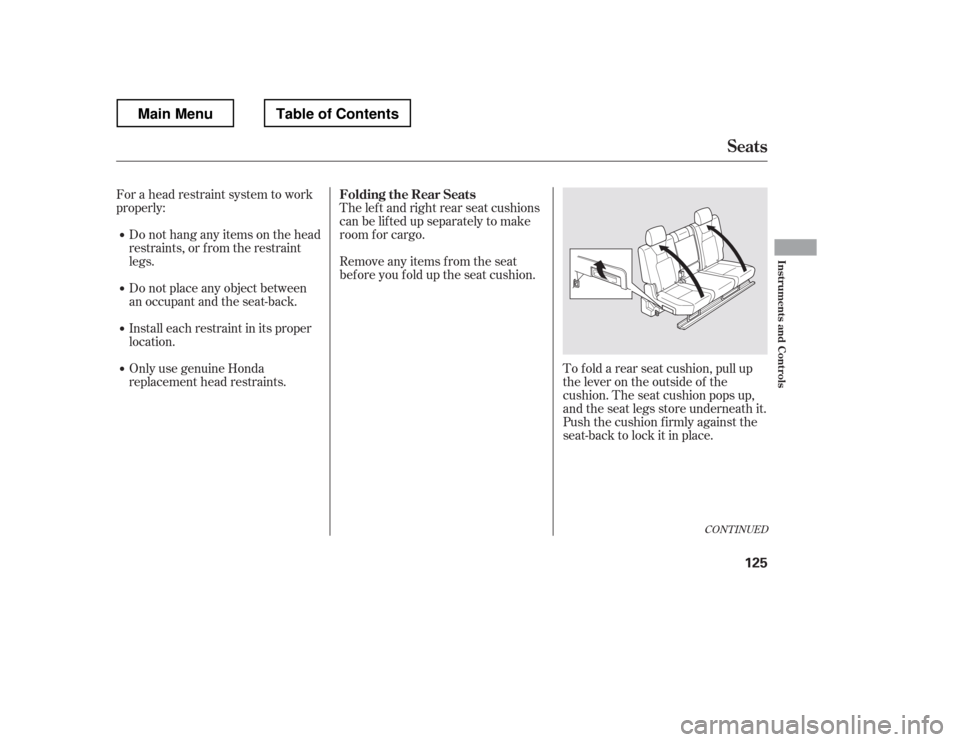
replacement head restraints. The lef t and right rear seat cushions
can be lifted up separately to make
room f or cargo.
To f old a rear seat cushion, pull up
the lever on the outside of the
cushion. The seat cushion pops up,
and the seat legs store underneath it.
Push the cushion firmly against the
seat-back to lock it in place.
Remove any items from the seat
beforeyoufolduptheseatcushion.
Folding the Rear Seats
Seats
Inst rument s and Cont rols
125
Main MenuTable of Contents
Page 133 of 429
If equipped
Make sure all items in the cargo area
are secured. Loose items can f ly
f orward and cause injury if you have
to brake hard (See
on page ).
You can also store small items under
the rear seats. Make sure to secure
the items so they will not shift while
you are driving.
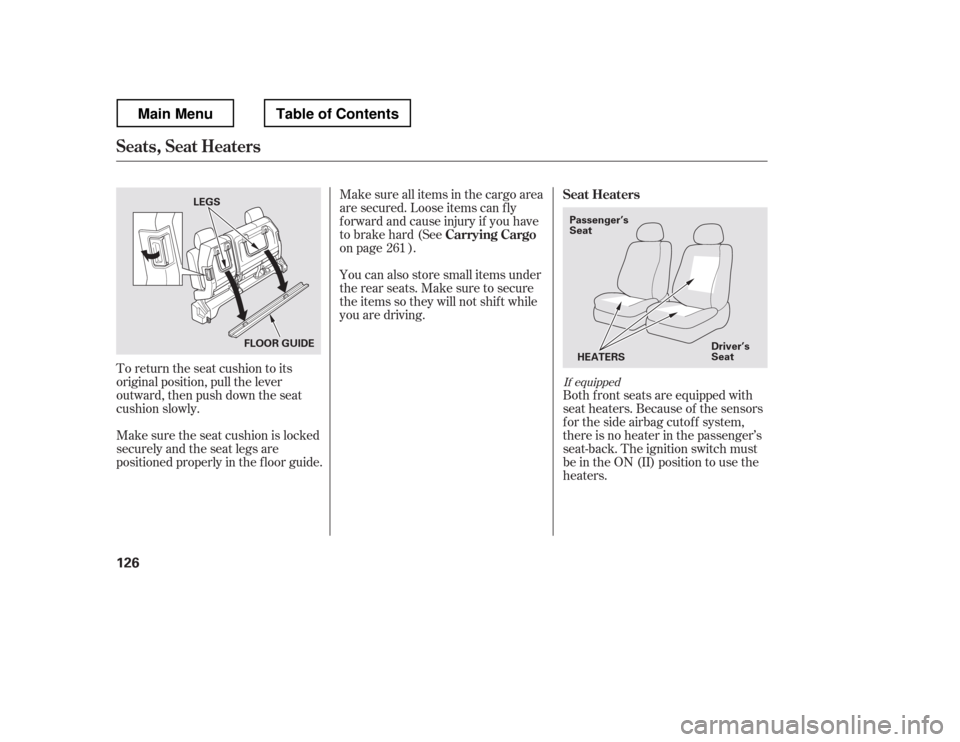
To return the seat cushion to its
original position, pull the lever
outward, then push down the seat
cushion slowly.
Make sure the seat cushion is locked
securely and the seat legs are
positioned properly in the f loor guide. Both f ront seats are equipped with
seat heaters. Because of the sensors
f or the side airbag cutof f system,
there is no heater in the passenger
Page 138 of 429
Turnthekeyclockwiseagain,and
hold it. All f our side windows start
to open. To stop the windows,
release the key.
To open the windows f urther, turn
andholdthekeyagain(within
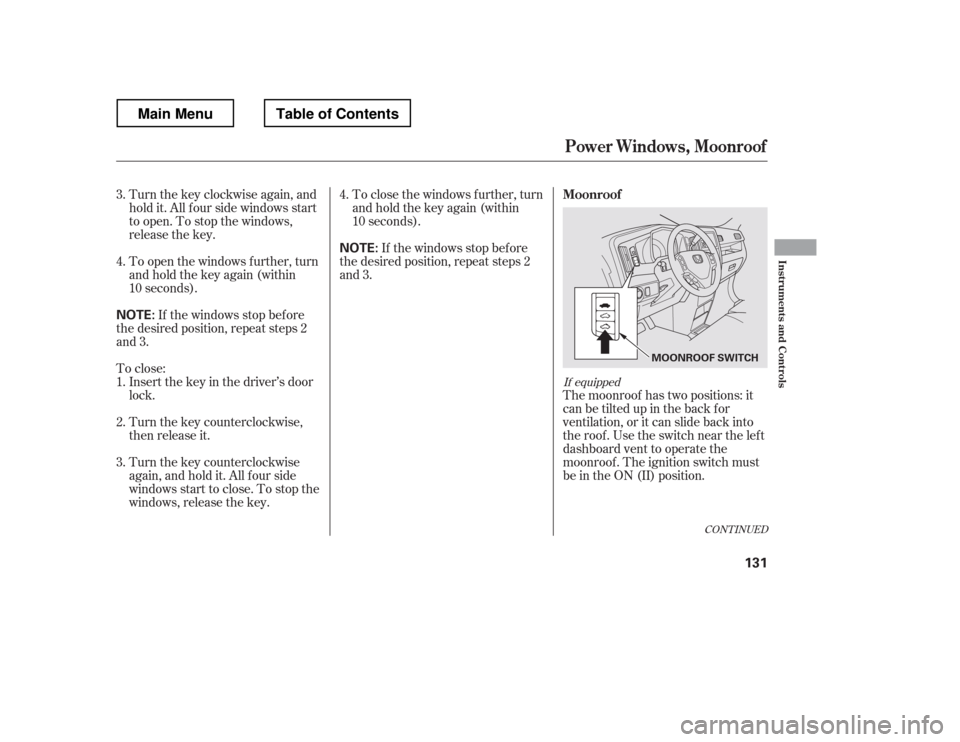
10 seconds).The moonroof has two positions: it
can be tilted up in the back f or
ventilation, or it can slide back into
the roof. Use the switch near the left
dashboard vent to operate the
moonroof . The ignition switch must
be in the ON (II) position.
If the windows stop bef ore
the desired position, repeat steps 2
and 3. To close the windows f urther, turn
andholdthekeyagain(within
10 seconds).
To close: If the windows stop bef ore
the desired position, repeat steps 2
and 3.
Insert the key in the driver
Page 145 of 429
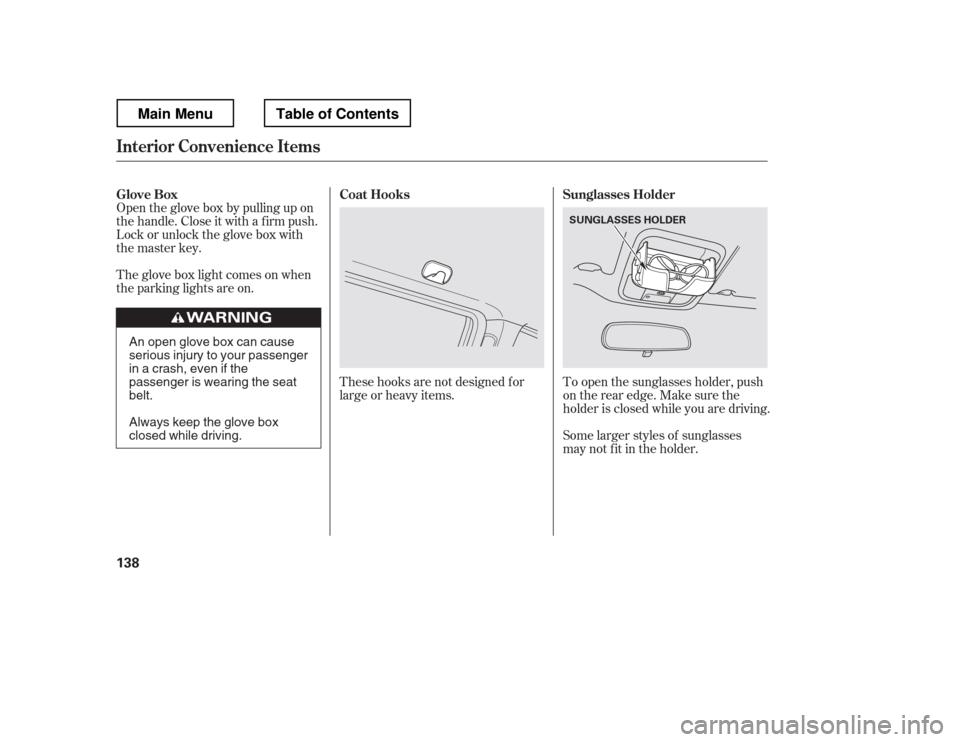
The glove box light comes on when
the parking lights are on.Some larger styles of sunglasses
may not f it in the holder.
These hooks are not designed f or
large or heavy items.
To open the sunglasses holder, push
on the rear edge. Make sure the
holder is closed while you are driving.
Open the glove box by pulling up on
thehandle.Closeitwithafirmpush.
Lock or unlock the glove box with
the master key.
Glove Box
Sunglasses Holder
Coat Hooks
Interior Convenience Items
138
SUNGLASSES HOLDER
An open glove box can cause
serious injury to your passenger
inacrash,evenifthe
passenger is wearing the seatbelt.
Always keep the glove box
closed while driving.
Main MenuTable of Contents
Page 149 of 429
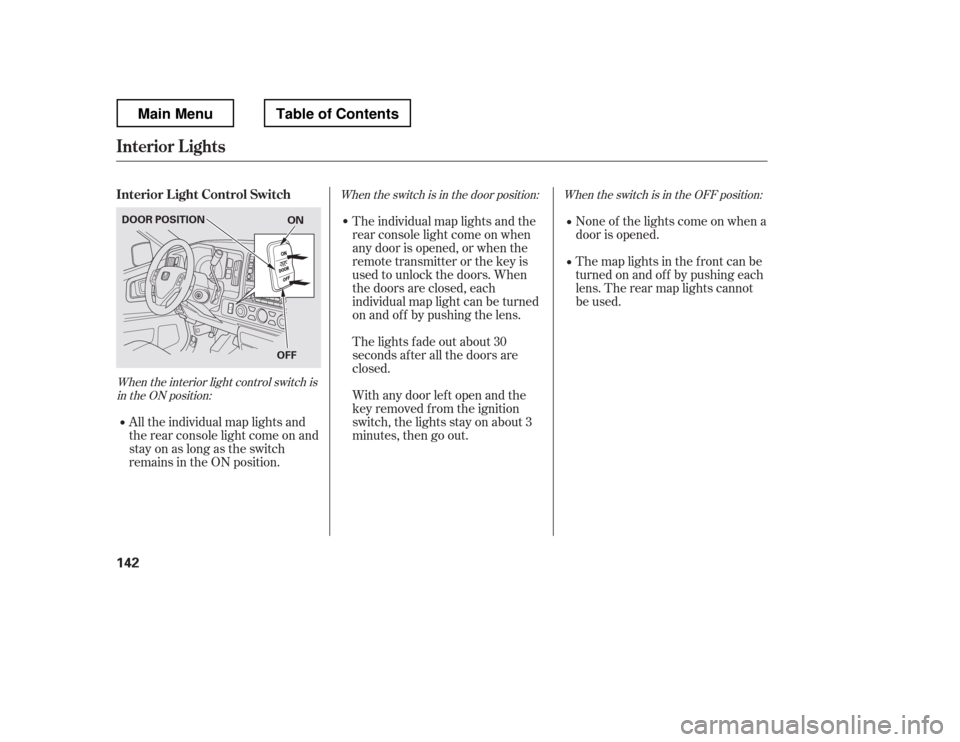
When the interior light control switch isin the ON position: When the switch is in the OFF position:
When the switch is in the door position:
None of the lights come on when a
door is opened.
The map lights in the f ront can be
turned on and of f by pushing each
lens. The rear map lights cannot
be used.
All the individual map lights and
the rear console light come on and
stay on as long as the switch
remains in the ON position. The individual map lights and the
rear console light come on when
any door is opened, or when the
remote transmitter or the key is
used to unlock the doors. When
the doors are closed, each
individual map light can be turned
on and of f by pushing the lens.
The lights fade out about 30
seconds after all the doors are
closed.
With any door lef t open and the
key removed f rom the ignition
switch, the lights stay on about 3
minutes, then go out.
Interior L ight Control Switch
Interior Lights
142
ON
OFF
DOOR POSITION
Main MenuTable of Contents
Page 151 of 429
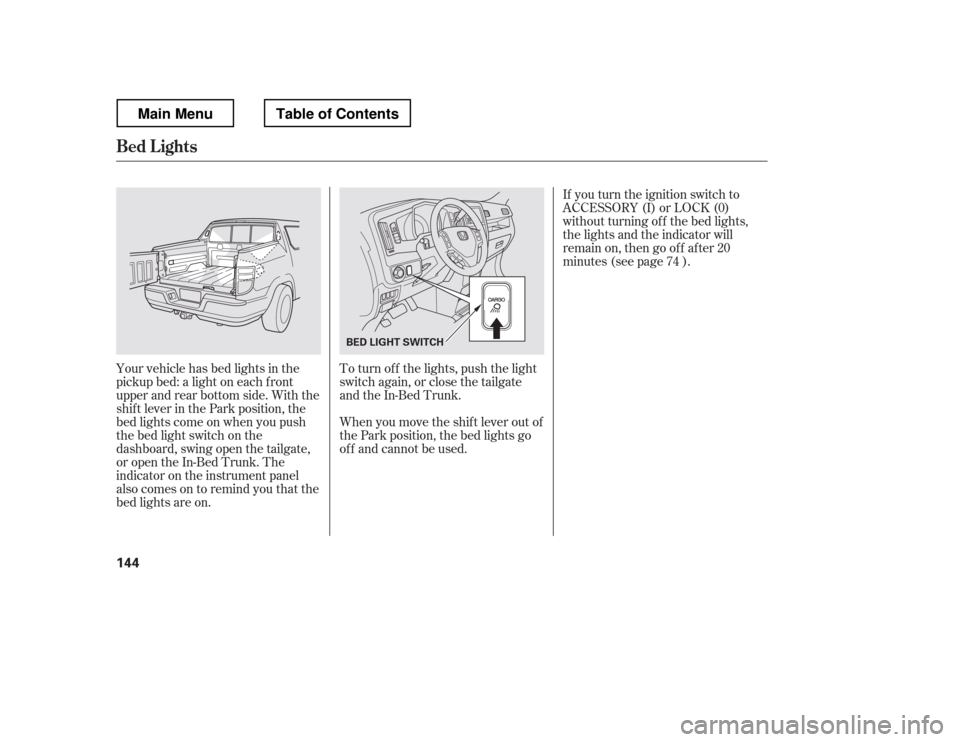
If you turn the ignition switch to
ACCESSORY (I) or LOCK (0)
without turning of f the bed lights,
the lights and the indicator will
remain on, then go of f af ter 20
minutes (see page ).
Your vehicle has bed lights in the
pickup bed: a light on each f ront
upper and rear bottom side. With the
shif t lever in the Park position, the
bed lights come on when you push
the bed light switch on the
dashboard, swing open the tailgate,
or open the In-Bed Trunk. The
indicator on the instrument panel
alsocomesontoremindyouthatthe
bed lights are on. To turn of f the lights, push the light
switch again, or close the tailgate
and the In-Bed Trunk.
When you move the shif t lever out of
the Park position, the bed lights go
of f and cannot be used. 74
Bed L ights
144
BED LIGHT SWITCH
Main MenuTable of Contents
Page 152 of 429

The heating and air conditioning
system in your vehicle provides a
comf ortable driving environment in
all weather conditions.
The standard audio system has
many f eatures. This section
describes those f eatures and how to
use them.
Your vehicle has an anti-theft audio
system that requires a code number
to enable it.
The security system helps to dis-
courage vandalism and thef t of your
vehicle.
Theclimatecontrolsystemandthe
audio system have a voice control
feature. Refer to the navigation
system manual f or more inf ormation..............
Vents, Heating, and A/C . 146
...............
Climate Control System . 152
..........
Playing the AM/FM Radio . 159
............
AM/FM Radio Reception . 165
................
Playing the XM
Radio . 167
...................................
Playing CDs . 174
.......................................
CD Player . 175
CD Changer
(Models without navigation
..................................
system) . 181
CD Changer (Models with navigation
..................................
system) . 189
....................
Protecting Your CDs . 198
CD Player/Changer Error
...................................
Messages . 202
................
Remote Audio Controls . 203
......................
Auxiliary Input Jack . 205
.................
Radio Thef t Protection . 205
..........................
Setting the Clock . 207
............................
Security System . 208
...............................
Cruise Control . 210
.........................................
Compass . 213
HomeLink
Universal
................................
Transceiver . 217
........
HandsFreeLink. 221 ...
Rearview Camera and Monitor . 246Bluetooth
On models with navigation system
On RTS, RTL, and Touring models
Features
Features
145
Main MenuINDEX
Page 178 of 429
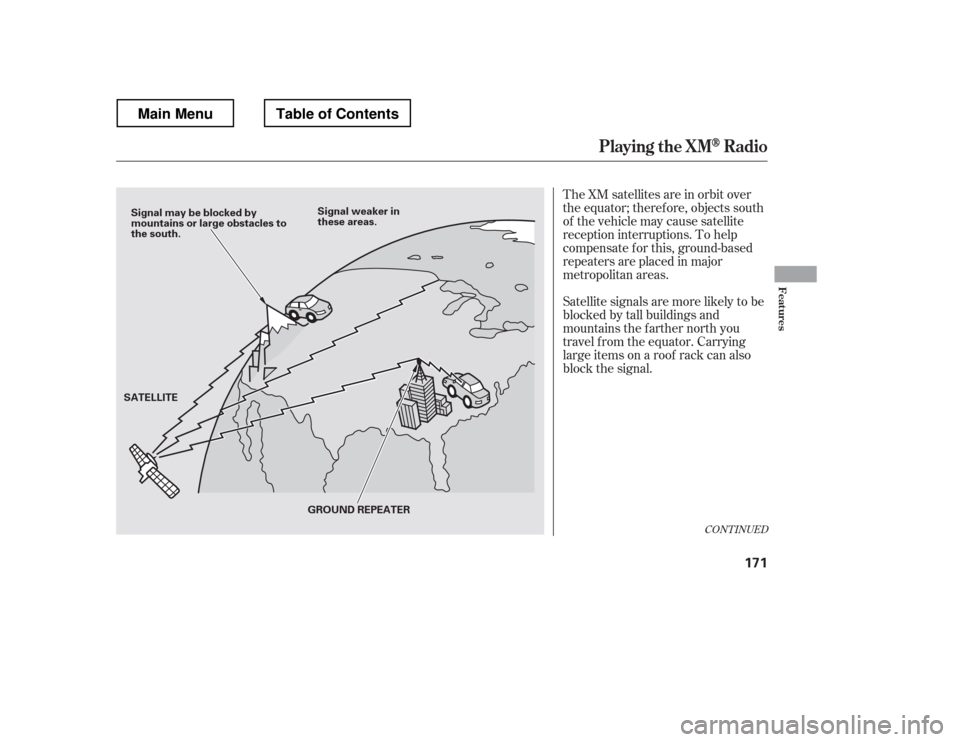
The XM satellites are in orbit over
the equator; therefore, objects south
of the vehicle may cause satellite
reception interruptions. To help
compensate f or this, ground-based
repeaters are placed in major
metropolitan areas.
Satellite signals are more likely to be
blocked by tall buildings and
mountains the f arther north you
travel f rom the equator. Carrying
large items on a roof rack can also
block the signal.
CONT INUED
Playing t he XMRadio
Features
171
Signal may be blocked by
mountains or large obstacles to
the south.Signal weaker in
these areas.
SATELLITE GROUND REPEATER
Main MenuTable of Contents
Page 214 of 429
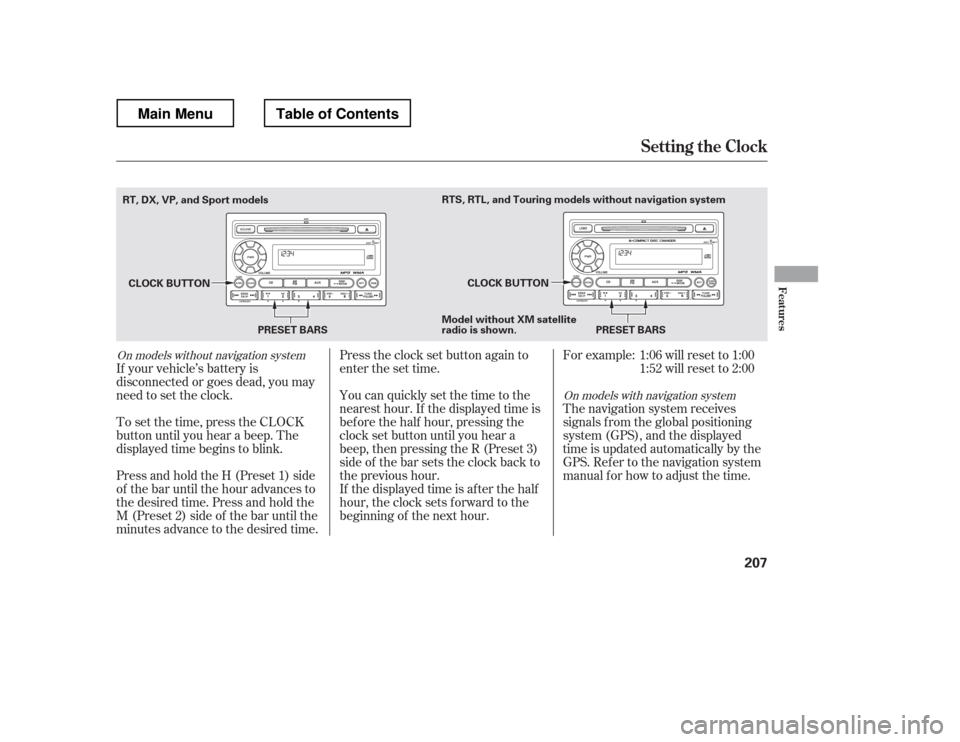
Press and hold the H (Preset 1) side
of the bar until the hour advances to
the desired time. Press and hold the
M (Preset 2) side of the bar until the
minutes advance to the desired time.
To set the time, press the CLOCK
button until you hear a beep. The
displayed time begins to blink.
If your vehicle