lock HONDA RIDGELINE 2013 1.G Navigation Manual
[x] Cancel search | Manufacturer: HONDA, Model Year: 2013, Model line: RIDGELINE, Model: HONDA RIDGELINE 2013 1.GPages: 152, PDF Size: 4.14 MB
Page 3 of 152
2Navigation System
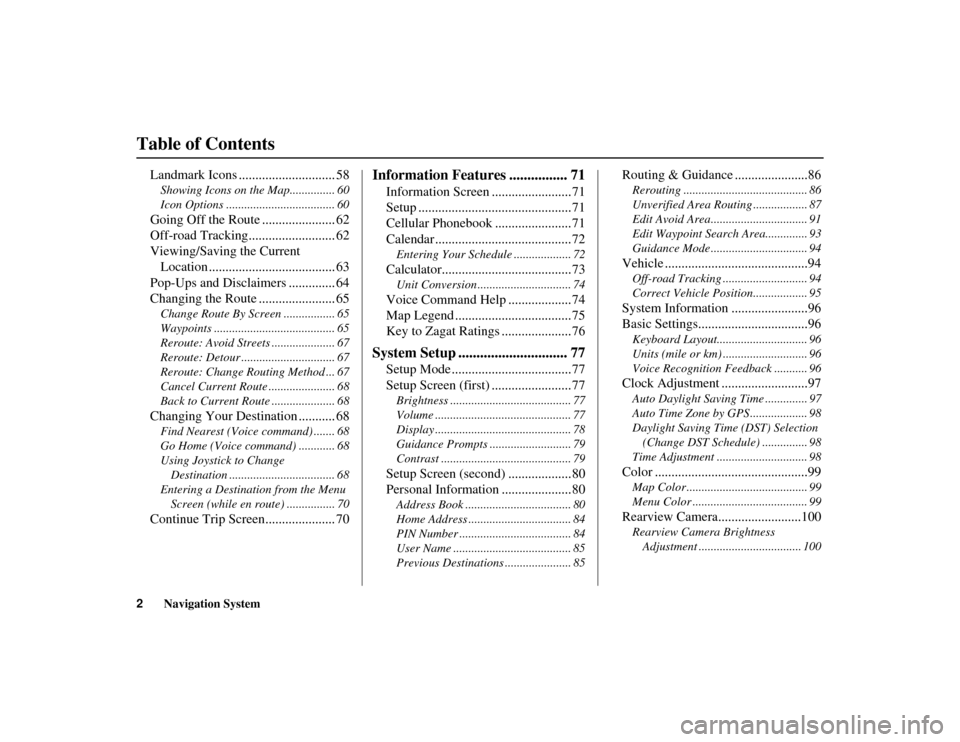
Table of Contents
RIDGELINE KA 31SJC860
Landmark Icons ............................. 58
Showing Icons on the Map............... 60
Icon Options .................................... 60
Going Off the Route ...................... 62
Off-road Tracking.......................... 62
Viewing/Saving the Current
Location ...................................... 63
Pop-Ups and Disclaimers .............. 64
Changing the Route ....................... 65
Change Route By Screen ................. 65
Waypoints ........................................ 65
Reroute: Avoid Streets ..................... 67
Reroute: Detour ............................... 67
Reroute: Change Routing Method ... 67
Cancel Current Route ...................... 68
Back to Current Route ..................... 68
Changing Your Destination ........... 68
Find Nearest (Voice command) ....... 68
Go Home (Voice command) ............ 68
Using Joystick to Change
Destination ................................... 68
Entering a Destination from the Menu Screen (while en route) ................ 70
Continue Trip Screen..................... 70
Information Features ................ 71
Information Screen ........................71
Setup ..............................................71
Cellular Phonebook .......................71
Calendar .........................................72
Entering Your Schedule ................... 72
Calculator.......................................73
Unit Conversion ............................... 74
Voice Command Help ...................74
Map Legend ...................................75
Key to Zagat Ratings .....................76
System Setup .............................. 77
Setup Mode ....................................77
Setup Screen (first) ........................77
Brightness ........................................ 77
Volume ............................................. 77
Display ............................................. 78
Guidance Prompts ........................... 79
Contrast ........................................... 79
Setup Screen (second) ...................80
Personal Information .....................80
Address Book ................................... 80
Home Address .................................. 84
PIN Number ..................................... 84
User Name ....................................... 85
Previous Destinations ...................... 85
Routing & Guidance ......................86
Rerouting ......................................... 86
Unverified Area Routing .................. 87
Edit Avoid Area................................ 91
Edit Waypoint Search Area.............. 93
Guidance Mode ................................ 94
Vehicle ...........................................94
Off-road Tracking ..... ....................... 94
Correct Vehicle Position.................. 95
System Information .......................96
Basic Settings.................................96
Keyboard Layout.............................. 96
Units (mile or km) ............................ 96
Voice Recognition Feedback ........... 96
Clock Adjustment ..........................97
Auto Daylight Saving Time .............. 97
Auto Time Zone by GPS ................... 98
Daylight Saving Time (DST) Selection (Change DST Schedule) ............... 98
Time Adjustment .............................. 98
Color ..............................................99
Map Color ........................................ 99
Menu Color ...................................... 99
Rearview Camera.........................100
Rearview Camera Brightness Adjustment .................................. 100
Page 18 of 152
Navigation System17
RIDGELINE KA 31SJC860
Getting Started
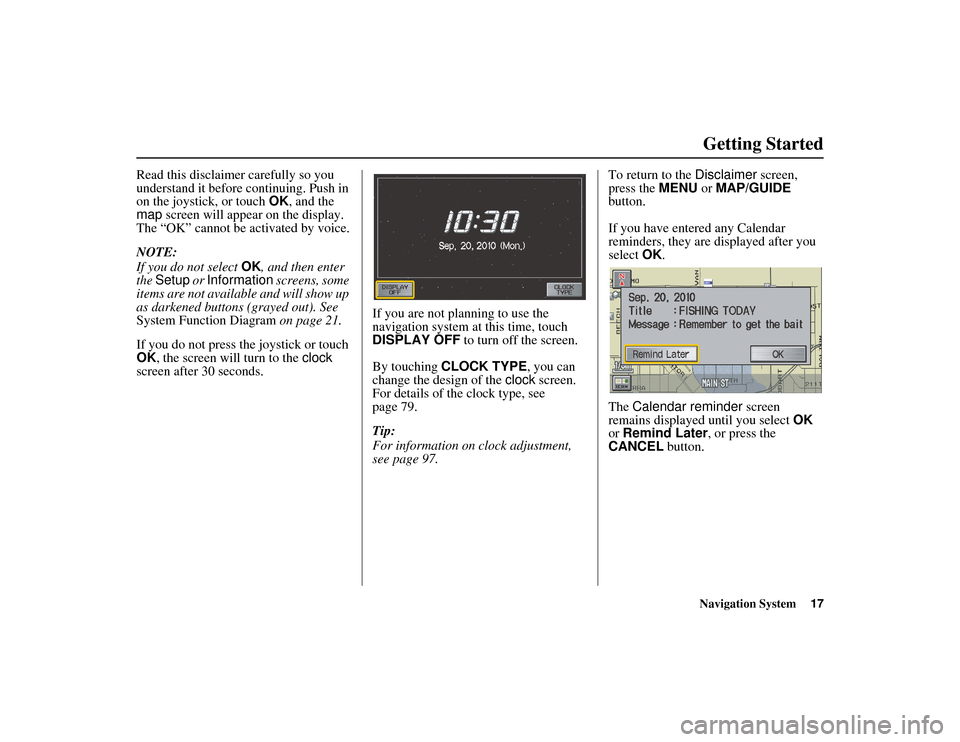
Read this disclaimer carefully so you
understand it before continuing. Push in
on the joystick, or touch OK, and the
map screen will appear on the display.
The “OK” cannot be activated by voice.
NOTE:
If you do not select OK, and then enter
the Setup or Information screens, some
items are not available and will show up
as darkened buttons (grayed out). See
System Function Diagram on page 21.
If you do not press the joystick or touch
OK , the screen will turn to the clock
screen after 30 seconds. If you are not planning to use the
navigation system at this time, touch
DISPLAY OFF
to turn off the screen.
By touching CLOCK TYPE, you can
change the design of the clock screen.
For details of the clock type, see
page 79.
Tip:
For information on clock adjustment,
see page 97. To return to the
Disclaimer screen,
press the MENU or MAP/GUIDE
button.
If you have entered any Calendar
reminders, they are displayed after you
select OK.
The Calendar reminder screen
remains displayed until you select OK
or Remind Later , or press the
CANCEL button.
Page 22 of 152
Navigation System21
RIDGELINE KA 31SJC860
Getting Started
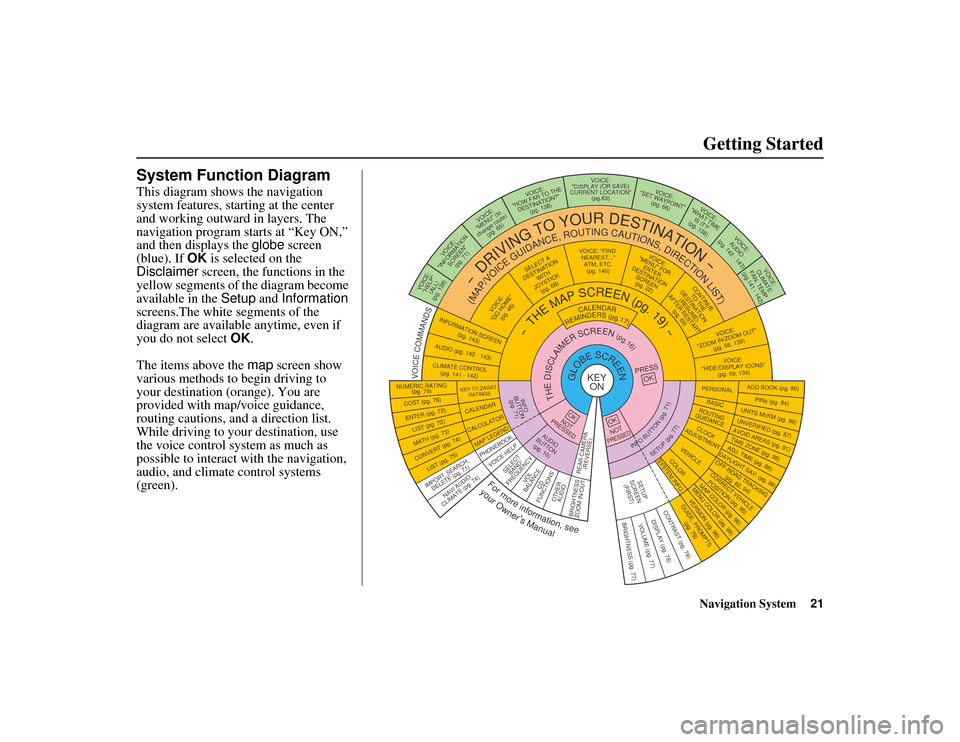
System Function Diagram
This diagram shows the navigation
system features, starting at the center
and working outward in layers. The
navigation program starts at “Key ON,”
and then displays the globe screen
(blue). If OK is selected on the
Disclaimer screen, the functions in the
yellow segments of the diagram become
available in the Setup and Information
screens.The white segments of the
diagram are available anytime, even if
you do not select OK.
The items above the map screen show
various methods to begin driving to
your destination (orange). You are
provided with map/voice guidance,
routing cautions, an d a direction list.
While driving to your destination, use
the voice control system as much as
possible to interact with the navigation,
audio, and climate control systems
(green).
KEY ONGLOBESCREENPRESS
OK
OKNOT
PRESSED
THEDISCLAIMERSCREEN(pg.16)
CALENDAR
REMINDERS(pg.17)
-THEMAPSCREEN(pg.19)-
AUDIO
BUTTON (pg. 10)
INFO
BUTTON (pg. 71)
Formoreinformation,see
yourOwner’sManual
VOICECOMMANDS
NAVI AUDIO
CLIMATE (pg. 74)
NUMERIC RATING (pg. 76)
COST (pg. 76)
ENTER (pg. 72)LIST (pg. 72)
MATH (pg. 73)
CONVERT (pg. 74)LIST (pg. 75)
KEY TO ZAGAT
RATINGS
CALENDAR
CALCULATOR
MAP LEGEND
VOICE: "FIND NEAREST..." ATM, ETC.(pg. 140)
SELECT A
DESTINATION WITH
JOYSTICK (pg. 68)
VOICE:
"GO HOME" (pg. 46)
VOICE:
"MENU" FOR ENTER
DESTINATION SCREEN(pg. 22)
CONTINUE TO THE
DESTINATION (RESUME)
AFTER RESTART
(pg. 69)
VOICE HELPSELECTBAND/
FREQUENCYVOL
BALANCECD
FUNCTIONS
OTHER AUDIO
VOICE:
"ZOOM IN/ZOOM OUT" (pg. 56, 139)
VOICE:
"HIDE/DISPLAY ICONS" (pg. 59, 139)
INFORMATION SCREEN
(pg. 143)
AUDIO (pg. 142 - 143)
CLIMATE CONTROL(pg. 141 - 142)
-
DRIVINGTOYOURDESTINATION-
(MAP/VOICEGUIDANCE,ROUTINGCAUTIONS,DIRECTIONLIST)VOICE:"HELP" (ALL)
(pg. 138)
VOICE:
"INFORMATION SCREEN"(pg. 71)
VOICE:
"MENU" (to
change route) (pg. 65)
VOICE:
"HOW FAR TO THE DESTINATION?" (pg. 138)
VOICE:
"DISPLAY (OR S AVE)
CURRENT LOCATION" (pg.63)VOICE:"SET WAYPOINT"(pg. 66)
VOICE:
"WHAT TIME IS IT?"
(pg. 138)
VOICE:
AUDIO
(pg. 142 - 143)
VOICE:
CLIMATE
FAN, TEMP
(pg.141 - 142)
ADD BOOK (pg. 80)
PINs (pg. 84)UNITS MI/KM (pg. 96)
PERSONAL
BASIC
UNVERIFIED (pg. 87)AVOID AREAS (pg. 91)TIME ZONE (pg. 98)ADJ. TIME (pg. 98)DAYLIGHT SAV. (pg. 98)
ROUTING
GUIDANCE
CLOCK
ADJUSTMENT
OFF-ROAD TRACKING (pg. 62, 94)
CORRECT VEHICLE
POSITION (pg. 95)MAP COLOR (pg. 99)MENU COLOR (pg. 99)
VEHICLECOLOR
GUIDE. PROMPTS (pg. 79)
SETUP
SCREEN (FIRST)
OKNOTPRESSED
VERSION (pg. 96)
SYSTEM INFO.
BRIGHTNESS (pg. 77)VOLUME (pg. 77)DISPLAY (pg. 78)CONTRAST (pg. 79)
INFOBUTTON(pg.71)
SETUP(pg.77)
IMPORT, SEARCH, DELETE (pg. 71)
PHONEBOOK
BRIGHTNESS
ZOOM IN/OUT REAR CAMERA
(REVERSE)
Page 58 of 152
Navigation System57
RIDGELINE KA 31SJC860
Map Orientation
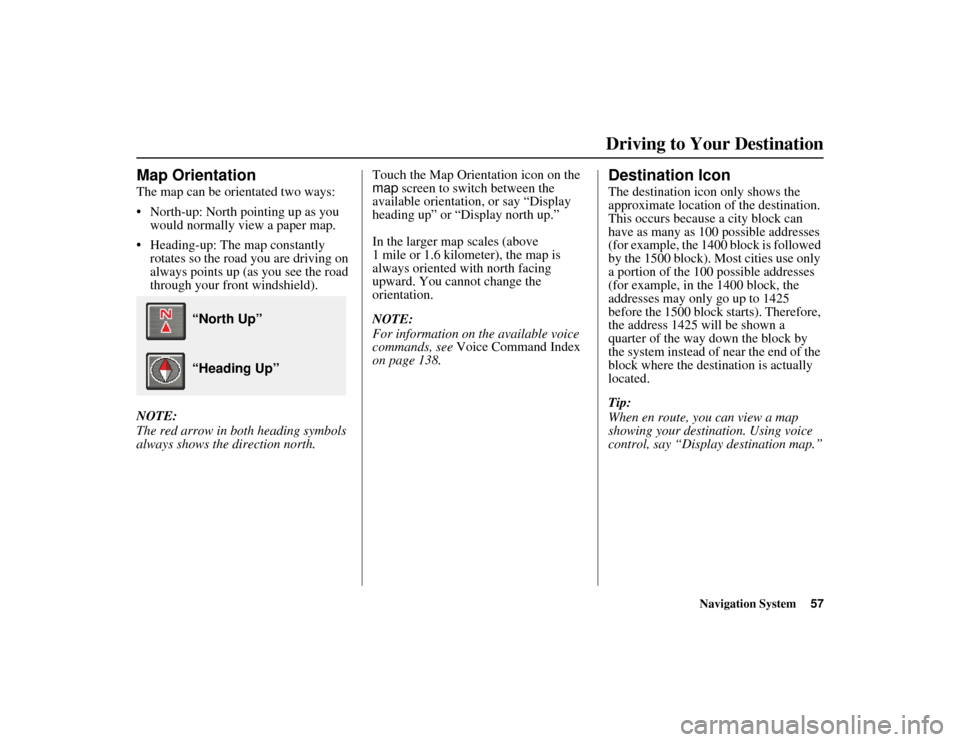
The map can be orientated two ways:
• North-up: North pointing up as you
would normally view a paper map.
• Heading-up: The map constantly rotates so the road you are driving on
always points up (as you see the road
through your front windshield).
NOTE:
The red arrow in both heading symbols
always shows the direction north. Touch the Map Orientation icon on the
map
screen to switch between the
available orientation, or say “Display
heading up” or “Display north up.”
In the larger map scales (above
1 mile or 1.6 kilometer), the map is
always oriented with north facing
upward. You cannot change the
orientation.
NOTE:
For information on the available voice
commands, see Voice Command Index
on page 138.
Destination Icon
The destination icon only shows the
approximate location of the destination.
This occurs because a city block can
have as many as 100 possible addresses
(for example, the 1400 block is followed
by the 1500 block). Most cities use only
a portion of the 100 possible addresses
(for example, in the 1400 block, the
addresses may only go up to 1425
before the 1500 block starts). Therefore,
the address 1425 will be shown a
quarter of the way down the block by
the system instead of near the end of the
block where the destin ation is actually
located.
Tip:
When en route, you can view a map
showing your destin ation. Using voice
control, say “Display destination map.”
“North Up”
“Heading Up”
Driving to Your Destination
Page 79 of 152
78Navigation System
RIDGELINE KA 31SJC860
System Setup
Display
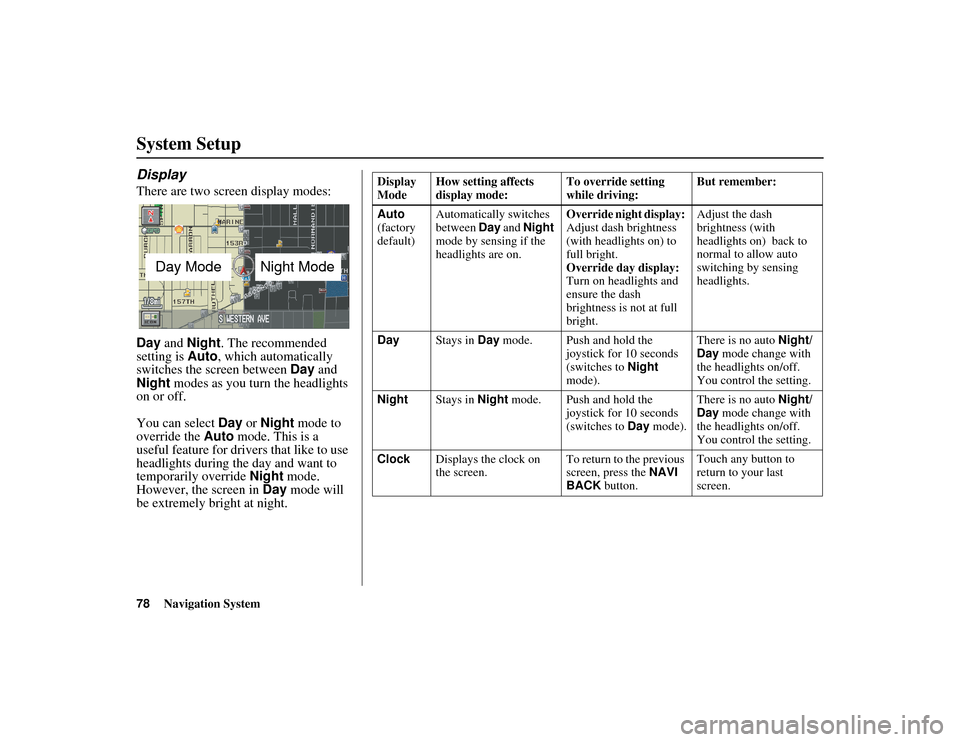
There are two screen display modes:
Day and Night. The recommended
setting is Auto, which automatically
switches the screen between Day and
Night modes as you turn the headlights
on or off.
You can select Day or Night mode to
override the Auto mode. This is a
useful feature for drivers that like to use
headlights during the day and want to
temporarily override Night mode.
However, the screen in Day mode will
be extremely bright at night.
Day ModeNight Mode
Display
Mode How setting affects
display mode: To override setting
while driving:But remember:
Auto
(factory
default) Automatically switches
between
Day and Night
mode by sensing if the
headlights are on. Override night display:
Adjust dash brightness
(with headlights on) to
full bright.
Override day display:
Turn on headlights and
ensure the dash
brightness is not at full
bright.Adjust the dash
brightness (with
headlights on) back to
normal to allow auto
switching by sensing
headlights.
Day Stays in Day mode. Push and hold the
joystick for 10 seconds
(switches to Night
mode). There is no auto
Night/
Day mode change with
the headlights on/off.
You control the setting.
Night Stays in Night mode. Push and hold the
joystick for 10 seconds
(switches to Day mode). There is no auto
Night/
Day mode change with
the headlights on/off.
You control the setting.
Clock Displays the clock on
the screen. To return to the previous
screen, press the
NAVI
BACK button. Touch any button to
return to your last
screen.
Page 80 of 152
Navigation System79
RIDGELINE KA 31SJC860
System Setup
When you select Clock in Setup or the
Disclaimer screen times out, the clock
screen is displayed (see page 17).
DISPLAY OFF
When you touch the DISPLAY OFF
button, the screen is turned off. Voice
guidance will continue to work in this
mode. To turn on the screen, press any
navigation or voice control button.
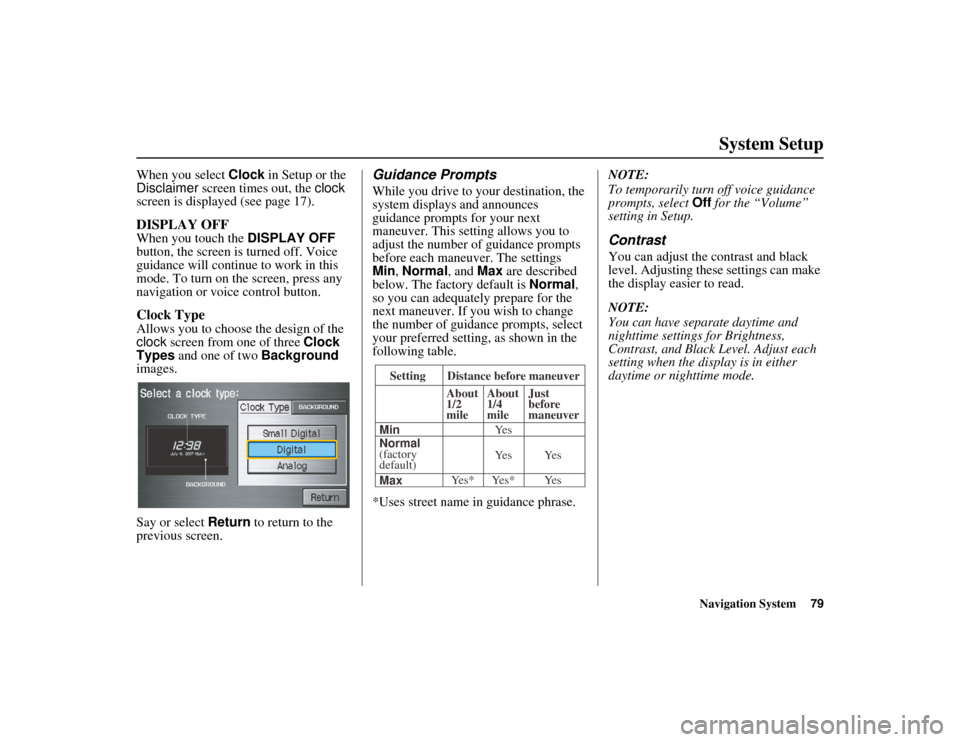
Clock Type
Allows you to choose the design of the
clock screen from one of three Clock
Types and one of two Background
images.
Say or select Return to return to the
previous screen.
Guidance Prompts
While you drive to yo ur destination, the
system displays and announces
guidance prompts for your next
maneuver. This settin g allows you to
adjust the number of guidance prompts
before each maneuver. The settings
Min , Normal , and Max are described
below. The factory default is Normal,
so you can adequately prepare for the
next maneuver. If you wish to change
the number of guidance prompts, select
your preferred setting, as shown in the
following table.
*Uses street name in guidance phrase. NOTE:
To temporarily turn
off voice guidance
prompts, select Off for the “Volume”
setting in Setup.
Contrast
You can adjust the contrast and black
level. Adjusting these settings can make
the display easier to read.
NOTE:
You can have separate daytime and
nighttime settings for Brightness,
Contrast, and Black Level. Adjust each
setting when the display is in either
daytime or nighttime mode.
Setting Distance before maneuver
About
1/2
mile
Max Normal
(factory
default) Min About
1/4
mile
Just
before
maneuver
Yes* Yes* Yes Ye s Ye s Ye s
Page 96 of 152
Navigation System95
RIDGELINE KA 31SJC860
System Setup
After you have traveled approximately
1/2 mile away from a mapped road, the
system will display a series of white
dots on the map screen to show the path
you have traveled. This is provided so
you can follow the dots to backtrack to
the mapped road you originally left.
Tracking continues until you reach a
mapped road. See Off-road Tracking on
page 62.
Tracking is shown only in the 1/20, 1/8,
1/4, and 1/2 mile scales, or the 80, 200,
400, and 800 meter scales. Use the
ZOOM buttons to change the scales if
necessary.
NOTE:
To clear existing dots, turn this feature
off and exit Setup. To re-enable this
feature, return to Setup and turn it on
again.Correct Vehicle Position
The system relies on satellites for
positioning information. Buildings,
tunnels, and other objects can block or
reflect these signals, requiring the
system to use “dead reckoning” to
determine your loca tion and direction.
This can sometimes lead to small errors
in positioning, such as showing you on
an adjacent street.
NOTE:
Using this function to adjust vehicle
position is not recommended. When the
system acquires a GPS signal, it will
automatically place the vehicle in the
correct location. If you choose to do this, follow these
steps:
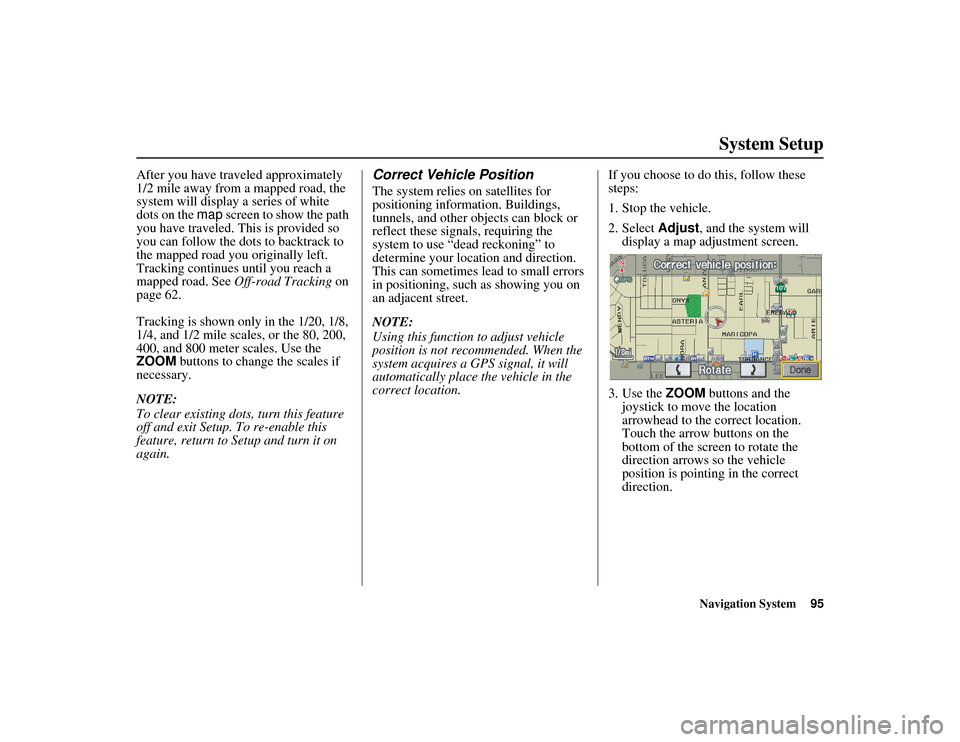
1. Stop the vehicle.
2. Select
Adjust, and the system will
display a map adjustment screen.
3. Use the ZOOM buttons and the
joystick to move the location
arrowhead to the correct location.
Touch the arrow buttons on the
bottom of the screen to rotate the
direction arrows so the vehicle
position is pointin g in the correct
direction.
Page 98 of 152
Navigation System97
RIDGELINE KA 31SJC860
System Setup
Clock Adjustment
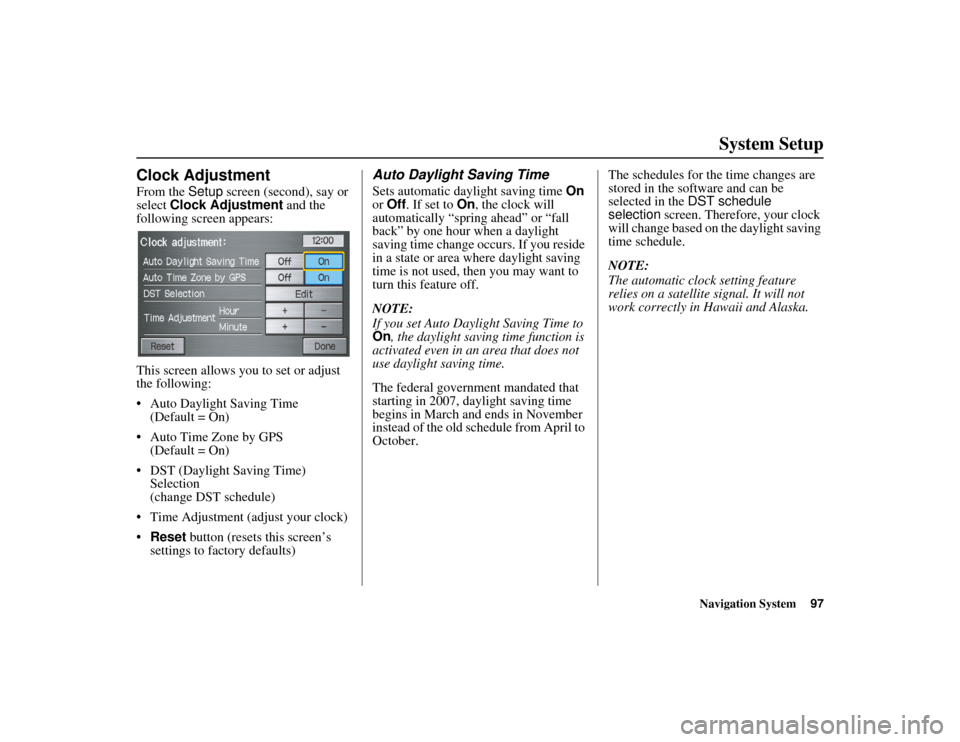
From the Setup screen (second), say or
select Clock Adjustment and the
following screen appears:
This screen allows you to set or adjust
the following:
• Auto Daylight Saving Time (Default = On)
• Auto Time Zone by GPS (Default = On)
• DST (Daylight Saving Time) Selection
(change DST schedule)
• Time Adjustment (adjust your clock)
• Reset button (resets this screen’s
settings to factory defaults)
Auto Daylight Saving Time
Sets automatic daylight saving time On
or Off . If set to On , the clock will
automatically “spring ahead” or “fall
back” by one hour when a daylight
saving time change occurs. If you reside
in a state or area where daylight saving
time is not used, then you may want to
turn this feature off.
NOTE:
If you set Auto Daylight Saving Time to
On , the daylight saving time function is
activated even in an area that does not
use daylight saving time.
The federal government mandated that
starting in 2007, daylight saving time
begins in March and ends in November
instead of the old schedule from April to
October. The schedules for the time changes are
stored in the software and can be
selected in the
DST schedule
selection screen. Therefore, your clock
will change based on the daylight saving
time schedule.
NOTE:
The automatic clock setting feature
relies on a satellite signal. It will not
work correctly in Hawaii and Alaska.
Page 101 of 152
100Navigation System
RIDGELINE KA 31SJC860
System Setup
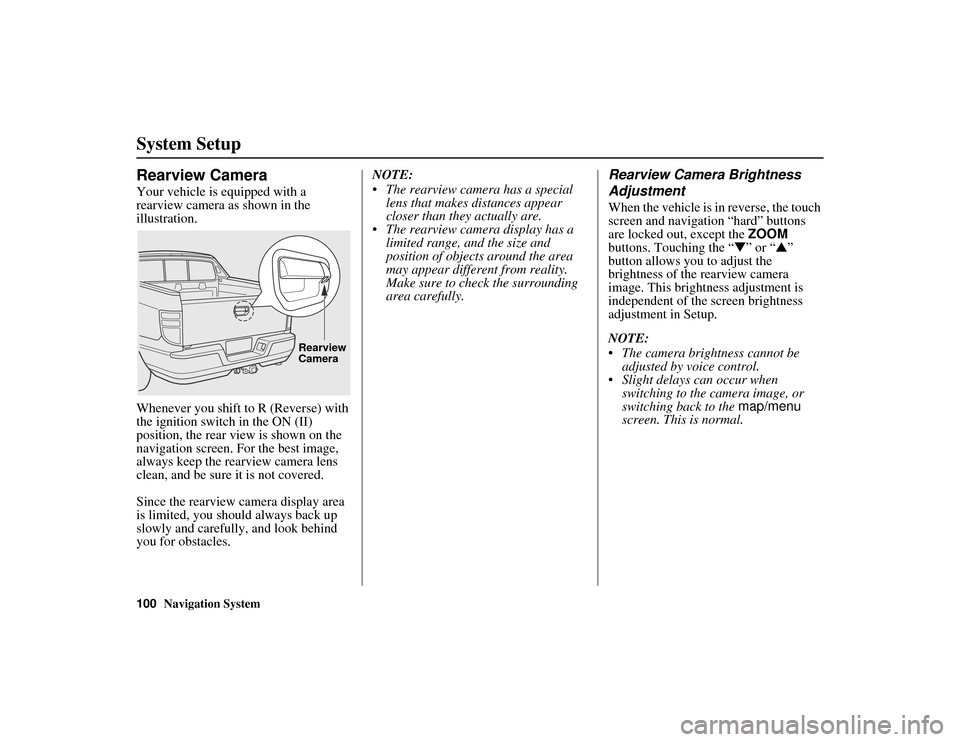
Rearview Camera
Your vehicle is equipped with a
rearview camera as shown in the
illustration.
Whenever you shift to R (Reverse) with
the ignition switch in the ON (II)
position, the rear view is shown on the
navigation screen. For the best image,
always keep the rearview camera lens
clean, and be sure it is not covered.
Since the rearview camera display area
is limited, you should always back up
slowly and carefully, and look behind
you for obstacles.NOTE:
• The rearview camera has a special
lens that makes distances appear
closer than they actually are.
• The rearview camera display has a
limited range, and the size and
position of objects around the area
may appear differe nt from reality.
Make sure to check the surrounding
area carefully.
Rearview Camera Brightness
Adjustment
When the vehicle is in reverse, the touch
screen and navigation “hard” buttons
are locked out, except the ZOOM
buttons. Touching the “ ▼” or “ ▲”
button allows you to adjust the
brightness of the rearview camera
image. This brightness adjustment is
independent of the screen brightness
adjustment in Setup.
NOTE:
• The camera brightness cannot be adjusted by voice control.
• Slight delays can occur when switching to the camera image, or
switching back to the map/menu
screen. This is normal.
Rearview
Camera
Page 105 of 152
104Navigation System
RIDGELINE KA 31SJC860
System Limitations
The destination icon shows the
approximate location of the destination.
This occurs because a city block can
have as many as 100 possible addresses
(for example, the 1400 block is followed
by the 1500 block). Since most cities
use only a portion of the 100 possible
addresses (for example, in the 1400
block, the addresses may only go up to
1425 before the 1500 block starts), the
address 1425 will be shown a quarter of
the way down the block by the system
instead of at the end of the block where
the destination is actually located.
You may find that the system
occasionally reboots. This is indicated
by the display returning to the globe
screen. A reboot can be caused by a
number of things, such as extreme
temperatures or shock from bumpy
roads. It does not necessarily indicate a
problem that requires service. If this
happens frequently, please see your
dealer.