stop start HONDA RIDGELINE 2019 (in English) User Guide
[x] Cancel search | Manufacturer: HONDA, Model Year: 2019, Model line: RIDGELINE, Model: HONDA RIDGELINE 2019Pages: 624, PDF Size: 34.98 MB
Page 111 of 624
109
Controls
This chapter explains how to operate the various controls necessary for driving.
Clock.................................................. 110
Locking and Unlocking the Doors Key Types and Functions .................. 111
Low Smart Entry Remote Signal Strength... 113
Locking/Unlocking the Doors from the Outside .......................................... 114
Locking/Unlocking the Doors from the
Inside ............................................. 121
Childproof Door Locks ..................... 123
Auto Door Locking/Unlocking .......... 124
Opening and Closing the Tailgate ... 128
Opening and Closing the Trunk ....... 130
Security System
Immobilizer System .......................... 133
Security System Alarm ...................... 133
Opening and Closing the Windows .... 136
Opening and Closing the Moonroof*... 140Operating the Switches Around the Steering Wheel ENGINE START/STOP Button............. 142
Turn Signals ..................................... 145
Light Switches.................................. 146
Fog Lights
*...................................... 149
Daytime Running Lights ................... 150
Auto High-Beam (H igh Beam Support
System)
*........................................ 151
Wipers and Washers ........................ 154
Rear Defogger/Heat ed Door Mirror
*
Button ........................................... 156 Heated Windshield Button ............... 156
Brightness Control ........................... 157
Driving Position Memory System
*.... 158
Adjusting the Steering Wheel .......... 160
Adjusting the Mirrors Interior Rearview Mirror ................... 161
Power Door Mirrors ......................... 162
Adjusting the Seats .......................... 163
Interior Lights/Convenience Items
Interior Lights .................................. 171
Interior Convenience Items .............. 173
In-Bed Convenience Items................ 184
Climate Control System
*.................. 188
Heating and Cooling System*......... 195
Canadian models
* Not available on all models
Page 113 of 624
111Continued
Controls
Locking and Unlocking the Doors
Key Types and Functions
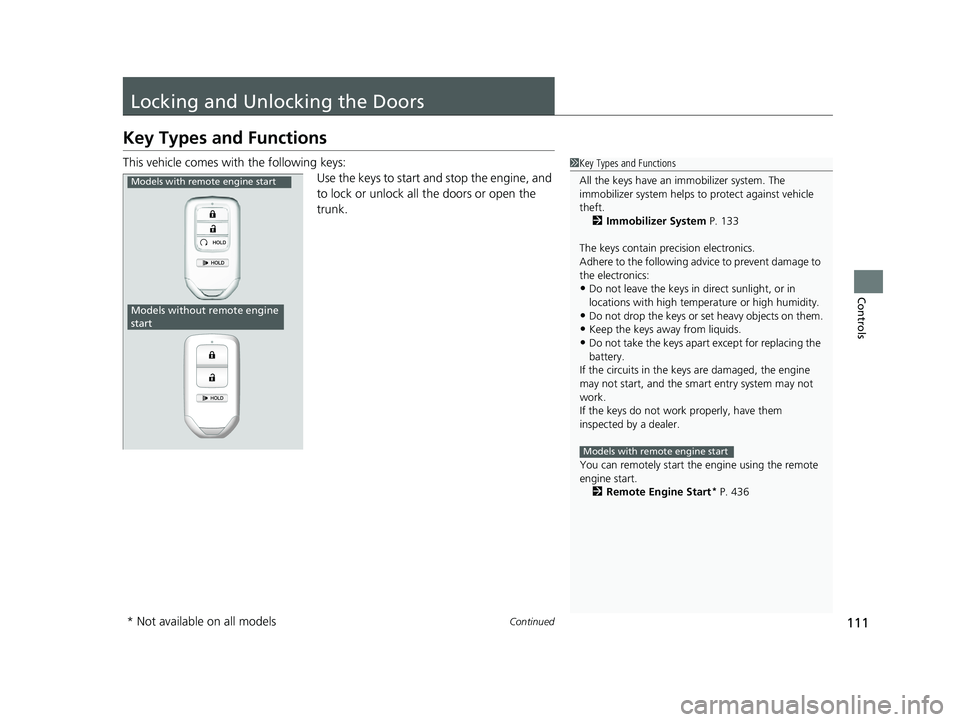
This vehicle comes with the following keys:
Use the keys to start and stop the engine, and
to lock or unlock all the doors or open the
trunk.1Key Types and Functions
All the keys have an immobilizer system. The
immobilizer system helps to protect against vehicle
theft. 2 Immobilizer System P. 133
The keys contain precision electronics.
Adhere to the following advi ce to prevent damage to
the electronics:
•Do not leave the keys in direct sunlight, or in
locations with high temperature or high humidity.
•Do not drop the keys or set heavy objects on them.
•Keep the keys away from liquids.
•Do not take the keys apart except for replacing the
battery.
If the circuits in the keys are damaged, the engine
may not start, and the smart entry system may not
work.
If the keys do not work properly, have them
inspected by a dealer.
You can remotely start the engine using the remote
engine start.
2 Remote Engine Start
* P. 436
Models with remote engine start
Models with remote engine start
Models without remote engine
start
* Not available on all models
Page 135 of 624
133Continued
Controls
Security System
Immobilizer System
The immobilizer system prevents a key that has not been pre-registered from
starting the engine. Each key contains electronic transmitters that use electronic
signals to verify the key.
Pay attention to the follo wing when pressing the ENGINE START/STOP button:
• Do not allow objects that emit strong radio waves near the ENGINE START/
STOP button.
• Make sure the key is not covered by or touching a metal object.
• Do not bring a key from another vehicle’s immobilizer system near the ENGINE
START/STOP button.
• Do not put the key near magnetic items. Electronic device such as televisions and
audio systems emit strong magnetic fiel ds. Note that even a key chain can
become magnetic.
Security System Alarm
The security system alarm activates when the trunk, hood or doors are forcibly
opened. The alarm does not go off if the trunk or doors are opened with the key,
remote transmitter or smart entry with push button start system.
However, the alarm goes off if a door is opened with the key and the shift lever is
moved out of
(P or the hood is opened before the power mode is set to ON.
■When the security system alarm activates
The horn sounds intermittently , some exterior lights flash.
1Immobilizer System
NOTICE
Leaving the smart entry remote in the vehicle can
result in theft or accident al movement of the vehicle.
Always take the key with you whenever you leave the
vehicle unattended.
Do not alter the system or add other devices to it.
Doing so may damage the system and make your
vehicle inoperable.
1 Security System Alarm
Do not alter the system or add other devices to it.
Doing so may damage the system and make your
vehicle inoperable.
The security alarm continues for a maximum of two
minutes until the security system alarm deactivates.
Page 144 of 624
142
Controls
Operating the Switches Around the Steering Wheel
ENGINE START/STOP Button
*1:Canadian models
*2:U.S. models
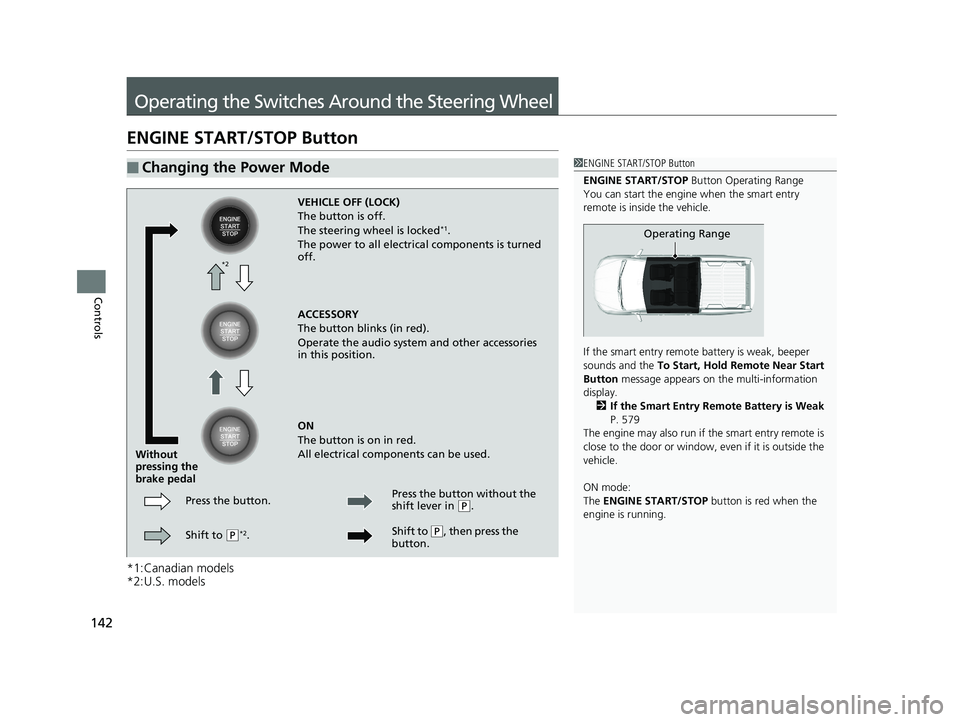
■Changing the Power Mode1ENGINE START/STOP Button
ENGINE START/STOP Button Operating Range
You can start the engine when the smart entry
remote is inside the vehicle.
If the smart entry remote battery is weak, beeper
sounds and the To Start, Hold Remote Near Start
Button message appears on the multi-information
display. 2 If the Smart Entry Remote Battery is Weak
P. 579
The engine may also run if the smart entry remote is
close to the door or window, ev en if it is outside the
vehicle.
ON mode:
The ENGINE START/STOP button is red when the
engine is running.
Operating Range
VEHICLE OFF (LOCK)
The button is off.
The steering wheel is locked
*1.
The power to all electrical components is turned
off.
ACCESSORY
The button blinks (in red).
Operate the audio system and other accessories
in this position.
ON
The button is on in red.
All electrical components can be used.
Press the button.
Without
pressing the
brake pedal
Shift to
(P*2. Press the button without the
shift lever in
(
P.
Shift to
( P, then press the
button.
*2
Page 145 of 624
Continued143
uuOperating the Switches Around the Steering Wheel uENGINE START/STOP Button
Controls
If you leave the vehicle for 30 to 60 minutes with the shift lever in (P and the power
mode in ACCESSORY, the vehicle automatica lly goes into the mode similar to
VEHICLE OFF (LOCK) to avoid draining the battery.
When in this mode:
The steering wheel does not lock.
You cannot lock or unlock doors with th e remote transmitter or the smart entry
system.
Press the ENGINE START/STOP button to switch the mode to VEHICLE OFF (LOCK).
If you open the driver’s door when the power mode is set to ACCESSORY, a warning
beep sounds.
■Automatic Power Off
■Power Mode Reminder
1 ENGINE START/STOP Button
If the power mode does not change from VEHICLE
OFF to ACCESSORY, press the ENGINE START/STOP
button while moving the st eering wheel left and
right. The steering wheel will unlock, allowing the
mode to change.
Do not leave the power mode in ACCESSORY or ON
when you get out.
Canadian models
Canadian models
Page 146 of 624
uuOperating the Switches Around the Steering Wheel uENGINE START/STOP Button
144
Controls
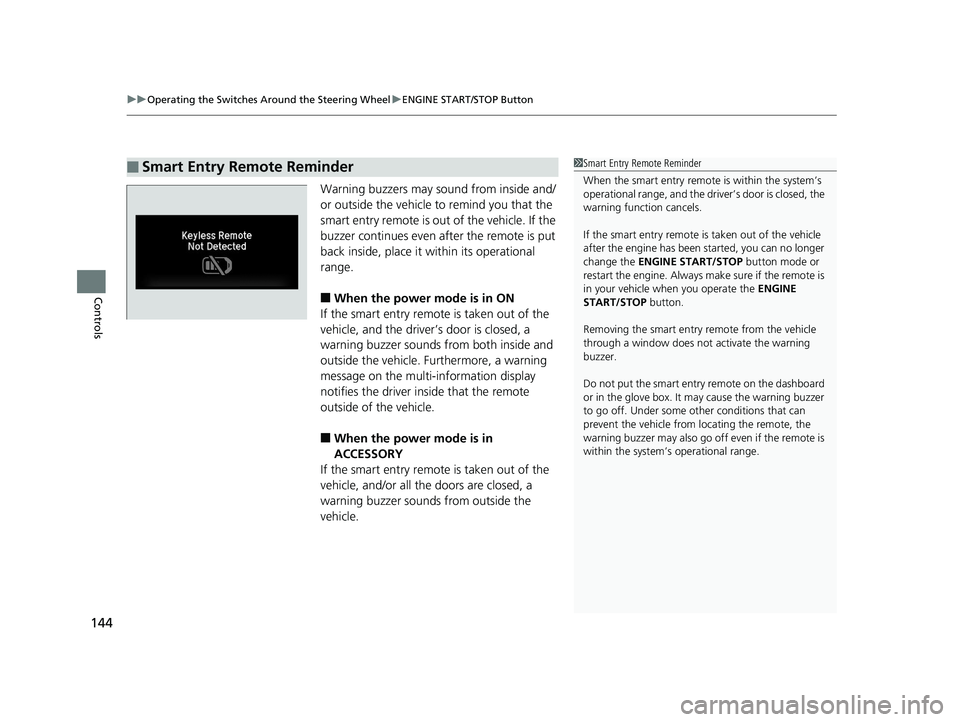
Warning buzzers may sound from inside and/
or outside the vehicle to remind you that the
smart entry remote is out of the vehicle. If the
buzzer continues even after the remote is put
back inside, place it within its operational
range.
■When the power mode is in ON
If the smart entry remote is taken out of the
vehicle, and the driver’s door is closed, a
warning buzzer sounds from both inside and
outside the vehicle. Furthermore, a warning
message on the multi-information display
notifies the driver inside that the remote
outside of the vehicle.
■When the power mode is in
ACCESSORY
If the smart entry remote is taken out of the
vehicle, and/or all the doors are closed, a
warning buzzer sounds from outside the
vehicle.
■Smart Entry Remote Reminder1 Smart Entry Remote Reminder
When the smart entry remote is within the system’s
operational range, and the driv er’s door is closed, the
warning function cancels.
If the smart entry remote is taken out of the vehicle
after the engine has been started, you can no longer
change the ENGINE START/STOP button mode or
restart the engine. Always make sure if the remote is
in your vehicle when you operate the ENGINE
START/STOP button.
Removing the smart entry remote from the vehicle
through a window does not activate the warning
buzzer.
Do not put the smart entr y remote on the dashboard
or in the glove box. It may cause the warning buzzer
to go off. Under some other conditions that can
prevent the vehicle from locating the remote, the
warning buzzer may al so go off even if the remote is
within the system’s operational range.
Page 300 of 624
298
uuAudio Error Messages uAndroid/Apps
Features
Android/Apps
If an error occurs while us ing the audio system or apps , you may see the following
error messages. If you cannot clear the error message, contact a dealer.
*1:****part is variable characters, and will change depending upon where an error occurs.
Error MessageSolution
Unfortunately, **** has
stopped.*1Error has occurred within app, select OK on the screen to close the app.
**** is not responding.
Would you like to close
it?
*1
App is not responding.
Select Wait if you can wait for a response from app a littl e longer. If it does not respond even if you keep
waiting, select OK to close the app and start it up. If the error message continues, perform Factory Data
Reset .
2Defaulting All the Settings P. 348
Models with Display Audio
Page 404 of 624
uuBluetooth ® HandsFreeLink ®u HFL Menus
402
Features
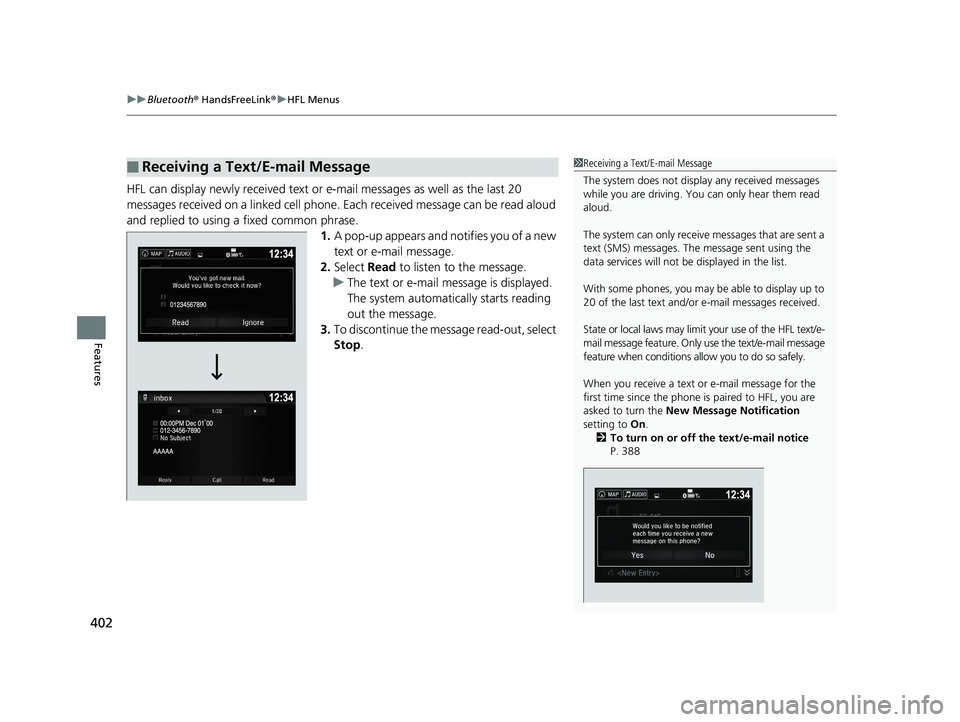
HFL can display newly received text or e-mail messages as well as the last 20
messages received on a linked cell phone. Each received message can be read aloud
and replied to using a fixed common phrase. 1.A pop-up appears and notifies you of a new
text or e-mail message.
2. Select Read to listen to the message.
u The text or e-mail message is displayed.
The system automatically starts reading
out the message.
3. To discontinue the message read-out, select
Stop .
■Receiving a Text/E-mail Message1Receiving a Text/E-mail Message
The system does not display any received messages
while you are driving. You can only hear them read
aloud.
The system can only receive messages that are sent a
text (SMS) messages. The message sent using the
data services will not be displayed in the list.
With some phones, you may be able to display up to
20 of the last text and/or e-mail messages received.
State or local laws may limit your use of the HFL text/e-
mail message feature. Only use the text/e-mail message
feature when conditions a llow you to do so safely.
When you receive a text or e-mail message for the
first time since the phone is paired to HFL, you are
asked to turn the New Message Notification
setting to On.
2 To turn on or off the text/e-mail notice
P. 388
Page 408 of 624
uuBluetooth ® HandsFreeLink ®u HFL Menus
406
Features
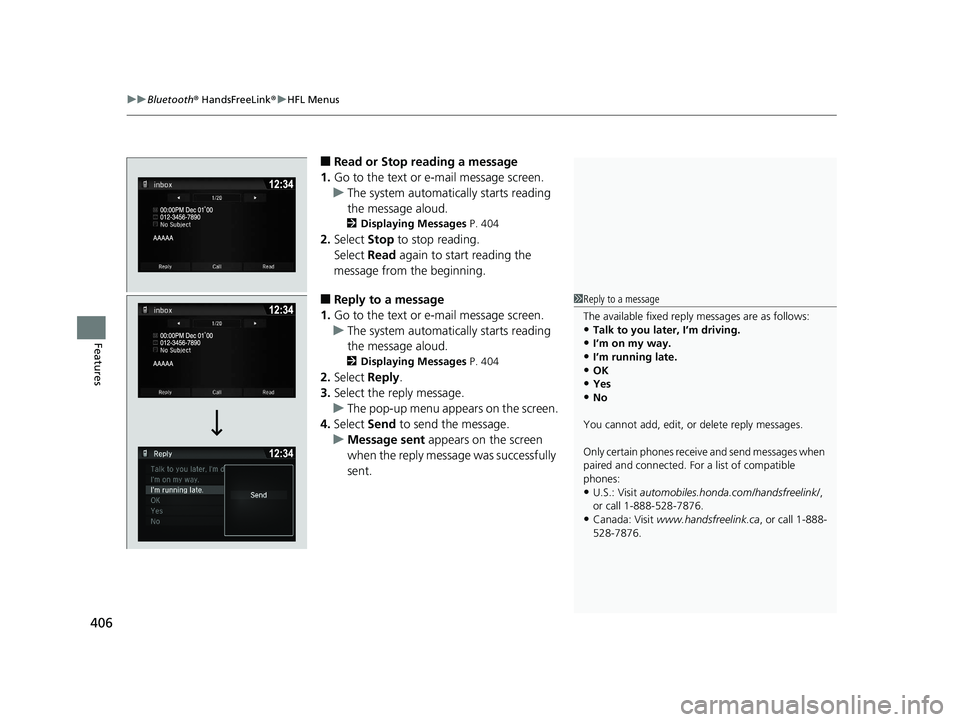
■Read or Stop reading a message
1. Go to the text or e-mail message screen.
u The system automatically starts reading
the message aloud.
2 Displaying Messages P. 404
2.Select Stop to stop reading.
Select Read again to start reading the
message from the beginning.
■Reply to a message
1. Go to the text or e-mail message screen.
u The system automatically starts reading
the message aloud.
2 Displaying Messages P. 404
2.Select Reply.
3. Select the reply message.
u The pop-up menu appears on the screen.
4. Select Send to send the message.
u Message sent appears on the screen
when the reply message was successfully
sent.
1 Reply to a message
The available fixed reply messages are as follows:
•Talk to you later, I’m driving.
•I’m on my way.
•I’m running late.•OK
•Yes
•No
You cannot add, edit, or delete reply messages.
Only certain phones receiv e and send messages when
paired and connected. For a list of compatible
phones:
•U.S.: Visit automobiles.honda.com /handsfreelink/,
or call 1-888-528-7876.
•Canada: Visit www.handsfreelink.ca , or call 1-888-
528-7876.
Page 413 of 624
411
Driving
This chapter discusses driving and refueling.
Before Driving................................... 412
Towing a Trailer ................................ 420
Off-Highway Driving Guidelines ..... 432
When Driving Starting the Engine .......................... 434
Precautions While Driving................. 440
Automatic Transmission ................... 441
Shifting ............................................ 442
ECON Button ................................... 444
Intelligent Traction Management...... 445
Cruise Control
*................................ 447
Front Sensor Camera*...................... 450Road Departure Mi tigation (RDM)
System*...................................... 452
Adaptive Cruise Control (ACC)*....... 457
Lane Keeping Assist System (LKAS)*.... 470Vehicle Stability Assist ® (VSA ®), aka Electronic
Stability Control (ESC), System ............. 478
Agile Handling Assist ....................... 480
Intelligent Variable Torque ManagementTM
(i-VTM4TM) AWD System*............... 481
TPMS with Tire Fill Assist .................. 482
Tire Pressure Monitoring System (TPMS) -
Required Federal Explanation ......... 484
Blind spot inform ation (BSI) System
*.... 486
LaneWatchTM*.................................. 488 Braking
Brake System ................................... 490
Anti-lock Brake System (ABS) ........... 492
Brake Assist System ......................... 493
Collision Mitigation Braking System
TM
(CMBSTM)*..................................... 494
Parking Your Vehicle When Stopped ................................ 503
Parking Sensor System
*................... 504
Cross Traffic Monitor*..................... 508
Multi-View Rear Camera .................. 512
Refueling Fuel Information .............................. 514
How to Refuel ................................. 515
Fuel Economy and CO
2 Emissions .... 517
* Not available on all models