Hold HONDA RIDGELINE 2023 Owner's Manual
[x] Cancel search | Manufacturer: HONDA, Model Year: 2023, Model line: RIDGELINE, Model: HONDA RIDGELINE 2023Pages: 598, PDF Size: 12.34 MB
Page 145 of 598
143Continued
Controls
Moonroof*
Opening/Closing the Moonroof
You can operate the moonroof when the power mode is in ON. Use the switch in
the front of the ceiling to open and close the moonroof.
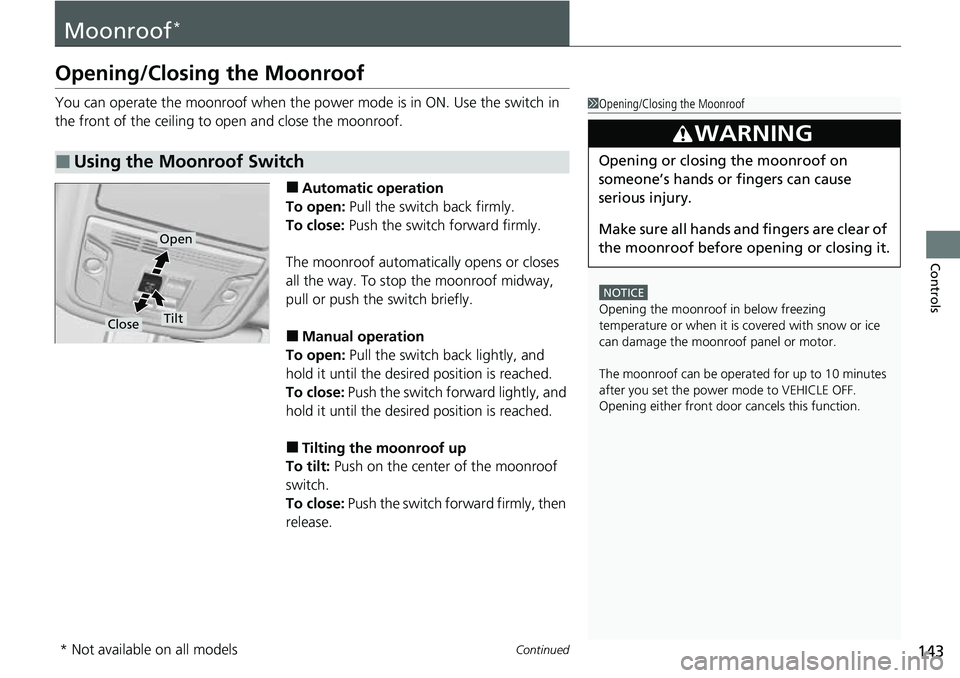
■Automatic operation
To open: Pull the switch back firmly.
To close: Push the switch forward firmly.
The moonroof automatically opens or closes
all the way. To stop the moonroof midway,
pull or push the switch briefly.
■Manual operation
To open: Pull the switch back lightly, and
hold it until the desired position is reached.
To close: Push the switch forward lightly, and
hold it until the desired position is reached.
■Tilting the moonroof up
To tilt: Push on the center of the moonroof
switch.
To close: Push the switch fo rward firmly, then
release.
■Using the Moonroof Switch
1 Opening/Closing the Moonroof
NOTICE
Opening the moonroof in below freezing
temperature or when it is covered with snow or ice
can damage the moonr oof panel or motor.
The moonroof can be opera ted for up to 10 minutes
after you set the power mode to VEHICLE OFF.
Opening either front door cancels this function.
3WARNING
Opening or closing the moonroof on
someone’s hands or fingers can cause
serious injury.
Make sure all hands and fingers are clear of
the moonroof before opening or closing it.
Open
CloseTilt
* Not available on all models
Page 158 of 598
uuOperating the Switches Around the Steering Wheel uAuto High-Beam (High Beam Support System)
156
Controls
You can turn the auto high-beam system off. If you want to turn the system off or
on, set the power mode to ON, then carry out the following procedures while the
vehicle is stationary.
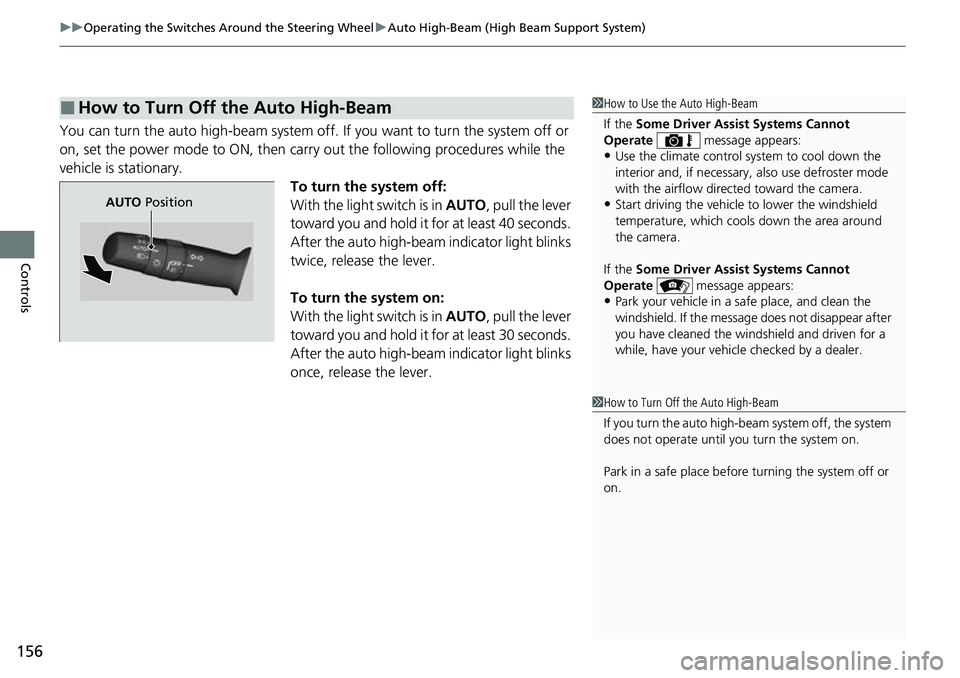
To turn the system off:
With the light switch is in AUTO, pull the lever
toward you and hold it for at least 40 seconds.
After the auto high-beam indicator light blinks
twice, release the lever.
To turn the system on:
With the light switch is in AUTO, pull the lever
toward you and hold it for at least 30 seconds.
After the auto high-beam indicator light blinks
once, release the lever.
■How to Turn Off the Auto High-Beam1 How to Use the Auto High-Beam
If the Some Driver Assist Systems Cannot
Operate message appears:
•Use the climate control system to cool down the
interior and, if necessary, also use defroster mode
with the airflow directed toward the camera.
•Start driving the vehicle to lower the windshield
temperature, which cool s down the area around
the camera.
If the Some Driver Assist Systems Cannot
Operate message appears:
•Park your vehicle in a sa fe place, and clean the
windshield. If the message does not disappear after
you have cleaned the windshield and driven for a
while, have your vehicle checked by a dealer.
1 How to Turn Off the Auto High-Beam
If you turn the au to high-beam system off, the system
does not operate until you turn the system on.
Park in a safe place before turning the system off or
on.
AUTO Position
Page 164 of 598
uuOperating the Switches Around the Steering Wheel uDriving Position Memory System*
162
Controls
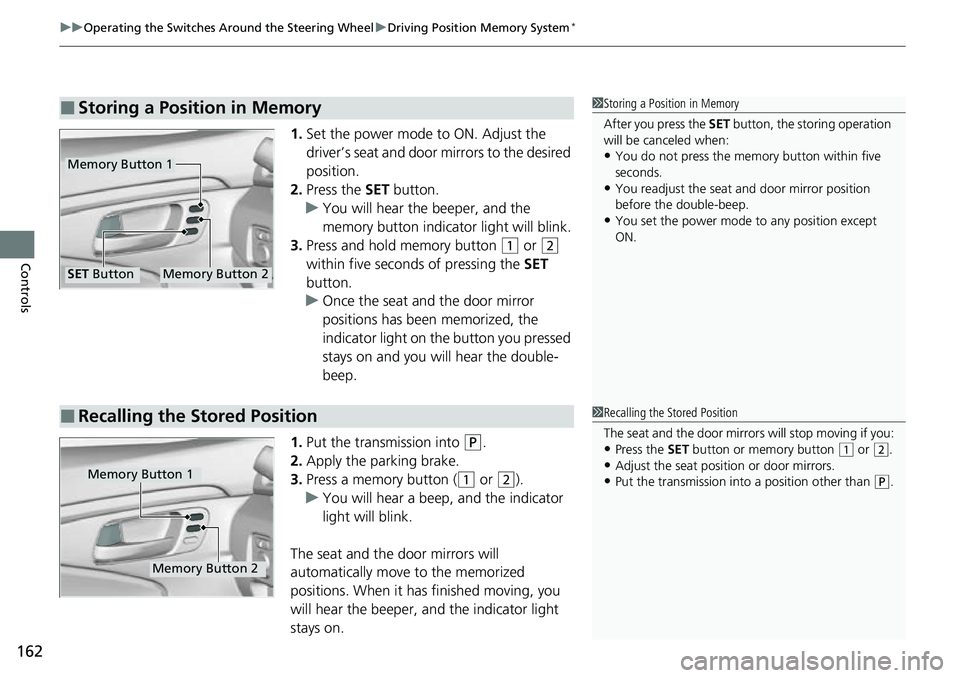
1. Set the power mode to ON. Adjust the
driver’s seat and door mirrors to the desired
position.
2. Press the SET button.
u You will hear the beeper, and the
memory button indicator light will blink.
3. Press and hold memory button
(1 or (2
within five seconds of pressing the SET
button.
u Once the seat and the door mirror
positions has been memorized, the
indicator light on the button you pressed
stays on and you will hear the double-
beep.
1. Put the transmission into
(P.
2. Apply the parking brake.
3. Press a memory button (
(1 or (2).
u You will hear a beep, and the indicator
light will blink.
The seat and the door mirrors will
automatically move to the memorized
positions. When it has finished moving, you
will hear the beeper, an d the indicator light
stays on.
■Storing a Position in Memory1 Storing a Position in Memory
After you press the SET button, the storing operation
will be canceled when:
•You do not press the memory button within five
seconds.
•You readjust the seat and door mirror position
before the double-beep.
•You set the power mode to any position except
ON.
Memory Button 1
Memory Button 2SET Button
■Recalling the Stored Position1Recalling the Stored Position
The seat and the door mirrors will stop moving if you:
•Press the SET button or memory button (1 or (2.
•Adjust the seat position or door mirrors.•Put the transmission into a position other than (P.Memory Button 1
Memory Button 2
Page 171 of 598
169
uuSeats uRear Seats
Controls
Rear Seats
The right and left cushions can be raised independently to make room for cargo.
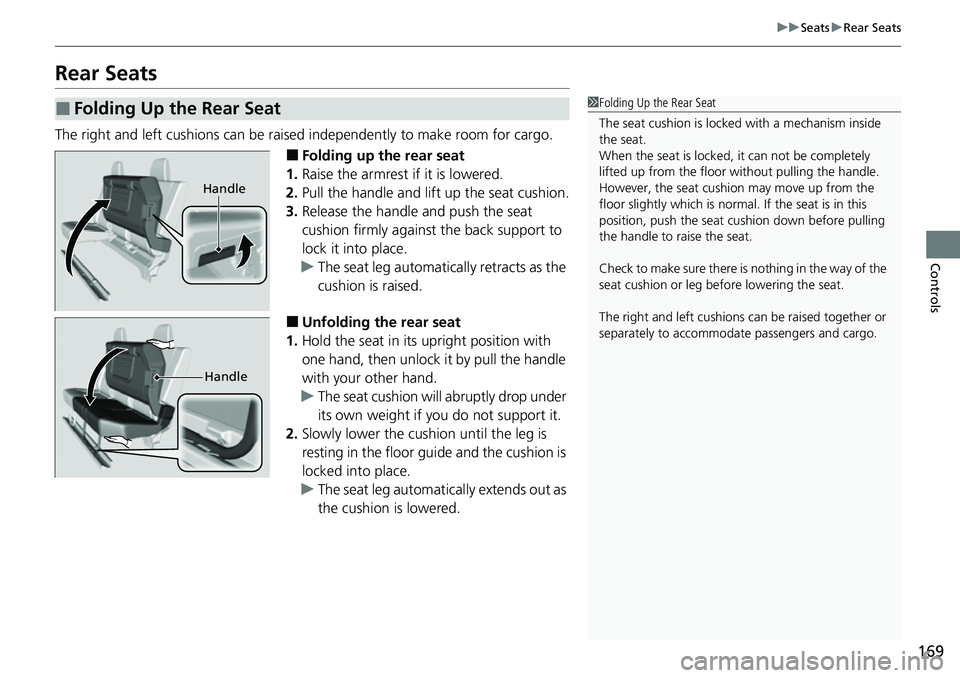
■Folding up the rear seat
1. Raise the armrest if it is lowered.
2. Pull the handle and lift up the seat cushion.
3. Release the handle and push the seat
cushion firmly against the back support to
lock it into place.
u The seat leg automatically retracts as the
cushion is raised.
■Unfolding the rear seat
1. Hold the seat in its upright position with
one hand, then unlock it by pull the handle
with your other hand.
u The seat cushion will abruptly drop under
its own weight if you do not support it.
2. Slowly lower the cushion until the leg is
resting in the floor guide and the cushion is
locked into place.
u The seat leg automatically extends out as
the cushion is lowered.
■Folding Up the Rear Seat1Folding Up the Rear Seat
The seat cushion is locked with a mechanism inside
the seat.
When the seat is locked, it can not be completely
lifted up from the floor without pulling the handle.
However, the seat cushion may move up from the
floor slightly which is normal. If the seat is in this
position, push the seat cu shion down before pulling
the handle to raise the seat.
Check to make sure there is nothing in the way of the
seat cushion or leg be fore lowering the seat.
The right and left cushions can be ra ised together or
separately to accommoda te passengers and cargo.
Handle
Handle
Page 181 of 598
Continued179
uuInterior/Exterior Convenience Items uStorage Items
Controls
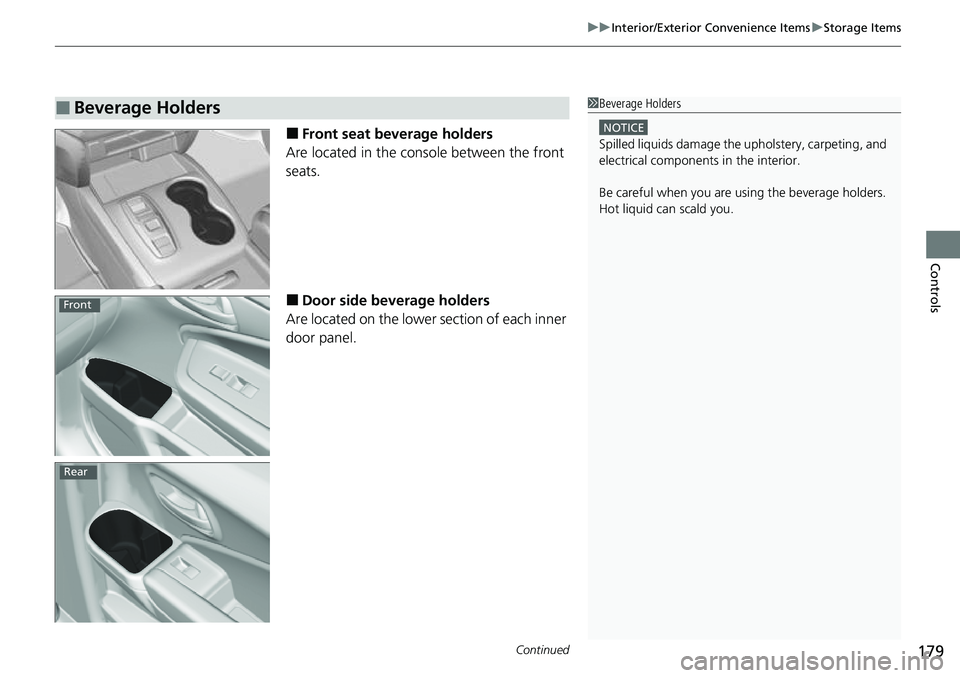
■Front seat beverage holders
Are located in the console between the front
seats.
■Door side beverage holders
Are located on the lower section of each inner
door panel.
■Beverage Holders1 Beverage Holders
NOTICE
Spilled liquids damage the upholstery, carpeting, and
electrical components in the interior.
Be careful when you are us ing the beverage holders.
Hot liquid can scald you.
Front
Rear
Page 182 of 598
uuInterior/Exterior Convenience Items uStorage Items
180
Controls
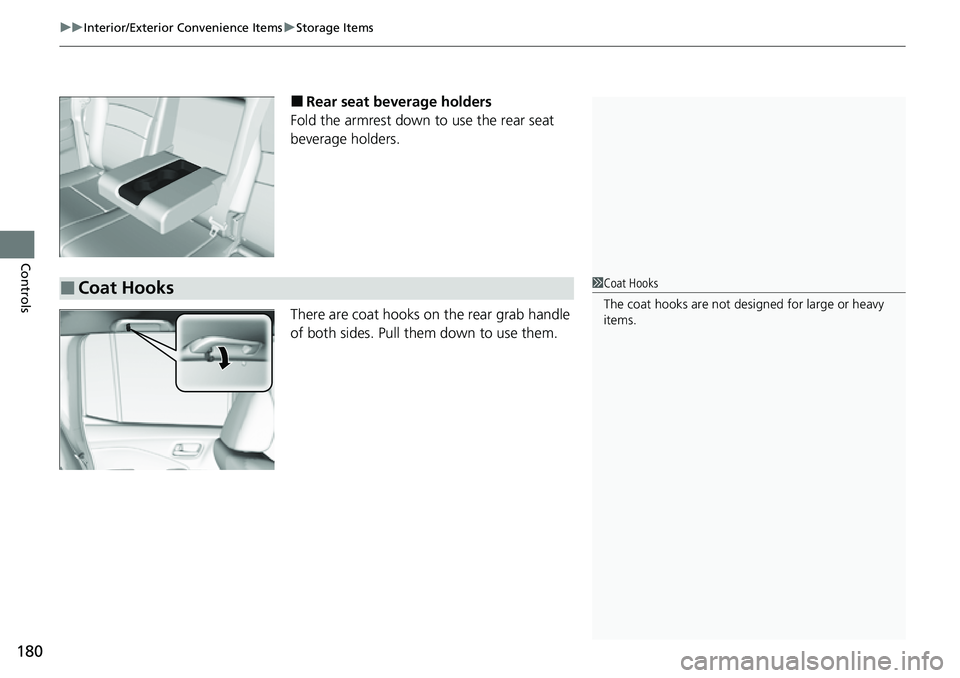
■Rear seat beverage holders
Fold the armrest down to use the rear seat
beverage holders.
There are coat hooks on the rear grab handle
of both sides. Pull them down to use them.
■Coat Hooks1 Coat Hooks
The coat hooks are not desi gned for large or heavy
items.
Page 183 of 598
181
uuInterior/Exterior Convenience Items uStorage Items
Controls
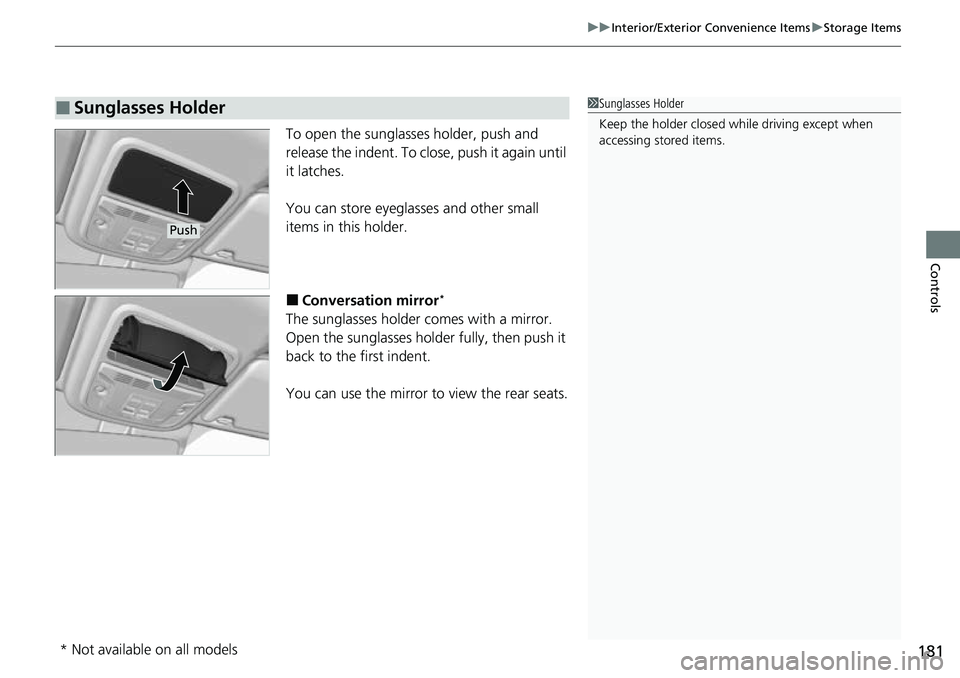
To open the sunglasses holder, push and
release the indent. To close, push it again until
it latches.
You can store eyeglasses and other small
items in this holder.
■Conversation mirror*
The sunglasses holder comes with a mirror.
Open the sunglasses holder fully, then push it
back to the first indent.
You can use the mirror to view the rear seats.
■Sunglasses Holder1Sunglasses Holder
Keep the holder closed wh ile driving except when
accessing stored items.
Push
* Not available on all models
Page 196 of 598
194
uuInterior/Exterior Convenience Items uIn-Bed Convenience Items
Controls
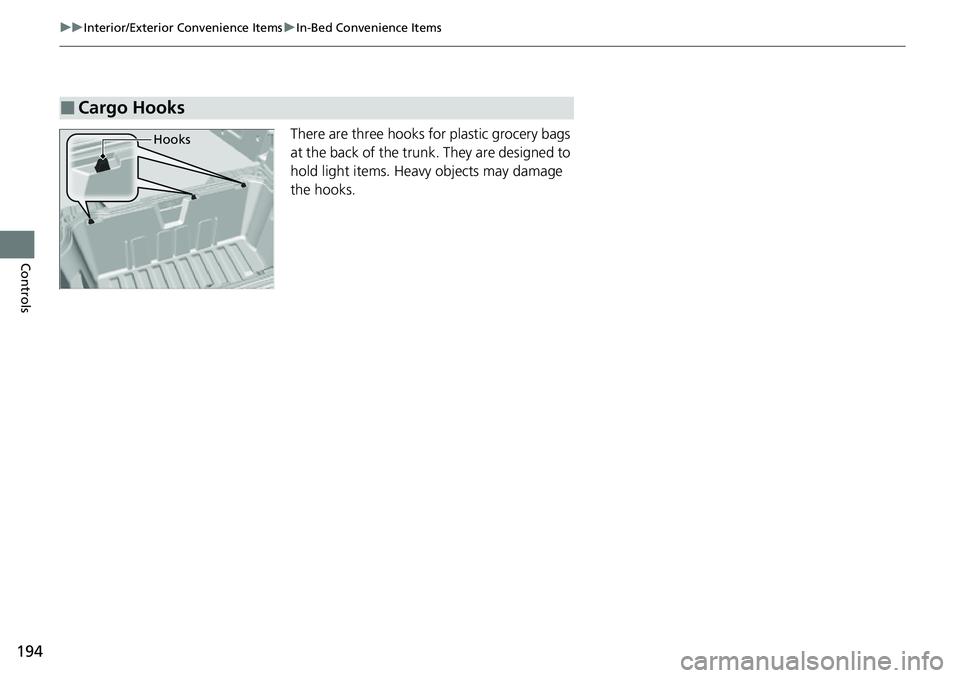
There are three hooks for plastic grocery bags
at the back of the trunk. They are designed to
hold light items. Heavy objects may damage
the hooks.
■Cargo Hooks
Hooks
Page 210 of 598
208
uuAudio System uAudio System Theft Protection
Features
Audio System Theft Protection
The audio system is disabled when it is disconnected from the power source, such as
when the battery is disconnected or goes dead. In certain conditions, the system
may display a code entry screen. If this occurs, reactivate the audio system.
■Reactivating the audio system
1. Set the power mode to ON.
2. Turn on the audio system.
3. Press and hold the audio system power button for more than two seconds.
u The audio system is reac tivated when the audio co ntrol unit establishes a
connection with the vehicle control unit. If the control unit fails to recognize
the audio unit, you must go to a dealer and have the audio unit checked.
Page 211 of 598
209
uuAudio System uAudio Remote Controls
Continued
Features
Audio Remote Controls
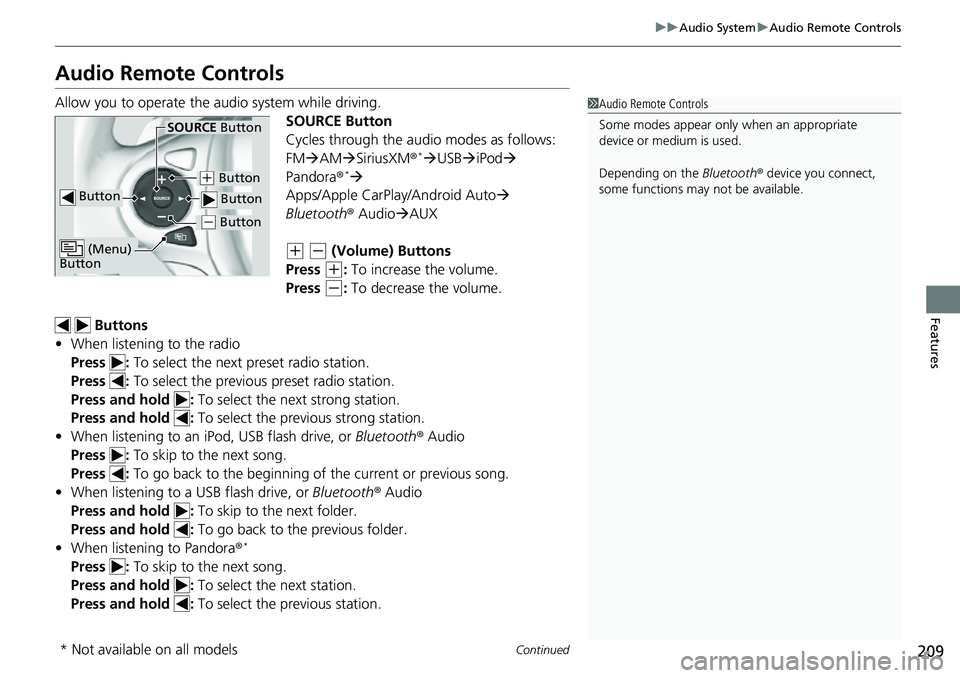
Allow you to operate the au dio system while driving.
SOURCE Button
Cycles through the audio modes as follows:
FMAM SiriusXM ®
*USB iPod
Pandora ®*
Apps/Apple CarPlay/Android Auto
Bluetooth ® AudioAUX
(+ (- (Volume) Buttons
Press
(+: To increase the volume.
Press
(-: To decrease the volume.
Buttons
• When listening to the radio
Press : To select the next preset radio station.
Press : To select the previous preset radio station.
Press and hold : To select the next strong station.
Press and hold : To select the previous strong station.
• When listening to an iPod, USB flash drive, or Bluetooth® Audio
Press : To skip to the next song.
Press : To go back to the beginning of the current or previous song.
• When listening to a USB flash drive, or Bluetooth® Audio
Press and hold : To skip to the next folder.
Press and hold : To go back to the previous folder.
• When listening to Pandora ®
*
Press : To skip to the next song.
Press and hold : To select the next station.
Press and hold : To select the previous station.
1Audio Remote Controls
Some modes appear only when an appropriate
device or medium is used.
Depending on the Bluetooth® device you connect,
some functions may not be available.
Button
SOURCE Button
Button
(+ Button
( - Button
(Menu)
Button
( - Button
* Not available on all models