audio HONDA RIDGELINE 2023 Owners Manual
[x] Cancel search | Manufacturer: HONDA, Model Year: 2023, Model line: RIDGELINE, Model: HONDA RIDGELINE 2023Pages: 598, PDF Size: 12.34 MB
Page 6 of 598
Contents
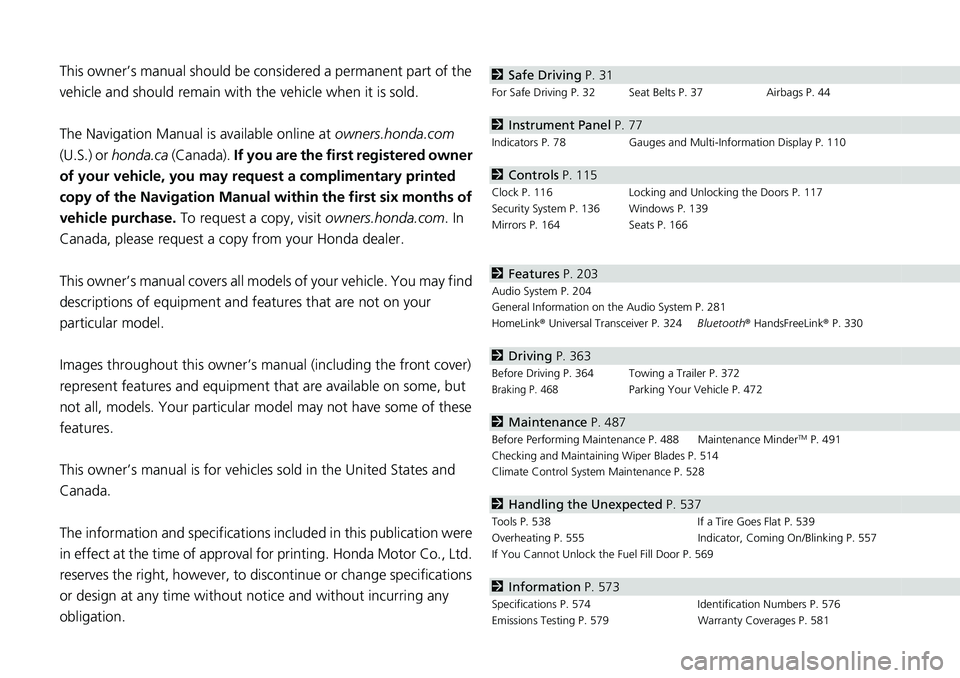
This owner’s manual should be considered a permanent part of the
vehicle and should remain with the vehicle when it is sold.
The Navigation Manual is available online at owners.honda.com
(U.S.) or honda.ca (Canada). If you are the first registered owner
of your vehicle, you may request a complimentary printed
copy of the Navigation Manual within the first six months of
vehicle purchase. To request a copy, visit owners.honda.com. In
Canada, please request a copy from your Honda dealer.
This owner’s manual covers all models of your vehicle. You may find
descriptions of equipment and features that are not on your
particular model.
Images throughout this owner’s ma nual (including the front cover)
represent features and equipment that are available on some, but
not all, models. Your particular mo del may not have some of these
features.
This owner’s manual is for vehicles sold in the United States and
Canada.
The information and specifications in cluded in this publication were
in effect at the time of approval for printing. Honda Motor Co., Ltd.
reserves the right, however, to discontinue or change specifications
or design at any time without notice and without incurring any
obligation.2 Safe Driving P. 31
For Safe Driving P. 32 Seat Belts P. 37 Airbags P. 44
2Instrument Panel P. 77
Indicators P. 78 Gauges and Multi-Information Display P. 110
2Controls P. 115
Clock P. 116 Locking and Unlocking the Doors P. 117
Security System P. 136 Windows P. 139
Mirrors P. 164 Seats P. 166
2Features P. 203
Audio System P. 204
General Information on the Audio System P. 281
HomeLink ® Universal Transceiver P. 324 Bluetooth® HandsFreeLink ® P. 330
2 Driving P. 363
Before Driving P. 364 Towing a Trailer P. 372
Braking P. 468Parking Your Vehicle P. 472
2Maintenance P. 487
Before Performing Maintenance P. 488 Maintenance MinderTM P. 491
Checking and Maintaining Wiper Blades P. 514
Climate Control System Maintenance P. 528
2Handling the Unexpected P. 537
Tools P. 538 If a Tire Goes Flat P. 539
Overheating P. 555 Indicator, Coming On/Blinking P. 557
If You Cannot Unlock the Fuel Fill Door P. 569
2 Information P. 573
Specifications P. 574 Identification Numbers P. 576
Emissions Testing P. 579 Warranty Coverages P. 581
Page 7 of 598
Contents
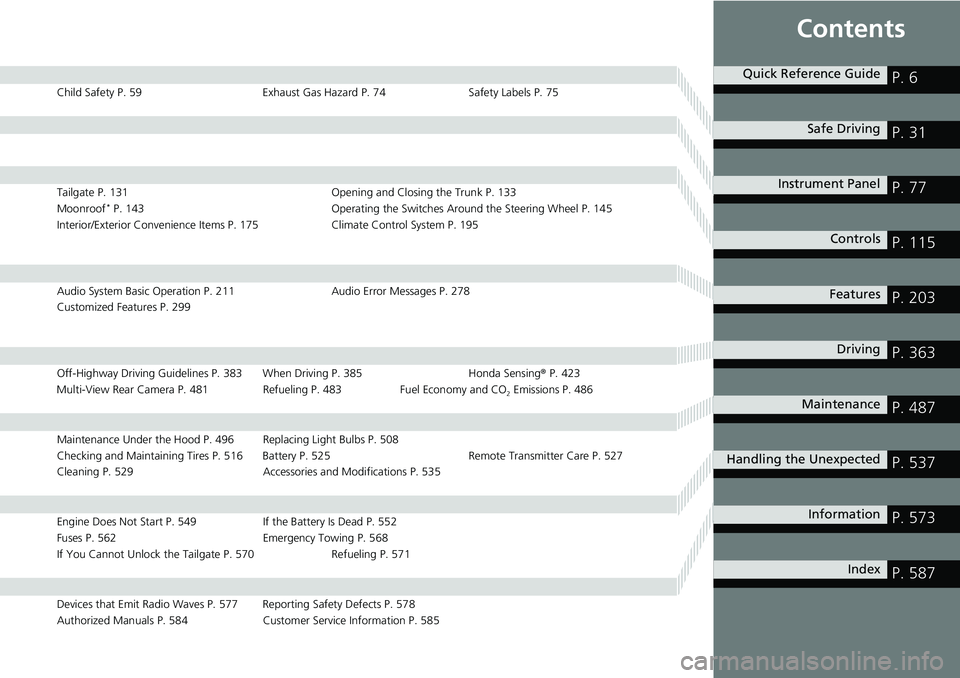
Child Safety P. 59Exhaust Gas Hazard P. 74Safety Labels P. 75
Tailgate P. 131 Opening and Closing the Trunk P. 133
Moonroof* P. 143 Operating the Switches Around the Steering Wheel P. 145
Interior/Exterior Convenience Items P. 175Climate Control System P. 195
Audio System Basic Operation P. 211 Audio Error Messages P. 278
Customized Features P. 299
Off-Highway Driving Guidelines P. 383 When Driving P. 385 Honda Sensing® P. 423
Multi-View Rear Camera P. 481 Refueling P. 483 Fuel Economy and CO
2 Emissions P. 486
Maintenance Under the Hood P. 496 Replacing Light Bulbs P. 508
Checking and Maintaining Tires P. 516 Battery P. 525 Remote Transmitter Care P. 527
Cleaning P. 529 Accessories and Modifications P. 535
Engine Does Not Start P. 549If the Battery Is Dead P. 552
Fuses P. 562 Emergency Towing P. 568
If You Cannot Unlock the Tailgate P. 570 Refueling P. 571
Devices that Emit Radio Waves P. 577 Reporting Safety Defects P. 578
Authorized Manuals P. 584 Customer Service Information P. 585
Quick Reference GuideP. 6
Safe DrivingP. 31
Instrument PanelP. 77
ControlsP. 115
FeaturesP. 203
DrivingP. 363
MaintenanceP. 487
Handling the UnexpectedP. 537
InformationP. 573
IndexP. 587
Page 8 of 598
6
Quick Reference Guide
Quick Reference Guide
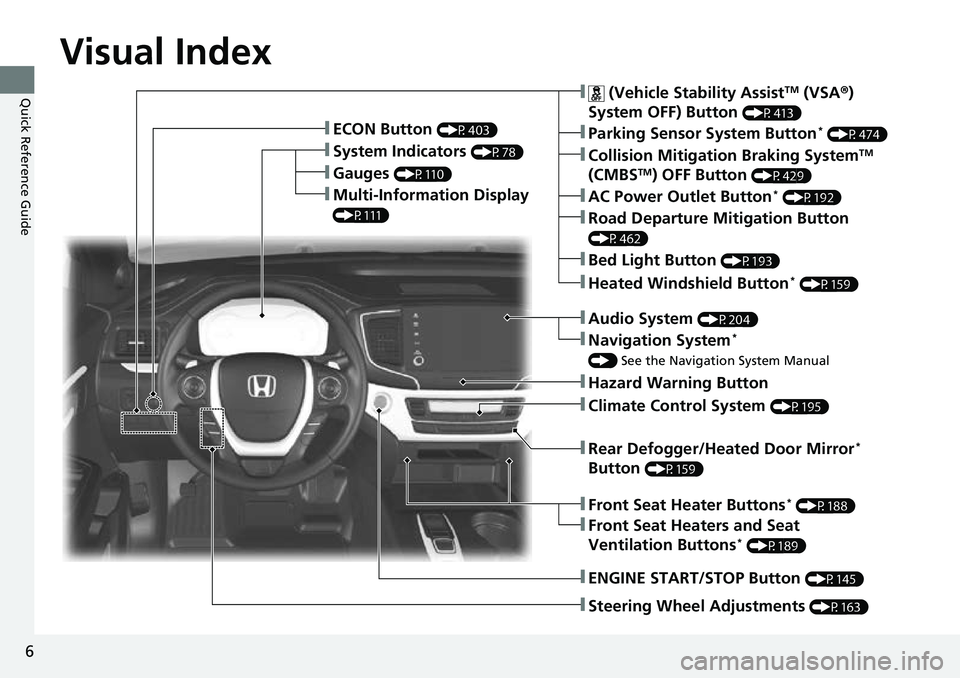
Visual Index
❚Gauges (P110)
❚Multi-Information Display
(P111)
❚System Indicators (P78)
❚ECON Button (P403)
❚Collision Mitigation Braking SystemTM
(CMBSTM) OFF Button (P429)
❚Heated Windshield Button* (P159)
❚Parking Sensor System Button* (P474)
❚Steering Wheel Adjustments (P163)
❚ENGINE START/STOP Button (P145)
❚AC Power Outlet Button* (P192)
❚Road Departure Mitigation Button
(P462)
❚ (Vehicle Stability AssistTM (VSA ®)
System OFF) Button
(P413)
❚Bed Light Button (P193)
❚Audio System (P204)
❚Navigation System*
() See the Navigation System Manual
❚Hazard Warning Button
❚Rear Defogger/Heated Door Mirror*
Button
(P159)
❚Climate Control System (P195)
❚Front Seat Heaters and Seat
Ventilation Buttons* (P189)
❚Front Seat Heater Buttons* (P188)
Page 9 of 598
7
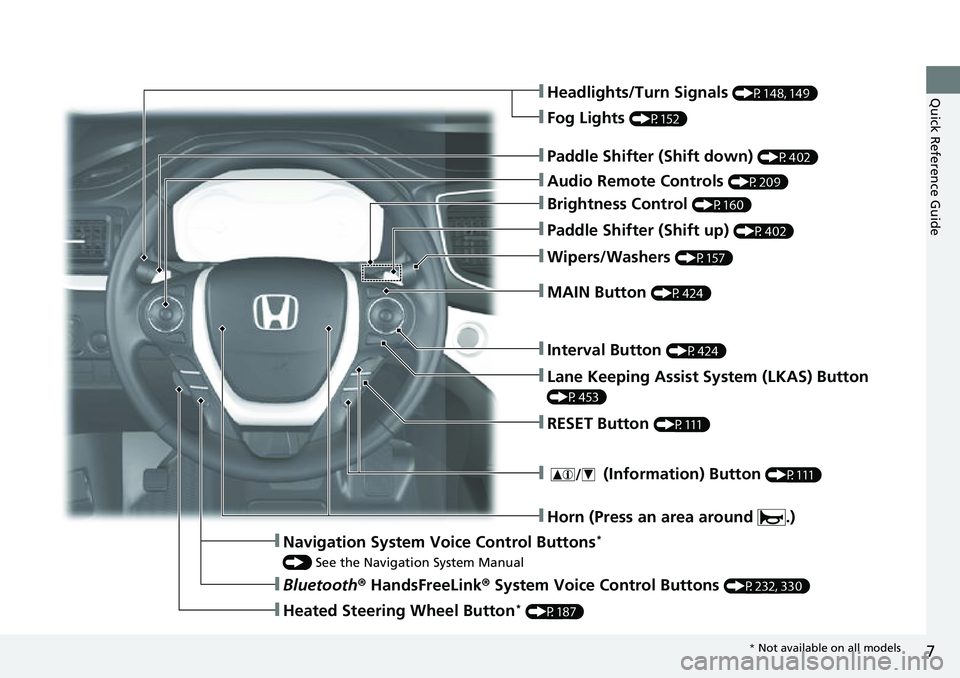
Quick Reference Guide❚Headlights/Turn Signals (P148, 149)
❚Audio Remote Controls (P209)
❚Brightness Control (P160)
❚Interval Button (P424)
❚MAIN Button (P424)
❚Paddle Shifter (Shift up) (P402)
❚Paddle Shifter (Shift down) (P402)
❚ (Information) Button (P111)
❚Navigation System Voice Control Buttons*
() See the Navigation System Manual
❚Bluetooth ® HandsFreeLink ® System Voice Control Buttons (P232, 330)
❚Heated Steering Wheel Button* (P187)
❚Horn (Press an area around .)
❚Fog Lights (P152)
❚Wipers/Washers (P157)
❚Lane Keeping Assist System (LKAS) Button
(P453)
❚RESET Button (P111)
* Not available on all models
Page 21 of 598
19
Quick Reference Guide
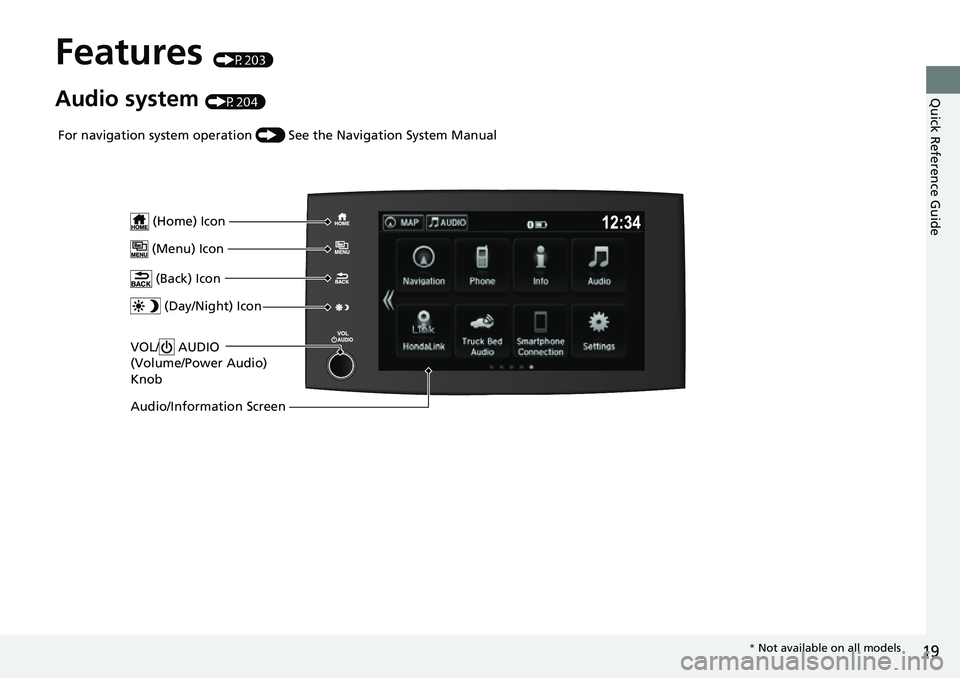
Features (P203)
Audio system (P204)
VOL/ AUDIO
(Volume/Power Audio)
Knob
(Home) Icon
(Menu) Icon
(Back) Icon
(Day/Night) Icon
Audio/Information Screen
For navigation system operation () See the Navigation System Manual
* Not available on all models
Page 22 of 598
20
Quick Reference Guide
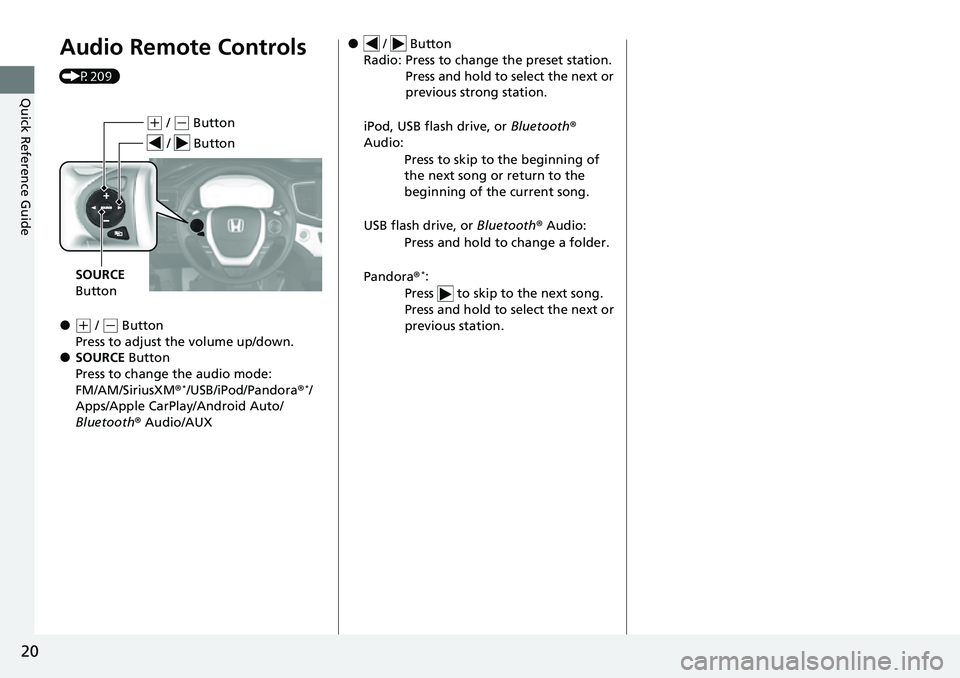
Audio Remote Controls
(P209)
●(+ / ( - Button
Press to adjust the volume up/down.
●SOURCE Button
Press to change the audio mode:
FM/AM/SiriusXM ®
*/USB/iPod/Pandora ®*/
Apps/Apple CarPlay/Android Auto/
Bluetooth ® Audio/AUX
(+ / (- Button
SOURCE
Button
/ Button
● / Button
Radio: Press to change the preset station. Press and hold to select the next or
previous strong station.
iPod, USB flash drive, or Bluetooth®
Audio:
Press to skip to the beginning of
the next song or return to the
beginning of the current song.
USB flash drive, or Bluetooth® Audio:
Press and hold to change a folder.
Pandora ®
*:
Press to skip to the next song.
Press and hold to select the next or
previous station.
Page 118 of 598
116
Controls
Clock
Adjusting the Clock
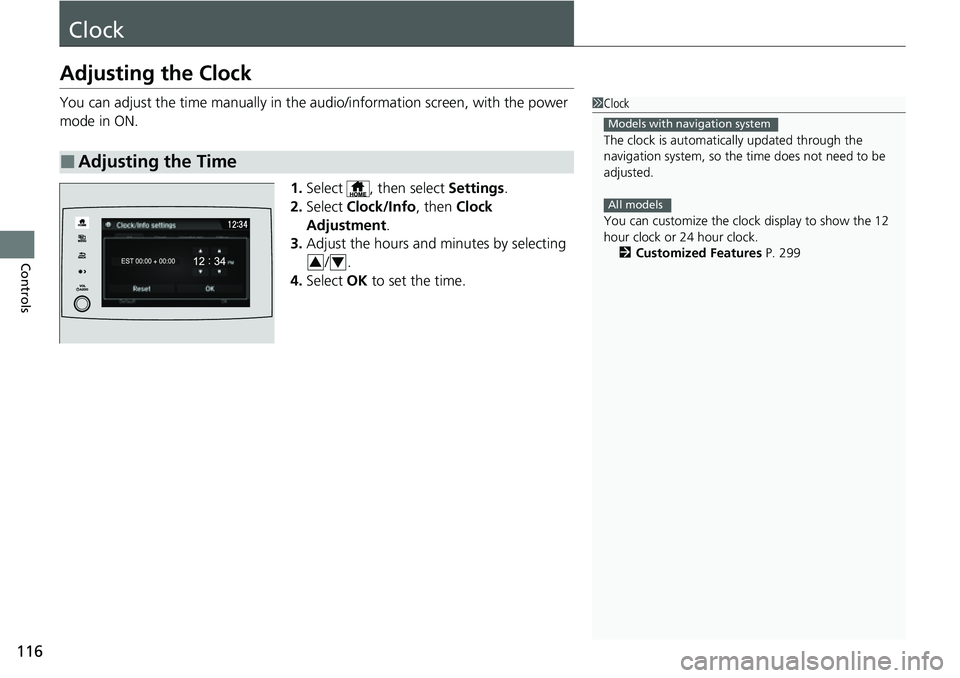
You can adjust the time manually in the audio/information screen, with the power
mode in ON.
1.Select , then select Settings.
2. Select Clock/Info , then Clock
Adjustment .
3. Adjust the hours and minutes by selecting
/.
4. Select OK to set the time.
■Adjusting the Time
1Clock
The clock is automatica lly updated through the
navigation system, so the ti me does not need to be
adjusted.
You can customize the clock display to show the 12
hour clock or 24 hour clock. 2 Customized Features P. 299
Models with navigation system
All models
34
Page 119 of 598
117Continued
Controls
Locking and Unlocking the Doors
Key
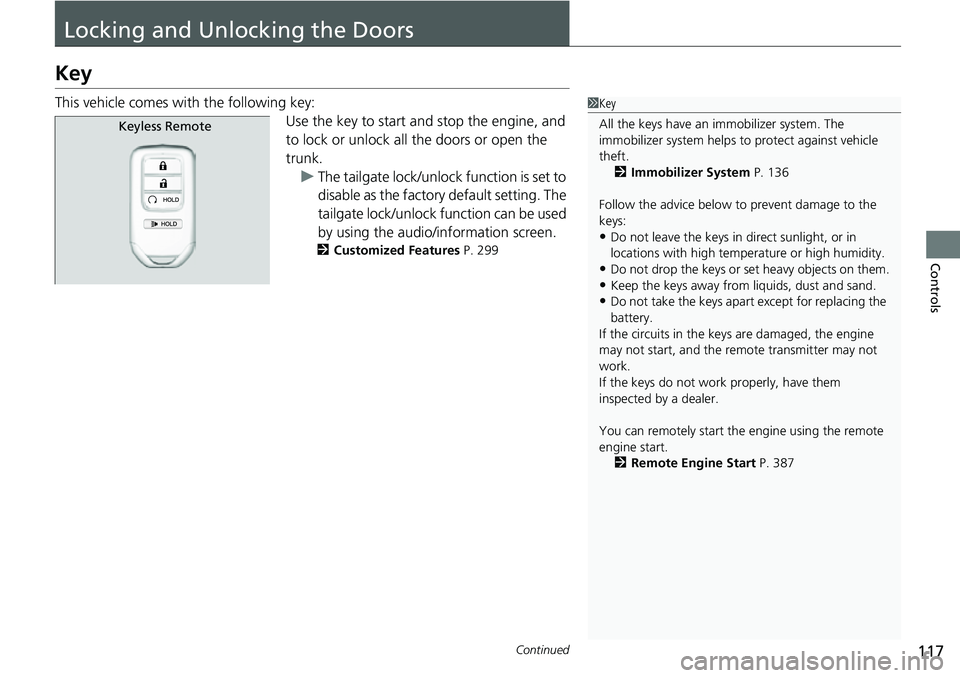
This vehicle comes with the following key:Use the key to start and stop the engine, and
to lock or unlock all the doors or open the
trunk.u The tailgate lock/unlock function is set to
disable as the factory default setting. The
tailgate lock/unlock f unction can be used
by using the audio/information screen.
2 Customized Features P. 299
1Key
All the keys have an immobilizer system. The
immobilizer system helps to protect against vehicle
theft. 2 Immobilizer System P. 136
Follow the advice below to prevent damage to the
keys:
•Do not leave the keys in direct sunlight, or in
locations with high temperature or high humidity.
•Do not drop the keys or set heavy objects on them.•Keep the keys away from liquids, dust and sand.
•Do not take the keys apart except for replacing the
battery.
If the circuits in the keys are damaged, the engine
may not start, and the remote transmitter may not
work.
If the keys do not work properly, have them
inspected by a dealer.
You can remotely start the engine using the remote
engine start. 2 Remote Engine Start P. 387
Keyless Remote
Page 124 of 598
uuLocking and Unlocking the Doors uLocking/Unlocking the Doors from the Outside
122
Controls
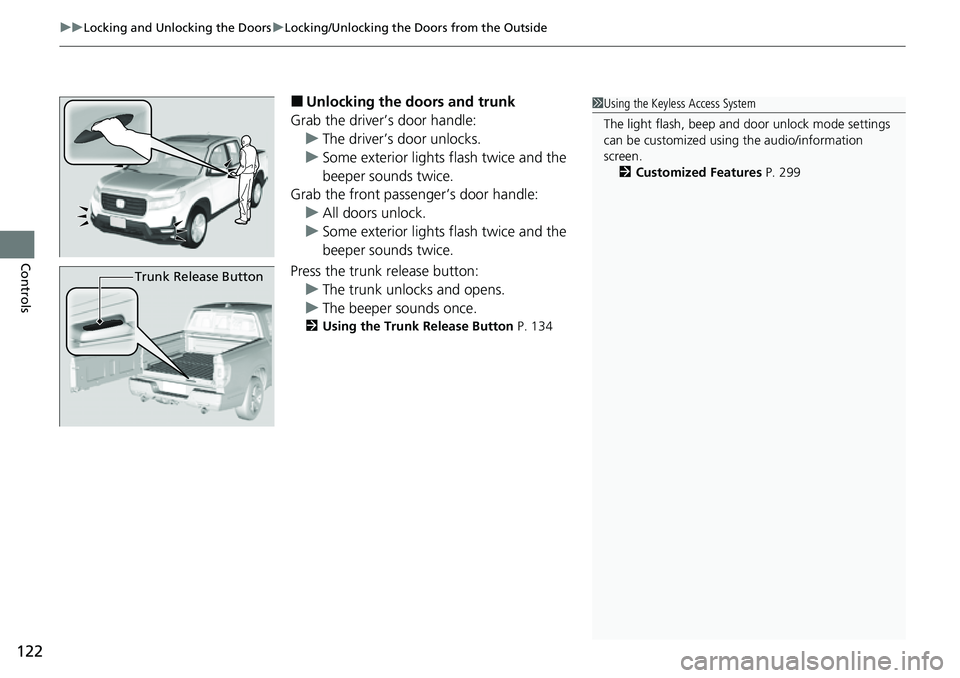
■Unlocking the doors and trunk
Grab the driver’s door handle: u The driver’s door unlocks.
u Some exterior lights flash twice and the
beeper sounds twice.
Grab the front passenger’s door handle:
u All doors unlock.
u Some exterior lights flash twice and the
beeper sounds twice.
Press the trunk release button: u The trunk unlocks and opens.
u The beeper sounds once.
2 Using the Trunk Release Button P. 134
1Using the Keyless Access System
The light flash, beep and door unlock mode settings
can be customized using the audio/information
screen.
2 Customized Features P. 299
Trunk Release Button
Page 125 of 598
Continued123
uuLocking and Unlocking the Doors uLocking/Unlocking the Doors from the Outside
Controls
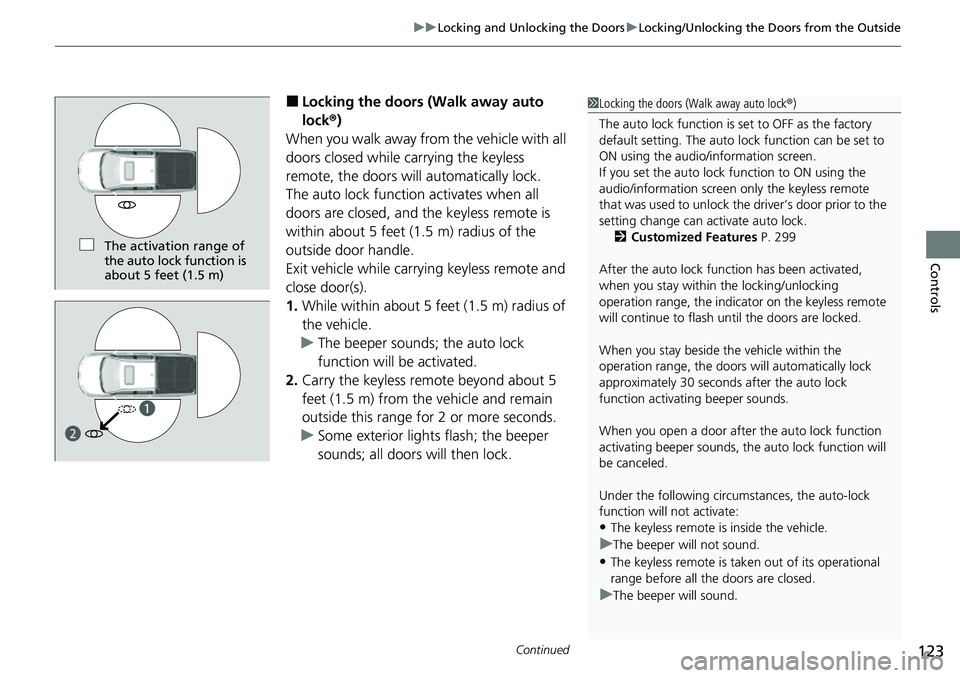
■Locking the doors (Walk away auto
lock ®)
When you walk away fro m the vehicle with all
doors closed while carrying the keyless
remote, the doors will automatically lock.
The auto lock function activates when all
doors are closed, and the keyless remote is
within about 5 feet (1.5 m) radius of the
outside door handle.
Exit vehicle while carrying keyless remote and
close door(s).
1. While within about 5 feet (1.5 m) radius of
the vehicle.
u The beeper sounds; the auto lock
function will be activated.
2. Carry the keyless remote beyond about 5
feet (1.5 m) from the vehicle and remain
outside this range for 2 or more seconds.
u Some exterior lights flash; the beeper
sounds; all doors will then lock.1Locking the doors (Walk away auto lock ®)
The auto lock function is set to OFF as the factory
default setting. The auto lo ck function can be set to
ON using the audio/information screen.
If you set the auto lock function to ON using the
audio/information screen only the keyless remote
that was used to unlock th e driver’s door prior to the
setting change can ac tivate auto lock.
2 Customized Features P. 299
After the auto lock function has been activated,
when you stay within the locking/unlocking
operation range, the indicato r on the keyless remote
will continue to flash until the doors are locked.
When you stay beside the vehicle within the
operation range, the doors wi ll automatically lock
approximately 30 seconds after the auto lock
function activating beeper sounds.
When you open a door after the auto lock function
activating beeper sounds, the auto lock function will
be canceled.
Under the following circumstances, the auto-lock
function will not activate:
•The keyless remote is inside the vehicle.
uThe beeper will not sound.
•The keyless remote is taken out of its operational
range before all the doors are closed.
uThe beeper will sound.
The activation range of
the auto lock function is
about 5 feet (1.5 m)
a
b