driver 1 HONDA RIDGELINE 2023 Owners Manual
[x] Cancel search | Manufacturer: HONDA, Model Year: 2023, Model line: RIDGELINE, Model: HONDA RIDGELINE 2023Pages: 598, PDF Size: 12.34 MB
Page 2 of 598
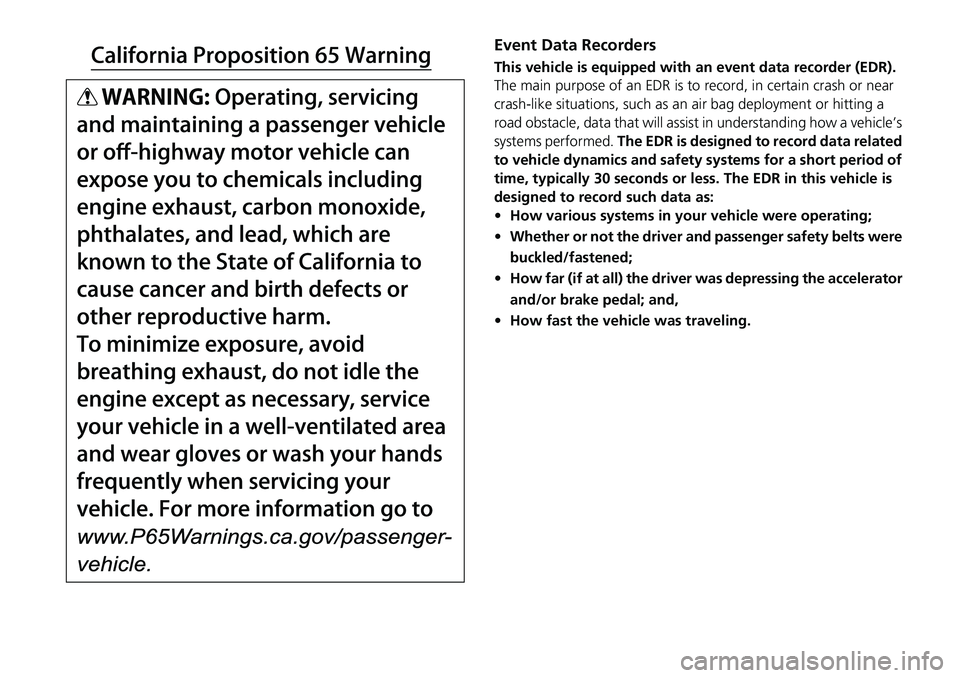
Event Data Recorders
This vehicle is equipped with an event data recorder (EDR).
The main purpose of an EDR is to record, in certain crash or near
crash-like situations, such as an air bag deployment or hitting a
road obstacle, data that will assist in understanding how a vehicle’s
systems performed. The EDR is designed to record data related
to vehicle dynamics and safety systems for a short period of
time, typically 30 seconds or less. The EDR in this vehicle is
designed to record such data as:
• How various systems in your vehicle were operating;
• Whether or not the driver and passenger safety belts were
buckled/fastened;
• How far (if at all) the driver was depressing the accelerator
and/or brake pedal; and,
• How fast the vehicle was traveling.
Page 10 of 598
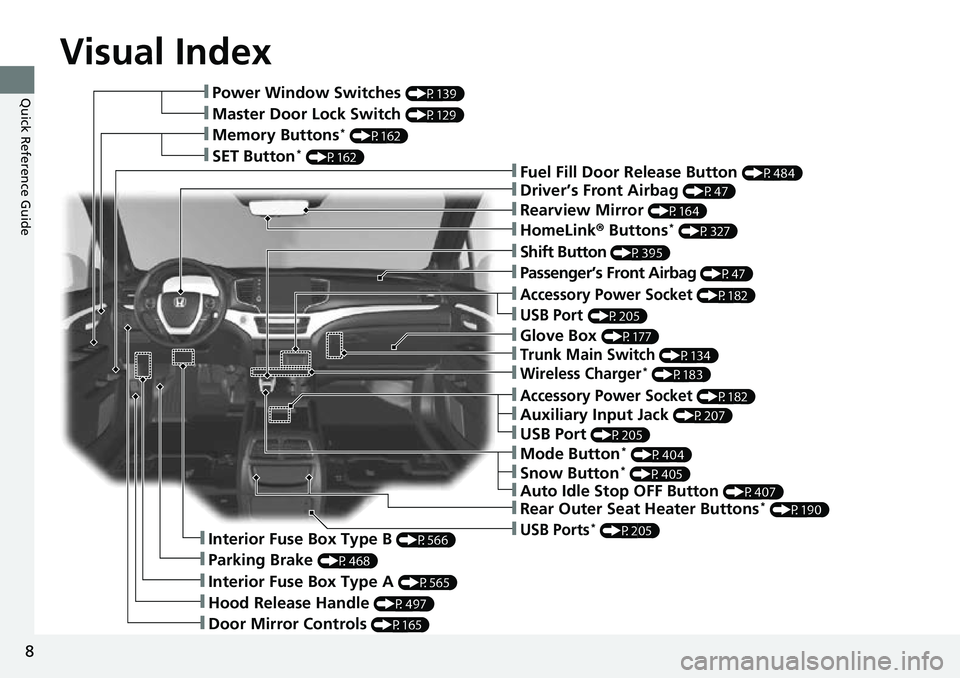
Visual Index
8
Quick Reference Guide❚Power Window Switches (P139)
❚Master Door Lock Switch (P129)
❚Memory Buttons* (P162)
❚SET Button* (P162)❚Fuel Fill Door Release Button (P484)
❚Driver’s Front Airbag (P47)
❚Shift Button (P395)
❚Auxiliary Input Jack (P207)
❚Parking Brake (P468)
❚Interior Fuse Box Type A (P565)
❚Hood Release Handle (P497)
❚Door Mirror Controls (P165)
❚Accessory Power Socket (P182)
❚USB Port (P205)
❚Auto Idle Stop OFF Button (P407)
❚Mode Button* (P404)
❚Trunk Main Switch (P134)
❚Interior Fuse Box Type B (P566)
❚Snow Button* (P405)
❚Wireless Charger* (P183)
❚Glove Box (P177)
❚USB Ports* (P205)
❚Accessory Power Socket (P182)
❚Passenger’s Front Airbag (P47)
❚Rearview Mirror (P164)
❚HomeLink® Buttons* (P327)
❚Rear Outer Seat Heater Buttons* (P190)
❚USB Port (P205)
Page 20 of 598
18
Quick Reference Guide
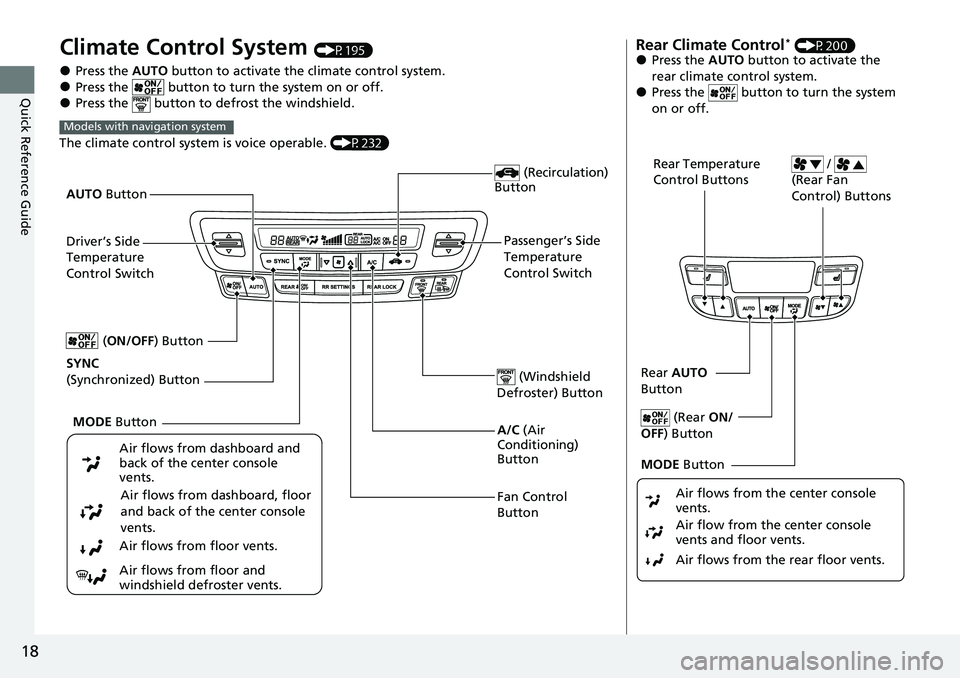
Climate Control System (P195)
●Press the AUTO button to activate the climate control system.●Press the button to turn the system on or off.●Press the button to defrost the windshield.
The climate control system is voice operable. (P232)
Models with navigation system
Fan Control
Button (Windshield
Defroster) Button
A/C (Air
Conditioning)
Button
Air flows from dashboard and
back of the center console
vents.
Air flows from dashboard, floor
and back of the center console
vents.
Air flows from floor vents.
Air flows from floor and
windshield defroster vents. (Recirculation)
Button
Passenger’s Side
Temperature
Control Switch
AUTO
Button
Driver’s Side
Temperature
Control Switch
MODE Button
SYNC
(Synchronized) Button (
ON/OFF) Button
Rear Climate Control* (P200)●Press the AUTO button to activate the
rear climate control system.
●Press the button to turn the system
on or off.
Rear Temperature
Control Buttons /
(Rear Fan
Control) Buttons
Rear AUTO
Button
(Rear ON/
OFF ) Button
MODE Button
Air flows from the rear floor vents. Air flow from the center console
vents and floor vents. Air flows from the center console
vents.
Page 26 of 598
24
Quick Reference Guide
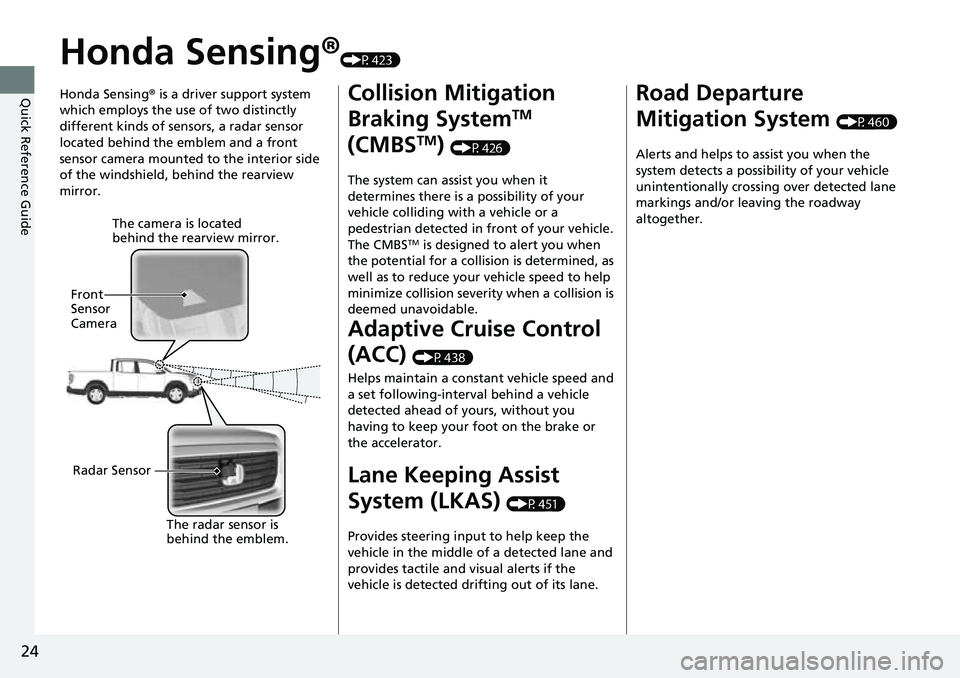
Honda Sensing®(P423)
Honda Sensing ® is a driver support system
which employs the use of two distinctly
different kinds of sensors, a radar sensor
located behind the emblem and a front
sensor camera mounted to the interior side
of the windshield, behind the rearview
mirror.
The camera is located
behind the rearview mirror.
Front
Sensor
Camera
Radar Sensor The radar sensor is
behind
the em
blem.
Collision Mitigation
Braking System
TM
(CMBS
TM) (P426)
The system can assist you when it
determines there is a possibility of your
vehicle colliding with a vehicle or a
pedestrian detected in front of your vehicle.
The CMBS
TM is designed to alert you when
the potential for a collision is determined, as
well as to reduce your vehicle speed to help
minimize collision severity when a collision is
deemed unavoidable.
Adaptive Cruise Control
(ACC)
(P438)
Helps maintain a constant vehicle speed and
a set following-interval behind a vehicle
detected ahead of yours, without you
having to keep your foot on the brake or
the accelerator.
Lane Keeping Assist
System (LKAS)
(P451)
Provides steering input to help keep the
vehicle in the middle of a detected lane and
provides tactile and visual alerts if the
vehicle is detected drifting out of its lane.
Road Departure
Mitigation System
(P460)
Alerts and helps to assist you when the
system detects a possibility of your vehicle
unintentionally crossing over detected lane
markings and/or leaving the roadway
altogether.
Page 30 of 598
28
Quick Reference Guide
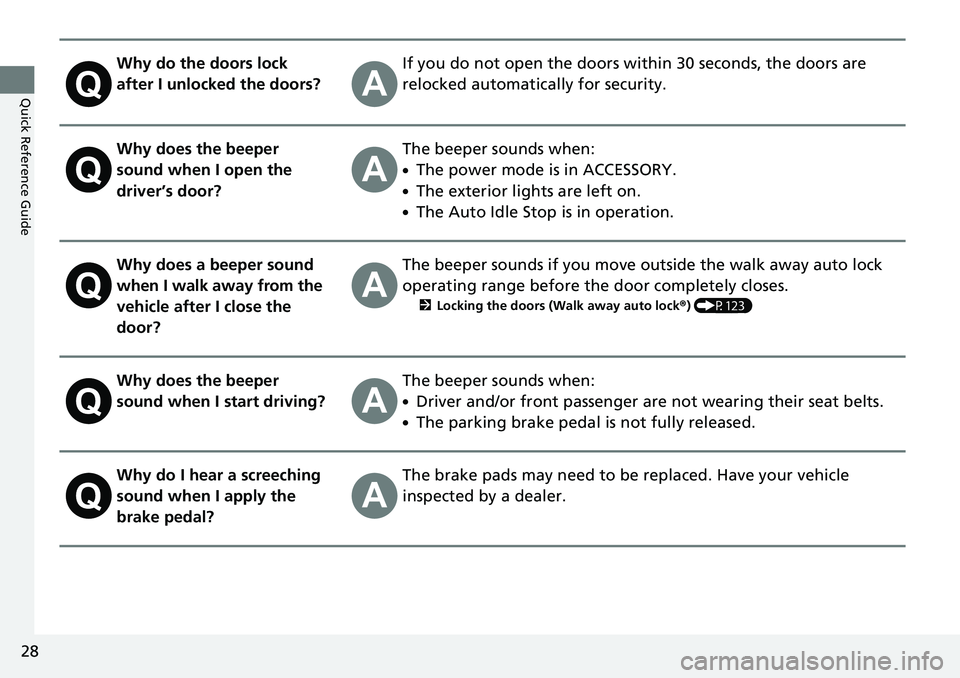
Why do the doors lock
after I unlocked the doors?If you do not open the doors within 30 seconds, the doors are
relocked automatically for security.
Why does the beeper
sound when I open the
driver’s door?The beeper sounds when:
●The power mode is in ACCESSORY.
●The exterior lights are left on.
●The Auto Idle Stop is in operation.
Why does a beeper sound
when I walk away from the
vehicle after I close the
door?The beeper sounds if you move outside the walk away auto lock
operating range before the door completely closes.
2Locking the doors (Walk away auto lock ®) (P123)
Why does the beeper
sound when I start driving?The beeper sounds when:
●Driver and/or front passenger are not wearing their seat belts.
●The parking brake pedal is not fully released.
Why do I hear a screeching
sound when I apply the
brake pedal?The brake pads may need to be replaced. Have your vehicle
inspected by a dealer.
Page 31 of 598
29
Quick Reference Guide
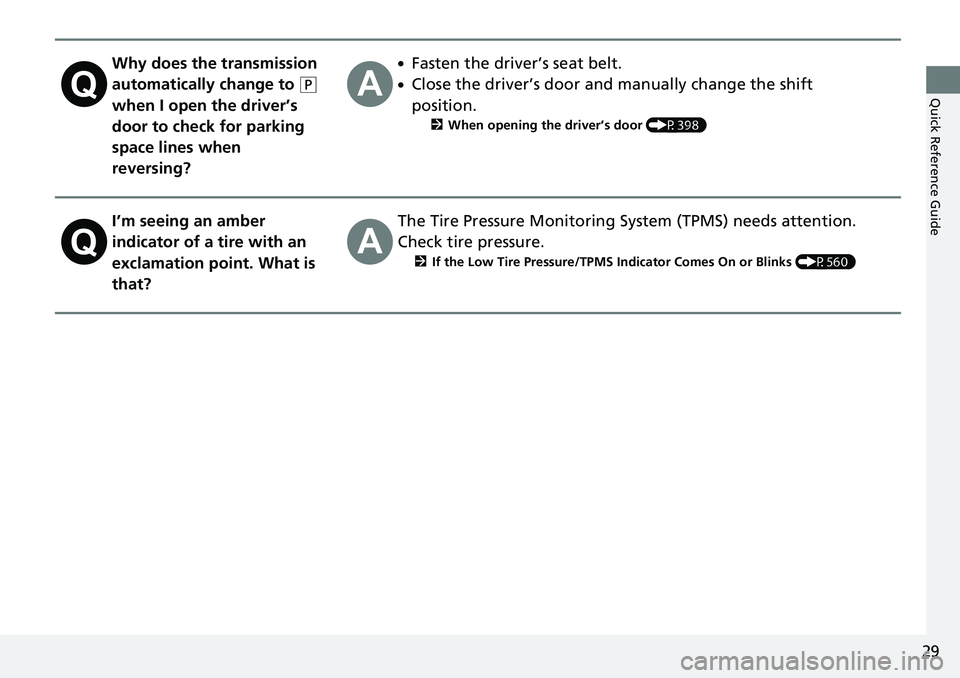
Why does the transmission
automatically change to
(P
when I open the driver’s
door to check for parking
space lines when
reversing?
●Fasten the driver’s seat belt.
●Close the driver’s door and manually change the shift
position.
2 When opening the driver’s door (P398)
I’m seeing an amber
indicator of a tire with an
exclamation point. What is
that?The Tire Pressure Monitoring System (TPMS) needs attention.
Check tire pressure.
2 If the Low Tire Pressure/TPMS Indicator Comes On or Blinks (P560)
Page 34 of 598
32
Safe Driving
For Safe Driving
The following pages explain your vehicle’s safety features and how to use them
properly. The safety precautions below are ones that we consider to be among the
most important.
Important Safety Precautions
■Always wear your seat belt
A seat belt is your best protection in all types of collisions. Airbags are designed to
supplement seat belts, not replace them. So even though your vehicle is equipped
with airbags, make sure you and your passengers always wear your seat belts, and
wear them properly.
■Restrain all children
Children ages 12 and under should ride properly restrained in a back seat, not the
front seat. Infants and small children shoul d be restrained in a child seat. Larger
children should use a booster seat and a lap/shoulder seat belt until they can use the
belt properly without a booster seat.
■Be aware of airbag hazards
While airbags can save lives, they can cause serious or fatal injuries to occupants
who sit too close to them, or are not prop erly restrained. Infants, young children,
and short adults are at the greatest risk. Be sure to follow all instructions and
warnings in this manual.
■Don’t drink and drive
Alcohol and driving don’t mix. Even one dr ink can reduce your ability to respond to
changing conditions, and your reaction time gets worse with every additional drink.
So don’t drink and drive, and don’t let your friends drink and drive, either.
1Important Safety Precautions
Some states, provinces and te rritories prohibit the use
of cell phones other than hands-free devices by the
driver while driving.
Page 38 of 598
36
uuFor Safe Driving uSafety Checklist
Safe Driving
Safety Checklist
For the safety of you and your passenge rs, make a habit of checking these items
each time before you drive.
• After everyone has entered the vehicle, be sure all doors are closed and locked.
Locking the doors helps prevent an occupant from being ejected and an outsider
from unexpectedly opening a door.
2 Locking/Unlocking the Doors from the Inside P. 127
•Adjust your seat to a position suitable for driving. Be sure the front seats are
adjusted as far to the rear as possible while allowing the driver to control the
vehicle. Sitting too close to a front airbag can result in serious or fatal injury in a
crash.
2 Seats P. 166
•Adjust head restraints to the proper position. Head restraints are most effective
when the center of the head restraint alig ns with the center of your head. Taller
persons should adjust their head restraint to the highest position.
2 Adjusting the front head restraint positions P. 171
•Always wear your seat belt, and make sure you wear it properly. Confirm that any
passengers are properly belted as well.
2 Fastening a Seat Belt P. 40
•Protect children by using seat belts or child seats according to a child’s age,
height, and weight.
2 Child Safety P. 59
1Safety Checklist
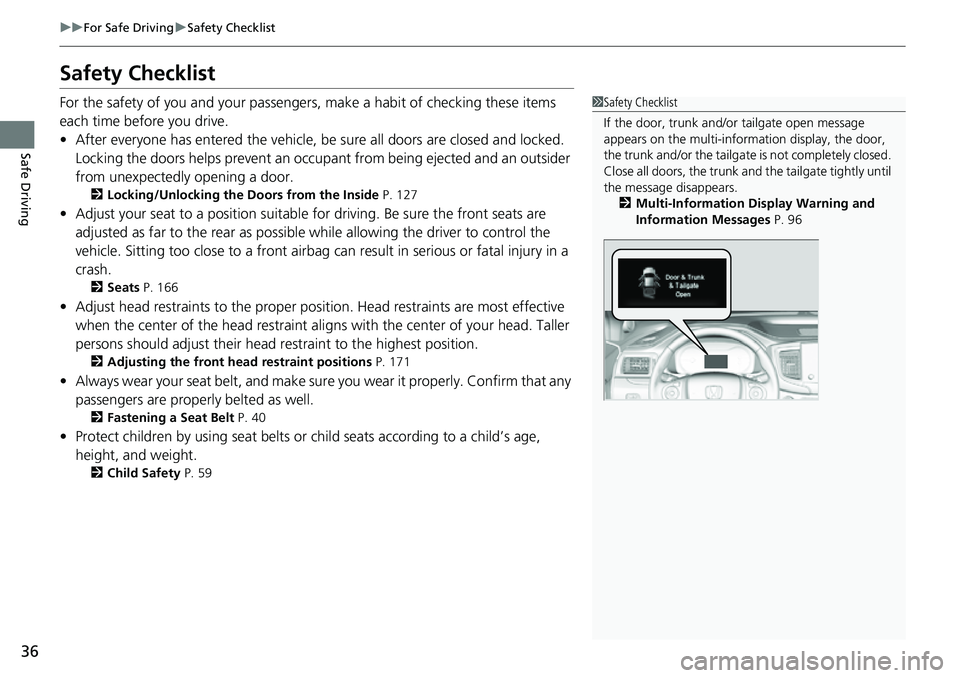
If the door, trunk and/or tailgate open message
appears on the multi-inform ation display, the door,
the trunk and/or the tailgate is not completely closed.
Close all doors, the trunk and the tailgate tightly until
the message disappears. 2 Multi-Information Display Warning and
Information Messages P. 96
Page 40 of 598
uuSeat Belts uAbout Your Seat Belts
38
Safe Driving
■Proper use of seat belts
Follow these guidelines for proper use:
• All occupants should sit upright, well back in the seat, and remain in that position
for the duration of the trip. Slouching and leaning reduc e the effectiveness of the
belt and can increase the chance of serious injury in a crash.
• Never place the shoulder part of a lap/shoulder seat belt under your arm or
behind your back. This could cause very serious injuries in a crash.
• Two people should never use the same seat belt. If they do, they could be very
seriously injured in a crash.
• Do not put any accessories on the seat be lts. Devices intended to improve comfort
or reposition the shoulder part of a seat be lt can reduce the protective capability
and increase the chance of serious injury in a crash.
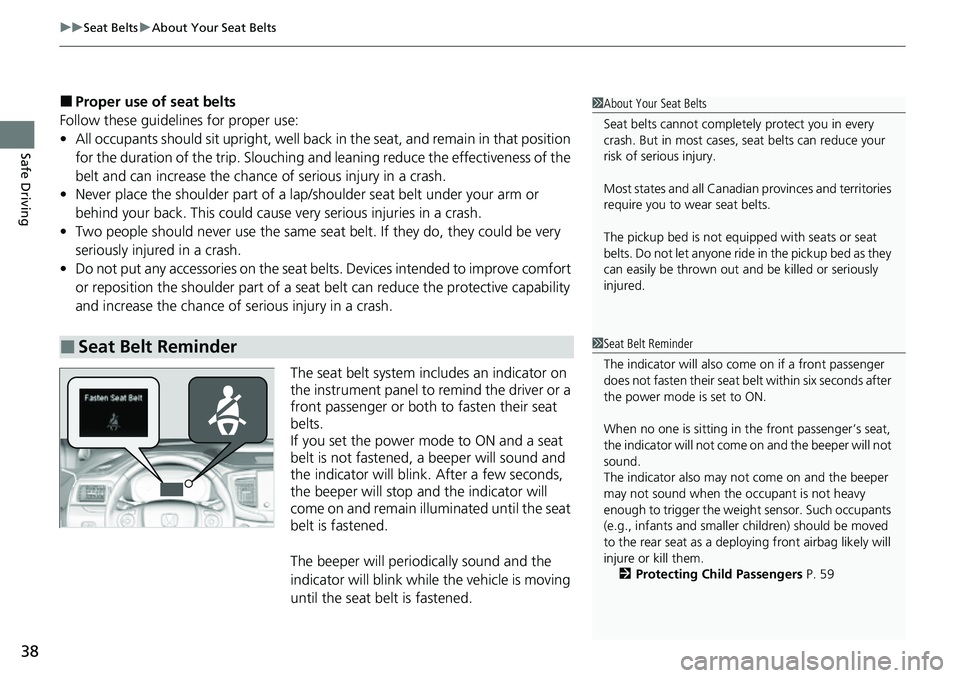
The seat belt system includes an indicator on
the instrument panel to remind the driver or a
front passenger or both to fasten their seat
belts.
If you set the power mode to ON and a seat
belt is not fastened, a beeper will sound and
the indicator will blink. After a few seconds,
the beeper will stop and the indicator will
come on and remain illuminated until the seat
belt is fastened.
The beeper will periodically sound and the
indicator will blink while the vehicle is moving
until the seat belt is fastened.
■Seat Belt Reminder
1 About Your Seat Belts
Seat belts cannot complete ly protect you in every
crash. But in most cases, seat belts can reduce your
risk of serious injury.
Most states and all Canadian provinces and territories
require you to w ear seat belts.
The pickup bed is not equipp ed with seats or seat
belts. Do not let anyone ride in the pickup bed as they
can easily be thrown out and be killed or seriously
injured.
1 Seat Belt Reminder
The indicator will also co me on if a front passenger
does not fasten their seat be lt within six seconds after
the power mode is set to ON.
When no one is sitting in th e front passenger’s seat,
the indicator will not come on and the beeper will not
sound.
The indicator also may no t come on and the beeper
may not sound when the occupant is not heavy
enough to trigger the weight sensor. Such occupants
(e.g., infants and smaller children) should be moved
to the rear seat as a deploying front airbag likely will
injure or kill them. 2 Protecting Child Passengers P. 59
Page 47 of 598
45
uuAirbags uAirbag System Components
Continued
Safe Driving
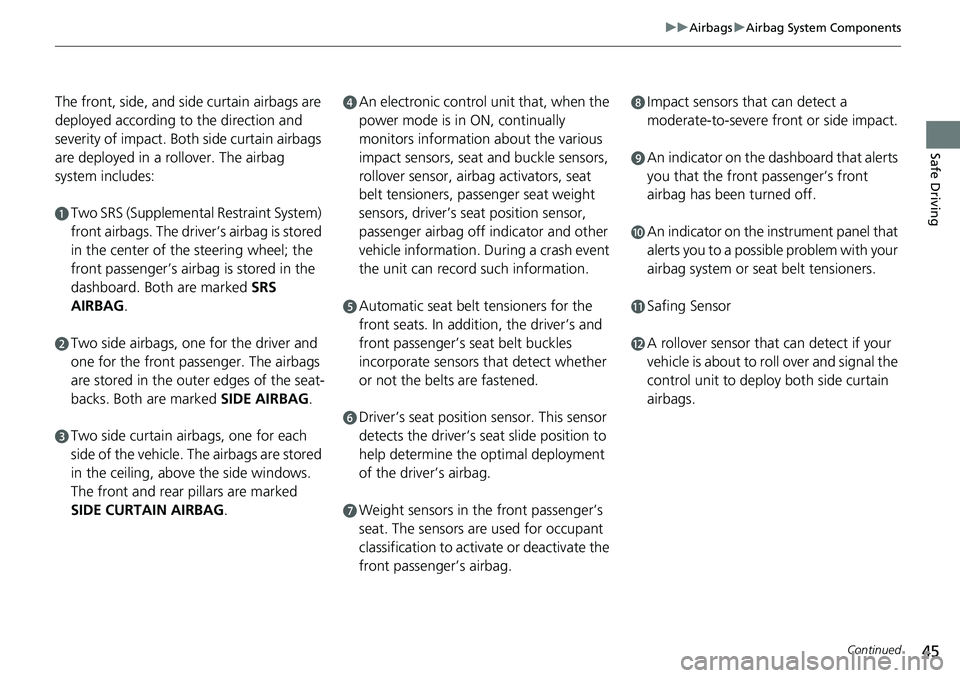
The front, side, and side curtain airbags are
deployed according to the direction and
severity of impact. Both side curtain airbags
are deployed in a rollover. The airbag
system includes:
aTwo SRS (Supplemental Restraint System)
front airbags. The driver’s airbag is stored
in the center of the steering wheel; the
front passenger’s airbag is stored in the
dashboard. Both are marked SRS
AIRBAG.
bTwo side airbags, one for the driver and
one for the front passenger. The airbags
are stored in the outer edges of the seat-
backs. Both are marked SIDE AIRBAG.
cTwo side curtain ai rbags, one for each
side of the vehicle. The airbags are stored
in the ceiling, above the side windows.
The front and rear pillars are marked
SIDE CURTAIN AIRBAG .
dAn electronic control unit that, when the
power mode is in ON, continually
monitors information about the various
impact sensors, seat and buckle sensors,
rollover sensor, airbag activators, seat
belt tensioners, passenger seat weight
sensors, driver’s seat position sensor,
passenger airbag off indicator and other
vehicle information. During a crash event
the unit can record such information.
eAutomatic seat belt tensioners for the
front seats. In additi on, the driver’s and
front passenger’s seat belt buckles
incorporate sensors that detect whether
or not the belts are fastened.
fDriver’s seat position sensor. This sensor
detects the driver’s s eat slide position to
help determine the optimal deployment
of the driver’s airbag.
gWeight sensors in the front passenger’s
seat. The sensors are used for occupant
classification to activate or deactivate the
front passenger’s airbag.
hImpact sensors that can detect a
moderate-to-severe front or side impact.
iAn indicator on the dashboard that alerts
you that the front passenger’s front
airbag has been turned off.
jAn indicator on the instrument panel that
alerts you to a possib le problem with your
airbag system or seat belt tensioners.
kSafing Sensor
lA rollover sensor that can detect if your
vehicle is about to ro ll over and signal the
control unit to deploy both side curtain
airbags.