lights HUMMER H2 2006 User Guide
[x] Cancel search | Manufacturer: HUMMER, Model Year: 2006, Model line: H2, Model: HUMMER H2 2006Pages: 502, PDF Size: 3.35 MB
Page 161 of 502

When the System Does Not Seem To
Work Properly
The rear vision camera system may not work properly
or display a clear image in the following situations:
In the dark.
When the sun or the beam of headlights is shining
directly into the camera lens.
If ice, snow, mud, or anything else builds up on the
camera lens. Clean the lens, rinse it with water,
and wipe it with a soft cloth.
If the back of the vehicle is in an accident, the
position and mounting angle of the camera
may change or the camera may be affected. Be
sure to have the camera and its position and
mounting angle checked at your dealer.
Extreme high or low temperatures or extreme
temperature changes can affect the image
displayed.
Accessory Power Outlet(s)
Your vehicle may be equipped with up to ve accessory
power outlets. The two front outlets, if equipped, are
located under the OnStar
®buttons on the instrument
panel behind hinged doors.
The two middle outlets, if equipped, are located on the
back of the center console.
There may also be an outlet located in the rear of the
vehicle near the liftgate. Remove the cap to use the
outlet. Replace the cap when the outlet is not in use.
If your vehicle is the SUT model, there is an outlet in the
rear cargo area on the passenger’s side of the vehicle.
Notice:Adding any electrical equipment to your
vehicle may damage it or keep other components
from working as they should. The repairs would not
be covered by your warranty. Do not use equipment
exceeding maximum amperage rating. Check
with your dealer before adding electrical equipment.
Certain power accessory plugs may not be compatible
to the accessory power outlets and could result in blown
vehicle or adapter fuses. If you experience a problem,
see your dealer for additional information on the
accessory power plugs.
Notice:Improper use of the power outlet can cause
damage not covered by your warranty. Do not
hang any type of accessory or accessory bracket
from the plug because the power outlets are
designed for accessory power plugs only.
3-21
Page 169 of 502
Warning Lights, Gages, and
Indicators
This part describes the warning lights and gages on
your vehicle. The pictures will help you locate them.
Warning lights and gages can signal that something is
wrong before it becomes serious enough to cause
an expensive repair or replacement. Paying attention to
your warning lights and gages could also save you
or others from injury.
Warning lights come on when there may be or is a
problem with one of your vehicle’s functions. As you will
see in the details on the next few pages, some
warning lights come on briey when you start the
engine just to let you know they are working. If you are
familiar with this section, you should not be alarmed
when this happens.Gages can indicate when there may be or is a problem
with one of your vehicle’s functions. Often gages
and warning lights work together to let you know when
there is a problem with your vehicle.
When one of the warning lights comes on and stays on
when you are driving, or when one of the gages shows
there may be a problem, check the section that tells you
what to do about it. Please follow this manual’s advice.
Waiting to do repairs can be costly – and even
dangerous. So please get to know your warning lights
and gages. They are a big help.
Your vehicle also has a Driver Information Center (DIC)
that works along with warning lights and gages. See
DIC Warnings and Messages on page 3-48.
3-29
Page 176 of 502
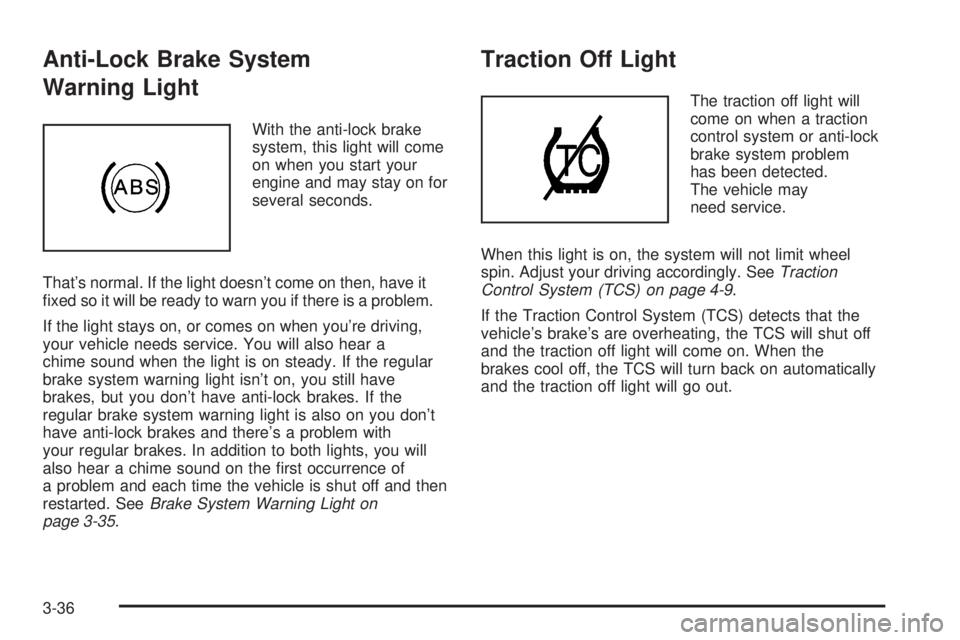
Anti-Lock Brake System
Warning Light
With the anti-lock brake
system, this light will come
on when you start your
engine and may stay on for
several seconds.
That’s normal. If the light doesn’t come on then, have it
xed so it will be ready to warn you if there is a problem.
If the light stays on, or comes on when you’re driving,
your vehicle needs service. You will also hear a
chime sound when the light is on steady. If the regular
brake system warning light isn’t on, you still have
brakes, but you don’t have anti-lock brakes. If the
regular brake system warning light is also on you don’t
have anti-lock brakes and there’s a problem with
your regular brakes. In addition to both lights, you will
also hear a chime sound on the rst occurrence of
a problem and each time the vehicle is shut off and then
restarted. SeeBrake System Warning Light on
page 3-35.
Traction Off Light
The traction off light will
come on when a traction
control system or anti-lock
brake system problem
has been detected.
The vehicle may
need service.
When this light is on, the system will not limit wheel
spin. Adjust your driving accordingly. SeeTraction
Control System (TCS) on page 4-9.
If the Traction Control System (TCS) detects that the
vehicle’s brake’s are overheating, the TCS will shut off
and the traction off light will come on. When the
brakes cool off, the TCS will turn back on automatically
and the traction off light will go out.
3-36
Page 198 of 502

UNLOCK FEEDBACK: BOTH:The parking lamps will
ash each time you press the button with the unlock
symbol on the remote keyless entry transmitter and
the horn will chirp the second time you press the
unlock button.
UNLOCK FEEDBACK: OFF:There wil be no feedback
when unlocking the vehicle.
Choose one of the available options and press the
customization button while it is displayed on the DIC to
select it and move on to the next feature.
Headlamp Delay
Press the customization button until HEADLAMP
DELAY appears in the display. To select your
preference for how long the headlamps will stay on
when you turn off the vehicle, press the select button
while HEADLAMP DELAY is displayed on the DIC.
Pressing the select button will scroll through the
following choices:
HEADLAMP DELAY: 10 SEC (Seconds) (default)
HEADLAMP DELAY: 20 SEC
HEADLAMP DELAY: 40 SEC
HEADLAMP DELAY: 1 MIN (Minute)
HEADLAMP DELAY: 2 MIN
HEADLAMP DELAY: 3 MIN
HEADLAMP DELAY: OFFThe amount of time you choose will be the amount of
time that the headlamps stay on after you turn off
the vehicle. If you choose off, the headlamps will turn
off as soon as you turn off the vehicle.
Choose one of the available options and press the
customization button while it is displayed on the DIC to
select it and move on to the next feature.
Perimeter Lights
Press the customization button until PERIMETER
LIGHTS appears in the display. To select your
preference for perimeter lighting, press the select button
while PERIMETER LIGHTS is displayed on the DIC.
Pressing the select button will scroll through the
following choices:
PERIMETER LIGHTS: ON (default):The headlamps
and back-up lamps will come on for 40 seconds, if
it is dark enough outside, when you unlock the vehicle
with the remote keyless entry transmitter.
PERIMETER LIGHTS: OFF:The perimeter lights will
not come on when you unlock the vehicle with the
remote keyless entry transmitter.
Choose one of the available options and press the
customization button while it is displayed on the DIC to
select it and move on to the next feature.
3-58
Page 277 of 502

Surface Obstacles:Unseen or hidden obstacles can
be hazardous. A rock, log, hole, rut, or bump can startle
you if you are not prepared for them. Often these
obstacles are hidden by grass, bushes, snow, or even
the rise and fall of the terrain itself. Here are some
things to consider:
Is the path ahead clear?
Will the surface texture change abruptly up ahead?
Does the travel take you uphill or downhill?
There is more discussion of these subjects later.
Will you have to stop suddenly or change
direction quickly?
When you drive over obstacles or rough terrain, keep a
rm grip on the steering wheel. Ruts, troughs, or
other surface features can jerk the wheel out of your
hands if you are not prepared.
When possible, it is a good practice to survey the
landscape ahead on foot prior to driving to observe
hidden obstacles.When you drive over bumps, rocks, or other obstacles,
your wheels can leave the ground. If this happens,
even with one or two wheels, you cannot control the
vehicle as well or at all.
Because you will be on an unpaved surface, it is
especially important to avoid sudden acceleration,
sudden turns, or sudden braking.
In a way, off-road driving requires a different kind of
alertness from driving on paved roads and highways.
There are no road signs, posted speed limits, or signal
lights. You have to use your own good judgment
about what is safe and what is not.
Drinking and driving can be very dangerous on any
road. And this is certainly true for off-road driving. At the
very time you need special alertness and driving
skills, your reexes, perceptions, and judgment can be
affected by even a small amount of alcohol. You
could have a serious — or even fatal — accident if you
drink and drive or ride with a driver who has been
drinking. SeeDrunken Driving on page 4-3.
4-23
Page 292 of 502
Driving at Night
Night driving is more dangerous than day driving. One
reason is that some drivers are likely to be impaired — by
alcohol or drugs, with night vision problems, or by fatigue.
Here are some tips on night driving.
Drive defensively.
Do not drink and drive.
Adjust the inside rearview mirror to reduce the glare
from headlamps behind you.
Since you cannot see as well, you may need to
slow down and keep more space between you
and other vehicles.
Slow down, especially on higher speed roads.
Your vehicle’s headlamps can light up only so
much road ahead.
In remote areas, watch for animals.
If you are tired, pull off the road in a safe place
and rest.
No one can see as well at night as in the daytime. But
as we get older these differences increase. A
50-year-old driver may require at least twice as much
light to see the same thing at night as a 20-year-old.What you do in the daytime can also affect your night
vision. For example, if you spend the day in bright
sunshine you are wise to wear sunglasses. Your eyes
will have less trouble adjusting to night. But if you
are driving, do not wear sunglasses at night. They may
cut down on glare from headlamps, but they also
make a lot of things invisible.
You can be temporarily blinded by approaching
headlamps. It can take a second or two, or even several
seconds, for your eyes to re-adjust to the dark. When
you are faced with severe glare, as from a driver
who does not lower the high beams, or a vehicle with
misaimed headlamps, slow down a little. Avoid
staring directly into the approaching headlamps.
Keep the windshield and all the glass on your vehicle
clean — inside and out. Glare at night is made much
worse by dirt on the glass. Even the inside of the glass
can build up a lm caused by dust. Dirty glass makes
lights dazzle and ash more than clean glass would,
making the pupils of your eyes contract repeatedly.
Remember that the headlamps light up far less of a
roadway when you are in a turn or curve. Keep
your eyes moving; that way, it is easier to pick out dimly
lighted objects. Just as the headlamps should be
checked regularly for proper aim, so should your eyes
be examined regularly. Some drivers suffer from
night blindness — the inability to see in dim light — and
are not even aware of it.
4-38
Page 354 of 502
How to Add Automatic
Transmission Fluid
Refer to the Maintenance Schedule to determine what
kind of transmission uid to use. SeeRecommended
Fluids and Lubricants on page 6-12.
Add uid only after checking the transmission uid while
it is hot. A cold check is used only as a reference. If
the uid level is low, add only enough of the proper uid
to bring the level up to the HOT area for a hot check.
It does not take much uid, generally less than one pint
(0.5 L). Do not overll.
Notice:Use of the incorrect automatic transmission
uid may damage your vehicle, and the damages
may not be covered by your warranty. Always
use the automatic transmission uid listed in
Recommended Fluids and Lubricants on page 6-12.
After adding uid, recheck the uid level as
described under “How to Check Automatic
Transmission Fluid,” earlier in this section.
When the correct uid level is obtained, push the
dipstick back in all the way; then ip the handle
down to lock the dipstick in place.
Engine Coolant
The cooling system in your vehicle is lled with
DEX-COOL®engine coolant. This coolant is designed
to remain in your vehicle for ve years or 150,000 miles
(240 000 km), whichever occurs rst, if you add only
DEX-COOL
®extended life coolant.
The following explains your cooling system and how to
add coolant when it is low. If you have a problem
with engine overheating, seeEngine Overheating on
page 5-27.
A 50/50 mixture of clean, drinkable water and
DEX-COOL
®coolant will:
Give freezing protection down to−34°F (−37°C).
Give boiling protection up to 265°F (129°C).
Protect against rust and corrosion.
Help keep the proper engine temperature.
Let the warning lights and gages work as
they should.
Notice:Using coolant other than DEX-COOL
®may
cause premature engine, heater core, or radiator
corrosion. In addition, the engine coolant may
require changing sooner, at the rst maintenance
service after each 25,000 miles (41 500 km) or
24 months, whichever occurs rst. Any repairs
would not be covered by your warranty. Always use
DEX-COOL
®(silicate-free) coolant in your vehicle.
5-24
Page 502 of 502
W
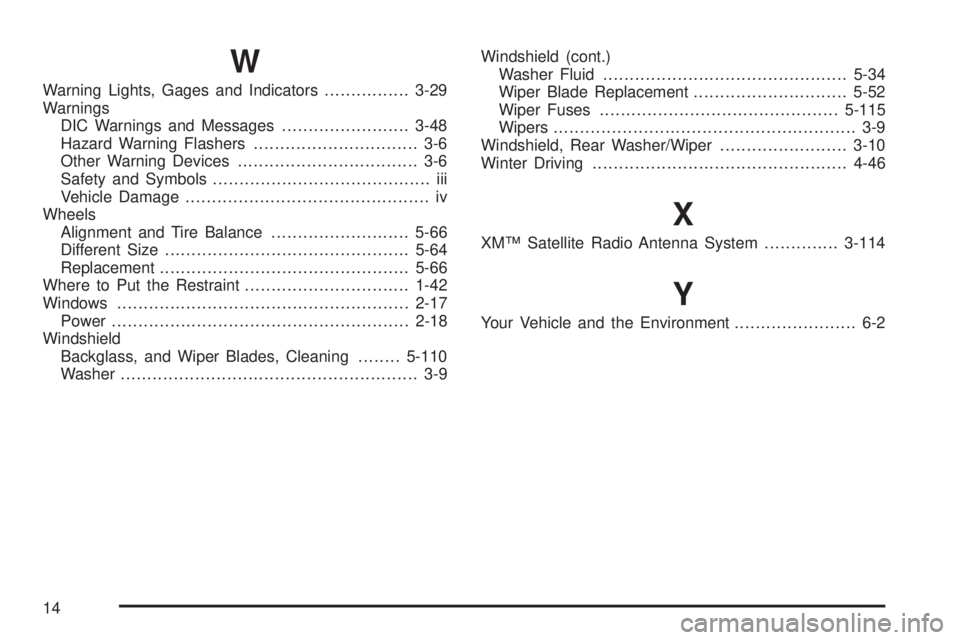
Warning Lights, Gages and Indicators................3-29
Warnings
DIC Warnings and Messages........................3-48
Hazard Warning Flashers............................... 3-6
Other Warning Devices.................................. 3-6
Safety and Symbols......................................... iii
Vehicle Damage.............................................. iv
Wheels
Alignment and Tire Balance..........................5-66
Different Size..............................................5-64
Replacement...............................................5-66
Where to Put the Restraint...............................1-42
Windows.......................................................2-17
Power........................................................2-18
Windshield
Backglass, and Wiper Blades, Cleaning........5-110
Washer........................................................ 3-9Windshield (cont.)
Washer Fluid..............................................5-34
Wiper Blade Replacement.............................5-52
Wiper Fuses.............................................5-115
Wipers......................................................... 3-9
Windshield, Rear Washer/Wiper........................3-10
Winter Driving................................................4-46
X
XM™ Satellite Radio Antenna System..............3-114
Y
Your Vehicle and the Environment....................... 6-2
14