light HUMMER H2 2006 Owner's Guide
[x] Cancel search | Manufacturer: HUMMER, Model Year: 2006, Model line: H2, Model: HUMMER H2 2006Pages: 502, PDF Size: 3.35 MB
Page 128 of 502

6. Locate in the garage, the garage door opener
receiver (motor-head unit). Locate the “Learn”
or “Smart” button. This can usually be found where
the hanging antenna wire is attached to the
motor-head unit.
7. Firmly press and release the “Learn” or “Smart”
button. The name and color of the button may
vary by manufacturer.
You will have 30 seconds to start Step 8.
8. Return to the vehicle. Firmly press and hold the
programmed Universal Home Remote button for
two seconds, then release. Repeat the press/
hold/release sequence a second time, and
depending on the brand of the garage door opener,
or other rolling code device, repeat this sequence
a third time to complete the programming.
The Universal Home Remote should now activate
your rolling-code equipped device.
To program the remaining two Universal Home Remote
buttons, begin with Step 2 of “Programming Universal
Home Remote.” You do not want to repeat Step 1,
as this will erase all previous programming from
the Universal Home Remote buttons.Gate Operator and Canadian
Programming
Canadian radio-frequency laws require transmitter
signals to time out or quit after several seconds of
transmission. This may not be long enough for Universal
Home Remote to pick up the signal during programming.
Similarly, some U.S. gate operators are manufactured
to time out in the same manner.
If you live in Canada, or you are having difficulty
programming a gate operator or garage door opener by
using the “Programming Universal Home Remote”
procedures, regardless of where you live, replace
Step 3 under “Programming Universal Home Remote”
with the following:
Continue to press and hold the Universal Home Remote
button while you press and release every two seconds
(cycle) the hand-held transmitter button until the
frequency signal has been successfully accepted by the
Universal Home Remote. The Universal Home Remote
indicator light will ash slowly at rst and then rapidly.
Proceed with Step 4 under “Programming Universal
Home Remote” to complete.
Using Universal Home Remote
Press and hold the appropriate Universal Home Remote
button for at least half of a second. The indicator light
will come on while the signal is being transmitted.
2-52
Page 129 of 502

Erasing Universal Home
Remote Buttons
To erase programming from the three Universal Home
Remote buttons do the following:
1. Press and hold down the two outside buttons until
the indicator light begins to ash, after 20 seconds.
Do not hold the two outside buttons for longer
than 30 seconds.
2. Release both buttons.
The Universal Home Remote is now in the train
(learning) mode and can be programmed at any time
beginning with Step 2 under “Programming Universal
Home Remote” shown earlier in this section.
Individual buttons cannot be erased, but they can be
reprogrammed. See “Reprogramming a Single Universal
Home Remote Button” following this section.
Reprogramming a Single Universal
Home Remote Button
To program a device to Universal Home Remote using
a Universal Home Remote button previously trained,
follow these steps:
1. Press and hold the desired Universal Home
Remote button. Do not release the button.
2. The indicator light will begin to ash after
20 seconds. While still holding the Universal Home
Remote button, proceed with Step 2 under
“Programming Universal Home Remote” shown
earlier in this section.
For additional information on Universal Home Remote,
seeCustomer Assistance Offices on page 7-4.
2-53
Page 130 of 502
Storage Areas
Glove Box
Open the glove box by pulling the bottom of the
handle upward.
Center Overhead Console
Your vehicle is equipped with either a short or long
overhead console.
To open a door on the console, push on the rear edge
of the door and let it swing open. Push the door up
until it latches to close the door.
The overhead consoles also includes reading lamps, the
Universal Home Remote System buttons and the
sunroof switch (if equipped).
Center Console Storage Area
Your vehicle has a console compartment between the
bucket seats.
To open it, press the button on the side of the console
and swing the console lid open.
Luggage Carrier
If your vehicle has this feature, you can load cargo on
your vehicle.
The luggage carrier consists of siderails attached to the
roof. The crossrails attach into the siderails and can
be moved back and forth to accommodate securing
various cargo sizes.
Notice:Loading cargo on the luggage carrier that
weighs more than 300 lbs. (136 kg) or hangs
over the rear or sides of the vehicle may damage
your vehicle. Load cargo only on top of the
crossrails and tie the cargo down to the crossrail
support cargo tie-down loops, making sure to fasten
it securely.
Your vehicle may be equipped with a light bar, do not
load cargo on it. SeeOff-Road Lamps on page 3-17for
more information.
Do not exceed the maximum vehicle capacity when
loading your vehicle. For more information on vehicle
capacity and loading, seeLoading Your Vehicle on
page 4-55.
2-54
Page 141 of 502
Instrument Panel Overview...............................3-4
Hazard Warning Flashers................................3-6
Other Warning Devices...................................3-6
Horn.............................................................3-6
Tilt Wheel.....................................................3-6
Turn Signal/Multifunction Lever.........................3-7
Turn and Lane-Change Signals........................3-7
Headlamp High/Low-Beam Changer..................3-8
Flash-to-Pass.................................................3-8
Windshield Wipers..........................................3-9
Windshield Washer.........................................3-9
Rear Window Wiper/Washer (SUV).................3-10
Cruise Control..............................................3-11
Exterior Lamps.............................................3-14
Headlamps on Reminder................................3-15
Daytime Running Lamps (DRL).......................3-15
Automatic Headlamp System..........................3-16
Off-Road Lamps...........................................3-17
Instrument Panel Brightness...........................3-17
Dome Lamps...............................................3-18
Dome Lamp Override....................................3-18
Entry/Exit Lighting.........................................3-18
Reading Lamps............................................3-18
Battery Run-Down Protection..........................3-18
Rear Vision Camera......................................3-18
Accessory Power Outlet(s).............................3-21
Ashtray(s) and Cigarette Lighter......................3-22Climate Controls............................................3-22
Dual Automatic Climate Control System...........3-22
Outlet Adjustment.........................................3-28
Warning Lights, Gages, and Indicators............3-29
Instrument Panel Cluster................................3-30
Speedometer and Odometer...........................3-31
Trip Odometer..............................................3-31
Tachometer.................................................3-31
Safety Belt Reminder Light.............................3-31
Airbag Readiness Light..................................3-32
Airbag Off Light............................................3-32
Charging System Light..................................3-34
Voltmeter Gage............................................3-34
Brake System Warning Light..........................3-35
Anti-Lock Brake System Warning Light.............3-36
Traction Off Light..........................................3-36
Engine Coolant Temperature Gage..................3-37
Transmission Temperature Gage.....................3-37
Malfunction Indicator Lamp.............................3-39
Oil Pressure Gage........................................3-41
Security Light...............................................3-42
Cruise Control Light......................................3-43
Highbeam On Light.......................................3-43
Tow/Haul Mode Light....................................3-43
Fuel Gage...................................................3-44
Low Fuel Warning Light.................................3-44
Section 3 Instrument Panel
3-1
Page 145 of 502
The main components of your instrument panel are the following:
A. Air Outlets. SeeOutlet Adjustment on page 3-28.
B. Exterior Lamps Control. SeeExterior Lamps
on page 3-14.
C. Heated Windshield Washer Control (If Equipped).
SeeWindshield Washer on page 3-9.
D. OnStar
®and Radio Steering Wheel Buttons. See
OnStar®System on page 2-48andAudio Steering
Wheel Controls on page 3-110.
E. Instrument Panel Cluster. SeeInstrument Panel
Cluster on page 3-30.
F. Locking Rear Axle and Full-Time Four-Wheel Drive
Buttons. SeeLocking Rear Axle on page 4-10
andFull-Time Four-Wheel Drive on page 2-30.
G. Audio System. SeeAudio System(s) on page 3-61.
H. Airbag Switch. SeeAirbag Off Switch on page 1-65.
I. Glove Box. SeeGlove Box on page 2-54.
J. Midgate Glass Up/Down Switch (SUT). See
Midgate
®(SUT) on page 2-12. Rear Wiper/Washer
Switch (SUV). SeeRear Window Wiper/Washer
(SUV) on page 3-10.
K. Dome Override Button. SeeDome Lamp Override
on page 3-18.
L. Turn Signal/Multifunction Lever. SeeTurn
Signal/Multifunction Lever on page 3-7.M. Tilt Lever. SeeTilt Wheel on page 3-6.
N. Driver Information Center (DIC) Buttons. SeeDriver
Information Center (DIC) on page 3-45.
O. Parking Brake Release. SeeParking Brake on
page 2-34.
P. Traction Control Button. SeeTraction Control
System (TCS) on page 4-9.
Q. Tow/Haul Selector Button. See “Tow/Haul Mode”
underTowing a Trailer on page 4-63.
R. Ride Height Selector Button (If Equipped). See
Selectable Extended Rear Ride Height on page 4-61.
S. Cigarette Lighter or Accessory Power Outlet (If
Equipped). SeeAshtray(s) and Cigarette Lighter on
page 3-22orAccessory Power Outlet(s) on
page 3-21.
T. Shift Lever. SeeAutomatic Transmission Operation
on page 2-27.
U. Accessory Power Outlets. SeeAccessory Power
Outlet(s) on page 3-21.
V. OnStar Buttons. SeeOnStar
®System on page 2-48.
W. Rear Window Defogger Button. See “Rear Window
Defogger” underDual Automatic Climate Control
System on page 3-22.
X. Climate Control System. SeeDual Automatic
Climate Control System on page 3-22.
3-5
Page 148 of 502
An arrow on the instrument
panel cluster will ash in
the direction of the
turn or lane change.
As you signal a turn or a lane change, if the arrows ash
more quickly than normal, a signal bulb may be burned
out and other drivers won’t see your turn signal.
If a bulb is burned out, replace it to help avoid an
accident. If the arrows don’t go on at all when you signal
a turn, check for burned-out bulbs and a blown fuse.
SeeInstrument Panel Fuse Block on page 5-116
andUnderhood Fuse Block on page 5-119.
Turn Signal On Chime
If your turn signal is left on for more than 3/4 of a mile
(1.2 km), a chime will sound at each ash of the turn
signal and the message TURN SIGNAL ON will also
appear in the DIC. SeeDIC Warnings and Messages on
page 3-48. To turn the chime and message off, move the
turn signal lever to the off position.
Headlamp High/Low-Beam Changer
53(Headlamp High/Low Beam Changer):To
change the headlamps from low to high beam, push the
lever toward the instrument panel. To return to
low-beam headlamps, pull the multifunction lever toward
you. Then release it.
When the high beams are
on, this indicator light on
the instrument panel
cluster will also be on.
Flash-to-Pass
This feature lets you use your high-beam headlamps to
signal a driver in front of you that you want to pass. It
works even if your headlamps are in the automatic
position.
To use it, pull the turn signal lever toward you, then
release it.
If your headlamps are in the automatic position or on
low beam, your high-beam headlamps will turn on.
They’ll stay on as long as you hold the lever toward you.
The high-beam indicator on the instrument panel
cluster will come on. Release the lever to return to
normal operation.
3-8
Page 149 of 502
Windshield Wipers
You control the windshield wipers by turning the band
with the wiper symbol on it.
8(Mist):For a single wiping cycle, turn the band to
mist. Hold it there until the wipers start. Then let go. The
wipers will stop after one wipe. If you want more
wipes, hold the band on mist longer.
N(Delay):You can set the wiper speed for a long or
short delay between wipes. This can be very useful
in light rain or snow. Turn the band to choose the delay
time. The closer to the top of the lever, the shorter
the delay.
6(Low Speed):For steady wiping at low speed,
turn the band away from you to the rst solid band past
the delay settings.
1(High Speed):For high-speed wiping, turn the
band further, to the second solid band past the
delay settings.
9(Off):To stop the wipers, move the band to off.
Be sure to clear ice and snow from the wiper blades
before using them. If they’re frozen to the windshield,
carefully loosen or thaw them. If your blades do become
worn or damaged, get new blades or blade inserts.
Windshield Washer
{CAUTION:
In freezing weather, do not use your washer
until the windshield is warmed. Otherwise the
washer uid can form ice on the windshield,
blocking your vision.
LQ(Washer Fluid):There is a paddle marked with
the windshield washer symbol at the top of the
multifunction lever. To spray washer uid on the
windshield, push the paddle. The wipers will clear the
window and then either stop or return to the preset speed.
_(Heated Washer Fluid):If your vehicle is equipped
with the heated washer system, approximately
ve seconds after turning on your vehicle, it will be in
Standby mode. Heated windshield uid can spray
for three to six seconds to the windshield when the
washer uid paddle is used. The heated uid is
discharged by pushing the normal wash paddle in the
vehicle. Standby mode is activated every time the
vehicle is turned on.
3-9
Page 150 of 502

To activate Automatic mode for de-icing, press the
heated washer switch. The indicator light starts to ash
at a one second rate. Once the washer uid is
heated, approximately 25 seconds, it is sprayed on the
windshield. This cycle will repeat four times
(approximately every six seconds) and then the unit will
return to Standby mode. Pressing the heated washer
uid button at any time during this cycle will stop
the Automatic mode and return it to Standby. Automatic
mode is recommended while the vehicle is parked.
In the case of a rapidly ashing light indicator on the
heated washer switch, it may be necessary to wait for up
to one minute for the light to stop ashing, then cycle
the ignition.
Rear Window Wiper/Washer (SUV)
If your vehicle has a rear
window washer/wiper, the
control knob is located
on the instrument panel
to the left of the
steering wheel.
{CAUTION:
In freezing weather, do not use your washer
until the windshield is warmed. Otherwise the
washer uid can form ice on the windshield,
blocking your vision.
To turn the rear wiper on, turn the knob to either 1 or 2.
For long delayed wiping, turn the knob to 1. For short
delayed wiping, turn the knob to 2.
9(Off):To turn the wiper off, turn the knob to
this symbol.
=(Washer Fluid):To wash the window, press the
knob with this symbol.
The rear window washer uses the same uid reservoir
as the windshield washer. However, the rear window
washer will run out of uid before the windshield washer.
If you can wash your windshield but not your rear
windows, check the uid level.
3-10
Page 153 of 502
Reducing Speed While Using
Cruise Control
Press in the button at the end of the lever until you
reach the lower speed you want, then release it.
To slow down in very small amounts, briey press
the set button. Each time you do this, you’ll go
about 1 mph (1.6 km/h) slower.
Passing Another Vehicle While Using
Cruise Control
Use the accelerator pedal to increase your speed.
When you take your foot off the pedal, your vehicle will
slow down to the cruise control speed you set earlier.
Using Cruise Control on Hills
How well your cruise control will work on hills depends
upon your speed, load and the steepness of the
hills. When going up steep hills, you may want to step
on the accelerator pedal to maintain your speed.
When going downhill, you may have to brake or shift to
a lower gear to keep your speed down. Of course,
applying the brake takes you out of cruise control. Many
drivers nd this to be too much trouble and don’t use
cruise control on steep hills.
Ending Cruise Control
There are four ways to turn off the cruise control:
Step lightly on the brake pedal,
move the cruise control switch to off, or
shift the transmission to NEUTRAL (N).
If road conditions cause the traction control system
to activate, cruise control will turn off. SeeTraction
Control System (TCS) on page 4-9.
If the accelerator pedal is held for 60 seconds or
longer, cruise control will turn off.
Erasing Speed Memory
When you turn off the cruise control or the ignition, your
cruise control set speed memory is erased.
3-13
Page 154 of 502
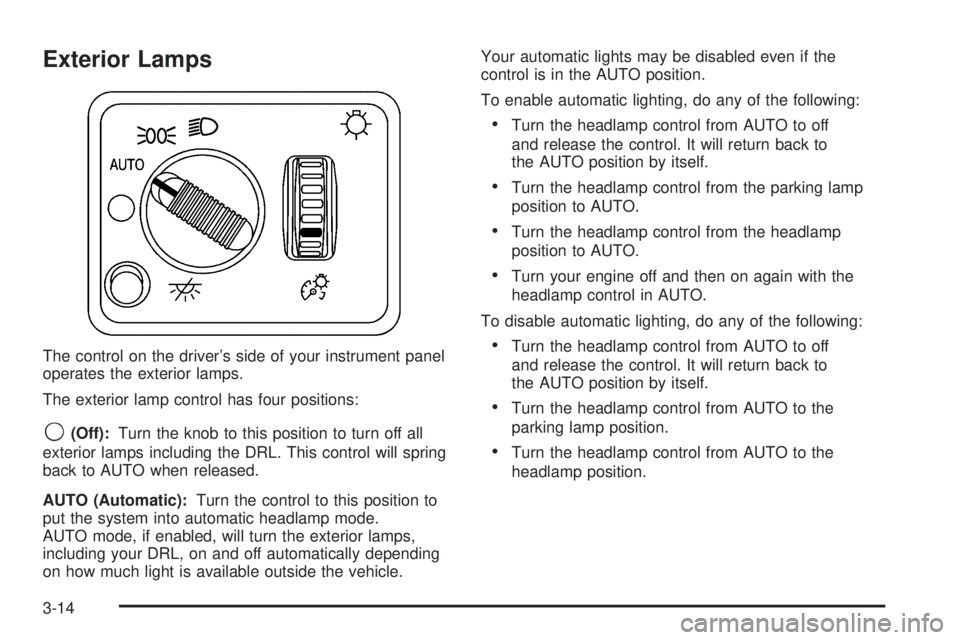
Exterior Lamps
The control on the driver’s side of your instrument panel
operates the exterior lamps.
The exterior lamp control has four positions:
9(Off):Turn the knob to this position to turn off all
exterior lamps including the DRL. This control will spring
back to AUTO when released.
AUTO (Automatic):Turn the control to this position to
put the system into automatic headlamp mode.
AUTO mode, if enabled, will turn the exterior lamps,
including your DRL, on and off automatically depending
on how much light is available outside the vehicle.Your automatic lights may be disabled even if the
control is in the AUTO position.
To enable automatic lighting, do any of the following:
Turn the headlamp control from AUTO to off
and release the control. It will return back to
the AUTO position by itself.
Turn the headlamp control from the parking lamp
position to AUTO.
Turn the headlamp control from the headlamp
position to AUTO.
Turn your engine off and then on again with the
headlamp control in AUTO.
To disable automatic lighting, do any of the following:
Turn the headlamp control from AUTO to off
and release the control. It will return back to
the AUTO position by itself.
Turn the headlamp control from AUTO to the
parking lamp position.
Turn the headlamp control from AUTO to the
headlamp position.
3-14