battery HUMMER H2 2007 User Guide
[x] Cancel search | Manufacturer: HUMMER, Model Year: 2007, Model line: H2, Model: HUMMER H2 2007Pages: 570, PDF Size: 3.34 MB
Page 152 of 570

Programming Universal Home
Remote — Fixed Code
Fixed Code garage door openers are used for
garage doors produced prior to 1996. Fixed code
uses the same coded signal every time, which
is manually programmed by setting DIP switches
for a unique personal code.
Follow these steps to program up to three channels:
1. Remove the battery cover of the hand-held
transmitter.
2. Write down the eight to 12 coding switch
settings from left to right. When the switch
is in the up position, write “on,” and when a
switch is in the down position, write “off”.
If a switch is set between the up and down
position, write “middle”.
3. Enter these positions into the Universal Home
Remote System as follows.
Press and release all three buttons at the same
time to put the device into programming mode.
Example of Switch Settings
152
Page 156 of 570

Universal Home
Remote System Operation
(With One Triangular LED)
Your vehicle may have the Universal Home
Remote System. If there is one triangular Light
Emitting Diode (LED) above the Universal
Home Remote buttons, follow the instructions
below. If your vehicle has three round LED above
the Universal Home Remote buttons, follow the
instructions under Universal Home Remote System
Operation (with three round LED).
Do not use the Universal Home Remote with any
garage door opener that does not have the stop
and reverse feature. This includes any garage door
opener model manufactured before April 1, 1982.If you have a newer garage door opener with rolling
codes, please be sure to follow Steps 6 through 8 to
complete the programming of your Universal Home
Remote Transmitter.
Read the instructions completely before attempting
to program the Universal Home Remote. Because
of the steps involved, it may be helpful to have
another person available to assist you in the
programming steps.
Keep the original hand-held transmitter for use in
other vehicles as well as for future Universal Home
Remote programming. It is also recommended that
upon the sale of the vehicle, the programmed
Universal Home Remote buttons should be erased
for security purposes. See “Erasing Universal
Home Remote Buttons” later in this section or,
for assistance, seeCustomer Assistance Offices
on page 540.
Be sure that people and objects are clear of the
garage door or gate operator you are programming.
When programming a garage door, it is advised to
park outside of the garage.
It is recommended that a new battery be installed in
your hand-held transmitter for quicker and more
accurate transmission of the radio-frequency signal.
156
Page 171 of 570
Instrument Panel Overview........................ 174
Hazard Warning Flashers.......................... 176
Other Warning Devices............................. 177
Horn.......................................................... 177
Tilt Wheel.................................................. 177
Turn Signal/Multifunction Lever.................. 178
Turn and Lane-Change Signals................. 178
Headlamp High/Low-Beam Changer.......... 179
Flash-to-Pass............................................ 180
Windshield Wipers..................................... 180
Windshield Washer.................................... 181
Rear Window Wiper/Washer (SUV)........... 182
Cruise Control........................................... 183
Exterior Lamps.......................................... 186
Headlamps on Reminder........................... 188
Daytime Running Lamps (DRL)................. 188
Automatic Headlamp System..................... 189
Off-Road Lamps........................................ 190
Instrument Panel Brightness...................... 191
Dome Lamps............................................. 191
Dome Lamp Override................................ 191Entry/Exit Lighting...................................... 191
Reading Lamps......................................... 192
Battery Run-Down Protection..................... 192
Rear Vision Camera.................................. 192
Accessory Power Outlet(s)........................ 196
Ashtray(s) and Cigarette Lighter................ 197
Climate Controls......................................... 197
Dual Automatic Climate Control System....... 197
Outlet Adjustment...................................... 203
Warning Lights, Gages, and Indicators........ 204
Instrument Panel Cluster........................... 205
Speedometer and Odometer...................... 206
Trip Odometer........................................... 206
Tachometer............................................... 206
Safety Belt Reminder Light........................ 206
Airbag Readiness Light............................. 207
Airbag Off Light......................................... 208
Charging System Light.............................. 209
Voltmeter Gage......................................... 210
Brake System Warning Light..................... 211
Anti-Lock Brake System Warning Light...... 212
Section 3 Instrument Panel
171
Page 192 of 570

Reading Lamps
Your vehicle has reading lamps located in the
overhead console. Press the button located next
to the lamp to turn it on. The lamps can be
adjusted to point in the direction you want.
Press the button again to turn the lamp off.
These lamps will also come on with the
dome lamps.
Battery Run-Down Protection
This feature shuts off the dome lamps if they are
left on for more than 10 minutes when the
ignition is in LOCK. This will help prevent the
battery from running down.
Rear Vision Camera
Your vehicle may be equipped with a rear vision
camera system. Read this entire section before
using the camera system.The rear vision camera system is designed to help
the driver when backing up by displaying a view
of the area behind the vehicle. When the
driver shifts the vehicle into REVERSE (R), the
video screen will automatically slide out from
the rear view mirror. Once the driver shifts out of
REVERSE (R), the video screen will slide back
into the rear view mirror after a delay.
To turn off the rear vision camera system, do the
following:
1. Place the vehicle shift lever in (P) PARK.
2. Turn the ignition key to the ACCESSORY
position.
3. Press the right mirror button briey; the right
green light indicator will turn off. The rear
camera vision display is now disabled.
To turn on the rear camera vision feature again,
press the right mirror button briey. The green light
indicator will illuminate. The rear camera vision
system is now enabled and the display will
slide out from the mirror normally.
192
Page 209 of 570
{CAUTION:
If the airbag readiness light ever comes
on when you have turned off the airbag, it
means that something may be wrong with
the airbag system. The right front
passenger’s airbag could inate even
though the switch is off. If this ever
happens, do not let anyone whom the
national government has identied as a
member of a passenger airbag risk group
sit in the right front passenger’s position
(for example, do not secure a rear-facing
child restraint in the right front
passenger’s seat) until you have your
vehicle serviced. SeeAirbag Off Switch on
page 84, for more on this, including
important safety information.
Charging System Light
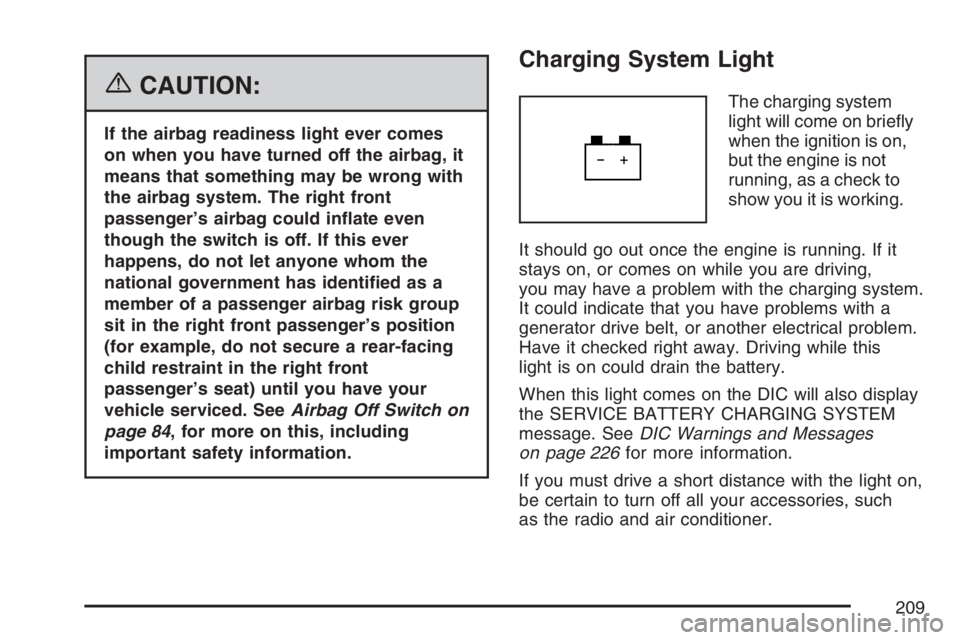
The charging system
light will come on briey
when the ignition is on,
but the engine is not
running, as a check to
show you it is working.
It should go out once the engine is running. If it
stays on, or comes on while you are driving,
you may have a problem with the charging system.
It could indicate that you have problems with a
generator drive belt, or another electrical problem.
Have it checked right away. Driving while this
light is on could drain the battery.
When this light comes on the DIC will also display
the SERVICE BATTERY CHARGING SYSTEM
message. SeeDIC Warnings and Messages
on page 226for more information.
If you must drive a short distance with the light on,
be certain to turn off all your accessories, such
as the radio and air conditioner.
209
Page 210 of 570
Voltmeter Gage
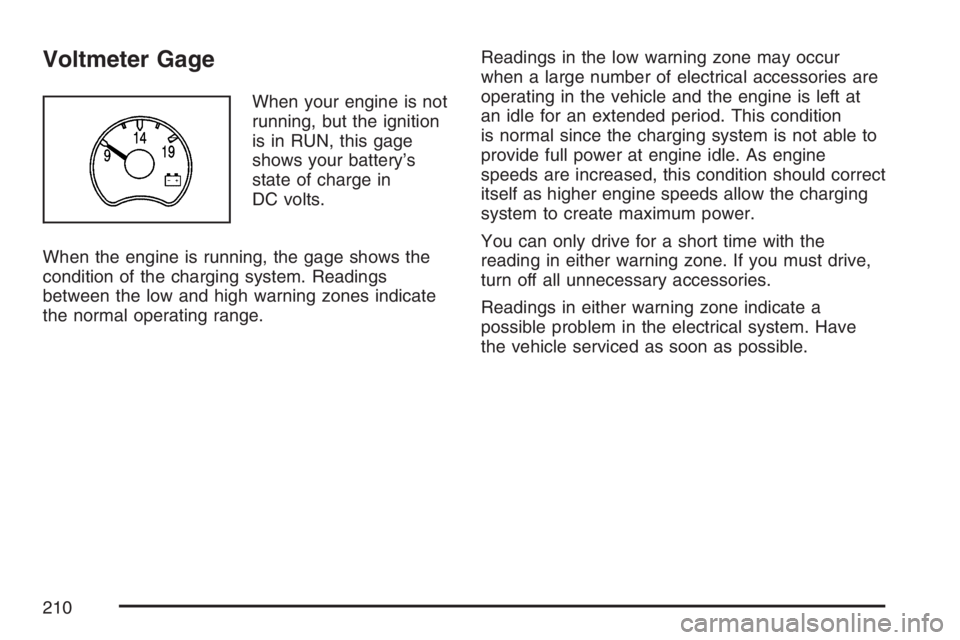
When your engine is not
running, but the ignition
is in RUN, this gage
shows your battery’s
state of charge in
DC volts.
When the engine is running, the gage shows the
condition of the charging system. Readings
between the low and high warning zones indicate
the normal operating range.Readings in the low warning zone may occur
when a large number of electrical accessories are
operating in the vehicle and the engine is left at
an idle for an extended period. This condition
is normal since the charging system is not able to
provide full power at engine idle. As engine
speeds are increased, this condition should correct
itself as higher engine speeds allow the charging
system to create maximum power.
You can only drive for a short time with the
reading in either warning zone. If you must drive,
turn off all unnecessary accessories.
Readings in either warning zone indicate a
possible problem in the electrical system. Have
the vehicle serviced as soon as possible.
210
Page 218 of 570
Emissions Inspection and Maintenance
Programs
Some state/provincial and local governments have
or may begin programs to inspect the emission
control equipment on your vehicle. Failure to pass
this inspection could prevent you from getting a
vehicle registration.
Here are some things you need to know to help
your vehicle pass an inspection:
Your vehicle will not pass this inspection if the
check engine light is on or not working properly.
Your vehicle will not pass this inspection if
the OBD (on-board diagnostic) system determines
that critical emission control systems have not
been completely diagnosed by the system.
The vehicle would be considered not ready for
inspection. This can happen if you have recently
replaced your battery or if your battery has
run down. The diagnostic system is designed to
evaluate critical emission control systems
during normal driving. This may take several days
of routine driving. If you have done this and
your vehicle still does not pass the inspection for
lack of OBD system readiness, your dealer
can prepare the vehicle for inspection.
Oil Pressure Gage
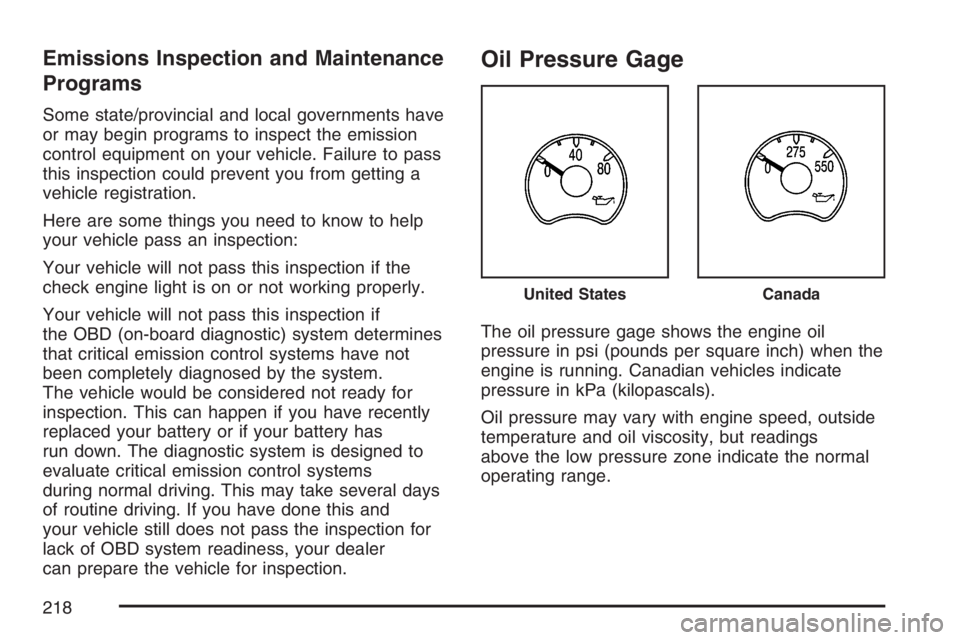
The oil pressure gage shows the engine oil
pressure in psi (pounds per square inch) when the
engine is running. Canadian vehicles indicate
pressure in kPa (kilopascals).
Oil pressure may vary with engine speed, outside
temperature and oil viscosity, but readings
above the low pressure zone indicate the normal
operating range.
United StatesCanada
218
Page 226 of 570
DIC Warnings and Messages
Messages are displayed on the DIC to notify the
driver that the status of the vehicle has changed
and that some action may be needed by the driver
to correct the condition. Multiple messages may
appear one after another.
Some messages may not require immediate
action. Press any of the DIC buttons on the
steering wheel or the trip odometer reset stem
located on the instrument panel cluster to
acknowledge that you received the messages and
to clear them from the display.
Some messages cannot be cleared from the
display because they are more urgent. These
messages require action before they can be
removed from the DIC display. Take any messages
that appear on the display seriously and remember
that clearing the messages will only make the
messages disappear, not correct the problem.
The following are the possible messages that can
be displayed and some information about them.
BATTERY NOT CHARGING
This message displays if the battery is not
charging during operation. Driving with this
problem could drain the battery. Have the electrical
system checked as soon as possible by your
dealer. SeeCharging System Light on page 209
andVoltmeter Gage on page 210for more
information. Press any of the DIC buttons, or the
trip stem, to acknowledge this message and
clear it from the DIC display.
CHANGE ENGINE OIL
This message displays when the engine oil needs
to be changed. See “Engine Oil Life System”
underDIC Operation and Displays on page 222
andEngine Oil Life System on page 407for
information on how to reset the message. Also,
seeEngine Oil on page 404for more information.
This message clears itself after 10 seconds
until the next ignition cycle.
226
Page 227 of 570

CHARGING SYSTEM FAILURE
On some vehicles, this message displays, a chime
sounds, and the charging system light on the
instrument panel cluster comes on if there
is a problem with the generator and battery
charging system. SeeCharging System Light on
page 209andVoltmeter Gage on page 210
for more information. Driving with this problem
could drain the battery. Turn off all unnecessary
accessories. Stop and turn off the vehicle as soon
as it is safe to do so. Have the electrical system
checked by your dealer immediately.
CHECK OIL LEVEL
This message displays if the oil level in the vehicle
is low. Check the oil level and correct it as
necessary. You may need to let the vehicle cool
or warm up and cycle the ignition to make sure this
message clears. Once the problem is corrected,
press any of the DIC buttons, or the trip stem,
to acknowledge this message and clear it from the
DIC display. This message clears itself after
10 seconds until the next ignition cycle.
CHECK WASHER FLUID
This message displays if the windshield washer
uid level is low. Adding windshield washer uid to
the windshield washer uid reservoir clears the
message. SeeWindshield Washer Fluid on
page 426for more information. Press any of the
DIC buttons, or the trip stem, to acknowledge
this message and clear it from the DIC display.
This message clears itself after 10 seconds
until the next ignition cycle.
DRIVER DOOR AJAR
This message displays and a chime sounds if the
driver’s door is not fully closed and the vehicle
is in a drive gear. Stop and turn off the vehicle,
check the door for obstructions, and close the door
again. Check to see if the message still appears
on the DIC. Press any of the DIC buttons, or
the trip stem, to acknowledge this message and
clear it from the DIC display.
227
Page 228 of 570
ENGINE COOLANT HOT
This message displays if the cooling system
temperature gets hot. Turn off the air conditioning.
If the message is still on, or if the engine coolant
temperature gage continues to rise, pull the vehicle
over when it is safe to do so. SeeEngine
Coolant Temperature Gage on page 213for more
information. Stop the vehicle and let the engine
idle in PARK (P) for a few minutes to allow
the coolant to reach a safe temperature. This
message clears when the coolant temperature
drops to a safe operating temperature. Press any
of the DIC buttons, or the trip stem, to
acknowledge this message and clear it from the
DIC display.
ENGINE OVERHEATED
This message displays and a chime sounds if the
engine cooling system reaches unsafe
temperatures for operation. Stop and turn off the
vehicle as soon as it is safe to do so to avoid
severe damage. This message clears when the
engine has cooled to a safe operating temperature.
FUEL LEVEL LOW
This message displays and a chime sounds if the
fuel level is low. Refuel as soon as possible.
Press any of the DIC buttons, or the trip stem, to
acknowledge this message and clear it from
the DIC display. This message also clears itself
after 10 seconds. The low fuel light near the
fuel gage still remains on in either case. SeeLow
Fuel Warning Light on page 221,Fuel Gage on
page 221, andFuel on page 394for more
information.
KEYFOB X BATTERY LOW
This message displays if a Remote Keyless
Entry (RKE) transmitter battery is low. Replace
the battery in the transmitter. See “Battery
Replacement” underRemote Keyless Entry (RKE)
System Operation on page 97. Press any of the
DIC buttons, or the trip stem, to acknowledge this
message and clear it from the DIC display.
228