wheel HUMMER H2 2007 User Guide
[x] Cancel search | Manufacturer: HUMMER, Model Year: 2007, Model line: H2, Model: HUMMER H2 2007Pages: 570, PDF Size: 3.34 MB
Page 113 of 570
Global Window Feature
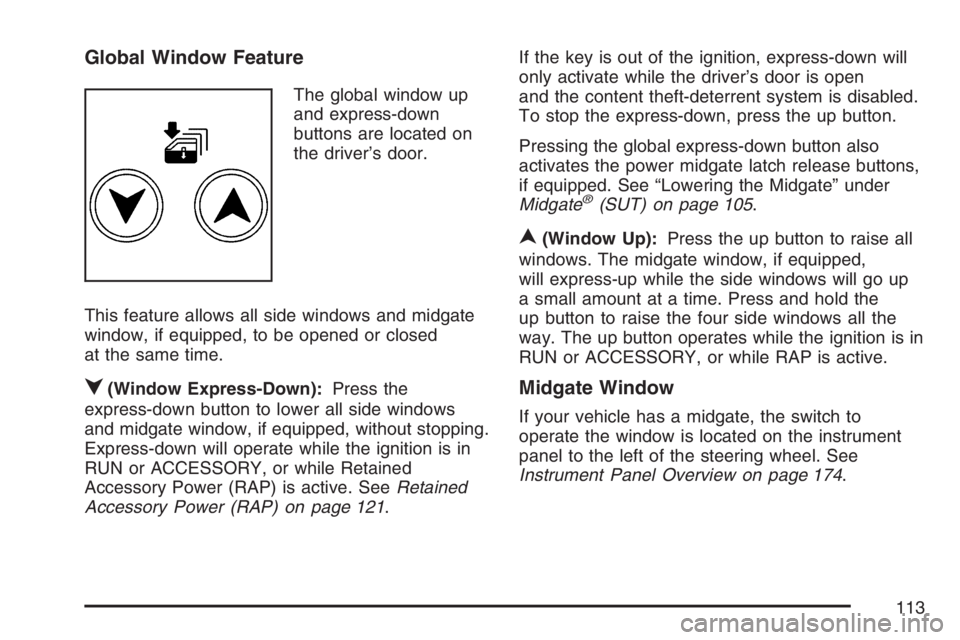
The global window up
and express-down
buttons are located on
the driver’s door.
This feature allows all side windows and midgate
window, if equipped, to be opened or closed
at the same time.
q(Window Express-Down):Press the
express-down button to lower all side windows
and midgate window, if equipped, without stopping.
Express-down will operate while the ignition is in
RUN or ACCESSORY, or while Retained
Accessory Power (RAP) is active. SeeRetained
Accessory Power (RAP) on page 121.If the key is out of the ignition, express-down will
only activate while the driver’s door is open
and the content theft-deterrent system is disabled.
To stop the express-down, press the up button.
Pressing the global express-down button also
activates the power midgate latch release buttons,
if equipped. See “Lowering the Midgate” under
Midgate
®(SUT) on page 105.
n(Window Up):Press the up button to raise all
windows. The midgate window, if equipped,
will express-up while the side windows will go up
a small amount at a time. Press and hold the
up button to raise the four side windows all the
way. The up button operates while the ignition is in
RUN or ACCESSORY, or while RAP is active.
Midgate Window
If your vehicle has a midgate, the switch to
operate the window is located on the instrument
panel to the left of the steering wheel. See
Instrument Panel Overview on page 174.
113
Page 120 of 570

Ignition Positions
Use the key to turn the ignition switch to
four different positions.
A (LOCK):This position locks the ignition and
transmission. It is a theft-deterrent feature. You will
only be able to remove the key when the ignition
is turned to LOCK.Notice:Using a tool to force the key from the
ignition switch could cause damage or break
the key. Use the correct key and turn the key
only with your hand. Make sure the key is all the
way in. If it is, turn the steering wheel left and
right while you turn the key hard. If none of this
works, then your vehicle needs service.
B (ACCESSORY):This position lets you use
things like the radio and the windshield wipers
when the engine is off.
Lengthy operation of features such as the radio in
the accessory ignition position and the RUN
position may drain the battery and prevent your
vehicle from starting. Do not operate your vehicle
in the accessory ignition position for a long
period of time.
C (RUN):This is the position for driving. It is the
position the switch returns to after the engine
starts, and you release the key.
The battery could be drained if you leave the key
in the ACCESSORY or RUN position with the
engine off. You may not be able to start your
vehicle if the battery is allowed to drain for
an extended period of time.
D (START):This position starts the engine.
120
Page 124 of 570

Automatic Transmission Operation
Your vehicle is equipped with an automatic
transmission and features an electronic shift
position indicator located within the instrument
panel cluster.
There are several different positions for your
shift lever.
PARK (P):This position locks your drive wheels. It
is the best position to use when you start your
engine because your vehicle cannot move easily.
{CAUTION:
It is dangerous to get out of your vehicle
if the shift lever is not fully in PARK (P)
with the parking brake rmly set. Your
vehicle can roll.
Do not leave your vehicle when the engine
is running unless you have to. If you have
left the engine running, the vehicle can
move suddenly. You or others could be
injured. To be sure your vehicle will not
move, even when you are on fairly level
ground, always set your parking brake
and move the shift lever to PARK (P). See
Shifting Into Park (P) on page 134.Ifyou
are pulling a trailer, seeTowing a Trailer
on page 374.
124
Page 125 of 570

{CAUTION:
Shifting the transfer case to NEUTRAL
can cause your vehicle to roll even if the
transmission is in PARK (P). You or
someone else could be seriously injured.
Be sure to set the parking brake before
placing the transfer case in NEUTRAL.
SeeParking Brake on page 133.
REVERSE (R):Use this gear to back up.
Notice:Shifting to REVERSE (R) while your
vehicle is moving forward could damage
the transmission. The repairs would not be
covered by your warranty. Shift to
REVERSE (R) only after your vehicle is
stopped.
To rock your vehicle back and forth to get out
of snow, ice or sand without damaging your
transmission, seeIf Your Vehicle is Stuck in
Sand, Mud, Ice, or Snow on page 357.NEUTRAL (N):In this position, your engine does
not connect with the drive wheels. To restart when
you are already moving, use NEUTRAL (N) only.
{CAUTION:
Shifting into a drive gear while your
engine is running at high speed is
dangerous. Unless your foot is rmly on
the brake pedal, your vehicle could move
very rapidly. You could lose control and
hit people or objects. Do not shift into a
drive gear while your engine is running at
high speed.
Notice:Shifting out of PARK (P) or
NEUTRAL (N) with the engine running at high
speed may damage the transmission. The
repairs would not be covered by your warranty.
Be sure the engine is not running at high
speed when shifting your vehicle.
125
Page 126 of 570
DRIVE (D):This position is for normal driving. It
provides the best fuel economy for your vehicle. If
you need more power for passing, and you are:
Going less than about 35 mph (55 km/h),
push your accelerator pedal about
halfway down.
Going about 35 mph (55 km/h) or more, push
the accelerator all the way down.
You will shift down to the next gear and have
more power.
Downshifting the transmission in slippery road
conditions could result in skidding, see “Skidding”
underLoss of Control on page 316.
DRIVE (D) can be used when towing a trailer,
carrying a heavy load, driving on steep hills or for
off-road driving. You may want to shift the
transmission to THIRD (3) or, if necessary, a lower
gear selection if the transmission shifts too often.THIRD (3):This position is used for normal
driving. It reduces vehicle speed more than
DRIVE (D) without using your brakes. You might
choose THIRD (3) instead of DRIVE (D) when
driving on hilly, winding roads, when towing
a trailer, so there is less shifting between gears
and when going down a steep hill.
SECOND (2):This position reduces vehicle speed
even more than THIRD (3) without using your
brakes. You can use SECOND (2) on hills. It can
help control your speed as you go down steep
mountain roads, but then you would also want to
use your brakes off and on.
If you manually select SECOND (2), the
transmission will drive in second gear. You may
use this feature for reducing the speed of the rear
wheels when you are trying to start your vehicle
from a stop on slippery road surfaces. Once
the vehicle is moving, shift into DRIVE (D).
126
Page 127 of 570

FIRST (1):This position reduces vehicle speed
even more than SECOND (2) without using
your brakes. You can use it on very steep hills, or
in deep snow or mud. If the shift lever is put in
FIRST (1) while the vehicle is moving forward, the
transmission will not shift into rst gear until the
vehicle is going slowly enough.
Notice:Spinning the tires or holding the
vehicle in one place on a hill using only the
accelerator pedal may damage the
transmission. The repair will not be covered by
your warranty. If you are stuck, do not spin
the tires. When stopping on a hill, use the
brakes to hold the vehicle in place.
On cold days, approximately 32°F (0°C) or colder,
your transmission is designed to shift differently
until the engine reaches normal operating
temperature. This is intended to improve heater
performance.Tow/Haul Mode
Your vehicle is equipped
with a tow/haul mode.
The button is located on
the instrument panel
to the right of the
steering wheel.
You can use this feature to assist when towing or
hauling a heavy load. See “Tow/Haul Mode”
underTowing a Trailer on page 374for more
information.
127
Page 128 of 570
Full-Time Four-Wheel Drive
The transfer case on your Full-Time Four-Wheel
Drive vehicle is designed to constantly send
your engine’s driving power to all four wheels for
extra traction. To get the most out of Full-Time
Four-Wheel Drive, you must be familiar with
its operation.
Notice:Driving on pavement in Four-Wheel
High Lock or Four Wheel Low Lock for
extended periods may cause premature wear
on your vehicle’s powertrain and tires. Do
not drive in Four-Wheel High Lock or
Four-Wheel Low Lock on pavement for
extended periods.
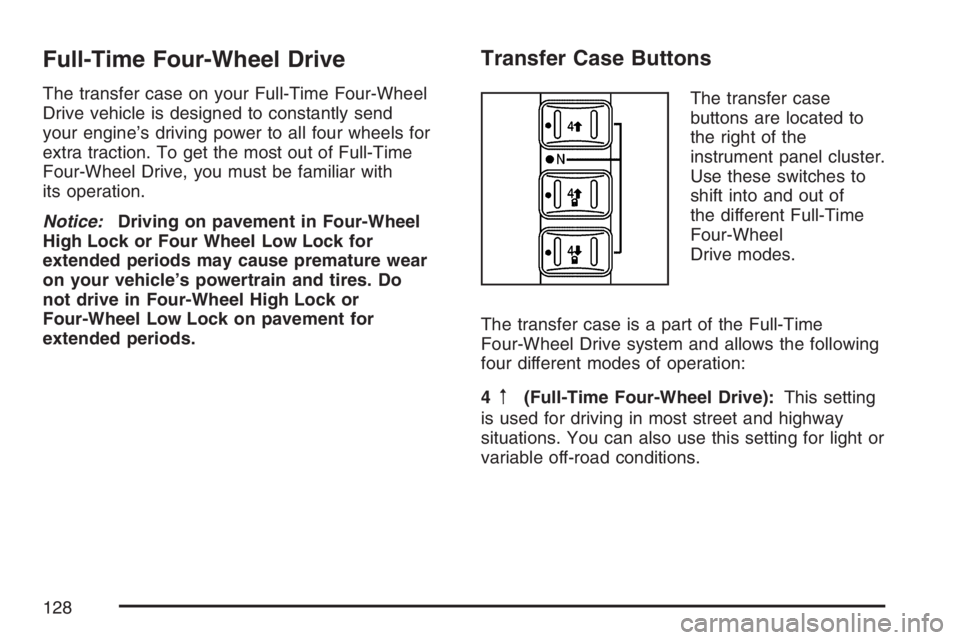
Transfer Case Buttons
The transfer case
buttons are located to
the right of the
instrument panel cluster.
Use these switches to
shift into and out of
the different Full-Time
Four-Wheel
Drive modes.
The transfer case is a part of the Full-Time
Four-Wheel Drive system and allows the following
four different modes of operation:
4
m(Full-Time Four-Wheel Drive):This setting
is used for driving in most street and highway
situations. You can also use this setting for light or
variable off-road conditions.
128
Page 129 of 570
4mQ(Four-Wheel-High Lock):Use this
mode when you need extra traction in most
off-road situations such as sand, mud, snow, or
level, rocky trails.
4
nQ(Four-Wheel-Low Lock):This mode
delivers extra torque to all four wheels and is used
for extreme off-road conditions. You might
choose Four-Wheel-Low Lock if you are driving
off-road in deep sand, mud, or snow and climbing
or descending steep hills.
When in this mode you can also choose to lock
the rear axle for additional traction in extreme
off-road situations. SeeLocking Rear Axle
on page 311.
Notice:Operating your vehicle in
Four-Wheel-Low Lock above 50 mph (80 km/h)
for any extended period of time could cause
damage to the transfer case. Do not operate
your vehicle in Four-Wheel-Low Lock above
50 mph (80 km/h) for extended periods.
{CAUTION:
Shifting the transfer case to NEUTRAL
can cause your vehicle to roll even if the
transmission is in PARK (P). You or
someone else could be seriously injured.
Be sure to set the parking brake before
placing the transfer case in NEUTRAL.
SeeParking Brake on page 133.
N (NEUTRAL):Shift the vehicle’s transfer case to
NEUTRAL only when towing your vehicle. See
Recreational Vehicle Towing on page 369or
Towing Your Vehicle on page 369for more
information.
129
Page 130 of 570
Indicator lights in the buttons show which mode you
are in. The indicator lights will come on briey when
you turn on the ignition and one will stay on. If the
lights do not come on, you should take your vehicle
to your dealer for service. An indicator light will ash
while shifting the transfer case. It will remain on
when the shift is complete. If for some reason the
transfer case cannot make a requested shift, it will
return to the last chosen setting.
If the SERVICE 4WD message stays on, you
should take your vehicle to your dealer for service.
See “Service 4WD message” underDriver
Information Center (DIC) on page 222.
Shifting between Four-Wheel High and
Four-Wheel-High Lock
With the vehicle traveling less than 40 mph
(64 km/h), press and release the Four-Wheel High
or Four-Wheel-Low Lock button. The indicator
light will ash while shifting. It will remain on when
the shift is complete.
It may be necessary to drive backwards for a
short distance of 25 feet (7.5 m) to get the lock
feature to disengage.
Shifting into Four-Wheel-Low Lock
To shift into Four-Wheel-Low Lock, the ignition
must be in RUN and the vehicle must be stopped or
moving less than 3 mph (5 km/h) with the
transmission in NEUTRAL (N). The preferred
method for shifting into Four-Wheel Low is to have
your vehicle moving 1 to 2 mph (1.6 to 3.2 km/h).
Press and release the Four-Wheel-Low Lock
button. You must wait for the Four-Wheel-Low Lock
indicator light to stop ashing and remain lit before
shifting your transmission in gear.
Notice:Shifting the transmission into gear
before the indicator light stops ashing could
cause damage to the transfer case. Always
wait until the indicator light stops ashing
before putting the transmission back in gear.
It is normal for your vehicle to have engagement
noise and bump when shifting between
Four-Wheel Low and Four-Wheel High or
Four-Wheel-High Lock ranges or from NEUTRAL
with the engine running.
130
Page 131 of 570
If the Four-Wheel-Low Lock button is pressed
when your vehicle is in gear and/or moving, the
Four-Wheel Low Lock indicator light will ash
for 15 seconds and not complete the shift unless
your vehicle is moving less than 3 mph (5 km/h)
and the transmission is in NEUTRAL (N).
After 15 seconds the transfer case will return to
the setting last chosen.
Shifting Out of Four-Wheel Low Lock
To shift from Four-Wheel-Low Lock to Four-Wheel
High or Four-Wheel-High Lock, your vehicle
must be stopped or moving less than 3 mph
(5 km/h) with the transmission in NEUTRAL (N)
and the ignition in RUN. The preferred method for
shifting out of Four-Wheel-Low Lock is to have
your vehicle moving 1 to 2 mph (1.6 to 3.2 km/h).
Press and release the Four-Wheel High or
Four-Wheel-High Lock button. You must wait for
the Four-Wheel High or Four-Wheel-High Lock
indicator light to stop ashing and remain lit before
shifting your transmission into gear.It is normal for your vehicle to have engagement
noise and bump when shifting between
Four-Wheel Low and Four-Wheel High or
Four-Wheel-High Lock ranges or from NEUTRAL
with the engine running.
If the Four-Wheel High or Four-Wheel-High Lock
button is pressed when your vehicle is in gear
and/or moving, the Four-Wheel High or
Four-Wheel-High Lock indicator light will ash for
30 seconds but will not complete the shift
unless your vehicle is moving less than 3 mph
(5 km/h) and the transmission is in NEUTRAL (N).
Notice:Shifting the transmission into gear
before the indicator light stops ashing could
cause damage to the transfer case. Always
wait until the indicator light stops ashing
before putting the transmission back in gear.
131