Park HUMMER H2 2008 Owner's Manual
[x] Cancel search | Manufacturer: HUMMER, Model Year: 2008, Model line: H2, Model: HUMMER H2 2008Pages: 504, PDF Size: 7.12 MB
Page 133 of 504

Cleaning the Camera Screen
To manually slide out the rear camera screen for
cleaning, do the following:
1. Shift into (P) PARK.
2. Turn the ignition key to the RUN position.
3. Press and hold the right button on the inside rear
view mirror for ve seconds. The display will slide out
from the mirror for 30 seconds; the right green LED
indicator will remain illuminated. The camera screen
will not be on when it slides out of the mirror.
4. If additional time is required for cleaning,
repeat step 3.
To resume normal operation, press the right button
momentarily while the rear camera screen is out or wait
30 seconds for screen to slide back into the mirror.
For more information on the automatic dimming,
compass, and temperature features of the mirror,
seeAutomatic Dimming Rearview Mirror with
Compass and Temperature Display on page 2-45.{CAUTION:
The Rear Vision Camera (RVC) system does
not replace driver vision. RVC does not:
Detect objects that are outside the
camera’s eld of view, below the bumper,
or underneath the vehicle.
Detect children, pedestrians, bicyclists,
or pets.
Do not back the vehicle by only looking at
the rear vision camera screen, or use the
screen during longer, higher speed backing
maneuvers or where there could be
cross-traffic. Your judged distances using the
screen will differ from actual distances.
So if you do not use proper care before
backing up, you could hit a vehicle, child,
pedestrian, bicyclist, or pet, resulting in
vehicle damage, injury, or death. Even though
the vehicle has the RVC system, always check
carefully before backing up by checking
behind and around your vehicle.
2-51
Page 140 of 504
Read the instructions completely before attempting to
program the transmitter. Because of the steps involved,
it may be helpful to have another person available to
assist you in programming the transmitter.
Be sure to keep the original remote control transmitter
for use in other vehicles, as well as, for future
programming. You only need the original remote control
transmitter for Fixed Code programming. It is also
recommended that upon the sale or lease termination
of the vehicle, the programmed buttons should be
erased for security purposes. See “Erasing Universal
Home Remote Buttons” later in this section.
When programming a garage door, it is advised to
park outside of the garage. Be sure that people
and objects are clear of the garage door or security
device you are programming.Programming Universal Home
Remote — Rolling Code
If you have questions or need help programming the
Universal Home Remote System, call 1-866-572-2728 or
go to www.learcar2u.com.
Most garage door openers sold after 1996 are Rolling
Code units.
Programming a garage door opener involves
time-sensitive actions, so read the entire procedure
before you begin. If you do not follow these actions, the
device will time out and you will have to repeat the
procedure.
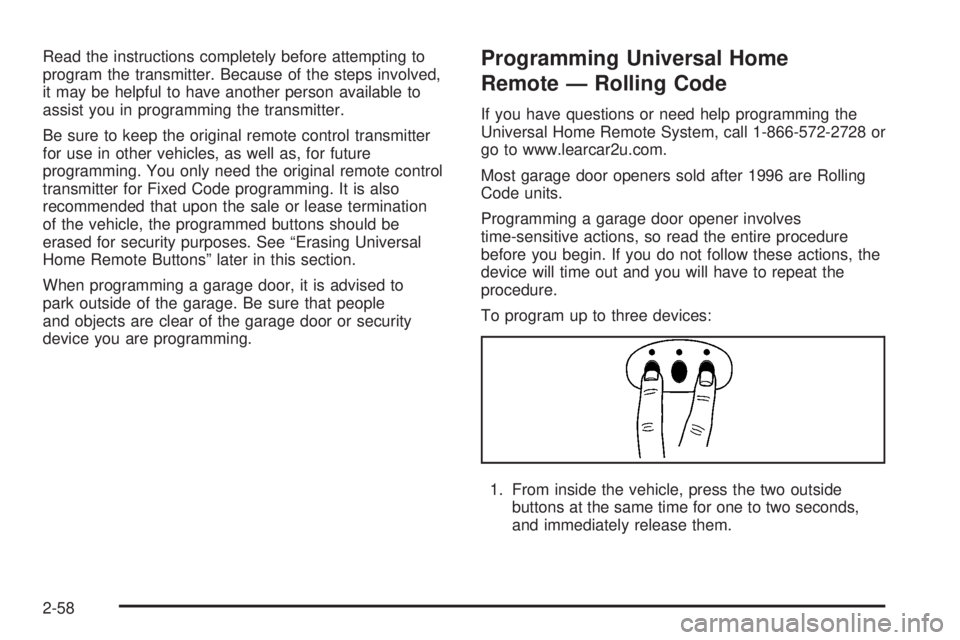
To program up to three devices:
1. From inside the vehicle, press the two outside
buttons at the same time for one to two seconds,
and immediately release them.
2-58
Page 163 of 504
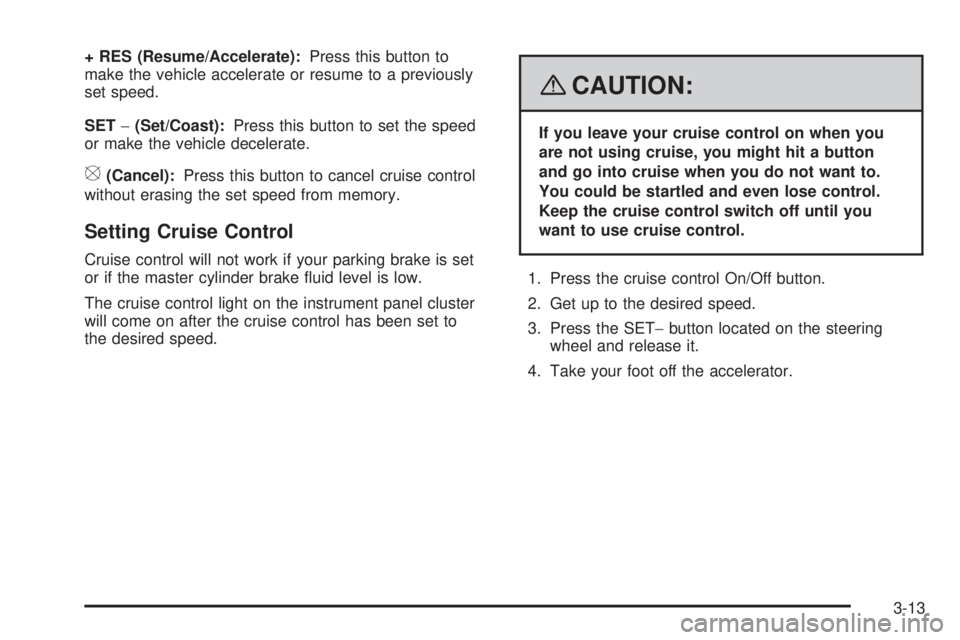
+ RES (Resume/Accelerate):Press this button to
make the vehicle accelerate or resume to a previously
set speed.
SET−(Set/Coast):Press this button to set the speed
or make the vehicle decelerate.
[(Cancel):Press this button to cancel cruise control
without erasing the set speed from memory.
Setting Cruise Control
Cruise control will not work if your parking brake is set
or if the master cylinder brake uid level is low.
The cruise control light on the instrument panel cluster
will come on after the cruise control has been set to
the desired speed.
{CAUTION:
If you leave your cruise control on when you
are not using cruise, you might hit a button
and go into cruise when you do not want to.
You could be startled and even lose control.
Keep the cruise control switch off until you
want to use cruise control.
1. Press the cruise control On/Off button.
2. Get up to the desired speed.
3. Press the SET−button located on the steering
wheel and release it.
4. Take your foot off the accelerator.
3-13
Page 165 of 504
Using Cruise Control on Hills
How well your cruise control will work on hills depends
upon the vehicle’s speed, load, and the steepness
of the hills. When going up steep hills, you might
have to step on the accelerator pedal to maintain the
vehicle’s speed. When going downhill, you might have
to brake or shift to a lower gear to keep the vehicle’s
speed down. When the brakes are applied the cruise
control turns off. Many drivers nd this to be too much
trouble and do not use cruise control on steep hills.
Ending Cruise Control
There are three ways to end cruise control:
Step lightly on the brake pedal.
Press the[button on the steering wheel.
Press theTbutton on the steering wheel.
Erasing Speed Memory
The cruise control set speed memory is erased when
the cruise control or the ignition is turned off.
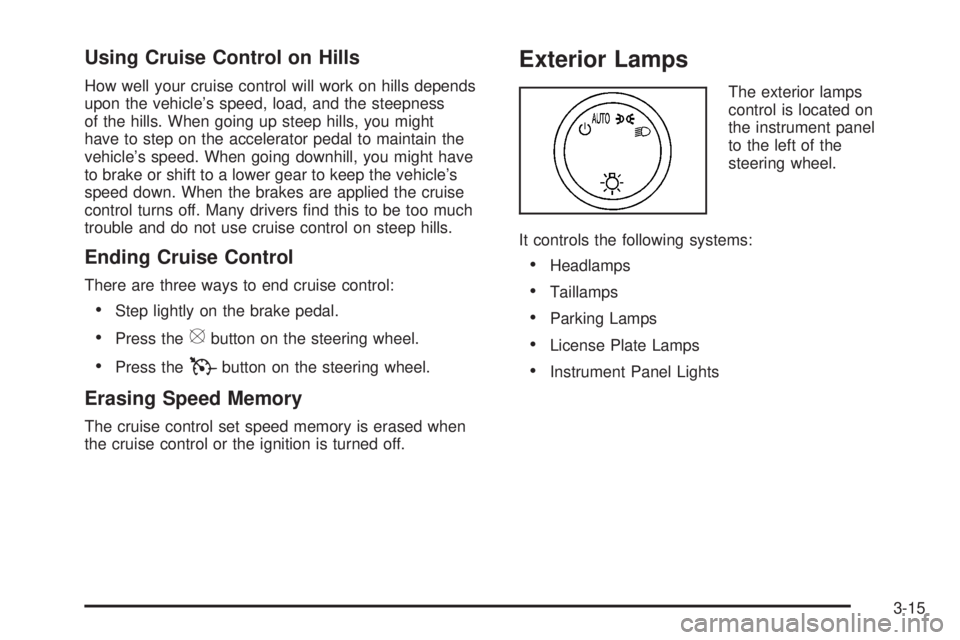
Exterior Lamps
The exterior lamps
control is located on
the instrument panel
to the left of the
steering wheel.
It controls the following systems:
Headlamps
Taillamps
Parking Lamps
License Plate Lamps
Instrument Panel Lights
3-15
Page 166 of 504
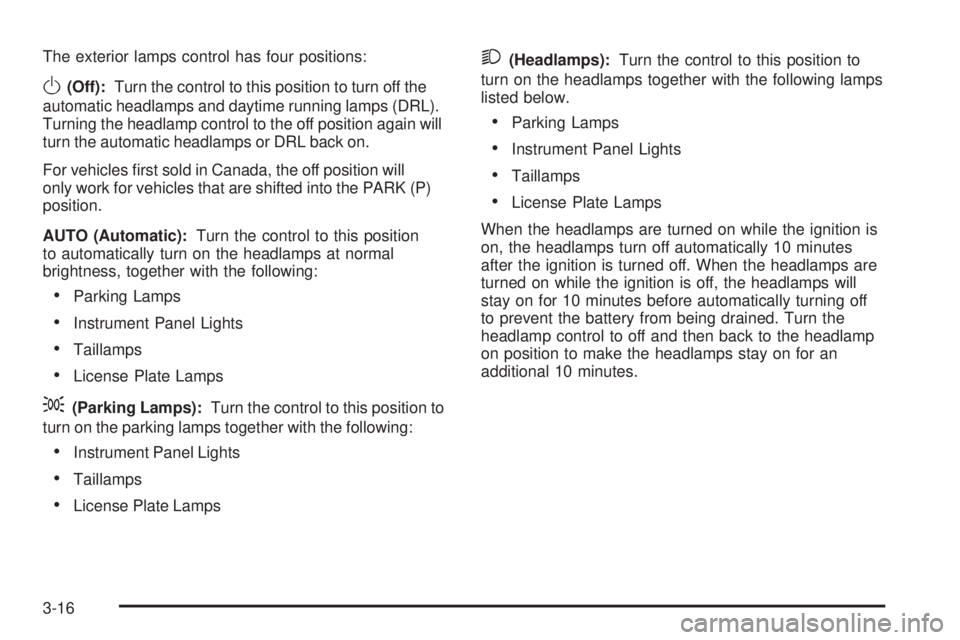
The exterior lamps control has four positions:
O(Off):Turn the control to this position to turn off the
automatic headlamps and daytime running lamps (DRL).
Turning the headlamp control to the off position again will
turn the automatic headlamps or DRL back on.
For vehicles rst sold in Canada, the off position will
only work for vehicles that are shifted into the PARK (P)
position.
AUTO (Automatic):Turn the control to this position
to automatically turn on the headlamps at normal
brightness, together with the following:
Parking Lamps
Instrument Panel Lights
Taillamps
License Plate Lamps
;(Parking Lamps):Turn the control to this position to
turn on the parking lamps together with the following:
Instrument Panel Lights
Taillamps
License Plate Lamps
2(Headlamps):Turn the control to this position to
turn on the headlamps together with the following lamps
listed below.
Parking Lamps
Instrument Panel Lights
Taillamps
License Plate Lamps
When the headlamps are turned on while the ignition is
on, the headlamps turn off automatically 10 minutes
after the ignition is turned off. When the headlamps are
turned on while the ignition is off, the headlamps will
stay on for 10 minutes before automatically turning off
to prevent the battery from being drained. Turn the
headlamp control to off and then back to the headlamp
on position to make the headlamps stay on for an
additional 10 minutes.
3-16
Page 167 of 504
Headlamps on Reminder
If a door is open, a reminder chime will sound when
your headlamps or parking lamps are manually turned
on and your key is out of the ignition. To turn off
the chime, turn the headlamp switch to off or AUTO
and then back on, or close and re-open the door.
In the AUTO mode, the headlamps turn off once the
ignition is in LOCK or may remain on until the headlamp
delay ends (if enabled in the DIC). See “Exit Lighting”
underDIC Vehicle Customization (With DIC Buttons)
on page 3-63.
Daytime Running Lamps (DRL)
Daytime Running Lamps (DRL) can make it easier
for others to see the front of your vehicle during the day.
DRL can be helpful in many different driving conditions,
but they can be especially helpful in the short periods
after dawn and before sunset. Fully functional
daytime running lamps are required on all vehicles
rst sold in Canada.The DRL system will come on when the following
conditions are met:
The ignition is on.
The exterior lamps control is in AUTO.
The transmission is not in PARK (P).
The light sensor determines it is daytime.
When the DRL are on, only the DRL lamps will be on.
The taillamps, sidemarker, and other lamps will not
be on. The instrument panel will not be lit up either.
When it begins to get dark, the automatic headlamp
system will switch from DRL to the headlamps.
To turn off the DRL lamps, turn the exterior lamps
control to the OFF position and then release.
For vehicles rst sold in Canada, the transmission
must be in the PARK (P) position, before the
DRL lamps can be turned off.
3-17
Page 168 of 504
Automatic Headlamp System
When it is dark enough outside and the headlamp
switch is in AUTO, the automatic headlamp system will
turn on the headlamps at the normal brightness along
with other lamps such as the taillamps, sidemarker,
parking lamps, roof marker lamps, and the instrument
panel lights. The radio lights will also be dim.
To turn off the automatic headlamp system, turn the
exterior lamps switch to the off position and then
release. For vehicles rst sold in Canada, the
transmission must be in the PARK (P) position, before
the automatic headlamp system can be turned off.
The vehicle has a light sensor located on the top of
the instrument panel. Be sure it is not covered,
or the system will be on whenever the ignition is on.
The system may also turn on the headlamps when
driving through a parking garage, heavy overcast
weather, or a tunnel. This is normal.
There is a delay in the transition between the
daytime and nighttime operation of the Daytime
Running Lamps (DRL) and the automatic headlamp
systems so that driving under bridges or bright
overhead street lights does not affect the system.The DRL and automatic headlamp system will only be
affected when the light sensor sees a change in lighting
lasting longer than the delay.
If the vehicle is started in a dark garage, the automatic
headlamp system will come on immediately. Once
the vehicle leaves the garage, it takes approximately
one minute for the automatic headlamp system to
change to DRL if it is light outside. During that delay,
the instrument panel cluster may not be as bright
as usual. Make sure the instrument panel brightness
control is in the full bright position. SeeInstrument
Panel Brightness on page 3-18.
Instrument Panel Brightness
D(Instrument Panel Brightness):This feature
controls the brightness of the instrument panel lights
and is located next to the exterior lamp control.
Push the knob to extend out and then it can be turned.
Turn the knob clockwise or counterclockwise to
brighten or dim the instrument panel lights. Turning
the knob to the farthest clockwise position turns
on the dome lamps.
3-18
Page 188 of 504
Readings in the low warning zone may occur when a
large number of electrical accessories are operating
in the vehicle and the engine is left at an idle for
an extended period. This condition is normal since
the charging system is not able to provide full power
at engine idle. As engine speeds are increased,
this condition should correct itself as higher engine
speeds allow the charging system to create full power.
If there is a problem with the battery charging system,
this light will come on or the SERVICE BATTERY
CHARGING SYSTEM DIC message will display.
SeeDIC Warnings and Messages on page 3-56
andCharging System Light on page 3-37for
more information.
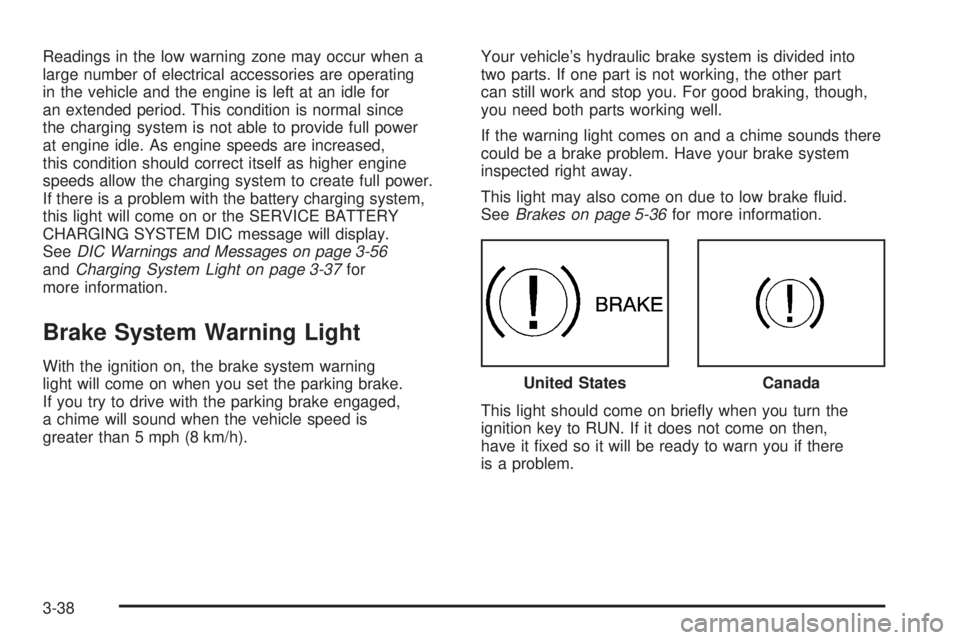
Brake System Warning Light
With the ignition on, the brake system warning
light will come on when you set the parking brake.
If you try to drive with the parking brake engaged,
a chime will sound when the vehicle speed is
greater than 5 mph (8 km/h).Your vehicle’s hydraulic brake system is divided into
two parts. If one part is not working, the other part
can still work and stop you. For good braking, though,
you need both parts working well.
If the warning light comes on and a chime sounds there
could be a brake problem. Have your brake system
inspected right away.
This light may also come on due to low brake uid.
SeeBrakes on page 5-36for more information.
This light should come on briey when you turn the
ignition key to RUN. If it does not come on then,
have it xed so it will be ready to warn you if there
is a problem.United StatesCanada
3-38
Page 193 of 504
This light comes on, as a check to show it is working,
when the ignition is turned ON/RUN but the engine is not
running. If the light does not come on, have it repaired.
This light also comes on during a malfunction in
one of two ways:
Light Flashing— A misre condition has been
detected. A misre increases vehicle emissions
and could damage the emission control system
on your vehicle. Diagnosis and service might
be required.
Light On Steady— An emission control system
malfunction has been detected on your vehicle.
Diagnosis and service might be required.
If the Light is Flashing
The following can prevent more serious damage
to your vehicle:
Reduce vehicle speed.
Avoid hard accelerations.
Avoid steep uphill grades.
If you are towing a trailer, reduce the amount
of cargo being hauled as soon as it is possible.If the light stops ashing and remains on steady,
see “If the Light Is On Steady” following.
If the light continues to ash, when it is safe to do so,
stop the vehicle. Find a safe place to park the vehicle.
Turn the ignition off, wait at least 10 seconds, and restart
the engine. If the light remains on steady, see “If the
Light Is On Steady” following. If the light is still ashing,
follow the previous steps and see your dealer/retailer
for service as soon as possible.
If the Light Is On Steady
You might be able to correct the emission system
malfunction by considering the following:
Did you recently put fuel into your vehicle?
If so, reinstall the fuel cap, making sure to fully install the
cap. SeeFilling the Tank on page 5-7. The diagnostic
system can determine if the fuel cap has been left off or
improperly installed. A loose or missing fuel cap allows
fuel to evaporate into the atmosphere. A few driving trips
with the cap properly installed should turn the light off.
Did you just drive through a deep puddle of water?
If so, your vehicle’s electrical system might be wet. The
condition is usually corrected when the electrical system
dries out. A few driving trips should turn the light off.
3-43
Page 213 of 504
This message displays along with a continuous
chime if the transmission uid in the vehicle gets
hot. Driving with the transmission uid temperature
high can cause damage to the vehicle. Stop the
vehicle and let it idle to allow the transmission to cool.
This message clears and the chime stops when
the uid temperature reaches a safe level.
TURN SIGNAL ON
This message displays and a chime sounds if a
turn signal is left on for 3/4 of a mile (1.2 km).
Move the turn signal/multifunction lever to the
off position.
WASHER FLUID LOW ADD FLUID
This message displays when the windshield
washer uid is low. Fill the windshield washer
uid reservoir as soon as possible. SeeEngine
Compartment Overview on page 5-12for the
location of the windshield washer uid reservoir.
Also, seeWindshield Washer Fluid on page 5-35
for more information.
DIC Vehicle Customization
(With DIC Buttons)
Your vehicle may have customization capabilities that
allow you to program certain features to one preferred
setting. Customization features can only be programmed
to one setting on the vehicle and cannot be programmed
to a preferred setting for two different drivers.
All of the customization options may not be available on
your vehicle. Only the options available will be
displayed on the DIC.
The default settings for the customization features were
set when your vehicle left the factory, but may have
been changed from their default state since then.
The customization preferences are automatically recalled.
To change customization preferences, use the following
procedure.
Entering the Feature Settings Menu
1. Turn the ignition on and place the vehicle in
PARK (P).
To avoid excessive drain on the battery, it is
recommended that the headlamps are turned off.
2. Press the customization button to scroll through
the available customizable options.
3-63