seats HUMMER H2 2008 Owners Manual
[x] Cancel search | Manufacturer: HUMMER, Model Year: 2008, Model line: H2, Model: HUMMER H2 2008Pages: 504, PDF Size: 7.12 MB
Page 1 of 504
Seats and Restraint Systems........................... 1-1
Front Seats
............................................... 1-2
Rear Seats
............................................... 1-8
Safety Belts
.............................................1-16
Child Restraints
.......................................1-36
Airbag System
.........................................1-64
Restraint System Check
............................1-76
Features and Controls..................................... 2-1
Keys
........................................................ 2-3
Doors and Locks
......................................2-10
Windows
.................................................2-19
Theft-Deterrent Systems
............................2-24
Starting and Operating Your Vehicle
...........2-28
Mirrors
....................................................2-45
Object Detection Systems
..........................2-50
OnStar
®System
......................................2-53
Universal Home Remote System
................2-57
Storage Areas
.........................................2-64
Sunroof
..................................................2-67
Instrument Panel............................................. 3-1
Instrument Panel Overview
.......................... 3-4
Climate Controls
......................................3-22
Warning Lights, Gages, and Indicators
........3-31
Driver Information Center (DIC)
..................3-49
Audio System(s)
.......................................3-72Driving Your Vehicle....................................... 4-1
Your Driving, the Road, and Your Vehicle
..... 4-2
Towing
...................................................4-51
Service and Appearance Care.......................... 5-1
Service
..................................................... 5-3
Fuel
......................................................... 5-5
Checking Things Under the Hood
................. 5-9
Rear Axle
...............................................5-45
Four-Wheel Drive
.....................................5-46
Front Axle
...............................................5-47
Bulb Replacement
....................................5-48
Windshield Wiper Blade Replacement
.........5-54
Tires
......................................................5-55
Appearance Care
...................................5-100
Vehicle Identication
...............................5-109
Electrical System
....................................5-110
Capacities and Specications
...................5-117
Maintenance Schedule..................................... 6-1
Maintenance Schedule
................................ 6-2
Customer Assistance Information.................... 7-1
Customer Assistance and Information
........... 7-2
Reporting Safety Defects
...........................7-14
Vehicle Data Recording and Privacy
...........7-16
Index................................................................ 1
2008 HUMMER H2 Owner ManualM
Page 2 of 504
GENERAL MOTORS, GM, the GM Emblem, HUMMER,
the name HUMMER, H2 and the H2 Design are
registered trademarks of General Motors Corporation.
This manual includes the latest information at the time it
was printed. We reserve the right to make changes
after that time without further notice. For vehicles rst
sold in Canada, substitute the name “General Motors of
Canada Limited” for HUMMER whenever it appears
in this manual.
This manual describes features that may be available in
this model, but your vehicle may not have all of them.
For example, more than one entertainment system may
be offered or your vehicle may have been ordered
without a front passenger or rear seats.
Keep this manual in the vehicle for quick reference.
Canadian Owners
A French language copy of this manual can be obtained
from your dealer/retailer or from:
Helm, Incorporated
P.O. Box 07130
Detroit, MI 48207
1-800-551-4123
www.helminc.com
Propriétaires Canadiens
On peut obtenir un exemplaire de ce guide en français
auprès de concessionnaire ou à l’adresse suivante:
Helm Incorporated
P.O. Box 07130
Detroit, MI 48207
1-800-551-4123
www.helminc.com
Litho in U.S.A.
Part No. 15862631 A First Printing
©2007 General Motors Corporation. All Rights Reserved.
ii
Page 5 of 504
Front Seats......................................................1-2
Power Seats..................................................1-2
Power Lumbar...............................................1-3
Heated Seats.................................................1-4
Memory Seat and Mirrors................................1-4
Power Reclining Seatbacks..............................1-5
Head Restraints.............................................1-7
Rear Seats.......................................................1-8
Heated Seats.................................................1-8
Split Folding Rear Seat...................................1-8
Third Row Seat............................................1-10
Safety Belts...................................................1-16
Safety Belts: They Are for Everyone................1-16
How to Wear Safety Belts Properly.................1-22
Lap-Shoulder Belt.........................................1-30
Safety Belt Use During Pregnancy..................1-35
Safety Belt Extender.....................................1-35
Child Restraints.............................................1-36
Older Children..............................................1-36
Infants and Young Children............................1-39
Child Restraint Systems.................................1-43Where to Put the Restraint.............................1-46
Lower Anchors and Tethers for
Children (LATCH)......................................1-47
Securing a Child Restraint in a
Rear Seat Position....................................1-57
Securing a Child Restraint in the
Right Front Seat Position............................1-60
Airbag System...............................................1-64
Where Are the Airbags?................................1-66
When Should an Airbag Inate?.....................1-69
What Makes an Airbag Inate?.......................1-70
How Does an Airbag Restrain?.......................1-70
What Will You See After an Airbag Inates?.....1-70
Airbag Off Switch..........................................1-72
Servicing Your Airbag-Equipped Vehicle..........
.1-75
Adding Equipment to Your
Airbag-Equipped Vehicle.............................1-75
Restraint System Check..................................1-76
Checking the Restraint Systems......................1-76
Replacing Restraint System Parts
After a Crash............................................1-77
Section 1 Seats and Restraint Systems
1-1
Page 6 of 504
Front Seats
Power Seats
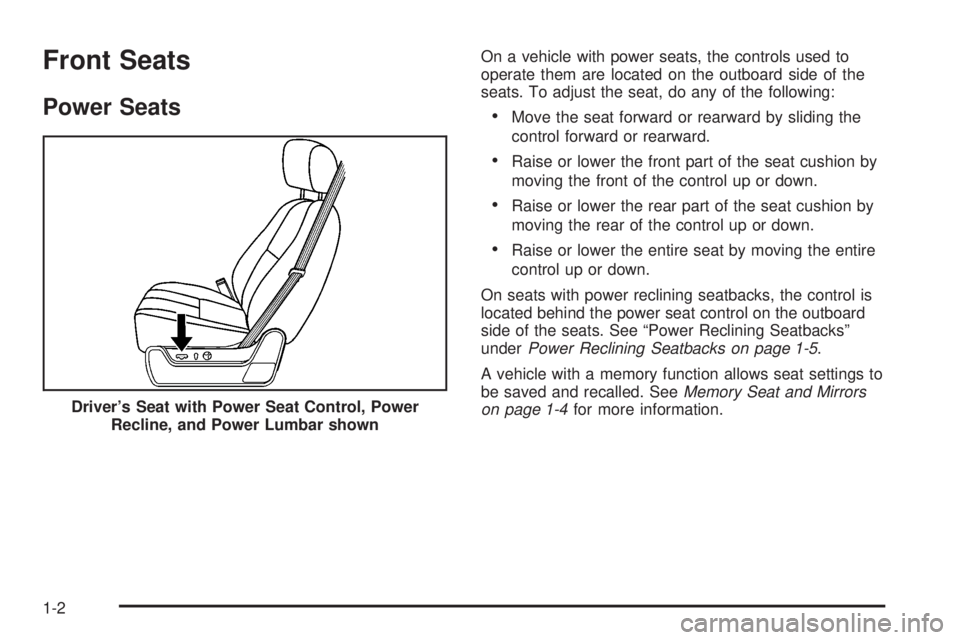
On a vehicle with power seats, the controls used to
operate them are located on the outboard side of the
seats. To adjust the seat, do any of the following:
Move the seat forward or rearward by sliding the
control forward or rearward.
Raise or lower the front part of the seat cushion by
moving the front of the control up or down.
Raise or lower the rear part of the seat cushion by
moving the rear of the control up or down.
Raise or lower the entire seat by moving the entire
control up or down.
On seats with power reclining seatbacks, the control is
located behind the power seat control on the outboard
side of the seats. See “Power Reclining Seatbacks”
underPower Reclining Seatbacks on page 1-5.
A vehicle with a memory function allows seat settings to
be saved and recalled. SeeMemory Seat and Mirrors
on page 1-4for more information. Driver’s Seat with Power Seat Control, Power
Recline, and Power Lumbar shown
1-2
Page 7 of 504
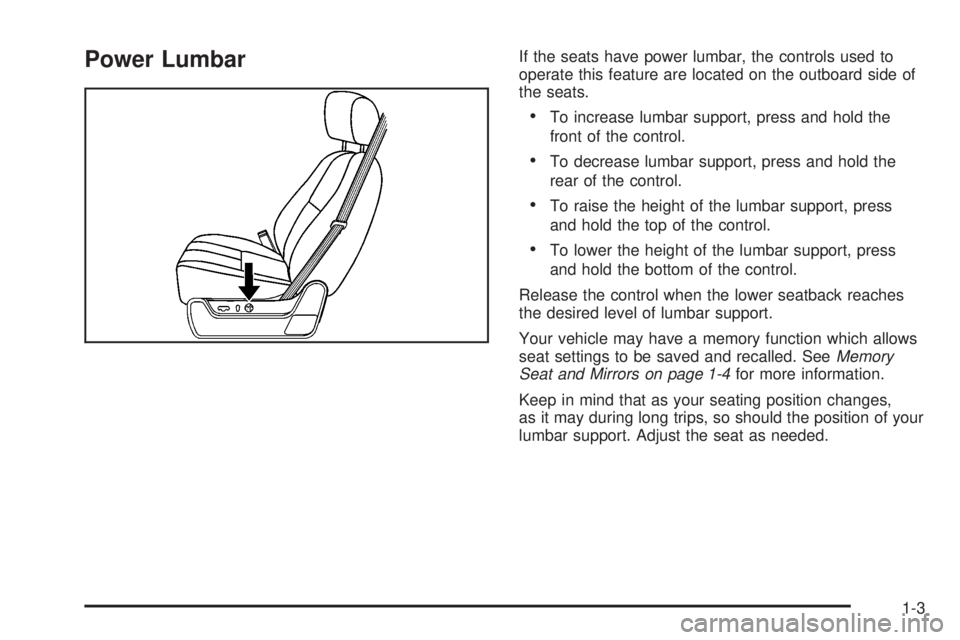
Power LumbarIf the seats have power lumbar, the controls used to
operate this feature are located on the outboard side of
the seats.
To increase lumbar support, press and hold the
front of the control.
To decrease lumbar support, press and hold the
rear of the control.
To raise the height of the lumbar support, press
and hold the top of the control.
To lower the height of the lumbar support, press
and hold the bottom of the control.
Release the control when the lower seatback reaches
the desired level of lumbar support.
Your vehicle may have a memory function which allows
seat settings to be saved and recalled. SeeMemory
Seat and Mirrors on page 1-4for more information.
Keep in mind that as your seating position changes,
as it may during long trips, so should the position of your
lumbar support. Adjust the seat as needed.
1-3
Page 8 of 504
Heated Seats
On vehicles with heated front seats, the controls are
located on the driver’s and passenger’s doors.
I(Heated Seatback):Press to turn on the heated
seatback.
J(Heated Seat and Seatback):Press to turn on the
heated seat and seatback.
The light on the button will come on to indicate that the
feature is working. Press the button to cycle through
the temperature settings of high, medium, and low and
to turn the heat to the seat off. Indicator lights will
show the level of heat selected: three for high, two for
medium, and one for low.
The heated seats will be canceled ten seconds after the
ignition is turned off. To use the heated seat feature
after restarting your vehicle, press the heated seat
or seatback button again.
Memory Seat and Mirrors
If your vehicle has this feature, the controls for the
memory function are located on the driver’s door.
1:Saves the seating position for driver 1.
2:Saves the seating position for driver 2.
S:Programs and recalls the easy exit position.
These buttons are used to program and recall memory
settings for the driver’s seat and both the driver’s
and passenger’s outside mirrors. The settings for these
features can be saved for up to two drivers.
To store the memory settings:
1. While the vehicle is in PARK (P), adjust the driver’s
seat, including the seatback recliner, lumbar, and
side wing area, and both outside mirrors to a
comfortable position.
2. Press and hold button 1 until a double chime sounds
to let you know that the position has been stored.
A second seating and mirror position can be programmed
by repeating the above steps and pressing button 2.
To recall the memory positions, the vehicle must be in
PARK (P). Press and release either button 1 or button 2
corresponding to the desired driving position. A single
chime will sound and the memory position will be
recalled.
1-4
Page 9 of 504
To stop recall movement of the memory seat feature at
any time, press one of the memory buttons or power
seat controls.
Easy Exit Seat
To store the seat exit position:
1. Press and release the button 1. The seat will move
to the stored memory position.
2. Adjust the seat to the desired exit position.
3. Press and hold the exit button until a double chime
sounds to let you know that the position has been
stored.
A second seat exit position can be programmed by
repeating the above steps and pressing button 2.
B(Easy Exit Seat):To use the seat exit position:
Press the exit button on the memory control.
If this feature is activated in the DIC, removing the
key from the ignition will move the seat to the exit
position.
See “Easy Exit Seat” underDIC Vehicle Customization
(With DIC Buttons) on page 3-63for more information
on activating this feature in the DIC.
Power Reclining Seatbacks
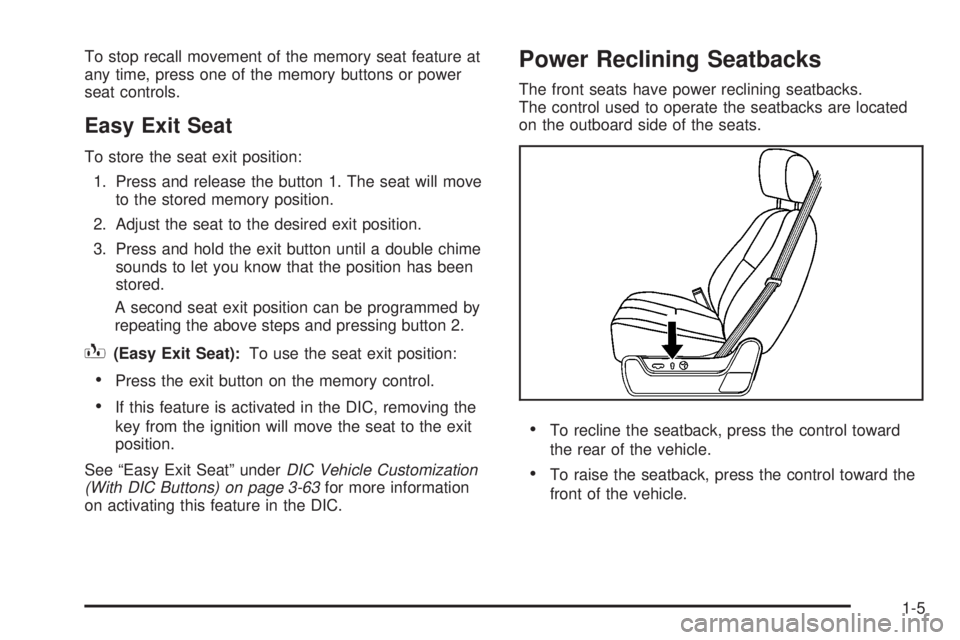
The front seats have power reclining seatbacks.
The control used to operate the seatbacks are located
on the outboard side of the seats.
To recline the seatback, press the control toward
the rear of the vehicle.
To raise the seatback, press the control toward the
front of the vehicle.
1-5
Page 11 of 504
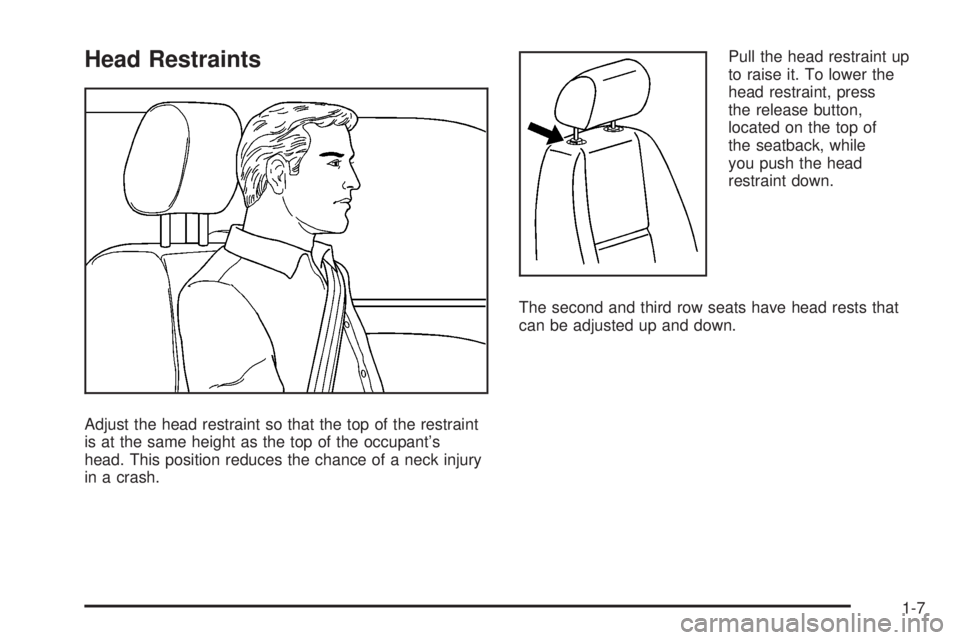
Head Restraints
Adjust the head restraint so that the top of the restraint
is at the same height as the top of the occupant’s
head. This position reduces the chance of a neck injury
in a crash.Pull the head restraint up
to raise it. To lower the
head restraint, press
the release button,
located on the top of
the seatback, while
you push the head
restraint down.
The second and third row seats have head rests that
can be adjusted up and down.
1-7
Page 12 of 504
Rear Seats
Heated Seats
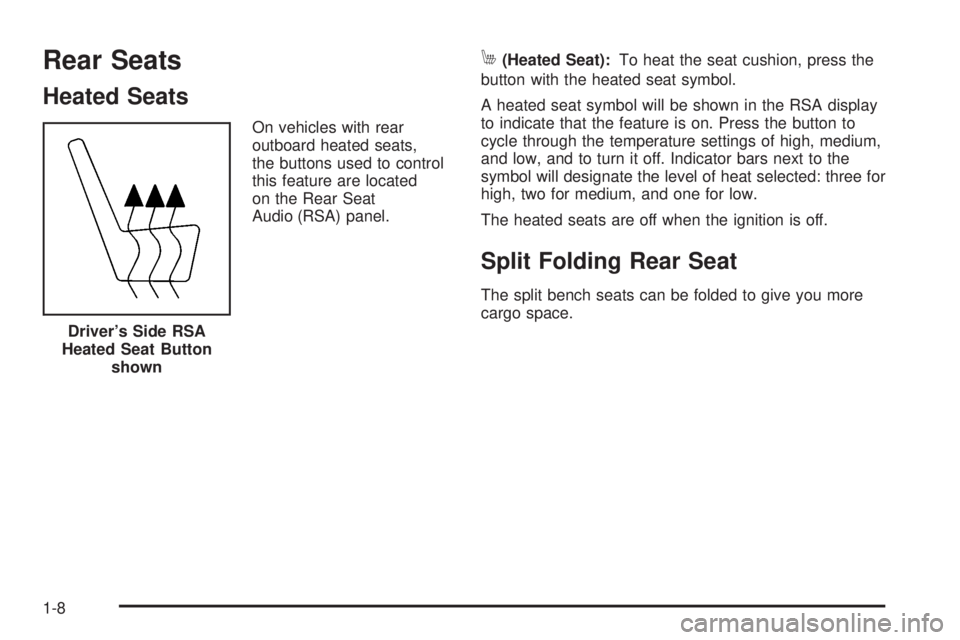
On vehicles with rear
outboard heated seats,
the buttons used to control
this feature are located
on the Rear Seat
Audio (RSA) panel.
M(Heated Seat):To heat the seat cushion, press the
button with the heated seat symbol.
A heated seat symbol will be shown in the RSA display
to indicate that the feature is on. Press the button to
cycle through the temperature settings of high, medium,
and low, and to turn it off. Indicator bars next to the
symbol will designate the level of heat selected: three for
high, two for medium, and one for low.
The heated seats are off when the ignition is off.
Split Folding Rear Seat
The split bench seats can be folded to give you more
cargo space.
Driver’s Side RSA
Heated Seat Button
shown
1-8
Page 14 of 504
Returning the Seats to an Upright
Position
{CAUTION:
If the seatback is not locked, it could move
forward in a sudden stop or crash. That could
cause injury to the person sitting there. Always
push and pull on the seatback to be sure it is
locked.
{CAUTION:
A safety belt that is improperly routed, not
properly attached, or twisted will not provide
the protection needed in a crash. The person
wearing the belt could be seriously injured.
After raising the rear seatback, always check
to be sure that the safety belts are properly
routed and attached, and are not twisted.To return the seat(s) to the upright position, do the
following:
1. Lift the seatback up and push it rearward all the way.
2. Lower the seat cushion until it latches into
position.
3. Pull forward on the seatback and up on the seat
cushion to make sure the seat is securely in place.
4. Return the head rest (SUV only) to the upright
position.
Third Row Seat
Entering or Exiting the Third Row Seat
If your vehicle has a third row seat, it is intended
for 2 passengers and has only 2 designated seating
positions.
You must fold the second row seat down before
entering or exiting the third row. See “Folding the
Seatbacks” underSplit Folding Rear Seat on page 1-8
earlier in this section for instructions.
The third row seatback can be folded and the entire
seat can be tilted or removed from the vehicle.
1-10