light HUMMER H2 2009 User Guide
[x] Cancel search | Manufacturer: HUMMER, Model Year: 2009, Model line: H2, Model: HUMMER H2 2009Pages: 524, PDF Size: 3.1 MB
Page 85 of 524
Replacing Restraint System Parts
After a Crash
{CAUTION:
A crash can damage the restraint systems in your
vehicle. A damaged restraint system may not
properly protect the person using it, resulting in
serious injury or even death in a crash. To help
make sure your restraint systems are working
properly after a crash, have them inspected and
any necessary replacements made as soon as
possible.If the vehicle has been in a crash, do you need new
safety belts or LATCH system (if equipped) parts?
After a very minor crash, nothing may be necessary.
But the safety belt assemblies that were used during any
crash may have been stressed or damaged. See your
dealer/retailer to have the safety belt assemblies
inspected or replaced.
If the vehicle has the LATCH system and it was being
used during a crash, you may need new LATCH system
parts.
New parts and repairs may be necessary even if the
safety belt or LATCH system (if equipped), was
not being used at the time of the crash.
If an airbag inates, you will need to replace airbag
system parts. See the part on the airbag system earlier
in this section.
Have the safety belt pretensioners checked if the
vehicle has been in a crash, if the airbag readiness light
stays on after the vehicle is started, or while you are
driving. SeeAirbag Readiness Light on page 3-32.
1-81
Page 91 of 524
Remote Keyless Entry (RKE)
System Operation
The Remote Keyless Entry (RKE) transmitter functions
work up to 195 feet (60 m) away from the vehicle.
There are other conditions which can affect the
performance of the transmitter. SeeRemote Keyless
Entry (RKE) System on page 2-4.
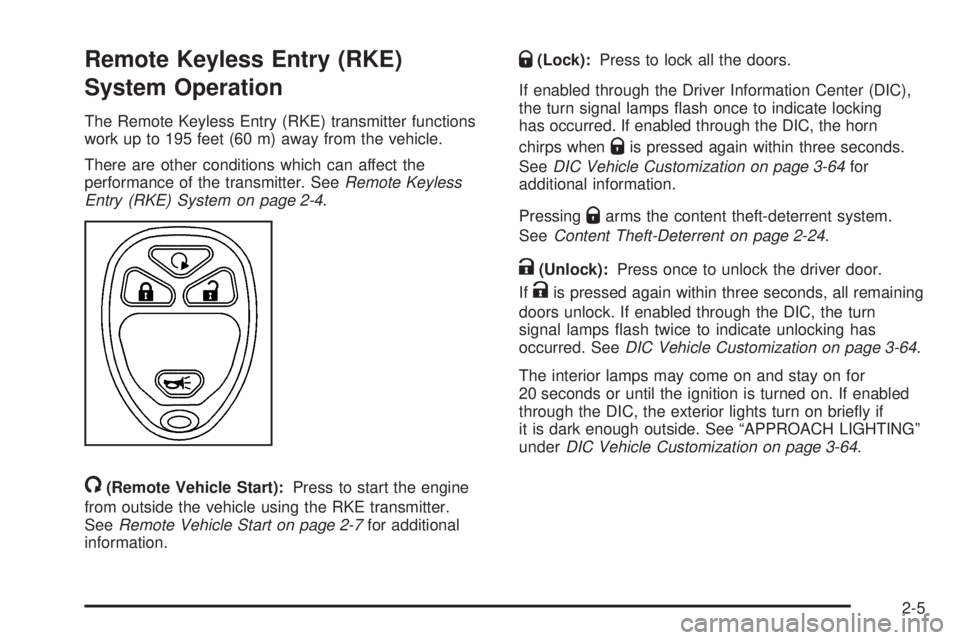
/(Remote Vehicle Start):Press to start the engine
from outside the vehicle using the RKE transmitter.
SeeRemote Vehicle Start on page 2-7for additional
information.
Q(Lock):Press to lock all the doors.
If enabled through the Driver Information Center (DIC),
the turn signal lamps ash once to indicate locking
has occurred. If enabled through the DIC, the horn
chirps when
Qis pressed again within three seconds.
SeeDIC Vehicle Customization on page 3-64for
additional information.
Pressing
Qarms the content theft-deterrent system.
SeeContent Theft-Deterrent on page 2-24.
K(Unlock):Press once to unlock the driver door.
If
Kis pressed again within three seconds, all remaining
doors unlock. If enabled through the DIC, the turn
signal lamps ash twice to indicate unlocking has
occurred. SeeDIC Vehicle Customization on page 3-64.
The interior lamps may come on and stay on for
20 seconds or until the ignition is turned on. If enabled
through the DIC, the exterior lights turn on briey if
it is dark enough outside. See “APPROACH LIGHTING”
underDIC Vehicle Customization on page 3-64.
2-5
Page 94 of 524

Laws in some communities may restrict the use of
remote starters. For example, some laws may require
a person using the remote start to have the vehicle
in view when doing so. Check local regulations for
any requirements on remote starting of vehicles.
Do not use the remote start feature if your vehicle is low
on fuel. Your vehicle may run out of fuel.
If your vehicle has the remote start feature, the RKE
transmitter functions will have an increased range
of operation. However, the range may be less while
the vehicle is running.
There are other conditions which can affect the
performance of the transmitter, seeRemote Keyless
Entry (RKE) System on page 2-4for additional
information.
/(Remote Start):Press and release the lock button
and then press and hold the remote start button to
start the vehicle.To start the vehicle using the remote start feature:
1. Aim the transmitter at the vehicle.
2. Press and release the transmitter’s lock button,
then immediately press and hold the transmitter’s
remote start button until the turn signal lights ash.
If you cannot see the vehicle’s lights, press and hold
the remote start button for at least four seconds.
The vehicle’s doors will lock. Pressing the remote
start button again after the vehicle has started will
turn off the ignition.
When the vehicle starts, the parking lamps will turn
on and remain on while the vehicle is running.
3. If it is the rst remote start since the vehicle has
been driven, repeat these steps, while the engine
is still running, to extend the engine running time
by 10 minutes. Remote start can be extended
one time.
After entering the vehicle during a remote start, insert
and turn the key to ON/RUN to drive the vehicle.
2-8
Page 100 of 524
Midgate®(SUT)
{CAUTION:
It can be dangerous to drive with the cargo area
covered and the tailgate and the Midgate®open
because carbon monoxide (CO) gas can come
into your vehicle. You can not see or smell CO.
It can cause unconsciousness and even death.
If you must drive with the cargo covers on and the
tailgate and Midgate
®open or if electrical wiring or
other cable connections must pass through the
seal between the body and the Midgate
®:
Make sure all windows are shut.
Turn the fan on your heating or cooling
system to its highest speed on the setting that
brings in outside air. This will force outside air
into your vehicle. SeeDual Automatic Climate
Control System on page 3-22.
If you have air outlets on or under the
instrument panel, open them all the way.
SeeEngine Exhaust on page 2-45.
The Midgate
®allows you to extend the length of the
vehicle’s cargo area into the cab.
Lowering the Midgate
The Midgate window must be completely lowered for
the Midgate®to be lowered. See “Midgate®Window”
underPower Windows on page 2-20.
Both the Midgate and the Midgate window can be
lowered while the ignition is in either ON/RUN or
ACC/ACCESSORY, or while in Retained Accessory
Power (RAP) mode. SeeRetained Accessory
Power (RAP) on page 2-29for more information.
To lower the Midgate:
1. Fold the rear seats forward. SeeSplit Folding Rear
Seat on page 1-11. The front seats may have to be
moved forward slightly.
2.
K(Midgate Window):Press the bottom part
of this switch to lower the Midgate window.
SeeInstrument Panel Overview on page 3-4
for the location of this switch.
The window can also be operated using the global
express-down button. See “Global Glass Feature”
underPower Windows on page 2-20.
2-14
Page 101 of 524
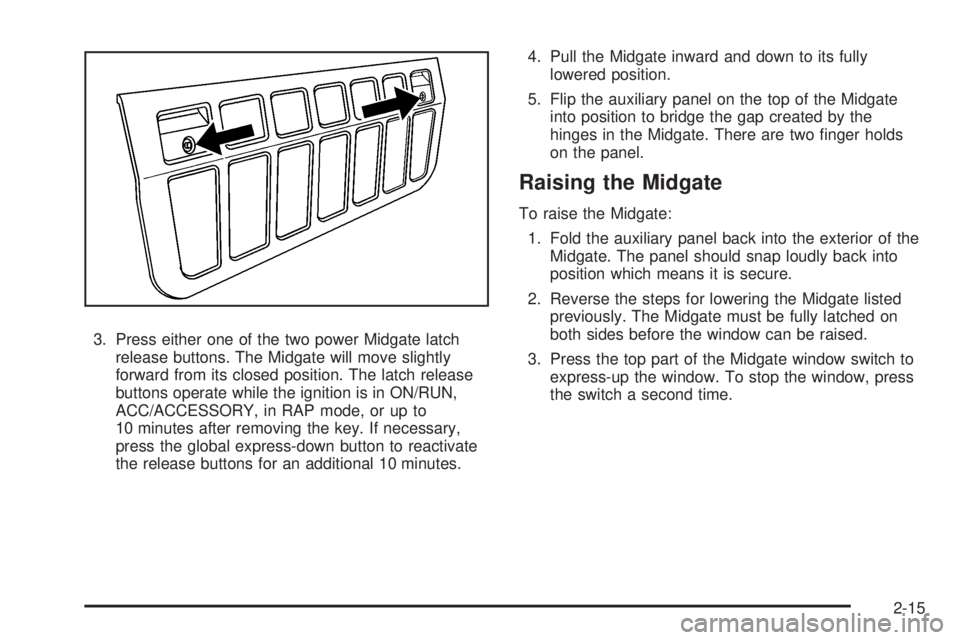
3. Press either one of the two power Midgate latch
release buttons. The Midgate will move slightly
forward from its closed position. The latch release
buttons operate while the ignition is in ON/RUN,
ACC/ACCESSORY, in RAP mode, or up to
10 minutes after removing the key. If necessary,
press the global express-down button to reactivate
the release buttons for an additional 10 minutes.4. Pull the Midgate inward and down to its fully
lowered position.
5. Flip the auxiliary panel on the top of the Midgate
into position to bridge the gap created by the
hinges in the Midgate. There are two nger holds
on the panel.
Raising the Midgate
To raise the Midgate:
1. Fold the auxiliary panel back into the exterior of the
Midgate. The panel should snap loudly back into
position which means it is secure.
2. Reverse the steps for lowering the Midgate listed
previously. The Midgate must be fully latched on
both sides before the window can be raised.
3. Press the top part of the Midgate window switch to
express-up the window. To stop the window, press
the switch a second time.
2-15
Page 106 of 524

Power Windows
A power window switch is located on the armrest of
each side door. The switches operate while the ignition
is in ON/RUN or ACC/ACCESSORY or while Retained
Accessory Power (RAP) is active. SeeRetained
Accessory Power (RAP) on page 2-29.
The driver door also has a switch for each of the
passenger windows.
Press the front of the switch to the rst position to lower
the window to the desired level. Pull up the front of
the switch to raise the window.
Window Lockout
This feature prevents the rear passengers from
operating their windows.
o(Window Lockout):This button is located near the
power window switches on the driver door. Press this
button to activate the window lockout feature. A light in
the lockout button will come on to show that lockout has
been activated. Press the button again to return to normal
operation.
Express-Down Windows
The window switches have an express-down feature
which allows the window to be lowered fully without
continuously pressing the switch.
Press the front of the window switch down all the way
and release. Express-down can be interrupted at
any time by pulling up the front of the switch.
2-20
Page 109 of 524
Midgate Window Error/Jog Mode
If the Midgate window has sensed conditions which may
lead to damage or malfunction of the window system,
the window will automatically go into Error/Jog mode.
In this mode, window express functions will not work.
The window can only be operated manually by pressing
the Midgate window switch or the global window button.
The window will move slightly and stop. Press and hold
the window switch or global window button to continue to
close the window a small amount at a time.
To Exit Error/Jog Mode
1. Ensure normal Midgate window operating conditions
have begun.
2. Press and hold the Midgate window down switch
approximately one second to start window
express-down.
3. Release the window down switch and allow the
window to fully open.
Do not use any window switches once window
movement has started.
4. Press the Midgate window up switch and visually
conrm that the express-up has been completed.
Sun Visors
Swing the sun visor down to block glare. Swing the sun
visor to the side to cover the side window.
Illuminated Visor Vanity Mirrors
Swing the sun visor down and lift the mirror cover to
turn the lamps on.
Theft-Deterrent Systems
Vehicle theft is big business, especially in some cities.
This vehicle has theft-deterrent features, however,
they do not make it impossible to steal.
2-23
Page 110 of 524
Content Theft-Deterrent
Your vehicle is equipped with a content theft-deterrent
alarm system.
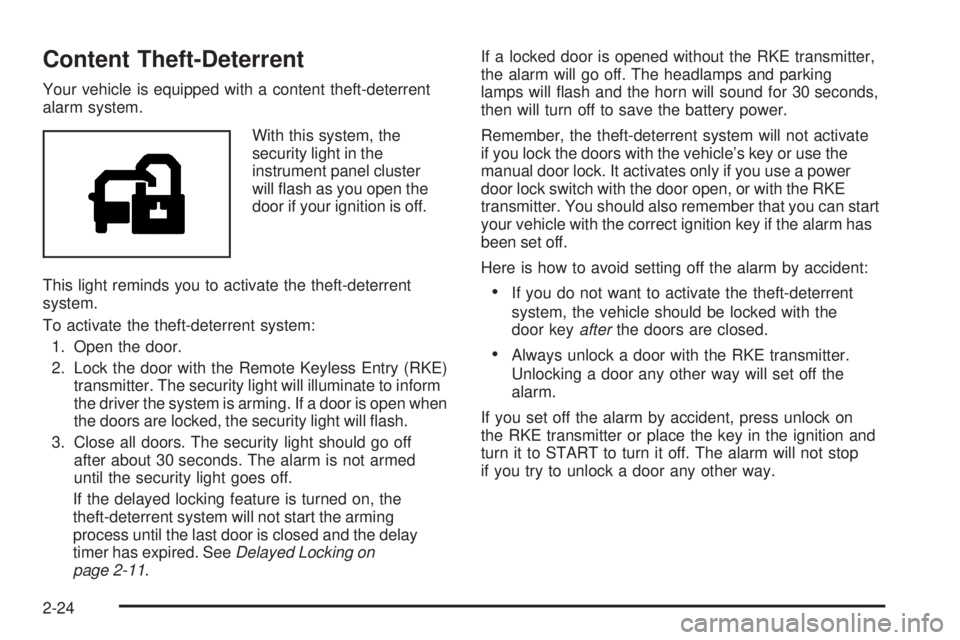
With this system, the
security light in the
instrument panel cluster
will ash as you open the
door if your ignition is off.
This light reminds you to activate the theft-deterrent
system.
To activate the theft-deterrent system:
1. Open the door.
2. Lock the door with the Remote Keyless Entry (RKE)
transmitter. The security light will illuminate to inform
the driver the system is arming. If a door is open when
the doors are locked, the security light will ash.
3. Close all doors. The security light should go off
after about 30 seconds. The alarm is not armed
until the security light goes off.
If the delayed locking feature is turned on, the
theft-deterrent system will not start the arming
process until the last door is closed and the delay
timer has expired. SeeDelayed Locking on
page 2-11.If a locked door is opened without the RKE transmitter,
the alarm will go off. The headlamps and parking
lamps will ash and the horn will sound for 30 seconds,
then will turn off to save the battery power.
Remember, the theft-deterrent system will not activate
if you lock the doors with the vehicle’s key or use the
manual door lock. It activates only if you use a power
door lock switch with the door open, or with the RKE
transmitter. You should also remember that you can start
your vehicle with the correct ignition key if the alarm has
been set off.
Here is how to avoid setting off the alarm by accident:
If you do not want to activate the theft-deterrent
system, the vehicle should be locked with the
door keyafterthe doors are closed.
Always unlock a door with the RKE transmitter.
Unlocking a door any other way will set off the
alarm.
If you set off the alarm by accident, press unlock on
the RKE transmitter or place the key in the ignition and
turn it to START to turn it off. The alarm will not stop
if you try to unlock a door any other way.
2-24
Page 111 of 524
Testing the Alarm
To test the alarm:
1. From inside the vehicle, lower the driver’s window
and open the driver’s door.
2. Activate the system by locking the doors with the
power door lock switch while the door is open,
or with the RKE transmitter.
3. Get out of the vehicle, close the door and wait for
the security light to go out.
4. Then reach in through the window, unlock the door
with the manual door lock and open the door.
This should set off the alarm.
While the alarm is set, the power door unlock switch is
not operational.
If the alarm does not sound when it should but the
headlamps ash, check to see if the horn works.
The horn fuse may be blown. To replace the fuse,
seeInstrument Panel Fuse Block on page 5-111
andUnderhood Fuse Block on page 5-113.
If the alarm does not sound or the headlamps do
not ash, the vehicle should be serviced by your
dealer/retailer.
PASS-Key®III+ Electronic
Immobilizer
The PASS-Key III+ system operates on a radio
frequency subject to Federal Communications
Commission (FCC) Rules and with Industry Canada.
This device complies with Part 15 of the FCC Rules.
Operation is subject to the following two conditions:
1. This device may not cause harmful interference.
2. This device must accept any interference received,
including interference that may cause undesired
operation.
This device complies with RSS-210 of Industry Canada.
Operation is subject to the following two conditions:
1. This device may not cause interference.
2. This device must accept any interference received,
including interference that may cause undesired
operation of the device.
Changes or modications to this system by other than
an authorized service facility could void authorization to
use this equipment.
PASS-Key III+ uses a radio frequency transponder in
the key that matches a decoder in the vehicle.
2-25
Page 112 of 524
PASS-Key®III+ Electronic
Immobilizer Operation
Your vehicle has PASS-Key®III+ (Personalized
Automotive Security System) theft-deterrent system.
PASS-Key
®III+ is a passive theft-deterrent system.
The system is automatically armed when the key
is removed from the ignition.
The system is automatically disarmed when the key
is turned to ON/RUN, ACC/ACCESSORY or START
from the LOCK/OFF position.
You do not have to manually arm or disarm the system.
The security light will come on if there is a problem
with arming or disarming the theft-deterrent system.
When the PASS-Key
®III+ system senses that someone
is using the wrong key, it prevents the vehicle from
starting. Anyone using a trial-and-error method to start
the vehicle will be discouraged because of the high
number of electrical key codes.If the engine does not start and the security light on
the instrument panel cluster comes on when trying to
start the vehicle, there may be a problem with your
theft-deterrent system. Turn the ignition off and try again.
If the engine still does not start, and the key appears to
be undamaged, try another ignition key. At this time, you
may also want to check the fuse, seeFuses and Circuit
Breakers on page 5-110. If the engine still does not start
with the other key, your vehicle needs service. If your
vehicle does start, the rst key may be faulty. See your
dealer/retailer who can service the PASS-Key
®III+
to have a new key made. In an emergency, contact
Roadside Assistance.
It is possible for the PASS-Key
®III+ decoder to learn
the transponder value of a new or replacement key.
Up to 10 keys may be programmed for the vehicle.
The following procedure is for programming additional
keys only. If all the currently programmed keys are
lost or do not operate, you must see your dealer/retailer
or a locksmith who can service PASS-Key
®III+ to
have keys made and programmed to the system.
See your dealer/retailer or a locksmith who can service
PASS-Key
®III+ to get a new key blank that is cut
exactly as the ignition key that operates the system.
2-26