engine HUMMER H3 2006 Owner's Manual
[x] Cancel search | Manufacturer: HUMMER, Model Year: 2006, Model line: H3, Model: HUMMER H3 2006Pages: 410, PDF Size: 2.61 MB
Page 111 of 410
Universal Home Remote System
Operation
Do not use the Universal Home Remote with any
garage door opener that does not have the “stop and
reverse” feature. This includes any garage door opener
model manufactured before April 1, 1982. If you
have a newer garage door opener with rolling codes,
please be sure to follow Steps 6 through 8 to complete
the programming of your Universal Home Remote
Transmitter.
Read the instructions completely before attempting to
program the Universal Home Remote. Because of
the steps involved, it may be helpful to have another
person available to assist you in the programming steps.
Keep the original hand-held transmitter for use in
other vehicles as well as for future Universal Home
Remote programming. It is also recommended that upon
the sale of the vehicle, the programmed Universal
Home Remote buttons should be erased for security
purposes. See “Erasing Universal Home Remote
Buttons” later in this section or, for assistance, see
Customer Assistance Offices on page 7-4.Be sure that people and objects are clear of the garage
door or gate operator you are programming. When
programming a garage door, it is advised to park outside
of the garage.
It is recommended that a new battery be installed in
your hand-held transmitter for quicker and more
accurate transmission of the radio-frequency signal.
Programming Universal Home Remote
Your vehicle’s engine should be turned off while
programming Universal Home Remote. Follow these
steps to program up to three channels:
1. Press and hold down the two outside Universal
Home Remote buttons, releasing only when the
Universal Home Remote indicator light begins
to ash, after 20 seconds. Do not hold down the
buttons for longer than 30 seconds and do not
repeat this step to program a second and/or third
hand-held transmitter to the remaining two Universal
Home Remote buttons.
2. Position the end of your hand-held transmitter
about 1 to 3 inches (3 to 8 cm) away from the
Universal Home Remote buttons while keeping the
indicator light in view.
2-39
Page 119 of 410
Instrument Panel Overview...............................3-4
Hazard Warning Flashers................................3-6
Other Warning Devices...................................3-6
Horn.............................................................3-6
Tilt Wheel.....................................................3-6
Turn Signal/Multifunction Lever.........................3-7
Turn and Lane-Change Signals........................3-8
Headlamp High/Low-Beam Changer..................3-8
Flash-to-Pass.................................................3-9
Windshield Wipers..........................................3-9
Windshield Washer.......................................3-10
Rear Window Wiper/Washer...........................3-10
Cruise Control..............................................3-11
Exterior Lamps.............................................3-14
Headlamps on Reminder................................3-15
Daytime Running Lamps (DRL).......................3-16
Automatic Headlamp System..........................3-16
Off-Road Lamps...........................................3-17
Fog Lamps..................................................3-18
Instrument Panel Brightness...........................3-18
Dome Lamp.................................................3-18
Dome Lamp Override....................................3-19
Exit Lighting.................................................3-19
Reading Lamps............................................3-19
Battery Run-Down Protection..........................3-19
Accessory Power Outlet(s).............................3-19
Ashtray(s) and Cigarette Lighter......................3-20Climate Controls............................................3-21
Climate Control System.................................3-21
Outlet Adjustment.........................................3-23
Warning Lights, Gages, and Indicators............3-24
Instrument Panel Cluster................................3-25
Speedometer and Odometer...........................3-26
Trip Odometer..............................................3-26
Tachometer.................................................3-26
Safety Belt Reminder Light.............................3-27
Passenger Safety Belt Reminder Light.............3-27
Airbag Readiness Light..................................3-28
Passenger Airbag Status Indicator...................3-29
Battery Warning Light....................................3-31
Up-Shift Light (Manual Transmission)...............3-31
Brake System Warning Light..........................3-32
Anti-Lock Brake System Warning Light.............3-33
Traction Off Light..........................................3-33
StabiliTrak
®Not Ready Light..........................3-33
Engine Coolant Temperature Gage..................3-34
Tire Pressure Light.......................................3-34
Malfunction Indicator Lamp.............................3-35
Oil Pressure Light.........................................3-38
Security Light...............................................3-39
Cruise Control Light......................................3-39
Highbeam On Light.......................................3-39
Fuel Gage...................................................3-40
Section 3 Instrument Panel
3-1
Page 127 of 410
Flash-to-Pass
This feature lets you use your high-beam headlamps to
signal a driver in front of you that you want to pass. It
works even if your headlamps are in the automatic
position.
To use it, pull the turn signal lever toward you, then
release it.
If your headlamps are in the automatic position or on
low beam, your high-beam headlamps will turn on.
They’ll stay on as long as you hold the lever toward you.
The high-beam indicator on the instrument panel
cluster will come on. Release the lever to return to
normal operation.
Windshield Wipers
You control the windshield wipers by turning the band
with the wiper symbol on it.
8(Mist):For a single wiping cycle, turn the band to
mist. Hold it there until the wipers start. Then let go. The
wipers will stop after one wipe. If you want more
wipes, hold the band on mist longer.
N(Delay):You can set the wiper speed for a long or
short delay between wipes. This can be very useful
in light rain or snow. Turn the band to choose the delay
time. The closer to the top of the lever, the shorter
the delay.
6(Low Speed):For steady wiping at low speed,
turn the band away from you to the rst solid position
past the delay settings.
1(High Speed):For high-speed wiping, turn the
band to the second solid position past the delay settings.
9(Off):To stop the wipers, move the band to off.
Be sure to clear ice and snow from the wiper blades
before using them. If they’re frozen to the windshield,
carefully loosen or thaw them. If your blades do become
worn or damaged, get new blades or blade inserts.
Windshield wipers will work in all power modes except
when set to LOCK. After the engine is turned off,
wipers will work in Retained Accessory Power (RAP)
mode until a door is opened. SeeRetained Accessory
Power (RAP) on page 2-16.
3-9
Page 139 of 410
Climate Controls
Climate Control System
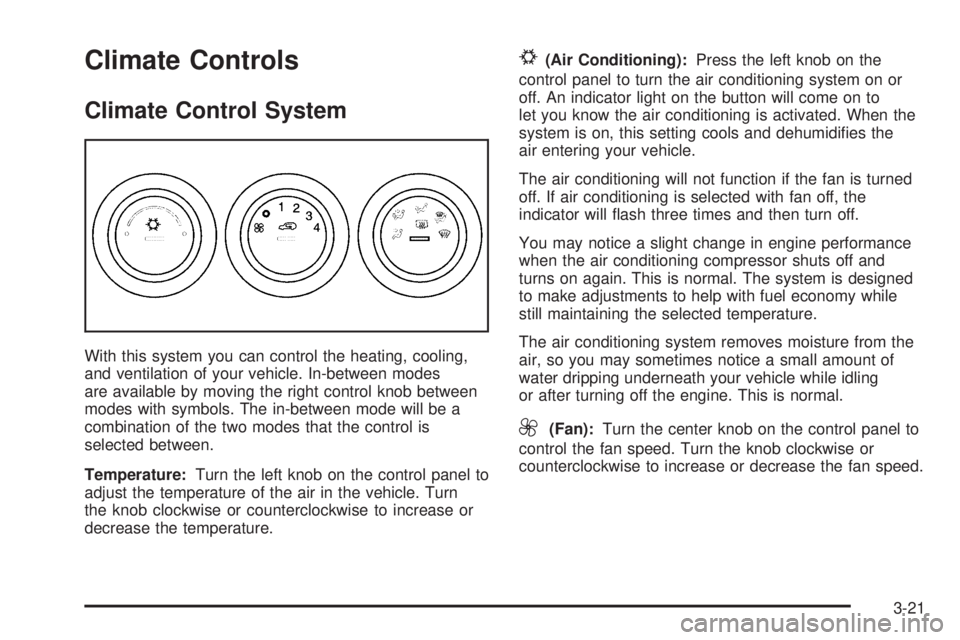
With this system you can control the heating, cooling,
and ventilation of your vehicle. In-between modes
are available by moving the right control knob between
modes with symbols. The in-between mode will be a
combination of the two modes that the control is
selected between.
Temperature:Turn the left knob on the control panel to
adjust the temperature of the air in the vehicle. Turn
the knob clockwise or counterclockwise to increase or
decrease the temperature.
#(Air Conditioning):Press the left knob on the
control panel to turn the air conditioning system on or
off. An indicator light on the button will come on to
let you know the air conditioning is activated. When the
system is on, this setting cools and dehumidies the
air entering your vehicle.
The air conditioning will not function if the fan is turned
off. If air conditioning is selected with fan off, the
indicator will ash three times and then turn off.
You may notice a slight change in engine performance
when the air conditioning compressor shuts off and
turns on again. This is normal. The system is designed
to make adjustments to help with fuel economy while
still maintaining the selected temperature.
The air conditioning system removes moisture from the
air, so you may sometimes notice a small amount of
water dripping underneath your vehicle while idling
or after turning off the engine. This is normal.
9(Fan):Turn the center knob on the control panel to
control the fan speed. Turn the knob clockwise or
counterclockwise to increase or decrease the fan speed.
3-21
Page 142 of 410
Warning Lights, Gages, and
Indicators
This part describes the warning lights and gages that
may be on your vehicle. The pictures will help you
locate them.
Warning lights and gages can signal that something is
wrong before it becomes serious enough to cause
an expensive repair or replacement. Paying attention to
your warning lights and gages could also save you
or others from injury.
Warning lights come on when there may be or is a
problem with one of your vehicle’s functions. As you will
see in the details on the next few pages, some
warning lights come on briey when you start the
engine just to let you know they are working. If you are
familiar with this section, you should not be alarmed
when this happens.Gages can indicate when there may be or is a problem
with one of your vehicle’s functions. Often gages
and warning lights work together to let you know when
there is a problem with your vehicle.
When one of the warning lights comes on and stays on
when you are driving, or when one of the gages
shows there may be a problem, check the section that
tells you what to do about it. Please follow this
manual’s advice. Waiting to do repairs can be
costly — and even dangerous. So please get to know
your warning lights and gages. They are a big help.
Your vehicle has a DIC that works along with the
warning lights and gages. SeeDriver Information
Center (DIC) on page 3-41for more information.
3-24
Page 144 of 410

Speedometer and Odometer
Your speedometer lets you see your speed in both
miles per hour (mph) and kilometers per hour (km/h).
Your odometer shows how far your vehicle has
been driven, in either miles or kilometers.
The odometer mileage can be checked with the ignition
off. Simply press the trip information stem. See
“Odometer” underDIC Controls and Displays on
page 3-41for more information.
You may wonder what happens if your vehicle needs a
new odometer installed. If the new one can be set to
the mileage total of the old odometer, then it must
be. But if it cannot, then it is set at zero, and a label
must be put on the driver’s door to show the old mileage
reading when the new odometer was installed.
Trip Odometer
Your vehicle has a trip odometer that can tell you how
far your vehicle has been driven since you last set
the trip odometer to zero.
See “Trip Odometer” underDIC Controls and Displays
on page 3-41for more information.
Tachometer
The tachometer displays
the engine speed in
revolutions per
minute (rpm).
Notice:If you operate the engine with the
tachometer in the shaded warning area, your vehicle
could be damaged, and the damages would not
be covered by your warranty. Do not operate
the engine with the tachometer in the shaded
warning area.
3-26
Page 151 of 410
Anti-Lock Brake System
Warning Light
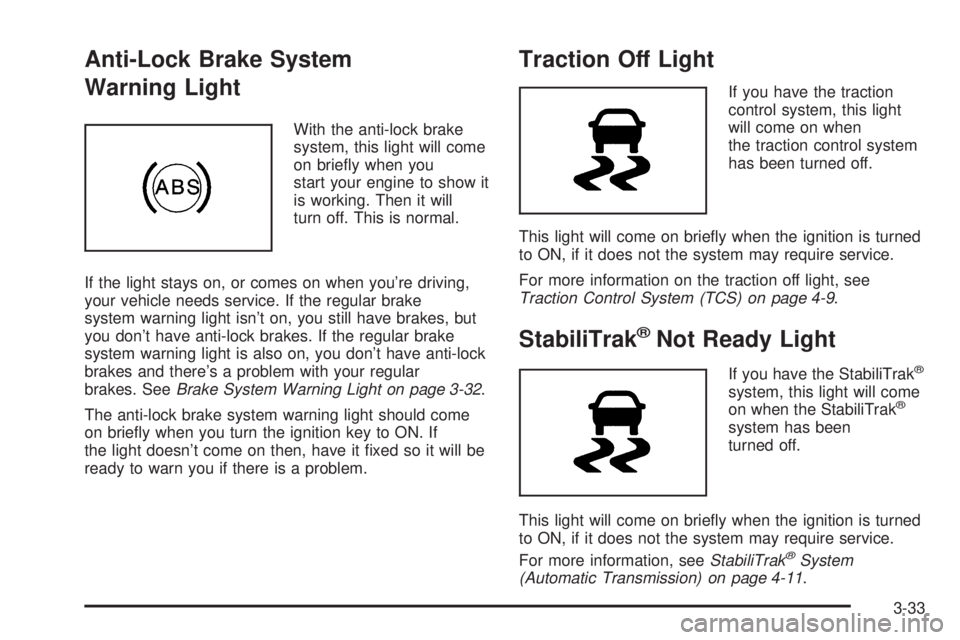
With the anti-lock brake
system, this light will come
on briey when you
start your engine to show it
is working. Then it will
turn off. This is normal.
If the light stays on, or comes on when you’re driving,
your vehicle needs service. If the regular brake
system warning light isn’t on, you still have brakes, but
you don’t have anti-lock brakes. If the regular brake
system warning light is also on, you don’t have anti-lock
brakes and there’s a problem with your regular
brakes. SeeBrake System Warning Light on page 3-32.
The anti-lock brake system warning light should come
on briey when you turn the ignition key to ON. If
the light doesn’t come on then, have it xed so it will be
ready to warn you if there is a problem.
Traction Off Light
If you have the traction
control system, this light
will come on when
the traction control system
has been turned off.
This light will come on briey when the ignition is turned
to ON, if it does not the system may require service.
For more information on the traction off light, see
Traction Control System (TCS) on page 4-9.
StabiliTrak®Not Ready Light
If you have the StabiliTrak®
system, this light will come
on when the StabiliTrak®
system has been
turned off.
This light will come on briey when the ignition is turned
to ON, if it does not the system may require service.
For more information, seeStabiliTrak
®System
(Automatic Transmission) on page 4-11.
3-33
Page 152 of 410
Engine Coolant Temperature Gage
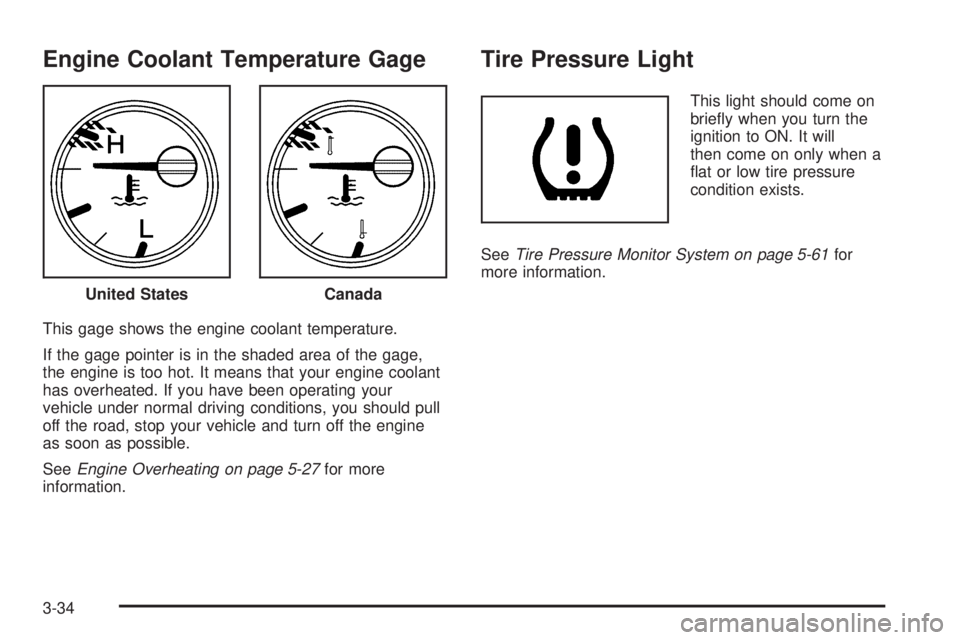
This gage shows the engine coolant temperature.
If the gage pointer is in the shaded area of the gage,
the engine is too hot. It means that your engine coolant
has overheated. If you have been operating your
vehicle under normal driving conditions, you should pull
off the road, stop your vehicle and turn off the engine
as soon as possible.
SeeEngine Overheating on page 5-27for more
information.
Tire Pressure Light
This light should come on
briey when you turn the
ignition to ON. It will
then come on only when a
at or low tire pressure
condition exists.
SeeTire Pressure Monitor System on page 5-61for
more information.
United States
Canada
3-34
Page 153 of 410
Malfunction Indicator Lamp
Check Engine Light
Your vehicle is equipped
with a computer which
monitors operation of the
fuel, ignition, and emission
control systems.
This system is called OBD II (On-Board
Diagnostics-Second Generation) and is intended to
assure that emissions are at acceptable levels for the
life of the vehicle, helping to produce a cleaner
environment. The check engine light comes on to
indicate that there is a problem and service is required.
Malfunctions often will be indicated by the system
before any problem is apparent. This may prevent more
serious damage to your vehicle. This system is also
designed to assist your service technician in correctly
diagnosing any malfunction.
Notice:If you keep driving your vehicle with this
light on, after awhile, your emission controls
may not work as well, your fuel economy may not
be as good, and your engine may not run as
smoothly. This could lead to costly repairs that may
not be covered by your warranty.Notice:Modications made to the engine,
transmission, exhaust, intake, or fuel system of
your vehicle or the replacement of the original tires
with other than those of the same Tire Performance
Criteria (TPC) can affect your vehicle’s emission
controls and may cause this light to come on.
Modications to these systems could lead to costly
repairs not covered by your warranty. This may
also result in a failure to pass a required Emission
Inspection/Maintenance test. SeeAccessories
and Modifications on page 5-3.
This light should come on, as a check to show you it is
working, when the ignition is on and the engine is
not running. If the light does not come on, have it
repaired. This light will also come on during a
malfunction in one of two ways:
Light Flashing— A misre condition has been
detected. A misre increases vehicle emissions
and may damage the emission control system on
your vehicle. Diagnosis and service may be
required.
Light On Steady— An emission control system
malfunction has been detected on your vehicle.
Diagnosis and service may be required.
3-35
Page 154 of 410
If the Light is Flashing
The following may prevent more serious damage to
your vehicle:
Reducing vehicle speed
Avoiding hard accelerations
Avoiding steep uphill grades
If you are towing a trailer, reduce the amount of
cargo being hauled as soon as it is possible
If the light stops ashing and remains on steady, see “If
the Light Is On Steady” following.
If the light continues to ash, when it is safe to do so,
stop the vehicle. Find a safe place to park your vehicle.
Turn the key off, wait at least 10 seconds and restart
the engine. If the light remains on steady, see “If
the Light Is On Steady” following. If the light is still
ashing, follow the previous steps, and see your dealer
for service as soon as possible.
If the Light Is On Steady
You may be able to correct the emission system
malfunction by considering the following:
Did you recently put fuel into your vehicle?
If so, reinstall the fuel cap, making sure to fully install
the cap. SeeFilling the Tank on page 5-8. The
diagnostic system can determine if the fuel cap has
been left off or improperly installed. A loose or missing
fuel cap will allow fuel to evaporate into the atmosphere.
A few driving trips with the cap properly installed
should turn the light off.
Did you just drive through a deep puddle of water?
If so, your electrical system may be wet. The condition
will usually be corrected when the electrical system
dries out. A few driving trips should turn the light off.
3-36