instrument panel HUMMER H3 2007 User Guide
[x] Cancel search | Manufacturer: HUMMER, Model Year: 2007, Model line: H3, Model: HUMMER H3 2007Pages: 480, PDF Size: 2.73 MB
Page 79 of 480
{CAUTION:
If the airbag readiness light in the
instrument panel cluster ever comes on
and stays on, it means that something
may be wrong with the airbag system.
If this ever happens, have the vehicle
serviced promptly, because an adult-size
person sitting in the right front
passenger’s seat may not have the
protection of the frontal airbag. See
Airbag Readiness Light on page 178
for more on this, including important
safety information.Aftermarket equipment, such as seat covers, can
affect how well the passenger sensing system
operates. You may want to consider not using
seat covers or other aftermarket equipment if
your vehicle has the passenger sensing system.
SeeAdding Equipment to Your Airbag-Equipped
Vehicle on page 81for more information about
modications that can affect how the system
operates.
{CAUTION:
Stowing of articles under the passenger’s
seat or between the passenger’s seat
cushion and seatback may interfere with
the proper operation of the passenger
sensing system.
79
Page 81 of 480
Adding Equipment to Your
Airbag-Equipped Vehicle
Q:Is there anything I might add to the front
or sides of the vehicle that could keep the
airbags from working properly?
A:Yes. If you add things that change your
vehicle’s frame, bumper system, height,
front end or side sheet metal, they may keep
the airbag system from working properly.
Also, the airbag system may not work properly
if you relocate any of the airbag sensors.
If you have any questions about this,
you should contact Customer Assistance
before you modify your vehicle. The phone
numbers and addresses for Customer
Assistance are in Step Two of the Customer
Satisfaction Procedure in this manual.
SeeCustomer Satisfaction Procedure
on page 448.
Q:Because I have a disability, I have to get
my vehicle modied. How can I nd out
whether this will affect my airbag system?
A:Changing or moving any parts of the
front seats, safety belts, the airbag sensing
and diagnostic module, rollover sensor
module, instrument panel, steering wheel,
ceiling headliner, ceiling and pillar garnish trim,
roof-mounted rollover airbag modules, or
airbag wiring can affect the operation of the
airbag system. If you have questions, call
Customer Assistance. The phone numbers
and addresses for Customer Assistance
are in Step Two of the Customer Satisfaction
Procedure in this manual. SeeCustomer
Satisfaction Procedure on page 448.
81
Page 82 of 480
Restraint System Check
Checking the Restraint Systems
Now and then, make sure the safety belt reminder
light and all your belts, buckles, latch plates,
retractors and anchorages are working properly.
Look for any other loose or damaged safety
belt system parts. If you see anything that might
keep a safety belt system from doing its job, have
it repaired. SeeCare of Safety Belts on page 409
for more information.
Torn or frayed safety belts may not protect you in
a crash. They can rip apart under impact forces.
If a belt is torn or frayed, get a new one right away.
Also look for any opened or broken airbag
covers, and have them repaired or replaced. The
airbag system does not need regular maintenance.Notice:If you damage the covering for the
driver’s or the right front passenger’s airbag,
or the side impact airbag covering (if equipped)
on the ceiling near the side windows, the airbag
may not work properly. You may have to replace
the airbag module in the steering wheel, both
the airbag module and the instrument panel
for the right front passenger’s airbag, or side
impact airbag module and ceiling covering for
roof-mounted side impact airbags (if equipped.)
Do not open or break the airbag coverings.
82
Page 98 of 480
Visor Vanity Mirror
Your vehicle has a vanity mirror located on the
driver’s and passenger’s visor.
Illuminated Visor Vanity Mirror
Your vehicle may have an illuminated vanity mirror
on both visors. Lift the cover on the mirror and
the lights will automatically come on.
Theft-Deterrent Systems
Vehicle theft is big business, especially in some
cities. Although your vehicle has a number of
theft-deterrent features, we know that nothing we
put on it can make it impossible to steal.
Content Theft-Deterrent
Your vehicle has a
content theft-deterrent
alarm system.To activate the content theft-deterrent system, do
the following:
1. Close all the doors.
2. Lock the doors with the remote keyless entry
transmitter. The security light, located on the
instrument panel cluster, will ash.
If the lock button on the remote keyless entry
transmitter is pressed, but a door is open,
the doors will lock, the lights may ash and the
horn may sound. Close the open door and
the alarm system will arm.
If a locked door is not opened using the remote
keyless entry transmitter, or by OnStar
®, the alarm
will go off. First, a pre-alarm will sound the horn
at reduced intensity for 10 seconds. Then, the front
turn signal lamps will ash for two minutes, and
the horn will sound for two minutes. The alarm will
then turn off to save battery power.
Starting the engine with the correct key will shut
off the pre-alarm or alarm at any time.
Remember, the theft-deterrent system will not
activate if you lock the doors with the key,
the manual door lock, or power door lock switch.
98
Page 102 of 480
Notice:Using a tool to force the key from the
ignition switch could cause damage or break
the key. Use the correct key and turn the key
only with your hand. Make sure the key is all the
way in. If it is, turn the steering wheel left and
right while you turn the key hard. If none of this
works, then your vehicle needs service.
ACC (ACCESSORY) (B):This is the position in
which you can operate your electrical accessories
or items plugged into the accessory power
outlets. On automatic transmission vehicles, this
position unlocks the ignition. On manual
transmission vehicles, it unlocks the ignition and
steering wheel. Use this position if your vehicle
must be pushed or towed.
ON (C):This is the position that the switch returns
to after you start your engine and release the
switch. The switch stays in ON when the engine is
running. But even when the engine is not running,
you can use ON to operate the electrical
accessories and to display some instrument
panel cluster warning and indicator lights.The transmission is also unlocked in this position on
automatic transmission vehicles.
The battery could be drained if you leave the key in
the ACC or ON position with the engine off. You
may not be able to start your vehicle if the battery is
allowed to drain for an extended period of time.
START (D):This is the position that starts the
engine. When the engine starts, release the key.
The ignition switch returns to ON for driving.
When the engine is not running, ACC and ON
allows you to operate the electrical accessories,
such as the radio or items plugged into the
accessory power outlets.
A warning tone will sound if you open the driver’s
door when the ignition is in ACC or LOCK and
the key is in the ignition.
Key In the Ignition
Never leave your vehicle with the keys inside, as it
is an easy target for joy riders or thieves. If you
leave the key in the ignition and park your vehicle,
a chime will sound, when you open the driver’s
door. Always remember to remove your key from
the ignition and take it with you. This will lock
your ignition and transmission. Also, always
remember to lock the doors.
102
Page 111 of 480

Full-Time Four-Wheel Drive
Full-Time Four-Wheel Drive sends your engine’s
driving power to all four wheels for extra traction.
To get the most out of Full-Time Four-Wheel
Drive, you must be familiar with its operation.
Transfer Case Buttons
The transfer case buttons are located to the
right of the instrument panel cluster. Use these
switches to shift into and out of the different
Full-Time Four-Wheel Drive modes.You can choose between four modes:
4
m(Four-Wheel High):This setting is used for
driving in most street and highway situations.
You can also use this setting for light or variable
off-road conditions.
N (NEUTRAL):Shift the vehicle’s transfer case
to NEUTRAL only when towing your vehicle.
SeeRecreational Vehicle Towing on page 295
orTowing Your Vehicle on page 294for more
information.
Notice:Driving on pavement in Four-Wheel
High Lock or Four Wheel Low Lock for
extended periods may cause premature wear
on your vehicle’s powertrain and tires. Do not
drive in Four-Wheel High Lock or Four-Wheel
Low Lock on pavement for extended periods.
4
mQ(Four-Wheel-High Lock):Use this
mode when you need extra traction in most
off-road situations such as sand, mud, snow or
level, rocky trails.
111
Page 116 of 480

Parking Brake
The parking brake pedal
is located to the left of
the regular brake pedal,
near the driver’s door.
To set the parking brake, hold the regular brake
pedal down with your right foot. Push the
parking brake pedal down to its fully-applied
position with your left foot.
A chime will activate and the brake warning light,
located on the instrument panel, will ash
when the parking brake is applied and the vehicle
is moving at least 3 mph (5 km/h) for at least
three seconds. The chime will deactivate and the
light will turn off when the parking brake is set
and the vehicle is moving below 3 mph (5 km/h).
SeeBrake System Warning Light on page 182.To release the parking brake, hold the regular
brake pedal down. Pull the bottom edge of
the lever, located above the parking brake pedal,
with the parking brake symbol, directly rearward
to release the parking brake.
If the ignition is on when the parking brake is
released, the brake system warning light will go off.
Notice:Driving with the parking brake on can
overheat the brake system and cause premature
wear or damage to brake system parts. Verify
that the parking brake is fully released and the
brake warning light is off before driving.
If you are towing a trailer and are parking on any
hill, seeTowing a Trailer on page 297.
116
Page 131 of 480
OnStar®Virtual Advisor
OnStar®Virtual Advisor is a feature of OnStar®
Hands-Free Calling that uses your minutes to
access location-based weather, local traffic reports,
and stock quotes. By pressing the phone button
and giving a few simple voice commands, you can
browse through the various topics. See the
OnStar
®Owner’s Guide for more information.
(Only available in the continental U.S.)
Additional OnStar®Controls
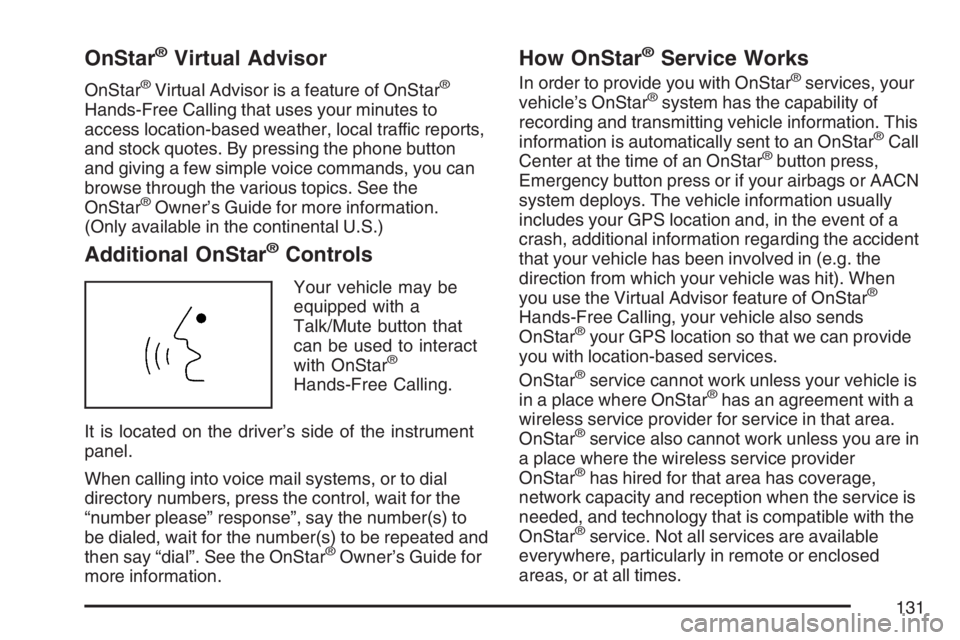
Your vehicle may be
equipped with a
Talk/Mute button that
can be used to interact
with OnStar
®
Hands-Free Calling.
It is located on the driver’s side of the instrument
panel.
When calling into voice mail systems, or to dial
directory numbers, press the control, wait for the
“number please” response”, say the number(s) to
be dialed, wait for the number(s) to be repeated and
then say “dial”. See the OnStar
®Owner’s Guide for
more information.
How OnStar®Service Works
In order to provide you with OnStar®services, your
vehicle’s OnStar®system has the capability of
recording and transmitting vehicle information. This
information is automatically sent to an OnStar
®Call
Center at the time of an OnStar®button press,
Emergency button press or if your airbags or AACN
system deploys. The vehicle information usually
includes your GPS location and, in the event of a
crash, additional information regarding the accident
that your vehicle has been involved in (e.g. the
direction from which your vehicle was hit). When
you use the Virtual Advisor feature of OnStar
®
Hands-Free Calling, your vehicle also sends
OnStar®your GPS location so that we can provide
you with location-based services.
OnStar
®service cannot work unless your vehicle is
in a place where OnStar®has an agreement with a
wireless service provider for service in that area.
OnStar
®service also cannot work unless you are in
a place where the wireless service provider
OnStar
®has hired for that area has coverage,
network capacity and reception when the service is
needed, and technology that is compatible with the
OnStar
®service. Not all services are available
everywhere, particularly in remote or enclosed
areas, or at all times.
131
Page 149 of 480

Instrument Panel Overview........................ 152
Hazard Warning Flashers.......................... 154
Other Warning Devices............................. 154
Horn.......................................................... 154
Tilt Wheel.................................................. 154
Turn Signal/Multifunction Lever.................. 155
Turn and Lane-Change Signals................. 156
Headlamp High/Low-Beam Changer.......... 157
Flash-to-Pass............................................ 157
Windshield Wipers..................................... 157
Windshield Washer.................................... 158
Rear Window Wiper/Washer...................... 159
Cruise Control........................................... 159
Exterior Lamps.......................................... 162
Headlamps on Reminder........................... 164
Daytime Running Lamps (DRL)................. 164
Automatic Headlamp System..................... 165
Off-Road Lamps........................................ 166
Fog Lamps................................................ 167
Instrument Panel Brightness...................... 167
Dome Lamp.............................................. 167
Dome Lamp Override................................ 168
Exit Lighting.............................................. 168Reading Lamps......................................... 168
Electric Power Management...................... 168
Battery Run-Down Protection..................... 169
Accessory Power Outlet(s)........................ 169
Ashtray(s) and Cigarette Lighter................ 170
Climate Controls......................................... 170
Climate Control System............................. 170
Outlet Adjustment...................................... 173
Warning Lights, Gages, and Indicators..... 174
Instrument Panel Cluster........................... 175
Speedometer and Odometer...................... 176
Trip Odometer........................................... 176
Tachometer............................................... 176
Safety Belt Reminder Light........................ 177
Passenger Safety Belt Reminder Light....... 177
Airbag Readiness Light............................. 178
Passenger Airbag Status Indicator............. 179
Battery Warning Light................................ 181
Up-Shift Light (Manual Transmission)........ 181
Brake System Warning Light..................... 182
Anti-Lock Brake System
Warning Light........................................ 183
Section 3 Instrument Panel
149
Page 150 of 480
Traction Off Light...................................... 184
StabiliTrak®Not Ready Light...................... 184
Engine Coolant Temperature Gage............ 185
Tire Pressure Light.................................... 185
Malfunction Indicator Lamp........................ 186
Oil Pressure Light..................................... 189
Security Light............................................ 190
Cruise Control Light.................................. 190
Highbeam On Light................................... 190
Fuel Gage................................................. 191
Driver Information Center (DIC).................. 192
DIC Controls and Displays........................ 192
DIC Warnings and Messages.................... 196Audio System(s)......................................... 201
Setting the Time........................................ 202
Radio with CD........................................... 203
Radio with Six-Disc CD............................. 211
Using an MP3........................................... 222
XM Radio Messages................................. 228
Navigation/Radio System........................... 230
Theft-Deterrent Feature............................. 230
Radio Reception........................................ 230
Care of Your CDs..................................... 231
Care of the CD Player.............................. 232
Fixed Mast Antenna.................................. 232
XM™ Satellite Radio Antenna System....... 232
Section 3 Instrument Panel
150