service HUMMER H3 2009 Owner's Guide
[x] Cancel search | Manufacturer: HUMMER, Model Year: 2009, Model line: H3, Model: HUMMER H3 2009Pages: 382, PDF Size: 1.99 MB
Page 151 of 382
Notice:Lack of proper engine oil
maintenance can damage the
engine. The repairs would not be
covered by the vehicle warranty.
Always follow the maintenance
schedule in this manual for
changing engine oil.
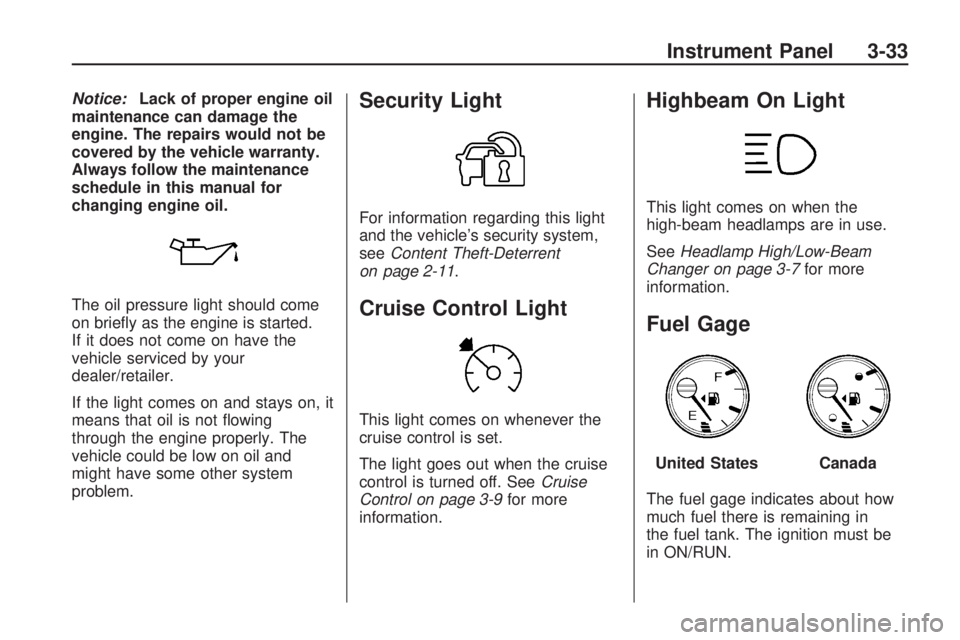
The oil pressure light should come
on briey as the engine is started.
If it does not come on have the
vehicle serviced by your
dealer/retailer.
If the light comes on and stays on, it
means that oil is not owing
through the engine properly. The
vehicle could be low on oil and
might have some other system
problem.Security Light
For information regarding this light
and the vehicle’s security system,
seeContent Theft-Deterrent
on page 2-11.
Cruise Control Light
This light comes on whenever the
cruise control is set.
The light goes out when the cruise
control is turned off. SeeCruise
Control on page 3-9for more
information.
Highbeam On Light
This light comes on when the
high-beam headlamps are in use.
SeeHeadlamp High/Low-Beam
Changer on page 3-7for more
information.
Fuel Gage
The fuel gage indicates about how
much fuel there is remaining in
the fuel tank. The ignition must be
in ON/RUN.
United StatesCanada
Instrument Panel 3-33
Page 152 of 382
An arrow on the fuel gage indicates
the side of the vehicle the fuel
door is on.
Here are three things that can
happen but do not indicate a
problem with the fuel gage:
At the gas station, the gas pump
shuts off before the gage
reads full.
It takes a little more or less fuel
to ll up than the gage indicated.
For example, the gage may
have indicated the tank was half
full, but it actually took a little
more or less than half the tank’s
capacity to ll the tank.
The gage moves a little when
turning a corner or speeding up.
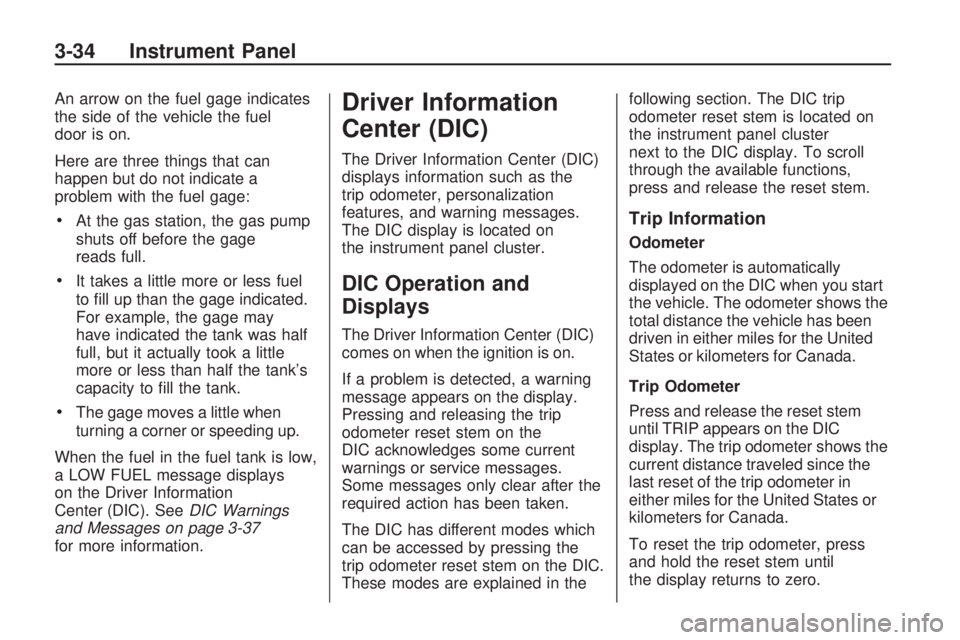
When the fuel in the fuel tank is low,
a LOW FUEL message displays
on the Driver Information
Center (DIC). SeeDIC Warnings
and Messages on page 3-37
for more information.
Driver Information
Center (DIC)
The Driver Information Center (DIC)
displays information such as the
trip odometer, personalization
features, and warning messages.
The DIC display is located on
the instrument panel cluster.
DIC Operation and
Displays
The Driver Information Center (DIC)
comes on when the ignition is on.
If a problem is detected, a warning
message appears on the display.
Pressing and releasing the trip
odometer reset stem on the
DIC acknowledges some current
warnings or service messages.
Some messages only clear after the
required action has been taken.
The DIC has different modes which
can be accessed by pressing the
trip odometer reset stem on the DIC.
These modes are explained in thefollowing section. The DIC trip
odometer reset stem is located on
the instrument panel cluster
next to the DIC display. To scroll
through the available functions,
press and release the reset stem.
Trip Information
Odometer
The odometer is automatically
displayed on the DIC when you start
the vehicle. The odometer shows the
total distance the vehicle has been
driven in either miles for the United
States or kilometers for Canada.
Trip Odometer
Press and release the reset stem
until TRIP appears on the DIC
display. The trip odometer shows the
current distance traveled since the
last reset of the trip odometer in
either miles for the United States or
kilometers for Canada.
To reset the trip odometer, press
and hold the reset stem until
the display returns to zero.
3-34 Instrument Panel
Page 155 of 382
RFA 3:This mode ashes the
parking lamps and sounds the horn
when you press the lock or
unlock buttons on the RKE
transmitter.
RFA 4:This mode disables RKE
feedback. There will be no feedback
when you press the lock or unlock
buttons on the RKE transmitter.
DIC Warnings and
Messages
Messages are displayed on the DIC
to notify the driver that the status
of the vehicle has changed and that
some action may be needed by
the driver to correct the condition.
Multiple messages may appear one
after another. The messages are
displayed for several seconds each.
Some messages may not require
immediate action, but you should
press and release the trip odometer
reset stem to acknowledge that
you received the messages and toclear them from the display. Each
message must be acknowledged
individually.
Some messages cannot be cleared
from the DIC display because
they are more urgent. These
messages require action before they
can be cleared. You should take
any messages that appear on
the display seriously and remember
that clearing the messages only
makes the messages disappear, not
correct the problem.
The following are the possible
messages that can be displayed
and some information about them.
AC (Air Conditioning) OFF
This message displays when
the engine coolant temperature is
too high and the air conditioning
in the vehicle needs to be turned off.
SeeEngine Overheating on
page 5-27andClimate Control
System on page 3-19for more
information. This message displays
along with the ENG HOT message.
ABS (Antilock Brake System)
FAULT
This message displays if there is a
problem with the Antilock Brake
System (ABS). Check the ABS as
soon as possible and have the
vehicle serviced by your
dealer/retailer. SeeBrakes on
page 5-30andAntilock Brake
System (ABS) Warning Light on
page 3-28for more information.
Press and release the reset stem to
acknowledge the message and
clear it from the display.
BRAKES
This message displays if there is a
problem with the brakes. Check
the brakes as soon as possible and
have the vehicle serviced by
your dealer/retailer. SeeBrakes on
page 5-30andBrake System
Warning Light on page 3-27for
more information. Press and release
the reset stem to acknowledge
the message and clear it from the
display.
Instrument Panel 3-37
Page 156 of 382
CHANGE OIL
This message displays when the oil
needs to be changed. Check the
oil in the vehicle as soon as possible
and have the vehicle serviced by
your dealer/retailer. SeeEngine Oil
on page 5-13andScheduled
Maintenance on page 6-4for more
information. Press and release
the reset stem to acknowledge the
message and clear it from the
display.
DOORS
This message displays when one or
more of the doors is ajar. Check
all the doors on the vehicle to make
sure they are closed. The message
clears from the display after all
of the doors are closed.
ENG (Engine) HOT
This message displays when the
engine coolant temperature is
hot. Check the engine coolant
temperature gage. SeeEngine
Coolant Temperature Gage
on page 3-29. Have the vehicleserviced by your dealer/retailer as
soon as possible if you suspect
the engine is overheating. See
Engine Overheating on page 5-27
for more information.
FLUID
This message displays if the brake
uid is low. Check the brake
uid as soon as possible and have
the vehicle serviced by your
dealer/retailer. SeeBrakes on
page 5-30for more information.
Press and release the reset stem to
acknowledge the message and
clear it from the display.
FUEL CAP
This message displays if the
vehicle’s fuel cap is either off or
loose. Pull over as soon as possible
and check to see if the fuel cap is
secure. You may also see the check
engine light on the instrument
panel cluster. If the check engine
light does come on when the
fuel cap was loose, it may take a
few driving trips before the lightturns off. SeeMalfunction Indicator
Lamp on page 3-30for more
information if the light still remains
on. Press and release the reset
stem to acknowledge the message
and clear it from the display.
HSA (Hill Start Assist) ON
This message displays when the Hill
Start Assist is enabled. See
Braking on page 4-3for more
information.
LOW FUEL
This message displays if the level of
fuel in the vehicle is low. Also
check the fuel gage. SeeFuel Gage
on page 3-33for more information.
Rell the fuel tank as soon as
possible.
LOW TIRE
On vehicles with the Tire Pressure
Monitor System (TPMS), this
message displays if a low tire
pressure is detected in any of the
vehicle’s tires. Press and release the
reset stem to acknowledge the
3-38 Instrument Panel
Page 157 of 382
message and clear it from the
display. The message appears at
each ignition cycle until the tires are
inated to the correct ination
pressure. SeeTires on page 5-44
andInflation - Tire Pressure on
page 5-51for more information on
tires and the correct ination
pressures.
OIL
This message displays when the oil
pressure is low. SeeOil Pressure
Light on page 3-32andEngine
Oil on page 5-13for more
information.
PARK BRK (Brake)
This message displays when the
parking brake is set. SeeParking
Brake on page 2-28andBrake
System Warning Light on page 3-27
for more information. The message
clears from the display after the
parking brake is released or by
pressing and releasing the
reset stem.
REDUCED POWER
This message displays when the
vehicle’s engine power is reduced.
Reduced engine power can
affect the vehicle’s ability to
accelerate. If this message is on,
but there is no reduction in
performance, proceed to your
destination. The performance may
be reduced the next time the vehicle
is driven. The vehicle may be
driven at a reduced speed while this
message is on, but acceleration
and speed may be reduced. Anytime
this message stays on, the vehicle
should be taken to your
dealer/retailer for service as soon as
possible. Press and release the
reset stem to acknowledge
the message and clear it from the
display.
SERV (Service) 4WD
(Four-Wheel Drive)
This message displays when there
is a problem with the transfer
case control system. Check the
transfer case on the vehicleand have it serviced by your
dealer/retailer. SeeFull-Time
Four-Wheel Drive on page 2-24for
more information about the
transfer case. Press and release the
reset stem to acknowledge the
message and clear it from the
display.
SERV (Service) TPM
(Tire Pressure Monitor)
On vehicles with the Tire Pressure
Monitor System (TPMS), this
message displays if a part on the
TPMS is not working properly.
The tire pressure light also ashes
and then remains on during the
same ignition cycle. SeeTire
Pressure Light on page 3-30.
Several conditions may cause this
message to appear. SeeTire
Pressure Monitor Operation on
page 5-54for more information. If
the warning comes on and stays on,
there may be a problem with the
TPMS. See your dealer/retailer.
Instrument Panel 3-39
Page 158 of 382
SERV (Service) VEH (Vehicle)
This message displays if the
vehicle needs service. Have the
vehicle serviced by your
dealer/retailer as soon as possible.
SERVICE CHARG (Charge)
SYS (System)
This message displays if there is a
problem with the battery charging
system. Under certain conditions,
the battery warning light may
also turn on in the instrument panel
cluster. SeeCharging System
Light on page 3-27. The battery will
not be charging at an optimal
rate and the vehicle will lose the
ability to enter the fuel economy
mode. The vehicle is safe to drive,
however have the electrical
system checked by your
dealer/retailer. Press and release
the reset stem to acknowledge
the message and clear it from the
display.
SERVICE STAB (Stability)
SYS (System)
This message displays if there is a
problem with the StabiliTrak®
system. Have the vehicle serviced
by your dealer/retailer. See
StabiliTrak
®System on page 4-6for
more information.
STAB (Stability)
SYS (System) OFF
This message displays when the
StabiliTrak®system is turned
off. SeeStabiliTrak®System on
page 4-6for more information.
TRAC (Traction) OFF
This message along with the
traction off light displays when the
Traction Control System (TCS)
is turned off by pressing the TCS
button. SeeStabiliTrak
®/Traction
Control System (TCS) Warning Light
on page 3-29andTraction Control
System (TCS) on page 4-7for
more information.
TRACTION FAULT
This message displays if there is a
problem with the Traction Control
System (TCS). Check the TCS
as soon as possible and have the
vehicle serviced by your
dealer/retailer. SeeTraction Control
System (TCS) on page 4-7for
more information. Press and release
the reset stem to acknowledge
the message and clear it from the
display.
TURN SIGNAL
This message displays when the
turn signal is on for about 0.75 miles
(1.2 km) of travel. Press and
release the reset stem to
acknowledge the message and
clear it from the display.
3-40 Instrument Panel
Page 162 of 382
To set Automatic Volume:
1. Adjust the volume at the desired
level.
2. Press AUTO VOL to select LOW,
MEDIUM, or HIGH. Each higher
setting allows for more volume
compensation at faster vehicle
speeds.
To turn automatic volume off, press
AUTO VOL until AVOL OFF
displays.
Tone and Speaker Controls
To adjust all tone and speaker
controls to the center setting, press
and hold
euntil CEN or ALL
CENTERED displays and the radio
beeps once.Adjusting the Tone (Bass/Treble)
To adjust Bass/Treble:
Press and release
euntil BASS or
TREB displays.
Turneto increase or to
decrease the level.
To set the Bass or Treble to the
center setting, press and hold
e
until the radio beeps once.
Adjusting the Speakers
(Balance/Fade)
To adjust the Balance:
Press and release
euntil BAL
displays.
Turneto move the sound
toward the right or the left
speakers.
To adjust the balance to the
center setting, press and hold
e
until the radio beeps once.To adjust the Fade:
Press and release
euntil FAD or
FADE displays
Turneto move the sound
toward the front or the rear
speakers.
To set the fade to the center
setting, press and hold
e
until the radio beeps once.
Using the Radio
XM™ Satellite Radio Service
XM is a satellite radio service that is
based in the 48 contiguous United
States and 10 Canadian provinces.
XM Satellite Radio has a wide
variety of programming and
commercial-free music,
coast-to-coast, and in digital-quality
sound. During your trial or when
you subscribe, you will get unlimited
access to XM Radio Online for
when you are not in the vehicle. A
service fee is required to receive the
XM service. For more information,
3-44 Instrument Panel
Page 163 of 382
contact XM at.xmradio.com or call
1-800-929-2100 in the U.S. and
xmradio.ca or call 1-877-438-9677
in Canada.
4(Information) (XM Satellite
Radio Service):Press to display
additional information current
XM station when
4is shown on the
display. When the complete
message has shown,
4disappears
from the display. The last
message can be viewed until a new
message is received or the station
is changed.
Parts of the message appear
every three seconds if the
entire message cannot be shown
on the display at once.
Press and release4to manually
scroll through the message.
When4is pressed and a
message is not available from the
station, NO INFO is shown on
the display.Selecting an FM/AM/XM Station
BAND:Press to select FM1,
FM2, AM, XM1, or XM2.
Manual Tuning
e(Tune):Turn to select a radio
station.
Automatic Tuning
1-6 (Preset Pushbuttons):Press
to select preset stations.
tSEEKu:Press and release to
go to the previous or next station
and stay there. The radio only stops
at stations with a strong signal.
Press and hold to scan stations or
preset stations.
To scan stations:
1. Press and hold
torufor more
than two seconds. SCN or SCAN
displays and the radio beeps
once. The radio goes to a station,
plays for a few seconds, then
goes to the next station.2. Press
toruagain or one of
the pushbuttons to stop
scanning presets.
To scan preset stations:
1. Press and hold
torufor more
than four seconds. PSC or
PSCN displays and the radio
beeps twice. The radio goes to a
preset station, plays for a few
seconds, then goes to the
next preset station.
2. Press
toruagain or one of
the pushbuttons to stop
scanning presets.
Programming Preset Stations
Up to 30 stations (six FM1, six FM2,
and six AM, six XM1 and six XM2),
and equalization settings for
each station can be programmed on
the six numbered pushbuttons.
To program presets:
1. Turn the radio on.
2. Press BAND to select FM1, FM2,
AM, or XM1 or XM2.
Instrument Panel 3-45
Page 164 of 382
3. Tune in the desired station.
4. Press AUTO EQ to select the
equalization.
5. Press and hold one of the six
numbered pushbuttons until
the radio beeps once.
6. Repeat the steps for each
pushbutton.
Finding a Category (CAT) Station
(XM Satellite Radio Service Only)
To select an XM station by category
for the Single CD Radio:
1. Press CAT to select a
category mode.
2. Press CAT repeatedly to change
the category.
3. Press
toruto select the rst
station in the category.
4. To go to another station in the
selected category:
Press CAT once if the
category is displayed.
Press CAT twice if the
category is not displayed.5. Press CAT to exit program type
select mode. If CAT times out
and is no longer on the display,
go back to Step 1.
If the desired program type cannot
be found, NONE or NOT FOUND
displays and the radio returns to the
previous station.
To select an XM station by category
for the Six-Disc CD Radio:
1. Press CAT to select a
category mode.
2. Turn
eto select a category.
3. Press
toruto select the rst
station in the category.
4. Press
toruto go to another
station within the category if
category is displayed. If
CAT times out and is no longer
on the display, go back to
Step 1.
5. Press CAT to exit program type
select mode.If the desired program type cannot
be found, NONE or NOT FOUND
displays and the radio returns to the
previous station.
Radio Messages
CAL ERR (Calibration Error):
Displays if the radio is no longer
congured properly for the vehicle.
The vehicle must be returned to
your dealer/retailer for service.
LOC (Locked):Displays when the
THEFTLOCK
®system has locked
up. The vehicle must be returned to
your dealer/retailer for service.
If any error occurs repeatedly or
cannot be corrected, contact
your dealer/retailer.
Radio Messages for
XM™ Only
SeeXM Radio Messages on
page 3-51later in this section for
further detail.
3-46 Instrument Panel
Page 169 of 382
player and the loading slot free of
foreign materials, liquids, and
debris.
If an error displays, see “CD
Messages” later in this section.
CD Messages
CHECK CD:If this message
displays and/or the CD comes out, it
could be for one of the following
reasons:
The CD player is very hot. When
the temperature returns to
normal, the CD should play.
The road is very rough. When
the road becomes smoother,
the CD should play.
The CD is dirty, scratched, wet,
or upside down.
The air is very humid. Wait about
an hour and try again.
The format of the CD might not
be compatible.
A problem may have occurred
while burning the CD.
The label could be caught in the
CD player.
If the CD is not playing correctly, for
any other reason, try a known
good CD.
If any error occurs repeatedly or if
an error cannot be corrected,
contact your dealer/retailer. If the
radio displays an error message,
write it down and provide it to your
dealer/retailer when reporting
the problem.
XM Radio Messages
XL (Explicit Language Channels):
These channels, or any others,
can be blocked by calling
1-800-852-XMXM (9696).
Updating:The encryption code in
the receiver is being updated,
and no action is required. This
process should take no longer than
30 seconds.No Signal:The system is
functioning correctly, but the vehicle
is in a location that is blocking
the XM signal. When the vehicle is
moved into an open area, the
signal should return.
Loading XM:The audio system is
acquiring and processing audio and
text data. No action is needed. This
message should disappear shortly.
CH Off Air:This channel is not
currently in service. Tune in
to another channel.
CH Unauth:This channel is
blocked or cannot be received with
your XM Subscription package.
CH Unavail:This previously
assigned channel is no longer
assigned. Tune to another station. If
this station was one of the presets,
choose another station for that
preset button.
No Info:No artist, song title,
category, or text information is
available at this time on this channel.
The system is working properly.
Instrument Panel 3-51