service HUMMER H3 2009 Service Manual
[x] Cancel search | Manufacturer: HUMMER, Model Year: 2009, Model line: H3, Model: HUMMER H3 2009Pages: 382, PDF Size: 1.99 MB
Page 170 of 382
Not Found:There are no channels
available for the selected category.
The system is working properly.
XM Locked:The XM receiver in the
vehicle may have previously been
in another vehicle. For security
purposes, XM receivers cannot be
swapped between vehicles. If
this message is received after
having the vehicle serviced, check
with your dealer/retailer.
Radio ID:If tuned to channel 0, this
message will alternate with the XM
Radio 8 digit radio ID label. This label
is needed to activate the service.
Unknown:If this message is
received when tuned to channel 0,
there may be a receiver fault.
Consult with your dealer/retailer.
Chk XMRcvr:If this message does
not clear within a short period of
time, the receiver may have a fault.
Consult with your dealer/retailer.Navigation/Radio System
For vehicles with a navigation
radio system, see the separate
Navigation System manual.
Bluetooth®
Vehicles with a Bluetooth system
can use a Bluetooth capable
cell phone with a Hands Free Prole
to make and receive phone calls.
The system can be used while
the key is in ON/RUN or
ACC/ACCESSORY position. The
range of the Bluetooth system
can be up to 30 ft. (9.1 m). Not all
phones support all functions,
and not all phones are guaranteed
to work with the in-vehicle
Bluetooth system. See
gm.com/bluetooth for more
information on compatible phones.
Voice Recognition
The Bluetooth system uses voice
recognition to interpret voice
commands to dial phone numbers
and name tags.Noise:Keep interior noise levels to
a minimum. The system may not
recognize voice commands if there
is too much background noise.
When to Speak:A short tone
sounds after the system responds
indicating when it is waiting for
a voice command. Wait until
the tone and then speak.
How to Speak:Speak clearly in a
calm and natural voice.
Audio System
When using the in-vehicle Bluetooth
system, sound comes through
the vehicle’s front audio system
speakers and overrides the audio
system. Use the audio system
volume knob, during a call,
to change the volume level. The
adjusted volume level remains
in memory for later calls. To prevent
missed calls, a minimum volume
level is used if the volume is turned
down too low.
3-52 Instrument Panel
Page 177 of 382
Receiving a Call
When an incoming call is received,
the audio system mutes and a
ring tone is heard in the vehicle.
Press
gto answer the call.
Call Waiting
Call waiting must be supported on
the Bluetooth phone and enabled by
the wireless service carrier to work.
Pressgto answer an incoming
call when another call is active.
The original call is placed on hold.
Pressgagain to return to the
original call.
To ignore the incoming call,
continue with the original call with
no action.
Three-Way Calling
Three-Way Calling must be
supported on the Bluetooth phone
and enabled by the wireless service
carrier to work.
1. While on a call press
g. The
system responds with “Ready”
followed by a tone.
2. Say “Three-way call”. The
system responds with “Three-way
call, please say dial or call”.
3. Use the dial or call command to
dial the number of the third party
to be called.
4. Once the call is connected, press
gto link all the callers together.
Ending a Call
To end a call:
1. Press
g. The system responds
with “Ready” followed by a tone.
2. Say “End Call”. The call is then
ended.
Muting a Call
During a call, all sounds from inside
the vehicle can be muted so that
the person on the other end of
the call cannot hear them.
To Mute a Call
1. Press
g. The system responds
with “Ready” followed by a tone.
2. Say “Mute Call”. The system
responds with “Call muted”.
To Cancel Mute
1. Press
g. The system responds
with “Ready” followed by a tone.
2. After the tone, say “Mute
Call”. The system responds with
“Resuming call”.
Transferring a Call
Audio can be transferred between
the in-vehicle Bluetooth system
and the cell phone.
Instrument Panel 3-59
Page 180 of 382
This device complies with RSS-210
of Industry Canada. Operation is
subject to the following two
conditions:
1. This device may not cause
interference.
2. This device must accept any
interference received, including
interference that may cause
undesired operation of the
device.
Changes or modications to this
system by other than an authorized
service facility could void
authorization to use this equipment.
Theft-Deterrent Feature
THEFTLOCK®is designed to
discourage theft of the vehicle’s radio
by learning a portion of the Vehicle
Identication Number (VIN). The
radio does not operate and LOCKED
displays if the radio is stolen or
moved to a different vehicle.When the when the ignition is in the
off position, a blinking red light on
the upper left side of the radio
indicates that THEFTLOCK
®
is armed.
Radio Reception
Frequency interference and static
can occur during normal radio
reception if items such as cell phone
chargers, vehicle convenience
accessories, and external electronic
devices are plugged into the
accessory power outlet. If there is
interference or static, unplug the item
from the accessory power outlet.
AM
The range for most AM stations is
greater than for FM, especially
at night. The longer range can cause
station frequencies to interfere
with each other. For better radio
reception, most AM radio stations
boost the power levels during
the day, and then reduce these
levels during the night. Static
can also occur when things likestorms and power lines interfere
with radio reception. When this
happens, try reducing the treble on
the radio.
FM Stereo
FM signals only reach about
10 to 40 miles (16 to 65 km).
Although the radio has a built-in
electronic circuit that automatically
works to reduce interference,
some static can occur, especially
around tall buildings or hills, causing
the sound to fade in and out.
XM™ Satellite Radio Service
XM Satellite Radio Service gives
digital radio reception from
coast-to-coast in the 48 contiguous
United States, and in Canada.
Just as with FM, tall buildings or hills
can interfere with satellite radio
signals, causing the sound to fade
in and out. In addition, traveling
or standing under heavy foliage,
bridges, garages, or tunnels
may cause loss of the XM signal for
a period of time.
3-62 Instrument Panel
Page 188 of 382
Braking in Emergencies
ABS allows the driver to steer
and brake at the same time. In many
emergencies, steering can help
more than even the very best
braking.
Brake Assist
This vehicle has a Brake Assist
feature designed to assist the driver
in stopping or decreasing vehicle
speed in emergency driving
conditions. This feature uses the
stability system hydraulic brake
control module to supplement the
power brake system under
conditions where the driver has
quickly and forcefully applied
the brake pedal in an attempt to
quickly stop or slow down the
vehicle. The stability system
hydraulic brake control module
increases brake pressure at each
corner of the vehicle until the
ABS activates. Minor brake pedal
pulsations or pedal movement
during this time is normal and the
driver should continue to applythe brake pedal as the driving
situation dictates The Brake Assist
feature will automatically disengage
when the brake pedal is released
or brake pedal pressure is quickly
decreased.
StabiliTrak®System
The vehicle has a vehicle stability
enhancement system called
StabiliTrak. It is an advanced
computer controlled system that
assists the driver with directional
control of the vehicle in difficult
driving conditions.
StabiliTrak activates when the
computer senses a discrepancy
between the intended path and the
direction the vehicle is actually
traveling. StabiliTrak selectively
applies braking pressure at any one
of the vehicle’s brakes to assist
the driver with keeping the vehicle
on the intended path.
When the vehicle is started and
begins to move, the system
performs several diagnostic checksto insure there are no problems.
The system may be heard or
felt while it is working. This is normal
and does not mean there is a
problem with the vehicle.
If cruise control is being used when
StabiliTrak activates, the cruise
control automatically disengages.
The cruise control can be
re-engaged when road conditions
allow. SeeCruise Control on
page 3-9.
If there is a problem detected with
StabiliTrak, a SERVICE STAB
SYS message displays on the Driver
Information Center (DIC). See
DIC Warnings and Messages on
page 3-37for more information.
When this message is displayed, the
system is not working. Adjust your
driving accordingly.
StabiliTrak comes on automatically
whenever the vehicle is started
and resets itself at each ignition
cycle. However, when the transfer
case is placed in Four-Wheel-Low
Lock mode, StabiliTrak is
4-6 Driving Your Vehicle
Page 189 of 382
automatically disabled. See
Full-Time Four-Wheel Drive on
page 2-24for more information. It is
recommended to leave the system
on for normal driving conditions,
but it may be necessary to turn the
system off if the vehicle is stuck
in sand, mud, ice, or snow, and it is
necessary to “rock” the vehicle to
attempt to free it. SeeIf Your
Vehicle is Stuck in Sand, Mud, Ice,
or Snow on page 4-33.
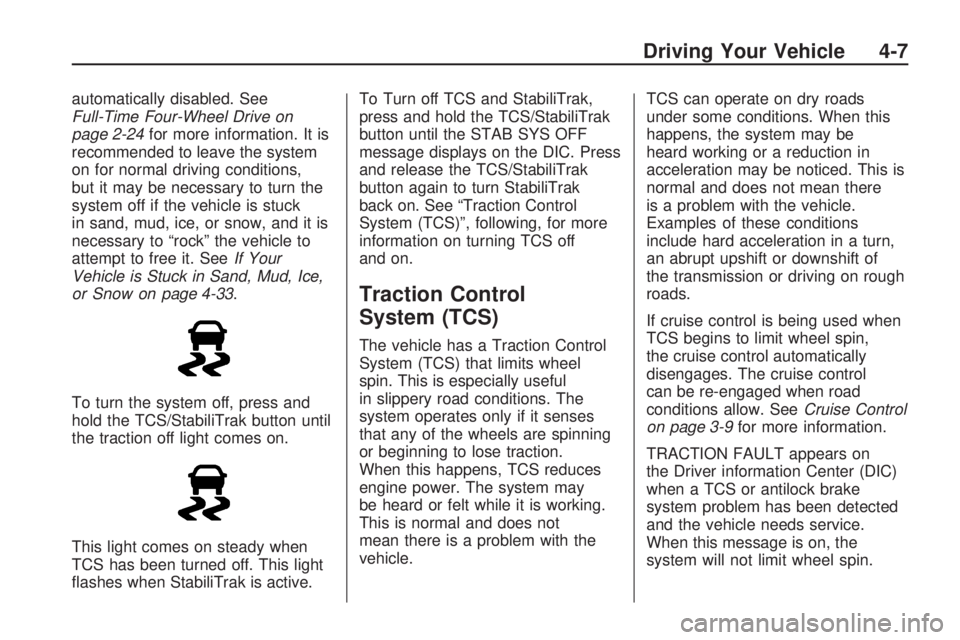
To turn the system off, press and
hold the TCS/StabiliTrak button until
the traction off light comes on.
This light comes on steady when
TCS has been turned off. This light
ashes when StabiliTrak is active.To Turn off TCS and StabiliTrak,
press and hold the TCS/StabiliTrak
button until the STAB SYS OFF
message displays on the DIC. Press
and release the TCS/StabiliTrak
button again to turn StabiliTrak
back on. See “Traction Control
System (TCS)”, following, for more
information on turning TCS off
and on.
Traction Control
System (TCS)
The vehicle has a Traction Control
System (TCS) that limits wheel
spin. This is especially useful
in slippery road conditions. The
system operates only if it senses
that any of the wheels are spinning
or beginning to lose traction.
When this happens, TCS reduces
engine power. The system may
be heard or felt while it is working.
This is normal and does not
mean there is a problem with the
vehicle.TCS can operate on dry roads
under some conditions. When this
happens, the system may be
heard working or a reduction in
acceleration may be noticed. This is
normal and does not mean there
is a problem with the vehicle.
Examples of these conditions
include hard acceleration in a turn,
an abrupt upshift or downshift of
the transmission or driving on rough
roads.
If cruise control is being used when
TCS begins to limit wheel spin,
the cruise control automatically
disengages. The cruise control
can be re-engaged when road
conditions allow. SeeCruise Control
on page 3-9for more information.
TRACTION FAULT appears on
the Driver information Center (DIC)
when a TCS or antilock brake
system problem has been detected
and the vehicle needs service.
When this message is on, the
system will not limit wheel spin.
Driving Your Vehicle 4-7
Page 196 of 382
Before You Go Off-Roading
Have all necessary maintenance
and service work done.
Make sure there is enough fuel,
that uid levels are where they
should be, and that the spare tire
is fully inated.
Be sure to read all the
information about
four-wheel-drive vehicles in this
manual.
Make sure all underbody shields,
if the vehicle has them, are
properly attached.
Know the local laws that apply to
off-roading where you will be
driving or check with law
enforcement people in the area.
Be sure to get the necessary
permission if you will be on
private land.
Loading Your Vehicle for
Off-Road Driving
{CAUTION
Cargo on the load oor piled
higher than the seatbacks
can be thrown forward during
a sudden stop. You or your
passengers could be injured.
Keep cargo below the top of
the seatbacks.
Unsecured cargo on the load
oor can be tossed about
when driving over rough
terrain. You or your
passengers can be struck by
ying objects. Secure the
cargo properly.
(Continued)
CAUTION (Continued)
Heavy loads on the roof raise
the vehicle’s center of gravity,
making it more likely to roll
over. You can be seriously or
fatally injured if the vehicle
rolls over. Put heavy loads
inside the cargo area, not on
the roof. Keep cargo in the
cargo area as far forward and
low as possible.
There are some important things to
remember about how to load
your vehicle.
The heaviest things should be on
the oor, forward of the rear axle.
Put heavier items as far forward
as you can.
Be sure the load is properly
secured, so things are not tossed
around.
4-14 Driving Your Vehicle
Page 209 of 382
Driving in Water
{CAUTION
Driving through rushing water can
be dangerous. Deep water can
sweep your vehicle downstream
and you and your passengers
could drown. If it is only shallow
water, it can still wash away the
ground from under your tires, and
you could lose traction and roll
the vehicle over. Do not drive
through rushing water.
Heavy rain can mean ash ooding,
and ood waters demand extreme
caution.Find out how deep the water is
before driving through it. Do not
try it if it is deep enough to cover
the wheel hubs, axles, or exhaust
pipe — you probably will not get
through. Deep water can damage the
axle and other vehicle parts. The
vehicle is capable of depths up to
20 inches (50 cm). Know how to
judge whether the water is deeper
than this before proceeding into it.
If the water is not too deep, drive
slowly through it. At faster speeds,
water splashes on the ignition
system and the vehicle can stall.
Stalling can also occur if you get the
tailpipe under water. If the tailpipe
is under water, you will never
be able to start the engine. When
going through water, remember that
when the brakes get wet, it might
take longer to stop. SeeDriving
in Rain and on Wet Roads on
page 4-29.
After Off-Road Driving
Remove any brush or debris that
has collected on the underbody,
chassis, or under the hood. These
accumulations can be a re hazard.
After operation in mud or sand,
have the brake linings cleaned and
checked. These substances can
cause glazing and uneven braking.
Check the engine and oil coolers
for mud accumulation. Thoroughly
and carefully clean these devices to
allow proper cooling. Check the
body structure, steering, suspension,
wheels, tires, and exhaust system
for damage and check the fuel lines
and cooling system for any
leakage.
The vehicle requires more frequent
service due to off-road use.
Refer to the Maintenance Schedule
for additional information.
Driving Your Vehicle 4-27
Page 212 of 382
Before Leaving on a
Long Trip
To prepare your vehicle for a long
trip, consider having it serviced
by your dealer/retailer before
departing.
Things to check on your own
include:
Windshield Washer Fluid:
Reservoir full? Windows
clean — inside and outside?
Wiper Blades:In good shape?
Fuel, Engine Oil, Other Fluids:All
levels checked?
Lamps:Do they all work and are
lenses clean?
Tires:Are treads good? Are tires
inated to recommended
pressure?
Weather and Maps:Safe to
travel? Have up-to-date maps?
Highway Hypnosis
Always be alert and pay attention
to your surroundings while driving. If
you become tired or sleepy, nd
a safe place to park your vehicle
and rest.
Other driving tips include:
Keep the vehicle well ventilated.
Keep interior temperature cool.
Keep your eyes moving — scan
the road ahead and to the sides.
Check the rearview mirror and
vehicle instruments often.
Hill and Mountain Roads
Driving on steep hills or through
mountains is different than driving
on at or rolling terrain. Tips for
driving in these conditions include:
Keep the vehicle serviced
and in good shape.
Check all uid levels and brakes,
tires, cooling system, and
transmission.
Going down steep or long hills,
shift to a lower gear.
{CAUTION
If you do not shift down, the
brakes could get so hot that they
would not work well. You would
then have poor braking or even
none going down a hill. You could
crash. Shift down to let the engine
assist the brakes on a steep
downhill slope.
4-30 Driving Your Vehicle
Page 214 of 382
Allow greater following distance on
any slippery road and watch for
slippery spots. Icy patches
can occur on otherwise clear roads
in shaded areas. The surface of
a curve or an overpass can remain
icy when the surrounding roads
are clear. Avoid sudden steering
maneuvers and braking while on ice.
Turn off cruise control, if equipped,
on slippery surfaces.
Blizzard Conditions
Being stuck in snow can be in a
serious situation. Stay with the
vehicle unless there is help nearby.
If possible, use theRoadside
Service on page 7-6. To get help
and keep everyone in the vehicle
safe:
Turn on theHazard Warning
Flashers on page 3-5.
Tie a red cloth to an outside
mirror.
{CAUTION
Snow can trap engine exhaust
under the vehicle. This may cause
exhaust gases to get inside.
Engine exhaust contains carbon
monoxide (CO) which cannot be
seen or smelled. It can cause
unconsciousness and even death.
If the vehicle is stuck in the snow:
Clear away snow from
around the base of your
vehicle, especially any that is
blocking the exhaust pipe.
Check again from time to
time to be sure snow does
not collect there.
Open a window about two
inches (5 cm) on the side of
the vehicle that is away from
the wind to bring in fresh air.
Fully open the air outlets on
or under the instrument
panel.
(Continued)
CAUTION (Continued)
Adjust the Climate Control
system to a setting that
circulates the air inside the
vehicle and set the fan speed
to the highest setting. See
Climate Control System in the
Index.
For more information about
carbon monoxide, seeEngine
Exhaust on page 2-31.
Snow can trap exhaust gases
under your vehicle. This can
cause deadly CO (carbon
monoxide) gas to get inside. CO
could overcome you and kill you.
You cannot see it or smell it, so
you might not know it is in your
vehicle. Clear away snow from
around the base of your vehicle,
especially any that is blocking the
exhaust.
4-32 Driving Your Vehicle
Page 222 of 382
Towing
Towing Your Vehicle
To avoid damage, the disabled
vehicle should be towed with all four
wheels off the ground. Consult
your dealer/retailer or a professional
towing service if the disabled
vehicle must be towed. See
Roadside Service on page 7-6
To tow the vehicle behind another
vehicle for recreational
purposes — such as behind a
motorhome, see “Recreational
Vehicle Towing” following.
Recreational Vehicle
Towing
Recreational vehicle towing means
towing the vehicle behind another
vehicle – such as behind a
motorhome. The two most common
types of recreational vehicle
towing are known as “dinghy
towing” — towing the vehicle with all
four wheels on the ground, and“dolly towing” — towing the vehicle
with two wheels on the ground
and two wheels up on a device
known as a “dolly”.
Here are some important things to
consider before recreational
vehicle towing:
What is the towing capacity of
the tow vehicle? Be sure to
read the tow vehicle
manufacturer’s
recommendations.
What is the distance that will be
travelled? Some vehicles have
restrictions on how far and
how long they can tow.
Is the proper towing equipment
going to be used? See your
dealer/retailer or trailering
professional for additional advice
and equipment
recommendations.
Is the vehicle ready to be towed?
Just as preparing the vehicle for
a long trip, make sure the
vehicle is prepared to be towed.
SeeBefore Leaving on a
Long Trip on page 4-30.
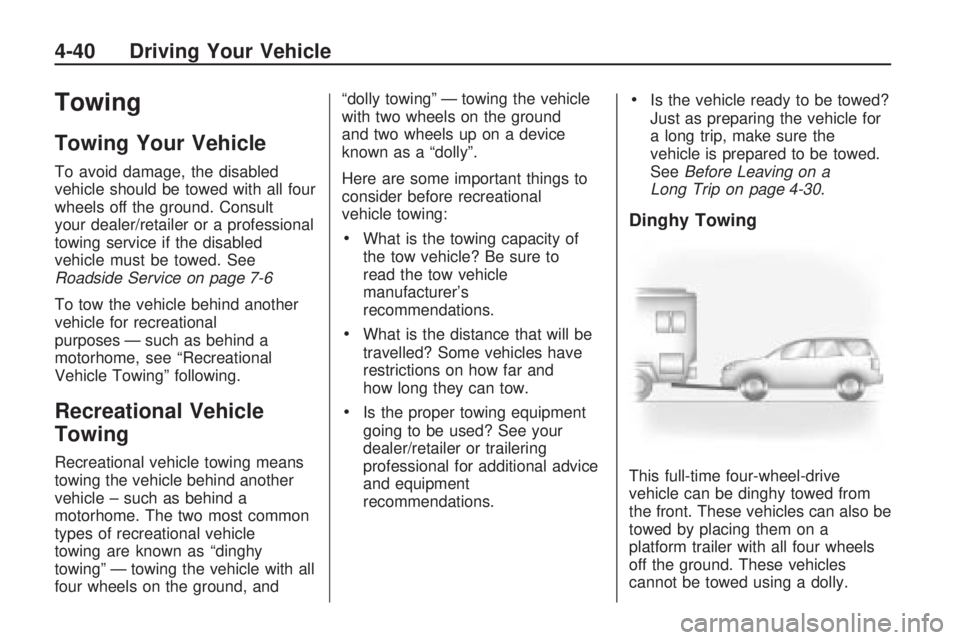
Dinghy Towing
This full-time four-wheel-drive
vehicle can be dinghy towed from
the front. These vehicles can also be
towed by placing them on a
platform trailer with all four wheels
off the ground. These vehicles
cannot be towed using a dolly.
4-40 Driving Your Vehicle