lock HUMMER H3 2010 User Guide
[x] Cancel search | Manufacturer: HUMMER, Model Year: 2010, Model line: H3, Model: HUMMER H3 2010Pages: 410, PDF Size: 2.24 MB
Page 18 of 410
1-14 In Brief
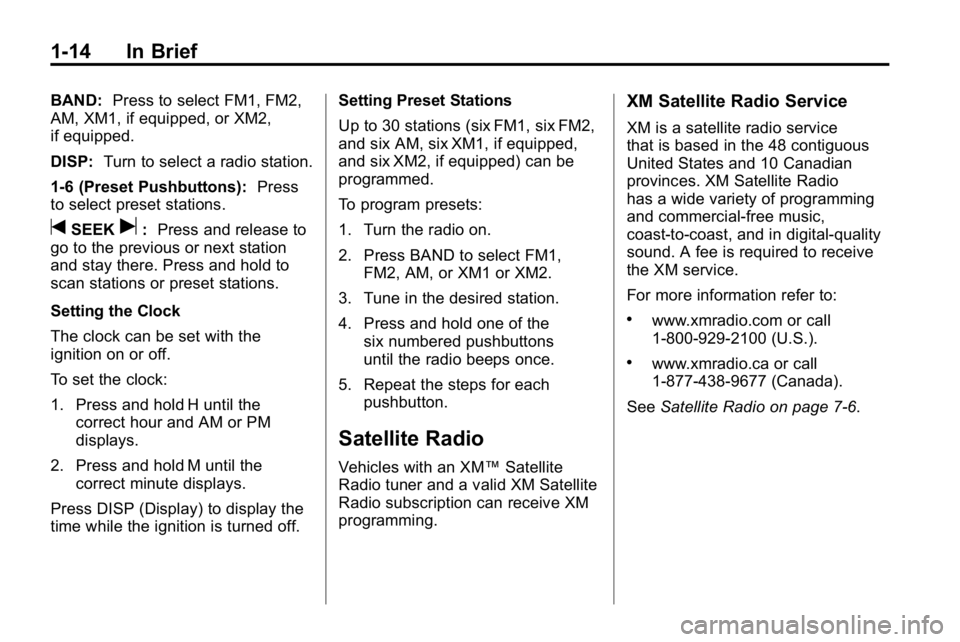
BAND:Press to select FM1, FM2,
AM, XM1, if equipped, or XM2,
if equipped.
DISP: Turn to select a radio station.
1-6 (Preset Pushbuttons): Press
to select preset stations.
tSEEKu: Press and release to
go to the previous or next station
and stay there. Press and hold to
scan stations or preset stations.
Setting the Clock
The clock can be set with the
ignition on or off.
To set the clock:
1. Press and hold H until the correct hour and AM or PM
displays.
2. Press and hold M until the correct minute displays.
Press DISP (Display) to display the
time while the ignition is turned off. Setting Preset Stations
Up to 30 stations (six FM1, six FM2,
and six AM, six XM1, if equipped,
and six XM2, if equipped) can be
programmed.
To program presets:
1. Turn the radio on.
2. Press BAND to select FM1,
FM2, AM, or XM1 or XM2.
3. Tune in the desired station.
4. Press and hold one of the six numbered pushbuttons
until the radio beeps once.
5. Repeat the steps for each pushbutton.
Satellite Radio
Vehicles with an XM™ Satellite
Radio tuner and a valid XM Satellite
Radio subscription can receive XM
programming.
XM Satellite Radio Service
XM is a satellite radio service
that is based in the 48 contiguous
United States and 10 Canadian
provinces. XM Satellite Radio
has a wide variety of programming
and commercial-free music,
coast-to-coast, and in digital-quality
sound. A fee is required to receive
the XM service.
For more information refer to:
.www.xmradio.com or call
1-800-929-2100 (U.S.).
.www.xmradio.ca or call
1-877-438-9677 (Canada).
See Satellite Radio on page 7‑6.
Page 22 of 410
1-18 In Brief
Engine Oil Life System
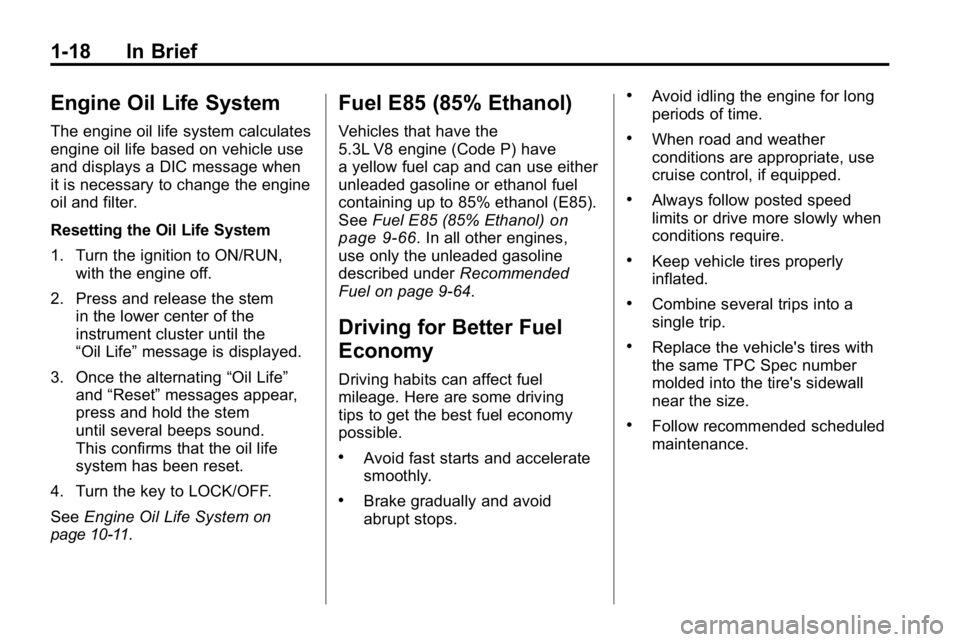
The engine oil life system calculates
engine oil life based on vehicle use
and displays a DIC message when
it is necessary to change the engine
oil and filter.
Resetting the Oil Life System
1. Turn the ignition to ON/RUN,with the engine off.
2. Press and release the stem in the lower center of the
instrument cluster until the
“Oil Life” message is displayed.
3. Once the alternating “Oil Life”
and “Reset” messages appear,
press and hold the stem
until several beeps sound.
This confirms that the oil life
system has been reset.
4. Turn the key to LOCK/OFF.
See Engine Oil Life System
on
page 10‑11.
Fuel E85 (85% Ethanol)
Vehicles that have the
5.3L V8 engine (Code P) have
a yellow fuel cap and can use either
unleaded gasoline or ethanol fuel
containing up to 85% ethanol (E85).
See Fuel E85 (85% Ethanol)
on
page 9‑66. In all other engines,
use only the unleaded gasoline
described under Recommended
Fuel on page 9‑64.
Driving for Better Fuel
Economy
Driving habits can affect fuel
mileage. Here are some driving
tips to get the best fuel economy
possible.
.Avoid fast starts and accelerate
smoothly.
.Brake gradually and avoid
abrupt stops.
.Avoid idling the engine for long
periods of time.
.When road and weather
conditions are appropriate, use
cruise control, if equipped.
.Always follow posted speed
limits or drive more slowly when
conditions require.
.Keep vehicle tires properly
inflated.
.Combine several trips into a
single trip.
.Replace the vehicle's tires with
the same TPC Spec number
molded into the tire's sidewall
near the size.
.Follow recommended scheduled
maintenance.
Page 24 of 410

1-20 In Brief
Crisis Assist, Stolen Vehicle
Assistance, Vehicle Diagnostics,
Remote Door Unlock, Roadside
Assistance, Turn‐by‐Turn
Navigation and Hands‐Free
Calling are available on most
vehicles. Not all OnStar services
are available on all vehicles.
For more information see the
OnStar Owner's Guide or visit
www.onstar.com (U.S.) or
www.onstar.ca (Canada), contact
OnStar at 1-888-4-ONSTAR
(1‐888‐466‐7827) or
TTY 1‐877‐248‐2080, or
press
Qto speak with an
OnStar advisor 24 hours a day,
7 days a week.
For a full description of OnStar
services and system limitations,
see the OnStar Owner's Guide in
the glove box. OnStar service is subject to the
OnStar terms and conditions
included in the OnStar Subscriber
Information.
OnStar service cannot work unless
the vehicle is in a place where
OnStar has an agreement with a
wireless service provider for service
in that area. OnStar service also
cannot work unless the vehicle is
in a place where the wireless
service provider OnStar has hired
for that area has coverage, network
capacity and reception when the
service is needed, and technology
that is compatible with the OnStar
service. Not all services are
available everywhere, particularly
in remote or enclosed areas, or at
all times.
The OnStar system can record and
transmit vehicle information. This
information is automatically sent to
an OnStar call center when
Qis
pressed,
]is pressed, or if the
airbags or ACR system deploy.
This information usually includes
the vehicle's GPS location and, in
the event of a crash, additional
information regarding the crash that
the vehicle was involved in (e.g. the
direction from which the vehicle was
hit). When the virtual advisor feature
of OnStar hands-free calling is
used, the vehicle also sends OnStar
the vehicle's GPS location so they
can provide services where it is
located.
Location information about the
vehicle is only available if the GPS
satellite signals are unobstructed
and available.
Page 27 of 410
Keys, Doors and Windows 2-1
Keys, Doors and
Windows
Keys and Locks
Keys . . . . . . . . . . . . . . . . . . . . . . . . . . 2-2
Remote Keyless Entry (RKE)System . . . . . . . . . . . . . . . . . . . . . . 2-2
Remote Keyless Entry (RKE) System Operation . . . . . . . . . . . 2-3
Door Locks . . . . . . . . . . . . . . . . . . . 2-4
Power Door Locks . . . . . . . . . . . . 2-5
Automatic Door Locks . . . . . . . . . 2-6
Lockout Protection . . . . . . . . . . . . 2-6
Safety Locks . . . . . . . . . . . . . . . . . . 2-6
Doors
Tailgate . . . . . . . . . . . . . . . . . . . . . . . 2-7
Vehicle Security
Vehicle Security . . . . . . . . . . . . . . . 2-9
Anti-Theft Alarm System . . . . . . 2-9
Immobilizer . . . . . . . . . . . . . . . . . . 2-10
Immobilizer Operation (U.S.) . . . . . . . . . . . . 2-10
Immobilizer Operation (Canada) . . . . . . . . . . . . . . . . . . . 2-11
Exterior Mirrors
Convex Mirrors . . . . . . . . . . . . . . 2-13
Power Mirrors . . . . . . . . . . . . . . . . 2-13
Folding Mirrors . . . . . . . . . . . . . . . 2-13
Interior Mirrors
Automatic Dimming RearviewMirror . . . . . . . . . . . . . . . . . . . . . . . 2-14
Windows
Windows . . . . . . . . . . . . . . . . . . . . . 2-15
Power Windows . . . . . . . . . . . . . 2-16
Sun Visors . . . . . . . . . . . . . . . . . . . 2-17
Roof
Sunroof . . . . . . . . . . . . . . . . . . . . . . 2-17
Page 28 of 410
2-2 Keys, Doors and Windows
Keys and Locks
Keys
{WARNING
Leaving children in a vehicle with
the ignition key is dangerous for
many reasons, children or others
could be badly injured or even
killed. They could operate the
power windows or other controls
or even make the vehicle move.
The windows will function with the
keys in the ignition and children
could be seriously injured or killed
if caught in the path of a closing
window. Do not leave the keys in
a vehicle with children.
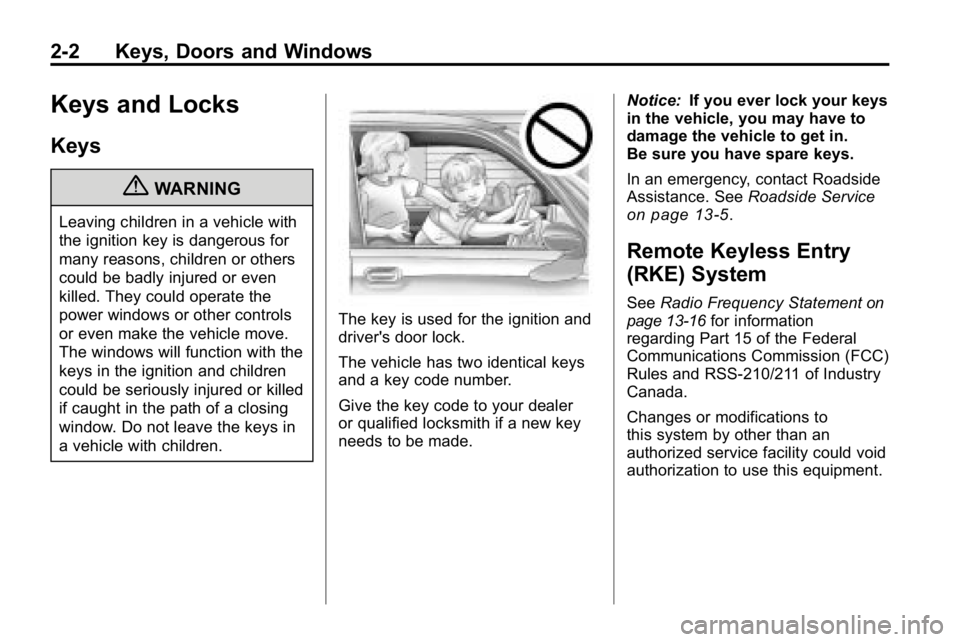
The key is used for the ignition and
driver's door lock.
The vehicle has two identical keys
and a key code number.
Give the key code to your dealer
or qualified locksmith if a new key
needs to be made.Notice:
If you ever lock your keys
in the vehicle, you may have to
damage the vehicle to get in.
Be sure you have spare keys.
In an emergency, contact Roadside
Assistance. See Roadside Service
on page 13‑5.
Remote Keyless Entry
(RKE) System
SeeRadio Frequency Statementon
page 13‑16for information
regarding Part 15 of the Federal
Communications Commission (FCC)
Rules and RSS-210/211 of Industry
Canada.
Changes or modifications to
this system by other than an
authorized service facility could void
authorization to use this equipment.
Page 29 of 410
Keys, Doors and Windows 2-3
If there is a decrease in the RKE
operating range:
.Check the distance.
The transmitter may be
too far from the vehicle.
.Check the location. Other
vehicles or objects may be
blocking the signal.
.Check the transmitter's battery.
See“Battery Replacement” later
in this section.
.If the transmitter is still not
working correctly, see your
dealer or a qualified technician
for service.
Remote Keyless Entry
(RKE) System Operation
The Remote Keyless Entry (RKE)
transmitter functions work up to 9 m
(30 feet) away from the vehicle.
There are other conditions which
can affect the performance of the
transmitter. See Remote Keyless
Entry (RKE) System on page 2‑2.
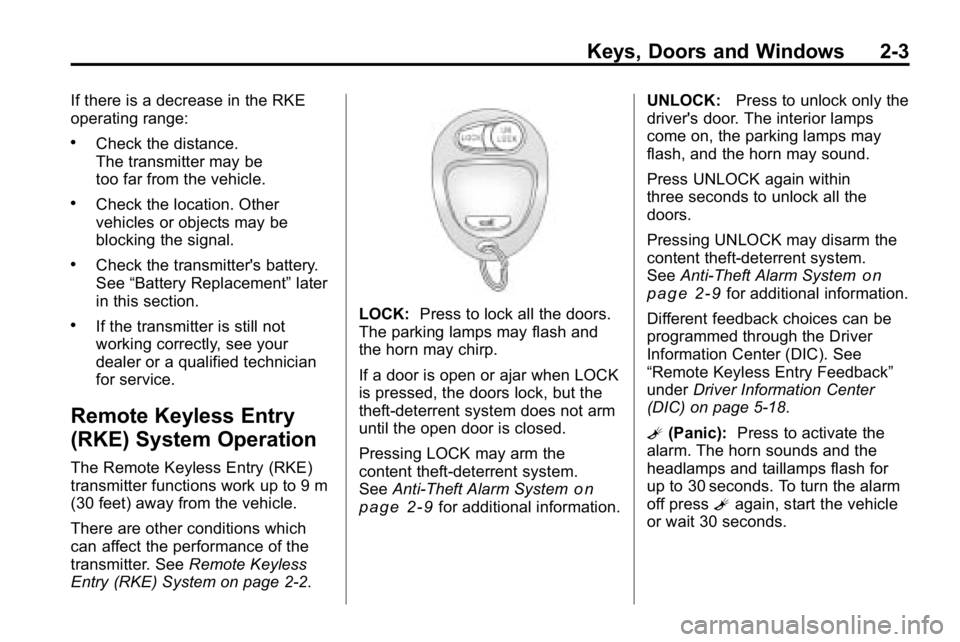
LOCK: Press to lock all the doors.
The parking lamps may flash and
the horn may chirp.
If a door is open or ajar when LOCK
is pressed, the doors lock, but the
theft-deterrent system does not arm
until the open door is closed.
Pressing LOCK may arm the
content theft-deterrent system.
See Anti-Theft Alarm System
on
page 2‑9for additional information. UNLOCK:
Press to unlock only the
driver's door. The interior lamps
come on, the parking lamps may
flash, and the horn may sound.
Press UNLOCK again within
three seconds to unlock all the
doors.
Pressing UNLOCK may disarm the
content theft-deterrent system.
See Anti-Theft Alarm System
on
page 2‑9for additional information.
Different feedback choices can be
programmed through the Driver
Information Center (DIC). See
“Remote Keyless Entry Feedback”
under Driver Information Center
(DIC) on page 5‑18.
L (Panic): Press to activate the
alarm. The horn sounds and the
headlamps and taillamps flash for
up to 30 seconds. To turn the alarm
off press Lagain, start the vehicle
or wait 30 seconds.
Page 30 of 410
2-4 Keys, Doors and Windows
Programming Transmitters to
the Vehicle
Only RKE transmitters
programmed to this vehicle will
work. If a transmitter is lost or
stolen, a replacement can be
purchased and programmed through
your dealer. When the replacement
transmitter is programmed to this
vehicle, all remaining transmitters
must also be reprogrammed.
Any lost or stolen transmitters
will no longer work once the new
transmitter is programmed. Each
vehicle can have up to four
transmitters programmed to it.
Battery Replacement
The battery in the transmitter is
weak and should be changed if it
does not work at the normal range
in any location.
Notice:When replacing the
battery, do not touch any of the
circuitry on the transmitter. Static
from your body could damage the
transmitter. To replace the battery:
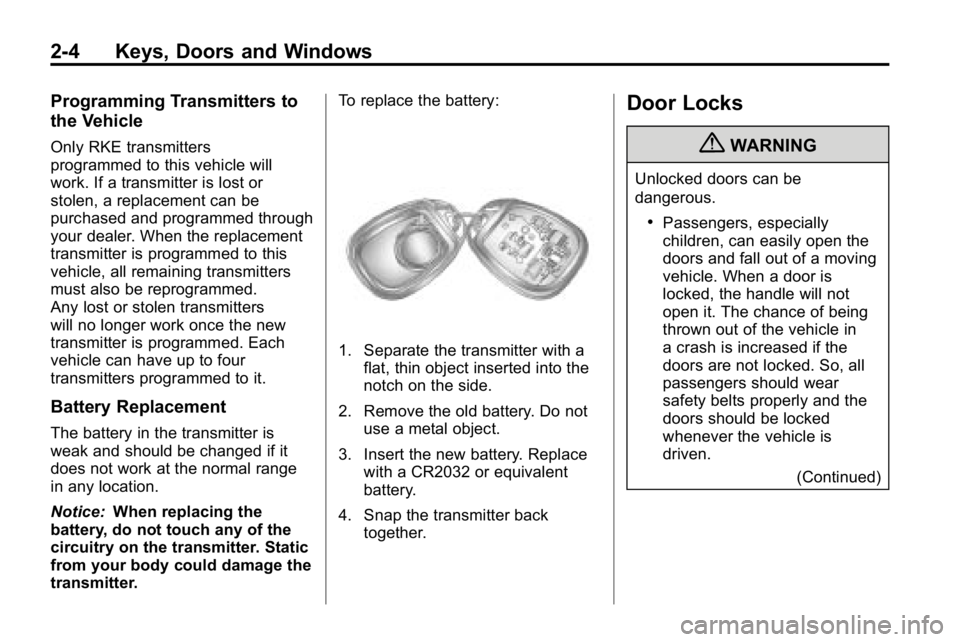
1. Separate the transmitter with a
flat, thin object inserted into the
notch on the side.
2. Remove the old battery. Do not use a metal object.
3. Insert the new battery. Replace with a CR2032 or equivalent
battery.
4. Snap the transmitter back together.
Door Locks
{WARNING
Unlocked doors can be
dangerous.
.Passengers, especially
children, can easily open the
doors and fall out of a moving
vehicle. When a door is
locked, the handle will not
open it. The chance of being
thrown out of the vehicle in
a crash is increased if the
doors are not locked. So, all
passengers should wear
safety belts properly and the
doors should be locked
whenever the vehicle is
driven.
(Continued)
Page 31 of 410

Keys, Doors and Windows 2-5
WARNING (Continued)
.Young children who get into
unlocked vehicles may be
unable to get out. A child can
be overcome by extreme heat
and can suffer permanent
injuries or even death from
heat stroke. Always lock the
vehicle whenever leaving it.
.Outsiders can easily enter
through an unlocked door
when you slow down or stop
your vehicle. Locking your
doors can help prevent this
from happening.
There are several ways to lock and
unlock the vehicle. From the outside, use the key in the
driver's door or use the Remote
Keyless Entry (RKE) transmitter.
From the inside, use the manual
lock levers or power door lock
switch.
Power Door Locks
Driver side shown
The power door lock switches are
located on the driver and the front
passenger doors.
Press L (Lock) to lock all the doors
at once. To unlock all the doors,
press U (Unlock).
Page 32 of 410
2-6 Keys, Doors and Windows
Automatic Door Locks
With an automatic transmission,
the vehicle is pre-programmed to
automatically lock the doors when
shifted out of P (Park). All doors
unlock when the vehicle is shifted
back into P (Park).
With a manual transmission, the
vehicle is pre-programmed to
automatically lock the doors when
the vehicle speed reached 15 mph
(24 km/h). Removing the key from
the ignition unlocks the doors.
To program the automatic door
locks, see“Automatic Door Locks”
under Driver Information Center
(DIC) on page 5‑18.
Lockout Protection
This feature protects against locking
the key in the vehicle when it is in
the ignition. A chime sounds as an alert to
indicate that the key has been left in
the ignition. When the power door
lock switch is pressed, a door is
open, and the key is in the ignition
all of the doors lock and then the
driver's door unlocks.
Safety Locks
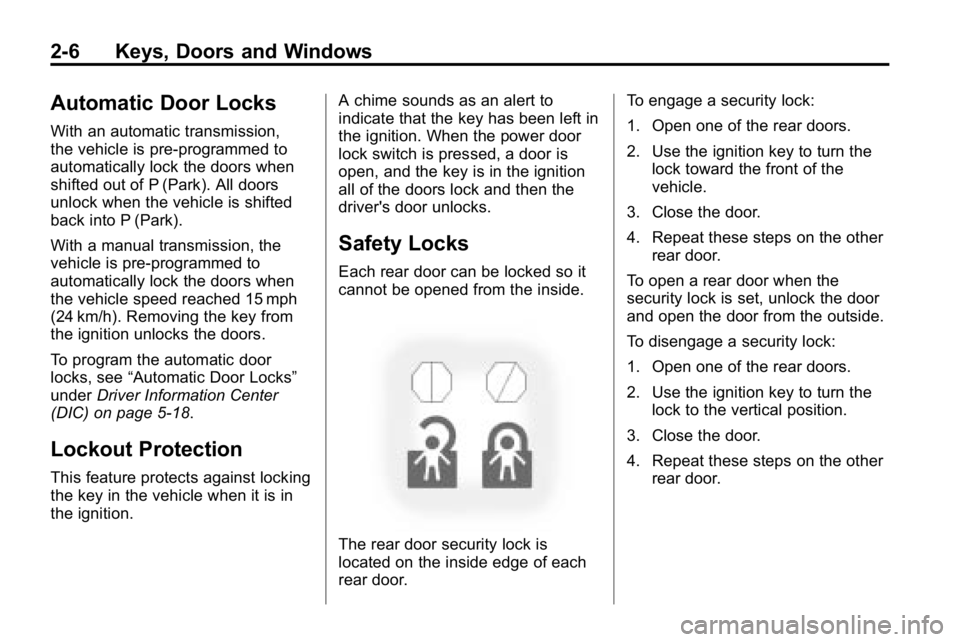
Each rear door can be locked so it
cannot be opened from the inside.
The rear door security lock is
located on the inside edge of each
rear door.To engage a security lock:
1. Open one of the rear doors.
2. Use the ignition key to turn the
lock toward the front of the
vehicle.
3. Close the door.
4. Repeat these steps on the other rear door.
To open a rear door when the
security lock is set, unlock the door
and open the door from the outside.
To disengage a security lock:
1. Open one of the rear doors.
2. Use the ignition key to turn the lock to the vertical position.
3. Close the door.
4. Repeat these steps on the other rear door.
Page 34 of 410
2-8 Keys, Doors and Windows
2. Lift up slightly on the entiretailgate assembly.
Remove the retaining cables
from both sides of the pickup
box by pulling the clips away
from the bolt heads while
pushing the cable bracket
forward. When the larger part of
the hole on the bracket is over
the bolt, slide the bracket off of
the bolt.
3. With the tailgate partially down, lift up on the passenger's side
and pull the tailgate toward you,
then move the tailgate to the
right to release the driver's side.
Reverse the procedure to reinstall
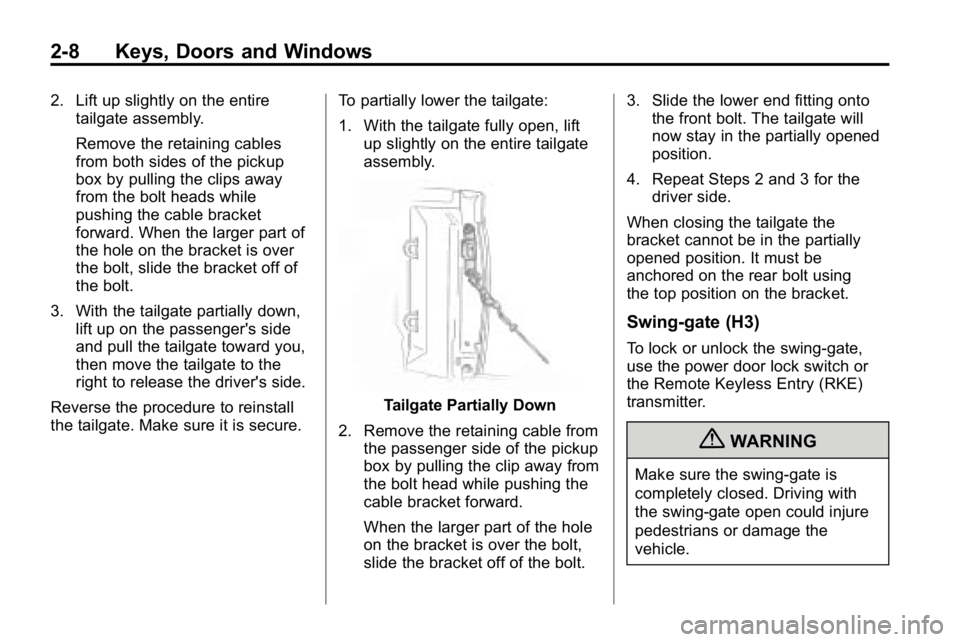
the tailgate. Make sure it is secure. To partially lower the tailgate:
1. With the tailgate fully open, lift
up slightly on the entire tailgate
assembly.
Tailgate Partially Down
2. Remove the retaining cable from the passenger side of the pickup
box by pulling the clip away from
the bolt head while pushing the
cable bracket forward.
When the larger part of the hole
on the bracket is over the bolt,
slide the bracket off of the bolt. 3. Slide the lower end fitting onto
the front bolt. The tailgate will
now stay in the partially opened
position.
4. Repeat Steps 2 and 3 for the driver side.
When closing the tailgate the
bracket cannot be in the partially
opened position. It must be
anchored on the rear bolt using
the top position on the bracket.
Swing-gate (H3)
To lock or unlock the swing‐gate,
use the power door lock switch or
the Remote Keyless Entry (RKE)
transmitter.
{WARNING
Make sure the swing‐gate is
completely closed. Driving with
the swing‐gate open could injure
pedestrians or damage the
vehicle.