lock HUMMER H3 2010 Owner's Manual
[x] Cancel search | Manufacturer: HUMMER, Model Year: 2010, Model line: H3, Model: HUMMER H3 2010Pages: 410, PDF Size: 2.24 MB
Page 35 of 410
Keys, Doors and Windows 2-9
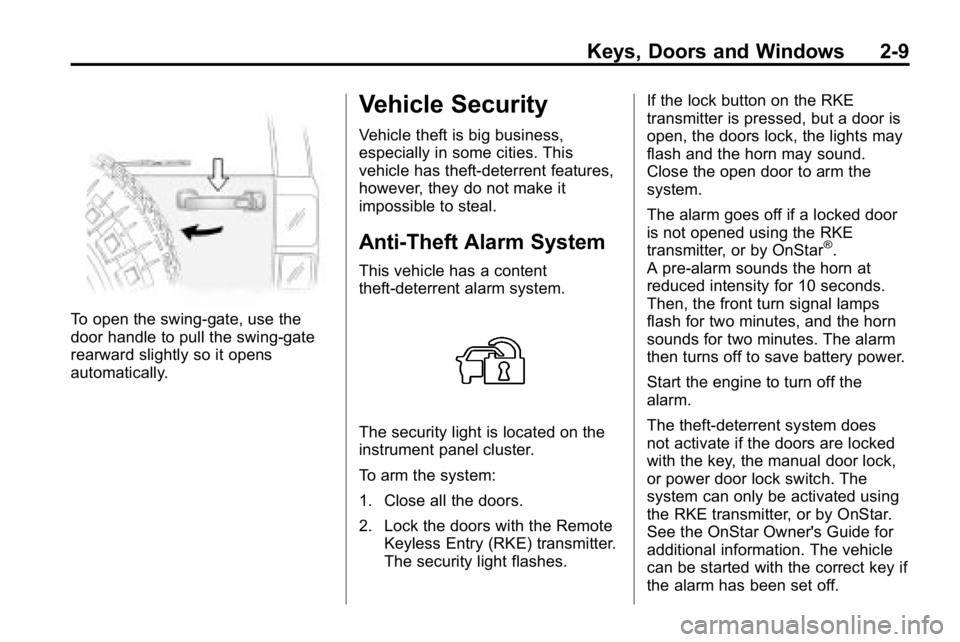
To open the swing‐gate, use the
door handle to pull the swing-gate
rearward slightly so it opens
automatically.
Vehicle Security
Vehicle theft is big business,
especially in some cities. This
vehicle has theft-deterrent features,
however, they do not make it
impossible to steal.
Anti-Theft Alarm System
This vehicle has a content
theft-deterrent alarm system.
The security light is located on the
instrument panel cluster.
To arm the system:
1. Close all the doors.
2. Lock the doors with the RemoteKeyless Entry (RKE) transmitter.
The security light flashes. If the lock button on the RKE
transmitter is pressed, but a door is
open, the doors lock, the lights may
flash and the horn may sound.
Close the open door to arm the
system.
The alarm goes off if a locked door
is not opened using the RKE
transmitter, or by OnStar
®.
A pre-alarm sounds the horn at
reduced intensity for 10 seconds.
Then, the front turn signal lamps
flash for two minutes, and the horn
sounds for two minutes. The alarm
then turns off to save battery power.
Start the engine to turn off the
alarm.
The theft-deterrent system does
not activate if the doors are locked
with the key, the manual door lock,
or power door lock switch. The
system can only be activated using
the RKE transmitter, or by OnStar.
See the OnStar Owner's Guide for
additional information. The vehicle
can be started with the correct key if
the alarm has been set off.
Page 36 of 410
2-10 Keys, Doors and Windows
To avoid setting off the alarm by
accident:
.Lock the vehicle with the manual
door lock lever, the power door
lock switch, or the key, after the
doors are closed.
.Unlock the doors by pressing
the unlock button on the RKE
transmitter or by contacting
OnStar. Unlocking a door any
other way activates the alarm.
Press unlock on the RKE
transmitter, start the vehicle with
the correct key, or have OnStar
unlock the doors to turn the alarm
off. The alarm does not stop if a
door is unlocked any other way.
Testing the Alarm
To test the alarm:
1. From inside the vehicle, lock the doors with the RKE transmitter.
2. Unlock the door with the manual door lock and open the door.
The pre-alarm should sound
followed by the full alarm about
10 seconds later.
3. Press the unlock button on the RKE transmitter or start the
engine to turn the alarm off.
If the alarm does not sound but the
lights flash, check to see if the horn
works. The horn fuse could be
blown. To replace the fuse, see
Fuses and Circuit Breakers
on
page 10‑39.
If the alarm does not sound or the
front turn signal lamps do not flash,
see your dealer for service.
Immobilizer
See Radio Frequency Statementon
page 13‑16for information
regarding Part 15 of the Federal
Communications Commission (FCC)
Rules and RSS-210/211 of Industry
Canada.
Immobilizer
Operation (U.S.)
Passlock®is a passive
theft-deterrent system that enables
fuel if the vehicle is started with a
valid key. If an incorrect key is used
or the ignition lock cylinder is
tampered with, the fuel system is
disabled and the vehicle does not
start.
The security light turns off
approximately five seconds after
the engine is started. See Security
Light on page 5‑17.
Page 37 of 410
Keys, Doors and Windows 2-11
If the engine stalls and the security
light flashes, wait about 10 minutes
until the light stops flashing before
trying to restart the engine. Release
the key from START as soon as the
engine starts.
If the engine does not start after
three tries, the vehicle needs
service.
If the engine is running and the
security light comes on, the engine
restarts if you turn the engine off.
However, the Passlock system is
not working properly and must be
serviced by your dealer. The vehicle
is not protected by Passlock at this
time. See your dealer for service.In an emergency, call the Roadside
Assistance Center. See
Roadside
Service on page 13‑5.
Do not leave the key or device that
disarms or deactivates the theft
deterrent system in the vehicle.
Immobilizer Operation
(Canada)
This vehicle has a passive
theft-deterrent system.
The system is automatically armed
when the key is removed from the
ignition.
The system is automatically
disarmed when the key is turned
to ON/RUN. You do not have to manually arm or
disarm the system.
The security light comes on if
there is a problem with arming or
disarming the theft-deterrent
system.
The key uses a transponder that
matches an immobilizer control unit
in the vehicle. Only the correct key
starts the vehicle. If the key is ever
damaged, the vehicle may not start.
When trying to start the vehicle,
if the engine does not start and the
security light comes on, there may
be a problem with the theft-deterrent
system. Turn the ignition off and try
again.
Page 38 of 410
2-12 Keys, Doors and Windows
If the engine still does not start, and
the key appears to be undamaged,
try another ignition key. Check the
fuse. SeeFuses and Circuit
Breakers
on page 10‑39. If the
engine still does not start with the
other key, the vehicle needs service.
If the vehicle does start, the first key
may be faulty. See your dealer who
can service the theft-deterrent
system and have a new key made.
It is possible for the theft-deterrent
system decoder to learn the
transponder value of a new or
replacement key. Up to 10 keys
can be programmed for the vehicle.
The following procedure is for
programming additional keys only.
If the keys are lost or damaged,
only a dealer can service the
theft-deterrent system to have new
ones made. Two current driver's
keys are required to program
additional keys. To program a new key:
1. Verify that the new key has
PK3+ stamped on it.
2. Insert the current driver's key in the ignition and start the engine.
If the engine does not start see
your dealer for service.
3. After the engine has started, turn the key to LOCK/OFF, and
remove the key.
4. Insert the second current driver's key in the ignition and start the
engine within ten seconds of
removing the previous key. If the
engine does not start see your
dealer for service. 5. After the engine has started,
turn the key to LOCK/OFF, and
remove the key. Insert the key to
be programmed and turn it to
ON/RUN within ten seconds of
removing the previous key.
The security light turns off once
the key has been programmed.
6. Repeat the Steps 1 through 5 if additional keys are to be
programmed.
If the security light comes on
and stays on while driving, the
engine will restart if you turn it off.
However, the theft-deterrent
system is not working properly and
must be serviced by your dealer.
The vehicle is not protected by the
theft-deterrent system at this time.
In an emergency, contact Roadside
Assistance. See Roadside Service
on page 13‑5.
Do not leave the key or device that
disarms or deactivates the theft
deterrent system in the vehicle.
Page 42 of 410

2-16 Keys, Doors and Windows
Power Windows
{WARNING
Leaving children in a vehicle with
the keys is dangerous for many
reasons, children or others could
be badly injured or even killed.
They could operate the power
windows or other controls or
even make the vehicle move.
The windows will function and
they could be seriously injured or
killed if caught in the path of a
closing window. Do not leave
keys in a vehicle with children.
When there are children in the
rear seat use the window lockout
button to prevent unintentional
operation of the windows.
The power window controls are
located on each door.
The driver's door also has
passenger window switches.
The ignition must be in
ACC/ACCESSORY, ON/RUN,
or in Retained Accessory Power
(RAP). SeeRetained Accessory
Power (RAP) on page 9‑35. Pull up or press down on the front
edge of the switch to raise or lower
the window.
Express‐Down Window
The driver's window has an
express‐down feature that lowers
the window without holding the
switch. Press the front edge of the
switch past the first position to
activate the express‐down mode.
To stop the express‐down, pull up
on the switch. To open the window
partway, press the front of the
switch to the first position until the
window is at the desired level.
Page 43 of 410
Keys, Doors and Windows 2-17
Window Lockout
o(Window Lockout): The window
lockout button is located in front
of the window switches. This feature
disables the passenger's window
switches when the button is
pressed. Press the button again to
turn the lockout off. A red band on
the side of the button is lit when the
windows are not locked out.
Sun Visors
Pull the visor toward you, or move it
to the side to help reduce glare.
Pull out the extenders for further
coverage.
On a visor with a mirror, lift the
cover to use it.
Roof
Sunroof
To operate a power sliding sunroof,
the ignition must be on, or Retained
Accessory Power (RAP) must be
active. See Retained Accessory
Power (RAP) on page 9‑35.
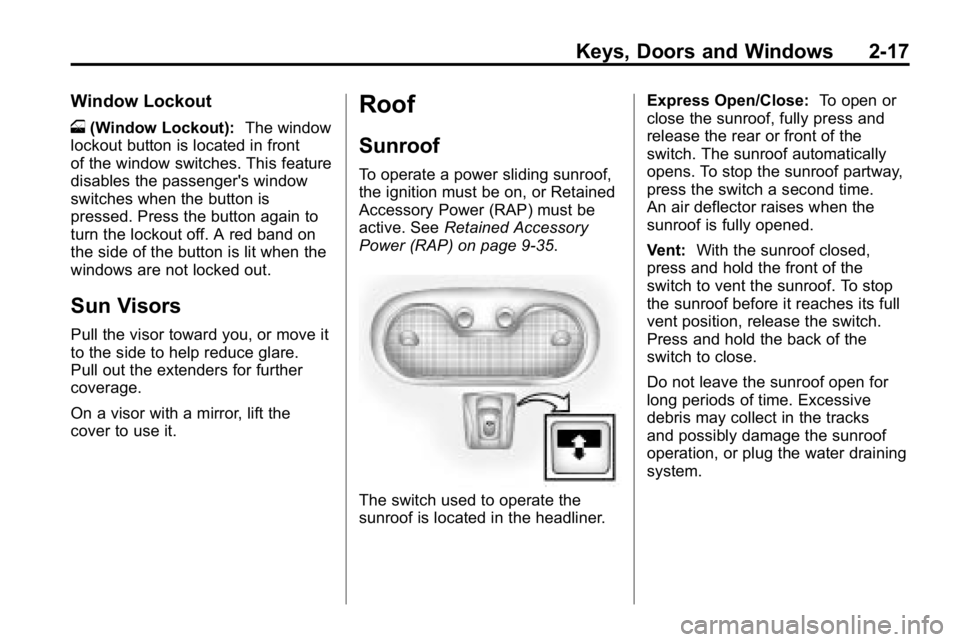
The switch used to operate the
sunroof is located in the headliner. Express Open/Close:
To open or
close the sunroof, fully press and
release the rear or front of the
switch. The sunroof automatically
opens. To stop the sunroof partway,
press the switch a second time.
An air deflector raises when the
sunroof is fully opened.
Vent: With the sunroof closed,
press and hold the front of the
switch to vent the sunroof. To stop
the sunroof before it reaches its full
vent position, release the switch.
Press and hold the back of the
switch to close.
Do not leave the sunroof open for
long periods of time. Excessive
debris may collect in the tracks
and possibly damage the sunroof
operation, or plug the water draining
system.
Page 46 of 410
3-2 Seats and Restraints
Head Restraints
The front seats have adjustable
head restraints in the outboard
seating positions.
{WARNING
With head restraints that are
not installed and adjusted
properly, there is a greater
chance that occupants will
suffer a neck/spinal injury in a
crash. Do not drive until the head
restraints for all occupants are
installed and adjusted properly.
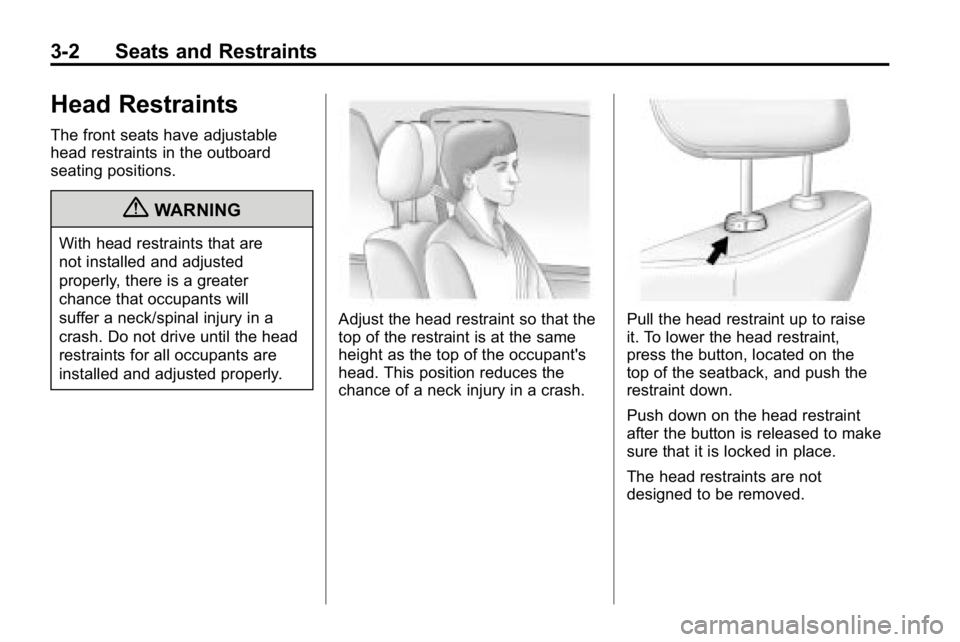
Adjust the head restraint so that the
top of the restraint is at the same
height as the top of the occupant's
head. This position reduces the
chance of a neck injury in a crash.Pull the head restraint up to raise
it. To lower the head restraint,
press the button, located on the
top of the seatback, and push the
restraint down.
Push down on the head restraint
after the button is released to make
sure that it is locked in place.
The head restraints are not
designed to be removed.
Page 47 of 410
Seats and Restraints 3-3
Front Seats
Seat Adjustment
{WARNING
You can lose control of the
vehicle if you try to adjust a
manual driver's seat while the
vehicle is moving. The sudden
movement could startle and
confuse you, or make you push a
pedal when you do not want to.
Adjust the driver's seat only when
the vehicle is not moving.To move a manual seat forward or
rearward:
1. Lift the bar to unlock the seat.
2. Slide the seat to the desired
position and release the bar.
Try to move the seat with your
body to be sure the seat is locked
in place.
Power Seat Adjustment
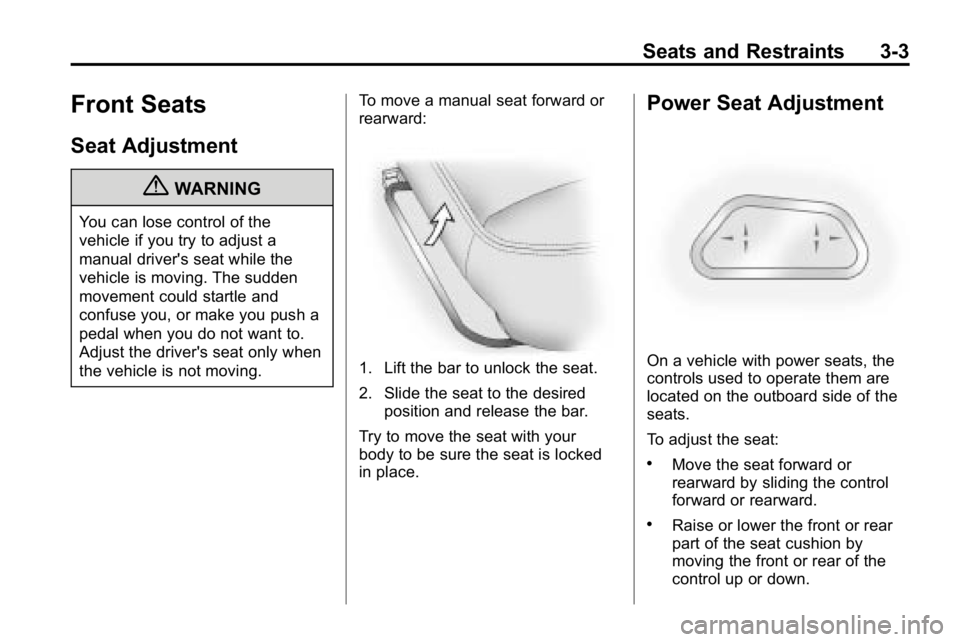
On a vehicle with power seats, the
controls used to operate them are
located on the outboard side of the
seats.
To adjust the seat:
.Move the seat forward or
rearward by sliding the control
forward or rearward.
.Raise or lower the front or rear
part of the seat cushion by
moving the front or rear of the
control up or down.
Page 48 of 410
3-4 Seats and Restraints
.Raise or lower the entire seat
cushion by moving the control
up or down.
Lumbar Adjustment
Manual Lumbar
On vehicles with this feature, the
knob is located on the outboard side
of the seat.
Turn the knob clockwise or
counterclockwise to increase or
decrease the lumbar support.
Power Lumbar
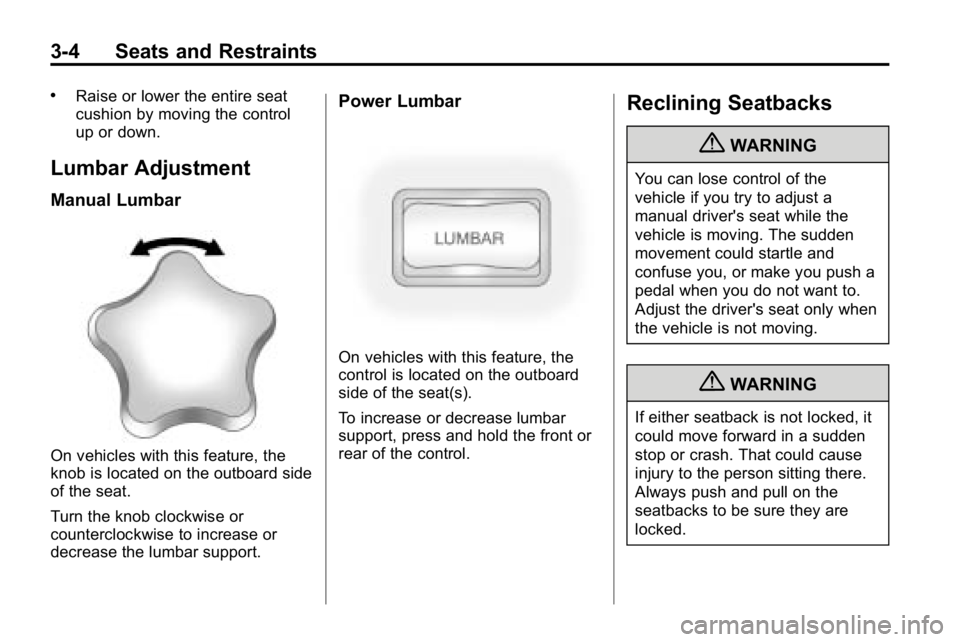
On vehicles with this feature, the
control is located on the outboard
side of the seat(s).
To increase or decrease lumbar
support, press and hold the front or
rear of the control.
Reclining Seatbacks
{WARNING
You can lose control of the
vehicle if you try to adjust a
manual driver's seat while the
vehicle is moving. The sudden
movement could startle and
confuse you, or make you push a
pedal when you do not want to.
Adjust the driver's seat only when
the vehicle is not moving.
{WARNING
If either seatback is not locked, it
could move forward in a sudden
stop or crash. That could cause
injury to the person sitting there.
Always push and pull on the
seatbacks to be sure they are
locked.
Page 49 of 410
Seats and Restraints 3-5
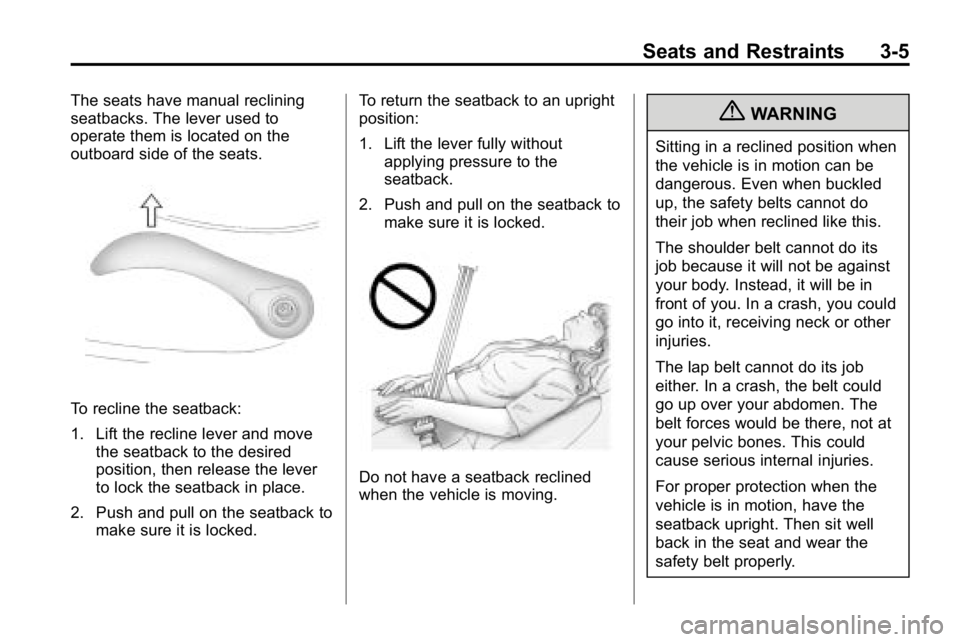
The seats have manual reclining
seatbacks. The lever used to
operate them is located on the
outboard side of the seats.
To recline the seatback:
1. Lift the recline lever and movethe seatback to the desired
position, then release the lever
to lock the seatback in place.
2. Push and pull on the seatback to make sure it is locked. To return the seatback to an upright
position:
1. Lift the lever fully without
applying pressure to the
seatback.
2. Push and pull on the seatback to make sure it is locked.
Do not have a seatback reclined
when the vehicle is moving.
{WARNING
Sitting in a reclined position when
the vehicle is in motion can be
dangerous. Even when buckled
up, the safety belts cannot do
their job when reclined like this.
The shoulder belt cannot do its
job because it will not be against
your body. Instead, it will be in
front of you. In a crash, you could
go into it, receiving neck or other
injuries.
The lap belt cannot do its job
either. In a crash, the belt could
go up over your abdomen. The
belt forces would be there, not at
your pelvic bones. This could
cause serious internal injuries.
For proper protection when the
vehicle is in motion, have the
seatback upright. Then sit well
back in the seat and wear the
safety belt properly.