transmission HUMMER H3 2010 User Guide
[x] Cancel search | Manufacturer: HUMMER, Model Year: 2010, Model line: H3, Model: HUMMER H3 2010Pages: 410, PDF Size: 2.24 MB
Page 129 of 410
Instruments and Controls 5-15
If the light comes on while driving,
pull off the road and stop. The brake
pedal might be harder to push, or it
might go closer to the floor. It can
take longer to stop. If the light is
still on, have the vehicle towed for
service. SeeTowing the Vehicle
on
page 10‑90.
{WARNING
The brake system might not be
working properly if the brake
system warning light is on.
Driving with the brake system
warning light on can lead to a
crash. If the light is still on after
the vehicle has been pulled off
the road and carefully stopped,
have the vehicle towed for
service.
Antilock Brake System
(ABS) Warning Light
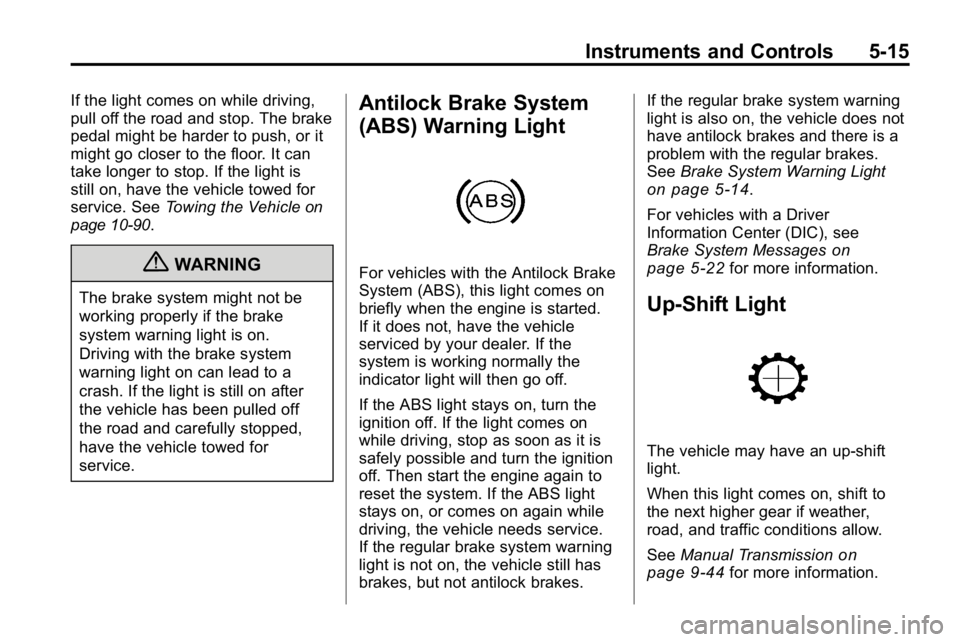
For vehicles with the Antilock Brake
System (ABS), this light comes on
briefly when the engine is started.
If it does not, have the vehicle
serviced by your dealer. If the
system is working normally the
indicator light will then go off.
If the ABS light stays on, turn the
ignition off. If the light comes on
while driving, stop as soon as it is
safely possible and turn the ignition
off. Then start the engine again to
reset the system. If the ABS light
stays on, or comes on again while
driving, the vehicle needs service.
If the regular brake system warning
light is not on, the vehicle still has
brakes, but not antilock brakes. If the regular brake system warning
light is also on, the vehicle does not
have antilock brakes and there is a
problem with the regular brakes.
See
Brake System Warning Light
on page 5‑14.
For vehicles with a Driver
Information Center (DIC), see
Brake System Messages
on
page 5‑22for more information.
Up-Shift Light
The vehicle may have an up-shift
light.
When this light comes on, shift to
the next higher gear if weather,
road, and traffic conditions allow.
See Manual Transmission
on
page 9‑44for more information.
Page 134 of 410
5-20 Instruments and Controls
3. To view the next availablemode, press and hold the reset
stem until the mode appears.
Release the reset stem and
press and hold again to view
the next mode.
4. Once the desired mode is shown on the DIC display, briefly press
the reset stem to set your
choice. The DIC display then
clears.
The following are the available
modes:
Lock 1 (default): On vehicles with
an automatic transmission, this
mode locks all of the doors when
the vehicle is shifted out of P (Park)
and unlocks all of the doors when
the vehicle is shifted into P (Park).
On vehicles with a manual
transmission, this mode locks all of
the doors when the vehicle speed is
greater than 24 km/h (15 mph) and
unlocks all of the doors when the
key is removed from the ignition. Lock 2:
On vehicles with an
automatic transmission, this mode
locks all of the doors when the
vehicle is shifted out of P (Park) and
unlocks the driver's door when the
vehicle is shifted into P (Park).
On vehicles with a manual
transmission, this mode locks all of
the doors when the vehicle speed is
greater than 24 km/h (15 mph) and
unlocks the driver's door when the
key is removed from the ignition.
Lock 3: On vehicles with an
automatic transmission, this mode
locks all of the doors when the
vehicle is shifted out of P (Park).
The doors will not automatically
unlock.
On vehicles with a manual
transmission, this mode locks all of
the doors when the vehicle speed is
greater than 24 km/h (15 mph). The
doors will not automatically unlock.Remote Keyless Entry (RKE)
Feedback
This feature allows you to program
the Remote Keyless Entry (RKE)
feedback to a preferred setting.
To set your choice for this feature:
1. With the engine off, turn the key to LOCK/OFF. Do not remove
the key from the ignition.
2. Press and hold the lock and unlock buttons on the RKE
transmitter at the same time.
Hold both buttons until the DIC
display shows the current RKE
feedback mode.
3. To view the next available mode, press and hold the reset
stem until the mode appears.
Release the reset stem and
press and hold again to view
the next mode.
4. Once the desired mode is shown on the DIC display, briefly press
the reset stem to set your
choice. The DIC display then
clears.
Page 139 of 410

Instruments and Controls 5-25
TRACTION FAILED
This message displays if there is a
problem with the Traction Control
System (TCS). Check the TCS as
soon as possible and have the
vehicle serviced by your dealer.
SeeTraction Control System (TCS)/
StabiliTrak
®Lighton page 5‑16for
more information. Press and release
the reset stem to acknowledge the
message and clear it from the
display.
Service Vehicle Messages
SERV (Service) VEH (Vehicle)
This message displays if the vehicle
needs service. Have the vehicle
serviced by your dealer as soon as
possible.
Tire Messages
LOW TIRE
On vehicles with the Tire Pressure
Monitor System (TPMS), this
message displays if a low tire
pressure is detected in any of the
vehicle's tires. Press and release
the reset stem to acknowledge the
message and clear it from the
display. The message appears at
each ignition cycle until the tires
are inflated to the correct inflation
pressure. See Tires
on page 10‑44andTire Pressureon page 10‑51for
more information on tires and the
correct inflation pressures.
SERV (Service)
TPM (Tire Pressure Monitor)
On vehicles with the Tire Pressure
Monitor System (TPMS), this
message displays if a part on the
TPMS is not working properly.
The tire pressure light also flashes and then remains on during the
same ignition cycle. See
Tire
Pressure Light
on page 5‑16.
Several conditions may cause this
message to appear. See Tire
Pressure Monitor Operation
on
page 10‑53for more information.
If the warning comes on and stays
on, there may be a problem with the
TPMS. See your dealer.
Transmission Messages
SERV (Service)
4WD (Four-Wheel Drive)
This message displays when
there is a problem with the transfer
case control system. Check the
transfer case on the vehicle and
have it serviced by your dealer.
See Four-Wheel Drive
on
page 9‑46for more information
about the transfer case. Press
and release the reset stem to
acknowledge the message and
clear it from the display.
Page 141 of 410
Instruments and Controls 5-27
It is recommended that a new
battery be installed in your
hand-held transmitter for quicker
and more accurate transmission of
the radio-frequency signal.
Programming the Universal
Home Remote System
For questions or help programming
the Universal Home Remote
System, call 1‐800‐355‐3515
or go to www.homelink.com.
Programming a garage door opener
involves time-sensitive actions, so
read the entire procedure before
starting. Otherwise, the device will
time out and the procedure will have
to be repeated.To program up to three devices:
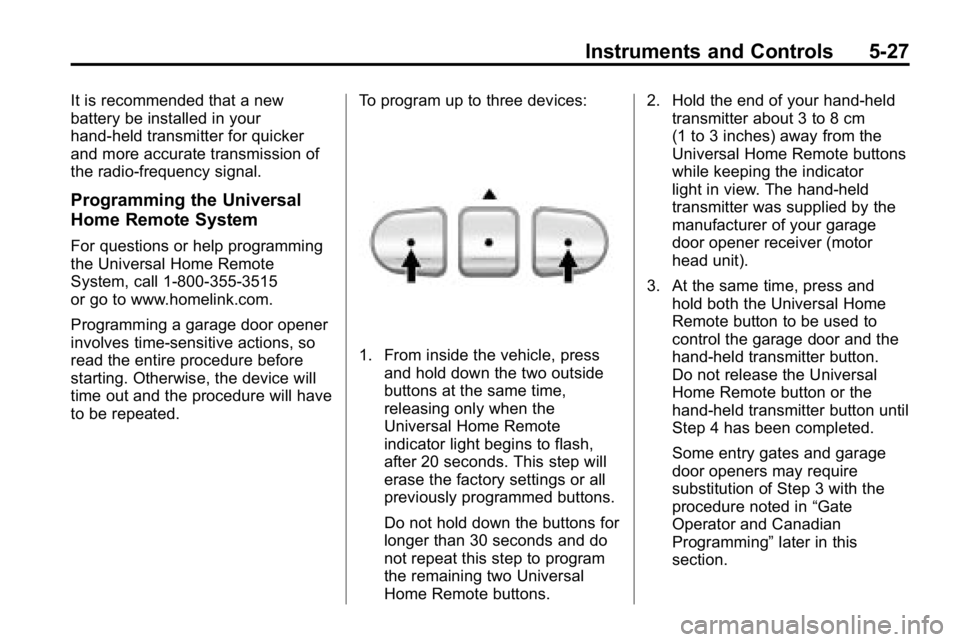
1. From inside the vehicle, press
and hold down the two outside
buttons at the same time,
releasing only when the
Universal Home Remote
indicator light begins to flash,
after 20 seconds. This step will
erase the factory settings or all
previously programmed buttons.
Do not hold down the buttons for
longer than 30 seconds and do
not repeat this step to program
the remaining two Universal
Home Remote buttons. 2. Hold the end of your hand-held
transmitter about 3 to 8 cm
(1 to 3 inches) away from the
Universal Home Remote buttons
while keeping the indicator
light in view. The hand-held
transmitter was supplied by the
manufacturer of your garage
door opener receiver (motor
head unit).
3. At the same time, press and hold both the Universal Home
Remote button to be used to
control the garage door and the
hand-held transmitter button.
Do not release the Universal
Home Remote button or the
hand-held transmitter button until
Step 4 has been completed.
Some entry gates and garage
door openers may require
substitution of Step 3 with the
procedure noted in “Gate
Operator and Canadian
Programming” later in this
section.
Page 143 of 410
Instruments and Controls 5-29
8. Immediately return to thevehicle. Firmly press and hold
the Universal Home Remote
button, selected in Step 3 to
control the garage door, for
two seconds, and then release
it. If the garage door does not
move, press and hold the
same button a second time for
two seconds, and then release
it. Again, if the door does not
move, press and hold the
same button a third time for
two seconds, and then release.
The Universal Home Remote
should now activate the
garage door.
To program the remaining
two Universal Home Remote
buttons, begin with Step 2 of
“Programming the Universal Home
Remote System.” Do not repeat
Step 1, as this will erase all
previous programming from the
Universal Home Remote buttons.Gate Operator and Canadian
Programming
If you have questions or need
help programming the Universal
Home Remote System, call
1-800-355-3515 or go to
www.homelink.com.
Canadian radio-frequency laws
require transmitter signals to time
out or quit after several seconds
of transmission. This may not be
long enough for Universal Home
Remote to pick up the signal during
programming. Similarly, some U.S.
gate operators are manufactured to
time out in the same manner. If you live in Canada, or you are
having difficulty programming a gate
operator or garage door opener by
using the
“Programming Universal
Home Remote” procedures,
regardless of where you live,
replace Step 3 under “Programming
Universal Home Remote” with the
following:
Continue to press and hold the
Universal Home Remote button
while you press and release
every two seconds (cycle) the
hand-held transmitter button until
the frequency signal has been
successfully accepted by the
Universal Home Remote. The
Universal Home Remote indicator
light will flash slowly at first and then
rapidly. Proceed with Step 4 under
“Programming Universal Home
Remote” to complete the training
procedure.
Page 146 of 410
6-2 Lighting
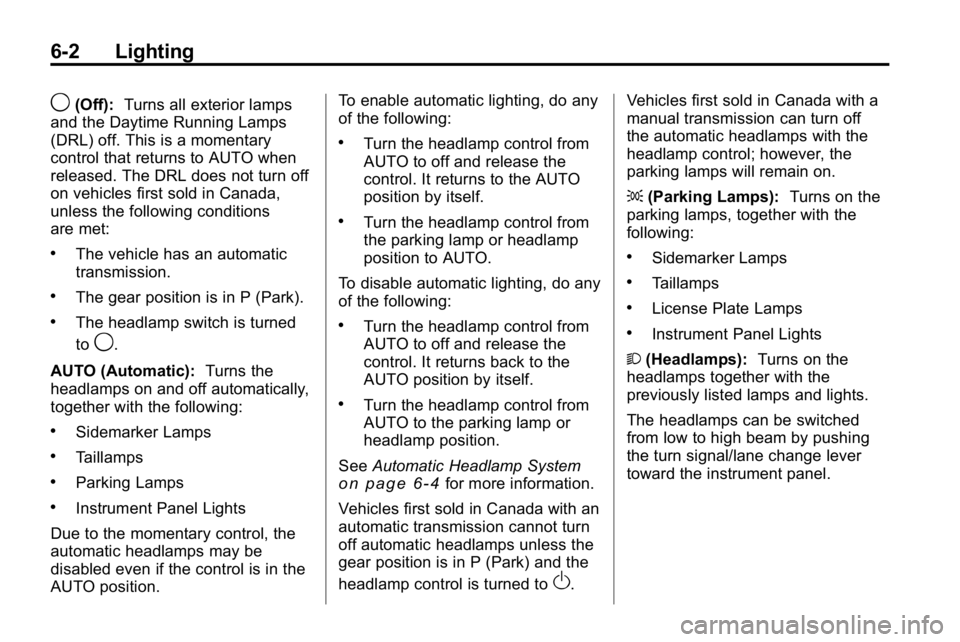
9(Off):Turns all exterior lamps
and the Daytime Running Lamps
(DRL) off. This is a momentary
control that returns to AUTO when
released. The DRL does not turn off
on vehicles first sold in Canada,
unless the following conditions
are met:
.The vehicle has an automatic
transmission.
.The gear position is in P (Park).
.The headlamp switch is turned
to
9.
AUTO (Automatic): Turns the
headlamps on and off automatically,
together with the following:
.Sidemarker Lamps
.Taillamps
.Parking Lamps
.Instrument Panel Lights
Due to the momentary control, the
automatic headlamps may be
disabled even if the control is in the
AUTO position. To enable automatic lighting, do any
of the following:
.Turn the headlamp control from
AUTO to off and release the
control. It returns to the AUTO
position by itself.
.Turn the headlamp control from
the parking lamp or headlamp
position to AUTO.
To disable automatic lighting, do any
of the following:
.Turn the headlamp control from
AUTO to off and release the
control. It returns back to the
AUTO position by itself.
.Turn the headlamp control from
AUTO to the parking lamp or
headlamp position.
See Automatic Headlamp System
on page 6‑4for more information.
Vehicles first sold in Canada with an
automatic transmission cannot turn
off automatic headlamps unless the
gear position is in P (Park) and the
headlamp control is turned to
O. Vehicles first sold in Canada with a
manual transmission can turn off
the automatic headlamps with the
headlamp control; however, the
parking lamps will remain on.
;
(Parking Lamps): Turns on the
parking lamps, together with the
following:
.Sidemarker Lamps
.Taillamps
.License Plate Lamps
.Instrument Panel Lights
2 (Headlamps): Turns on the
headlamps together with the
previously listed lamps and lights.
The headlamps can be switched
from low to high beam by pushing
the turn signal/lane change lever
toward the instrument panel.
Page 148 of 410
6-4 Lighting
The DRL system comes on when
the following conditions are met:
.The ignition is on.
.The exterior lamps control is
in AUTO.
.The transmission is not in
P (Park), if the vehicle has an
automatic transmission.
.The light sensor determines it is
daytime.
When the DRL are on, no other
lamps are on. The instrument panel
will not be lit up either. For vehicles
first sold in Canada, if parking lamps
are manually turned on, DRL will
stay on.
When it begins to get dark, the
automatic headlamp system
changes from DRL to the
headlamps.
The regular headlamp system
should be turned on when needed.
To turn off the DRL, see Exterior
Lamp Controls
on page 6‑1. Vehicles first sold in Canada
cannot turn off DRL unless certain
conditions are met. See
Exterior
Lamp Controls on page 6‑1.
Automatic Headlamp
System
When it is dark enough outside, the
automatic headlamp system turns
on after the transmission has been
shifted from P (Park) to D (Drive).
The headlamps, taillamps,
sidemarker, parking lamps, roof
marker lamps, and the instrument
panel lights turn on at normal
brightness. The radio lights will
become dimmer when the
headlights are off compared to
when the headlights are on.
The vehicle has a light sensor
located on the top of the instrument
panel. Do not cover the sensor,
or the system will be on whenever
the ignition is on. The system can turn on the
headlamps when driving in a
parking garage, through a tunnel or
when there is overcast weather.
This is normal.
There is a delay in the transition
between the daytime and nighttime
operation of the Daytime Running
Lamps (DRL) and the automatic
headlamp system so that driving
under bridges or bright overhead
street lights does not affect the
system. The DRL and automatic
headlamp system will only be
affected when the light sensor
detects a change in lighting lasting
longer than the delay.
If the vehicle is started in a dark
garage, the automatic headlamp
system comes on immediately.
Once the vehicle leaves the garage,
it takes about one minute for the
automatic headlamp system to
change to DRL if it is light outside.
Page 151 of 410
Lighting 6-7
Notice:Turning on the off-road
lamps before removing the lamp
covers could damage the off-road
lamps and the covers. Always
remove the covers before turning
on the off-road lamps.
The off-road lamps remain on even
after the ignition is turned off. The
off-road lamp button must be
pressed to turn them off.Interior Lighting
Instrument Panel
Illumination Control
The instrument panel brightness
thumbwheel is next to the exterior
lamp control.
D (Instrument Panel
Brightness): Turn the thumbwheel
up or down to brighten or dim the
instrument panel lights and the radio
display. The instrument panel lights,
cluster, and radio display do not dim
to complete darkness. Turn the
thumbwheel all the way up to turn
the dome lamps on.
Dome Lamps
The dome lamps are located in the
front area of the vehicle. There is
also a dome lamp in the cargo area
of the H3 model only.
Turn the thumbwheel, located next
to the exterior lamps control, all
the way up to turn the dome and
footwell lamps on.
The dome lamp in the cargo area
automatically turns off when:
.The shift lever is shifted
out of P (Park) (automatic
transmissions).
.The parking brake is released
(manual transmissions).
Page 185 of 410
Driving and Operating 9-1
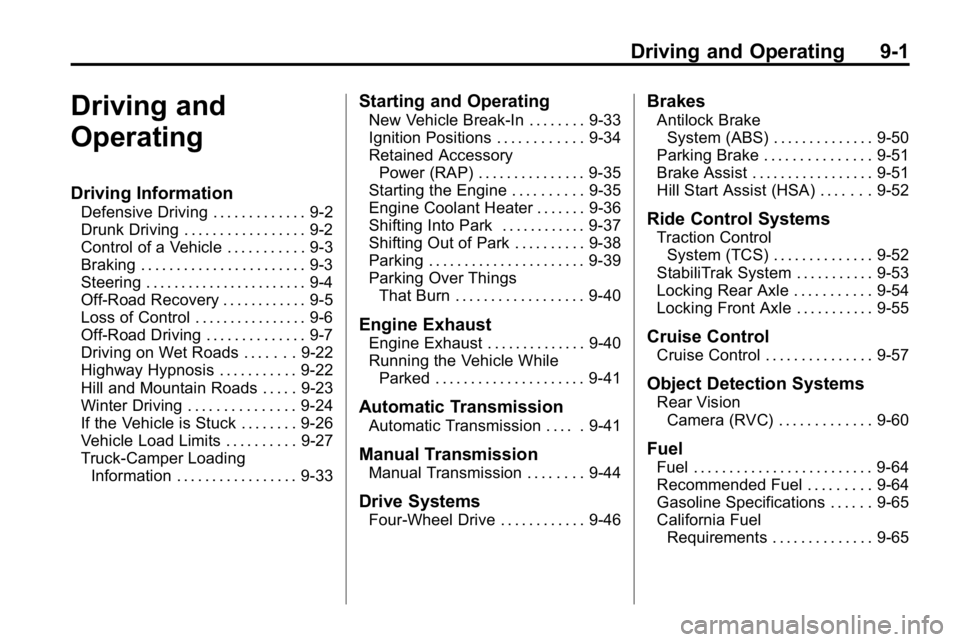
Driving and
Operating
Driving Information
Defensive Driving . . . . . . . . . . . . . 9-2
Drunk Driving . . . . . . . . . . . . . . . . . 9-2
Control of a Vehicle . . . . . . . . . . . 9-3
Braking . . . . . . . . . . . . . . . . . . . . . . . 9-3
Steering . . . . . . . . . . . . . . . . . . . . . . . 9-4
Off-Road Recovery . . . . . . . . . . . . 9-5
Loss of Control . . . . . . . . . . . . . . . . 9-6
Off-Road Driving . . . . . . . . . . . . . . 9-7
Driving on Wet Roads . . . . . . . 9-22
Highway Hypnosis . . . . . . . . . . . 9-22
Hill and Mountain Roads . . . . . 9-23
Winter Driving . . . . . . . . . . . . . . . 9-24
If the Vehicle is Stuck . . . . . . . . 9-26
Vehicle Load Limits . . . . . . . . . . 9-27
Truck-Camper LoadingInformation . . . . . . . . . . . . . . . . . 9-33
Starting and Operating
New Vehicle Break-In . . . . . . . . 9-33
Ignition Positions . . . . . . . . . . . . 9-34
Retained AccessoryPower (RAP) . . . . . . . . . . . . . . . 9-35
Starting the Engine . . . . . . . . . . 9-35
Engine Coolant Heater . . . . . . . 9-36
Shifting Into Park . . . . . . . . . . . . 9-37
Shifting Out of Park . . . . . . . . . . 9-38
Parking . . . . . . . . . . . . . . . . . . . . . . 9-39
Parking Over Things
That Burn . . . . . . . . . . . . . . . . . . 9-40
Engine Exhaust
Engine Exhaust . . . . . . . . . . . . . . 9-40
Running the Vehicle WhileParked . . . . . . . . . . . . . . . . . . . . . 9-41
Automatic Transmission
Automatic Transmission . . . . . 9-41
Manual Transmission
Manual Transmission . . . . . . . . 9-44
Drive Systems
Four-Wheel Drive . . . . . . . . . . . . 9-46
Brakes
Antilock BrakeSystem (ABS) . . . . . . . . . . . . . . 9-50
Parking Brake . . . . . . . . . . . . . . . 9-51
Brake Assist . . . . . . . . . . . . . . . . . 9-51
Hill Start Assist (HSA) . . . . . . . 9-52
Ride Control Systems
Traction Control System (TCS) . . . . . . . . . . . . . . 9-52
StabiliTrak System . . . . . . . . . . . 9-53
Locking Rear Axle . . . . . . . . . . . 9-54
Locking Front Axle . . . . . . . . . . . 9-55
Cruise Control
Cruise Control . . . . . . . . . . . . . . . 9-57
Object Detection Systems
Rear Vision Camera (RVC) . . . . . . . . . . . . . 9-60
Fuel
Fuel . . . . . . . . . . . . . . . . . . . . . . . . . 9-64
Recommended Fuel . . . . . . . . . 9-64
Gasoline Specifications . . . . . . 9-65
California FuelRequirements . . . . . . . . . . . . . . 9-65
Page 195 of 410
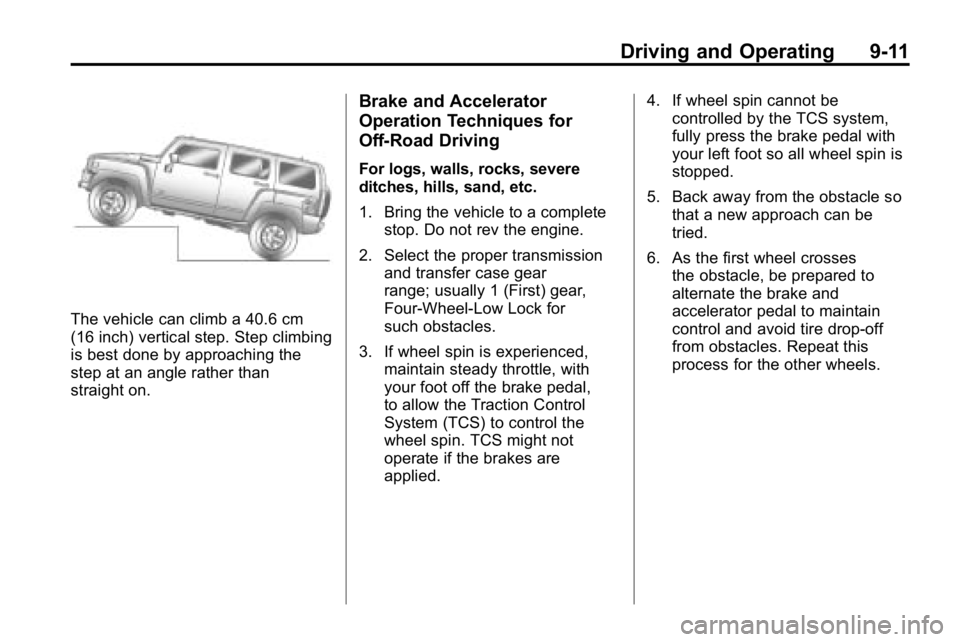
Driving and Operating 9-11
The vehicle can climb a 40.6 cm
(16 inch) vertical step. Step climbing
is best done by approaching the
step at an angle rather than
straight on.
Brake and Accelerator
Operation Techniques for
Off-Road Driving
For logs, walls, rocks, severe
ditches, hills, sand, etc.
1. Bring the vehicle to a completestop. Do not rev the engine.
2. Select the proper transmission and transfer case gear
range; usually 1 (First) gear,
Four‐Wheel‐Low Lock for
such obstacles.
3. If wheel spin is experienced, maintain steady throttle, with
your foot off the brake pedal,
to allow the Traction Control
System (TCS) to control the
wheel spin. TCS might not
operate if the brakes are
applied. 4. If wheel spin cannot be
controlled by the TCS system,
fully press the brake pedal with
your left foot so all wheel spin is
stopped.
5. Back away from the obstacle so that a new approach can be
tried.
6. As the first wheel crosses the obstacle, be prepared to
alternate the brake and
accelerator pedal to maintain
control and avoid tire drop-off
from obstacles. Repeat this
process for the other wheels.