service HUMMER H3 2010 Owners Manual
[x] Cancel search | Manufacturer: HUMMER, Model Year: 2010, Model line: H3, Model: HUMMER H3 2010Pages: 410, PDF Size: 2.24 MB
Page 2 of 410

2010 HUMMER H3/H3T Owner ManualM
Service and Maintenance. . . 11-1
General Information . . . . . . . . . . 11-1
Scheduled Maintenance . . . . . . 11-2
Recommended Fluids,
Lubricants, and Parts . . . . . . . 11-8
Maintenance Records . . . . . . . 11-11
Technical Data . . . . . . . . . . . . . . . 12-1
Vehicle Identification . . . . . . . . . 12-1
Vehicle Data . . . . . . . . . . . . . . . . . . 12-2
Customer Information . . . . . . . 13-1
Customer Information . . . . . . . . 13-1
Reporting Safety Defects . . . . 13-13
Vehicle Data Recording and
Privacy . . . . . . . . . . . . . . . . . . . . 13-15
Index . . . . . . . . . . . . . . . . . . . . . i-1
Page 4 of 410
iv Introduction
{WARNING
These mean there is something
that could hurt you or other
people.
Notice: This means there is
something that could result in
property or vehicle damage.
This would not be covered by
the vehicle's warranty.
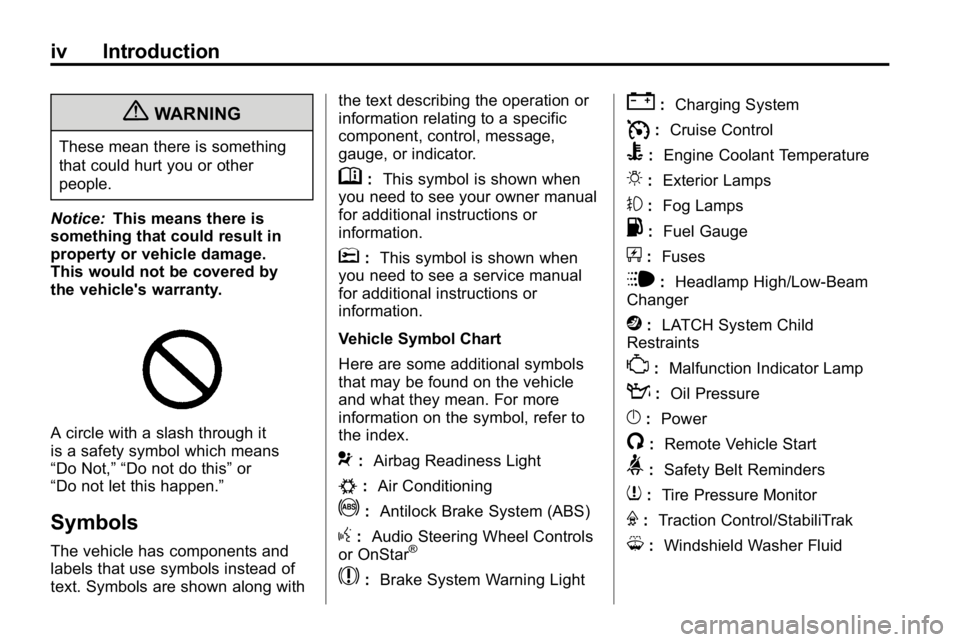
A circle with a slash through it
is a safety symbol which means
“Do Not,” “Do not do this” or
“Do not let this happen.”
Symbols
The vehicle has components and
labels that use symbols instead of
text. Symbols are shown along with the text describing the operation or
information relating to a specific
component, control, message,
gauge, or indicator.
M:
This symbol is shown when
you need to see your owner manual
for additional instructions or
information.
*: This symbol is shown when
you need to see a service manual
for additional instructions or
information.
Vehicle Symbol Chart
Here are some additional symbols
that may be found on the vehicle
and what they mean. For more
information on the symbol, refer to
the index.
9: Airbag Readiness Light
#:Air Conditioning
!:Antilock Brake System (ABS)
g:Audio Steering Wheel Controls
or OnStar®
$: Brake System Warning Light
":Charging System
I:Cruise Control
B: Engine Coolant Temperature
O:Exterior Lamps
#:Fog Lamps
.: Fuel Gauge
+:Fuses
i: Headlamp High/Low-Beam
Changer
j: LATCH System Child
Restraints
*: Malfunction Indicator Lamp
::Oil Pressure
}:Power
/:Remote Vehicle Start
>:Safety Belt Reminders
7:Tire Pressure Monitor
F:Traction Control/StabiliTrak
M:Windshield Washer Fluid
Page 5 of 410
In Brief 1-1
In Brief
Instrument Panel
Instrument Panel . . . . . . . . . . . . . . 1-2
Initial Drive Information
Initial Drive Information . . . . . . . . 1-3
Remote Keyless Entry (RKE)System . . . . . . . . . . . . . . . . . . . . . . 1-4
Door Locks . . . . . . . . . . . . . . . . . . . 1-4
Tailgate . . . . . . . . . . . . . . . . . . . . . . . 1-5
Windows . . . . . . . . . . . . . . . . . . . . . . 1-6
Seat Adjustment . . . . . . . . . . . . . . 1-7
Heated Seats . . . . . . . . . . . . . . . . . 1-8
Head Restraint Adjustment . . . . 1-8
Safety Belt . . . . . . . . . . . . . . . . . . . . 1-8
Sensing System for Passenger Airbag . . . . . . . . . . . . . . . . . . . . . . . 1-9 Mirror Adjustment . . . . . . . . . . . . . 1-9
Steering Wheel
Adjustment . . . . . . . . . . . . . . . . . 1-10
Interior Lighting . . . . . . . . . . . . . . 1-10
Exterior Lighting . . . . . . . . . . . . . 1-11
Washer and Wiper Systems . . . . . . . . . . . . . . . . . . . . 1-11
Climate Controls . . . . . . . . . . . . . 1-12
Transmission . . . . . . . . . . . . . . . . 1-12
Vehicle Features
Radio(s) . . . . . . . . . . . . . . . . . . . . . 1-13
Satellite Radio . . . . . . . . . . . . . . . 1-14
Bluetooth
®. . . . . . . . . . . . . . . . . . . 1-15
Navigation System . . . . . . . . . . . 1-15
Cruise Control . . . . . . . . . . . . . . . 1-15
Storage Compartments . . . . . . 1-15
Power Outlets . . . . . . . . . . . . . . . 1-16
Sunroof . . . . . . . . . . . . . . . . . . . . . . 1-16
Performance and Maintenance
Traction Control System (TCS) . . . . . . . . . . . . . . 1-16
StabiliTrak
®. . . . . . . . . . . . . . . . . . 1-17
Tire Pressure Monitor . . . . . . . . 1-17
Engine Oil Life System . . . . . . 1-18
Fuel E85 (85% Ethanol) . . . . . 1-18
Driving for Better Fuel Economy . . . . . . . . . . . . . . . . . . . 1-18
Roadside Service . . . . . . . . . . . . 1-19
OnStar
®. . . . . . . . . . . . . . . . . . . . . 1-19
Page 18 of 410
1-14 In Brief
BAND:Press to select FM1, FM2,
AM, XM1, if equipped, or XM2,
if equipped.
DISP: Turn to select a radio station.
1-6 (Preset Pushbuttons): Press
to select preset stations.
tSEEKu: Press and release to
go to the previous or next station
and stay there. Press and hold to
scan stations or preset stations.
Setting the Clock
The clock can be set with the
ignition on or off.
To set the clock:
1. Press and hold H until the correct hour and AM or PM
displays.
2. Press and hold M until the correct minute displays.
Press DISP (Display) to display the
time while the ignition is turned off. Setting Preset Stations
Up to 30 stations (six FM1, six FM2,
and six AM, six XM1, if equipped,
and six XM2, if equipped) can be
programmed.
To program presets:
1. Turn the radio on.
2. Press BAND to select FM1,
FM2, AM, or XM1 or XM2.
3. Tune in the desired station.
4. Press and hold one of the six numbered pushbuttons
until the radio beeps once.
5. Repeat the steps for each pushbutton.
Satellite Radio
Vehicles with an XM™ Satellite
Radio tuner and a valid XM Satellite
Radio subscription can receive XM
programming.
XM Satellite Radio Service
XM is a satellite radio service
that is based in the 48 contiguous
United States and 10 Canadian
provinces. XM Satellite Radio
has a wide variety of programming
and commercial-free music,
coast-to-coast, and in digital-quality
sound. A fee is required to receive
the XM service.
For more information refer to:
.www.xmradio.com or call
1-800-929-2100 (U.S.).
.www.xmradio.ca or call
1-877-438-9677 (Canada).
See Satellite Radio on page 7‑6.
Page 23 of 410
In Brief 1-19
Roadside Service
U.S.:1-866-HUMMER6 (486-6376)
TTY Users: 1-888-889-2438
Canada: 1-800-268-6800
As the owner of a new HUMMER,
you are automatically enrolled in the
Roadside Service program. This
program provides technically trained
advisors who are available 24 hours
a day, 365 days a year, minor repair
information or towing arrangements.
Roadside Service and OnStar
If you have a current OnStar
subscription, press the OnStar
button and the current GPS location
will be sent to an OnStar Advisor
who will assess your problem,
contact Roadside Assistance, and
relay exact location to get you the
help you need. Online Owner Center
The Owner Center is a
complimentary service that includes
online service reminders, vehicle
maintenance tips, online owner
manual, special privileges
and more.
Sign up today at:
www.gmownercenter.com/
hummer
(U.S.).
OnStar®
OnStar®uses several innovative
technologies and live advisors to
provide a wide range of safety,
security, navigation, diagnostics,
and calling services. Automatic Crash Response
In a crash, built in sensors can
automatically alert an OnStar
advisor who is immediately
connected to the vehicle to see
if you need help.
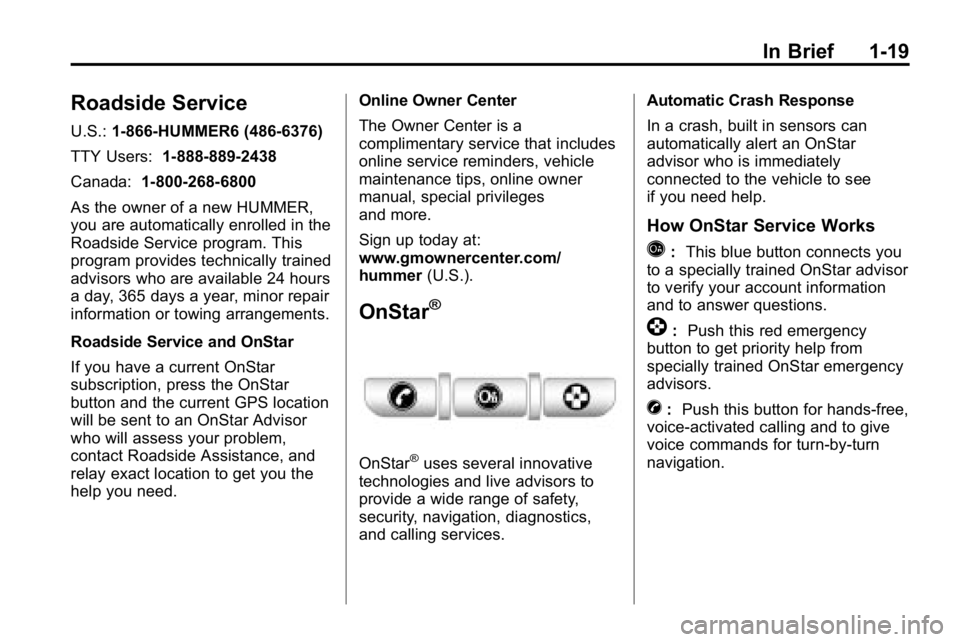
How OnStar Service Works
Q:
This blue button connects you
to a specially trained OnStar advisor
to verify your account information
and to answer questions.
]: Push this red emergency
button to get priority help from
specially trained OnStar emergency
advisors.
X: Push this button for hands‐free,
voice‐activated calling and to give
voice commands for turn‐by‐turn
navigation.
Page 24 of 410

1-20 In Brief
Crisis Assist, Stolen Vehicle
Assistance, Vehicle Diagnostics,
Remote Door Unlock, Roadside
Assistance, Turn‐by‐Turn
Navigation and Hands‐Free
Calling are available on most
vehicles. Not all OnStar services
are available on all vehicles.
For more information see the
OnStar Owner's Guide or visit
www.onstar.com (U.S.) or
www.onstar.ca (Canada), contact
OnStar at 1-888-4-ONSTAR
(1‐888‐466‐7827) or
TTY 1‐877‐248‐2080, or
press
Qto speak with an
OnStar advisor 24 hours a day,
7 days a week.
For a full description of OnStar
services and system limitations,
see the OnStar Owner's Guide in
the glove box. OnStar service is subject to the
OnStar terms and conditions
included in the OnStar Subscriber
Information.
OnStar service cannot work unless
the vehicle is in a place where
OnStar has an agreement with a
wireless service provider for service
in that area. OnStar service also
cannot work unless the vehicle is
in a place where the wireless
service provider OnStar has hired
for that area has coverage, network
capacity and reception when the
service is needed, and technology
that is compatible with the OnStar
service. Not all services are
available everywhere, particularly
in remote or enclosed areas, or at
all times.
The OnStar system can record and
transmit vehicle information. This
information is automatically sent to
an OnStar call center when
Qis
pressed,
]is pressed, or if the
airbags or ACR system deploy.
This information usually includes
the vehicle's GPS location and, in
the event of a crash, additional
information regarding the crash that
the vehicle was involved in (e.g. the
direction from which the vehicle was
hit). When the virtual advisor feature
of OnStar hands-free calling is
used, the vehicle also sends OnStar
the vehicle's GPS location so they
can provide services where it is
located.
Location information about the
vehicle is only available if the GPS
satellite signals are unobstructed
and available.
Page 25 of 410
In Brief 1-21
The vehicle must have a working
electrical system, including
adequate battery power, for the
OnStar equipment to operate. There
are other problems OnStar cannot
control that may prevent OnStar
from providing OnStar service at
any particular time or place. Some
examples are damage to important
parts of the vehicle in a crash, hills,
tall buildings, tunnels, weather or
wireless phone network congestion.Additional OnStar Controls
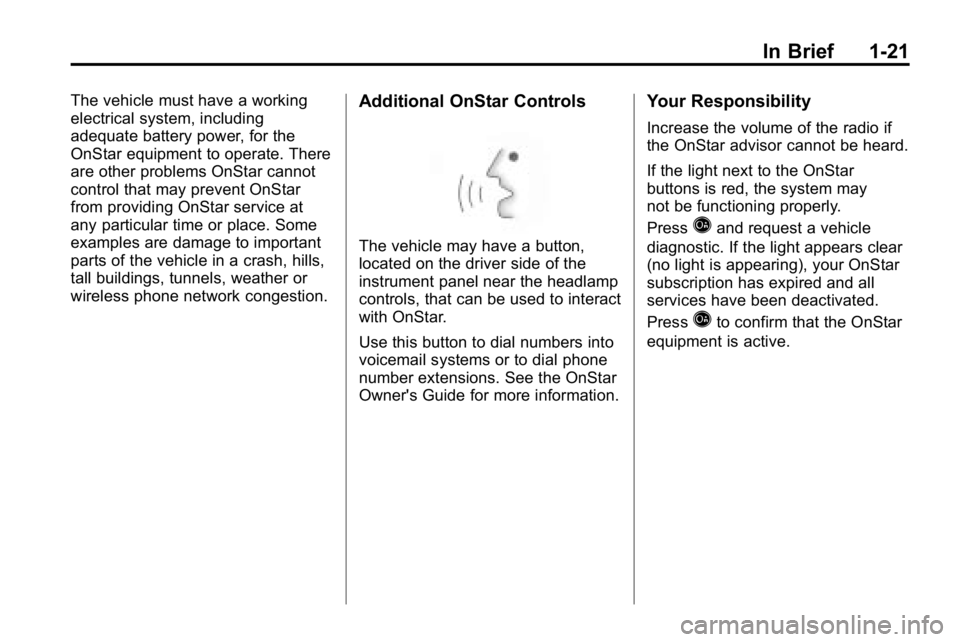
The vehicle may have a button,
located on the driver side of the
instrument panel near the headlamp
controls, that can be used to interact
with OnStar.
Use this button to dial numbers into
voicemail systems or to dial phone
number extensions. See the OnStar
Owner's Guide for more information.
Your Responsibility
Increase the volume of the radio if
the OnStar advisor cannot be heard.
If the light next to the OnStar
buttons is red, the system may
not be functioning properly.
Press
Qand request a vehicle
diagnostic. If the light appears clear
(no light is appearing), your OnStar
subscription has expired and all
services have been deactivated.
Press
Qto confirm that the OnStar
equipment is active.
Page 28 of 410
2-2 Keys, Doors and Windows
Keys and Locks
Keys
{WARNING
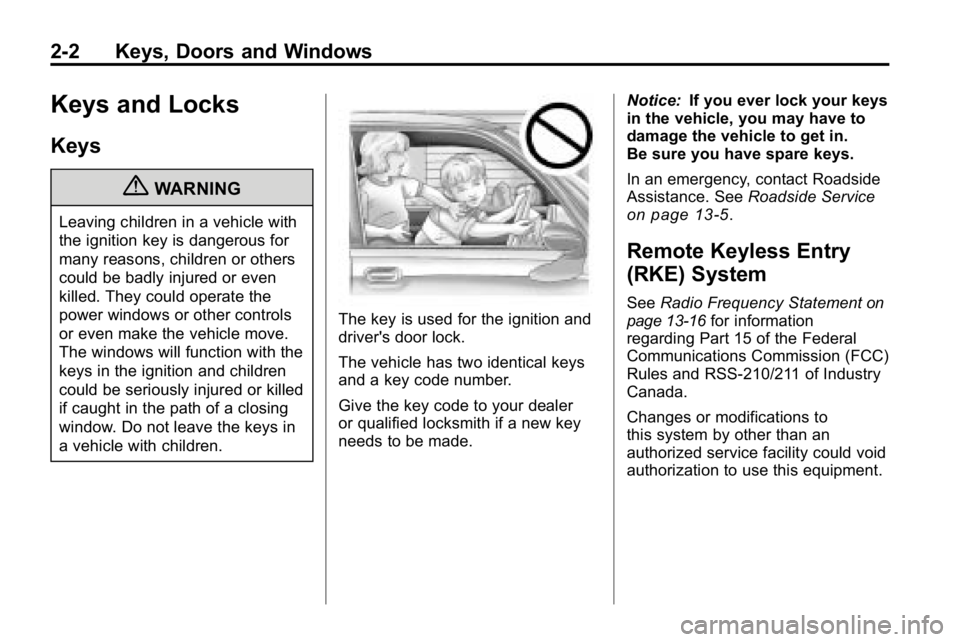
Leaving children in a vehicle with
the ignition key is dangerous for
many reasons, children or others
could be badly injured or even
killed. They could operate the
power windows or other controls
or even make the vehicle move.
The windows will function with the
keys in the ignition and children
could be seriously injured or killed
if caught in the path of a closing
window. Do not leave the keys in
a vehicle with children.
The key is used for the ignition and
driver's door lock.
The vehicle has two identical keys
and a key code number.
Give the key code to your dealer
or qualified locksmith if a new key
needs to be made.Notice:
If you ever lock your keys
in the vehicle, you may have to
damage the vehicle to get in.
Be sure you have spare keys.
In an emergency, contact Roadside
Assistance. See Roadside Service
on page 13‑5.
Remote Keyless Entry
(RKE) System
SeeRadio Frequency Statementon
page 13‑16for information
regarding Part 15 of the Federal
Communications Commission (FCC)
Rules and RSS-210/211 of Industry
Canada.
Changes or modifications to
this system by other than an
authorized service facility could void
authorization to use this equipment.
Page 29 of 410
Keys, Doors and Windows 2-3
If there is a decrease in the RKE
operating range:
.Check the distance.
The transmitter may be
too far from the vehicle.
.Check the location. Other
vehicles or objects may be
blocking the signal.
.Check the transmitter's battery.
See“Battery Replacement” later
in this section.
.If the transmitter is still not
working correctly, see your
dealer or a qualified technician
for service.
Remote Keyless Entry
(RKE) System Operation
The Remote Keyless Entry (RKE)
transmitter functions work up to 9 m
(30 feet) away from the vehicle.
There are other conditions which
can affect the performance of the
transmitter. See Remote Keyless
Entry (RKE) System on page 2‑2.
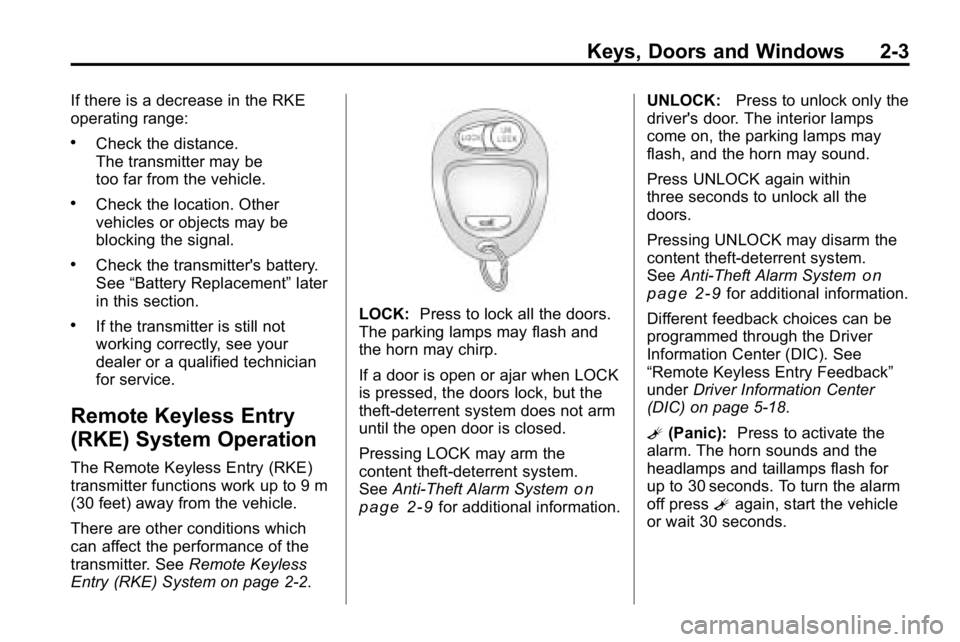
LOCK: Press to lock all the doors.
The parking lamps may flash and
the horn may chirp.
If a door is open or ajar when LOCK
is pressed, the doors lock, but the
theft-deterrent system does not arm
until the open door is closed.
Pressing LOCK may arm the
content theft-deterrent system.
See Anti-Theft Alarm System
on
page 2‑9for additional information. UNLOCK:
Press to unlock only the
driver's door. The interior lamps
come on, the parking lamps may
flash, and the horn may sound.
Press UNLOCK again within
three seconds to unlock all the
doors.
Pressing UNLOCK may disarm the
content theft-deterrent system.
See Anti-Theft Alarm System
on
page 2‑9for additional information.
Different feedback choices can be
programmed through the Driver
Information Center (DIC). See
“Remote Keyless Entry Feedback”
under Driver Information Center
(DIC) on page 5‑18.
L (Panic): Press to activate the
alarm. The horn sounds and the
headlamps and taillamps flash for
up to 30 seconds. To turn the alarm
off press Lagain, start the vehicle
or wait 30 seconds.
Page 36 of 410
2-10 Keys, Doors and Windows
To avoid setting off the alarm by
accident:
.Lock the vehicle with the manual
door lock lever, the power door
lock switch, or the key, after the
doors are closed.
.Unlock the doors by pressing
the unlock button on the RKE
transmitter or by contacting
OnStar. Unlocking a door any
other way activates the alarm.
Press unlock on the RKE
transmitter, start the vehicle with
the correct key, or have OnStar
unlock the doors to turn the alarm
off. The alarm does not stop if a
door is unlocked any other way.
Testing the Alarm
To test the alarm:
1. From inside the vehicle, lock the doors with the RKE transmitter.
2. Unlock the door with the manual door lock and open the door.
The pre-alarm should sound
followed by the full alarm about
10 seconds later.
3. Press the unlock button on the RKE transmitter or start the
engine to turn the alarm off.
If the alarm does not sound but the
lights flash, check to see if the horn
works. The horn fuse could be
blown. To replace the fuse, see
Fuses and Circuit Breakers
on
page 10‑39.
If the alarm does not sound or the
front turn signal lamps do not flash,
see your dealer for service.
Immobilizer
See Radio Frequency Statementon
page 13‑16for information
regarding Part 15 of the Federal
Communications Commission (FCC)
Rules and RSS-210/211 of Industry
Canada.
Immobilizer
Operation (U.S.)
Passlock®is a passive
theft-deterrent system that enables
fuel if the vehicle is started with a
valid key. If an incorrect key is used
or the ignition lock cylinder is
tampered with, the fuel system is
disabled and the vehicle does not
start.
The security light turns off
approximately five seconds after
the engine is started. See Security
Light on page 5‑17.