towing HUMMER H3 2010 Owners Manual
[x] Cancel search | Manufacturer: HUMMER, Model Year: 2010, Model line: H3, Model: HUMMER H3 2010Pages: 410, PDF Size: 2.24 MB
Page 1 of 410

2010 HUMMER H3/H3T Owner ManualM
In Brief. . . . . . . . . . . . . . . . . . . . . . . . 1-1
Instrument Panel . . . . . . . . . . . . . . 1-2
Initial Drive Information . . . . . . . . 1-3
Vehicle Features . . . . . . . . . . . . . 1-13
Performance and Maintenance . . . . . . . . . . . . . . . . 1-16
Keys, Doors and Windows . . . 2-1
Keys and Locks . . . . . . . . . . . . . . . 2-2
Doors . . . . . . . . . . . . . . . . . . . . . . . . . . 2-7
Vehicle Security . . . . . . . . . . . . . . . . 2-9
Exterior Mirrors . . . . . . . . . . . . . . . 2-13
Interior Mirrors . . . . . . . . . . . . . . . . 2-14
Windows . . . . . . . . . . . . . . . . . . . . . 2-15
Roof . . . . . . . . . . . . . . . . . . . . . . . . . . 2-17
Seats and Restraints . . . . . . . . . 3-1
Head Restraints . . . . . . . . . . . . . . . 3-2
Front Seats . . . . . . . . . . . . . . . . . . . . 3-3
Rear Seats . . . . . . . . . . . . . . . . . . . . 3-7
Safety Belts . . . . . . . . . . . . . . . . . . 3-10
Airbag System . . . . . . . . . . . . . . . . 3-27
Child Restraints . . . . . . . . . . . . . . 3-42 Storage
. . . . . . . . . . . . . . . . . . . . . . . 4-1
Storage Compartments . . . . . . . . 4-1
Additional Storage Features . . . 4-2
Roof Rack System . . . . . . . . . . . . . 4-4
Instruments and Controls . . . . 5-1
Controls . . . . . . . . . . . . . . . . . . . . . . . 5-2
Warning Lights, Gauges, and
Indicators . . . . . . . . . . . . . . . . . . . . 5-6
Information Displays . . . . . . . . . . 5-18
Vehicle Messages . . . . . . . . . . . . 5-21
Universal Remote System . . . . 5-26
Lighting . . . . . . . . . . . . . . . . . . . . . . . 6-1
Exterior Lighting . . . . . . . . . . . . . . . 6-1
Interior Lighting . . . . . . . . . . . . . . . . 6-7
Lighting Features . . . . . . . . . . . . . . 6-8
Infotainment System . . . . . . . . . 7-1
Introduction . . . . . . . . . . . . . . . . . . . . 7-1
Radio . . . . . . . . . . . . . . . . . . . . . . . . . . 7-5
Audio Players . . . . . . . . . . . . . . . . 7-10
Phone . . . . . . . . . . . . . . . . . . . . . . . . 7-15
Climate Controls . . . . . . . . . . . . . 8-1
Climate Control Systems . . . . . . 8-1
Air Vents . . . . . . . . . . . . . . . . . . . . . . . 8-4 Driving and Operating
. . . . . . . . 9-1
Driving Information . . . . . . . . . . . . . 9-2
Starting and Operating . . . . . . . 9-33
Engine Exhaust . . . . . . . . . . . . . . 9-40
Automatic Transmission . . . . . . 9-41
Manual Transmission . . . . . . . . . 9-44
Drive Systems . . . . . . . . . . . . . . . . 9-46
Brakes . . . . . . . . . . . . . . . . . . . . . . . 9-50
Ride Control Systems . . . . . . . . 9-52
Cruise Control . . . . . . . . . . . . . . . . 9-57
Object Detection Systems . . . . 9-60
Fuel . . . . . . . . . . . . . . . . . . . . . . . . . . 9-64
Towing . . . . . . . . . . . . . . . . . . . . . . . 9-70
Conversions and Add-Ons . . . 9-81
Vehicle Care . . . . . . . . . . . . . . . . . 10-1
General Information . . . . . . . . . . 10-2
Vehicle Checks . . . . . . . . . . . . . . . 10-4
Headlamp Aiming . . . . . . . . . . . 10-33
Bulb Replacement . . . . . . . . . . 10-35
Electrical System . . . . . . . . . . . . 10-38
Wheels and Tires . . . . . . . . . . . 10-44
Jump Starting . . . . . . . . . . . . . . . 10-86
Towing . . . . . . . . . . . . . . . . . . . . . . 10-90
Appearance Care . . . . . . . . . . . 10-92
Page 16 of 410
1-12 In Brief
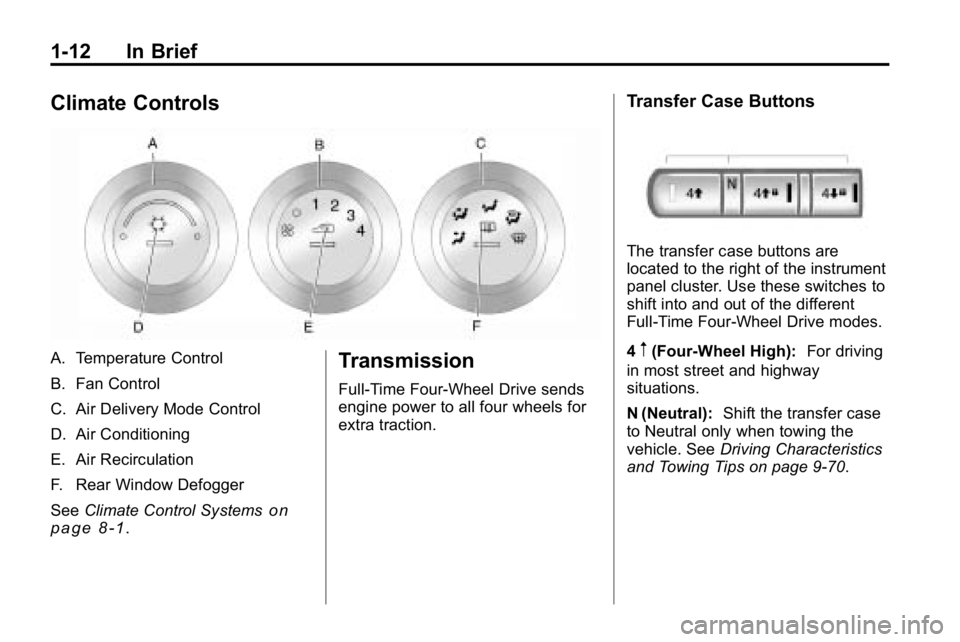
Climate Controls
A. Temperature Control
B. Fan Control
C. Air Delivery Mode Control
D. Air Conditioning
E. Air Recirculation
F. Rear Window Defogger
SeeClimate Control Systems
on
page 8‑1.
Transmission
Full-Time Four-Wheel Drive sends
engine power to all four wheels for
extra traction.
Transfer Case Buttons
The transfer case buttons are
located to the right of the instrument
panel cluster. Use these switches to
shift into and out of the different
Full-Time Four-Wheel Drive modes.
4
m(Four-Wheel High): For driving
in most street and highway
situations.
N (Neutral): Shift the transfer case
to Neutral only when towing the
vehicle. See Driving Characteristics
and Towing Tips on page 9‑70.
Page 23 of 410
In Brief 1-19
Roadside Service
U.S.:1-866-HUMMER6 (486-6376)
TTY Users: 1-888-889-2438
Canada: 1-800-268-6800
As the owner of a new HUMMER,
you are automatically enrolled in the
Roadside Service program. This
program provides technically trained
advisors who are available 24 hours
a day, 365 days a year, minor repair
information or towing arrangements.
Roadside Service and OnStar
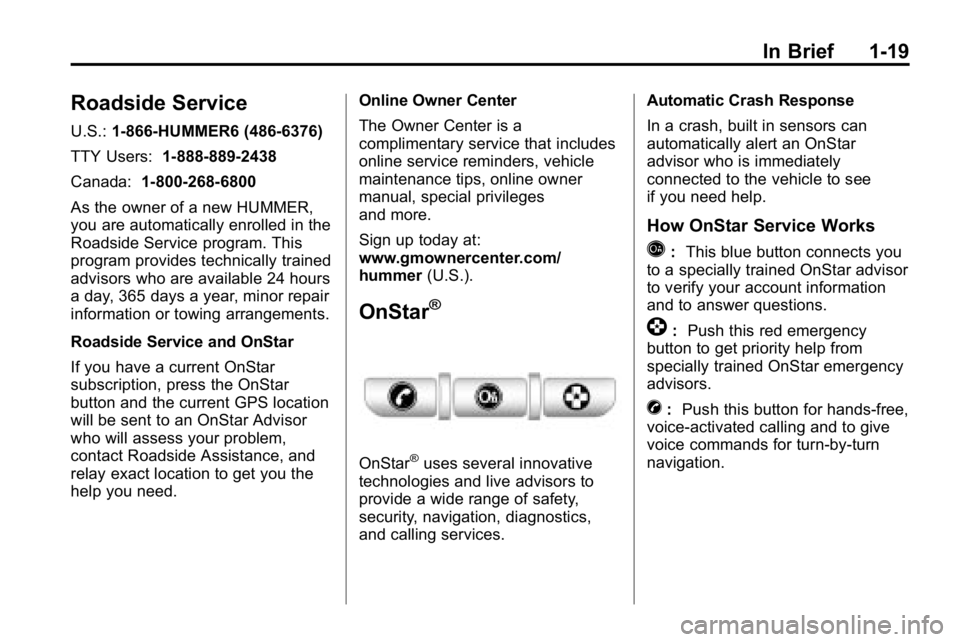
If you have a current OnStar
subscription, press the OnStar
button and the current GPS location
will be sent to an OnStar Advisor
who will assess your problem,
contact Roadside Assistance, and
relay exact location to get you the
help you need. Online Owner Center
The Owner Center is a
complimentary service that includes
online service reminders, vehicle
maintenance tips, online owner
manual, special privileges
and more.
Sign up today at:
www.gmownercenter.com/
hummer
(U.S.).
OnStar®
OnStar®uses several innovative
technologies and live advisors to
provide a wide range of safety,
security, navigation, diagnostics,
and calling services. Automatic Crash Response
In a crash, built in sensors can
automatically alert an OnStar
advisor who is immediately
connected to the vehicle to see
if you need help.
How OnStar Service Works
Q:
This blue button connects you
to a specially trained OnStar advisor
to verify your account information
and to answer questions.
]: Push this red emergency
button to get priority help from
specially trained OnStar emergency
advisors.
X: Push this button for hands‐free,
voice‐activated calling and to give
voice commands for turn‐by‐turn
navigation.
Page 83 of 410
Seats and Restraints 3-39
use the following steps to allow the
system to detect that person and
enable the right front passenger
frontal airbag:
1. Turn the vehicle off.
2. Remove any additional materialfrom the seat, such as blankets,
cushions, seat covers, seat
heaters, or seat massagers.
3. Place the seatback in the fully upright position.
4. Have the person sit upright in the seat, centered on the seat
cushion, with legs comfortably
extended.
5. Restart the vehicle and have the person remain in this position for
two to three minutes after the on
indicator is lit.Additional Factors Affecting
System Operation
Safety belts help keep the
passenger in position on the
seat during vehicle maneuvers
and braking, which helps the
passenger sensing system maintain
the passenger airbag status.
See “Safety Belts” and“Child
Restraints” in the Index for
additional information about the
importance of proper restraint use.
If the shoulder portion of the belt is
pulled out all the way, the child
restraint locking feature will be
engaged. This may unintentionally
cause the passenger sensing
system to turn the airbag off for
some adult size occupants. If this
happens, just let the belt go back all
the way and start again. A thick layer of additional material,
such as a blanket or cushion,
or aftermarket equipment such
as seat covers, seat heaters, and
seat massagers can affect how
well the passenger sensing system
operates. We recommend that
you not use seat covers or other
aftermarket equipment except when
approved by Hummer for your
specific vehicle. See
Adding
Equipment to the Airbag-Equipped
Vehicle
on page 3‑40for more
information about modifications that
can affect how the system operates.
{WARNING
Stowing of articles under the
passenger seat or between the
passenger seat cushion and
seatback may interfere with the
proper operation of the passenger
sensing system.
Page 127 of 410
Instruments and Controls 5-13
This light comes on during a
malfunction in one of two ways:
Light Flashing:A misfire condition
has been detected. A misfire
increases vehicle emissions and
could damage the emission control
system on the vehicle. Diagnosis
and service might be required.
The following can prevent more
serious damage to the vehicle:
.Reduce vehicle speed.
.Avoid hard accelerations.
.Avoid steep uphill grades.
.If towing a trailer, reduce the
amount of cargo being hauled as
soon as it is possible.
If the light continues to flash, when
it is safe to do so, stop the vehicle.
Find a safe place to park the
vehicle. Turn the key off, wait at
least 10 seconds, and restart the
engine. If the light is still flashing,
follow the previous steps and see
your dealer for service as soon as
possible. Light On Steady:
An emission
control system malfunction has
been detected on the vehicle.
Diagnosis and service might be
required.
An emission system malfunction
might be corrected.
.Make sure the fuel cap is fully
installed. See Filling the Tankon
page 9‑68. The diagnostic
system can determine if the
fuel cap has been left off or
improperly installed. A loose or
missing fuel cap allows fuel to
evaporate into the atmosphere.
A few driving trips with the cap
properly installed should turn the
light off.
.If the vehicle has been driven
through a deep puddle of water,
the vehicle's electrical system
might be wet. The condition is
usually corrected when the
electrical system dries out.
A few driving trips should turn
the light off.
.Make sure to fuel the vehicle
with quality fuel. Poor fuel quality
causes the engine not to run as
efficiently as designed and may
cause: stalling after start-up,
stalling when the vehicle is
changed into gear, misfiring,
hesitation on acceleration,
or stumbling on acceleration.
These conditions might go away
once the engine is warmed up.
If one or more of these
conditions occurs, change the
fuel brand used. It will require at
least one full tank of the proper
fuel to turn the light off.
See Recommended Fuel
on
page 9‑64.
If none of the above have made
the light turn off, your dealer can
check the vehicle. The dealer
has the proper test equipment
and diagnostic tools to fix any
mechanical or electrical problems
that might have developed.
Page 129 of 410
Instruments and Controls 5-15
If the light comes on while driving,
pull off the road and stop. The brake
pedal might be harder to push, or it
might go closer to the floor. It can
take longer to stop. If the light is
still on, have the vehicle towed for
service. SeeTowing the Vehicle
on
page 10‑90.
{WARNING
The brake system might not be
working properly if the brake
system warning light is on.
Driving with the brake system
warning light on can lead to a
crash. If the light is still on after
the vehicle has been pulled off
the road and carefully stopped,
have the vehicle towed for
service.
Antilock Brake System
(ABS) Warning Light
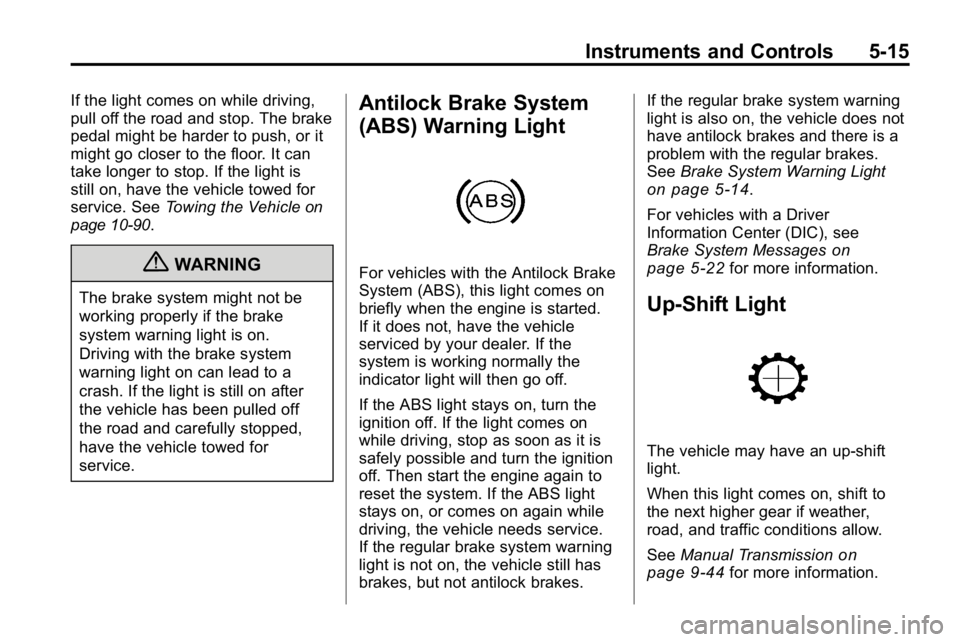
For vehicles with the Antilock Brake
System (ABS), this light comes on
briefly when the engine is started.
If it does not, have the vehicle
serviced by your dealer. If the
system is working normally the
indicator light will then go off.
If the ABS light stays on, turn the
ignition off. If the light comes on
while driving, stop as soon as it is
safely possible and turn the ignition
off. Then start the engine again to
reset the system. If the ABS light
stays on, or comes on again while
driving, the vehicle needs service.
If the regular brake system warning
light is not on, the vehicle still has
brakes, but not antilock brakes. If the regular brake system warning
light is also on, the vehicle does not
have antilock brakes and there is a
problem with the regular brakes.
See
Brake System Warning Light
on page 5‑14.
For vehicles with a Driver
Information Center (DIC), see
Brake System Messages
on
page 5‑22for more information.
Up-Shift Light
The vehicle may have an up-shift
light.
When this light comes on, shift to
the next higher gear if weather,
road, and traffic conditions allow.
See Manual Transmission
on
page 9‑44for more information.
Page 186 of 410
9-2 Driving and Operating
Fuels in Foreign Countries . . . 9-65
Fuel Additives . . . . . . . . . . . . . . . 9-65
Fuel E85 (85% Ethanol) . . . . . 9-66
Filling the Tank . . . . . . . . . . . . . . 9-68
Filling a Portable FuelContainer . . . . . . . . . . . . . . . . . . . 9-69
Towing
General TowingInformation . . . . . . . . . . . . . . . . . 9-70
Driving Characteristics and Towing Tips . . . . . . . . . . . . . . . . 9-70
Trailer Towing . . . . . . . . . . . . . . . . 9-74
Towing Equipment . . . . . . . . . . . 9-78
Trailer Recommendations . . . . 9-81
Conversions and Add-Ons
Add-On Electrical Equipment . . . . . . . . . . . . . . . . . 9-81
Driving Information
Defensive Driving
Defensive driving means “always
expect the unexpected.” The
first step in driving defensively is
to wear your safety belt, see Safety
Belts on page 3‑10.
{WARNING
Assume that other road users
(pedestrians, bicyclists, and other
drivers) are going to be careless
and make mistakes. Anticipate
what they might do and be ready.
In addition:
.Allow enough following
distance between you and
the driver in front of you.
.Focus on the task of driving.
(Continued)
WARNING (Continued)
Driver distraction can cause
collisions resulting in injury or
possible death. These simple
defensive driving techniques
could save your life.
Drunk Driving
{WARNING
Drinking and then driving is
very dangerous. Your reflexes,
perceptions, attentiveness, and
judgment can be affected by even
a small amount of alcohol. You
can have a serious —or even
fatal —collision if you drive after
drinking. Do not drink and drive or
ride with a driver who has been
drinking. Ride home in a cab; or if
you are with a group, designate a
driver who will not drink.
Page 210 of 410
9-26 Driving and Operating
If the Vehicle is Stuck
Slowly and cautiously spin the
wheels to free the vehicle when
stuck in sand, mud, ice, or snow.
If stuck too severely for the traction
system to free the vehicle, turn the
traction system off and use the
rocking method.
{WARNING
If the vehicle's tires spin at high
speed, they can explode, and you
or others could be injured. The
vehicle can overheat, causing an
engine compartment fire or other
damage. Spin the wheels as little
as possible and avoid going
above 55 km/h (35 mph) as
shown on the speedometer.
For information about using tire
chains on the vehicle, see Tire
Chains on page 10‑64.
Rocking the Vehicle to Get
it Out
Turn the steering wheel left and
right to clear the area around the
front wheels. Turn off any traction
system. Shift back and forth
between R (Reverse) and a forward
gear, or with a manual transmission,
between 1 (First) or 2 (Second) and
R (Reverse), spinning the wheels
as little as possible. To prevent
transmission wear, wait until the
wheels stop spinning before shifting
gears. Release the accelerator
pedal while shifting, and press
lightly on the accelerator pedal
when the transmission is in gear.
Slowly spinning the wheels in the
forward and reverse directions
causes a rocking motion that could
free the vehicle. If that does not get
the vehicle out after a few tries, it
might need to be towed out. The
recovery loops can be used. If the
vehicle does need to be towed out,
see Towing the Vehicle
on
page 10‑90. Recovery Loops
{WARNING
These loops, when used, are
under a lot of force. Keep people
away from the vicinity of the loops
and any chains or cables during
use. Always pull the vehicle
straight out. Never pull on the
loops at a sideways angle. The
loops could break off and you or
others could be injured from the
chain or cable snapping back.
Notice: Never use the recovery
loops to tow the vehicle. The
vehicle could be damaged and
it would not be covered by the
vehicle warranty.
Page 213 of 410
Driving and Operating 9-29
4.The resulting figure equals
the available amount of cargo
and luggage load capacity.
For example, if the“XXX”
amount equals 1400 lbs
and there will be five 150 lb
passengers in your vehicle,
the amount of available cargo
and luggage load capacity is
650 lbs (1400 −750
(5 x 150) = 650 lbs).
5.Determine the combined
weight of luggage and cargo
being loaded on the vehicle.
That weight may not safely
exceed the available cargo
and luggage load capacity
calculated in Step 4.
6.If your vehicle will be towing
a trailer, the load from your
trailer will be transferred to
your vehicle. Consult this
manual to determine how this
reduces the available cargo
and luggage load capacity of
your vehicle.
See Trailer Towing
on
page 9‑74
for important
information on towing a
trailer, towing safety, and
trailering tips.
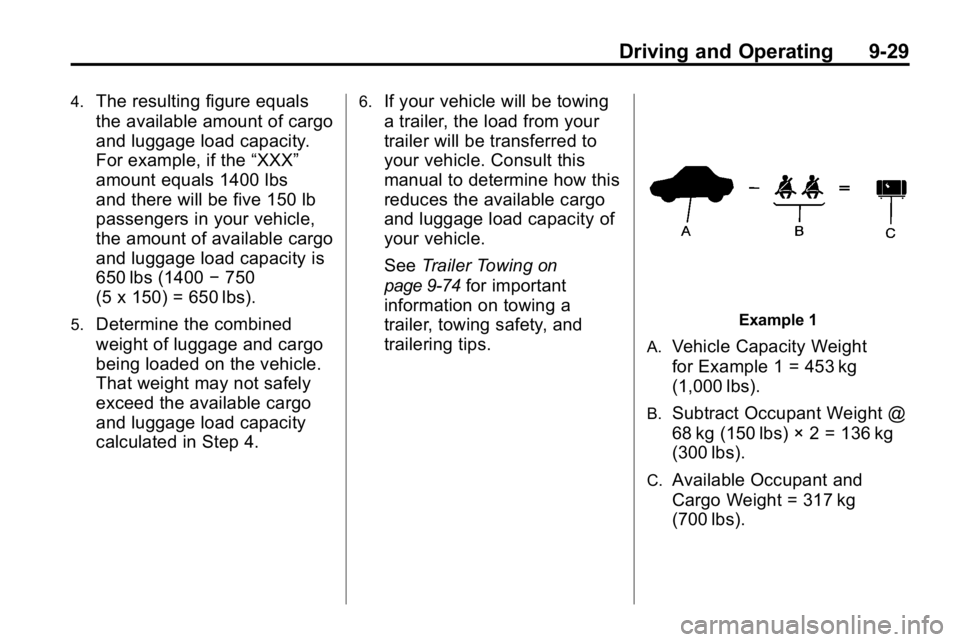
Example 1
A.
Vehicle Capacity Weight
for Example 1 = 453 kg
(1,000 lbs).
B.Subtract Occupant Weight @
68 kg (150 lbs) × 2 = 136 kg
(300 lbs).
C.Available Occupant and
Cargo Weight = 317 kg
(700 lbs).
Page 217 of 410
Driving and Operating 9-33
There is also important loading
information for off-road driving in
this manual. See
“Loading Your
Vehicle for Off-Road Driving”
under Off-Road Drivingon
page 9‑7
.
Truck-Camper Loading
Information
The vehicle was neither
designed nor intended to carry
a slide-in type camper.
Notice :Adding a slide-in
camper or similar equipment
to the vehicle can damage
it, and the repairs would not
be covered by the vehicle
warranty. Do not install a
slide-in camper or similar
equipment on the vehicle.
Starting and
Operating
New Vehicle Break-In
Notice: The vehicle does not
need an elaborate break-in. But it
will perform better in the long run
if you follow these guidelines:
.Keep your speed at 88 km/h
(55 mph) or less for the
first 805 km (500 miles).
.Do not drive at any
one constant speed, fast
or slow, for the first 805 km
(500 miles). Do not make
full-throttle starts. Avoid
downshifting to brake or
slow the vehicle.
.Avoid making hard stops for
the first 322 km (200 miles)
or so. During this time the
new brake linings are not
yet broken in. Hard stops
with new linings can mean
premature wear and earlier
replacement. Follow this
breaking-in guideline every
time you get new brake
linings.
.Do not tow a trailer during
break-in. See Driving
Characteristics and Towing
Tips
on page 9‑70for the
trailer towing capabilities
of the vehicle and more
information.
Following break‐in, engine speed
and load can be gradually
increased.