key Hyundai Accent 2003 Owner's Guide
[x] Cancel search | Manufacturer: HYUNDAI, Model Year: 2003, Model line: Accent, Model: Hyundai Accent 2003Pages: 186, PDF Size: 11.36 MB
Page 66 of 186
FEATURES OF YOUR HYUNDAI 1- 53
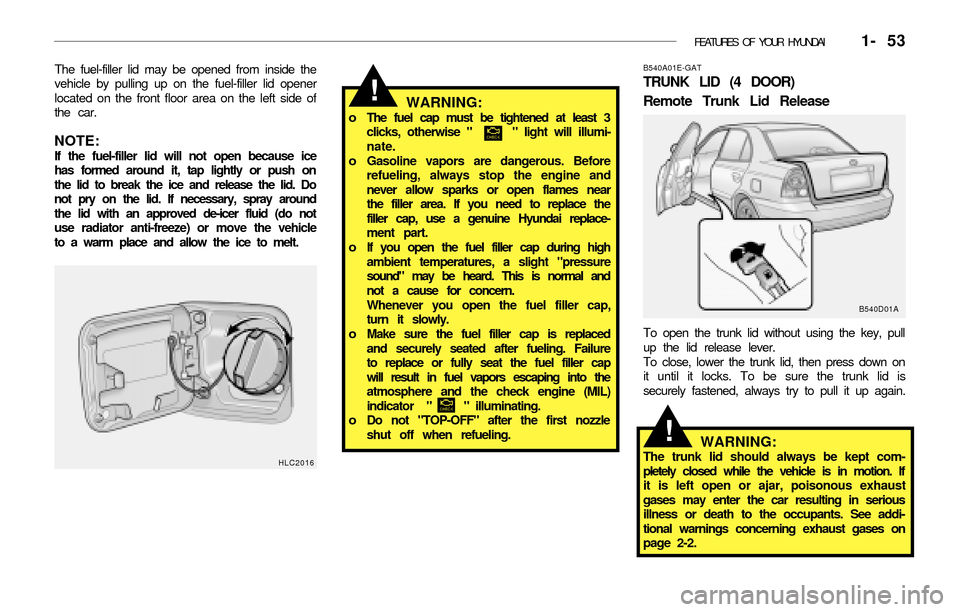
The fuel-filler lid may be opened from inside the
vehicle by pulling up on the fuel-filler lid opener
located on the front floor area on the left side of
the car.
NOTE:If the fuel-filler lid will not open because ice
has formed around it, tap lightly or push on
the lid to break the ice and release the lid. Do
not pry on the lid. If necessary, spray around
the lid with an approved de-icer fluid (do not
use radiator anti-freeze) or move the vehicle
to a warm place and allow the ice to melt.
WARNING:o The fuel cap must be tightened at least 3
clicks, otherwise " " light will illumi-
nate.
o Gasoline vapors are dangerous. Before
refueling, always stop the engine and
never allow sparks or open flames near
the filler area. If you need to replace the
filler cap, use a genuine Hyundai replace-
ment part.
o If you open the fuel filler cap during high
ambient temperatures, a slight "pressure
sound" may be heard. This is normal and
not a cause for concern.
Whenever you open the fuel filler cap,
turn it slowly.
o Make sure the fuel filler cap is replaced
and securely seated after fueling. Failure
to replace or fully seat the fuel filler cap
will result in fuel vapors escaping into the
atmosphere and the check engine (MIL)
indicator " " illuminating.
o Do not "TOP-OFF" after the first nozzle
shut off when refueling.
HLC2016
B540A01E-GAT
TRUNK LID (4 DOOR)
Remote Trunk Lid Release
B540D01A
To open the trunk lid without using the key, pull
up the lid release lever.
To close, lower the trunk lid, then press down on
it until it locks. To be sure the trunk lid is
securely fastened, always try to pull it up again.
WARNING:The trunk lid should always be kept com-
pletely closed while the vehicle is in motion. If
it is left open or ajar, poisonous exhaust
gases may enter the car resulting in serious
illness or death to the occupants. See addi-
tional warnings concerning exhaust gases on
page 2-2.
!
!
Page 67 of 186
1- 54 FEATURES OF YOUR HYUNDAI
B540C01A-AAT
To Unlock Using the Key.
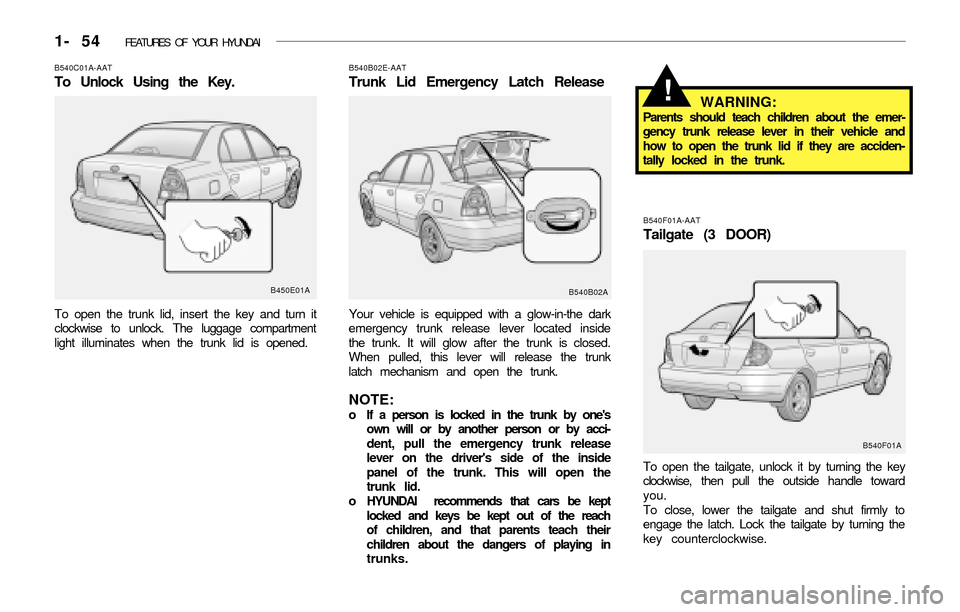
To open the trunk lid, insert the key and turn it
clockwise to unlock. The luggage compartment
light illuminates when the trunk lid is opened.
B450E01AB540F01A-AAT
Tailgate (3 DOOR)
To open the tailgate, unlock it by turning the key
clockwise, then pull the outside handle toward
you.
To close, lower the tailgate and shut firmly to
engage the latch. Lock the tailgate by turning the
key counterclockwise.
B540B02E-AAT
Trunk Lid Emergency Latch Release
Your vehicle is equipped with a glow-in-the dark
emergency trunk release lever located inside
the trunk. It will glow after the trunk is closed.
When pulled, this lever will release the trunk
latch mechanism and open the trunk.
NOTE:o If a person is locked in the trunk by one's
own will or by another person or by acci-
dent, pull the emergency trunk release
lever on the driver's side of the inside
panel of the trunk. This will open the
trunk lid.
o HYUNDAI recommends that cars be kept
locked and keys be kept out of the reach
of children, and that parents teach their
children about the dangers of playing in
trunks.
WARNING:Parents should teach children about the emer-
gency trunk release lever in their vehicle and
how to open the trunk lid if they are acciden-
tally locked in the trunk.
B540B02A
!
B540F01A
Page 68 of 186
FEATURES OF YOUR HYUNDAI 1- 55
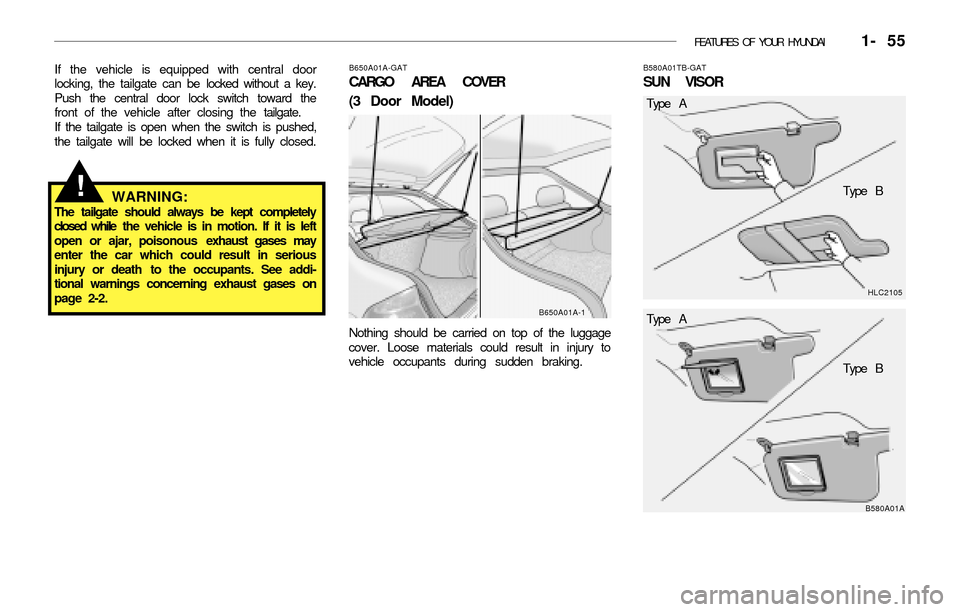
If the vehicle is equipped with central door
locking, the tailgate can be locked without a key.
Push the central door lock switch toward the
front of the vehicle after closing the tailgate.
If the tailgate is open when the switch is pushed,
the tailgate will be locked when it is fully closed.
WARNING:The tailgate should always be kept completely
closed while the vehicle is in motion. If it is left
open or ajar, poisonous exhaust gases may
enter the car which could result in serious
injury or death to the occupants. See addi-
tional warnings concerning exhaust gases on
page 2-2.
!
HLC2105 B580A01TB-GAT
SUN VISOR
B580A01A
Type A
Type B
B650A01A-GAT
CARGO AREA COVER
(3 Door Model)
Nothing should be carried on top of the luggage
cover. Loose materials could result in injury to
vehicle occupants during sudden braking.
B650A01A-1Type A
Type B
Page 82 of 186
FEATURES OF YOUR HYUNDAI 1- 69
sound will be attenuated). When the control
knob is turned clockwise, rear speaker sound
will be emphasized (Front speaker sound will
be attenuated).
3. BASS Control Knob
Press to pop the knob out and turn to the left or
right for the desired bass tone.
TREBLE Control Knob.
Pull the bass control knob further out. Turn to
the left or right for the desired treble tone.
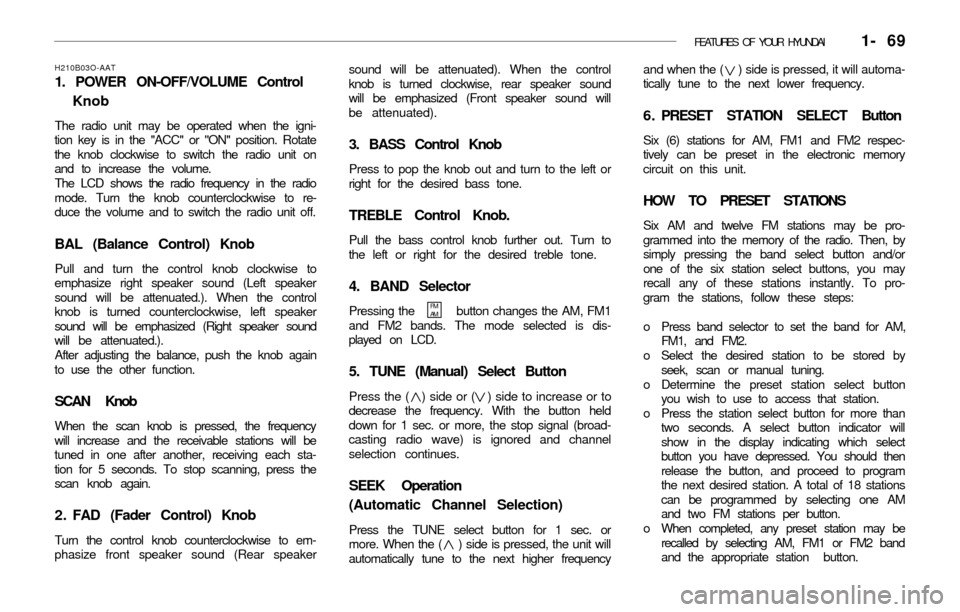
4. BAND Selector
Pressing the button changes the AM, FM1
and FM2 bands. The mode selected is dis-
played on LCD.
5. TUNE (Manual) Select Button
Press the ( ) side or ( ) side to increase or to
decrease the frequency. With the button held
down for 1 sec. or more, the stop signal (broad-
casting radio wave) is ignored and channel
selection continues.
SEEK Operation
(Automatic Channel Selection)
Press the TUNE select button for 1 sec. or
more. When the ( ) side is pressed, the unit will
automatically tune to the next higher frequencyand when the ( ) side is pressed, it will automa-
tically tune to the next lower frequency.
6 . PRESET STATION SELECT Button
Six (6) stations for AM, FM1 and FM2 respec-
tively can be preset in the electronic memory
circuit on this unit.
HOW TO PRESET STATIONS
Six AM and twelve FM stations may be pro-
grammed into the memory of the radio. Then, by
simply pressing the band select button and/or
one of the six station select buttons, you may
recall any of these stations instantly. To pro-
gram the stations, follow these steps:
o Press band selector to set the band for AM,
FM1, and FM2.
o Select the desired station to be stored by
seek, scan or manual tuning.
o Determine the preset station select button
you wish to use to access that station.
o Press the station select button for more than
two seconds. A select button indicator will
show in the display indicating which select
button you have depressed. You should then
release the button, and proceed to program
the next desired station. A total of 18 stations
can be programmed by selecting one AM
and two FM stations per button.
o When completed, any preset station may be
recalled by selecting AM, FM1 or FM2 band
and the appropriate station button.
H210B03O-AAT
1. POWER ON-OFF/VOLUME Control
Knob
The radio unit may be operated when the igni-
tion key is in the "ACC" or "ON" position. Rotate
the knob clockwise to switch the radio unit on
and to increase the volume.
The LCD shows the radio frequency in the radio
mode. Turn the knob counterclockwise to re-
duce the volume and to switch the radio unit off.
BAL (Balance Control) Knob
Pull and turn the control knob clockwise to
emphasize right speaker sound (Left speaker
sound will be attenuated.). When the control
knob is turned counterclockwise, left speaker
sound will be emphasized (Right speaker sound
will be attenuated.).
After adjusting the balance, push the knob again
to use the other function.
SCAN Knob
When the scan knob is pressed, the frequency
will increase and the receivable stations will be
tuned in one after another, receiving each sta-
tion for 5 seconds. To stop scanning, press the
scan knob again.
2 . FAD (Fader Control) Knob
Turn the control knob counterclockwise to em-
phasize front speaker sound (Rear speaker
FM
AM
Page 84 of 186
FEATURES OF YOUR HYUNDAI 1- 71
3. TREB (Treble Control) Knob
Press to pop the knob out and turn to the left or
right for the desired treble tone.
FAD (Fader Control) Knob
Pull the treble control knob further out.
Turn the control knob counterclockwise to em-
phasize front speaker sound. (Rear speaker
sound will be attenuated)
When the control knob is turned clockwise, rear
speaker sound will be emphasized.
(Front speaker sound will be attenuated)
4. TUNE (Manual) Select Button
Press the ( ) side or ( ) side to increase or to
decrease the frequency. Press either button and
hold down to continuously scroll. Release but-
ton once the desired station is reached.
SEEK Operation
(Automatic Channel Selection)
Press the TUNE select button 0.5 sec or more.
Releasing it will automatically tune to the next
available station with a beep sound.
When the ( ) side is pressed longer than 0.5
second, releasing will automatically tune to the
next higher frequency and when the ( ) side is
pressed longer than 0.5 second, releasing will
automatically tune to the next lower frequency.
5. BAND Selector
Pressing the button changes the AM, FM1
and FM2 bands. The mode selected is dis-
played on LCD.
6. PRESET STATION SELECT Button
Six (6) stations for AM, FM and FM2 respective-
ly can be preset in the electronic memory circuit
on this unit.
HOW TO PRESET STATIONS
Six AM and twelve FM stations may be pro-
grammed into the memory of the radio. Then, by
simply pressing the band select button and/or
one of the six station select buttons, you may
recall any of these stations instantly. To pro-
gram the stations, follow these steps:
o Press band selector to set the band for AM,
FM, and FM2.
o Select the desired station to be stored by
seek or manual tuning.
o Determine the preset station select button
you wish to use to access that station.
o Press the station select button for more than
two seconds. A select button indicator will
show in the display indicating which select
button you have depressed. The frequency
display will flash after it has been stored into
the memory with a beep sound. You should
then release the button, and proceed to pro-
H240B03O-AAT
1 . POWER ON-OFF Control Knob
The radio unit may be operated when the igni-
tion key is in the "ACC" or "ON" position. Press
the knob to switch the power on. The LCD
shows the radio frequency in the radio mode or
the tape direction indicator in the tape mode. To
switch the power off, press the knob again.
VOLUME Control
Rotate the knob clockwise to increase the vol-
ume and turn the knob counterclockwise to
reduce the volume.
2. BASS Control Knob
Press to pop the knob out and turn to the left or
right for the desired bass tone.
BAL (Balance Control) Knob
Pull the bass control knob further out.Turn the
control knob clockwise to emphasize right
speaker sound. (Left speaker sound will be
attenuated)
When the control knob is turned counterclock-
wise, left speaker sound will be emphasized.
(Right speaker sound will be attenuated)
FM/AM
Page 89 of 186
1- 76 FEATURES OF YOUR HYUNDAI
3 . BASS Control Knob
Press to pop the knob out and turn to the left or
right for the desired bass tone.
TREB (Treble Control) Knob
Pull the bass control knob further out. Turn to
the left or right for the desired treble tone.
4 . SCAN Button
When the scan button is pressed, the frequency
will increase and the receivable stations will be
tuned in one after another, receiving each sta-
tion for 5 seconds. To stop scanning, press the
scan button again.
5. TUNE (Manual) Select Button
Press the ( ) side or ( ) side to increase or to
decrease the frequency. Press either button and
hold down to continuously scroll. Release but-
ton once the desired station is reached.
SEEK Operation
(Automatic Channel Selection)
Press the TUNE select button for 0.5 sec or
more. Releasing it will automatically tune to the
next available station with a beep sound.
When the ( ) side is pressed longer than 0.5
second, releasing will automatically tune to the
next higher frequency and when the ( ) side is
pressed longer than 0.5 second, releasing will
automatically tune to the next lower frequency.
6. BAND Selector
Pressing the button changes the AM, FM1
and FM2 bands. The mode selected is dis-
played on LCD.
7. PRESET STATION SELECT Button
Six (6) stations for AM, FM and FM2 respective-
ly can be preset in the electronic memory circuit
on this unit.
H260B04O-AAT
1 . POWER ON-OFF Control Knob
The radio unit may be operated when the igni-
tion key is in the "ACC" or "ON" position. Press
the knob to switch the power on. The LCD
shows the radio frequency in the radio mode or
the CD track indicator in the CD mode. To
switch the power off, press the knob again.
VOLUME Control
Rotate the knob clockwise to increase the vol-
ume and turn the knob counterclockwise to
reduce the volume.
BALANCE Control
Pull and turn the control knob clockwise to
emphasize right speaker sound (Left speaker
sound will be attenuated). When the control
knob is turned counterclockwise, left speaker
sound will be emphasized. (Right speaker sound
will be attenuated)
2. FAD (Fader Control) Knob
Turn the control knob counterclockwise to em-
phasize front speaker sound. (Rear speaker
sound will be attenuated) When the control knob
is turned clockwise, rear speaker sound will be
emphasized. (Front speaker sound will be atten-
uated)
FM/AM
Page 96 of 186
FEATURES OF YOUR HYUNDAI 1- 83
B870A01A-AAT
ANTENNA
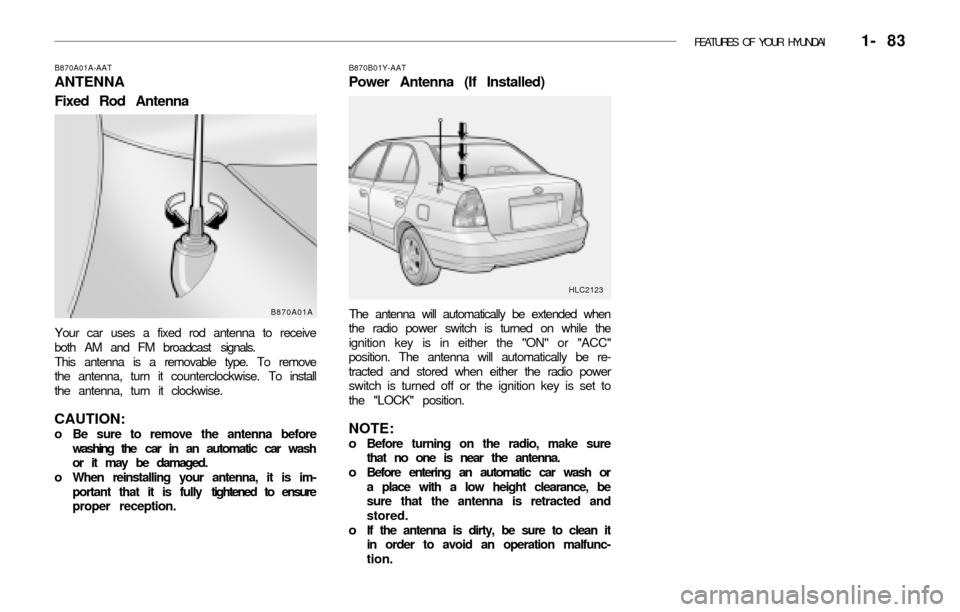
Fixed Rod Antenna
Your car uses a fixed rod antenna to receive
both AM and FM broadcast signals.
This antenna is a removable type. To remove
the antenna, turn it counterclockwise. To install
the antenna, turn it clockwise.
CAUTION:o Be sure to remove the antenna before
washing the car in an automatic car wash
or it may be damaged.
o When reinstalling your antenna, it is im-
portant that it is fully tightened to ensure
proper reception.
B870B01Y-AAT
Power Antenna (If Installed)
The antenna will automatically be extended when
the radio power switch is turned on while the
ignition key is in either the "ON" or "ACC"
position. The antenna will automatically be re-
tracted and stored when either the radio power
switch is turned off or the ignition key is set to
the "LOCK" position.
NOTE:o Before turning on the radio, make sure
that no one is near the antenna.
o Before entering an automatic car wash or
a place with a low height clearance, be
sure that the antenna is retracted and
stored.
o If the antenna is dirty, be sure to clean it
in order to avoid an operation malfunc-
tion.
HLC2123
B870A01A
Page 97 of 186
2. DRIVING YOUR HYUNDAI
Before Starting the Engine ............................................................. 2-3
Key Positions .................................................................................. 2-3
Starting ............................................................................................ 2-4
Operating the Manual Transaxle .................................................... 2-5
Automatic Transaxle ....................................................................... 2-7
Good Braking Practices ................................................................ 2-10
Anti-Lock Brake System ............................................................... 2-10
Driving for Economy ..................................................................... 2-11
Winter Driving ............................................................................... 2-12
Trailer Towing ............................................................................... 2-14
2
Page 99 of 186
DRIVING YOUR HYUNDAI 2- 3
C020A01A-AATBEFORE STARTING THE ENGINE
Before you start the engine, you should always:
1. Look around the vehicle to be sure there are
no flat tires, puddles of oil or water or other
indications of possible trouble.
2. After entering the car, check to be sure the
parking brake is engaged.
3. Check that all windows, and lights are clean.
4. Check that the interior and exterior mirrors
are clean and in position.
5. Check your seat, seatback and headrest to
be sure they are in their proper positions.
6. Lock all the doors.
7. Fasten your seat belt and be sure that all
other occupants have fastened theirs.
8. Turn off all lights and accessories that are
not needed.
9. When you turn the ignition switch to "ON",
check that all appropriate warning lights are
operating and that you have sufficient fuel.
10. Check the operation of warning lights and all
bulbs when key is in the "ON" position.
C030A01A-AATCOMBINATION IGNITION SWITCH
To Start the Engine
o If your Hyundai is equipped with a manual
transaxle, place the shift lever in neutral and
depress the clutch pedal fully.
o If your Hyundai has an automatic transaxle,
place the shift lever in "P" (park).
o To start the engine, insert the ignition key
and turn it to the "START" position. Release
it as soon as the engine starts. Do not hold
the key in the "START" position for more
than 15 seconds.
NOTE:o For safety, the engine will not start if the
clutch pedal is not depressed fully (Manual
Transaxle) or the shift lever is not in "P"
or "N" Position (Automatic Transaxle).
o The ignition key cannot be turned from
"ACC" position to "LOCK" position un-
less the shift lever is in the "P" (Park)
position or the negative battery terminal
is disconnected from the battery. (For
Automatic Transaxle)
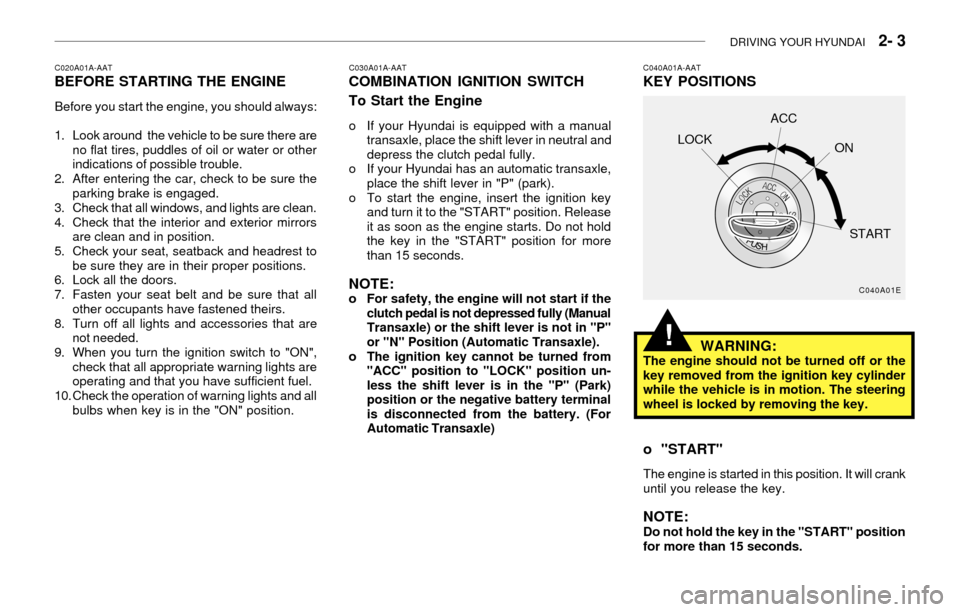
C040A01A-AATKEY POSITIONS
C040A01E
LOCKACC
ON
START
WARNING:The engine should not be turned off or the
key removed from the ignition key cylinder
while the vehicle is in motion. The steering
wheel is locked by removing the key.
o "START"
The engine is started in this position. It will crank
until you release the key.
NOTE:Do not hold the key in the "START" position
for more than 15 seconds.
!
Page 100 of 186
2- 4 DRIVING YOUR HYUNDAI
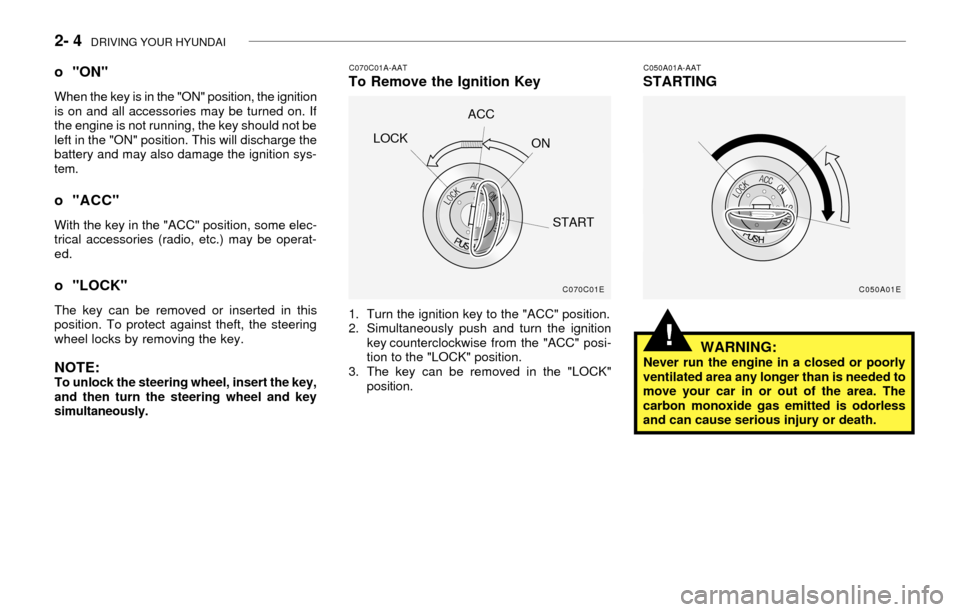
C070C01A-AATTo Remove the Ignition Key
1. Turn the ignition key to the "ACC" position.
2. Simultaneously push and turn the ignition
key counterclockwise from the "ACC" posi-
tion to the "LOCK" position.
3. The key can be removed in the "LOCK"
position.
C050A01A-AATSTARTING
WARNING:
Never run the engine in a closed or poorly
ventilated area any longer than is needed to
move your car in or out of the area. The
carbon monoxide gas emitted is odorless
and can cause serious injury or death.
o "ON"
When the key is in the "ON" position, the ignition
is on and all accessories may be turned on. If
the engine is not running, the key should not be
left in the "ON" position. This will discharge the
battery and may also damage the ignition sys-
tem.
o "ACC"
With the key in the "ACC" position, some elec-
trical accessories (radio, etc.) may be operat-
ed.
o "LOCK"
The key can be removed or inserted in this
position. To protect against theft, the steering
wheel locks by removing the key.
NOTE:To unlock the steering wheel, insert the key,
and then turn the steering wheel and key
simultaneously.
C070C01E
LOCKACC
ON
START
C050A01E
!