lock Hyundai Accent 2003 Owner's Guide
[x] Cancel search | Manufacturer: HYUNDAI, Model Year: 2003, Model line: Accent, Model: Hyundai Accent 2003Pages: 186, PDF Size: 11.36 MB
Page 80 of 186
FEATURES OF YOUR HYUNDAI 1- 67
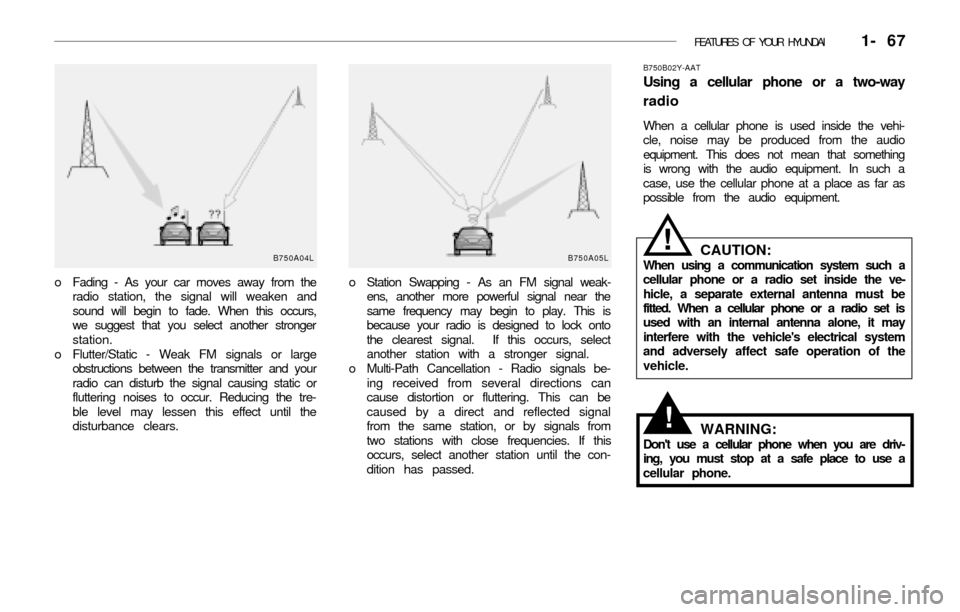
o Station Swapping - As an FM signal weak-
ens, another more powerful signal near the
same frequency may begin to play. This is
because your radio is designed to lock onto
the clearest signal. If this occurs, select
another station with a stronger signal.
o Multi-Path Cancellation - Radio signals be-
ing received from several directions can
cause distortion or fluttering. This can be
caused by a direct and reflected signal
from the same station, or by signals from
two stations with close frequencies. If this
occurs, select another station until the con-
dition has passed.
B750B02Y-AAT
Using a cellular phone or a two-way
radio
When a cellular phone is used inside the vehi-
cle, noise may be produced from the audio
equipment. This does not mean that something
is wrong with the audio equipment. In such a
case, use the cellular phone at a place as far as
possible from the audio equipment.
o Fading - As your car moves away from the
radio station, the signal will weaken and
sound will begin to fade. When this occurs,
we suggest that you select another stronger
station.
o Flutter/Static - Weak FM signals or large
obstructions between the transmitter and your
radio can disturb the signal causing static or
fluttering noises to occur. Reducing the tre-
ble level may lessen this effect until the
disturbance clears.
B750A04L B750A05LCAUTION:When using a communication system such a
cellular phone or a radio set inside the ve-
hicle, a separate external antenna must be
fitted. When a cellular phone or a radio set is
used with an internal antenna alone, it may
interfere with the vehicle's electrical system
and adversely affect safe operation of the
vehicle.
WARNING:Don't use a cellular phone when you are driv-
ing, you must stop at a safe place to use a
cellular phone.
!
!
Page 82 of 186
FEATURES OF YOUR HYUNDAI 1- 69
sound will be attenuated). When the control
knob is turned clockwise, rear speaker sound
will be emphasized (Front speaker sound will
be attenuated).
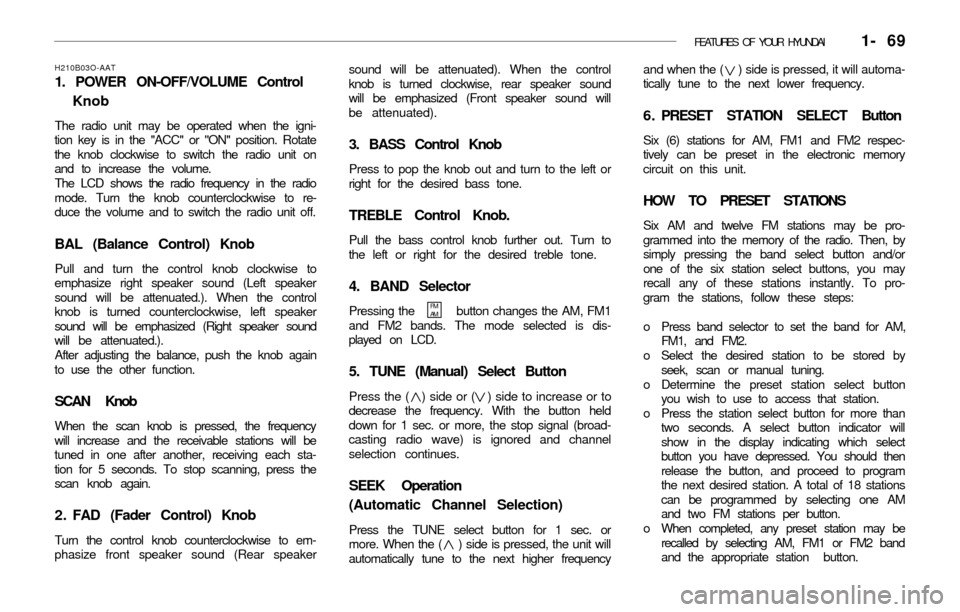
3. BASS Control Knob
Press to pop the knob out and turn to the left or
right for the desired bass tone.
TREBLE Control Knob.
Pull the bass control knob further out. Turn to
the left or right for the desired treble tone.
4. BAND Selector
Pressing the button changes the AM, FM1
and FM2 bands. The mode selected is dis-
played on LCD.
5. TUNE (Manual) Select Button
Press the ( ) side or ( ) side to increase or to
decrease the frequency. With the button held
down for 1 sec. or more, the stop signal (broad-
casting radio wave) is ignored and channel
selection continues.
SEEK Operation
(Automatic Channel Selection)
Press the TUNE select button for 1 sec. or
more. When the ( ) side is pressed, the unit will
automatically tune to the next higher frequencyand when the ( ) side is pressed, it will automa-
tically tune to the next lower frequency.
6 . PRESET STATION SELECT Button
Six (6) stations for AM, FM1 and FM2 respec-
tively can be preset in the electronic memory
circuit on this unit.
HOW TO PRESET STATIONS
Six AM and twelve FM stations may be pro-
grammed into the memory of the radio. Then, by
simply pressing the band select button and/or
one of the six station select buttons, you may
recall any of these stations instantly. To pro-
gram the stations, follow these steps:
o Press band selector to set the band for AM,
FM1, and FM2.
o Select the desired station to be stored by
seek, scan or manual tuning.
o Determine the preset station select button
you wish to use to access that station.
o Press the station select button for more than
two seconds. A select button indicator will
show in the display indicating which select
button you have depressed. You should then
release the button, and proceed to program
the next desired station. A total of 18 stations
can be programmed by selecting one AM
and two FM stations per button.
o When completed, any preset station may be
recalled by selecting AM, FM1 or FM2 band
and the appropriate station button.
H210B03O-AAT
1. POWER ON-OFF/VOLUME Control
Knob
The radio unit may be operated when the igni-
tion key is in the "ACC" or "ON" position. Rotate
the knob clockwise to switch the radio unit on
and to increase the volume.
The LCD shows the radio frequency in the radio
mode. Turn the knob counterclockwise to re-
duce the volume and to switch the radio unit off.
BAL (Balance Control) Knob
Pull and turn the control knob clockwise to
emphasize right speaker sound (Left speaker
sound will be attenuated.). When the control
knob is turned counterclockwise, left speaker
sound will be emphasized (Right speaker sound
will be attenuated.).
After adjusting the balance, push the knob again
to use the other function.
SCAN Knob
When the scan knob is pressed, the frequency
will increase and the receivable stations will be
tuned in one after another, receiving each sta-
tion for 5 seconds. To stop scanning, press the
scan knob again.
2 . FAD (Fader Control) Knob
Turn the control knob counterclockwise to em-
phasize front speaker sound (Rear speaker
FM
AM
Page 84 of 186
FEATURES OF YOUR HYUNDAI 1- 71
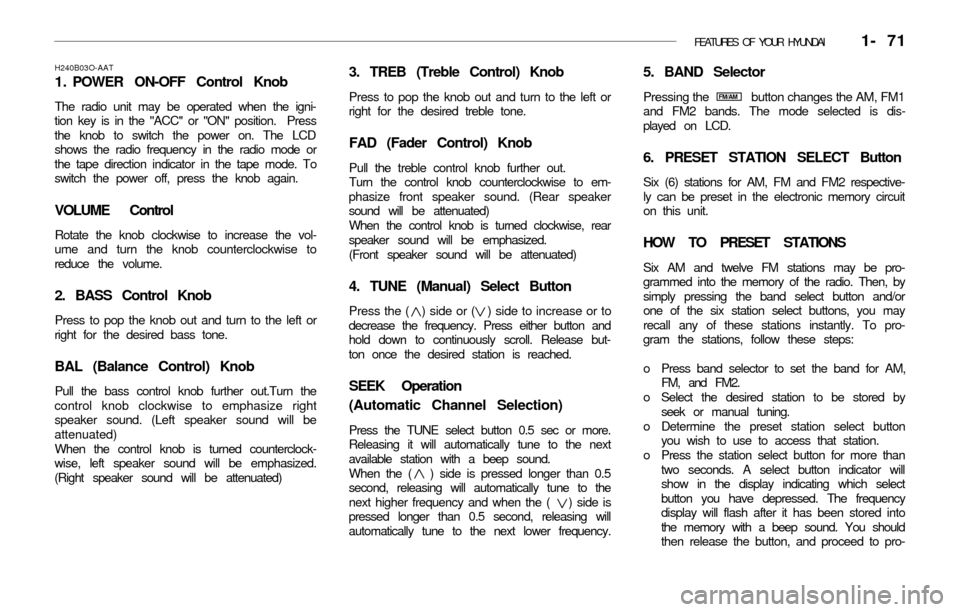
3. TREB (Treble Control) Knob
Press to pop the knob out and turn to the left or
right for the desired treble tone.
FAD (Fader Control) Knob
Pull the treble control knob further out.
Turn the control knob counterclockwise to em-
phasize front speaker sound. (Rear speaker
sound will be attenuated)
When the control knob is turned clockwise, rear
speaker sound will be emphasized.
(Front speaker sound will be attenuated)
4. TUNE (Manual) Select Button
Press the ( ) side or ( ) side to increase or to
decrease the frequency. Press either button and
hold down to continuously scroll. Release but-
ton once the desired station is reached.
SEEK Operation
(Automatic Channel Selection)
Press the TUNE select button 0.5 sec or more.
Releasing it will automatically tune to the next
available station with a beep sound.
When the ( ) side is pressed longer than 0.5
second, releasing will automatically tune to the
next higher frequency and when the ( ) side is
pressed longer than 0.5 second, releasing will
automatically tune to the next lower frequency.
5. BAND Selector
Pressing the button changes the AM, FM1
and FM2 bands. The mode selected is dis-
played on LCD.
6. PRESET STATION SELECT Button
Six (6) stations for AM, FM and FM2 respective-
ly can be preset in the electronic memory circuit
on this unit.
HOW TO PRESET STATIONS
Six AM and twelve FM stations may be pro-
grammed into the memory of the radio. Then, by
simply pressing the band select button and/or
one of the six station select buttons, you may
recall any of these stations instantly. To pro-
gram the stations, follow these steps:
o Press band selector to set the band for AM,
FM, and FM2.
o Select the desired station to be stored by
seek or manual tuning.
o Determine the preset station select button
you wish to use to access that station.
o Press the station select button for more than
two seconds. A select button indicator will
show in the display indicating which select
button you have depressed. The frequency
display will flash after it has been stored into
the memory with a beep sound. You should
then release the button, and proceed to pro-
H240B03O-AAT
1 . POWER ON-OFF Control Knob
The radio unit may be operated when the igni-
tion key is in the "ACC" or "ON" position. Press
the knob to switch the power on. The LCD
shows the radio frequency in the radio mode or
the tape direction indicator in the tape mode. To
switch the power off, press the knob again.
VOLUME Control
Rotate the knob clockwise to increase the vol-
ume and turn the knob counterclockwise to
reduce the volume.
2. BASS Control Knob
Press to pop the knob out and turn to the left or
right for the desired bass tone.
BAL (Balance Control) Knob
Pull the bass control knob further out.Turn the
control knob clockwise to emphasize right
speaker sound. (Left speaker sound will be
attenuated)
When the control knob is turned counterclock-
wise, left speaker sound will be emphasized.
(Right speaker sound will be attenuated)
FM/AM
Page 89 of 186
1- 76 FEATURES OF YOUR HYUNDAI
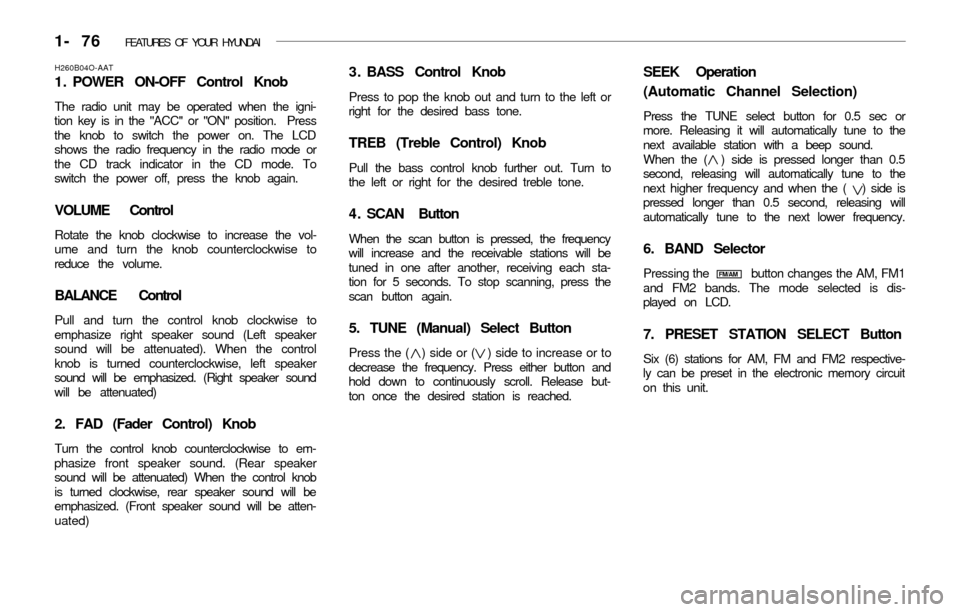
3 . BASS Control Knob
Press to pop the knob out and turn to the left or
right for the desired bass tone.
TREB (Treble Control) Knob
Pull the bass control knob further out. Turn to
the left or right for the desired treble tone.
4 . SCAN Button
When the scan button is pressed, the frequency
will increase and the receivable stations will be
tuned in one after another, receiving each sta-
tion for 5 seconds. To stop scanning, press the
scan button again.
5. TUNE (Manual) Select Button
Press the ( ) side or ( ) side to increase or to
decrease the frequency. Press either button and
hold down to continuously scroll. Release but-
ton once the desired station is reached.
SEEK Operation
(Automatic Channel Selection)
Press the TUNE select button for 0.5 sec or
more. Releasing it will automatically tune to the
next available station with a beep sound.
When the ( ) side is pressed longer than 0.5
second, releasing will automatically tune to the
next higher frequency and when the ( ) side is
pressed longer than 0.5 second, releasing will
automatically tune to the next lower frequency.
6. BAND Selector
Pressing the button changes the AM, FM1
and FM2 bands. The mode selected is dis-
played on LCD.
7. PRESET STATION SELECT Button
Six (6) stations for AM, FM and FM2 respective-
ly can be preset in the electronic memory circuit
on this unit.
H260B04O-AAT
1 . POWER ON-OFF Control Knob
The radio unit may be operated when the igni-
tion key is in the "ACC" or "ON" position. Press
the knob to switch the power on. The LCD
shows the radio frequency in the radio mode or
the CD track indicator in the CD mode. To
switch the power off, press the knob again.
VOLUME Control
Rotate the knob clockwise to increase the vol-
ume and turn the knob counterclockwise to
reduce the volume.
BALANCE Control
Pull and turn the control knob clockwise to
emphasize right speaker sound (Left speaker
sound will be attenuated). When the control
knob is turned counterclockwise, left speaker
sound will be emphasized. (Right speaker sound
will be attenuated)
2. FAD (Fader Control) Knob
Turn the control knob counterclockwise to em-
phasize front speaker sound. (Rear speaker
sound will be attenuated) When the control knob
is turned clockwise, rear speaker sound will be
emphasized. (Front speaker sound will be atten-
uated)
FM/AM
Page 96 of 186
FEATURES OF YOUR HYUNDAI 1- 83
B870A01A-AAT
ANTENNA
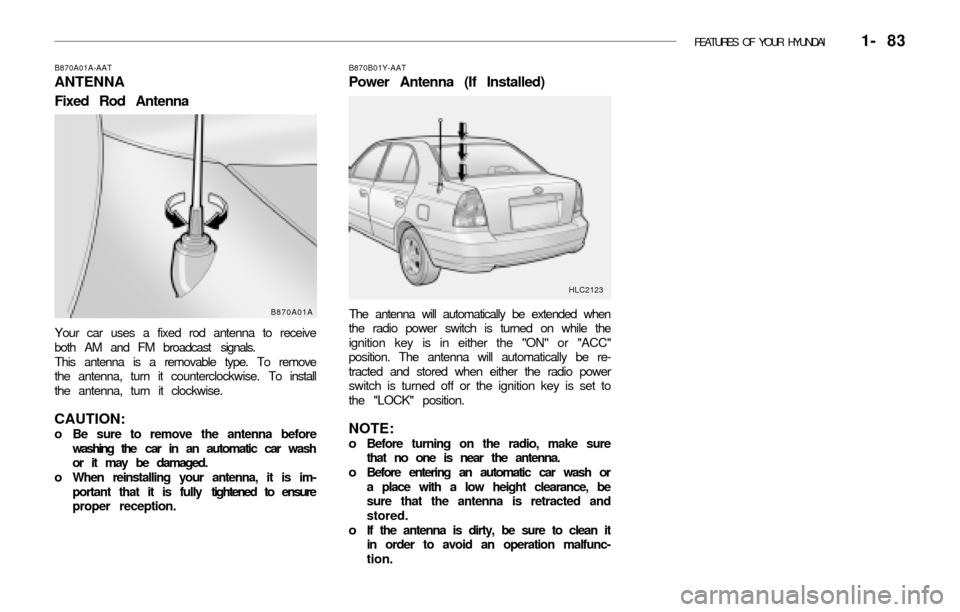
Fixed Rod Antenna
Your car uses a fixed rod antenna to receive
both AM and FM broadcast signals.
This antenna is a removable type. To remove
the antenna, turn it counterclockwise. To install
the antenna, turn it clockwise.
CAUTION:o Be sure to remove the antenna before
washing the car in an automatic car wash
or it may be damaged.
o When reinstalling your antenna, it is im-
portant that it is fully tightened to ensure
proper reception.
B870B01Y-AAT
Power Antenna (If Installed)
The antenna will automatically be extended when
the radio power switch is turned on while the
ignition key is in either the "ON" or "ACC"
position. The antenna will automatically be re-
tracted and stored when either the radio power
switch is turned off or the ignition key is set to
the "LOCK" position.
NOTE:o Before turning on the radio, make sure
that no one is near the antenna.
o Before entering an automatic car wash or
a place with a low height clearance, be
sure that the antenna is retracted and
stored.
o If the antenna is dirty, be sure to clean it
in order to avoid an operation malfunc-
tion.
HLC2123
B870A01A
Page 97 of 186
2. DRIVING YOUR HYUNDAI
Before Starting the Engine ............................................................. 2-3
Key Positions .................................................................................. 2-3
Starting ............................................................................................ 2-4
Operating the Manual Transaxle .................................................... 2-5
Automatic Transaxle ....................................................................... 2-7
Good Braking Practices ................................................................ 2-10
Anti-Lock Brake System ............................................................... 2-10
Driving for Economy ..................................................................... 2-11
Winter Driving ............................................................................... 2-12
Trailer Towing ............................................................................... 2-14
2
Page 99 of 186
DRIVING YOUR HYUNDAI 2- 3
C020A01A-AATBEFORE STARTING THE ENGINE
Before you start the engine, you should always:
1. Look around the vehicle to be sure there are
no flat tires, puddles of oil or water or other
indications of possible trouble.
2. After entering the car, check to be sure the
parking brake is engaged.
3. Check that all windows, and lights are clean.
4. Check that the interior and exterior mirrors
are clean and in position.
5. Check your seat, seatback and headrest to
be sure they are in their proper positions.
6. Lock all the doors.
7. Fasten your seat belt and be sure that all
other occupants have fastened theirs.
8. Turn off all lights and accessories that are
not needed.
9. When you turn the ignition switch to "ON",
check that all appropriate warning lights are
operating and that you have sufficient fuel.
10. Check the operation of warning lights and all
bulbs when key is in the "ON" position.
C030A01A-AATCOMBINATION IGNITION SWITCH
To Start the Engine
o If your Hyundai is equipped with a manual
transaxle, place the shift lever in neutral and
depress the clutch pedal fully.
o If your Hyundai has an automatic transaxle,
place the shift lever in "P" (park).
o To start the engine, insert the ignition key
and turn it to the "START" position. Release
it as soon as the engine starts. Do not hold
the key in the "START" position for more
than 15 seconds.
NOTE:o For safety, the engine will not start if the
clutch pedal is not depressed fully (Manual
Transaxle) or the shift lever is not in "P"
or "N" Position (Automatic Transaxle).
o The ignition key cannot be turned from
"ACC" position to "LOCK" position un-
less the shift lever is in the "P" (Park)
position or the negative battery terminal
is disconnected from the battery. (For
Automatic Transaxle)
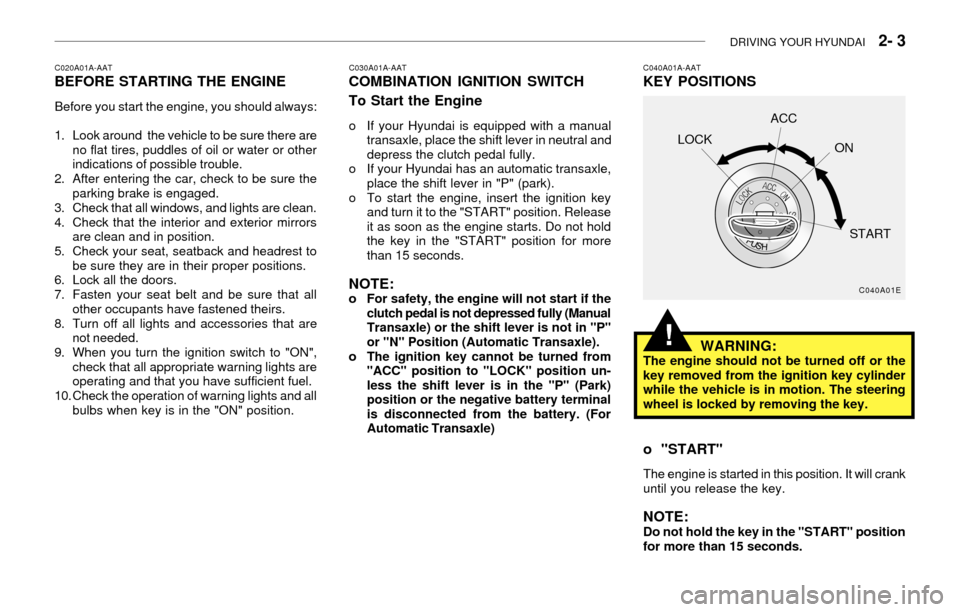
C040A01A-AATKEY POSITIONS
C040A01E
LOCKACC
ON
START
WARNING:The engine should not be turned off or the
key removed from the ignition key cylinder
while the vehicle is in motion. The steering
wheel is locked by removing the key.
o "START"
The engine is started in this position. It will crank
until you release the key.
NOTE:Do not hold the key in the "START" position
for more than 15 seconds.
!
Page 100 of 186
2- 4 DRIVING YOUR HYUNDAI
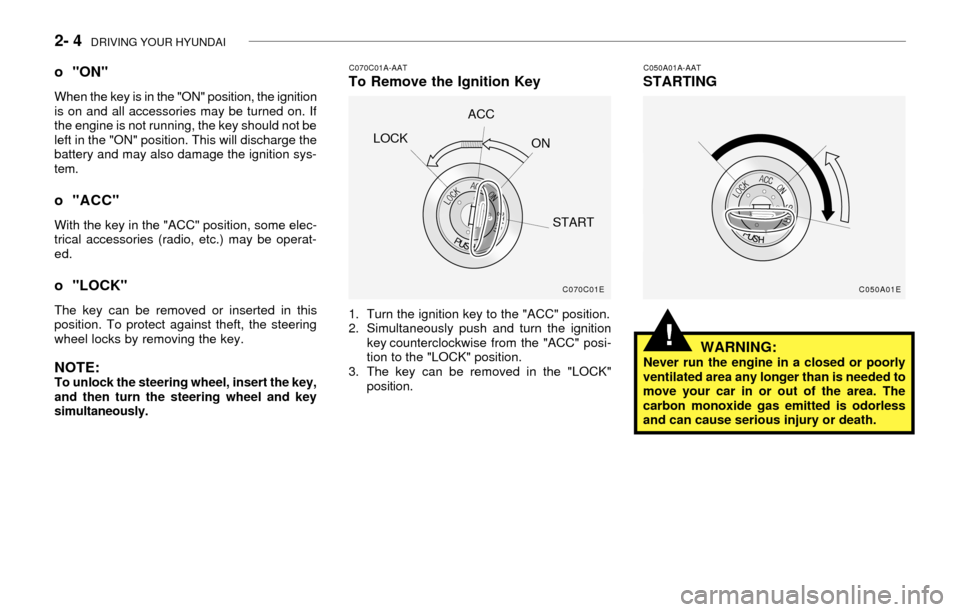
C070C01A-AATTo Remove the Ignition Key
1. Turn the ignition key to the "ACC" position.
2. Simultaneously push and turn the ignition
key counterclockwise from the "ACC" posi-
tion to the "LOCK" position.
3. The key can be removed in the "LOCK"
position.
C050A01A-AATSTARTING
WARNING:
Never run the engine in a closed or poorly
ventilated area any longer than is needed to
move your car in or out of the area. The
carbon monoxide gas emitted is odorless
and can cause serious injury or death.
o "ON"
When the key is in the "ON" position, the ignition
is on and all accessories may be turned on. If
the engine is not running, the key should not be
left in the "ON" position. This will discharge the
battery and may also damage the ignition sys-
tem.
o "ACC"
With the key in the "ACC" position, some elec-
trical accessories (radio, etc.) may be operat-
ed.
o "LOCK"
The key can be removed or inserted in this
position. To protect against theft, the steering
wheel locks by removing the key.
NOTE:To unlock the steering wheel, insert the key,
and then turn the steering wheel and key
simultaneously.
C070C01E
LOCKACC
ON
START
C050A01E
!
Page 105 of 186
DRIVING YOUR HYUNDAI 2- 9
o Turn the overdrive switch on for good fuel
economy and smooth driving. If engine brak-
ing is needed in the "D" range or if repeated
upshifting and downshifting between the 3rd
and 4th gear is needed when climbing a
gentle slope, it is recommended that the
overdrive switch be turned off. Turn the over-
drive switch back on immediately afterward.C090N02A-AATGood Driving Practices
o Never move the gear selector lever from "P"
or "N" to any other position with the acceler-
ator pedal depressed.
o Never move the gear selector lever into "P"
when the vehicle is in motion.
o Be sure the car is completely stopped before
you attempt to shift into "R".
o Never take the car out of gear and coast
down a hill. This may be extremely hazard-
ous. Always leave the car in gear when
moving.
o Do not "ride" the brakes. This can cause
them to overheat and malfunction. Instead,
when you are driving down a long hill, slow
down and shift to a lower gear. When you do
this, engine braking will help slow the car.
o Slow down before shifting to a lower gear.
Otherwise, the lower gear may not be en-
gaged.
o Always use the parking brake. Do not de-
pend on placing the transaxle in "P" to keep
the car from moving.
o Exercise extreme caution when driving on a
slippery surface. Be especially careful when
braking, accelerating or shifting gears. On a
slippery surface, an abrupt change in vehicle
speed can cause the drive wheels to lose
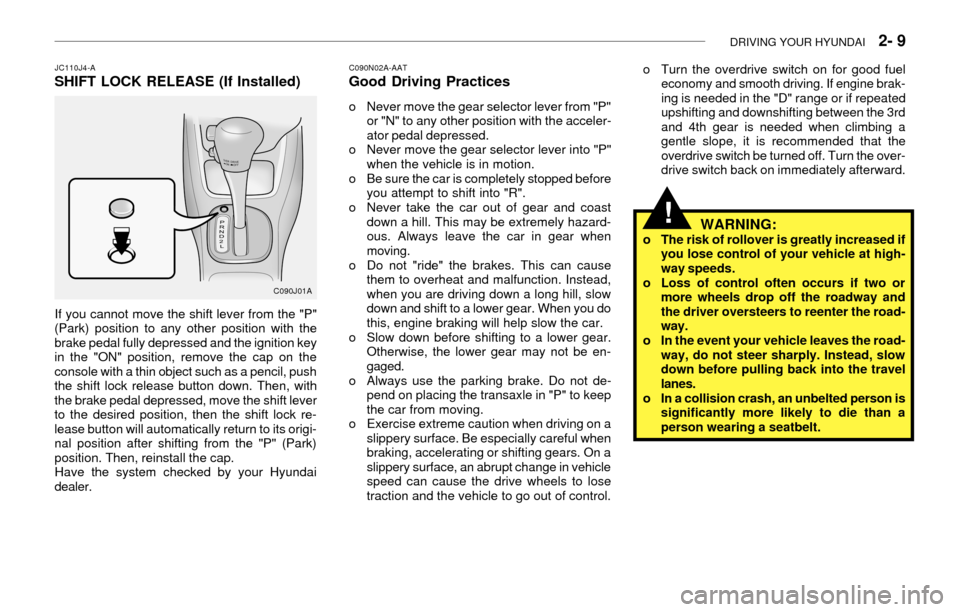
traction and the vehicle to go out of control. If you cannot move the shift lever from the "P"
(Park) position to any other position with the
brake pedal fully depressed and the ignition key
in the "ON" position, remove the cap on the
console with a thin object such as a pencil, push
the shift lock release button down. Then, with
the brake pedal depressed, move the shift lever
to the desired position, then the shift lock re-
lease button will automatically return to its origi-
nal position after shifting from the "P" (Park)
position. Then, reinstall the cap.
Have the system checked by your Hyundai
dealer.
JC110J4-ASHIFT LOCK RELEASE (If Installed)
C090J01A
WARNING:o The risk of rollover is greatly increased if
you lose control of your vehicle at high-
way speeds.
o Loss of control often occurs if two or
more wheels drop off the roadway and
the driver oversteers to reenter the road-
way.
o In the event your vehicle leaves the road-
way, do not steer sharply. Instead, slow
down before pulling back into the travel
lanes.
o In a collision crash, an unbelted person is
significantly more likely to die than a
person wearing a seatbelt.
!
Page 106 of 186
2- 10 DRIVING YOUR HYUNDAI
C130A01A-AATGOOD BRAKING PRACTICES
WARNING:
Nothing should be carried on top of the shelf
panel behind the rear seat. If there were an
accident or a sudden stop, such objects
could move forward and cause damage to
the vehicle or injure the occupants.
!
o After being parked, check to be sure the
parking brake is not engaged and that the
parking brake indicator light is out before
driving away.
o Driving through water may get the brakes
wet. They can also get wet when the car is
washed. Wet brakes can be dangerous! Your
car will not stop as quickly if the brakes are
wet. Wet brakes may cause the car to pull to
one side. To dry the brakes, apply the brakes
lightly until the braking action returns to nor-
mal, taking care to keep the car under con-
trol at all times. If the braking action does not
return to normal, stop as soon as it is safe to
do so and call your Hyundai dealer for assis-
tance.
o Don't coast down hills with the car out of
gear. This is extremely hazardous. Keep the
car in gear at all times, use the brakes to
slow down, then shift to a lower gear so that
engine braking will help you maintain a safe
speed.o Don't "ride" the brake pedal. Resting your
foot on the brake pedal while driving can be
dangerous because it can result in the brakes
overheating and losing their effectiveness. It
also increases the wear of the brake compo-
nents.
o If a tire goes flat while you are driving, apply
the brakes gently and keep the car pointed
straight ahead while you slow down. When
you are moving slowly enough for it to be
safe to do so, pull off the road and stop in a
safe place.
o If your car is equipped with an automatic
transaxle, don't let your car creep forward.
To avoid creeping forward, keep your foot on
the brake pedal when the car is stopped.
o Use caution when parking on a hill. Engage
the parking brake and place the gear selec-
tor lever in "P" (automatic transaxle) or in
first or reverse gear (manual transaxle). If
your car is facing downhill, turn the front
wheels into the curb to help keep the car
from rolling. If your car is facing uphill, turn
the front wheels away from the curb to help
keep the car from rolling. If there is no curb
or if it is required by other conditions to keep
the car from rolling, block the wheels.
o Under some conditions your parking brake
can freeze in the engaged position. This is
most likely to happen when there is an accu-
mulation of snow or ice around or near the
rear brakes or if the brakes are wet. If there
is a risk that the parking brake may freeze,apply it only temporarily while you put the
gear selector lever in "P" (automatic) or in
first or reverse gear (manual transaxle) and
block the rear wheels so the car cannot roll.
Then release the parking brake.
o Do not hold the vehicle on the upgrade with
the accelerator pedal. This can cause the
transmission to overheat. Always use the
brake pedal or parking brake.C120A02A-AAT
ANTI-LOCK BRAKE SYSTEM
(If Installed)
The Anti-Lock Brake System (ABS) is designed
to prevent wheel lock-up during sudden braking
or on hazardous road surfaces. The ABS con-
trol module monitors the wheel speed and con-
trols the pressure applied to each brake. Thus,
in emergency situations or on slick roads, ABS
will increase vehicle control during braking.
NOTE:During ABS operation, a slight pulsation
may be felt in the brake pedal when the
brakes are applied. Also, a noise may be
heard in the engine compartment while brak-
ing. These conditions are normal and indi-
cate that the anti-lock brake system is func-
tioning properly.