buttons Hyundai Accent 2006 User Guide
[x] Cancel search | Manufacturer: HYUNDAI, Model Year: 2006, Model line: Accent, Model: Hyundai Accent 2006Pages: 599, PDF Size: 17.59 MB
Page 152 of 599
1FEATURES OF YOUR HYUNDAI
138
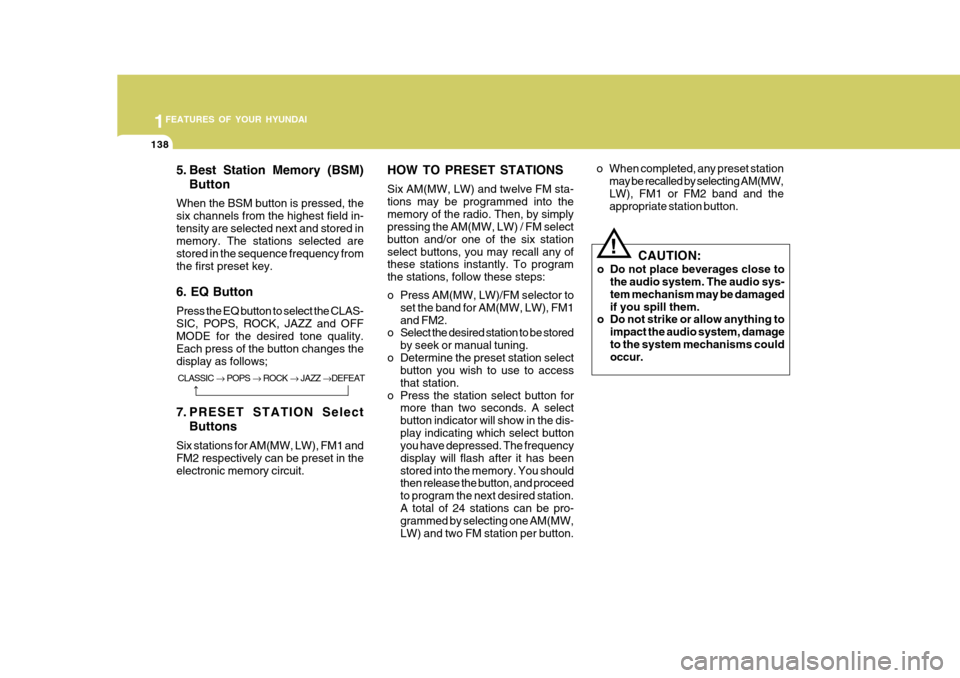
5. Best Station Memory (BSM)Button
When the BSM button is pressed, the six channels from the highest field in-tensity are selected next and stored in memory. The stations selected are stored in the sequence frequency fromthe first preset key. 6. EQ Button Press the EQ button to select the CLAS- SIC, POPS, ROCK, JAZZ and OFF MODE for the desired tone quality. Each press of the button changes thedisplay as follows;
7. PRESET STATION Select Buttons
Six stations for AM(MW, LW), FM1 and FM2 respectively can be preset in theelectronic memory circuit. HOW TO PRESET STATIONS Six AM(MW, LW) and twelve FM sta- tions may be programmed into thememory of the radio. Then, by simply pressing the AM(MW, LW) / FM select button and/or one of the six stationselect buttons, you may recall any of these stations instantly. To program the stations, follow these steps:
o Press AM(MW, LW)/FM selector to
set the band for AM(MW, LW), FM1 and FM2.
o Select the desired station to be stored
by seek or manual tuning.
o Determine the preset station select button you wish to use to accessthat station.
o Press the station select button for more than two seconds. A selectbutton indicator will show in the dis-play indicating which select button you have depressed. The frequency display will flash after it has beenstored into the memory. You should then release the button, and proceed to program the next desired station.A total of 24 stations can be pro- grammed by selecting one AM(MW, LW) and two FM station per button. o When completed, any preset station
may be recalled by selecting AM(MW, LW), FM1 or FM2 band and the appropriate station button.
! CAUTION:
o Do not place beverages close to the audio system. The audio sys- tem mechanism may be damagedif you spill them.
o Do not strike or allow anything to
impact the audio system, damageto the system mechanisms could occur.
CLASSIC POPS ROCK JAZZ DEFEAT
Page 155 of 599
1
FEATURES OF YOUR HYUNDAI
141
1
FEATURES OF YOUR HYUNDAI
141
1
FEATURES OF YOUR HYUNDAI
141
1
FEATURES OF YOUR HYUNDAI
141
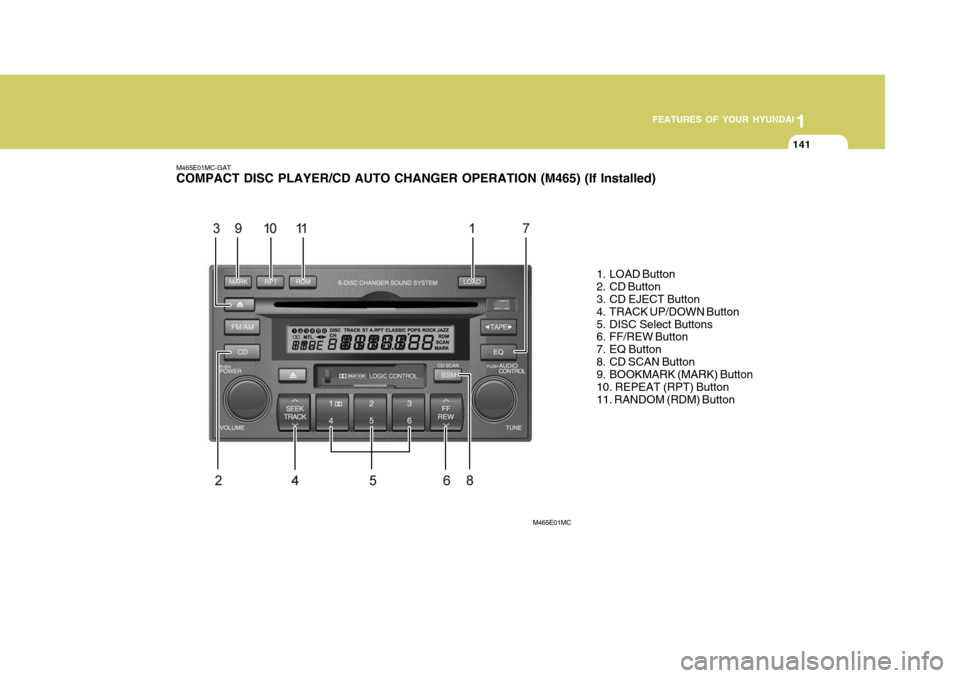
M465E01MC-GAT COMPACT DISC PLAYER/CD AUTO CHANGER OPERATION (M465) (If Installed)
1. LOAD Button
2. CD Button
3. CD EJECT Button
4. TRACK UP/DOWN Button
5. DISC Select Buttons
6. FF/REW Button
7. EQ Button
8. CD SCAN Button
9. BOOKMARK (MARK) Button 10. REPEAT (RPT) Button11. RANDOM (RDM) Button
M465E01MC
Page 157 of 599
1
FEATURES OF YOUR HYUNDAI
143
1
FEATURES OF YOUR HYUNDAI
143
1
FEATURES OF YOUR HYUNDAI
143
1
FEATURES OF YOUR HYUNDAI
143
3. CD EJECT Button
o When the
button is pressed with a
CD loaded, the CD will eject.
o To eject all of the discs, press this
button for one second or more.
4. TRACK UP/DOWN Button
o The desired track on the disc cur- rently being played can be selected using the track number.
o Press once to skip forward to the beginning of the next track.
o Press once to skip back to the
beginning of the track.
5. DISC Select Buttons You can instantly select and play a desired CD by pressing any of buttons during play. 6. FF/REW Button While the disc is playing, if you hold down the FF button continuously, the selected track is advanced. Holdingdown the REW button continuously moves the selected track back. 7. EQ Button Press the EQ button to select the CLAS- SIC, POPS, JAZZ, ROCK and OFFMODE for the desired tone quality. Each press of the button changes the display as follows; 8. CD SCAN Button
o Press the CD SCAN button to play-
back the first 10 seconds of each track.
o Press the CD SCAN button again
within 10 sec. when you have reachedthe desired track.
9. BOOKMARK (MARK) Button When the CD player unit is operating, the desired track on the disc can be bookmarked by using the MARK but-ton. o Press the MARK button for more
than 0.8 seconds to bookmark thedesired track. This will display the “ADD(1~20)” symbol on the LCD with beep sound.To play the bookmarked tracks, press the MARK button within 0.8 seconds.
o To erase a bookmarked track, press the MARK button for more than 0.8seconds. The unit will beep oncewhen the bookmark is erased.
If you want to delete all tracks stored onMark Memory, press CD button in the Mark Play mode for more than 0.8 seconds. You will hear a beep soundand all tracks will be deleted from Mark Memory with “DEL ALL” displayed on the LCD. NOTE : Tracks stored on Mark Memory will be automatically erased after you eject CDs that contain those tracks.
CLASSIC POPS ROCK JAZZ DE-
FEAT
Page 349 of 599
1
FEATURES OF YOUR HYUNDAI
67DIGITAL CLOCKFOG LIGHT SWITCH
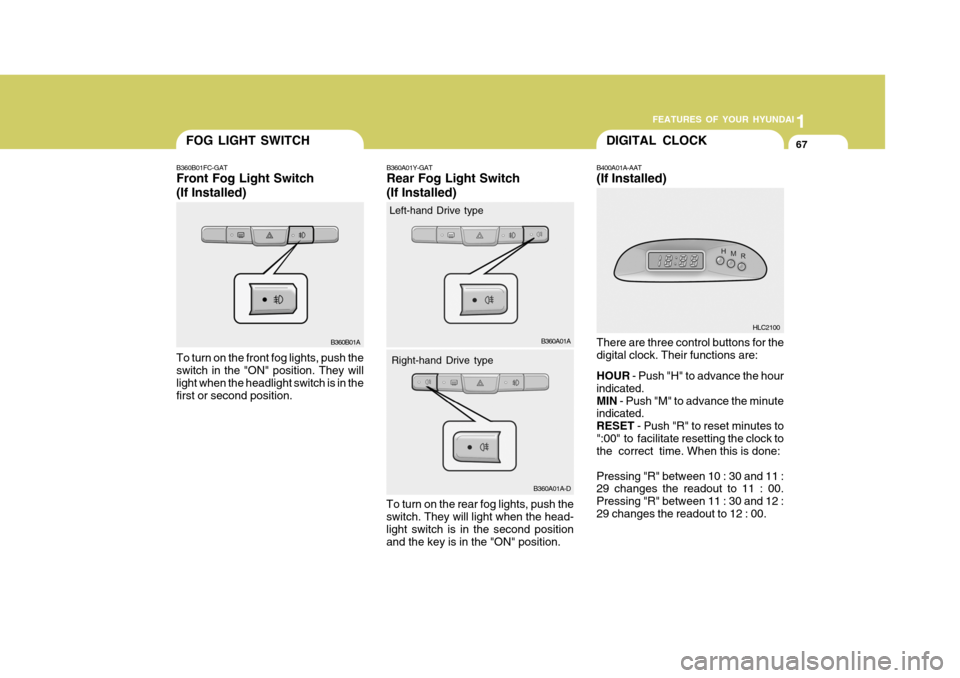
B400A01A-AAT (If Installed) There are three control buttons for the digital clock. Their functions are: HOUR
- Push "H" to advance the hour
indicated. MIN - Push "M" to advance the minute
indicated.RESET - Push "R" to reset minutes to
":00" to facilitate resetting the clock to the correct time. When this is done: Pressing "R" between 10 : 30 and 11 : 29 changes the readout to 11 : 00. Pressing "R" between 11 : 30 and 12 :29 changes the readout to 12 : 00.
B360A01Y-GAT Rear Fog Light Switch (If Installed)
To turn on the rear fog lights, push the switch. They will light when the head- light switch is in the second position and the key is in the "ON" position. B360A01A
HLC2100
B360B01A
B360B01FC-GAT Front Fog Light Switch (If Installed) To turn on the front fog lights, push the switch in the "ON" position. They will light when the headlight switch is in the first or second position.
B360A01A-D
Left-hand Drive type
Right-hand Drive type
Page 380 of 599
1FEATURES OF YOUR HYUNDAI
98
HOW TO PRESET STATIONS Six AM and twelve FM stations may be programmed into the memory of theradio. Then, by simply pressing the band select button and/or one of the six station select buttons, you may recallany of these stations instantly. To pro- gram the stations, follow these steps:
o Press band selector to set the bandfor AM, FM1, and FM2.
o Select the desired station to be stored by seek, scan or manual tuning.
o Determine the preset station select
button you wish to use to access that station.
o Press the station select button for
more than two seconds. A selectbutton indicator will show in the dis- play indicating which select button you have depressed. You shouldthen release the button, and proceed to program the next desired station. A total of 18 stations can be pro-grammed by selecting one AM and two FM stations per button.
o When completed, any preset station may be recalled by selecting AM,FM1 or FM2 band and the appropri- ate station button. CAUTION:
o Do not place beverages close to the audio system. The audio sys- tem mechanism may be damaged if you spill them.
o Do not impact on the audio sys- tem, or the audio system mecha-nism could be damaged.
!
Page 383 of 599
1
FEATURES OF YOUR HYUNDAI
101
HOW TO PRESET STATIONS Six AM and twelve FM stations may be programmed into the memory of theradio. Then, by simply pressing the band select button and/or one of the six station select buttons, you may recallany of these stations instantly. To pro- gram the stations, follow these steps:
o Press band selector to set the band for AM, FM1, and FM2.
o Select the desired station to be stored by seek, scan or manual tuning.
o Determine the preset station select
button you wish to use to access that station.
o Press the station select button for
more than two seconds. A selectbutton indicator will show in the dis- play indicating which select button you have depressed. You shouldthen release the button, and proceed to program the next desired station. A total of 18 stations can be pro-grammed by selecting one AM and two FM stations per button.
o When completed, any preset station may be recalled by selecting AM,FM1 or FM2 band and the appropri- ate station button.
! CAUTION:
o Do not place beverages close to the audio system. The audio sys- tem mechanism may be damagedif you spill them.
o Do not impact on the audio sys-
tem, or the audio system mecha-nism could be damaged.
Page 385 of 599
1
FEATURES OF YOUR HYUNDAI
103
B200D02E-BAT
1. FF/REW/PROGRAM BUTTON Pushing the Fast-forward button will cause the tape to move rapidly in theforward direction of play. Pushing the Rewind button will cause the tape to move rapidly in the reverse direction ofplay. To stop FF or REW action, press the opposite button.This allows you to play the reverse side of the tape by merely depressing the FF and REW buttons simultaneously.
2. TAPE EJECT BUTTON While the tape is playing, press the eject button when you want to eject the cassette tape.
3. TAPE SLOT Insert cassette with exposed tape side facing towards to cassette slot. Insertion of the cassette will automati-cally cut off the radio reception and tape playback will start.
u
tton
!
CAUTION:
o Do not insert anything like coins into the player slot as damage to the unit may occur.
o Do not place beverages close to
the audio system. The playbackmechanism may be damaged if you spill them.
o Do not impact on the audio sys- tem, or the playback mechanismcould be damaged.
Page 388 of 599
1FEATURES OF YOUR HYUNDAI
106
7. PRESET STATION SELECTButton
Six (6) stations for AM, FM1 and FM2 respectively can be preset in the elec-tronic memory circuit on this unit. HOW TO PRESET STATIONS Six AM and twelve FM stations may be programmed into the memory of the radio. Then, by simply pressing the band select button and/or one of the sixstation select buttons, you may recall any of these stations instantly. To pro- gram the stations, follow these steps:
o Press band selector to set the band for AM, FM1, or FM2.
o Select the desired station to be stored by seek, scan or manual tuning.
o Determine the preset station select button you wish to use to access that station.
o Press the station select button for more than two seconds. A selectbutton indicator will show in the dis- play indicating which select buttonyou have depressed. The frequency display will flash after it has been stored into the memory. You should then release the button,and proceed to program the nextdesired station. A total of 18 stations can be programmed by selecting one AM and two FM stations per button.
o When completed, any preset station may be recalled by selecting AM,FM1 or FM2 band and the appropri-ate station button.
! CAUTION:
o Do not place beverages close to the audio system. The audio sys- tem mechanism may be damagedif you spill them.
o Do not impact on the audio sys-
tem, or the audio system mecha-nism could be damaged.
Page 464 of 599
57
1
CONTROLS AND EQUIPMENT
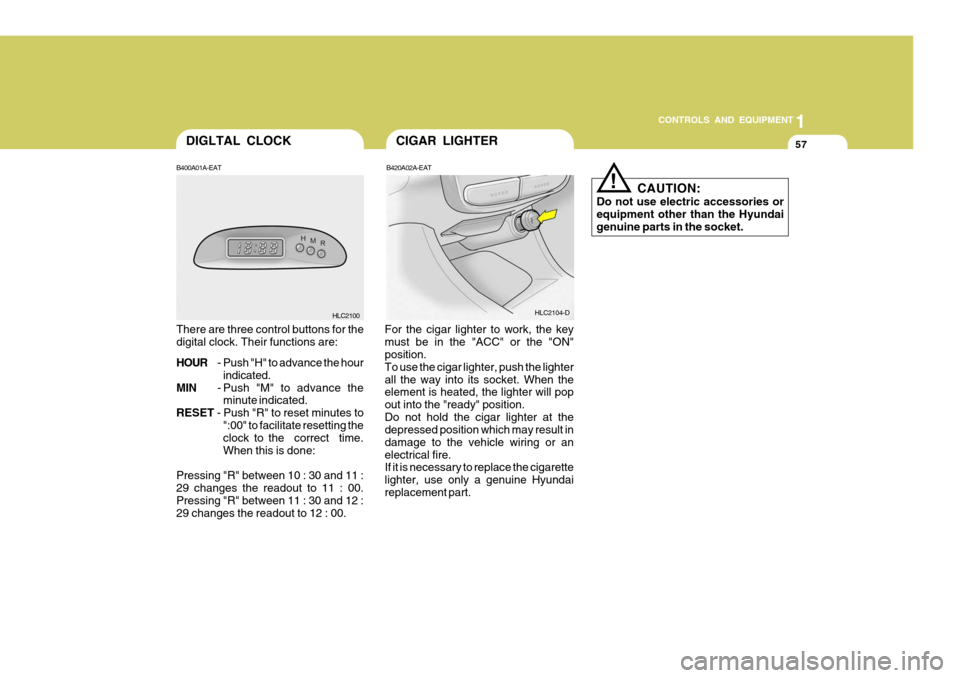
CIGAR LIGHTER
!
CAUTION:
Do not use electric accessories or equipment other than the Hyundaigenuine parts in the socket.
B420A02A-EAT
For the cigar lighter to work, the keymust be in the "ACC" or the "ON" position. To use the cigar lighter, push the lighterall the way into its socket. When the element is heated, the lighter will pop out into the "ready" position.Do not hold the cigar lighter at the depressed position which may result in damage to the vehicle wiring or anelectrical fire. If it is necessary to replace the cigarette lighter, use only a genuine Hyundaireplacement part.
B400A01A-EAT
HLC2100
There are three control buttons for thedigital clock. Their functions are: HOUR - Push "H" to advance the hour
indicated.
MIN - Push "M" to advance the
minute indicated.
RESET - Push "R" to reset minutes to
":00" to facilitate resetting the clock to the correct time. When this is done:
Pressing "R" between 10 : 30 and 11 :29 changes the readout to 11 : 00.Pressing "R" between 11 : 30 and 12 : 29 changes the readout to 12 : 00. HLC2104-D
DIGLTAL CLOCK