low beam Hyundai Accent 2006 User Guide
[x] Cancel search | Manufacturer: HYUNDAI, Model Year: 2006, Model line: Accent, Model: Hyundai Accent 2006Pages: 599, PDF Size: 17.59 MB
Page 344 of 599
1FEATURES OF YOUR HYUNDAI
62
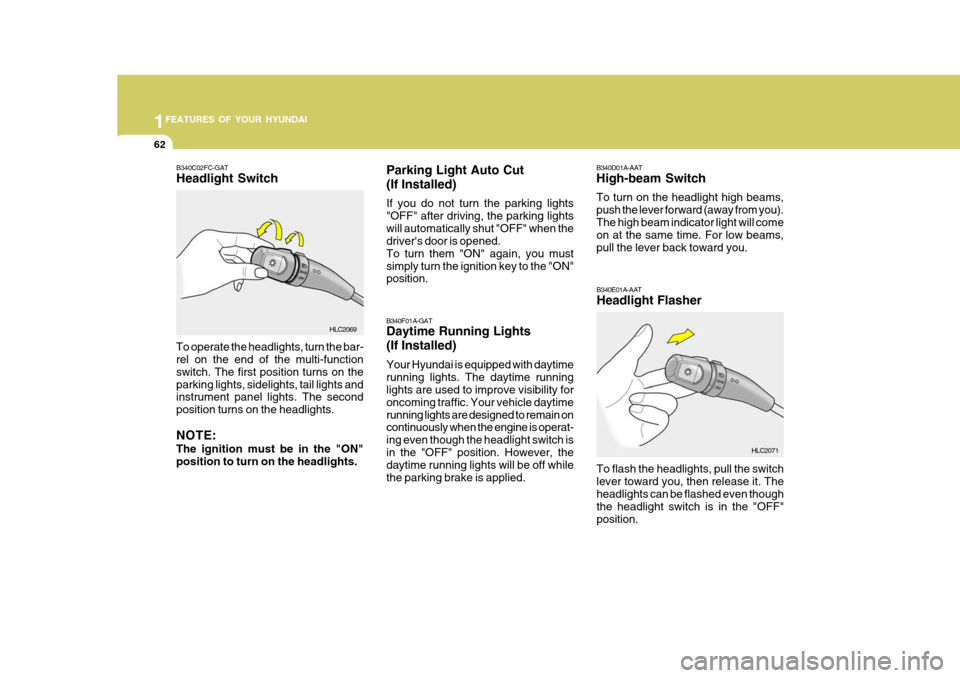
B340E01A-AAT Headlight Flasher To flash the headlights, pull the switch lever toward you, then release it. Theheadlights can be flashed even though the headlight switch is in the "OFF" position.
HLC2071
B340D01A-AAT High-beam Switch To turn on the headlight high beams, push the lever forward (away from you).The high beam indicator light will come on at the same time. For low beams, pull the lever back toward you.
B340F01A-GAT Daytime Running Lights (If Installed) Your Hyundai is equipped with daytime running lights. The daytime running lights are used to improve visibility for oncoming traffic. Your vehicle daytimerunning lights are designed to remain on continuously when the engine is operat- ing even though the headlight switch isin the "OFF" position. However, the daytime running lights will be off while the parking brake is applied.
Parking Light Auto Cut (If Installed) If you do not turn the parking lights "OFF" after driving, the parking lightswill automatically shut "OFF" when the driver's door is opened. To turn them "ON" again, you mustsimply turn the ignition key to the "ON" position.
B340C02FC-GAT Headlight Switch
To operate the headlights, turn the bar- rel on the end of the multi-function switch. The first position turns on theparking lights, sidelights, tail lights and instrument panel lights. The second position turns on the headlights. NOTE: The ignition must be in the "ON" position to turn on the headlights.
HLC2069
Page 347 of 599
1
FEATURES OF YOUR HYUNDAI
65HEADLIGHT WASHER SWITCHHEADLIGHT LEVELING DE- VICE SYSTEM
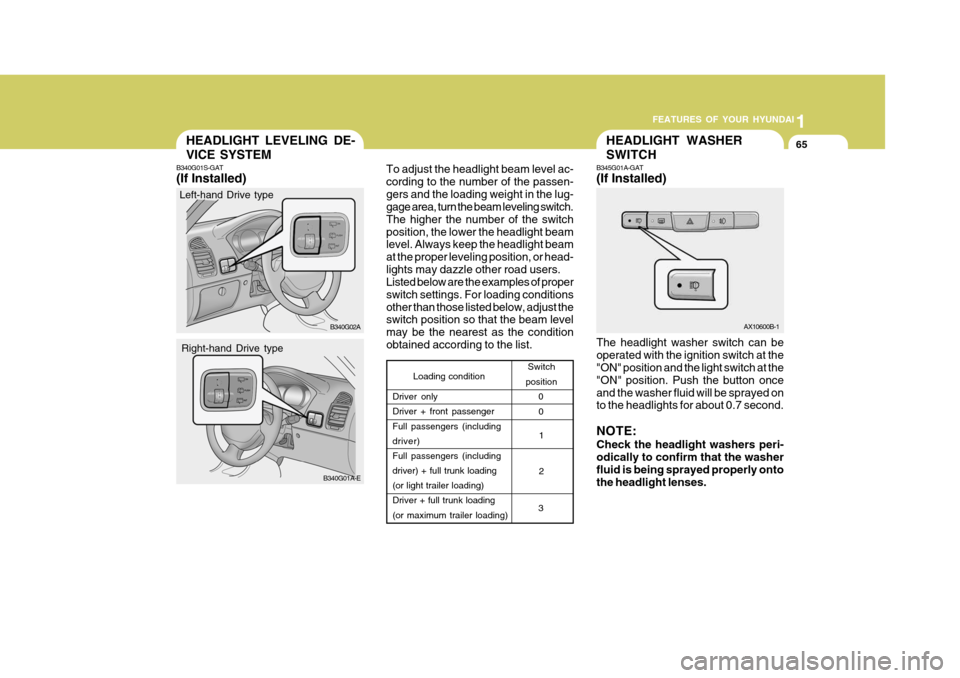
B345G01A-GAT (If Installed) The headlight washer switch can be operated with the ignition switch at the "ON" position and the light switch at the
"ON" position. Push the button onceand the washer fluid will be sprayed on to the headlights for about 0.7 second. NOTE: Check the headlight washers peri- odically to confirm that the washer fluid is being sprayed properly ontothe headlight lenses.AX10600B-1
Loading condition
Switch
position
Driver only Driver + front passenger Full passengers (including driver)Full passengers (including driver) + full trunk loading (or light trailer loading)Driver + full trunk loading (or maximum trailer loading) 0
1 2
3 0
B340G01S-GAT (If Installed)
To adjust the headlight beam level ac- cording to the number of the passen-gers and the loading weight in the lug- gage area, turn the beam leveling switch. The higher the number of the switchposition, the lower the headlight beam level. Always keep the headlight beam at the proper leveling position, or head-lights may dazzle other road users. Listed below are the examples of proper switch settings. For loading conditionsother than those listed below, adjust the switch position so that the beam level may be the nearest as the conditionobtained according to the list.
B340G02A
B340G01A-E
Left-hand Drive type
Right-hand Drive type
Page 355 of 599
1
FEATURES OF YOUR HYUNDAI
73
!
B460D01A-AAT To Install the Sunroof
1. Insert the flat hinges into the cut-
outs. Then supporting the sunroof with your hands, slowly lower it.
2. Make sure both of the flat hinges are securely inserted into their cutouts.
3. Depress the handles of the base plate and insert into the holes. B460E01A-AAT Storing the Sunroof and the Sun- shade There is a storage bag in the trunk. Place the sunroof or sunshade into thestorage bag and store it in the trunk.
CAUTION:
o Be careful not to place heavy ob- jects on the bag, otherwise thesunshade or sunroof may be de- formed or broken.
o When storing the sunroof and sun- shade into the storage bag, put thesunshade on top of the sunroof.
!
WARNING:
o Never install or remove the sunroof while driving.
o Never put your hands between the sunroof and the car's body.
o Do not drive the vehicle without being certain that the sunroof is securely locked in place.
INTERIOR LIGHT
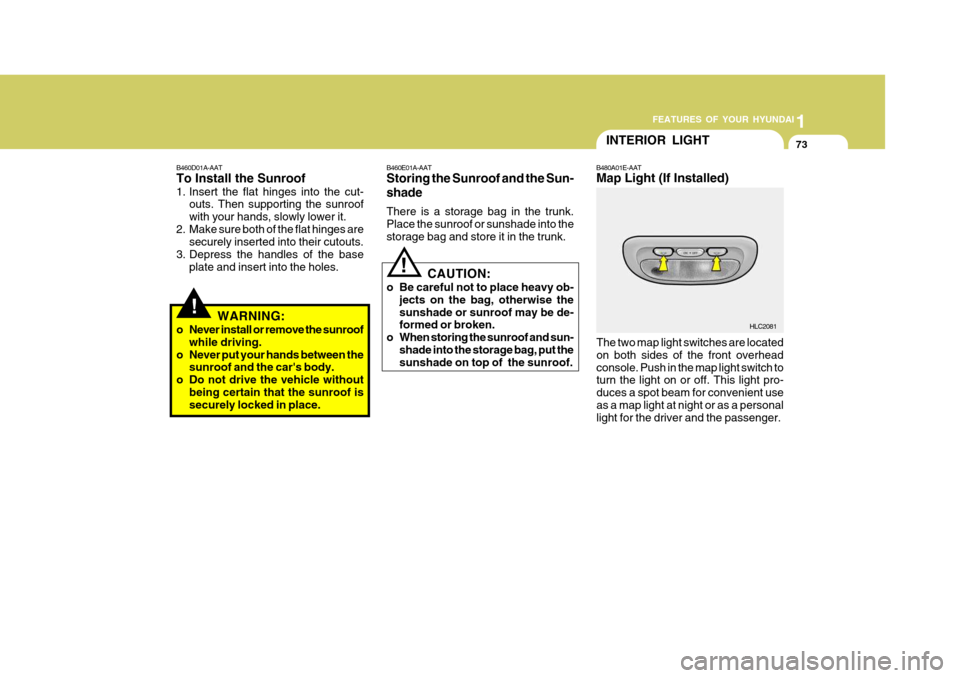
B480A01E-AAT Map Light (If Installed)
The two map light switches are located on both sides of the front overheadconsole. Push in the map light switch to turn the light on or off. This light pro- duces a spot beam for convenient useas a map light at night or as a personal light for the driver and the passenger.
HLC2081
Page 407 of 599

YOUR VEHICLE AT A GLANCE
B255A01A-EAT INDICATOR SYMBOLS ON THE INSTRUMENT PANEL * More detailed explanations of these items will be found begining on page 1-40.Turn Signal Indicator Lights
SRS (Airbag) Service Reminder Indicator O/D OFF Indicator Light (Automatic transaxle only) High Beam Indicator Light
Low Oil Pressure Warning Light
ABS Service Reminder Indicator (Not all models)
Door Ajar Warning Light
Parking Brake/Low Brake Fluid Level Warning Light Charging System Warning Light
Fuel Filter Warning Light (Diesel only)
Low Fuel Level Warning Light Diesel Pre-heat Indicator Light (Diesel only)
Malfunction Indicator Light
Immobilizer Indicator
Page 446 of 599

39
1
CONTROLS AND EQUIPMENT
1. Tachometer
2. Turn Signal Indicator Light
3. Speedometer
4. Odometer/Trip Odometer /Trip Computer (Not all models)
5. Fuel Gauge
6. Temperature Gauge
7. SRS (Airbag) Warning Light
8. ABS Warning Light (Not all models)
9. Immobilizer Warning Indicator Light 10. Overdrive Off Indicator Light (Automatic Transaxle only)
11. High Beam Indicator Light
12. Door Ajar Warning Light
13. Parking Brake/Low Brake Fluid Level Warning Light
14. Charging System Warning Light
15. Low Oil Pressure Warning Light
16. Trip Odometer Reset Switch/
Trip Computer Reset Switch (Not all models)
17. Low Fuel Warning Light
18. Malfunction Indicator Light (MIL)
Page 448 of 599

41
1
CONTROLS AND EQUIPMENT
1. Tachometer
2. Turn Signal Indicator Light
3. Speedometer
4. Odometer/Trip Odometer /Trip Computer (Not all models)
5. Fuel Gauge
6. Temperature Gauge
7. SRS (Airbag) Warning Light
8. ABS Warning Light (Not all models)
9. Immobilizer Warning Indicator Light
10. High Beam Indicator Light 11. Door Ajar Warning Light
12. Parking Brake/Low Brake Fluid Level Warning Light
13. Charging System Warning Light
14. Trip Odometer Reset Switch/
Trip Computer Reset Switch (Not all models)
15. Low Oil Pressure Warning Light
16. Fuel Filter Warning Light
17. Low Fuel Warning Light
18. Diesel Pre-heat Indicator Light
19. Malfunction Indicator Light (MIL)
Page 450 of 599
43
1
CONTROLS AND EQUIPMENT
!
SB210J1-E
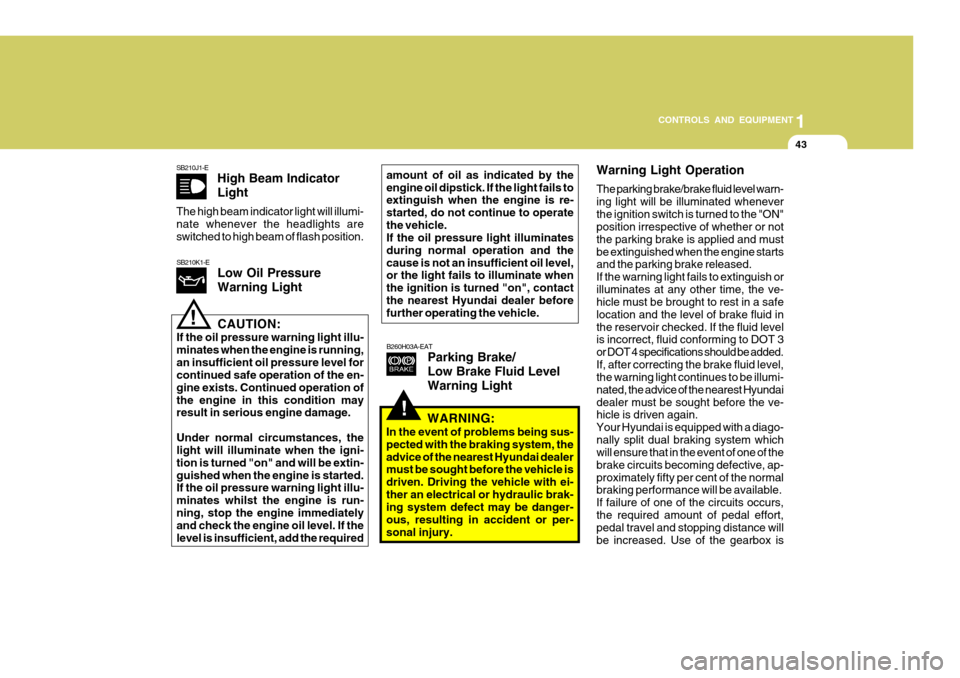
High Beam Indicator Light
The high beam indicator light will illumi- nate whenever the headlights areswitched to high beam of flash position.
B260H03A-EATParking Brake/ Low Brake Fluid LevelWarning Light
SB210K1-ELow Oil Pressure Warning Light
!CAUTION:
If the oil pressure warning light illu- minates when the engine is running,an insufficient oil pressure level for continued safe operation of the en- gine exists. Continued operation ofthe engine in this condition may result in serious engine damage. Under normal circumstances, the light will illuminate when the igni- tion is turned "on" and will be extin-guished when the engine is started. If the oil pressure warning light illu- minates whilst the engine is run-ning, stop the engine immediately and check the engine oil level. If the level is insufficient, add the required amount of oil as indicated by theengine oil dipstick. If the light fails to extinguish when the engine is re- started, do not continue to operatethe vehicle. If the oil pressure light illuminates during normal operation and thecause is not an insufficient oil level, or the light fails to illuminate when the ignition is turned "on", contactthe nearest Hyundai dealer before further operating the vehicle.
Warning Light Operation The parking brake/brake fluid level warn- ing light will be illuminated wheneverthe ignition switch is turned to the "ON" position irrespective of whether or not the parking brake is applied and mustbe extinguished when the engine starts and the parking brake released. If the warning light fails to extinguish orilluminates at any other time, the ve- hicle must be brought to rest in a safe location and the level of brake fluid inthe reservoir checked. If the fluid level is incorrect, fluid conforming to DOT 3 or DOT 4 specifications should be added.If, after correcting the brake fluid level, the warning light continues to be illumi- nated, the advice of the nearest Hyundaidealer must be sought before the ve- hicle is driven again. Your Hyundai is equipped with a diago-nally split dual braking system which will ensure that in the event of one of the brake circuits becoming defective, ap-proximately fifty per cent of the normal braking performance will be available. If failure of one of the circuits occurs,the required amount of pedal effort, pedal travel and stopping distance will be increased. Use of the gearbox is
WARNING:
In the event of problems being sus-pected with the braking system, theadvice of the nearest Hyundai dealer must be sought before the vehicle is driven. Driving the vehicle with ei-ther an electrical or hydraulic brak- ing system defect may be danger- ous, resulting in accident or per-sonal injury.
Page 459 of 599
1CONTROLS AND EQUIPMENT
52WINDSCREEN WIPER/ WASHER SWITCH
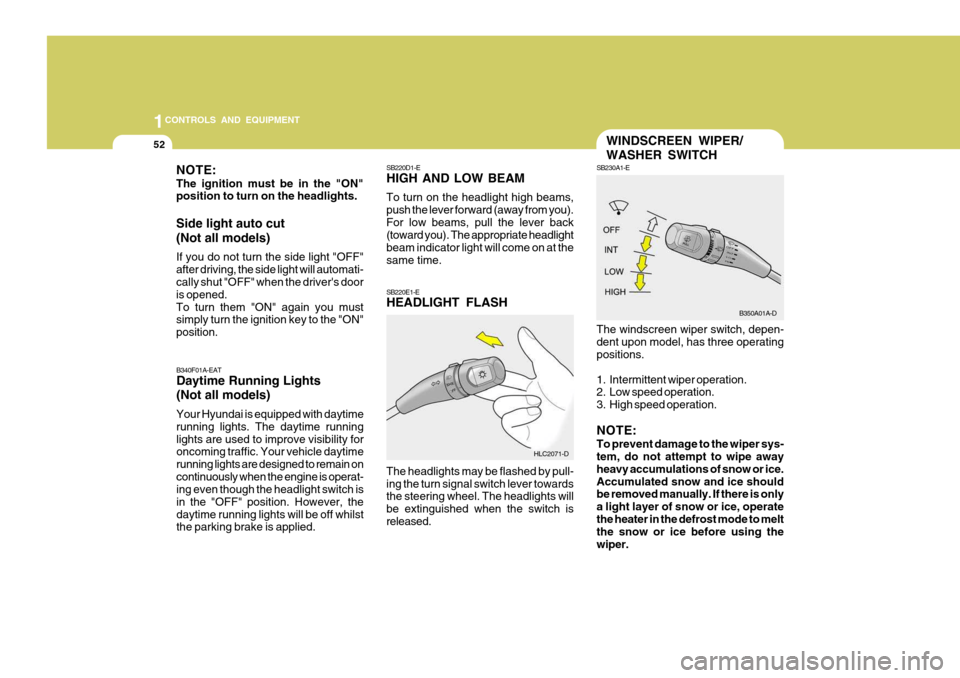
SB230A1-E The windscreen wiper switch, depen- dent upon model, has three operating positions.
1. Intermittent wiper operation.
2. Low speed operation.
3. High speed operation. NOTE: To prevent damage to the wiper sys- tem, do not attempt to wipe away heavy accumulations of snow or ice.Accumulated snow and ice should be removed manually. If there is only a light layer of snow or ice, operatethe heater in the defrost mode to melt the snow or ice before using the wiper.
NOTE: The ignition must be in the "ON" position to turn on the headlights. Side light auto cut (Not all models) If you do not turn the side light "OFF" after driving, the side light will automati- cally shut "OFF" when the driver's door is opened.To turn them "ON" again you must simply turn the ignition key to the "ON" position.
SB220D1-E HIGH AND LOW BEAM To turn on the headlight high beams, push the lever forward (away from you).For low beams, pull the lever back (toward you). The appropriate headlight beam indicator light will come on at thesame time. SB220E1-E HEADLIGHT FLASH The headlights may be flashed by pull- ing the turn signal switch lever towards the steering wheel. The headlights will be extinguished when the switch isreleased.
B340F01A-EAT Daytime Running Lights (Not all models) Your Hyundai is equipped with daytime running lights. The daytime runninglights are used to improve visibility for oncoming traffic. Your vehicle daytime running lights are designed to remain oncontinuously when the engine is operat- ing even though the headlight switch is in the "OFF" position. However, thedaytime running lights will be off whilst the parking brake is applied.
HLC2071-DB350A01A-D
Page 461 of 599
1CONTROLS AND EQUIPMENT
54
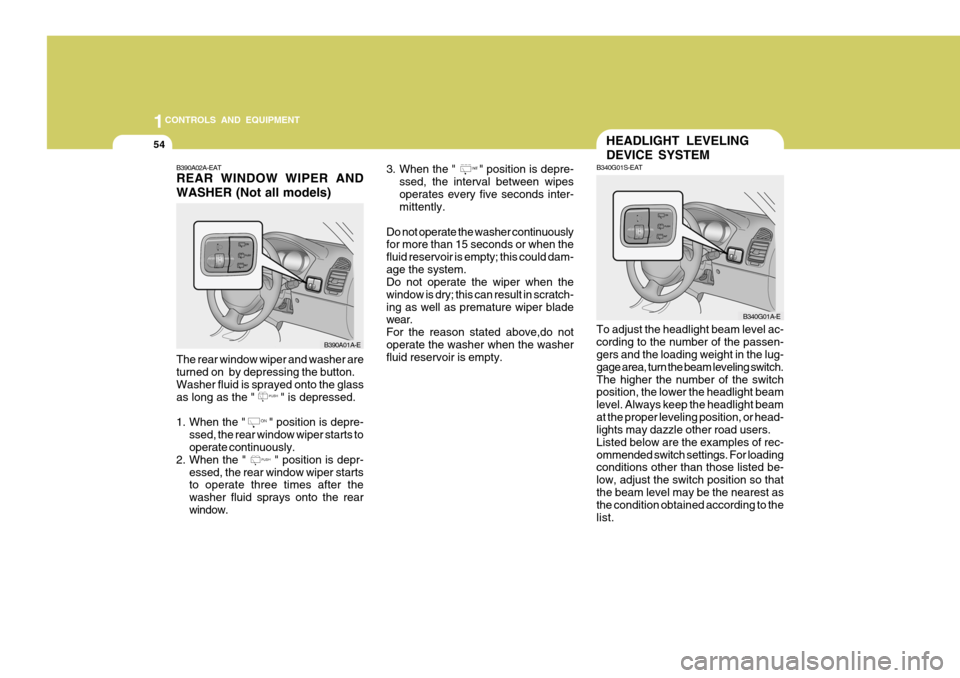
3. When the " " position is depre-
ssed, the interval between wipes operates every five seconds inter- mittently.
Do not operate the washer continuouslyfor more than 15 seconds or when the fluid reservoir is empty; this could dam-age the system. Do not operate the wiper when the window is dry; this can result in scratch-ing as well as premature wiper blade wear. For the reason stated above,do notoperate the washer when the washer fluid reservoir is empty.B390A02A-EAT REAR WINDOW WIPER AND WASHER (Not all models)
B390A01A-E
The rear window wiper and washer are turned on by depressing the button. Washer fluid is sprayed onto the glass
as long as the " " is depressed.
1. When the " " position is depre- ssed, the rear window wiper starts to operate continuously.
2. When the " " position is depr- essed, the rear window wiper startsto operate three times after the washer fluid sprays onto the rearwindow.
HEADLIGHT LEVELING DEVICE SYSTEM
B340G01S-EAT
To adjust the headlight beam level ac- cording to the number of the passen- gers and the loading weight in the lug- gage area, turn the beam leveling switch.The higher the number of the switch position, the lower the headlight beam level. Always keep the headlight beamat the proper leveling position, or head- lights may dazzle other road users. Listed below are the examples of rec-ommended switch settings. For loading conditions other than those listed be- low, adjust the switch position so thatthe beam level may be the nearest as the condition obtained according to the list. B340G01A-E
Page 469 of 599
1CONTROLS AND EQUIPMENT
62INTERIOR LIGHT
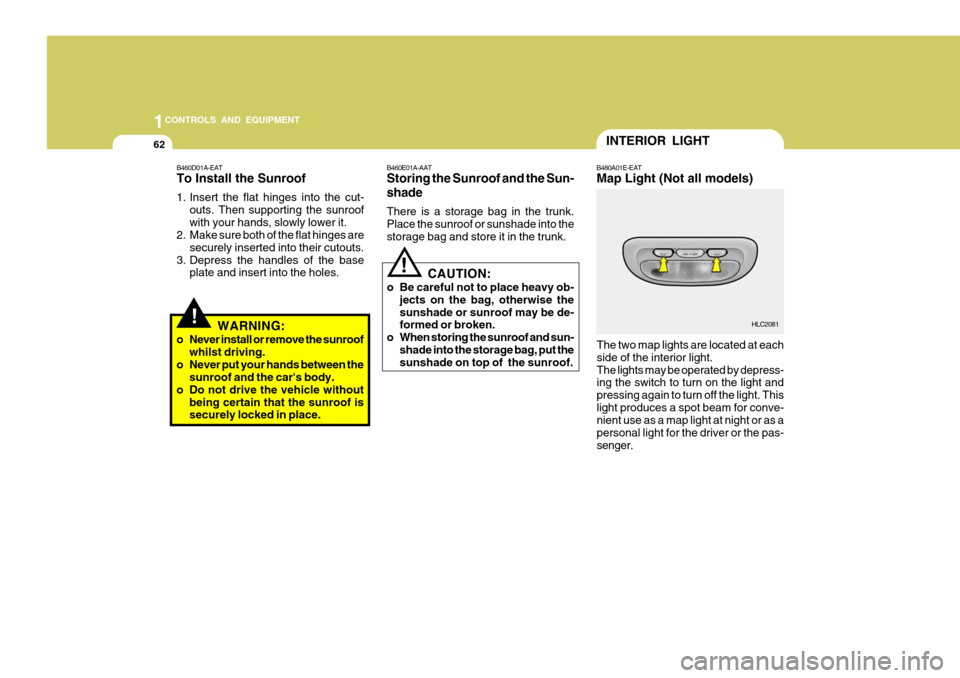
B480A01E-EAT Map Light (Not all models)
The two map lights are located at each side of the interior light.The lights may be operated by depress- ing the switch to turn on the light and pressing again to turn off the light. Thislight produces a spot beam for conve- nient use as a map light at night or as a personal light for the driver or the pas-senger. HLC2081
!
B460D01A-EAT To Install the Sunroof
1. Insert the flat hinges into the cut-
outs. Then supporting the sunroof with your hands, slowly lower it.
2. Make sure both of the flat hinges are
securely inserted into their cutouts.
3. Depress the handles of the base plate and insert into the holes. B460E01A-AAT Storing the Sunroof and the Sun- shade There is a storage bag in the trunk. Place the sunroof or sunshade into thestorage bag and store it in the trunk.
CAUTION:
o Be careful not to place heavy ob- jects on the bag, otherwise thesunshade or sunroof may be de- formed or broken.
o When storing the sunroof and sun- shade into the storage bag, put thesunshade on top of the sunroof.
!
WARNING:
o Never install or remove the sunroof whilst driving.
o Never put your hands between the sunroof and the car's body.
o Do not drive the vehicle without being certain that the sunroof is securely locked in place.