audio Hyundai Accent 2006 Owner's Guide
[x] Cancel search | Manufacturer: HYUNDAI, Model Year: 2006, Model line: Accent, Model: Hyundai Accent 2006Pages: 599, PDF Size: 17.59 MB
Page 378 of 599
1FEATURES OF YOUR HYUNDAI
96AUDIO SYSTEM
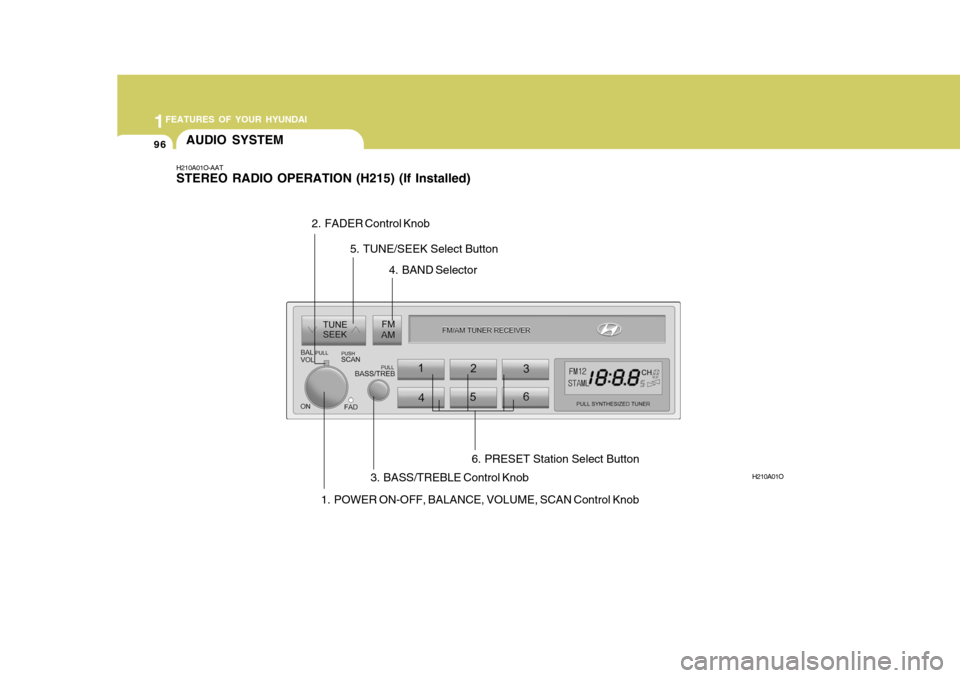
1. POWER ON-OFF, BALANCE, VOLUME, SCAN Control Knob
H210A01O-AAT STEREO RADIO OPERATION (H215) (If Installed)
H210A01O
2. FADER Control Knob
3. BASS/TREBLE Control Knob4. BAND Selector
5. TUNE/SEEK Select Button
6. PRESET Station Select Button
Page 380 of 599
1FEATURES OF YOUR HYUNDAI
98
HOW TO PRESET STATIONS Six AM and twelve FM stations may be programmed into the memory of theradio. Then, by simply pressing the band select button and/or one of the six station select buttons, you may recallany of these stations instantly. To pro- gram the stations, follow these steps:
o Press band selector to set the bandfor AM, FM1, and FM2.
o Select the desired station to be stored by seek, scan or manual tuning.
o Determine the preset station select
button you wish to use to access that station.
o Press the station select button for
more than two seconds. A selectbutton indicator will show in the dis- play indicating which select button you have depressed. You shouldthen release the button, and proceed to program the next desired station. A total of 18 stations can be pro-grammed by selecting one AM and two FM stations per button.
o When completed, any preset station may be recalled by selecting AM,FM1 or FM2 band and the appropri- ate station button. CAUTION:
o Do not place beverages close to the audio system. The audio sys- tem mechanism may be damaged if you spill them.
o Do not impact on the audio sys- tem, or the audio system mecha-nism could be damaged.
!
Page 383 of 599
1
FEATURES OF YOUR HYUNDAI
101
HOW TO PRESET STATIONS Six AM and twelve FM stations may be programmed into the memory of theradio. Then, by simply pressing the band select button and/or one of the six station select buttons, you may recallany of these stations instantly. To pro- gram the stations, follow these steps:
o Press band selector to set the band for AM, FM1, and FM2.
o Select the desired station to be stored by seek, scan or manual tuning.
o Determine the preset station select
button you wish to use to access that station.
o Press the station select button for
more than two seconds. A selectbutton indicator will show in the dis- play indicating which select button you have depressed. You shouldthen release the button, and proceed to program the next desired station. A total of 18 stations can be pro-grammed by selecting one AM and two FM stations per button.
o When completed, any preset station may be recalled by selecting AM,FM1 or FM2 band and the appropri- ate station button.
! CAUTION:
o Do not place beverages close to the audio system. The audio sys- tem mechanism may be damagedif you spill them.
o Do not impact on the audio sys-
tem, or the audio system mecha-nism could be damaged.
Page 385 of 599
1
FEATURES OF YOUR HYUNDAI
103
B200D02E-BAT
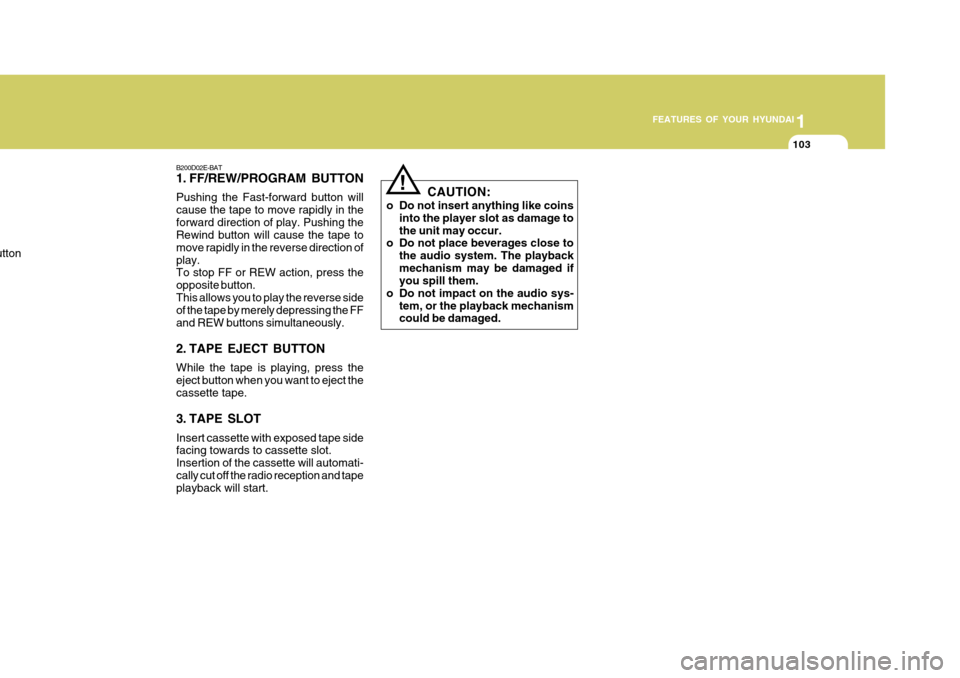
1. FF/REW/PROGRAM BUTTON Pushing the Fast-forward button will cause the tape to move rapidly in theforward direction of play. Pushing the Rewind button will cause the tape to move rapidly in the reverse direction ofplay. To stop FF or REW action, press the opposite button.This allows you to play the reverse side of the tape by merely depressing the FF and REW buttons simultaneously.
2. TAPE EJECT BUTTON While the tape is playing, press the eject button when you want to eject the cassette tape.
3. TAPE SLOT Insert cassette with exposed tape side facing towards to cassette slot. Insertion of the cassette will automati-cally cut off the radio reception and tape playback will start.
u
tton
!
CAUTION:
o Do not insert anything like coins into the player slot as damage to the unit may occur.
o Do not place beverages close to
the audio system. The playbackmechanism may be damaged if you spill them.
o Do not impact on the audio sys- tem, or the playback mechanismcould be damaged.
Page 388 of 599
1FEATURES OF YOUR HYUNDAI
106
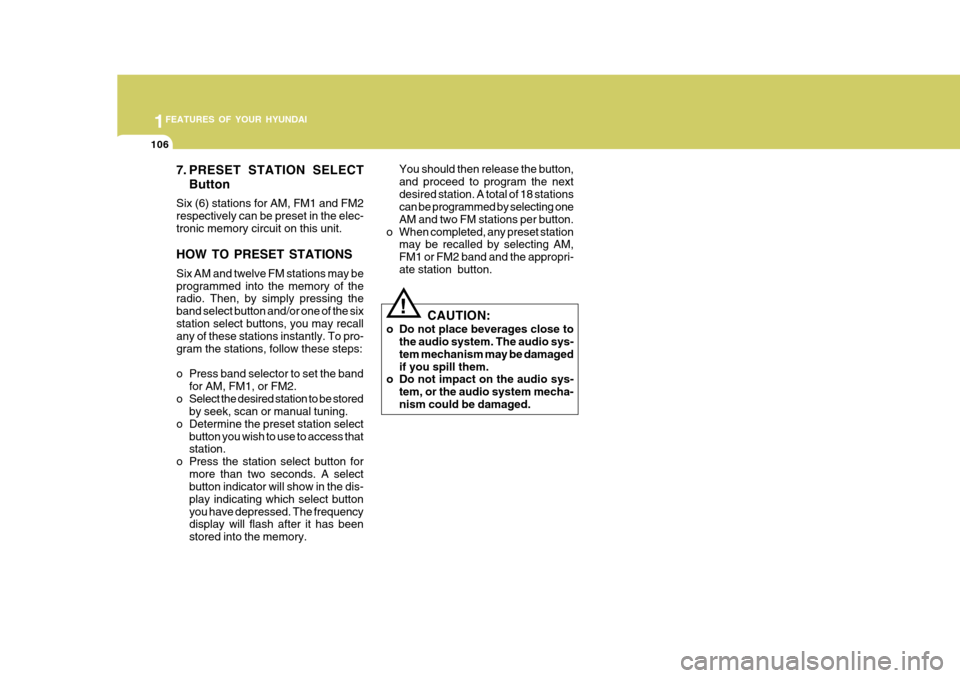
7. PRESET STATION SELECTButton
Six (6) stations for AM, FM1 and FM2 respectively can be preset in the elec-tronic memory circuit on this unit. HOW TO PRESET STATIONS Six AM and twelve FM stations may be programmed into the memory of the radio. Then, by simply pressing the band select button and/or one of the sixstation select buttons, you may recall any of these stations instantly. To pro- gram the stations, follow these steps:
o Press band selector to set the band for AM, FM1, or FM2.
o Select the desired station to be stored by seek, scan or manual tuning.
o Determine the preset station select button you wish to use to access that station.
o Press the station select button for more than two seconds. A selectbutton indicator will show in the dis- play indicating which select buttonyou have depressed. The frequency display will flash after it has been stored into the memory. You should then release the button,and proceed to program the nextdesired station. A total of 18 stations can be programmed by selecting one AM and two FM stations per button.
o When completed, any preset station may be recalled by selecting AM,FM1 or FM2 band and the appropri-ate station button.
! CAUTION:
o Do not place beverages close to the audio system. The audio sys- tem mechanism may be damagedif you spill them.
o Do not impact on the audio sys-
tem, or the audio system mecha-nism could be damaged.
Page 390 of 599
1FEATURES OF YOUR HYUNDAI
108
B260D04O-AAT
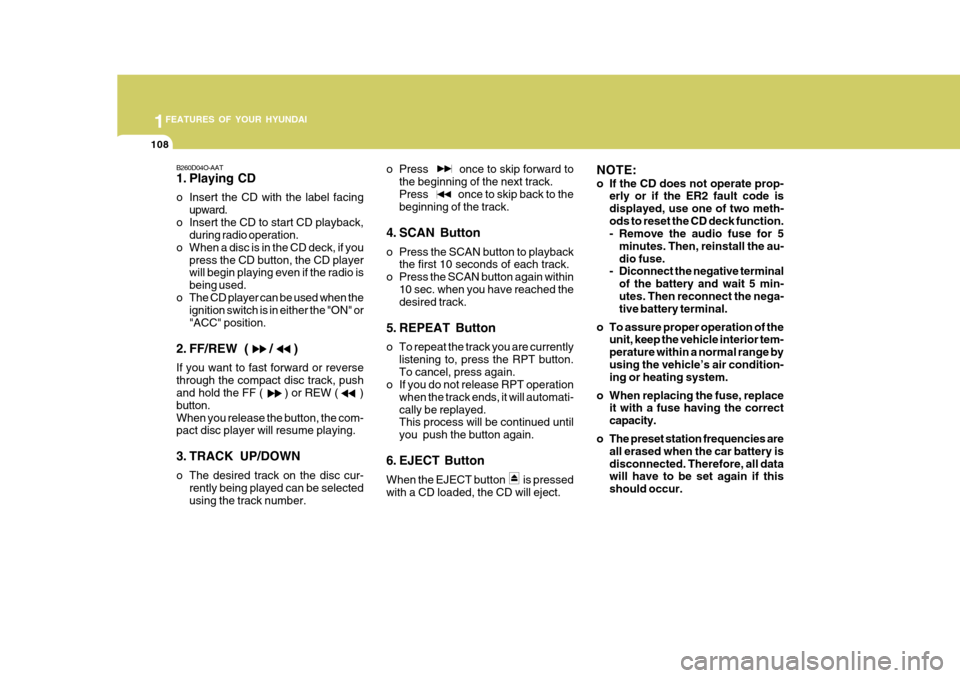
1. Playing CD
o Insert the CD with the label facingupward.
o Insert the CD to start CD playback, during radio operation.
o When a disc is in the CD deck, if you press the CD button, the CD player will begin playing even if the radio is being used.
o The CD player can be used when the ignition switch is in either the "ON" or"ACC" position.
2. FF/REW ( / ) If you want to fast forward or reverse through the compact disc track, push and hold the FF ( ) or REW ( ) button.When you release the button, the com- pact disc player will resume playing.
3. TRACK UP/DOWN
o The desired track on the disc cur- rently being played can be selected using the track number. o Press once to skip forward to
the beginning of the next track.Press once to skip back to the beginning of the track.
4. SCAN Button
o Press the SCAN button to playback the first 10 seconds of each track.
o Press the SCAN button again within 10 sec. when you have reached the desired track.
5. REPEAT Button
o To repeat the track you are currently listening to, press the RPT button. To cancel, press again.
o If you do not release RPT operation
when the track ends, it will automati-cally be replayed. This process will be continued until you push the button again.
6. EJECT Button When the EJECT button is pressed with a CD loaded, the CD will eject. NOTE:
o If the CD does not operate prop-
erly or if the ER2 fault code is displayed, use one of two meth-ods to reset the CD deck function.
- Remove the audio fuse for 5
minutes. Then, reinstall the au- dio fuse.
- Diconnect the negative terminal
of the battery and wait 5 min-utes. Then reconnect the nega- tive battery terminal.
o To assure proper operation of the unit, keep the vehicle interior tem- perature within a normal range byusing the vehicle’s air condition- ing or heating system.
o When replacing the fuse, replace it with a fuse having the correct capacity.
o The preset station frequencies are all erased when the car battery isdisconnected. Therefore, all data will have to be set again if this should occur.
Page 391 of 599
1
FEATURES OF YOUR HYUNDAI
109
o Do not add any oil to the rotating parts. Keep magnets, screwdriv- ers and other metallic objects away from the tape mechanism and head.
o This equipment is designed to be
used only in a 12 volt DC batterysystem with negative ground.
o This unit is made of precision parts. Do not attempt to disas-semble or adjust any parts.
o When driving your vehicle, be sure to keep the volume of the unit setlow enough to allow you to hear sounds coming from the outside.
o Do not expose this equipment (in- cluding the speakers) to water orexcessive moisture. CAUTION:
o Do not insert warped or poor qual- ity discs into the CD player as damage to the unit may occur.
o Do not insert anything like coins
into the player slot as damage tothe unit may occur.
o Do not place beverages close to the audio system. The playbackmechanism may be damaged if you spill them.
o Do not impact on the audio sys- tem, or the playback mechanismcould be damaged.
o Driving on the off-roads or other vibrations may skip your compactdisc.Do not use the audio system on off-roads as the discs could be scratched and damaged.
o Do not grip or pull out the disc with your hand while the disc isbeing pulled into the unit by theself loading mechanism. These can cause poor disc scratching to occur or trouble in the compactdisc player.
! o Avoid using CD-Recordable or CD-
Rewritable as the player could not be operated in recording way of the CD maker. When using the compact disc player, genuine CDsare recommended.
Page 392 of 599
1FEATURES OF YOUR HYUNDAI
110
INDICATIONEr2 Er3
Er6
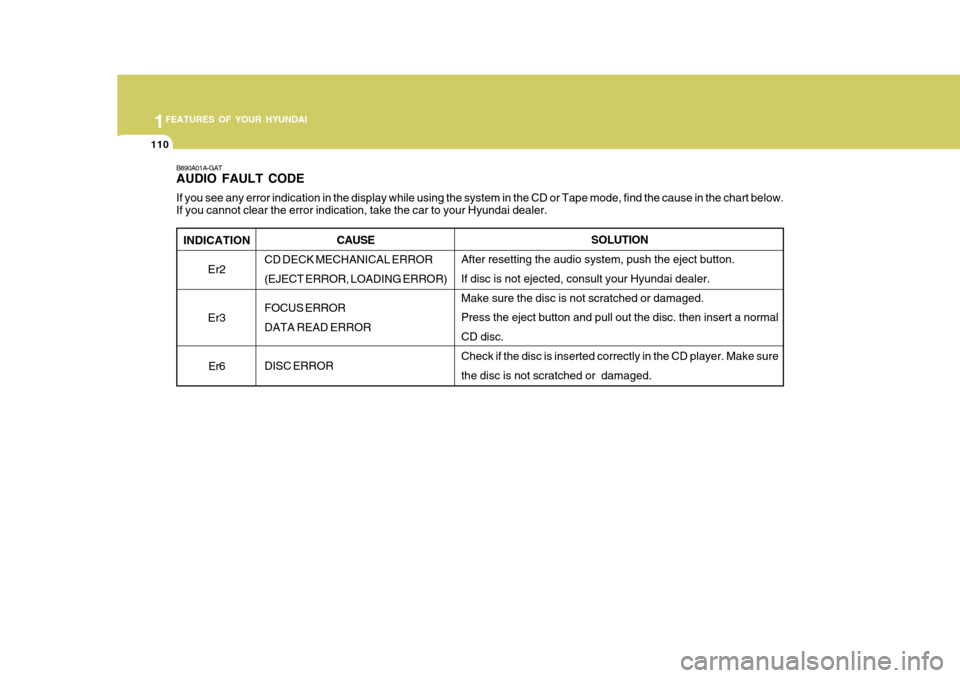
B890A01A-GAT AUDIO FAULT CODE If you see any error indication in the display while using the system in the CD or Tape mode, find the cause in the chart below .
If you cannot clear the error indication, take the car to your Hyundai dealer.
SOLUTION
After resetting the audio system, push the eject button. If disc is not ejected, consult your Hyundai dealer.Make sure the disc is not scratched or damaged. Press the eject button and pull out the disc. then insert a normal CD disc. Check if the disc is inserted correctly in the CD player. Make sure the disc is not scratched or damaged.
CAUSE
CD DECK MECHANICAL ERROR(EJECT ERROR, LOADING ERROR) FOCUS ERROR DATA READ ERROR DISC ERROR
Page 394 of 599
1FEATURES OF YOUR HYUNDAI
112
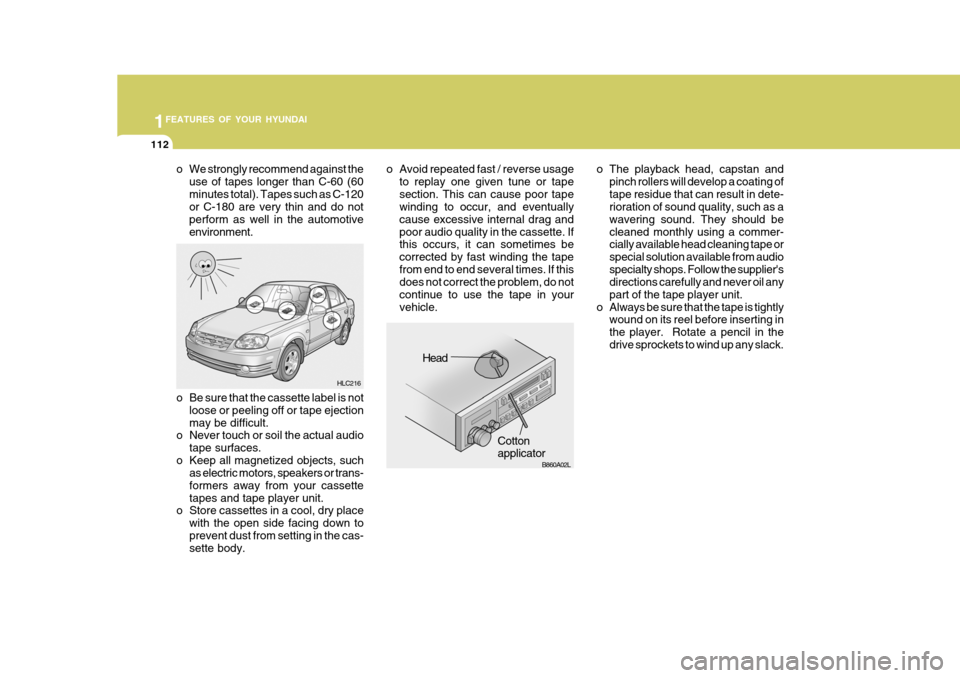
o The playback head, capstan andpinch rollers will develop a coating of tape residue that can result in dete- rioration of sound quality, such as a wavering sound. They should becleaned monthly using a commer- cially available head cleaning tape or special solution available from audiospecialty shops. Follow the supplier's directions carefully and never oil any part of the tape player unit.
o Always be sure that the tape is tightly wound on its reel before inserting inthe player. Rotate a pencil in thedrive sprockets to wind up any slack.
o Be sure that the cassette label is not loose or peeling off or tape ejectionmay be difficult.
o Never touch or soil the actual audio
tape surfaces.
o Keep all magnetized objects, such as electric motors, speakers or trans-formers away from your cassettetapes and tape player unit.
o Store cassettes in a cool, dry place
with the open side facing down toprevent dust from setting in the cas- sette body.
o We strongly recommend against the
use of tapes longer than C-60 (60 minutes total). Tapes such as C-120 or C-180 are very thin and do not perform as well in the automotiveenvironment. o Avoid repeated fast / reverse usage
to replay one given tune or tapesection. This can cause poor tape winding to occur, and eventually cause excessive internal drag andpoor audio quality in the cassette. If this occurs, it can sometimes be corrected by fast winding the tapefrom end to end several times. If this does not correct the problem, do not continue to use the tape in yourvehicle.
HLC216
Head
Cotton applicator
HLC216
B860A02L
Page 488 of 599
81
1
CONTROLS AND EQUIPMENT
STEREO SOUND SYSTEM
Ionosphere
B750A02L
AM reception
Mountains
Buildings Unobstructed
area
FM radio station
B750A03L
Ionosphere
FM reception
B750A01L Obstructed area
Iron bridges
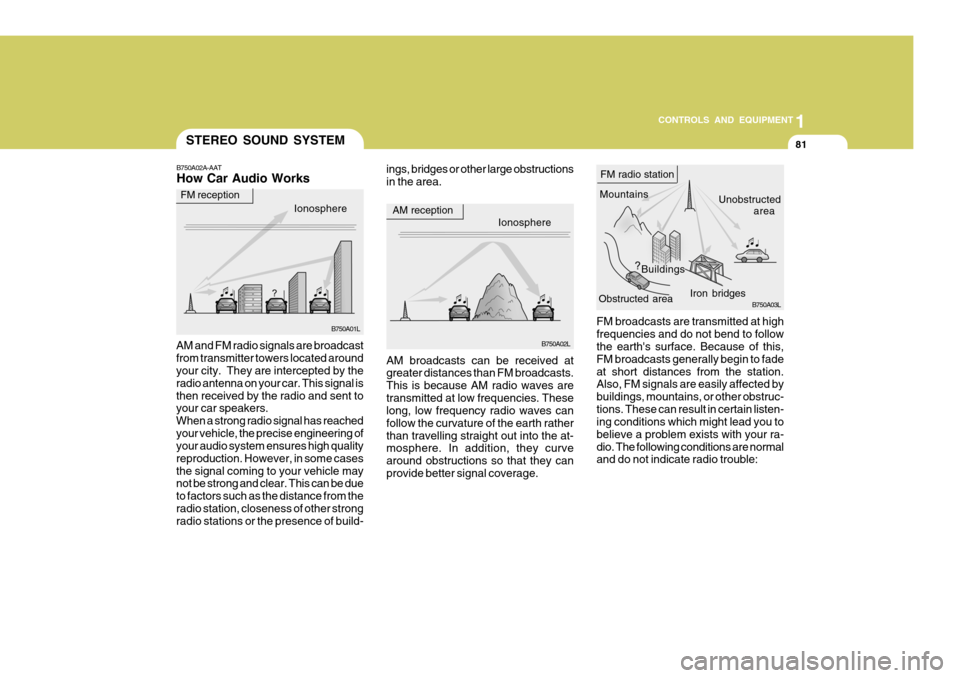
FM broadcasts are transmitted at high frequencies and do not bend to follow the earth's surface. Because of this, FM broadcasts generally begin to fadeat short distances from the station. Also, FM signals are easily affected by buildings, mountains, or other obstruc-tions. These can result in certain listen- ing conditions which might lead you to believe a problem exists with your ra-dio. The following conditions are normal and do not indicate radio trouble:
AM broadcasts can be received atgreater distances than FM broadcasts. This is because AM radio waves aretransmitted at low frequencies. These long, low frequency radio waves can follow the curvature of the earth ratherthan travelling straight out into the at- mosphere. In addition, they curve around obstructions so that they canprovide better signal coverage.
B750A02A-AAT How Car Audio Works
AM and FM radio signals are broadcast from transmitter towers located around your city. They are intercepted by the radio antenna on your car. This signal isthen received by the radio and sent to your car speakers. When a strong radio signal has reachedyour vehicle, the precise engineering of your audio system ensures high quality reproduction. However, in some casesthe signal coming to your vehicle may not be strong and clear. This can be due to factors such as the distance from theradio station, closeness of other strong radio stations or the presence of build- ings, bridges or other large obstructions in the area.