ESP Hyundai Accent 2007 User Guide
[x] Cancel search | Manufacturer: HYUNDAI, Model Year: 2007, Model line: Accent, Model: Hyundai Accent 2007Pages: 282, PDF Size: 10.55 MB
Page 100 of 282
1FEATURES OF YOUR HYUNDAI
88
!
CAUTION:
o Do not operate the switch continu- ously for an unnecessary length of time.
o Scraping ice from the mirror face could cause permanent damage.To remove any ice, use a sponge, soft cloth or approved de-icer.
WARNING:
Be careful when judging the size ordistance of any object seen in thepassenger side rear view mirror. It is a convex mirror with a curved sur- face. Any objects seen in this mirrorare closer than they appear.!
To adjust the position of either mirror:
1. Move the selecting switch to the
right or left to activate the adjustable mechanism for the corresponding door mirror.
2. Adjust mirror angle by depressing
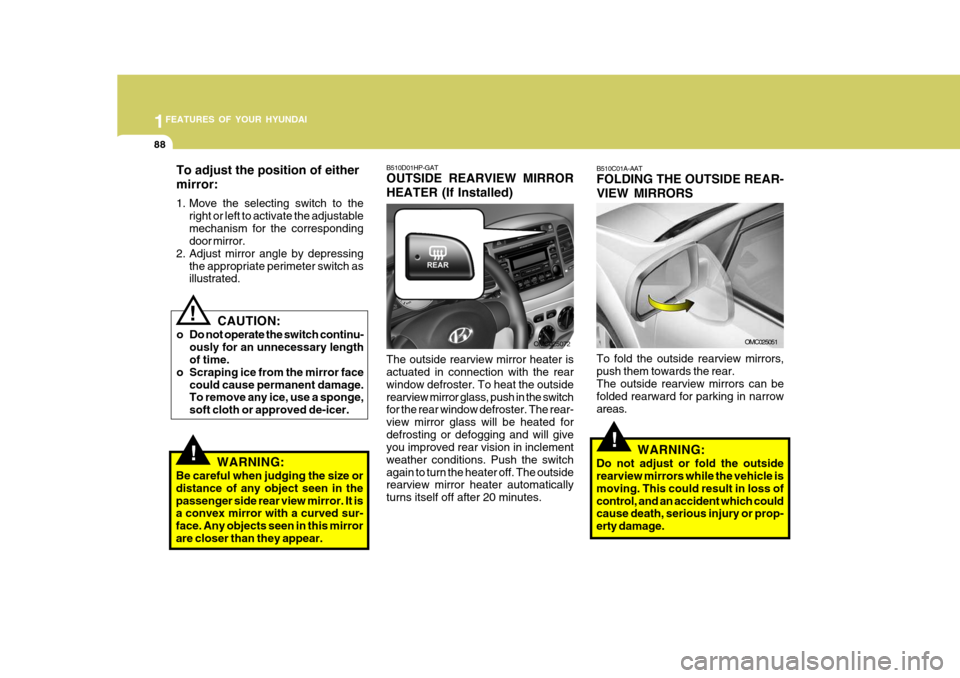
the appropriate perimeter switch asillustrated. B510D01HP-GAT OUTSIDE REARVIEW MIRROR HEATER (If Installed) The outside rearview mirror heater is actuated in connection with the rear window defroster. To heat the outsiderearview mirror glass, push in the switch for the rear window defroster. The rear- view mirror glass will be heated fordefrosting or defogging and will give you improved rear vision in inclement weather conditions. Push the switchagain to turn the heater off. The outside rearview mirror heater automatically turns itself off after 20 minutes.
OMC025072
!
B510C01A-AAT FOLDING THE OUTSIDE REAR- VIEW MIRRORS To fold the outside rearview mirrors, push them towards the rear.The outside rearview mirrors can be folded rearward for parking in narrow areas.
WARNING:
Do not adjust or fold the outside rearview mirrors while the vehicle is moving. This could result in loss ofcontrol, and an accident which could cause death, serious injury or prop- erty damage.
OMC025051
Page 105 of 282
1
FEATURES OF YOUR HYUNDAI
93
If you must re-enter the vehicle, you should once again elimi- nate potentially dangerous staticelectricity discharge by touch- ing a metal part of the vehicle, away from the fuel filler neck,nozzle or other gasoline source.
- When using a portable fuel con-
tainer be sure to place the con-tainer on the ground prior to refueling. Static electricity dis- charge from the container canignite fuel vapors causing a fire. Once refueling has begun, con- tact with the vehicle should bemaintained until the filling is complete. Use only portable fuel containers designed to carry andstore gasoline.
- Do not use cellular phones
around a gas station or whilerefueling any vehicle. Electric current and/or electronic inter- ference from cellular phones canpotentially ignite fuel vapors causing a fire. If you must use your cellular phone use it in aplace away from the gas station.o Automotive fuels are flammable/ explosive materials. When refuel- ing, please note the followingguidelines carefully. Failure to follow these guidelines may re- sult in severe personal injury, se-vere burns or death by fire or explosion.
- Before refueling always note the
location of the Emergency Gaso- line Shut-Off, if available, at the gas station facility.
- Before touching the fuel nozzle or fuel filler cap, you shouldeliminate potentially dangerousstatic electricity discharge by touching another metal part of the front of the vehicle, a safedistance away from the fuel filler neck, nozzle, or other gas source.
- Do not get back into a vehicle once you have begun refueling.Do not touch, rub or slide againstany item or fabric (polyester, satin, nylon, etc.) capable of pro- ducing static electricity. Staticelectricity discharge can ignite fuel vapors resulting in explo- sion.- When refueling always shut theengine off. Sparks produced by electrical components related tothe engine can ignite fuel va- pors causing a fire. Always in- sure that the engine is OFF be-fore and during refueling. Once refueling is complete, check to make sure the fuel filler cap anddoor are securely closed, before starting the engine.
- Do not light any fire around a gas station. DO NOT use matchesor a lighter and DO NOT SMOKE or leave a lit cigarette in yourvehicle while at a gas station especially during refueling. Au- tomotive fuel is highly flammableand can, when ignited, result in explosion by flames.
- If a fire breaks out during refuel- ing, leave the vicinity of the ve-hicle, and immediately contact the manager of the gas stationor contact the police and local fire department. Follow any safety instructions they provide.
Page 132 of 282
1FEATURES OF YOUR HYUNDAI
120
5. Best Station Memory (BSM)Button
When the BSM button is pressed, the six channels from the highest field in-tensity are selected next and stored in memory. The stations selected are stored in the sequence of frequencyfrom the first preset key.
6. PRESET STATION Select Buttons
Six stations for AM(MW, LW), FM1 and FM2 respectively can be preset in the electronic memory circuit. HOW TO PRESET STATIONS Six AM(MW, LW) and twelve FM sta- tions may be programmed into thememory of the radio. Then, by simply pressing the AM(MW, LW) / FM select button and/or one of the six stationselect buttons, you may recall any of these stations instantly. To program the stations, follow these steps: o Press AM(MW, LW)/FM selector to
set the band for AM(MW, LW), FM1and FM2.
o Select the desired station to be stored
by seek or manual tuning.
o Determine the preset station select button you wish to use to access thatstation.
o Press the station select button for more than two seconds. A selectbutton indicator will show in the dis-play indicating which select button you have depressed. The frequency display will flash after it has beenstored into the memory. You should then release the button, and proceed to program the next desired station.A total of 24 stations can be pro- grammed by selecting one AM(MW, LW) and two FM station per button.
o When completed, any preset station may be recalled by selecting AM(MW,LW), FM1 or FM2 band and theappropriate station button.
! CAUTION:
o Do not place beverages close to the audio system. The audio sys- tem mechanism may be damaged if you spill them.
o Do not strike or allow anything to impact the audio system, damageto the system mechanisms could occur.
Page 137 of 282
1
FEATURES OF YOUR HYUNDAI
125
1
FEATURES OF YOUR HYUNDAI
125
1
FEATURES OF YOUR HYUNDAI
125
1
FEATURES OF YOUR HYUNDAI
125
4. AUTO SEEK Select Button (Automatic Channel Selection)
Press the AUTO SEEK select button. When the side is pressed, the unitwill automatically tune to the next higher frequency and when the side is pressed, it will automatically tune to thenext lower frequency.
5. Best Station Memory (BSM) Button
When the BSM button is pressed, the six channels from the highest field intensity are selected next and stored in memory. The stations selected arestored in the sequence frequency from the first preset key. 6. EQ Button Press the EQ button to select the CLASSIC, POPS, ROCK, JAZZ and OFF MODE for the desired tone qual-ity. Each press of the button changes the display as follows; 7. PRESET STATION Select
Buttons
Six stations for AM(MW, LW), FM1 and FM2 respectively can be preset in theelectronic memory circuit. HOW TO PRESET STATIONS Six AM(MW, LW) and twelve FM sta- tions may be programmed into the memory of the radio. Then, by simply pressing the AM(MW, LW) / FM selectbuttons and/or one of the six station select buttons, you may recall any of these stations instantly. To programthe stations, follow these steps:
o Press AM(MW, LW)/FM selector to set the band for AM(MW, LW), FM1 and FM2.
o Select the desired station to be stored by seek or manual tuning.
o Determine the preset station select
button you wish to use to access that station. o Press the station select button for
more than two seconds. A selectbutton indicator will show in the dis- play indicating which select button you have depressed. The frequencydisplay will flash after it has been stored into the memory. You should then release the button, and proceedto program the next desired station. A total of 24 stations can be pro- grammed by selecting one AM(MW,LW) and two FM station per button.
o When completed, any preset station
may be recalled by selecting AM(MW,LW), FM1 or FM2 band and the appropriate station button.
! CAUTION:
o Do not place beverages close to the audio system. The audio sys- tem mechanism may be damagedif you spill them.
o Do not strike or allow anything to
impact the audio system, damageto the system mechanisms could occur.
CLASSIC POPS ROCK JAZZ DEFEAT
Page 143 of 282
1
FEATURES OF YOUR HYUNDAI
131
1
FEATURES OF YOUR HYUNDAI
131
1
FEATURES OF YOUR HYUNDAI
131
1
FEATURES OF YOUR HYUNDAI
131
5. EQ Button Press the EQ button to select the CLAS- SIC, POPS, ROCK, JAZZ and OFFMODE for the desired tone quality. Each press of the button changes the display as follows;
6. AUTO SEEK Select Button (Automatic Channel Selection)
Press the AUTO SEEK select button. When the side is pressed, the unit will automatically tune to the next higherfrequency and when the side is pressed, it will automatically tune to the next lower frequency. 7. TUNE (Manual) Select Knob Rotate the knob clockwise to increase the frequency and turn the knob coun- terclockwise to reduce the frequency.
8. PRESET STATION Select But- tons
Six stations for AM(MW, LW), FM1 and FM2 respectively can be preset in theelectronic memory circuit. HOW TO PRESET STATIONS Six AM(MW, LW) and twelve FM sta- tions may be programmed into thememory of the radio. Then, by simply pressing the band select button and/or one of the six station select buttons,you may recall any of these stations instantly. To program the stations, fol- low these steps:
o Press AM(MW, LW)/FM selector to
set the band for AM(MW, LW), FM1 and FM2.
o Select the desired station to be stored
by seek or manual tuning.
o Determine the preset station select button you wish to use to access thatstation.
o Press the station select button for more than two seconds. Beep soundwill be heard while depressing thebutton. You should then release the button, and proceed to program the next desired station. A total of 24stations can be programmed by se- lecting one AM(MW, LW) and two FM station per button. o When completed, any preset station
may be recalled by selecting AM(MW,LW), FM1 or FM2 band and the appropriate station button.
! CAUTION:
o Do not place beverages close to the audio system. The playback mechanism may be damaged if you spill them.
o Do not strike or allow anything to impact the audio system, damageto the system mechanisms couldoccur.CLASSIC POPS ROCK JAZZ DEFEAT
Page 153 of 282
1
FEATURES OF YOUR HYUNDAI
141
1
FEATURES OF YOUR HYUNDAI
141
1
FEATURES OF YOUR HYUNDAI
141
1
FEATURES OF YOUR HYUNDAI
141
5. Best Station Memory (BSM) Button
When the BSM button is pressed, the six channels from the highest field in-tensity are selected next and stored in memory. The stations selected are stored in the sequence frequency fromthe first preset key. 6. EQ Button Press the EQ button to select the CLAS- SIC, POPS, ROCK, JAZZ and OFF MODE for the desired tone quality. Each press of the button changes thedisplay as follows;
7. PRESET STATION Select Buttons
Six stations for AM(MW, LW), FM1 and FM2 respectively can be preset in theelectronic memory circuit. HOW TO PRESET STATIONS Six AM(MW, LW) and twelve FM sta- tions may be programmed into thememory of the radio. Then, by simply pressing the AM(MW, LW) / FM select button and/or one of the six stationselect buttons, you may recall any of these stations instantly. To program the stations, follow these steps:
o Press AM(MW, LW)/FM selector to
set the band for AM(MW, LW), FM1 and FM2.
o Select the desired station to be stored
by seek or manual tuning.
o Determine the preset station select button you wish to use to accessthat station.
o Press the station select button for more than two seconds. A selectbutton indicator will show in the dis-play indicating which select button you have depressed. The frequency display will flash after it has beenstored into the memory. You should then release the button, and proceed to program the next desired station.A total of 24 stations can be pro- grammed by selecting one AM(MW, LW) and two FM station per button. o When completed, any preset station
may be recalled by selecting AM(MW, LW), FM1 or FM2 band and the appropriate station button.
! CAUTION:
o Do not place beverages close to the audio system. The audio sys- tem mechanism may be damagedif you spill them.
o Do not strike or allow anything to
impact the audio system, damageto the system mechanisms could occur.
CLASSIC POPS ROCK JAZZ DEFEAT
Page 164 of 282
2
Engine Exhaust can be Dangerous! ............................. 2-2
Before Starting the Engine ............................................ 2-3
Key Position ................................................................. 2-4Starting ......................................................................... 2-5
Operating the Manual Transaxle .................................. 2-7
Automatic Transaxle ..................................................... 2-9Anti-lock Brake System (ABS) .................................... 2-13
Electronic Stability Program (ESP) ..............................2-14
Back Warning System ................................................. 2-15
Good Braking Practices .............................................. 2-17
Driving for Economy .................................................... 2-18
Smooth Cornering ........................................................ 2-20
Winter Driving .............................................................. 2-20
Trailer or Vehicle Towing ............................................. 2-23
DRIVING YOUR HYUNDAI
2
Page 168 of 282
2
DRIVING YOUR HYUNDAI
5
2
DRIVING YOUR HYUNDAI
5
!WARNING:
Never run the engine in a closed or poorly ventilated area any longer than is needed to move your car in or out of the area. The carbon mon-oxide gas emitted is odorless and can cause serious injury or death.
C050A01E C051A01O-GAT STARTING FOR THE DIESEL ENGINE ENGINE COLD
o Turn the ignition key to position
"ON" and wait for the pre-heat indi- cator light to go out.
o Operate the starter until the engine
runs.
ENGINE WARM Operate the starter. If the engine does not respond on the first attempt, wait several seconds and try again usingthe pre-heat.
STARTING
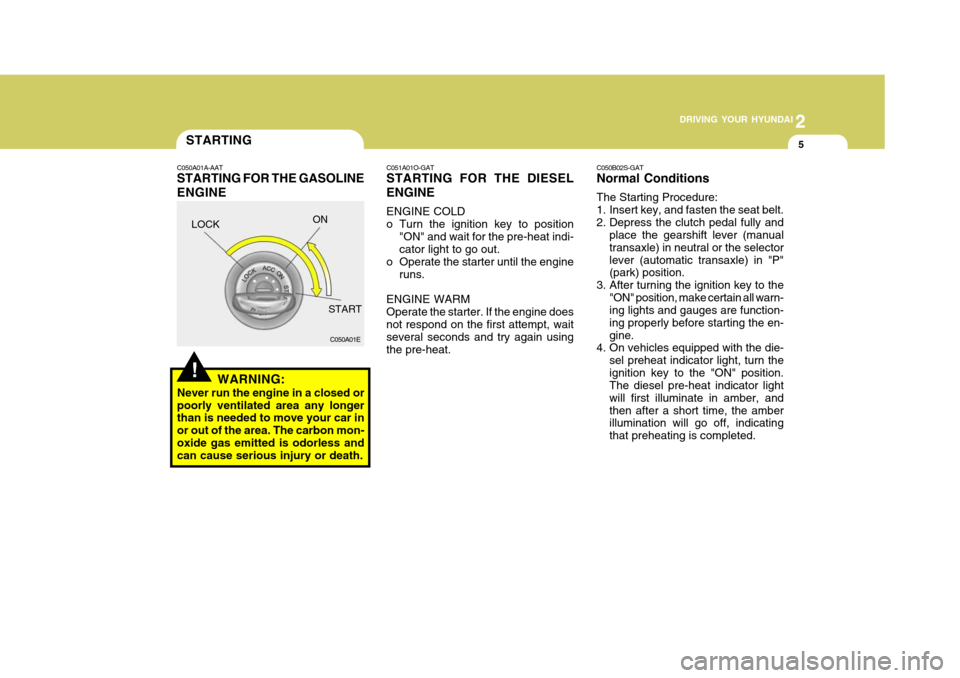
C050A01A-AAT STARTING FOR THE GASOLINE ENGINE C050B02S-GAT Normal Conditions The Starting Procedure:
1. Insert key, and fasten the seat belt.
2. Depress the clutch pedal fully and
place the gearshift lever (manualtransaxle) in neutral or the selectorlever (automatic transaxle) in "P" (park) position.
3. After turning the ignition key to the "ON" position, make certain all warn-ing lights and gauges are function- ing properly before starting the en-gine.
4. On vehicles equipped with the die-
sel preheat indicator light, turn theignition key to the "ON" position. The diesel pre-heat indicator light will first illuminate in amber, andthen after a short time, the amber illumination will go off, indicating that preheating is completed.
LOCK
ON
START
Page 171 of 282
2 DRIVING YOUR HYUNDAI
8
C070D02O-AAT Good Driving Practices
o Never take the car out of gear andcoast down a hill. This is extremely hazardous. Always leave the car in gear.
o Don't "ride" the brakes. This can cause them to overheat and mal-function. Instead, when you are driv- ing down a long hill, slow down andshift to a lower gear. When you do this, engine braking will help slow the car.
o Slow down before shifting to a lower gear. This will help avoid over-rev-ving the engine, which can causedamage.
o Slow down when you encounter cross
winds. This gives you much bettercontrol of your car.
o Be sure the car is completely stopped
before you attempt to shift into re-verse. The transaxle can be dam- aged if you do not. To shift into reverse, depress the clutch, movethe shift lever to neutral, wait three seconds, then shift to the reverse position.
o Exercise extreme caution when driv- ing on a slippery surface. Be espe-
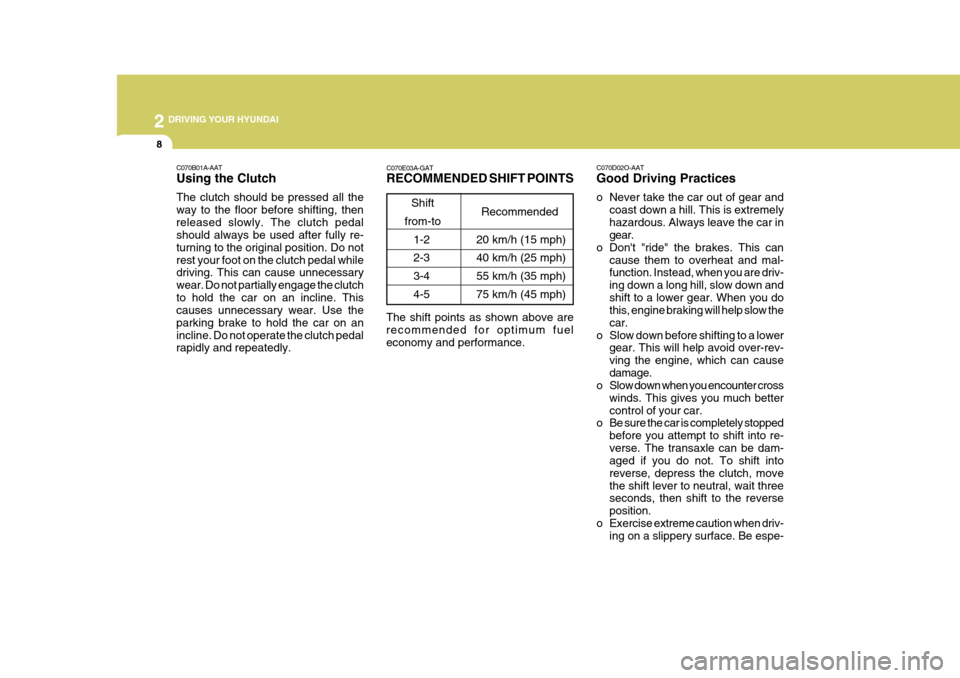
C070E03A-GAT RECOMMENDED SHIFT POINTS
Shift
from-to Recommended
The shift points as shown above are recommended for optimum fuel economy and performance. 20 km/h (15 mph) 40 km/h (25 mph)55 km/h (35 mph) 75 km/h (45 mph)
1-2 2-33-4 4-5
C070B01A-AAT Using the Clutch The clutch should be pressed all the way to the floor before shifting, thenreleased slowly. The clutch pedal should always be used after fully re- turning to the original position. Do notrest your foot on the clutch pedal while driving. This can cause unnecessary wear. Do not partially engage the clutchto hold the car on an incline. This causes unnecessary wear. Use the parking brake to hold the car on anincline. Do not operate the clutch pedal rapidly and repeatedly.
Page 175 of 282
2 DRIVING YOUR HYUNDAI
12
!WARNING:
o Avoid high cornering speeds.
o Do not make quick steering wheel movements, such as sharp lanechanges or fast, sharp turns.
o Exercise extreme caution when driv-
ing on a slippery surface. Be espe-cially careful when braking, acceler- ating or shifting gears. On a slippery surface, an abrupt change in ve-hicle speed can cause the drive wheels to lose traction and the ve- hicle to go out of control.
o Optimum vehicle performance and economy is obtained by smoothlydepressing and releasing the accel-erator pedal.
o Turn the overdrive switch on for good
fuel economy and smooth driving. Ifengine braking is needed in the "D" range or if repeated upshifting and downshifting between 3rd and 4thgear is needed when climbing a gentle slope, it is recommended that the overdrive switch be turned off. Turnthe overdrive switch back on imme- diately afterward.
C090N05A-AAT Good Driving Practices
o Never move the gear selector lever
from "P" or "N" to any other position with the accelerator pedal de- pressed.
o Never move the gear selector lever into "P" when the vehicle is in mo-tion.
o Be sure the car is completely stopped before you attempt to shift into "R".
o Never take the car out of gear and
coast down a hill. This may be ex- tremely hazardous. Always leave the car in gear when moving.
o Do not "ride" the brakes. This can cause them to overheat and mal-function. Instead, when you are driv- ing down a long hill, slow down andshift to a lower gear. When you do this, engine braking will help slow the car.
o Slow down before shifting to a lower gear. Otherwise, the lower gear maynot be engaged.
o Always use the parking brake. Do not depend on placing the transaxlein "P" to keep the car from moving. o Always wear your seat belts.
In a collision crash, an unbeltedperson is significantly more likelyto die than a person wearing a seatbelt.
o The risk of rollover is greatly in- creased if you lose control ofyour vehicle at highway speeds.
o Loss of control often occurs if two or more wheels drop off theroadway and the driver oversteers to reenter the roadway.
o In the event your vehicle leaves the roadway, do not steer sharply.Instead, slow down before pull- ing back into the travel lanes.
o Never exceed posted speed limits.
o If your vehicle becomes stuck in snow, mud, sand, etc., then youmay attempt to rock the vehiclefree by moving it forward and back- ward. Do not attempt this proce- dure if people or objects are any-where near the vehicle. During the rocking operation the vehicle may suddenly move forward of back-ward as it becomes unstuck, caus- ing injury or damage to nearby people or objects.