head lights Hyundai Accent 2007 User Guide
[x] Cancel search | Manufacturer: HYUNDAI, Model Year: 2007, Model line: Accent, Model: Hyundai Accent 2007Pages: 282, PDF Size: 10.55 MB
Page 189 of 282

2 DRIVING YOUR HYUNDAI
26
13. Avoid holding the brake pedal downtoo long or too frequently. This could cause the brakes to over- heat, resulting in reduced braking efficiency.
14. When going down a hill, shift into a lower gear and use the engine brak-ing effect.When ascending a long grade, downshift the transaxle to a lower gear and reduce speed to reducechances of engine overloading and/ or overheating.
15. If you have to stop while going uphill, do not hold the vehicle inplace by pressing on the accelera- tor. This can cause the automatictransaxle to overheat. Use the park- ing brake or footbrake.
NOTE: When towing check transaxle fluid more frequently.
When being passed by a large ve-hicle, keep a constant speed andsteer straight ahead. If there is too much wind buffeting, slow down to get out of the other vehicle's airturbulence.
8. When parking your car and trailer,
especially on a hill, be sure to fol-low all the normal precautions. Turn your front wheel into the curb, set the parking brake firmly, and putthe transaxle in 1st or Reverse (manual) or Park (automatic). In addition, place wheel chocks ateach of the trailer's tires.
9. If the trailer has electric brakes,
start your vehicle and trailer mov-ing, and then apply the trailer brake controller by hand to be sure the brakes are working. This lets youcheck your electrical connection at the same time.
10. During your trip, check occasion- ally to be sure that the load issecure, and that the lights and any trailer brakes are still working.
11. Avoid jerky starts, sudden accel- eration or sudden stops.
12. Avoid sharp turns and rapid lane changes. CAUTION:
If overheating should occur whentowing, (temperature gauge readsnear red zone), taking the following action may reduce or eliminate the problem.
!
1. Turn off the air conditioner.
2. Reduce highway speed.
3. Select a lower gear when going uphill.
4. While in stop and go traffic, place the gear selector in park or neu- tral and idle the engine at a higherspeed.
Page 245 of 282
6 DO-IT-YOURSELF MAINTENANCE
22
!
CHECKING THE BATTERY
G210A01A-AAT
WARNING:
Batteries can be dangerous! When working with batteries, carefully ob-serve the following precautions to avoid serious injuries. The fluid in the battery contains a strong solution of sulfuric acid, which is poi- sonous and highly corrosive. Be careful not to spill it on yourself or the car. If youdo spill battery fluid on yourself, imme- diately do the following:
OMC055018
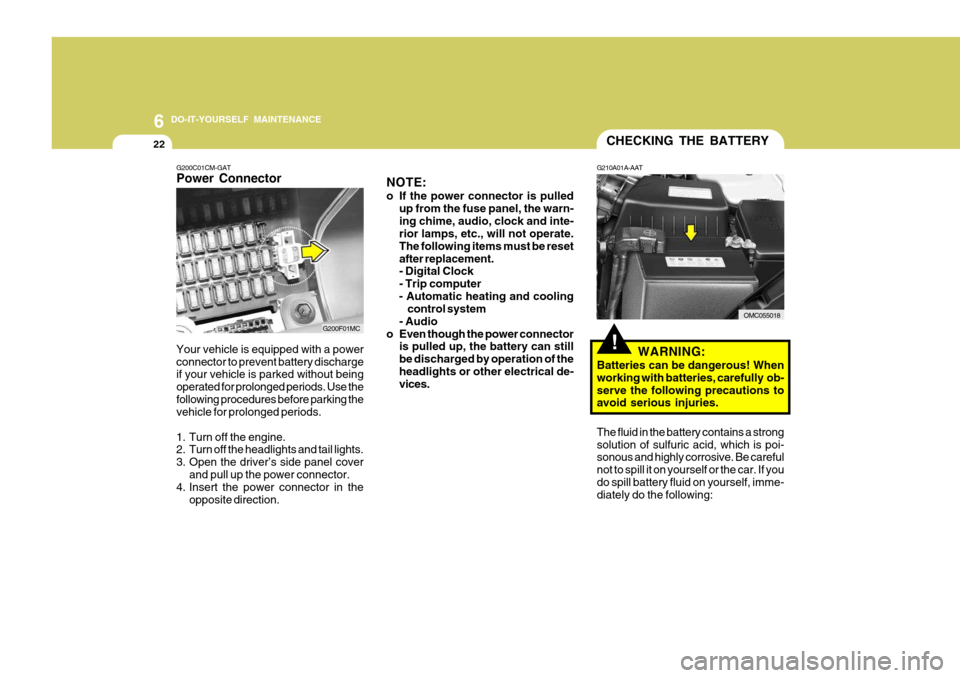
G200C01CM-GAT Power Connector
NOTE:
o If the power connector is pulled
up from the fuse panel, the warn- ing chime, audio, clock and inte- rior lamps, etc., will not operate. The following items must be resetafter replacement. - Digital Clock - Trip computer
- Automatic heating and cooling control system
- Audio
o Even though the power connector is pulled up, the battery can stillbe discharged by operation of theheadlights or other electrical de- vices.
Your vehicle is equipped with a power connector to prevent battery discharge if your vehicle is parked without being operated for prolonged periods. Use thefollowing procedures before parking the vehicle for prolonged periods.
1. Turn off the engine.
2. Turn off the headlights and tail lights.
3. Open the driver’s side panel cover
and pull up the power connector.
4. Insert the power connector in the
opposite direction.
G200F01MC
Page 249 of 282
6 DO-IT-YOURSELF MAINTENANCE
26HEADLIGHT AIMING ADJUSTMENT
5. Open the hood.
6. Draw the vertical line (through the
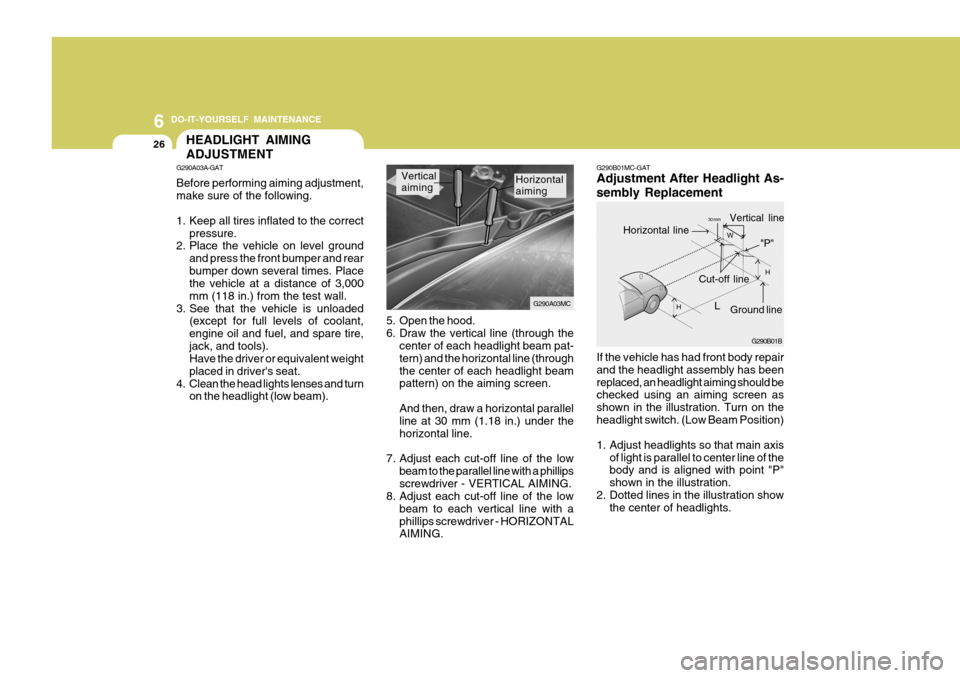
center of each headlight beam pat-tern) and the horizontal line (throughthe center of each headlight beam pattern) on the aiming screen. And then, draw a horizontal parallel line at 30 mm (1.18 in.) under the horizontal line.
7. Adjust each cut-off line of the low beam to the parallel line with a phillipsscrewdriver - VERTICAL AIMING.
8. Adjust each cut-off line of the low
beam to each vertical line with aphillips screwdriver - HORIZONTAL AIMING. Horizontal aiming
Vertical aiming
If the vehicle has had front body repair and the headlight assembly has beenreplaced, an headlight aiming should be checked using an aiming screen as shown in the illustration. Turn on theheadlight switch. (Low Beam Position)
1. Adjust headlights so that main axisof light is parallel to center line of the body and is aligned with point "P" shown in the illustration.
2. Dotted lines in the illustration show the center of headlights.
G290B01MC-GAT Adjustment After Headlight As- sembly Replacement
G290A03A-GAT Before performing aiming adjustment, make sure of the following.
1. Keep all tires inflated to the correct
pressure.
2. Place the vehicle on level ground
and press the front bumper and rear bumper down several times. Place the vehicle at a distance of 3,000 mm (118 in.) from the test wall.
3. See that the vehicle is unloaded (except for full levels of coolant,engine oil and fuel, and spare tire,jack, and tools). Have the driver or equivalent weight placed in driver's seat.
4. Clean the head lights lenses and turn on the headlight (low beam). G290B01B
LW
H
H Cut-off line
Ground line
"P"
Horizontal line
Vertical line30 mm
G290A03MC
Page 250 of 282
6
DO-IT-YOURSELF MAINTENANCE
27REPLACEMENT OF LIGHT BULBS
SPECIFICATIONS: "H" Horizontal center line of headlights from ground.: 665 mm (26.18 in.) "W" Distance between each headlight center. : 1,170 mm (46.06 in.) "L" Distance between the headlightsand the wall that the lights are tested against. : 3,000 mm (118.11 in.). G260A01MC-AAT Before attempting to replace a light bulb, be sure the switch is turned to the "OFF" position.The next paragraph shows how to reach the light bulbs so they may be changed. Be sure to replace the burned-out bulbwith one of the same number and watt- age rating. See page 6-34 for the wattage descrip-tions.
CAUTION:
o Keep the lamps out of contact with petroleum products, such as oil,gasoline, etc.
o If you don't have necessary tools,
the correct bulbs and the exper-tise, consult your authorized Hyundai dealer.
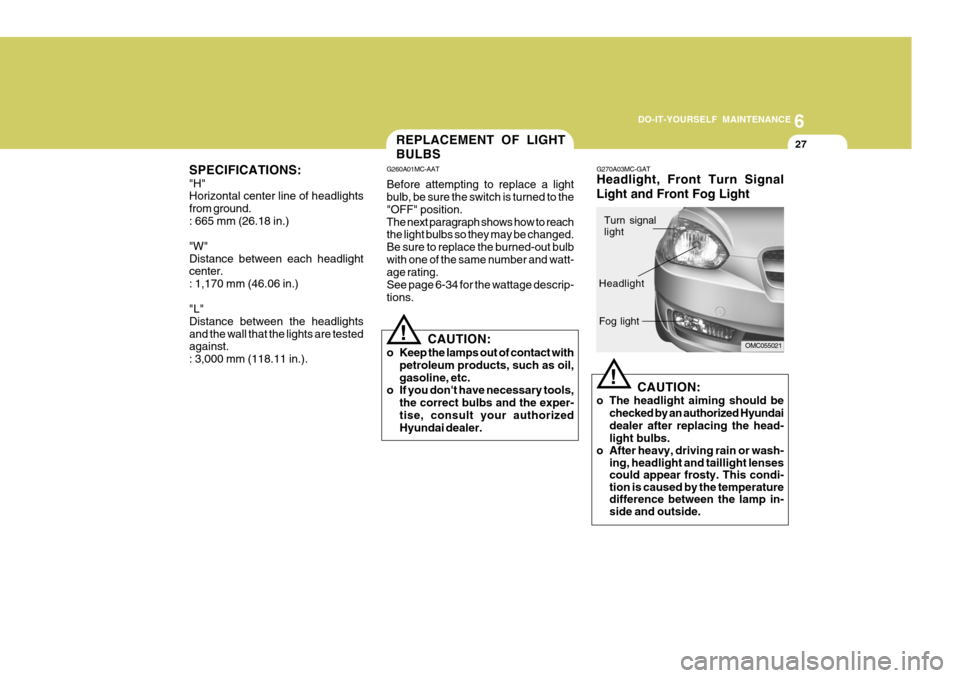
! G270A03MC-GAT Headlight, Front Turn Signal Light and Front Fog Light
CAUTION:
o The headlight aiming should be checked by an authorized Hyundai dealer after replacing the head- light bulbs.
o After heavy, driving rain or wash- ing, headlight and taillight lenses could appear frosty. This condi-tion is caused by the temperaturedifference between the lamp in-side and outside.
!
OMC055021
Turn signal light
Headlight Fog light
Page 280 of 282

10INDEX
4
Heating and Ventilation ............................................ 1-100
Air flow control ...................................................... 1-101
Air intake control .................................................. 1-100
Bi-level heating ..................................................... 1-104
Defrost/Defogging ................................................. 1-105
Fan speed control ................................................. 1-100
Temperature control .... .......................................... 1-104
High-Mounted Rear Stop Light................................... 1-90
Hood Release ............................................................ 1-90
Horn ........................................................................... 1-98
I Immobilizer System ..................................................... 1-5
Instrument Cluster and Indicator Lights ..................... 1-54
Interior Light
Interior light ............................................................. 1-84
Map light ................................................................. 1-84
J Jump Starting .............................................................. 3-3
K
Key .............................................................................. 1-4 If you lose y our keys ............................................. 3-16
Positions ................................................................... 2-4
Keyless Entry System .............................................. 1-11
L
Lubrication Chart .......................................................... 9-4
Luggage Net .............................................................. 1-95M Maintenance Intervals
Explanation of scheduled maintenance items .......... 5-8Maintenance under severe usage conditions ............ 5-7
Scheduled maintenance ............................................ 5-4
Service requirements ................................................ 5-3
Mirrors
Day/night inside rearview ....... .................................1-89
Outside rearview m irror ........................................... 1-87
Outside rearview mirror heater ................................1-88
Multi Box ................................................................... 1-86
Multi-Function Light Switch ........................................ 1-72
Daytime running lights ............................................ 1-73
Headlight flasher ..................................................... 1-73
Headlight swi tch ..................................................... 1-72
High-beam switch ................................................... 1-73
Lane change si gnal ................................................. 1-72
Parking light auto cut ............................................. 1-73
Turn signal operation .............................................. 1-72
O
Odometer/ Trip Odometer ...... ....................................1-68
P Parking Brake ............................................................ 1-89
Power Outlet .............................................................. 1-79
Power Steering Fluid Level ....... .................................6-24
Power Windows ......................................................... 1-13