trip Hyundai Accent 2009 Owner's Manual
[x] Cancel search | Manufacturer: HYUNDAI, Model Year: 2009, Model line: Accent, Model: Hyundai Accent 2009Pages: 266, PDF Size: 8.77 MB
Page 11 of 266
FEATURES OF YOUR HYUNDAI
1
Fuel Recommendations ................................................ 1-2
Breaking in Your New Hyundai .................................... 1-3
Keys.............................................................................. 1-4
Door Locks ................................................................... 1-4
Theft-Alarm System ...................................................... 1-8
Window Glass ............................................................1-11
Seats...........................................................................1-13
Seat Belts...................................................................1-22
Child Restraint System...............................................1-31
Advanced Supplemental Restraint (AIRBAG)
System......................................................................1-41
Instrument Cluster and Indicator Lights .....................1-60
Warning and Indicator Lights ......................................1-64
Trip Computer.............................................................1-73
Multi-Function Light Switch .........................................1-76
Windshield Wiper and Washer Switch.......................1-78
Sunroof.......................................................................1-84
Mirror...........................................................................1-89
Hood Release.............................................................1-93
Cruise Control System.............................................1-101
Heating and Cooling Control.................................... 1-106
Stereo Sound System..............................................1-117
Antenna.....................................................................1-119
Audio System...........................................................1-120
1
Page 54 of 266
1FEATURES OF YOUR HYUNDAI44
!
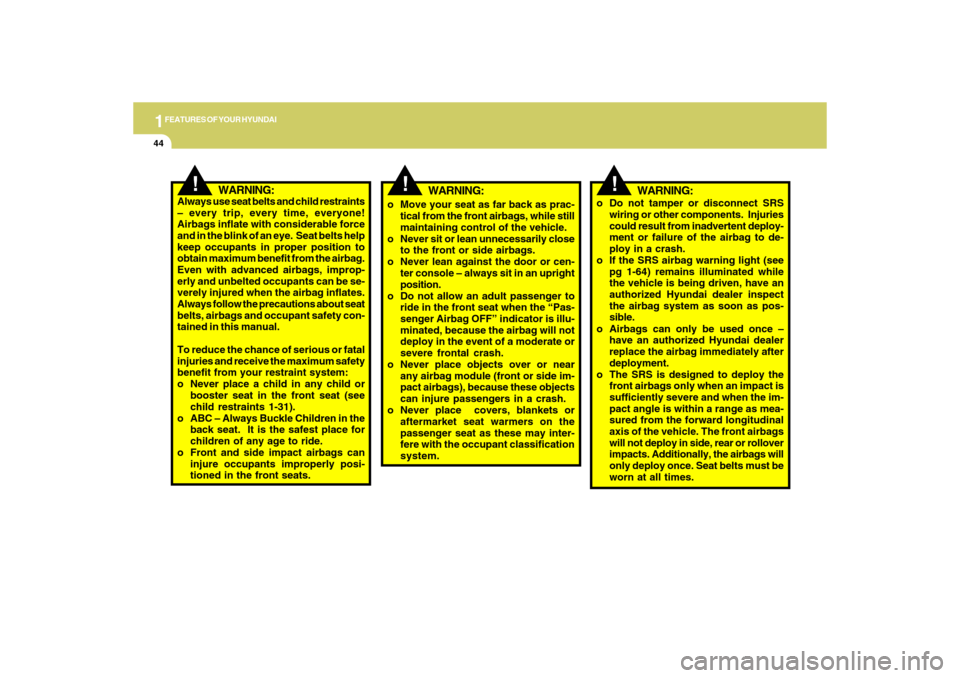
WARNING:
o Move your seat as far back as prac-
tical from the front airbags, while still
maintaining control of the vehicle.
o Never sit or lean unnecessarily close
to the front or side airbags.
o Never lean against the door or cen-
ter console – always sit in an upright
position.
o Do not allow an adult passenger to
ride in the front seat when the “Pas-
senger Airbag OFF” indicator is illu-
minated, because the airbag will not
deploy in the event of a moderate or
severe frontal crash.
o Never place objects over or near
any airbag module (front or side im-
pact airbags), because these objects
can injure passengers in a crash.
o Never place covers, blankets or
aftermarket seat warmers on the
passenger seat as these may inter-
fere with the occupant classification
system.
!
WARNING:
Always use seat belts and child restraints
– every trip, every time, everyone!
Airbags inflate with considerable force
and in the blink of an eye. Seat belts help
keep occupants in proper position to
obtain maximum benefit from the airbag.
Even with advanced airbags, improp-
erly and unbelted occupants can be se-
verely injured when the airbag inflates.
Always follow the precautions about seat
belts, airbags and occupant safety con-
tained in this manual.
To reduce the chance of serious or fatal
injuries and receive the maximum safety
benefit from your restraint system:
o Never place a child in any child or
booster seat in the front seat (see
child restraints 1-31).
o ABC – Always Buckle Children in the
back seat. It is the safest place for
children of any age to ride.
o Front and side impact airbags can
injure occupants improperly posi-
tioned in the front seats.
!
WARNING:
o Do not tamper or disconnect SRS
wiring or other components. Injuries
could result from inadvertent deploy-
ment or failure of the airbag to de-
ploy in a crash.
o If the SRS airbag warning light (see
pg 1-64) remains illuminated while
the vehicle is being driven, have an
authorized Hyundai dealer inspect
the airbag system as soon as pos-
sible.
o Airbags can only be used once –
have an authorized Hyundai dealer
replace the airbag immediately after
deployment.
o The SRS is designed to deploy the
front airbags only when an impact is
sufficiently severe and when the im-
pact angle is within a range as mea-
sured from the forward longitudinal
axis of the vehicle. The front airbags
will not deploy in side, rear or rollover
impacts. Additionally, the airbags will
only deploy once. Seat belts must be
worn at all times.
Page 71 of 266

1
FEATURES OF YOUR HYUNDAI
611
FEATURES OF YOUR HYUNDAI
61
1. Tachometer
2. Turn Signal Indicator Lights
3. High Beam Indicator Light
4. Automatic Transaxle Position Indicator Light
(If Installed)
5. Odometer/Trip Odometer/Trip Computer (If Installed)
6. Overdrive Off Indicator Light (Automatic transaxle only)
7. Speedometer
8. Check Fuel Cap Warning Light
9. Low Tire Pressure Telltale (If Installed)
10. TPMS (Tire Pressure Monitoring System) Malfunction
Indicator (If Installed)
11. Door Ajar Warning Light12. Charging System Warning Light
13. Parking Brake/Low Brake fluid Level Warning Light
14. SRS (Airbag) Warning Light
15. Seat Belt Warning Light
16. Fuel Gauge
17. Engine Coolant Temperature Warning Light
18. Low Oil Pressure Warning Light
19. Low Fuel Warning Light
20. Trunk Lid/Tail Gate Open Warning Light
21. Malfunction Indicator Light (MIL)
22. ABS Service Reminder Indicator Light (If Installed)
23. Cruise Control Indicator Lights (If Installed)
Page 73 of 266

1
FEATURES OF YOUR HYUNDAI
631
FEATURES OF YOUR HYUNDAI
63
12. Door Ajar Warning Light
13. Charging System Warning Light
14. Parking Brake/Low Brake fluid Level Warning Light
15. Seat Belt Warning Light
16. High Beam Indicator Light
17. Fuel Gauge
18. Engine Coolant Temperature Warning Light
19. Overdrive Off Indicator Light (Automatic transaxle only)
20. Low Fuel Warning Light
21. Trunk Lid/Tail Gate Open Warning Light
22. ABS Service Reminder Indicator Light (If Installed)
23. Cruise Control Indicator Lights (If Installed) 1. Tachometer
2. Turn Signal Indicator Lights
3. Low Oil Pressure Warning Light
4. Automatic Transaxle Position Indicator Light
(If Installed)
5. Odometer/Trip Odometer
6. SRS (Airbag) Warning Light
7. Malfunction Indicator Light (MIL)
8. Speedometer
9. Check Fuel Cap Warning Light
10. Low Tire Pressure Telltale (If Installed)
11. TPMS (Tire Pressure Monitoring System)
Malfunction Indicator (If Installed)
Page 81 of 266
1
FEATURES OF YOUR HYUNDAI
711
FEATURES OF YOUR HYUNDAI
71
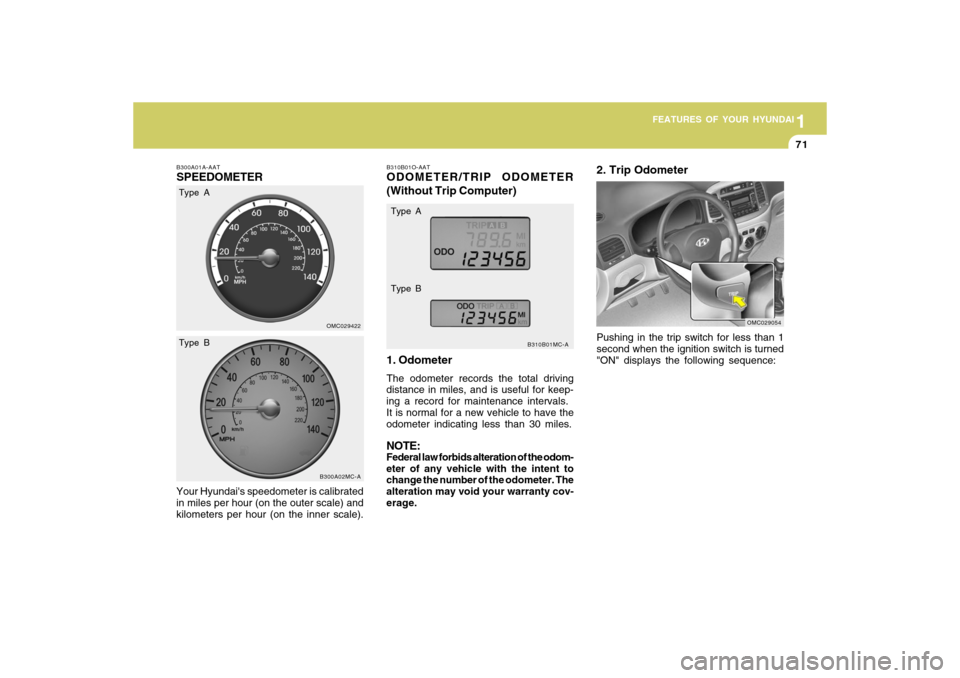
B310B01O-AATODOMETER/TRIP ODOMETER
(Without Trip Computer)
1. OdometerThe odometer records the total driving
distance in miles, and is useful for keep-
ing a record for maintenance intervals.
It is normal for a new vehicle to have the
odometer indicating less than 30 miles.NOTE:Federal law forbids alteration of the odom-
eter of any vehicle with the intent to
change the number of the odometer. The
alteration may void your warranty cov-
erage.
B310B01MC-A
B300A01A-AATSPEEDOMETERYour Hyundai's speedometer is calibrated
in miles per hour (on the outer scale) and
kilometers per hour (on the inner scale).
OMC029422B300A02MC-A
Type A
Type BType A
Type B
Pushing in the trip switch for less than 1
second when the ignition switch is turned
"ON" displays the following sequence:2. Trip Odometer
OMC029054
Page 82 of 266
1FEATURES OF YOUR HYUNDAI72
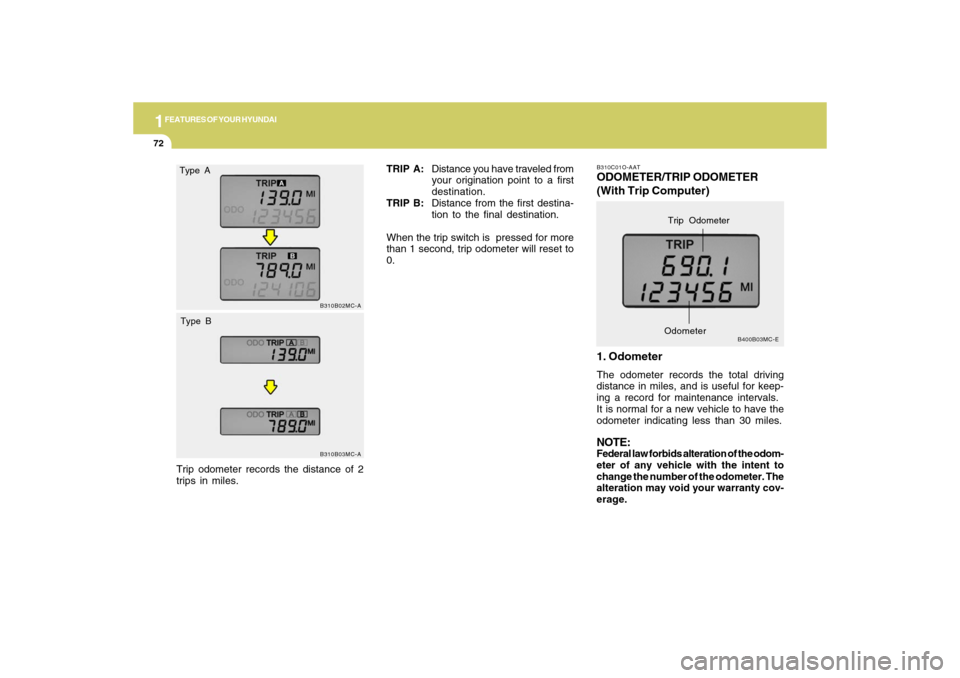
B310C01O-AATODOMETER/TRIP ODOMETER
(With Trip Computer)
1. OdometerThe odometer records the total driving
distance in miles, and is useful for keep-
ing a record for maintenance intervals.
It is normal for a new vehicle to have the
odometer indicating less than 30 miles.NOTE:Federal law forbids alteration of the odom-
eter of any vehicle with the intent to
change the number of the odometer. The
alteration may void your warranty cov-
erage.
B400B03MC-E
Trip Odometer
Odometer
B310B02MC-AB310B03MC-A
TRIP A:Distance you have traveled from
your origination point to a first
destination.
TRIP B:Distance from the first destina-
tion to the final destination.
When the trip switch is pressed for more
than 1 second, trip odometer will reset to
0.
Type A
Type BTrip odometer records the distance of 2
trips in miles.
Page 83 of 266
1
FEATURES OF YOUR HYUNDAI
731
FEATURES OF YOUR HYUNDAI
73
2. Trip Odometero This mode indicates the drive distance
travelled since the last drive time reset.
o Refer to the explanation of the trip
computer (see page 1-74, Tripmeter).
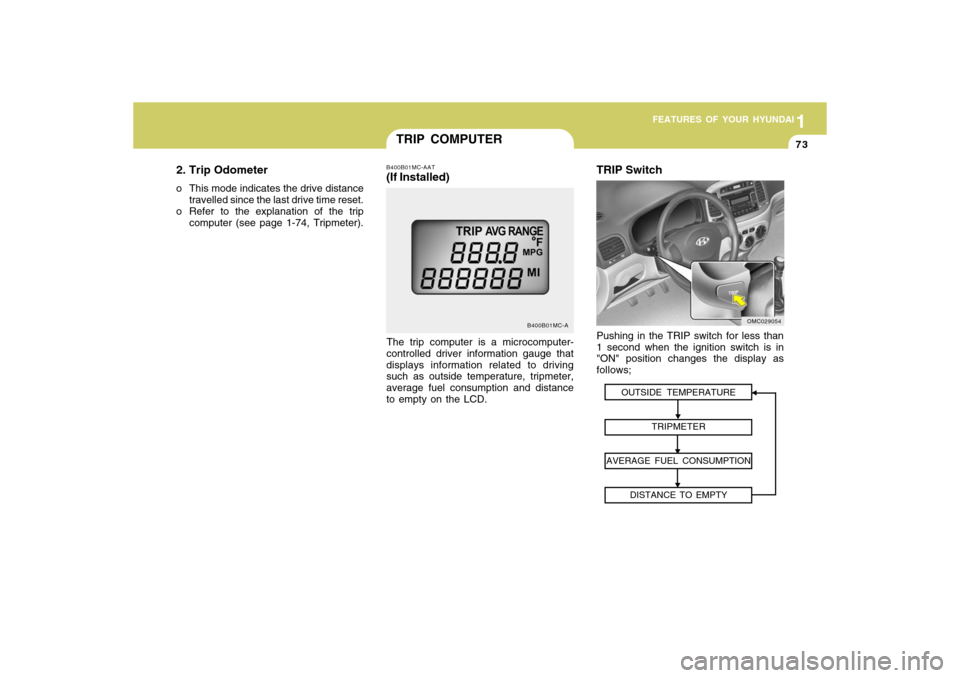
TRIP COMPUTER
B400B01MC-A
The trip computer is a microcomputer-
controlled driver information gauge that
displays information related to driving
such as outside temperature, tripmeter,
average fuel consumption and distance
to empty on the LCD.B400B01MC-AAT(If Installed)
OUTSIDE TEMPERATURE
TRIPMETER
AVERAGE FUEL CONSUMPTION
DISTANCE TO EMPTY
TRIP SwitchPushing in the TRIP switch for less than
1 second when the ignition switch is in
"ON" position changes the display as
follows;
OMC029054
Page 84 of 266
1FEATURES OF YOUR HYUNDAI74
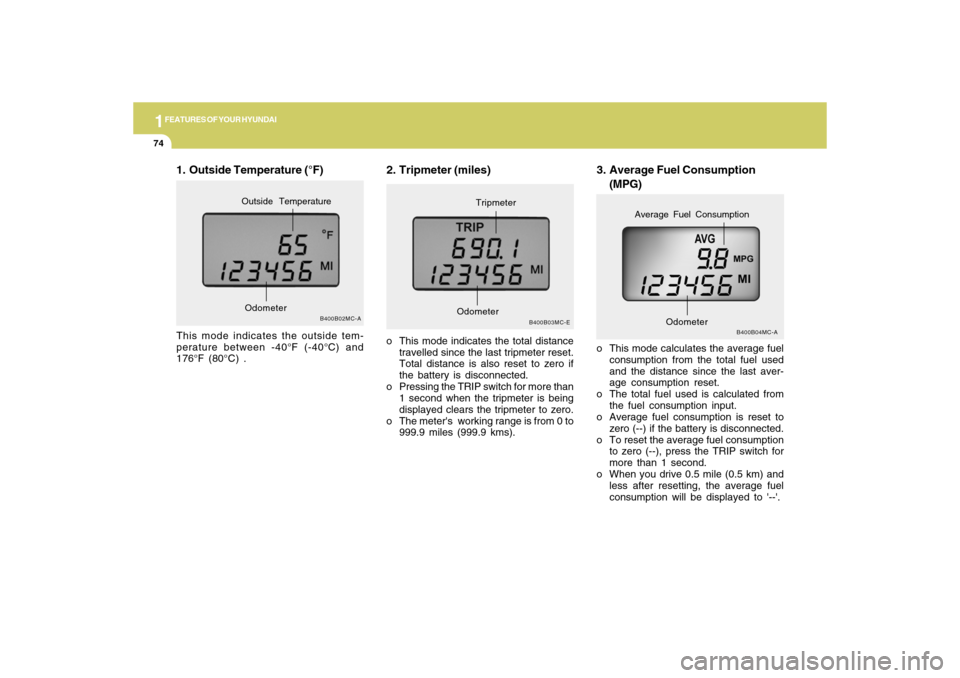
3. Average Fuel Consumption
(MPG)
B400B04MC-A
o This mode calculates the average fuel
consumption from the total fuel used
and the distance since the last aver-
age consumption reset.
o The total fuel used is calculated from
the fuel consumption input.
o Average fuel consumption is reset to
zero (--) if the battery is disconnected.
o To reset the average fuel consumption
to zero (--), press the TRIP switch for
more than 1 second.
o When you drive 0.5 mile (0.5 km) and
less after resetting, the average fuel
consumption will be displayed to '--'.
Odometer
Average Fuel Consumption
2. Tripmeter (miles)o This mode indicates the total distance
travelled since the last tripmeter reset.
Total distance is also reset to zero if
the battery is disconnected.
o Pressing the TRIP switch for more than
1 second when the tripmeter is being
displayed clears the tripmeter to zero.
o The meter's working range is from 0 to
999.9 miles (999.9 kms).
B400B03MC-E
OdometerTripmeter
1. Outside Temperature (°F)This mode indicates the outside tem-
perature between -40°F (-40°C) and
176°F (80°C) .
B400B02MC-A
OdometerOutside Temperature
Page 85 of 266
1
FEATURES OF YOUR HYUNDAI
751
FEATURES OF YOUR HYUNDAI
75
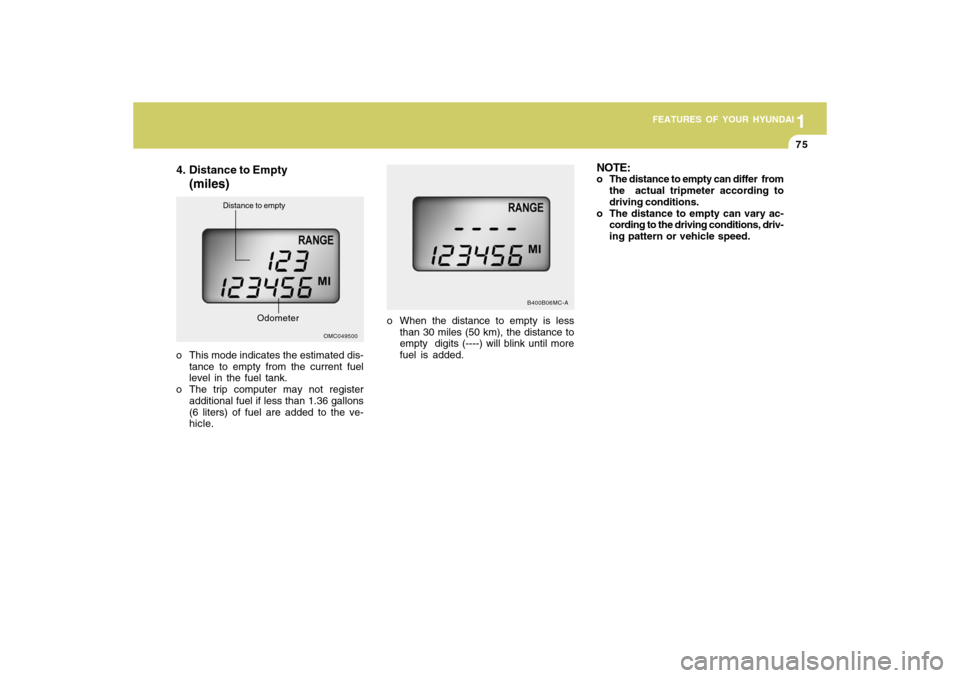
4. Distance to Empty
(miles)
o This mode indicates the estimated dis-
tance to empty from the current fuel
level in the fuel tank.
o The trip computer may not register
additional fuel if less than 1.36 gallons
(6 liters) of fuel are added to the ve-
hicle.
OMC049500
Distance to empty
Odometer
o When the distance to empty is less
than 30 miles (50 km), the distance to
empty digits (----) will blink until more
fuel is added.
B400B06MC-A
NOTE:o The distance to empty can differ from
the actual tripmeter according to
driving conditions.
o The distance to empty can vary ac-
cording to the driving conditions, driv-
ing pattern or vehicle speed.
Page 162 of 266
DRIVING YOUR HYUNDAI
192
!
!
USE OF LIGHTSC180A01A-AATCheck your lights regularly for correct
operation and always keep them clean.
When driving during the day in conditions
of poor visibility, it is helpful to drive with
headlights on low beam. This enables
you to be seen, as well as to see.
HIGHER SPEED MOTORINGC170A02A-AATPre-Trip Inspections1. Tires:
Adjust the tire inflation pressures for high-
way driving. Low tire inflation pressures
will result in overheating and possible
failure of the tires.
Avoid using worn or damaged tires which
may result in reduced traction or tire fail-
ure.NOTE:Never exceed the maximum tire infla-
tion pressure shown on the tires.
WARNING:
o Underinflated or overinflated tires
can cause poor handling, loss of ve-
hicle control, and sudden tire failure
leading to accidents, injuries, and
even death. Always check tires are
properly inflated before driving. Refer
to pages 2-20 and 8-3 for proper tire
pressures and further information.2. Fuel, engine coolant and engine oil:
High speed travel consumes more fuel
than urban motoring. Do not forget to
check both engine coolant and engine
oil.
3. Drive belt:
A loose or damaged drive belt may result
in overheating of the engine. o Driving on tires with no or insuffi-
cient tread is dangerous. Worn-out
tires can result in loss of vehicle
control, collisions, injury, and even
death. Worn-out tires should be re-
placed as soon as possible and
should never be used for driving.
Always check tire tread before driv-
ing your car. Refer to 8-12 for further
information and tread limits.
WARNING: