lights Hyundai Accent 2010 User Guide
[x] Cancel search | Manufacturer: HYUNDAI, Model Year: 2010, Model line: Accent, Model: Hyundai Accent 2010Pages: 284, PDF Size: 10.23 MB
Page 73 of 284
1
FEATURES OF YOUR HYUNDAI
61
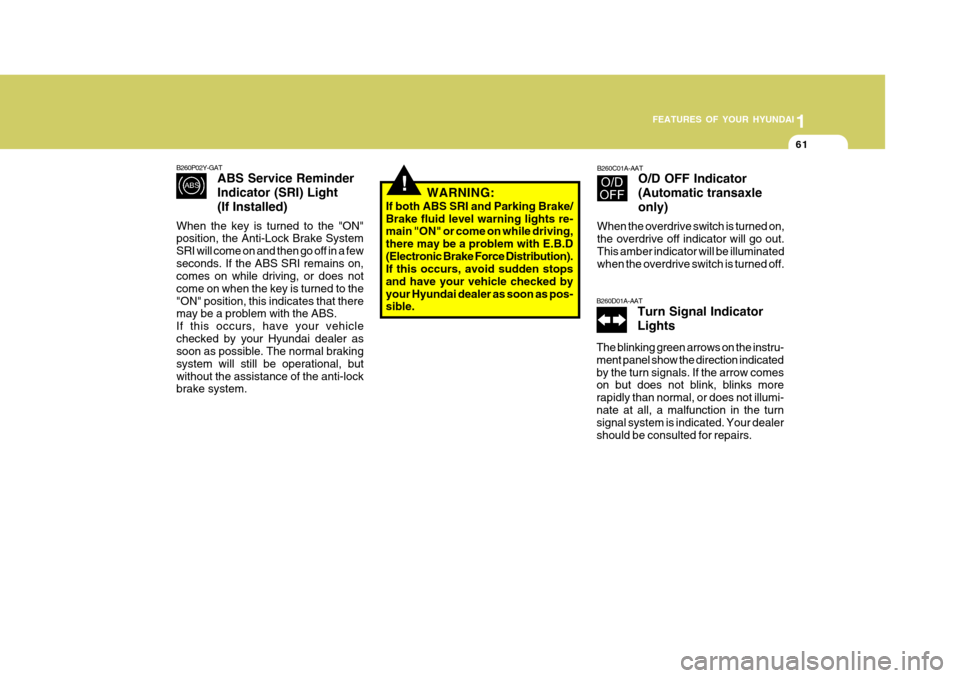
B260D01A-AAT Turn Signal Indicator Lights
The blinking green arrows on the instru- ment panel show the direction indicatedby the turn signals. If the arrow comes on but does not blink, blinks more rapidly than normal, or does not illumi-nate at all, a malfunction in the turn signal system is indicated. Your dealer should be consulted for repairs.
!
B260P02Y-GAT ABS Service Reminder Indicator (SRI) Light(If Installed)
When the key is turned to the "ON" position, the Anti-Lock Brake System SRI will come on and then go off in a fewseconds. If the ABS SRI remains on, comes on while driving, or does not come on when the key is turned to the"ON" position, this indicates that there may be a problem with the ABS. If this occurs, have your vehiclechecked by your Hyundai dealer as soon as possible. The normal braking system will still be operational, butwithout the assistance of the anti-lock brake system. B260C01A-AAT
O/D OFF Indicator (Automatic transaxleonly)
When the overdrive switch is turned on, the overdrive off indicator will go out. This amber indicator will be illuminated when the overdrive switch is turned off.
WARNING:
If both ABS SRI and Parking Brake/Brake fluid level warning lights re- main "ON" or come on while driving, there may be a problem with E.B.D(Electronic Brake Force Distribution). If this occurs, avoid sudden stops and have your vehicle checked byyour Hyundai dealer as soon as pos- sible.
Page 74 of 284
1FEATURES OF YOUR HYUNDAI
62
!
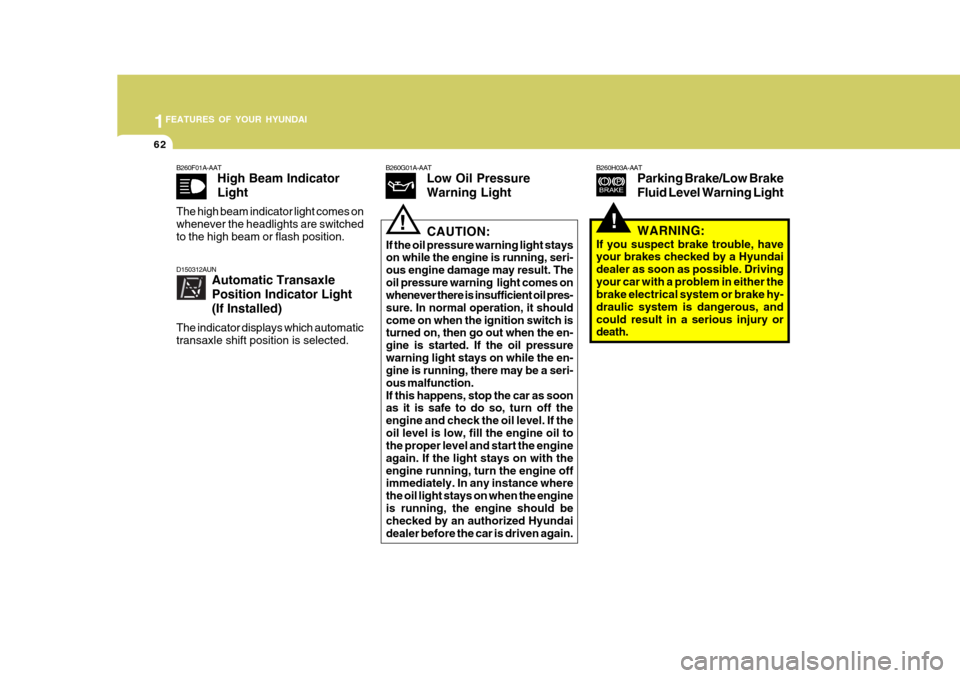
B260H03A-AAT
Parking Brake/Low Brake Fluid Level Warning LightB260G01A-AATLow Oil Pressure Warning Light
!CAUTION:
If the oil pressure warning light stays on while the engine is running, seri- ous engine damage may result. Theoil pressure warning light comes on whenever there is insufficient oil pres- sure. In normal operation, it shouldcome on when the ignition switch is turned on, then go out when the en- gine is started. If the oil pressurewarning light stays on while the en- gine is running, there may be a seri- ous malfunction.If this happens, stop the car as soon
as it is safe to do so, turn off the
engine and check the oil level. If the oil level is low, fill the engine oil to the proper level and start the engine again. If the light stays on with theengine running, turn the engine off immediately. In any instance where the oil light stays on when the engineis running, the engine should be checked by an authorized Hyundai dealer before the car is driven again. WARNING:
If you suspect brake trouble, have your brakes checked by a Hyundai dealer as soon as possible. Drivingyour car with a problem in either the brake electrical system or brake hy- draulic system is dangerous, andcould result in a serious injury or death.
B260F01A-AAT
High Beam Indicator Light
The high beam indicator light comes on whenever the headlights are switchedto the high beam or flash position.
D150312AUN Automatic Transaxle Position Indicator Light(If Installed)
The indicator displays which automatic transaxle shift position is selected.
Page 79 of 284

1
FEATURES OF YOUR HYUNDAI
67
B265C01NF-GAT
Electronic Stability Program Indicator Lights(If Installed)
The electronic stability program indica- tors change operation according to the ignition switch position and whether thesystem is in operation or not. They will illuminate when the ignition key is turned to the "ON" position, butshould go out after three seconds. If the ESP or ESP-OFF indicator stays on, take your car to your authorized Hyundaidealer and have the system checked. See section 2 for more information about the ESP.B260U01TB-GAT Immobilizer Warning Light (If Installed)
This indicator light comes on for some seconds after the ignition key is turnedto the "ON" position. At this time, you can start the engine. The light goes out after the engine is running. In case thislight goes out before you start the en- gine, you must turn to the "LOCK" position and restart the engine. In casethis light blinks for five seconds when the ignition key is turned to "ON" posi- tion, this indicates that the immobilizersystem is out of order. At this time, refer to the explanation of the Limp home procedure(See page 1-7) or con-sult to the Hyundai dealer.B260T01TB-GAT Electronic Power Steering (EPS) SystemWarning Light(If Installed)
This indicator light comes on about 4 seconds after the ignition key is turned to the "ON" position or after the engineis started, it will go out. This light also comes on when the EPS has some troubles. If it comes on whiledriving, have your vehicle inspected by an authorized Hyundai Dealer. NOTE: When you move the electronic power steering back-end and forth-end con- tinuously in stop position, steering wheel plays heavily to operate anti-overload system. It is normal condi- tion. It returns to be normal getting time.
Page 80 of 284
1FEATURES OF YOUR HYUNDAI
68
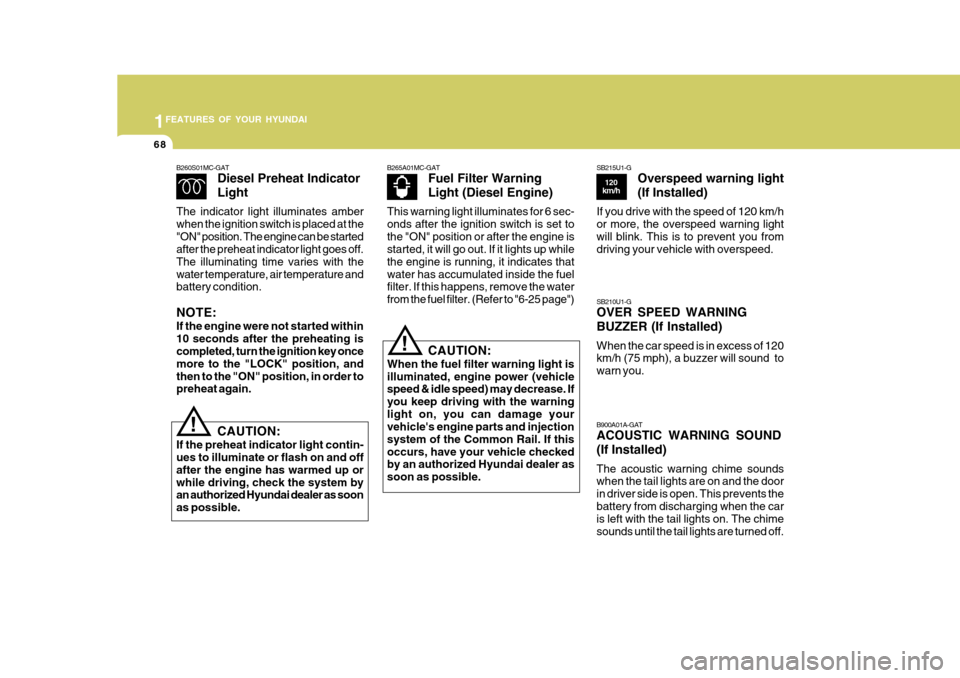
B265A01MC-GATFuel Filter Warning Light (Diesel Engine)
This warning light illuminates for 6 sec- onds after the ignition switch is set tothe "ON" position or after the engine is started, it will go out. If it lights up while the engine is running, it indicates thatwater has accumulated inside the fuel filter. If this happens, remove the water from the fuel filter. (Refer to "6-25 page")
B260S01MC-GAT
Diesel Preheat Indicator Light
The indicator light illuminates amber when the ignition switch is placed at the"ON" position. The engine can be started after the preheat indicator light goes off. The illuminating time varies with thewater temperature, air temperature and battery condition. NOTE: If the engine were not started within 10 seconds after the preheating is completed, turn the ignition key once more to the "LOCK" position, andthen to the "ON" position, in order to preheat again.
! CAUTION:
If the preheat indicator light contin- ues to illuminate or flash on and off after the engine has warmed up orwhile driving, check the system by an authorized Hyundai dealer as soon as possible.
! CAUTION:
When the fuel filter warning light is illuminated, engine power (vehicle speed & idle speed) may decrease. If you keep driving with the warninglight on, you can damage your vehicle's engine parts and injection system of the Common Rail. If thisoccurs, have your vehicle checked by an authorized Hyundai dealer as soon as possible. B900A01A-GAT ACOUSTIC WARNING SOUND (If Installed) The acoustic warning chime sounds when the tail lights are on and the door in driver side is open. This prevents thebattery from discharging when the car is left with the tail lights on. The chime sounds until the tail lights are turned off.
SB210U1-G OVER SPEED WARNING BUZZER (If Installed) When the car speed is in excess of 120 km/h (75 mph), a buzzer will sound to warn you.
SB215U1-G
Overspeed warning light (If Installed)
If you drive with the speed of 120 km/h or more, the overspeed warning lightwill blink. This is to prevent you from driving your vehicle with overspeed.
120
km/h
Page 88 of 284
1FEATURES OF YOUR HYUNDAI
76
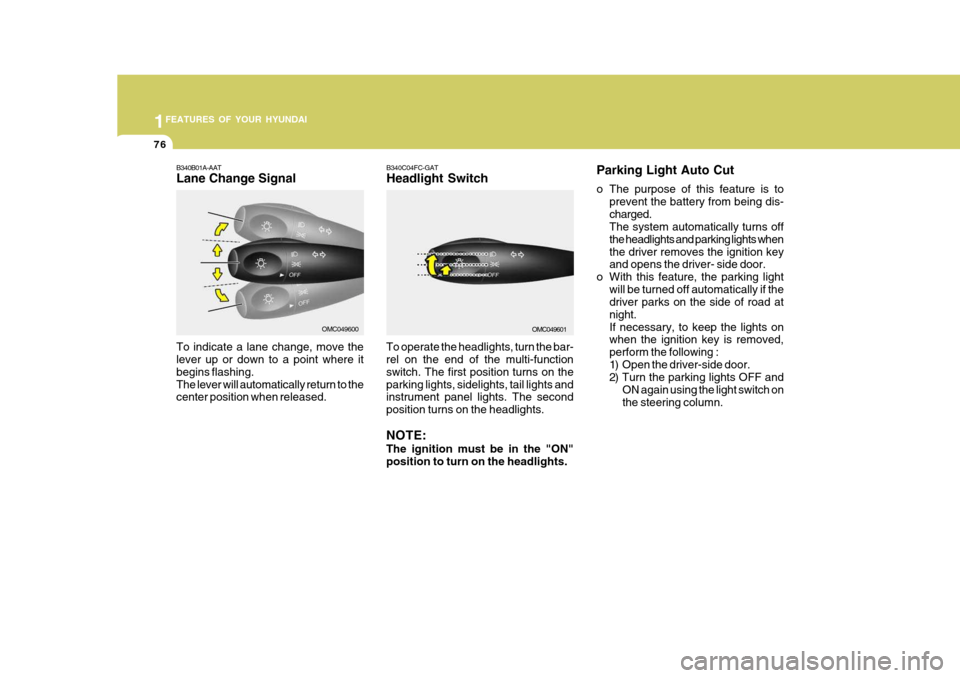
Parking Light Auto Cut
o The purpose of this feature is toprevent the battery from being dis- charged. The system automatically turns off the headlights and parking lights whenthe driver removes the ignition key and opens the driver- side door.
o With this feature, the parking light will be turned off automatically if thedriver parks on the side of road at night.If necessary, to keep the lights on when the ignition key is removed, perform the following :
1) Open the driver-side door.
2) Turn the parking lights OFF and ON again using the light switch on the steering column.
B340C04FC-GAT Headlight Switch
To operate the headlights, turn the bar- rel on the end of the multi-function switch. The first position turns on theparking lights, sidelights, tail lights and instrument panel lights. The second position turns on the headlights. NOTE: The ignition must be in the "ON" position to turn on the headlights.
OMC049601
B340B01A-AAT Lane Change Signal To indicate a lane change, move the lever up or down to a point where it begins flashing.The lever will automatically return to the center position when released.OMC049600
Page 89 of 284
1
FEATURES OF YOUR HYUNDAI
77
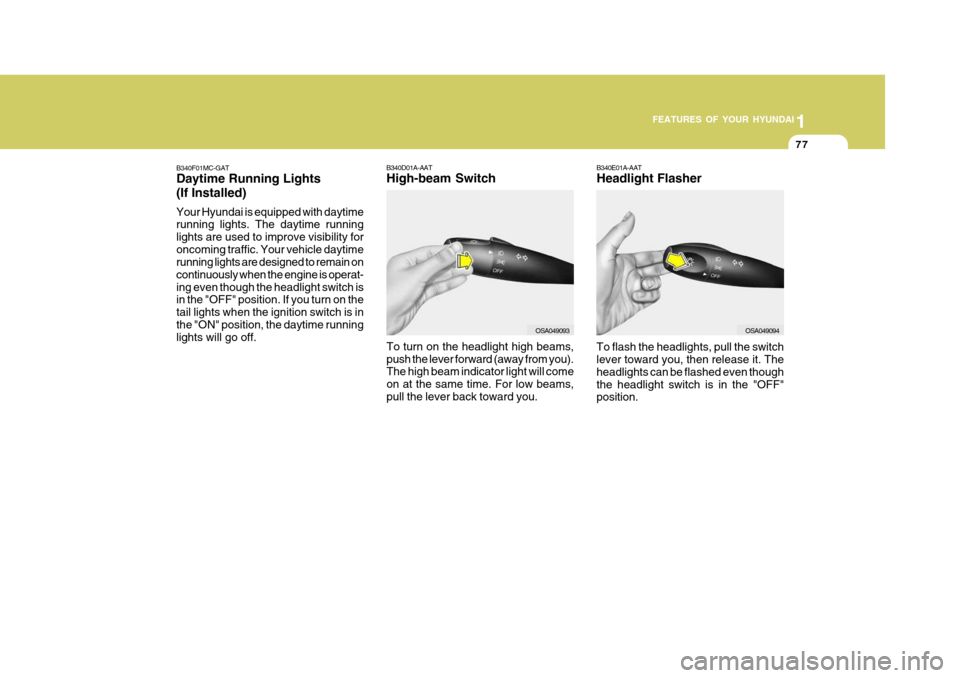
B340E01A-AAT Headlight Flasher To flash the headlights, pull the switch lever toward you, then release it. The headlights can be flashed even thoughthe headlight switch is in the "OFF" position.
B340D01A-AAT High-beam Switch
B340F01MC-GATDaytime Running Lights (If Installed) Your Hyundai is equipped with daytime running lights. The daytime running lights are used to improve visibility foroncoming traffic. Your vehicle daytime running lights are designed to remain on continuously when the engine is operat-ing even though the headlight switch is in the "OFF" position. If you turn on the tail lights when the ignition switch is inthe "ON" position, the daytime running lights will go off.
OSA049094
To turn on the headlight high beams, push the lever forward (away from you). The high beam indicator light will come on at the same time. For low beams,pull the lever back toward you.OSA049093
Page 94 of 284
1FEATURES OF YOUR HYUNDAI
82
Loading condition Switch
position
Driver only Driver + front passenger Full passengers (including driver)Full passengers (including driver) + full trunk loading (or light trailer loading)Driver + full trunk loading (or maximum trailer loading) 0
1 2
3 0
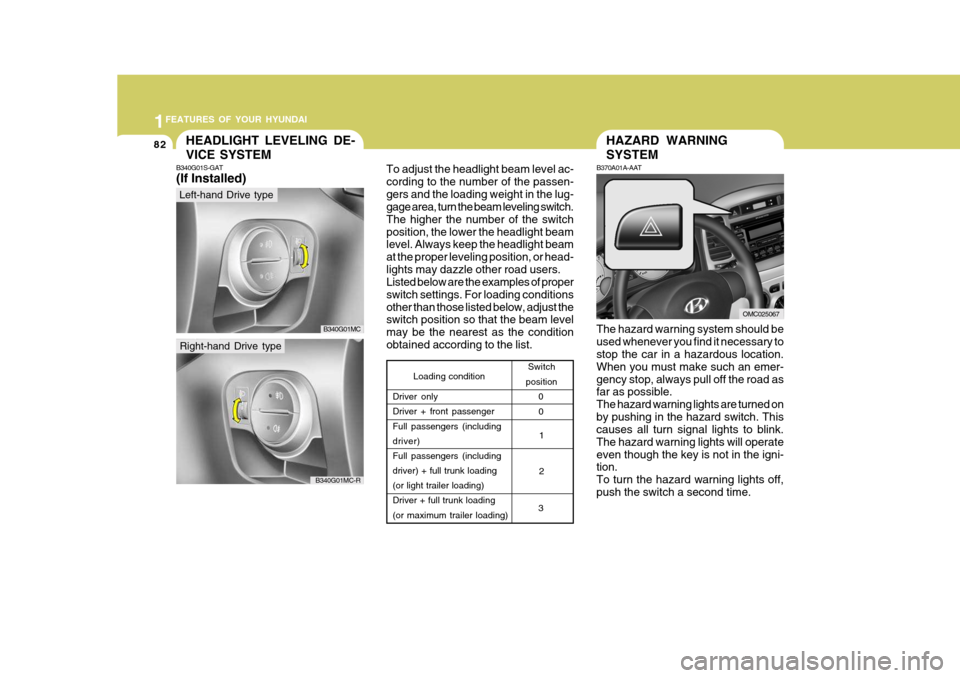
To adjust the headlight beam level ac- cording to the number of the passen-gers and the loading weight in the lug- gage area, turn the beam leveling switch. The higher the number of the switchposition, the lower the headlight beam level. Always keep the headlight beam at the proper leveling position, or head-lights may dazzle other road users. Listed below are the examples of proper switch settings. For loading conditionsother than those listed below, adjust the switch position so that the beam level may be the nearest as the conditionobtained according to the list.
HAZARD WARNING SYSTEM
B370A01A-AAT
The hazard warning system should be used whenever you find it necessary to stop the car in a hazardous location. When you must make such an emer-gency stop, always pull off the road as far as possible. The hazard warning lights are turned onby pushing in the hazard switch. This causes all turn signal lights to blink. The hazard warning lights will operateeven though the key is not in the igni- tion. To turn the hazard warning lights off,push the switch a second time.
OMC025067
HEADLIGHT LEVELING DE- VICE SYSTEM
B340G01S-GAT (If Installed)
Left-hand Drive type
Right-hand Drive type
B340G01MC
B340G01MC-R
Page 95 of 284
1
FEATURES OF YOUR HYUNDAI
83FOG LIGHT SWITCH
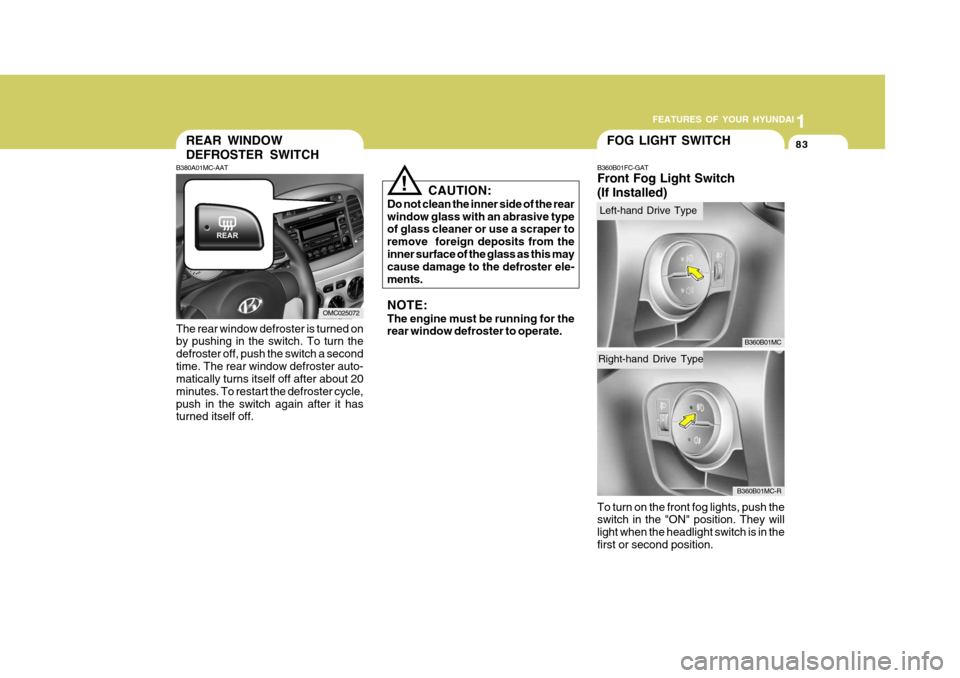
B360B01FC-GAT Front Fog Light Switch (If Installed) To turn on the front fog lights, push the switch in the "ON" position. They will light when the headlight switch is in thefirst or second position.
CAUTION:
Do not clean the inner side of the rearwindow glass with an abrasive type of glass cleaner or use a scraper to remove foreign deposits from theinner surface of the glass as this may cause damage to the defroster ele- ments. NOTE: The engine must be running for the rear window defroster to operate.
!
B360B01MC
REAR WINDOW DEFROSTER SWITCH
B380A01MC-AAT The rear window defroster is turned on by pushing in the switch. To turn the defroster off, push the switch a secondtime. The rear window defroster auto- matically turns itself off after about 20 minutes. To restart the defroster cycle,push in the switch again after it has turned itself off.
OMC025072
B360B01MC-R
Right-hand Drive Type
Left-hand Drive Type
Page 96 of 284
1FEATURES OF YOUR HYUNDAI
84DIGITAL CLOCK
B400A01A-AAT There are three control buttons for the digital clock. Their functions are: HOUR - Push "H" to advance the hour
indicated. MIN - Push "M" to advance the minute
indicated.RESET - Push "R" to reset minutes to
":00" to facilitate resetting the clock to the correct time. When this is done: Pressing "R" between 10 : 30 and 11 : 29 changes the readout to 11 : 00. Pressing "R" between 11 : 30 and 12 :29 changes the readout to 12 : 00.CIGARETTE LIGHTER
B420A02A-AAT
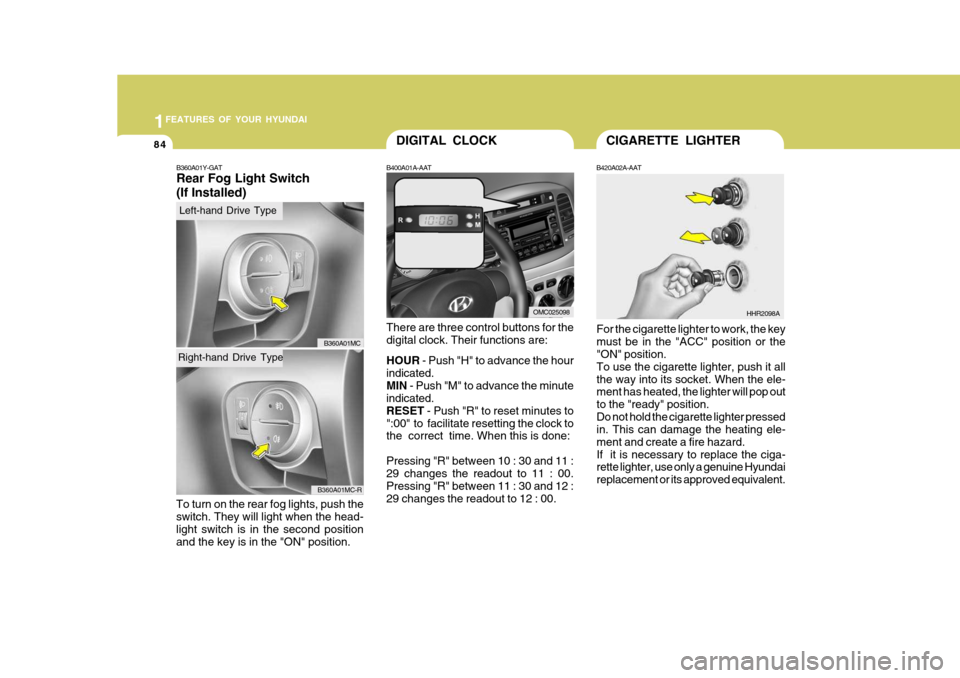
For the cigarette lighter to work, the key must be in the "ACC" position or the "ON" position. To use the cigarette lighter, push it allthe way into its socket. When the ele- ment has heated, the lighter will pop out to the "ready" position.Do not hold the cigarette lighter pressed in. This can damage the heating ele- ment and create a fire hazard.If it is necessary to replace the ciga- rette lighter, use only a genuine Hyundai replacement or its approved equivalent. HHR2098A
OMC025098
B360A01Y-GAT Rear Fog Light Switch (If Installed)
To turn on the rear fog lights, push the switch. They will light when the head- light switch is in the second position and the key is in the "ON" position.
B360A01MC
B360A01MC-R
Right-hand Drive Type
Left-hand Drive Type
Page 106 of 284
1FEATURES OF YOUR HYUNDAI
94PARKING BRAKE
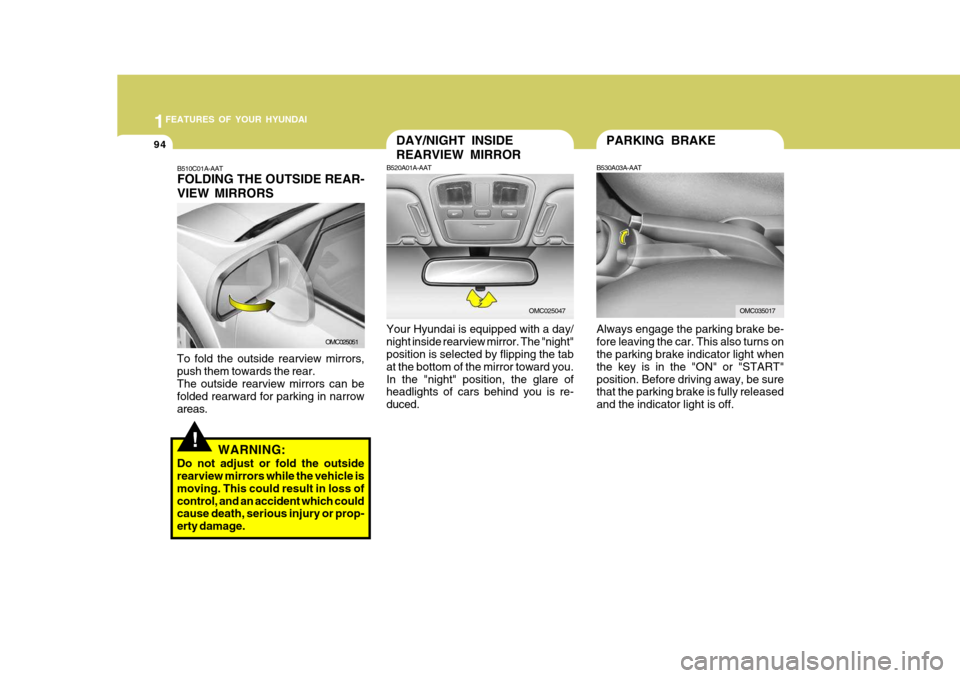
Always engage the parking brake be- fore leaving the car. This also turns on the parking brake indicator light when the key is in the "ON" or "START"position. Before driving away, be sure that the parking brake is fully released and the indicator light is off.
B530A03A-AAT
OMC035017
DAY/NIGHT INSIDE REARVIEW MIRROR
B520A01A-AAT
Your Hyundai is equipped with a day/ night inside rearview mirror. The "night" position is selected by flipping the tab at the bottom of the mirror toward you.In the "night" position, the glare of headlights of cars behind you is re- duced.
OMC025047
!
B510C01A-AAT FOLDING THE OUTSIDE REAR- VIEW MIRRORS
To fold the outside rearview mirrors, push them towards the rear.The outside rearview mirrors can be folded rearward for parking in narrow areas. WARNING:
Do not adjust or fold the outside rearview mirrors while the vehicle is moving. This could result in loss ofcontrol, and an accident which could cause death, serious injury or prop- erty damage.
OMC025051