connect Hyundai Accent 2011 User Guide
[x] Cancel search | Manufacturer: HYUNDAI, Model Year: 2011, Model line: Accent, Model: Hyundai Accent 2011Pages: 282, PDF Size: 14.82 MB
Page 69 of 282
1FEATURES OF YOUR HYUNDAI58
B240D02NF-AATAdditional Safety PrecautionsoNever let passengers ride in the
cargo area (trunk) or on top of a
folded-down back seat. All occupants
should sit upright, fully back in their
seats with their seat belts on and their
feet on the floor.
oPassengers should not move out of
or change seats while the vehicle is
moving. A passenger who is not wear-
ing a seat belt during a crash or emer-
gency stop can be thrown against the
inside of the vehicle, against other
occupants, or out of the vehicle.
oEach seat belt is designed to re-
strain one occupant. If more than one
person uses the same seat belt, they
could be seriously injured or killed in
a collision.
oDo not use any accessories on seat
belts. Devices claiming to improve oc-
cupant comfort or reposition the seat
belt can reduce the protection pro-
vided by the seat belt and increase the
chance of serious injury in a crash.
oPassengers should not place hard or
sharp objects between themselves
and the airbags. Carrying hard or
sharp objects on your lap or in your
mouth can result in injuries if an airbag
inflates.
!
WARNING:
o No objects should be placed over or
near the airbag modules on the steer-
ing wheel, instrument panel, and the
front passenger's panel above the
glove box, because any such object
could cause harm if the vehicle is in
a crash severe enough to cause the
airbags to inflate.
o If the airbags inflate, they must be
replaced by an authorized Hyundai
dealer.
o Do not tamper with or disconnect
SRS wiring, or other components of
the SRS system. Doing so could re-
sult in injury, due to accidental infla-
tion of the airbags or by rendering
the SRS inoperative.
o If components of the airbag system
must be discarded, or if the vehicle
must be scrapped, certain safety
precautions must be observed. Your
Hyundai dealer knows these precau-
tions and can give you the neces-
sary information. Failure to follow
these precautions and procedures
could increase the risk of personal
injury.
!
WARNING:
o If your car was flooded and has
soaked carpeting or there is water
on the floor, do not start the engine;
have the car towed to an authorized
Hyundai dealer.
Page 85 of 282
1FEATURES OF YOUR HYUNDAI74
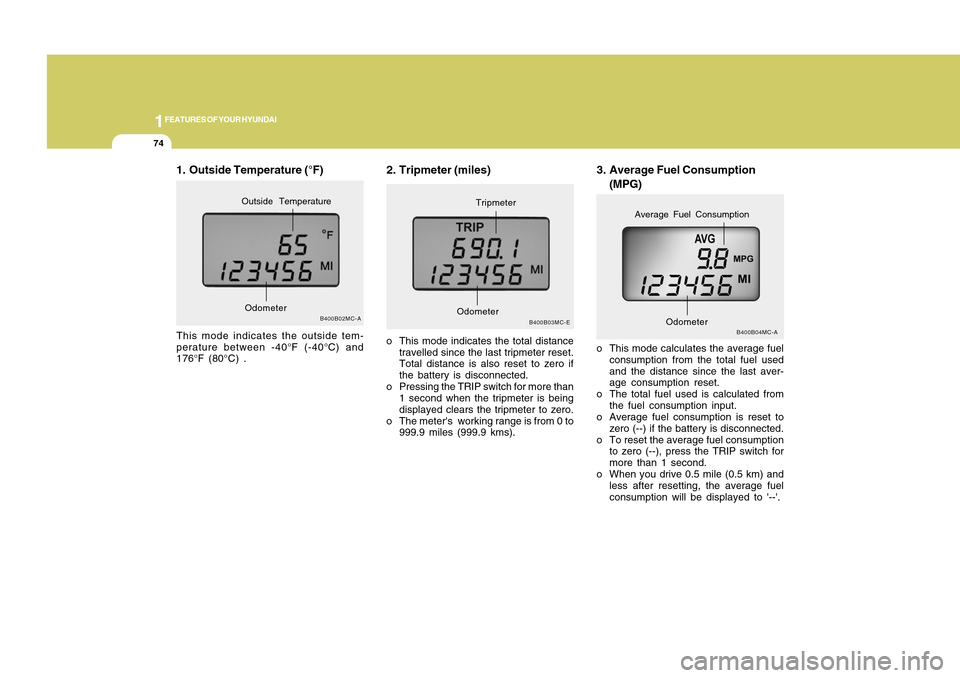
3. Average Fuel Consumption
(MPG)
B400B04MC-A
o This mode calculates the average fuel
consumption from the total fuel used
and the distance since the last aver-
age consumption reset.
o The total fuel used is calculated from
the fuel consumption input.
o Average fuel consumption is reset to
zero (--) if the battery is disconnected.
o To reset the average fuel consumption
to zero (--), press the TRIP switch for
more than 1 second.
o When you drive 0.5 mile (0.5 km) and
less after resetting, the average fuel
consumption will be displayed to '--'.
Odometer
Average Fuel Consumption
2. Tripmeter (miles)o This mode indicates the total distance
travelled since the last tripmeter reset.
Total distance is also reset to zero if
the battery is disconnected.
o Pressing the TRIP switch for more than
1 second when the tripmeter is being
displayed clears the tripmeter to zero.
o The meter's working range is from 0 to
999.9 miles (999.9 kms).
B400B03MC-E
OdometerTripmeter
1. Outside Temperature (°F)This mode indicates the outside tem-
perature between -40°F (-40°C) and
176°F (80°C) .
B400B02MC-A
OdometerOutside Temperature
Page 113 of 282
1FEATURES OF YOUR HYUNDAI
102
NOTE:o If there is no CD or the auxiliary
device is not connected, the mode
cannot be converted to the CD, CDC
or AUX mode.
o The CD, CDC or AUX mode is not
available for some audio models.SEEK SwitchPress the SEEK switch 1 sec. or more.1. RADIO modeWhen the upper portion SEEK is pressed,
the unit will automatically tune to the next
higher frequency and when the lower
portion SEEK is pressed, it will automati-
cally tune to the next lower frequency.2. CD (Compact Disc)/CDC (Com-
pact Disc Changer)/AUX modeo Press the upper portion SEEK once to
skip forward to the beginning of the
next track.
o Press the lower portion SEEK once to
skip back to the beginning of the track.
VOL Switcho Press the upper portion VOL switch to
increase volume.
o Press the lower portion VOL switch to
decease volume.
AUDIO REMOTE CONTROL
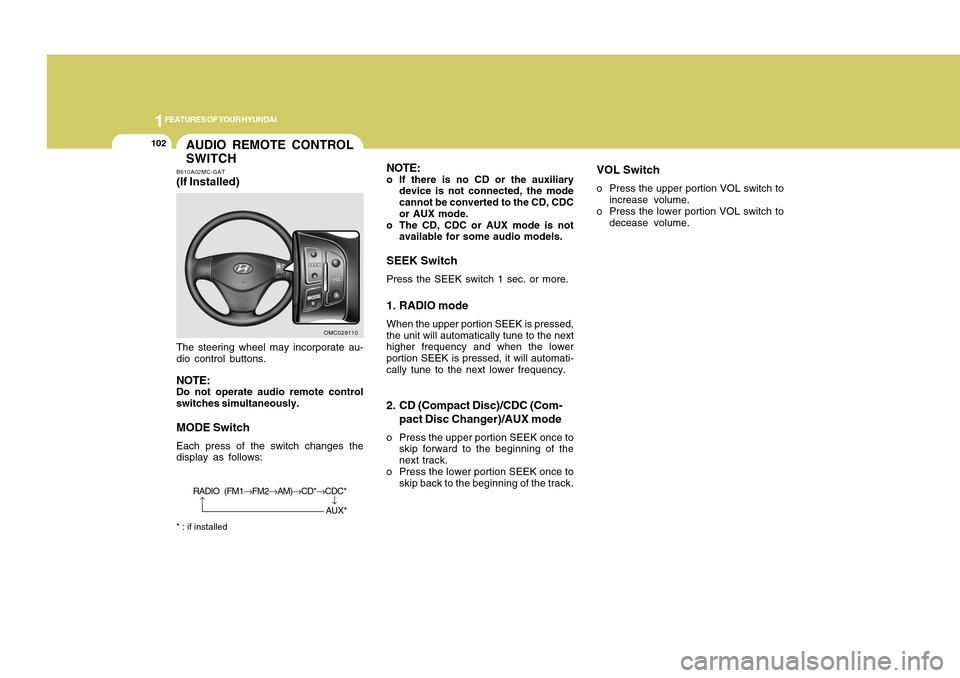
SWITCHB610A02MC-GAT(If Installed)The steering wheel may incorporate au-
dio control buttons.NOTE:Do not operate audio remote control
switches simultaneously.MODE SwitchEach press of the switch changes the
display as follows:* : if installed
OMC029110
→
RADIO (FM1→FM2→AM)→CD*→CDC*
→AUX*
Page 118 of 282
1
FEATURES OF YOUR HYUNDAI
1071
FEATURES OF YOUR HYUNDAI
107
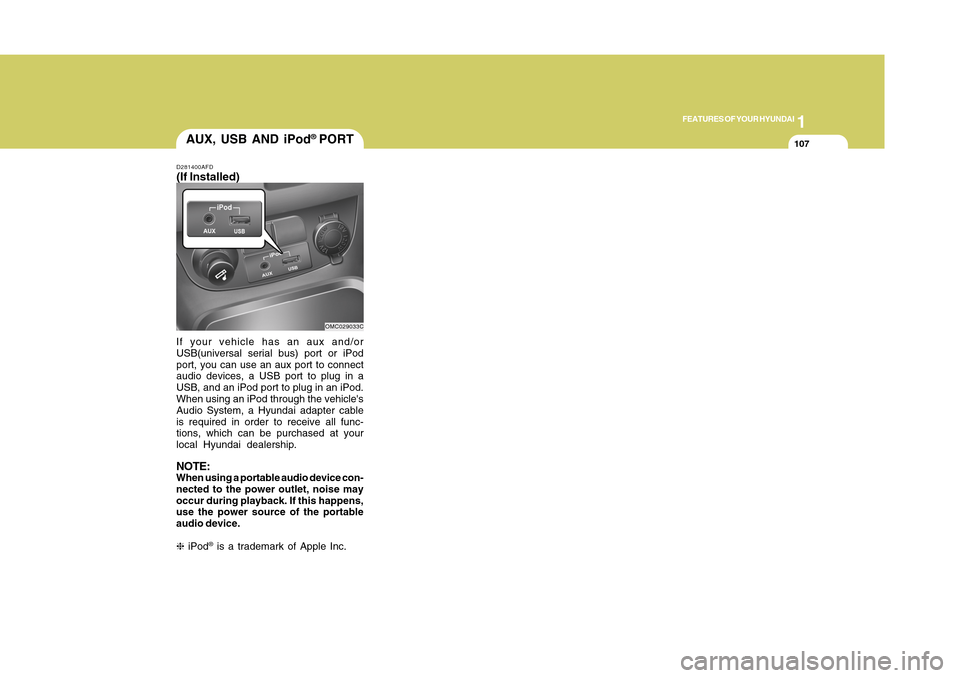
If your vehicle has an aux and/or
USB(universal serial bus) port or iPod
port, you can use an aux port to connect
audio devices, a USB port to plug in a
USB, and an iPod port to plug in an iPod.
When using an iPod through the vehicle's
Audio System, a Hyundai adapter cable
is required in order to receive all func-
tions, which can be purchased at your
local Hyundai dealership.NOTE:When using a portable audio device con-
nected to the power outlet, noise may
occur during playback. If this happens,
use the power source of the portable
audio device.
❈ iPod
® is a trademark of Apple Inc.
AUX, USB AND iPod
® PORT
D281400AFD(If Installed)
OMC029033C
Page 137 of 282
1FEATURES OF YOUR HYUNDAI
126
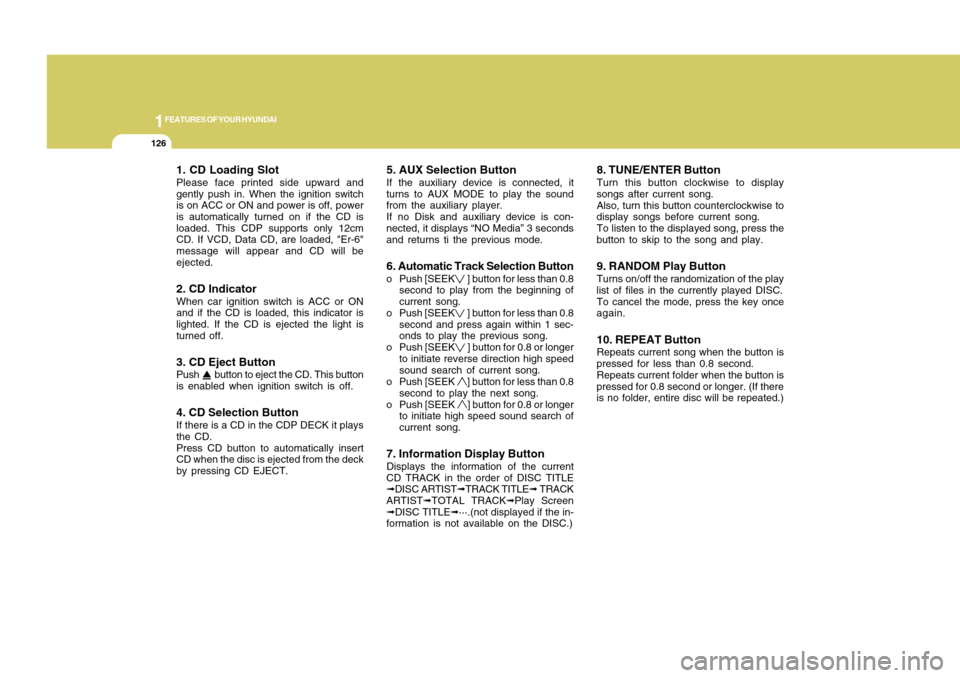
1. CD Loading SlotPlease face printed side upward and
gently push in. When the ignition switch
is on ACC or ON and power is off, power
is automatically turned on if the CD is
loaded. This CDP supports only 12cm
CD. If VCD, Data CD, are loaded, "Er-6"
message will appear and CD will be
ejected.2. CD IndicatorWhen car ignition switch is ACC or ON
and if the CD is loaded, this indicator is
lighted. If the CD is ejected the light is
turned off.3. CD Eject ButtonPush button to eject the CD. This button
is enabled when ignition switch is off.4. CD Selection ButtonIf there is a CD in the CDP DECK it plays
the CD.
Press CD button to automatically insert
CD when the disc is ejected from the deck
by pressing CD EJECT.
5. AUX Selection ButtonIf the auxiliary device is connected, it
turns to AUX MODE to play the sound
from the auxiliary player.
If no Disk and auxiliary device is con-
nected, it displays “NO Media” 3 seconds
and returns ti the previous mode.6. Automatic Track Selection Buttono Push [SEEK
] button for less than 0.8
second to play from the beginning of
current song.
o Push [SEEK ] button for less than 0.8
second and press again within 1 sec-
onds to play the previous song.
o Push [SEEK ] button for 0.8 or longer
to initiate reverse direction high speed
sound search of current song.
o Push [SEEK ] button for less than 0.8
second to play the next song.
o Push [SEEK ] button for 0.8 or longer
to initiate high speed sound search of
current song.
7. Information Display ButtonDisplays the information of the current
CD TRACK in the order of DISC TITLE
➟DISC ARTIST➟TRACK TITLE➟ TRACK
ARTIST➟TOTAL TRACK➟Play Screen
➟DISC TITLE➟···.(not displayed if the in-
formation is not available on the DISC.)
8. TUNE/ENTER ButtonTurn this button clockwise to display
songs after current song.
Also, turn this button counterclockwise to
display songs before current song.
To listen to the displayed song, press the
button to skip to the song and play.9. RANDOM Play ButtonTurns on/off the randomization of the play
list of files in the currently played DISC.
To cancel the mode, press the key once
again.10. REPEAT ButtonRepeats current song when the button is
pressed for less than 0.8 second.
Repeats current folder when the button is
pressed for 0.8 second or longer. (If there
is no folder, entire disc will be repeated.)
Page 138 of 282
1127127
DRIVING YOUR HYUNDAI
1
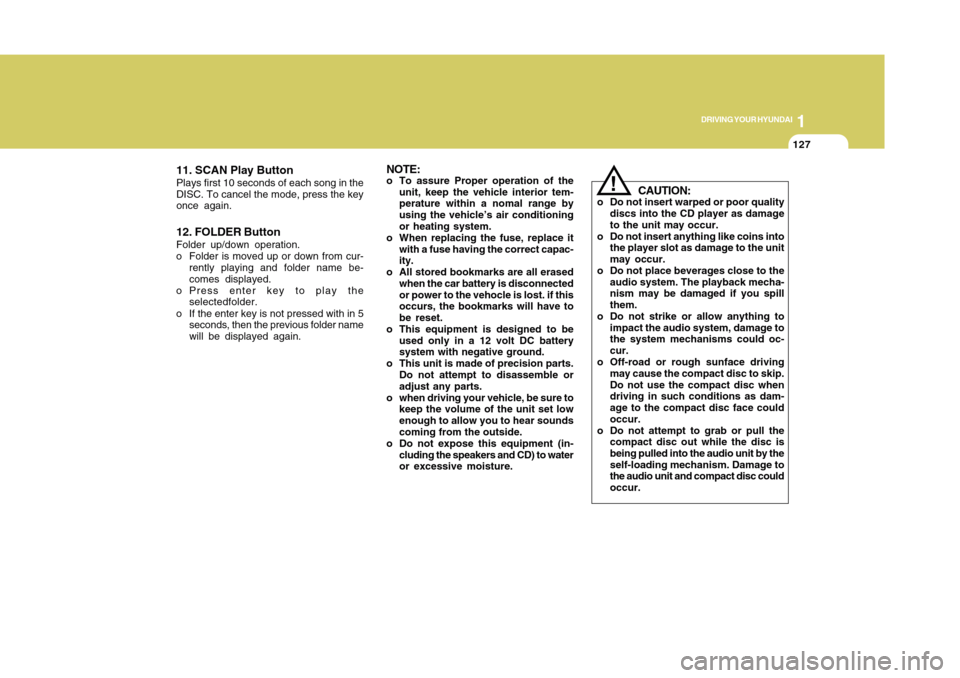
11. SCAN Play ButtonPlays first 10 seconds of each song in the
DISC. To cancel the mode, press the key
once again.12. FOLDER ButtonFolder up/down operation.
o Folder is moved up or down from cur-
rently playing and folder name be-
comes displayed.
o Press enter key to play the
selectedfolder.
o If the enter key is not pressed with in 5
seconds, then the previous folder name
will be displayed again.
NOTE:o To assure Proper operation of the
unit, keep the vehicle interior tem-
perature within a nomal range by
using the vehicle’s air conditioning
or heating system.
o When replacing the fuse, replace it
with a fuse having the correct capac-
ity.
o All stored bookmarks are all erased
when the car battery is disconnected
or power to the vehocle is lost. if this
occurs, the bookmarks will have to
be reset.
o This equipment is designed to be
used only in a 12 volt DC battery
system with negative ground.
o This unit is made of precision parts.
Do not attempt to disassemble or
adjust any parts.
o when driving your vehicle, be sure to
keep the volume of the unit set low
enough to allow you to hear sounds
coming from the outside.
o Do not expose this equipment (in-
cluding the speakers and CD) to water
or excessive moisture.
!
CAUTION:
o Do not insert warped or poor quality
discs into the CD player as damage
to the unit may occur.
o Do not insert anything like coins into
the player slot as damage to the unit
may occur.
o Do not place beverages close to the
audio system. The playback mecha-
nism may be damaged if you spill
them.
o Do not strike or allow anything to
impact the audio system, damage to
the system mechanisms could oc-
cur.
o Off-road or rough sunface driving
may cause the compact disc to skip.
Do not use the compact disc when
driving in such conditions as dam-
age to the compact disc face could
occur.
o Do not attempt to grab or pull the
compact disc out while the disc is
being pulled into the audio unit by the
self-loading mechanism. Damage to
the audio unit and compact disc could
occur.
Page 140 of 282
1129129
DRIVING YOUR HYUNDAI
1
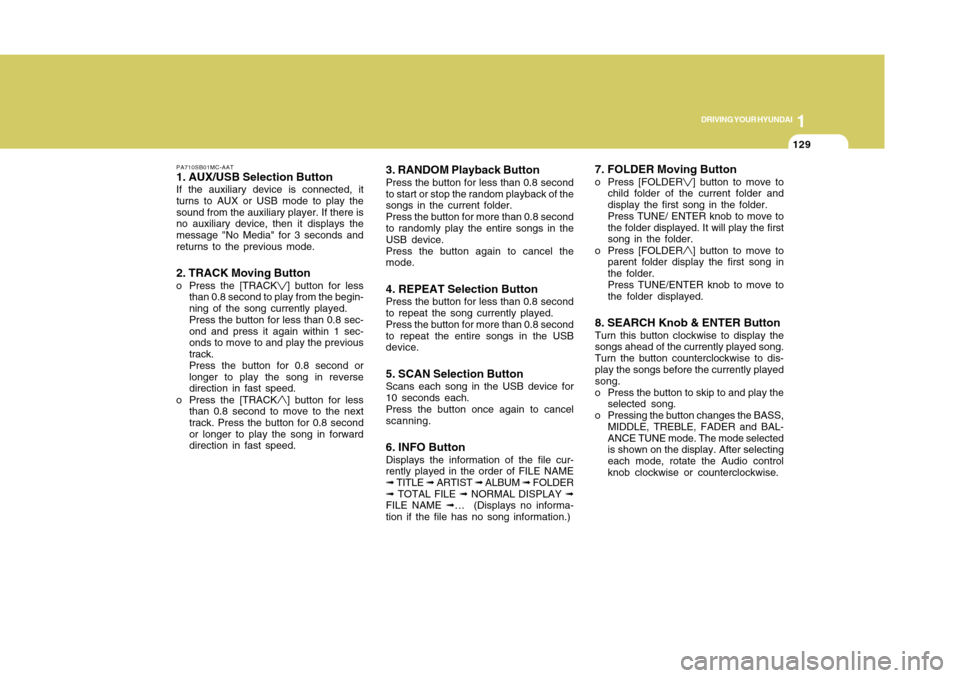
PA710SB01MC-AAT1. AUX/USB Selection ButtonIf the auxiliary device is connected, it
turns to AUX or USB mode to play the
sound from the auxiliary player. If there is
no auxiliary device, then it displays the
message "No Media" for 3 seconds and
returns to the previous mode.2. TRACK Moving Buttono Press the [TRACK
] button for less
than 0.8 second to play from the begin-
ning of the song currently played.
Press the button for less than 0.8 sec-
ond and press it again within 1 sec-
onds to move to and play the previous
track.
Press the button for 0.8 second or
longer to play the song in reverse
direction in fast speed.
o Press the [TRACK] button for less
than 0.8 second to move to the next
track. Press the button for 0.8 second
or longer to play the song in forward
direction in fast speed.
3. RANDOM Playback ButtonPress the button for less than 0.8 second
to start or stop the random playback of the
songs in the current folder.
Press the button for more than 0.8 second
to randomly play the entire songs in the
USB device.
Press the button again to cancel the
mode.4. REPEAT Selection ButtonPress the button for less than 0.8 second
to repeat the song currently played.
Press the button for more than 0.8 second
to repeat the entire songs in the USB
device.5. SCAN Selection ButtonScans each song in the USB device for
10 seconds each.
Press the button once again to cancel
scanning.6. INFO ButtonDisplays the information of the file cur-
rently played in the order of FILE NAME
➟ TITLE ➟ ARTIST ➟ ALBUM ➟ FOLDER
➟ TOTAL FILE ➟ NORMAL DISPLAY ➟
FILE NAME ➟… (Displays no informa-
tion if the file has no song information.)
7. FOLDER Moving Buttono Press [FOLDER
] button to move to
child folder of the current folder and
display the first song in the folder.
Press TUNE/ ENTER knob to move to
the folder displayed. It will play the first
song in the folder.
o Press [FOLDER] button to move to
parent folder display the first song in
the folder.
Press TUNE/ENTER knob to move to
the folder displayed.
8. SEARCH Knob & ENTER ButtonTurn this button clockwise to display the
songs ahead of the currently played song.
Turn the button counterclockwise to dis-
play the songs before the currently played
song.
o Press the button to skip to and play the
selected song.
o Pressing the button changes the BASS,
MIDDLE, TREBLE, FADER and BAL-
ANCE TUNE mode. The mode selected
is shown on the display. After selecting
each mode, rotate the Audio control
knob clockwise or counterclockwise.
Page 141 of 282
1FEATURES OF YOUR HYUNDAI
130
!
CAUTION:
o To use an external USB device, make
sure the device is not mounted when
starting up the vehicle and mount the
device after starting up.
o If you start the vehicle when the USB
device is mounted, it may damage
the USB device. (USB is not ESA)
o If the vehicle is started up or turned
off while the external USB device is
connected, the external USB device
may not work.
o It may not play inauthentic MP3 or
WMA files.
1) It can only play MP3 files with the
compression rate between
8Kbps~320Kbps.
2) It can only play WMA music files
with the compression rate be tween
8Kbps~320Kbps.
o Take cautions for static electricity
when mounting or dismounting the
external USB device.
o An encoded MP3 player is not recog-
nizable.o If you dismount the external USB
device during playback in USB mode,
the external USB device can be dam-
aged or malfunction. Therefore,
mount the external USB device when
the engine is turned off or in another
mode.
o Depending on the type and capacity
of the external USB device or the
type of the files stored in the device,
there is a difference in the time taken
for recognition of the device, but this
is not an indicator of trouble and you
only have to wait.
o Do not use the USB device for other
purposes than playing music files.
o Use of USB accessories such as
recharger or heater using USB I/F
may lower performance or cause
trouble.
o If you use devices such as a USB
hub you purchased separately, the
vehicle’s audio system may not rec-
ognize the USB device. Connect the
USB device directly to the multime-
dia terminal of the vehicle.
o If the USB device is divided by logi-
cal drives, only the music files on the
highest-priority drive are recognized
by the car audio.o Devices such as MP3 Player/ Cellu-
lar phone/Digital camera and those
that are not recognizable by stan-
dard USB I/F can be unrecognizable.
o USB devices other than standard-
ized goods (METAL COVER TYPE
USB) can be unrecognizable.
o USB flash memory reader (such as
CF, SD, microSD, etc.) or external-
HDD type devices may be unrecog-
nized.
o Music files protected by DRM (DIGI-
TAL RIGHTS MANAGEMENT) are not
recognizable.
o The data in the USB memory may be
lost while using this AUDIO. It is
recommeded to back up important
data on a personal storage device.
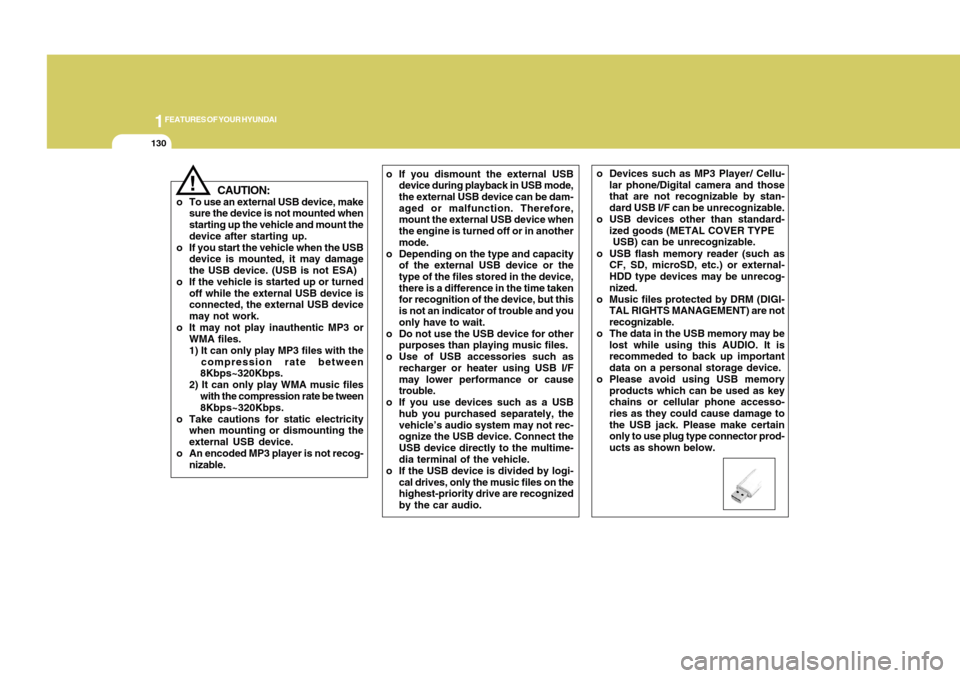
o Please avoid using USB memory
products which can be used as key
chains or cellular phone accesso-
ries as they could cause damage to
the USB jack. Please make certain
only to use plug type connector prod-
ucts as shown below.
Page 143 of 282
1FEATURES OF YOUR HYUNDAI
132
PA710SD01MC-AAT1. iPod Selection ButtonIf an iPod is connected, the system
switches to the iPod mode from the pre-
vious mode to play the song files stored
in the iPod.
If there is no iPod connected, then the
system displays the message "No Media"
for 3 seconds and returns to the previous
mode.2. TRACK Moving Buttono Press the [TRACK
] button for less
than 0.8 second to play from the be-
ginning of the song currently played.
Press the button for less than 0.8
second and press it again within 1
seconds to move to and play the pre-
vious track.
Press the button for 0.8 second or
longer to play the song in reverse
direction in fast speed.
o Press the [TRACK] button for less
than 0.8 second to move to the next
track. Press the button for 0.8 second
or longer to play the song in forward
direction in fast speed.
3. RANDOM Playback ButtonPress the button for less than 0.8 second
to start or stop the random playback of the
songs within the current category.
Press the button for longer than 0.8 sec-
ond to randomly play all songs in the
entire album of the iPod.
Press the button once again to cancel the
mode.4. REPEAT ButtonRepeats the song currently played.5. INFO ButtonDisplays the information of the file cur-
rently played in the order of TITLE ➟
ARTIST ➟ ALBUM ➟ NORMAL DISPLAY
➟ TITLE ➟... (Displays no information if
the file has no song information.)
6. SEARCH Knob & ENTER ButtonWhen you turn the button clockwise, it will
display the songs (category) ahead of the
song currently played (category in the
same level).
Also, when you turn the button counter-
clockwise, it will display the songs (cat-
egory) before the song currently played
(category in the same level).
To listen to the song displayed in the
song category, press the button to skip to
and play the selected song.
Pressing the button changes the BASS,
MIDDLE, TREBLE, FADER and BAL-
ANCE TUNE mode. The mode selected
is shown on the display. After selecting
each mode, rotate the Audio control knob
clockwise or counterclockwise.7. CATEGORY Selection ButtonMoves to the upper category from cur-
rently played category of the iPod.
To move to (play) the category (song)
displayed, press TUNE/ENTER knob.
You will be able to search through the
lower category of the selected category.
The order of iPod’s category is SONG,
ALBUMS, ARTISTS, GENRES, and iPod.
Page 144 of 282
1133133
DRIVING YOUR HYUNDAI
1
!
CAUTION:
o You need the power cable exclusive
for an iPod in order to operate the
iPod with the buttons on the audio
system. The PC cable provided by
Apple may cause a malfunction and
should not be used in the vehicle.
o When connecting the device with the
iPod cable, push in the jack fully.
o When adjusting the sound effects of
the iPod and the audio system, the
sound effects of both devices may
overlap and distort the quality of the
sound.
o Deactivate (turn off) the equalizer
function of the iPod when adjusting
the audio system's volume, and turn
off the equalizer of the audio system
when using the equalizer of the iPod.
o When the iPod cable is connected,
the system can be switched to the
AUX mode even without the iPod
device and may cause noise. Dis-
connect the iPod cable when not
using the iPod device.
o When the iPod is not used with the
audio system, the iPod cable should
be removed from the iPod.
NOTE:o Some iPod models might not support
the communication protocol and the
files will not be played. (iPod models
supported: Mini, 4G, Photo, Nano,
5G)
o The order of search or playback of
songs in the iPod can be different
from the order searched in the audio
system.
o If the iPod crashes due to its own
trouble, reset the iPod. (Reset: Refer
to iPod manual)
o An iPod may not operate normally on
low battery.
o Some iPod devices, such as the
iPhone, can be connected through
the Bluetooth interface. The device
must have audio Bluetooth capabil-
ity (such as for stereo headphone
Bluetooth). The device can play, but
it will not be controlled by the audio
system.