malfunction Hyundai Accent 2011 User Guide
[x] Cancel search | Manufacturer: HYUNDAI, Model Year: 2011, Model line: Accent, Model: Hyundai Accent 2011Pages: 282, PDF Size: 14.82 MB
Page 80 of 282
1
FEATURES OF YOUR HYUNDAI
691
FEATURES OF YOUR HYUNDAI
69
!
B265W01MC-AAT
TPMS (Tire Pressure Moni-
toring System) Malfunction
Indicator (If Installed)
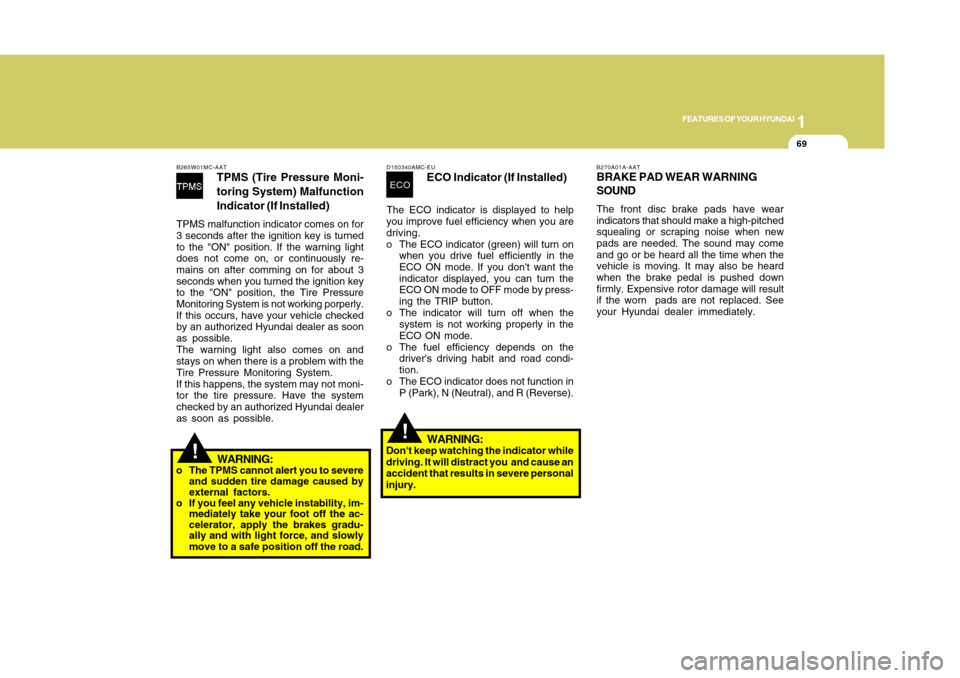
TPMS malfunction indicator comes on for
3 seconds after the ignition key is turned
to the "ON" position. If the warning light
does not come on, or continuously re-
mains on after comming on for about 3
seconds when you turned the ignition key
to the "ON" position, the Tire Pressure
Monitoring System is not working porperly.
If this occurs, have your vehicle checked
by an authorized Hyundai dealer as soon
as possible.
The warning light also comes on and
stays on when there is a problem with the
Tire Pressure Monitoring System.
If this happens, the system may not moni-
tor the tire pressure. Have the system
checked by an authorized Hyundai dealer
as soon as possible.
WARNING:
o The TPMS cannot alert you to severe
and sudden tire damage caused by
external factors.
o If you feel any vehicle instability, im-
mediately take your foot off the ac-
celerator, apply the brakes gradu-
ally and with light force, and slowly
move to a safe position off the road.
D150340AMC-EU
ECO Indicator (If Installed)
The ECO indicator is displayed to help
you improve fuel efficiency when you are
driving.
o The ECO indicator (green) will turn on
when you drive fuel efficiently in the
ECO ON mode. If you don't want the
indicator displayed, you can turn the
ECO ON mode to OFF mode by press-
ing the TRIP button.
o The indicator will turn off when the
system is not working properly in the
ECO ON mode.
o The fuel efficiency depends on the
driver's driving habit and road condi-
tion.
o The ECO indicator does not function in
P (Park), N (Neutral), and R (Reverse).ECO
!
WARNING:
Don't keep watching the indicator while
driving. It will distract you and cause an
accident that results in severe personal
injury.
B270A01A-AATBRAKE PAD WEAR WARNING
SOUNDThe front disc brake pads have wear
indicators that should make a high-pitched
squealing or scraping noise when new
pads are needed. The sound may come
and go or be heard all the time when the
vehicle is moving. It may also be heard
when the brake pedal is pushed down
firmly. Expensive rotor damage will result
if the worn pads are not replaced. See
your Hyundai dealer immediately.
Page 87 of 282
1FEATURES OF YOUR HYUNDAI76
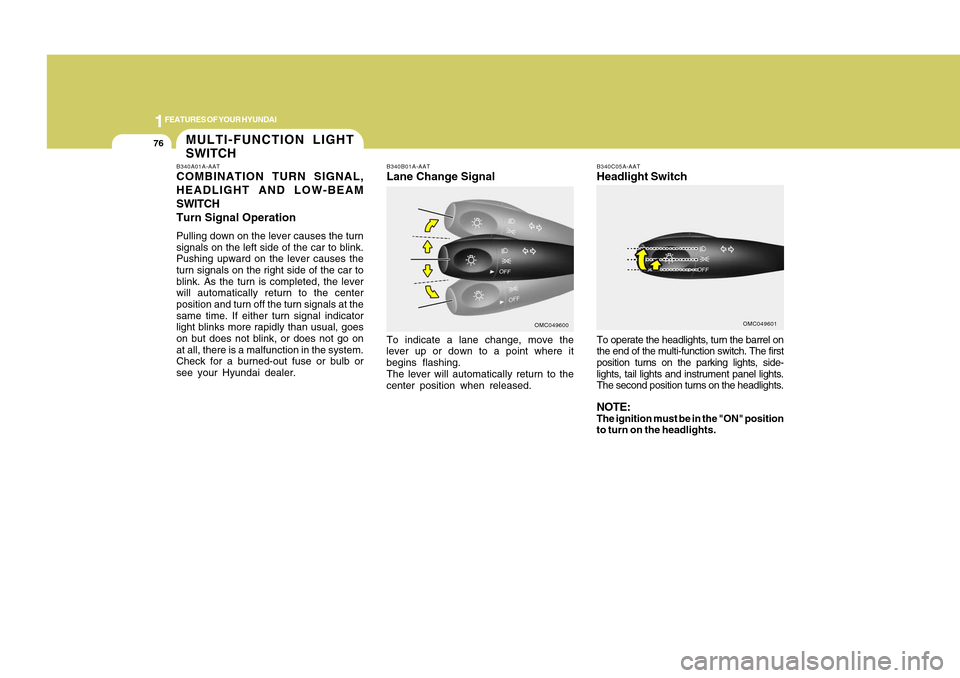
To operate the headlights, turn the barrel on
the end of the multi-function switch. The first
position turns on the parking lights, side-
lights, tail lights and instrument panel lights.
The second position turns on the headlights.NOTE:The ignition must be in the "ON" position
to turn on the headlights.B340C05A-AATHeadlight Switch
OMC049601
B340B01A-AATLane Change SignalTo indicate a lane change, move the
lever up or down to a point where it
begins flashing.
The lever will automatically return to the
center position when released.
OMC049600
MULTI-FUNCTION LIGHT
SWITCHB340A01A-AATCOMBINATION TURN SIGNAL,
HEADLIGHT AND LOW-BEAM
SWITCH
Turn Signal OperationPulling down on the lever causes the turn
signals on the left side of the car to blink.
Pushing upward on the lever causes the
turn signals on the right side of the car to
blink. As the turn is completed, the lever
will automatically return to the center
position and turn off the turn signals at the
same time. If either turn signal indicator
light blinks more rapidly than usual, goes
on but does not blink, or does not go on
at all, there is a malfunction in the system.
Check for a burned-out fuse or bulb or
see your Hyundai dealer.
Page 94 of 282
1
FEATURES OF YOUR HYUNDAI
831
FEATURES OF YOUR HYUNDAI
83
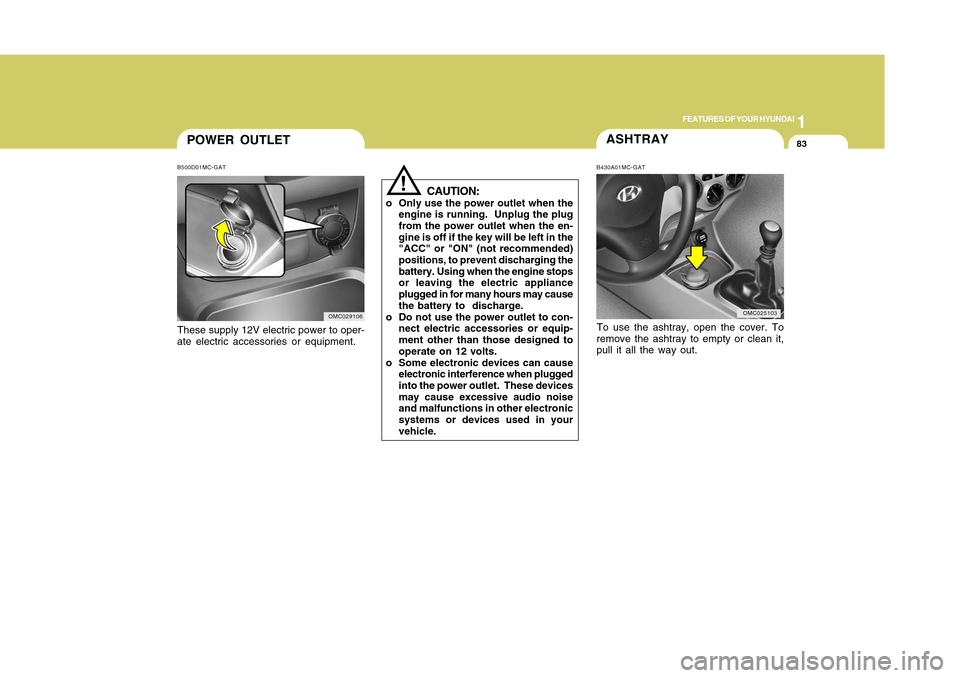
POWER OUTLETB500D01MC-GATThese supply 12V electric power to oper-
ate electric accessories or equipment.
OMC029106
ASHTRAYTo use the ashtray, open the cover. To
remove the ashtray to empty or clean it,
pull it all the way out.B430A01MC-GAT
OMC025103
!
CAUTION:
o Only use the power outlet when the
engine is running. Unplug the plug
from the power outlet when the en-
gine is off if the key will be left in the
"ACC" or "ON" (not recommended)
positions, to prevent discharging the
battery. Using when the engine stops
or leaving the electric appliance
plugged in for many hours may cause
the battery to discharge.
o Do not use the power outlet to con-
nect electric accessories or equip-
ment other than those designed to
operate on 12 volts.
o Some electronic devices can cause
electronic interference when plugged
into the power outlet. These devices
may cause excessive audio noise
and malfunctions in other electronic
systems or devices used in your
vehicle.
Page 133 of 282
1FEATURES OF YOUR HYUNDAI
122
StorageWhen not in use, place your discs in their
individual cases and store them in a cool
place away from the sun, heat, and dust.
Do not grip or pull out the disc with your
hand while the disc is being pulled into
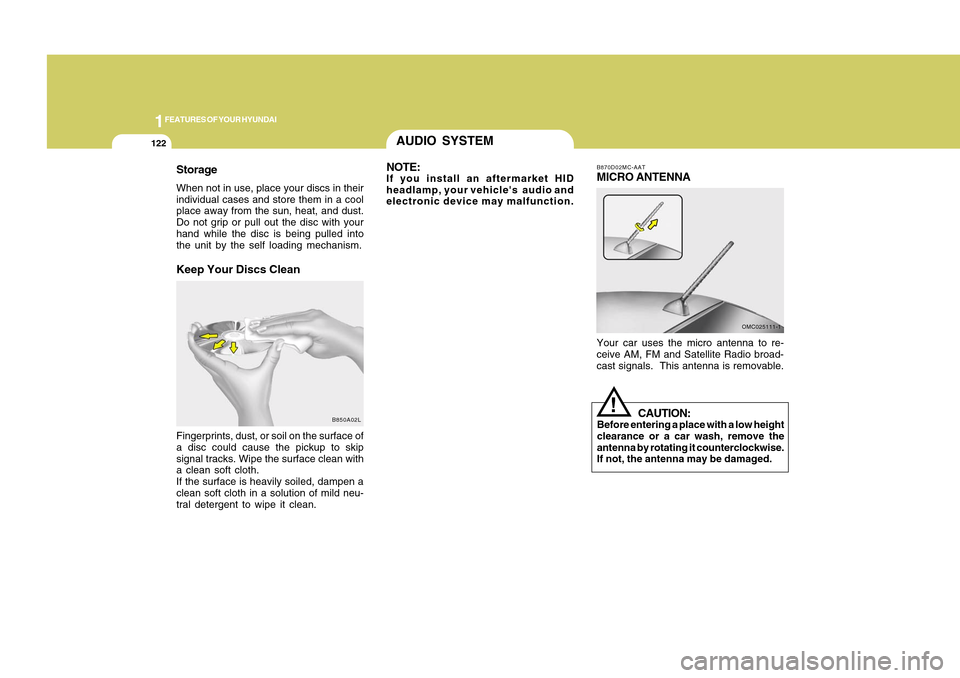
the unit by the self loading mechanism.Keep Your Discs CleanFingerprints, dust, or soil on the surface of
a disc could cause the pickup to skip
signal tracks. Wipe the surface clean with
a clean soft cloth.
If the surface is heavily soiled, dampen a
clean soft cloth in a solution of mild neu-
tral detergent to wipe it clean.
B850A02L
AUDIO SYSTEM
B870D02MC-AATMICRO ANTENNAYour car uses the micro antenna to re-
ceive AM, FM and Satellite Radio broad-
cast signals. This antenna is removable.
OMC025111-1
CAUTION:
Before entering a place with a low height
clearance or a car wash, remove the
antenna by rotating it counterclockwise.
If not, the antenna may be damaged.
!
NOTE:If you install an aftermarket HID
headlamp, your vehicle's audio and
electronic device may malfunction.
Page 141 of 282
1FEATURES OF YOUR HYUNDAI
130
!
CAUTION:
o To use an external USB device, make
sure the device is not mounted when
starting up the vehicle and mount the
device after starting up.
o If you start the vehicle when the USB
device is mounted, it may damage
the USB device. (USB is not ESA)
o If the vehicle is started up or turned
off while the external USB device is
connected, the external USB device
may not work.
o It may not play inauthentic MP3 or
WMA files.
1) It can only play MP3 files with the
compression rate between
8Kbps~320Kbps.
2) It can only play WMA music files
with the compression rate be tween
8Kbps~320Kbps.
o Take cautions for static electricity
when mounting or dismounting the
external USB device.
o An encoded MP3 player is not recog-
nizable.o If you dismount the external USB
device during playback in USB mode,
the external USB device can be dam-
aged or malfunction. Therefore,
mount the external USB device when
the engine is turned off or in another
mode.
o Depending on the type and capacity
of the external USB device or the
type of the files stored in the device,
there is a difference in the time taken
for recognition of the device, but this
is not an indicator of trouble and you
only have to wait.
o Do not use the USB device for other
purposes than playing music files.
o Use of USB accessories such as
recharger or heater using USB I/F
may lower performance or cause
trouble.
o If you use devices such as a USB
hub you purchased separately, the
vehicle’s audio system may not rec-
ognize the USB device. Connect the
USB device directly to the multime-
dia terminal of the vehicle.
o If the USB device is divided by logi-
cal drives, only the music files on the
highest-priority drive are recognized
by the car audio.o Devices such as MP3 Player/ Cellu-
lar phone/Digital camera and those
that are not recognizable by stan-
dard USB I/F can be unrecognizable.
o USB devices other than standard-
ized goods (METAL COVER TYPE
USB) can be unrecognizable.
o USB flash memory reader (such as
CF, SD, microSD, etc.) or external-
HDD type devices may be unrecog-
nized.
o Music files protected by DRM (DIGI-
TAL RIGHTS MANAGEMENT) are not
recognizable.
o The data in the USB memory may be
lost while using this AUDIO. It is
recommeded to back up important
data on a personal storage device.
o Please avoid using USB memory
products which can be used as key
chains or cellular phone accesso-
ries as they could cause damage to
the USB jack. Please make certain
only to use plug type connector prod-
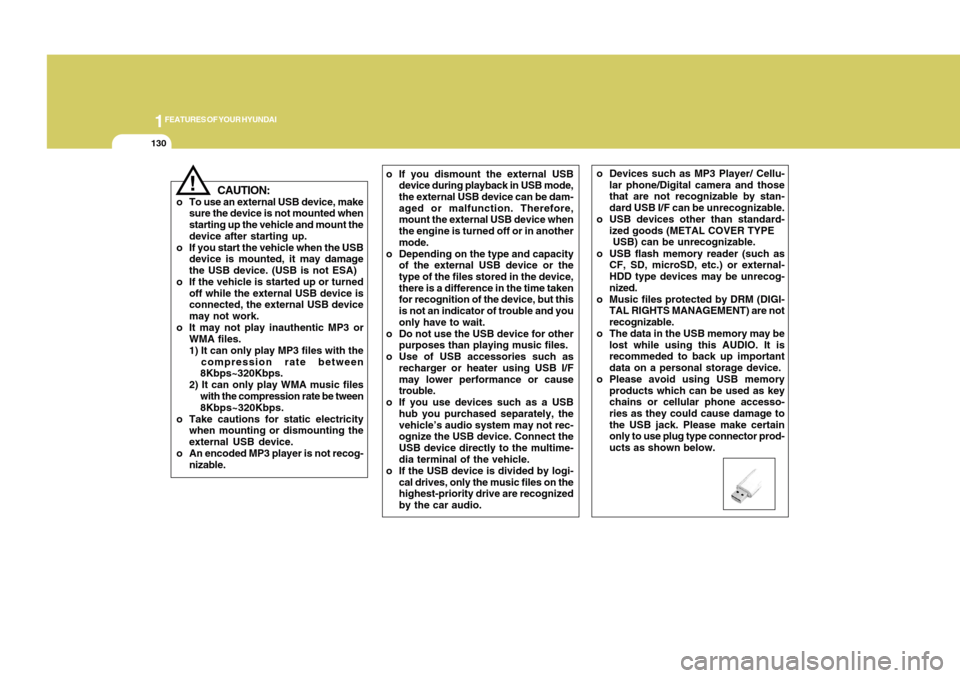
ucts as shown below.
Page 144 of 282
1133133
DRIVING YOUR HYUNDAI
1
!
CAUTION:
o You need the power cable exclusive
for an iPod in order to operate the
iPod with the buttons on the audio
system. The PC cable provided by
Apple may cause a malfunction and
should not be used in the vehicle.
o When connecting the device with the
iPod cable, push in the jack fully.
o When adjusting the sound effects of
the iPod and the audio system, the
sound effects of both devices may
overlap and distort the quality of the
sound.
o Deactivate (turn off) the equalizer
function of the iPod when adjusting
the audio system's volume, and turn
off the equalizer of the audio system
when using the equalizer of the iPod.
o When the iPod cable is connected,
the system can be switched to the
AUX mode even without the iPod
device and may cause noise. Dis-
connect the iPod cable when not
using the iPod device.
o When the iPod is not used with the
audio system, the iPod cable should
be removed from the iPod.
NOTE:o Some iPod models might not support
the communication protocol and the
files will not be played. (iPod models
supported: Mini, 4G, Photo, Nano,
5G)
o The order of search or playback of
songs in the iPod can be different
from the order searched in the audio
system.
o If the iPod crashes due to its own
trouble, reset the iPod. (Reset: Refer
to iPod manual)
o An iPod may not operate normally on
low battery.
o Some iPod devices, such as the
iPhone, can be connected through
the Bluetooth interface. The device
must have audio Bluetooth capabil-
ity (such as for stereo headphone
Bluetooth). The device can play, but
it will not be controlled by the audio
system.
Page 153 of 282
1FEATURES OF YOUR HYUNDAI
142
!
CAUTION:
o To use an external USB device, make
sure the device is not mounted when
starting up the vehicle and mount the
device after starting up.
o If you start the vehicle when the USB
device is mounted, it may damage
the USB device. (USB is not ESA)
o If the vehicle is started up or turned
off while the external USB device is
connected, the external USB device
may not work.
o It may not play inauthentic MP3 or
WMA files.
1) It can only play MP3 files with
the compression rate between
8Kbps~320Kbps.
2) It can only play WMA music files
with the compression rate be
tween 8Kbps~320Kbps.
o Take cautions for static electricity
when mounting or dismounting the
external USB device.
o An encoded MP3 player is not recog-
nizable.
o Depending on the condition of the
external USB device, the connected
external USB device can be unrec-
ognizable.o When the formatted byte/sector set-
ting of External USB devices is not
either 512BYTE or 2048BYTE, then
the device will not be recognized.
o Use only a USB device formatted to
FAT 12/16/32.
o USB devices without USB I/F authen-
tication may not be recognizable.
o Make sure the USB connection ter-
minal does not come in contact with
a human body or any object.
o If you repeat mounting or dismount-
ing USB device in a short period of
time, it may break the device.
o You might hear a strange noise when
mounting or dismounting a USB de-
vice.
o If you dismount the external USB
device during playback in USB mode,
the external USB device can be dam-
aged or malfunction. Therefore,
mount the external USB device when
the engine is turned off or in another
mode.
o Depending on the type and capacity
of the external USB device or the
type of the files stored in the device,
there is a difference in the time taken
for recognition of the device, but this
is not an indicator of trouble and you
only have to wait.o Do not use the USB device for other
purposes than playing music files.
o Use of USB accessories such as
recharger or heater using USB I/F
may lower performance or cause
trouble.
o If you use devices such as a USB
hub you purchased separately, the
vehicle’s audio system may not rec-
ognize the USB device. Connect the
USB device directly to the multime-
dia terminal of the vehicle.
Page 156 of 282
1145145
DRIVING YOUR HYUNDAI
1
NOTE:o Some iPod models might not support
the communication protocol and the
files will not be played. (iPod models
supported: Mini, 4G, Photo, Nano,
5G)
o The order of search or playback of
songs in the iPod can be different
from the order searched in the audio
system.
o If the iPod crashes due to its own
trouble, reset the iPod. (Reset: Refer
to iPod manual)
o An iPod may not operate normally on
low battery.
o Some iPod devices, such as the
iPhone, can be connected through
the Bluetooth interface. The device
must have audio Bluetooth capabil-
ity (such as for stereo headphone
Bluetooth). The device can play, but
it will not be controlled by the audio
system.
!
CAUTION:
o You need the power cable exclusive
for an iPod in order to operate the
iPod with the buttons on the audio
system. The PC cable provided by
Apple may cause a malfunction and
should not be used in the vehicle.
o When connecting the device with the
iPod cable, push in the jack fully.
o When adjusting the sound effects of
the iPod and the audio system, the
sound effects of both devices may
overlap and distort the quality of the
sound.
o Deactivate (turn off) the equalizer
function of the iPod when adjusting
the audio system's volume, and turn
off the equalizer of the audio system
when using the equalizer of the iPod.
o When the iPod cable is connected,
the system can be switched to the
AUX mode even without the iPod
device and may cause noise. Dis-
connect the iPod cable when not
using the iPod device.
o When the iPod is not used with the
audio system, the iPod cable should
be removed from the iPod.
Page 164 of 282
2
DRIVING YOUR HYUNDAI8
!
o Exercise extreme caution when driv-
ing on a slippery surface. Be espe-
cially careful when braking, accelerat-
ing or shifting gears. On a slippery
surface, an abrupt change in vehicle
speed can cause the drive wheels to
lose traction and the vehicle to go out
of control.
WARNING:
o Always buckle-up! In a collision, an
unbelted occupant is significantly
more likely to be seriously injured or
killed than a properly belted occu-
pant.
o Avoid high speeds when cornering
or turning.
o Do not make quick steering wheel
movements, such as sharp lane
changes or fast, sharp turns.
o The risk of rollover is greatly in-
creased if you lose control of your
vehicle at highway speeds.
o Loss of control often occurs if two or
more wheels drop off the roadway
and the driver oversteers to reenter
the roadway.
o In the event your vehicle leaves the
roadway, do not steer sharply. In-
stead, slow down before pulling back
into the travel lanes.
o Never exceed posted speed limits.
C070D03O-AATGood Driving Practiceso Never take the car out of gear and
coast down a hill. This is extremely
hazardous. Always leave the car in
gear.
o Don't "ride" the brakes. This can cause
them to overheat and malfunction. In-
stead, when you are driving down a
long hill, slow down and shift to a lower
gear. When you do this, engine brak-
ing will help slow the car.
o Slow down before shifting to a lower
gear. This will help avoid over-revving
the engine, which can cause damage.
o Slow down when you encounter cross
winds. This gives you much better
control of your car.
o Be sure the car is completely stopped
before you attempt to shift into reverse.
The transaxle can be damaged if you
do not. To shift into reverse, depress
the clutch, move the shift lever to neu-
tral, wait three seconds, then shift to
the reverse position.
Page 176 of 282
2
DRIVING YOUR HYUNDAI
20
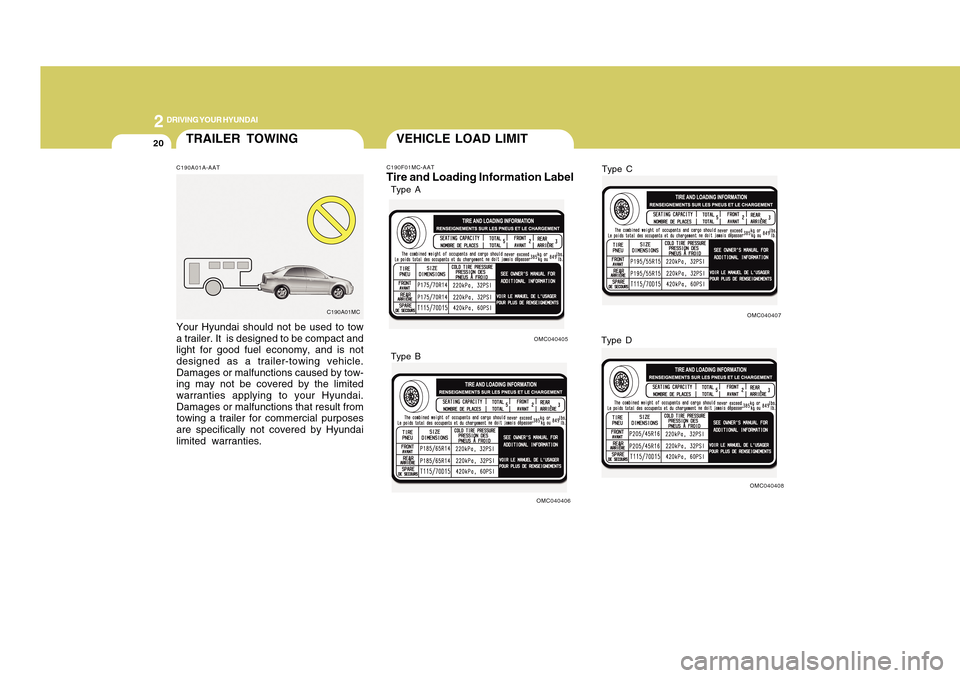
TRAILER TOWINGC190A01A-AATYour Hyundai should not be used to tow
a trailer. It is designed to be compact and
light for good fuel economy, and is not
designed as a trailer-towing vehicle.
Damages or malfunctions caused by tow-
ing may not be covered by the limited
warranties applying to your Hyundai.
Damages or malfunctions that result from
towing a trailer for commercial purposes
are specifically not covered by Hyundai
limited warranties.
C190A01MC
VEHICLE LOAD LIMITC190F01MC-AATTire and Loading Information Label
OMC040405
OMC040406
Type A
Type B
OMC040407
OMC040408
Type C
Type D