trans Hyundai Accent 2011 User Guide
[x] Cancel search | Manufacturer: HYUNDAI, Model Year: 2011, Model line: Accent, Model: Hyundai Accent 2011Pages: 282, PDF Size: 14.82 MB
Page 72 of 282
1
FEATURES OF YOUR HYUNDAI
611
FEATURES OF YOUR HYUNDAI
61
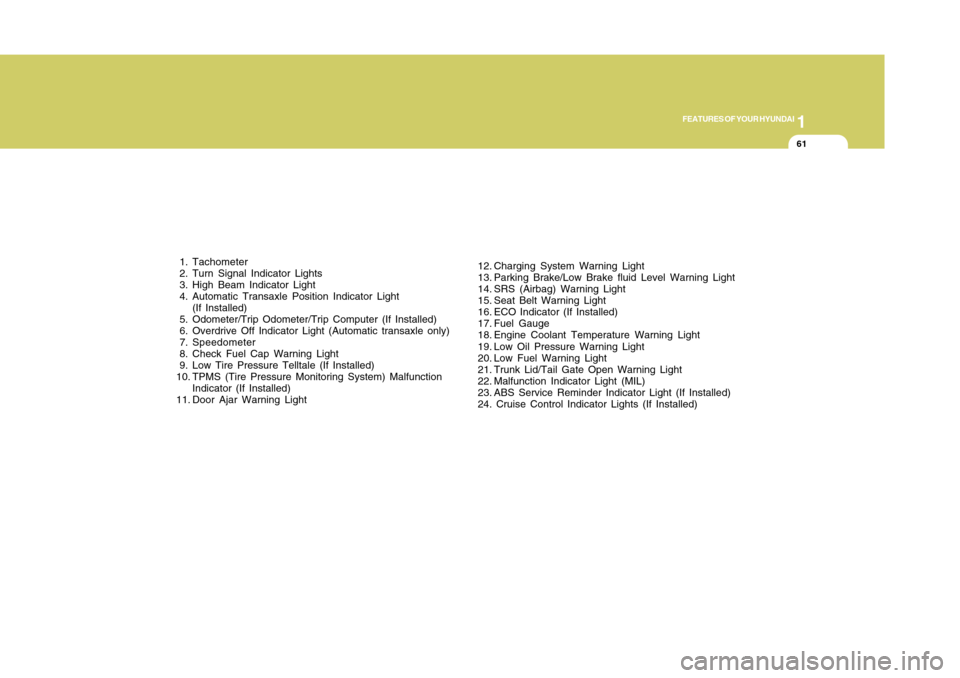
1. Tachometer
2. Turn Signal Indicator Lights
3. High Beam Indicator Light
4. Automatic Transaxle Position Indicator Light
(If Installed)
5. Odometer/Trip Odometer/Trip Computer (If Installed)
6. Overdrive Off Indicator Light (Automatic transaxle only)
7. Speedometer
8. Check Fuel Cap Warning Light
9. Low Tire Pressure Telltale (If Installed)
10. TPMS (Tire Pressure Monitoring System) Malfunction
Indicator (If Installed)
11. Door Ajar Warning Light12. Charging System Warning Light
13. Parking Brake/Low Brake fluid Level Warning Light
14. SRS (Airbag) Warning Light
15. Seat Belt Warning Light
16. ECO Indicator (If Installed)
17. Fuel Gauge
18. Engine Coolant Temperature Warning Light
19. Low Oil Pressure Warning Light
20. Low Fuel Warning Light
21. Trunk Lid/Tail Gate Open Warning Light
22. Malfunction Indicator Light (MIL)
23. ABS Service Reminder Indicator Light (If Installed)
24. Cruise Control Indicator Lights (If Installed)
Page 74 of 282
1
FEATURES OF YOUR HYUNDAI
631
FEATURES OF YOUR HYUNDAI
63
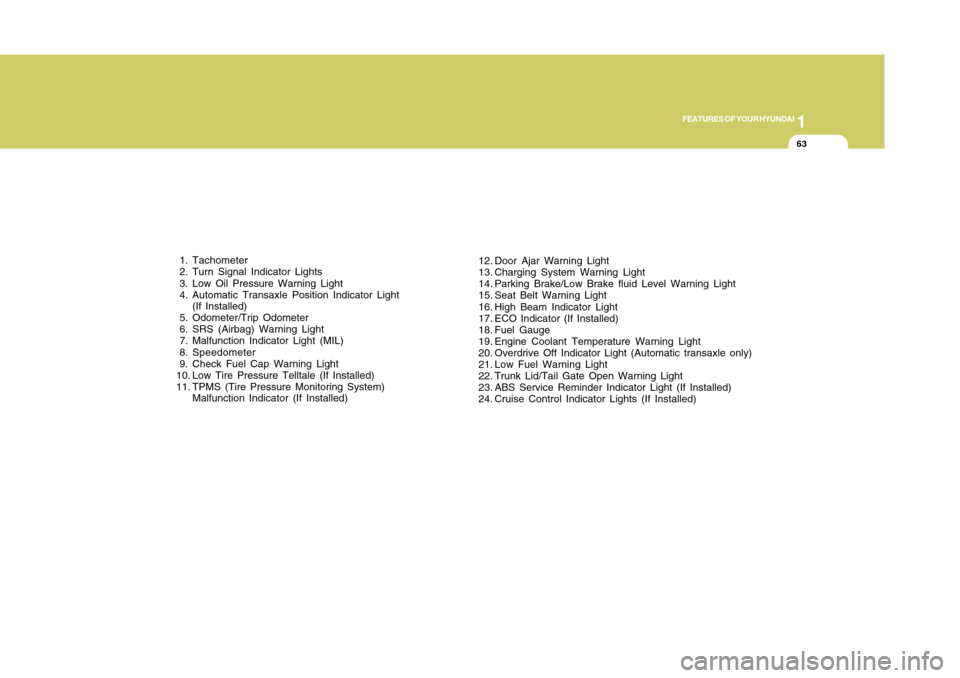
12. Door Ajar Warning Light
13. Charging System Warning Light
14. Parking Brake/Low Brake fluid Level Warning Light
15. Seat Belt Warning Light
16. High Beam Indicator Light
17. ECO Indicator (If Installed)
18. Fuel Gauge
19. Engine Coolant Temperature Warning Light
20. Overdrive Off Indicator Light (Automatic transaxle only)
21. Low Fuel Warning Light
22. Trunk Lid/Tail Gate Open Warning Light
23. ABS Service Reminder Indicator Light (If Installed)
24. Cruise Control Indicator Lights (If Installed) 1. Tachometer
2. Turn Signal Indicator Lights
3. Low Oil Pressure Warning Light
4. Automatic Transaxle Position Indicator Light
(If Installed)
5. Odometer/Trip Odometer
6. SRS (Airbag) Warning Light
7. Malfunction Indicator Light (MIL)
8. Speedometer
9. Check Fuel Cap Warning Light
10. Low Tire Pressure Telltale (If Installed)
11. TPMS (Tire Pressure Monitoring System)
Malfunction Indicator (If Installed)
Page 75 of 282
1FEATURES OF YOUR HYUNDAI64
WARNING AND INDICATOR
LIGHTS
!
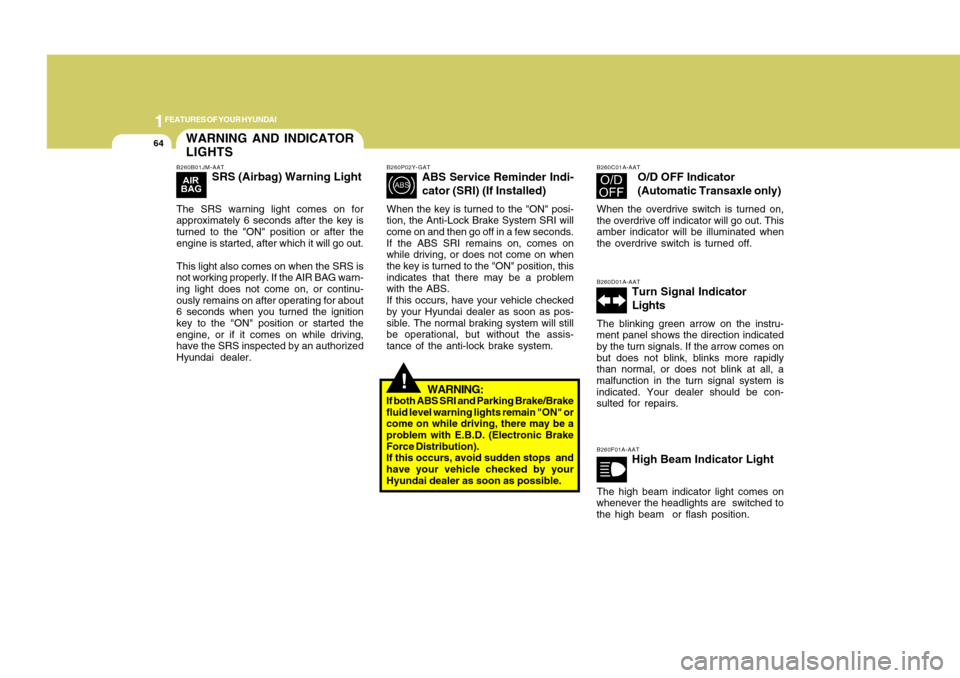
B260P02Y-GAT
ABS Service Reminder Indi-
cator (SRI) (If Installed)
When the key is turned to the "ON" posi-
tion, the Anti-Lock Brake System SRI will
come on and then go off in a few seconds.
If the ABS SRI remains on, comes on
while driving, or does not come on when
the key is turned to the "ON" position, this
indicates that there may be a problem
with the ABS.
If this occurs, have your vehicle checked
by your Hyundai dealer as soon as pos-
sible. The normal braking system will still
be operational, but without the assis-
tance of the anti-lock brake system.
WARNING:
If both ABS SRI and Parking Brake/Brake
fluid level warning lights remain "ON" or
come on while driving, there may be a
problem with E.B.D. (Electronic Brake
Force Distribution).
If this occurs, avoid sudden stops and
have your vehicle checked by your
Hyundai dealer as soon as possible.
B260C01A-AAT
O/D OFF Indicator
(Automatic Transaxle only)
When the overdrive switch is turned on,
the overdrive off indicator will go out. This
amber indicator will be illuminated when
the overdrive switch is turned off.B260D01A-AAT
Turn Signal Indicator
Lights
The blinking green arrow on the instru-
ment panel shows the direction indicated
by the turn signals. If the arrow comes on
but does not blink, blinks more rapidly
than normal, or does not blink at all, a
malfunction in the turn signal system is
indicated. Your dealer should be con-
sulted for repairs.B260F01A-AAT
High Beam Indicator Light
The high beam indicator light comes on
whenever the headlights are switched to
the high beam or flash position.
B260B01JM-AAT
SRS (Airbag) Warning Light
The SRS warning light comes on for
approximately 6 seconds after the key is
turned to the "ON" position or after the
engine is started, after which it will go out.
This light also comes on when the SRS is
not working properly. If the AIR BAG warn-
ing light does not come on, or continu-
ously remains on after operating for about
6 seconds when you turned the ignition
key to the "ON" position or started the
engine, or if it comes on while driving,
have the SRS inspected by an authorized
Hyundai dealer.
Page 76 of 282
1
FEATURES OF YOUR HYUNDAI
651
FEATURES OF YOUR HYUNDAI
65
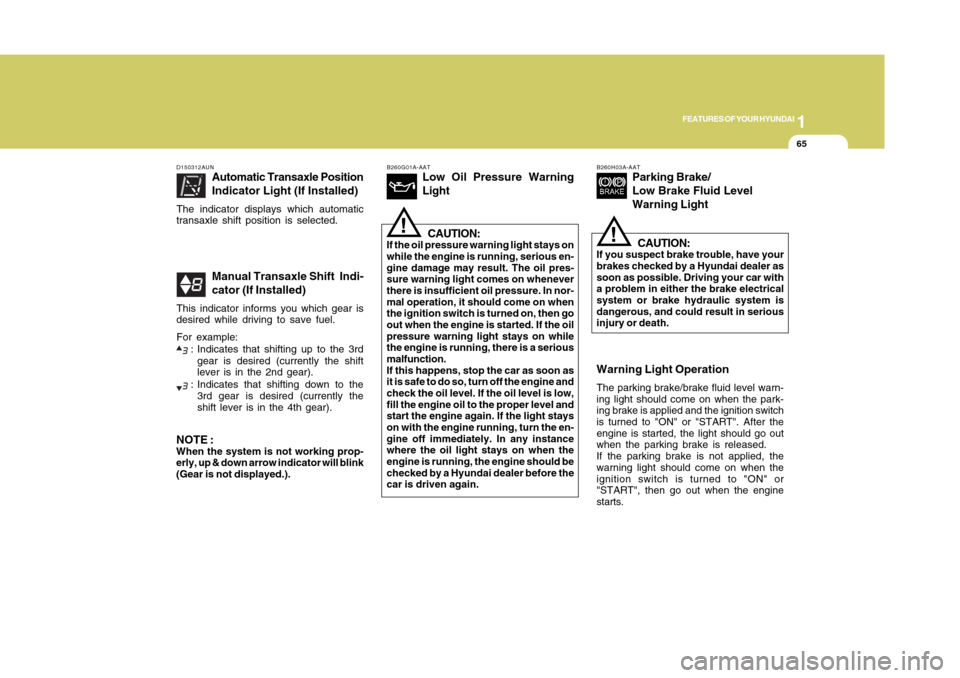
B260G01A-AAT
Low Oil Pressure Warning
LightCAUTION:
If the oil pressure warning light stays on
while the engine is running, serious en-
gine damage may result. The oil pres-
sure warning light comes on whenever
there is insufficient oil pressure. In nor-
mal operation, it should come on when
the ignition switch is turned on, then go
out when the engine is started. If the oil
pressure warning light stays on while
the engine is running, there is a serious
malfunction.
If this happens, stop the car as soon as
it is safe to do so, turn off the engine and
check the oil level. If the oil level is low,
fill the engine oil to the proper level and
start the engine again. If the light stays
on with the engine running, turn the en-
gine off immediately. In any instance
where the oil light stays on when the
engine is running, the engine should be
checked by a Hyundai dealer before the
car is driven again.
!
B260H03A-AAT
Parking Brake/
Low Brake Fluid Level
Warning Light
CAUTION:
If you suspect brake trouble, have your
brakes checked by a Hyundai dealer as
soon as possible. Driving your car with
a problem in either the brake electrical
system or brake hydraulic system is
dangerous, and could result in serious
injury or death.
!
Warning Light OperationThe parking brake/brake fluid level warn-
ing light should come on when the park-
ing brake is applied and the ignition switch
is turned to "ON" or "START". After the
engine is started, the light should go out
when the parking brake is released.
If the parking brake is not applied, the
warning light should come on when the
ignition switch is turned to "ON" or
"START", then go out when the engine
starts.
D150312AUN
Automatic Transaxle Position
Indicator Light (If Installed)
The indicator displays which automatic
transaxle shift position is selected.
Manual Transaxle Shift Indi-
cator (If Installed)
This indicator informs you which gear is
desired while driving to save fuel.
For example:
: Indicates that shifting up to the 3rd
gear is desired (currently the shift
lever is in the 2nd gear).: Indicates that shifting down to the
3rd gear is desired (currently the
shift lever is in the 4th gear).
NOTE :When the system is not working prop-
erly, up & down arrow indicator will blink
(Gear is not displayed.).
Page 103 of 282
1FEATURES OF YOUR HYUNDAI92
!
HIGH-MOUNTED REAR
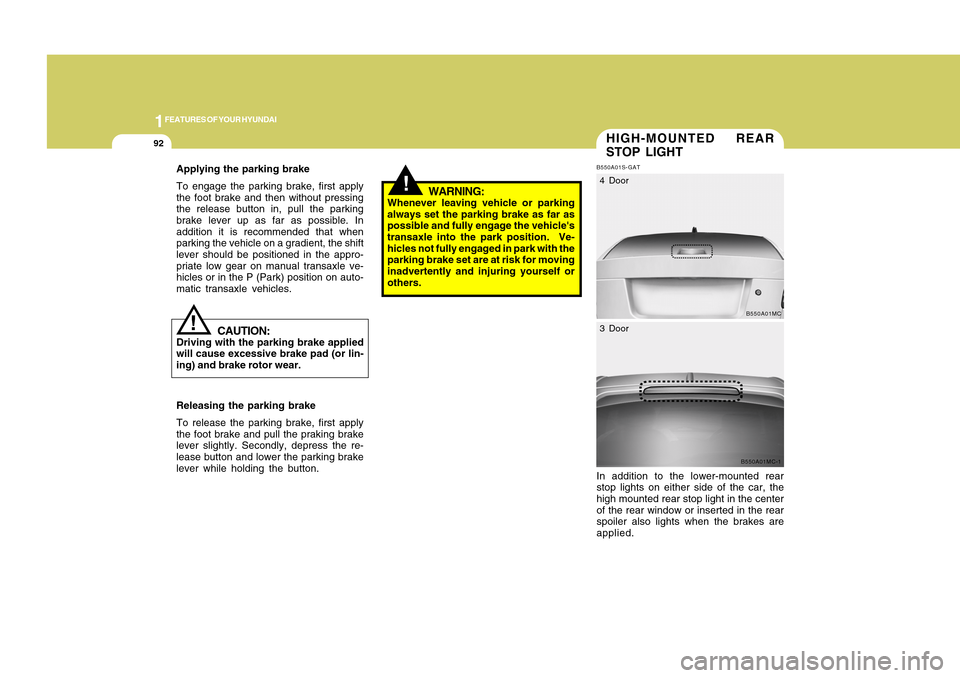
STOP LIGHTB550A01S-GATIn addition to the lower-mounted rear
stop lights on either side of the car, the
high mounted rear stop light in the center
of the rear window or inserted in the rear
spoiler also lights when the brakes are
applied.
B550A01MC
4 Door
B550A01MC-1
3 Door
WARNING:
Whenever leaving vehicle or parking
always set the parking brake as far as
possible and fully engage the vehicle's
transaxle into the park position. Ve-
hicles not fully engaged in park with the
parking brake set are at risk for moving
inadvertently and injuring yourself or
others.
CAUTION:
Driving with the parking brake applied
will cause excessive brake pad (or lin-
ing) and brake rotor wear.
Releasing the parking brake
To release the parking brake, first apply
the foot brake and pull the praking brake
lever slightly. Secondly, depress the re-
lease button and lower the parking brake
lever while holding the button.
!
Applying the parking brake
To engage the parking brake, first apply
the foot brake and then without pressing
the release button in, pull the parking
brake lever up as far as possible. In
addition it is recommended that when
parking the vehicle on a gradient, the shift
lever should be positioned in the appro-
priate low gear on manual transaxle ve-
hicles or in the P (Park) position on auto-
matic transaxle vehicles.
Page 114 of 282
1
FEATURES OF YOUR HYUNDAI
1031
FEATURES OF YOUR HYUNDAI
103
!
WARNING:
o Pay particular attention to the driv-
ing conditions whenever using the
cruise control system.
o Be careful when driving downhill
using the cruise control system,
which may increase the vehicle
speed.
!
CAUTION:
During cruise-speed driving of a manual
transaxle vehicle, do not shift into neu-
tral without depressing the clutch pedal,
since the engine will be overrevved. If
this happens, depress the clutch pedal
or release the cruise control ON/OFF
switch.NOTE:During normal cruise control operation,
when the -/SET switch is activated or
reactivated after applying the brakes,
the cruise control will energize after ap-
proximately 3 seconds. This delay is
normal.
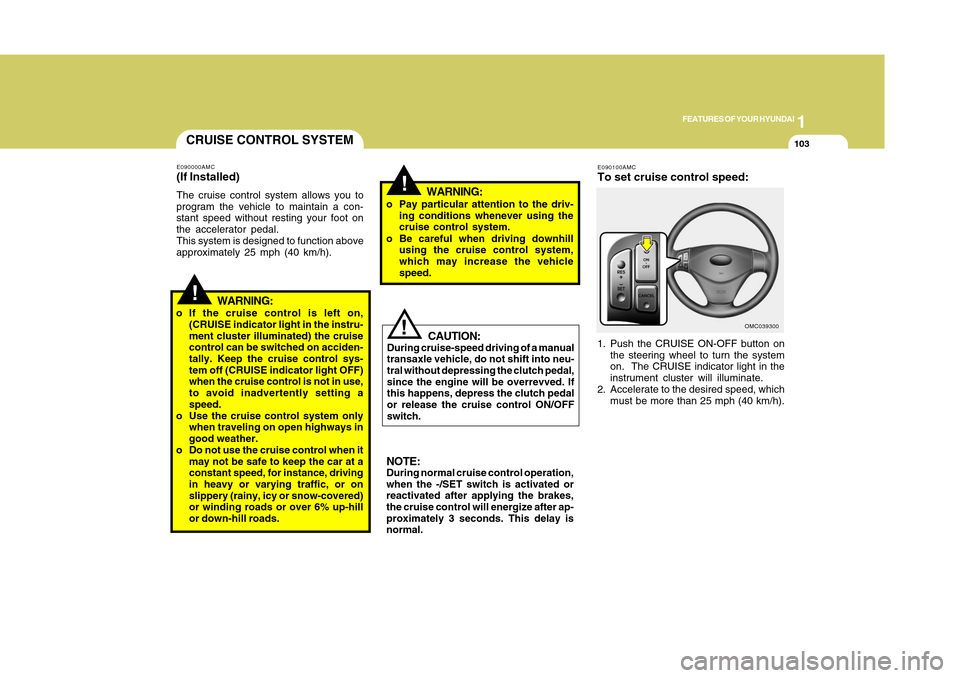
E090100AMCTo set cruise control speed:1. Push the CRUISE ON-OFF button on
the steering wheel to turn the system
on. The CRUISE indicator light in the
instrument cluster will illuminate.
2. Accelerate to the desired speed, which
must be more than 25 mph (40 km/h).
OMC039300
CRUISE CONTROL SYSTEME090000AMC(If Installed)The cruise control system allows you to
program the vehicle to maintain a con-
stant speed without resting your foot on
the accelerator pedal.
This system is designed to function above
approximately 25 mph (40 km/h).
!
WARNING:
o If the cruise control is left on,
(CRUISE indicator light in the instru-
ment cluster illuminated) the cruise
control can be switched on acciden-
tally. Keep the cruise control sys-
tem off (CRUISE indicator light OFF)
when the cruise control is not in use,
to avoid inadvertently setting a
speed.
o Use the cruise control system only
when traveling on open highways in
good weather.
o Do not use the cruise control when it
may not be safe to keep the car at a
constant speed, for instance, driving
in heavy or varying traffic, or on
slippery (rainy, icy or snow-covered)
or winding roads or over 6% up-hill
or down-hill roads.
Page 115 of 282
1FEATURES OF YOUR HYUNDAI
104
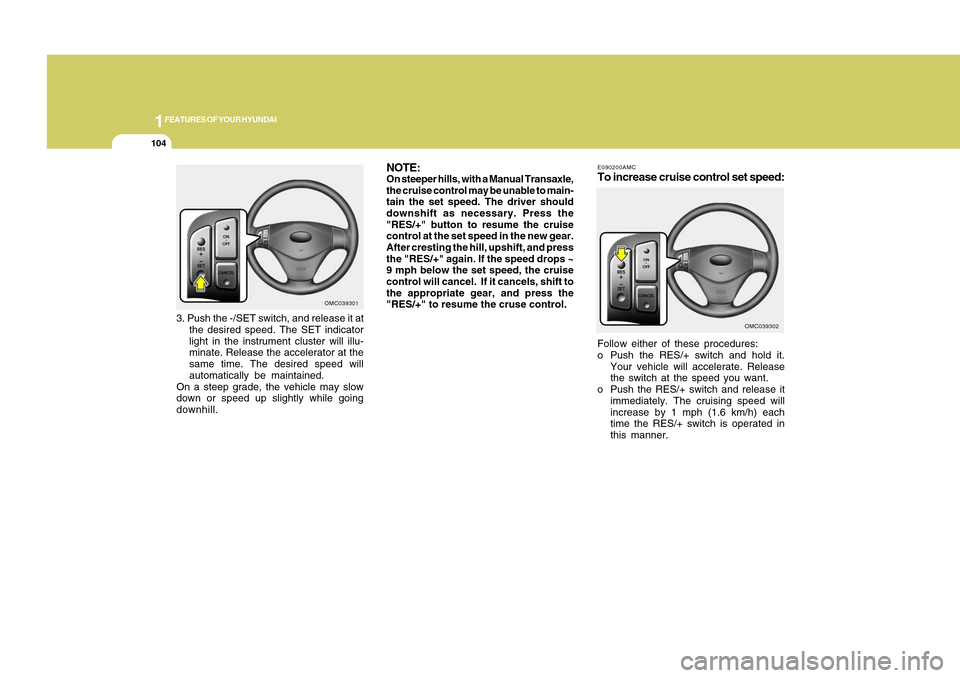
E090200AMCTo increase cruise control set speed:Follow either of these procedures:
o Push the RES/+ switch and hold it.
Your vehicle will accelerate. Release
the switch at the speed you want.
o Push the RES/+ switch and release it
immediately. The cruising speed will
increase by 1 mph (1.6 km/h) each
time the RES/+ switch is operated in
this manner.
OMC039302
NOTE:On steeper hills, with a Manual Transaxle,
the cruise control may be unable to main-
tain the set speed. The driver should
downshift as necessary. Press the
"RES/+" button to resume the cruise
control at the set speed in the new gear.
After cresting the hill, upshift, and press
the "RES/+" again. If the speed drops ~
9 mph below the set speed, the cruise
control will cancel. If it cancels, shift to
the appropriate gear, and press the
"RES/+" to resume the cruse control.
OMC039301
3. Push the -/SET switch, and release it at
the desired speed. The SET indicator
light in the instrument cluster will illu-
minate. Release the accelerator at the
same time. The desired speed will
automatically be maintained.
On a steep grade, the vehicle may slow
down or speed up slightly while going
downhill.
Page 116 of 282
1
FEATURES OF YOUR HYUNDAI
1051
FEATURES OF YOUR HYUNDAI
105
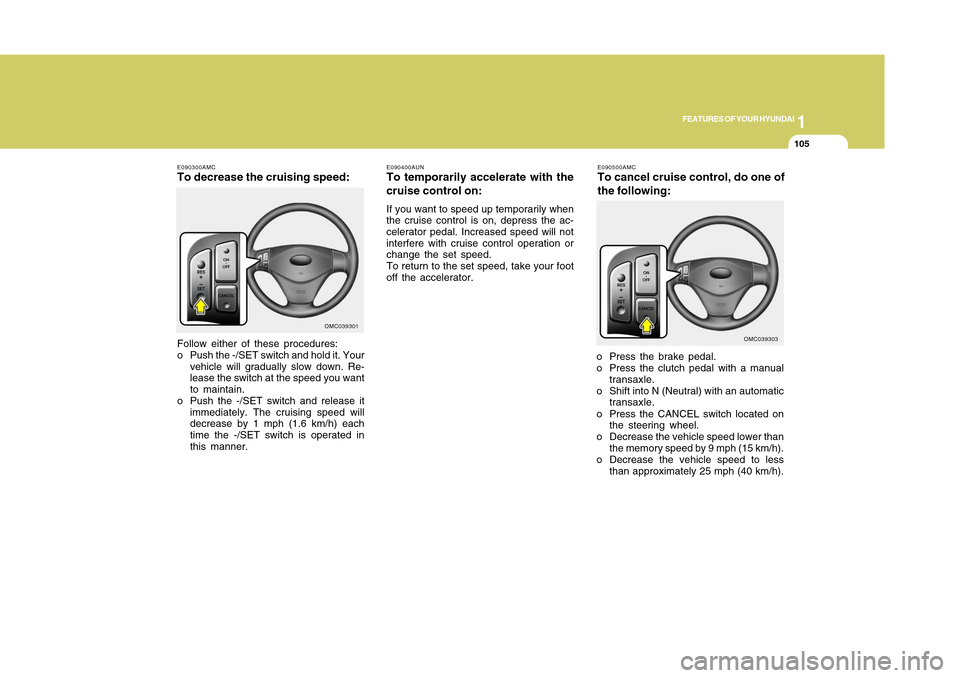
E090500AMCTo cancel cruise control, do one of
the following:o Press the brake pedal.
o Press the clutch pedal with a manual
transaxle.
o Shift into N (Neutral) with an automatic
transaxle.
o Press the CANCEL switch located on
the steering wheel.
o Decrease the vehicle speed lower than
the memory speed by 9 mph (15 km/h).
o Decrease the vehicle speed to less
than approximately 25 mph (40 km/h).
OMC039303 E090400AUN
To temporarily accelerate with the
cruise control on:If you want to speed up temporarily when
the cruise control is on, depress the ac-
celerator pedal. Increased speed will not
interfere with cruise control operation or
change the set speed.
To return to the set speed, take your foot
off the accelerator.
E090300AMCTo decrease the cruising speed:Follow either of these procedures:
o Push the -/SET switch and hold it. Your
vehicle will gradually slow down. Re-
lease the switch at the speed you want
to maintain.
o Push the -/SET switch and release it
immediately. The cruising speed will
decrease by 1 mph (1.6 km/h) each
time the -/SET switch is operated in
this manner.
OMC039301
Page 130 of 282
1
FEATURES OF YOUR HYUNDAI
1191
FEATURES OF YOUR HYUNDAI
119
STEREO SOUND SYSTEM
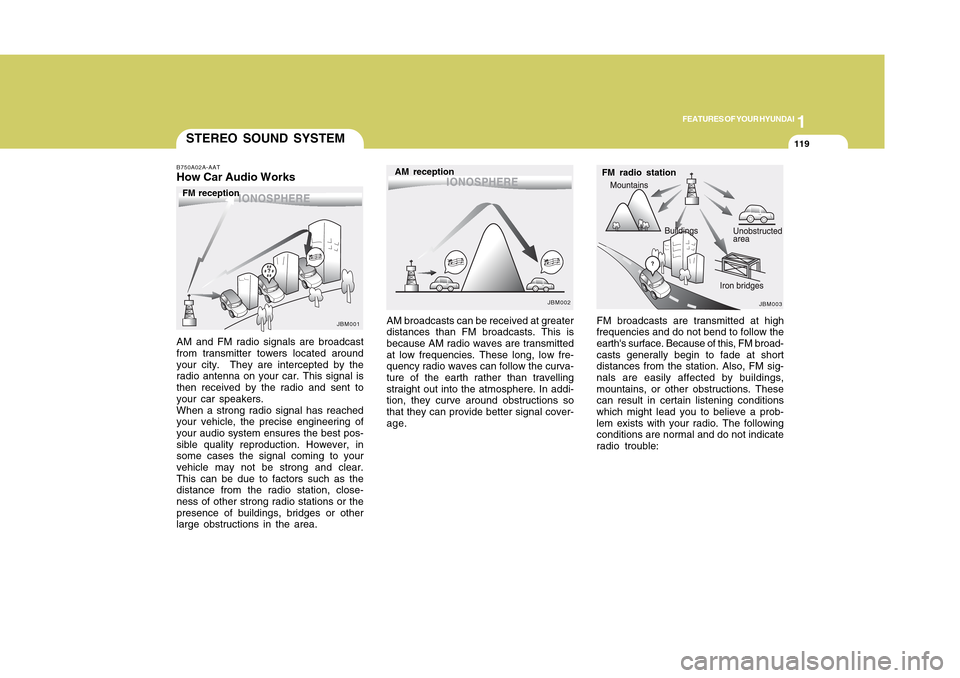
FM broadcasts are transmitted at high
frequencies and do not bend to follow the
earth's surface. Because of this, FM broad-
casts generally begin to fade at short
distances from the station. Also, FM sig-
nals are easily affected by buildings,
mountains, or other obstructions. These
can result in certain listening conditions
which might lead you to believe a prob-
lem exists with your radio. The following
conditions are normal and do not indicate
radio trouble: AM broadcasts can be received at greater
distances than FM broadcasts. This is
because AM radio waves are transmitted
at low frequencies. These long, low fre-
quency radio waves can follow the curva-
ture of the earth rather than travelling
straight out into the atmosphere. In addi-
tion, they curve around obstructions so
that they can provide better signal cover-
age.
B750A02A-AATHow Car Audio WorksAM and FM radio signals are broadcast
from transmitter towers located around
your city. They are intercepted by the
radio antenna on your car. This signal is
then received by the radio and sent to
your car speakers.
When a strong radio signal has reached
your vehicle, the precise engineering of
your audio system ensures the best pos-
sible quality reproduction. However, in
some cases the signal coming to your
vehicle may not be strong and clear.
This can be due to factors such as the
distance from the radio station, close-
ness of other strong radio stations or the
presence of buildings, bridges or other
large obstructions in the area.
FM radio station
JBM003
AM reception
JBM002
FM reception
JBM001
Page 131 of 282
1FEATURES OF YOUR HYUNDAI
120
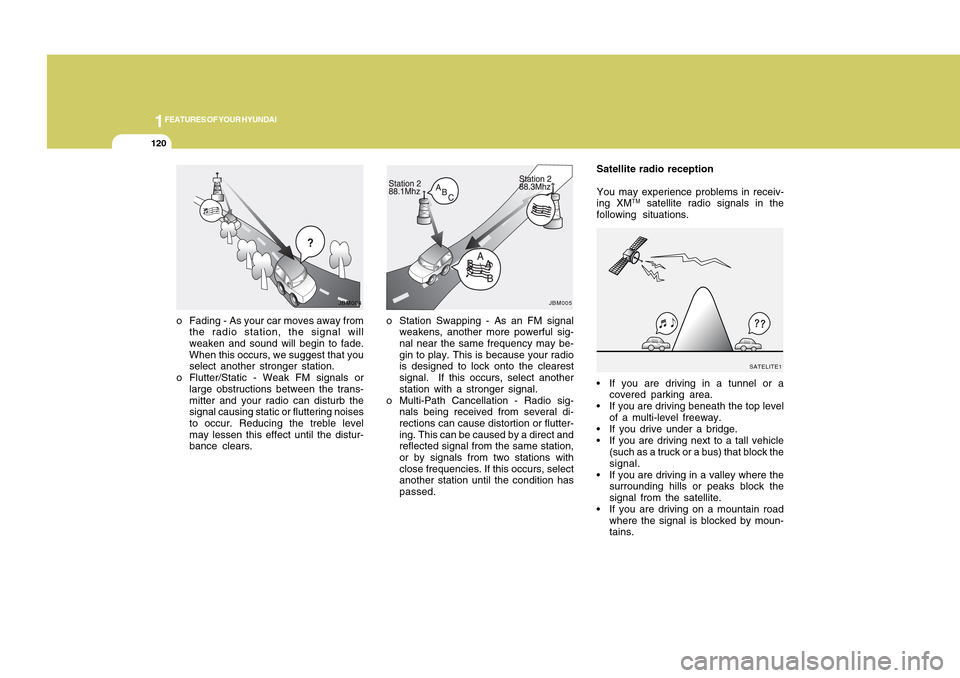
o Station Swapping - As an FM signal
weakens, another more powerful sig-
nal near the same frequency may be-
gin to play. This is because your radio
is designed to lock onto the clearest
signal. If this occurs, select another
station with a stronger signal.
o Multi-Path Cancellation - Radio sig-
nals being received from several di-
rections can cause distortion or flutter-
ing. This can be caused by a direct and
reflected signal from the same station,
or by signals from two stations with
close frequencies. If this occurs, select
another station until the condition has
passed. o Fading - As your car moves away from
the radio station, the signal will
weaken and sound will begin to fade.
When this occurs, we suggest that you
select another stronger station.
o Flutter/Static - Weak FM signals or
large obstructions between the trans-
mitter and your radio can disturb the
signal causing static or fluttering noises
to occur. Reducing the treble level
may lessen this effect until the distur-
bance clears.
JBM004
Satellite radio reception
You may experience problems in receiv-
ing XM
TM satellite radio signals in the
following situations.
If you are driving in a tunnel or a
covered parking area.
If you are driving beneath the top level
of a multi-level freeway.
If you drive under a bridge.
If you are driving next to a tall vehicle
(such as a truck or a bus) that block the
signal.
If you are driving in a valley where the
surrounding hills or peaks block the
signal from the satellite.
If you are driving on a mountain road
where the signal is blocked by moun-
tains.
JBM005
SATELITE1