ignition Hyundai Accent 2011 Owner's Guide
[x] Cancel search | Manufacturer: HYUNDAI, Model Year: 2011, Model line: Accent, Model: Hyundai Accent 2011Pages: 282, PDF Size: 14.82 MB
Page 80 of 282
1
FEATURES OF YOUR HYUNDAI
691
FEATURES OF YOUR HYUNDAI
69
!
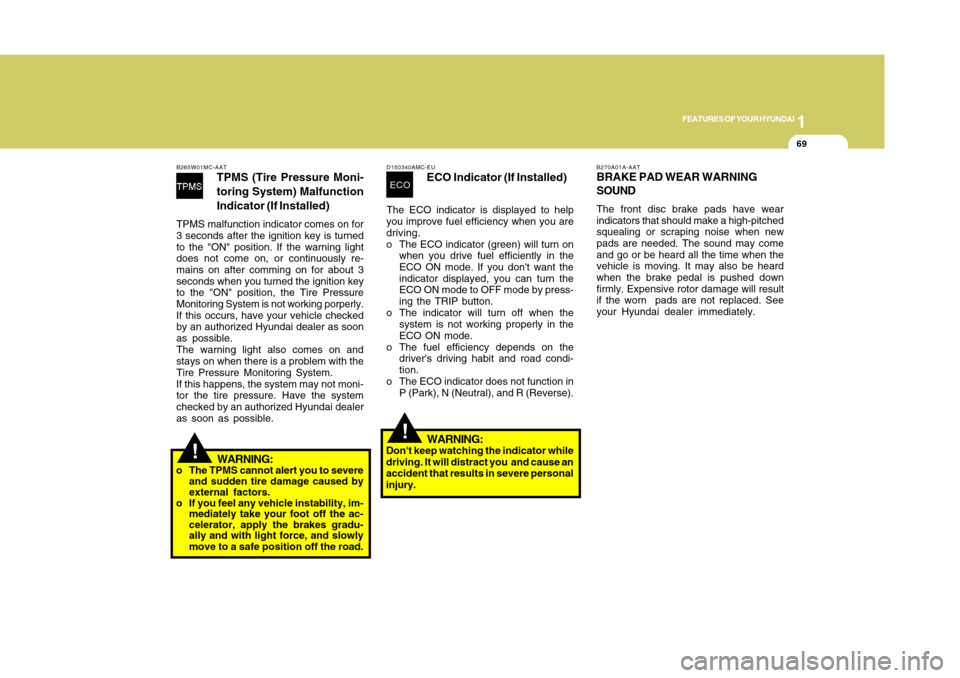
B265W01MC-AAT
TPMS (Tire Pressure Moni-
toring System) Malfunction
Indicator (If Installed)
TPMS malfunction indicator comes on for
3 seconds after the ignition key is turned
to the "ON" position. If the warning light
does not come on, or continuously re-
mains on after comming on for about 3
seconds when you turned the ignition key
to the "ON" position, the Tire Pressure
Monitoring System is not working porperly.
If this occurs, have your vehicle checked
by an authorized Hyundai dealer as soon
as possible.
The warning light also comes on and
stays on when there is a problem with the
Tire Pressure Monitoring System.
If this happens, the system may not moni-
tor the tire pressure. Have the system
checked by an authorized Hyundai dealer
as soon as possible.
WARNING:
o The TPMS cannot alert you to severe
and sudden tire damage caused by
external factors.
o If you feel any vehicle instability, im-
mediately take your foot off the ac-
celerator, apply the brakes gradu-
ally and with light force, and slowly
move to a safe position off the road.
D150340AMC-EU
ECO Indicator (If Installed)
The ECO indicator is displayed to help
you improve fuel efficiency when you are
driving.
o The ECO indicator (green) will turn on
when you drive fuel efficiently in the
ECO ON mode. If you don't want the
indicator displayed, you can turn the
ECO ON mode to OFF mode by press-
ing the TRIP button.
o The indicator will turn off when the
system is not working properly in the
ECO ON mode.
o The fuel efficiency depends on the
driver's driving habit and road condi-
tion.
o The ECO indicator does not function in
P (Park), N (Neutral), and R (Reverse).ECO
!
WARNING:
Don't keep watching the indicator while
driving. It will distract you and cause an
accident that results in severe personal
injury.
B270A01A-AATBRAKE PAD WEAR WARNING
SOUNDThe front disc brake pads have wear
indicators that should make a high-pitched
squealing or scraping noise when new
pads are needed. The sound may come
and go or be heard all the time when the
vehicle is moving. It may also be heard
when the brake pedal is pushed down
firmly. Expensive rotor damage will result
if the worn pads are not replaced. See
your Hyundai dealer immediately.
Page 82 of 282
1
FEATURES OF YOUR HYUNDAI
711
FEATURES OF YOUR HYUNDAI
71
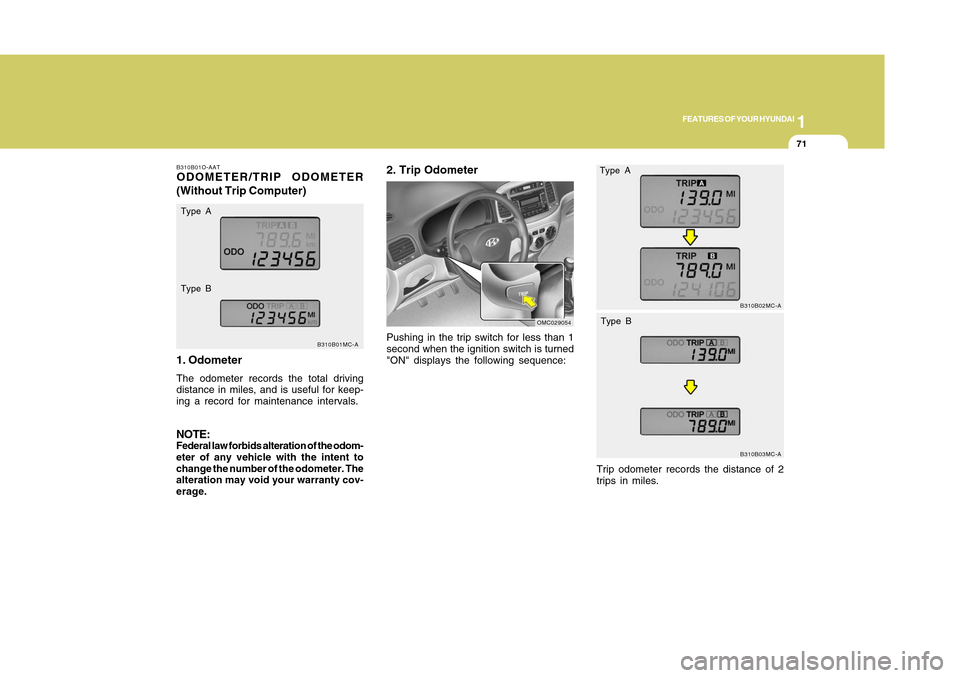
B310B01O-AATODOMETER/TRIP ODOMETER
(Without Trip Computer)
1. OdometerThe odometer records the total driving
distance in miles, and is useful for keep-
ing a record for maintenance intervals.NOTE:Federal law forbids alteration of the odom-
eter of any vehicle with the intent to
change the number of the odometer. The
alteration may void your warranty cov-
erage.
B310B01MC-A
Type A
Type B
Pushing in the trip switch for less than 1
second when the ignition switch is turned
"ON" displays the following sequence:2. Trip Odometer
OMC029054
B310B02MC-AB310B03MC-A
Type A
Type BTrip odometer records the distance of 2
trips in miles.
Page 84 of 282
1
FEATURES OF YOUR HYUNDAI
731
FEATURES OF YOUR HYUNDAI
73
2. Trip Odometero This mode indicates the drive distance
travelled since the last drive time reset.
o Refer to the explanation of the trip
computer (see page 1-74, Tripmeter).
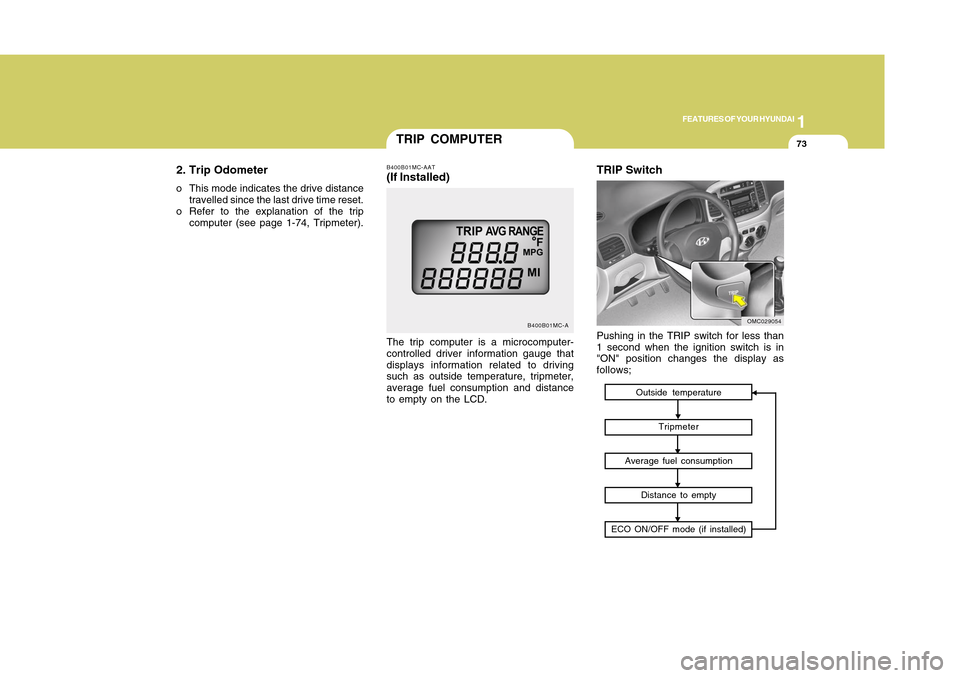
TRIP COMPUTER
B400B01MC-A
The trip computer is a microcomputer-
controlled driver information gauge that
displays information related to driving
such as outside temperature, tripmeter,
average fuel consumption and distance
to empty on the LCD.B400B01MC-AAT(If Installed)
Outside temperature
Tripmeter
Average fuel consumption
Distance to empty
ECO ON/OFF mode (if installed)
TRIP SwitchPushing in the TRIP switch for less than
1 second when the ignition switch is in
"ON" position changes the display as
follows;
OMC029054
Page 87 of 282
1FEATURES OF YOUR HYUNDAI76
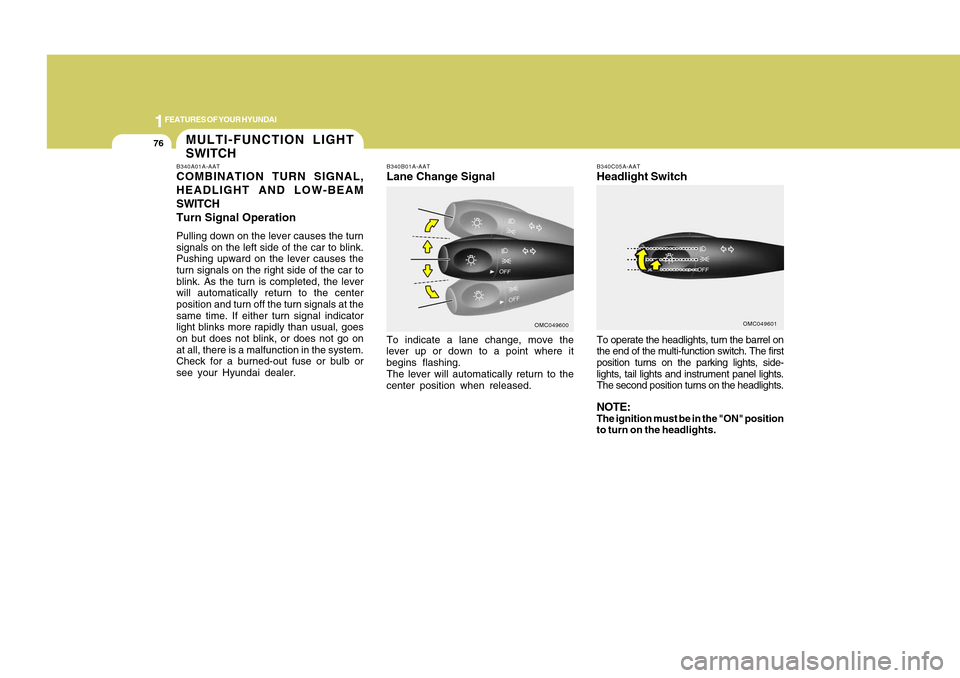
To operate the headlights, turn the barrel on
the end of the multi-function switch. The first
position turns on the parking lights, side-
lights, tail lights and instrument panel lights.
The second position turns on the headlights.NOTE:The ignition must be in the "ON" position
to turn on the headlights.B340C05A-AATHeadlight Switch
OMC049601
B340B01A-AATLane Change SignalTo indicate a lane change, move the
lever up or down to a point where it
begins flashing.
The lever will automatically return to the
center position when released.
OMC049600
MULTI-FUNCTION LIGHT
SWITCHB340A01A-AATCOMBINATION TURN SIGNAL,
HEADLIGHT AND LOW-BEAM
SWITCH
Turn Signal OperationPulling down on the lever causes the turn
signals on the left side of the car to blink.
Pushing upward on the lever causes the
turn signals on the right side of the car to
blink. As the turn is completed, the lever
will automatically return to the center
position and turn off the turn signals at the
same time. If either turn signal indicator
light blinks more rapidly than usual, goes
on but does not blink, or does not go on
at all, there is a malfunction in the system.
Check for a burned-out fuse or bulb or
see your Hyundai dealer.
Page 88 of 282
1
FEATURES OF YOUR HYUNDAI
771
FEATURES OF YOUR HYUNDAI
77
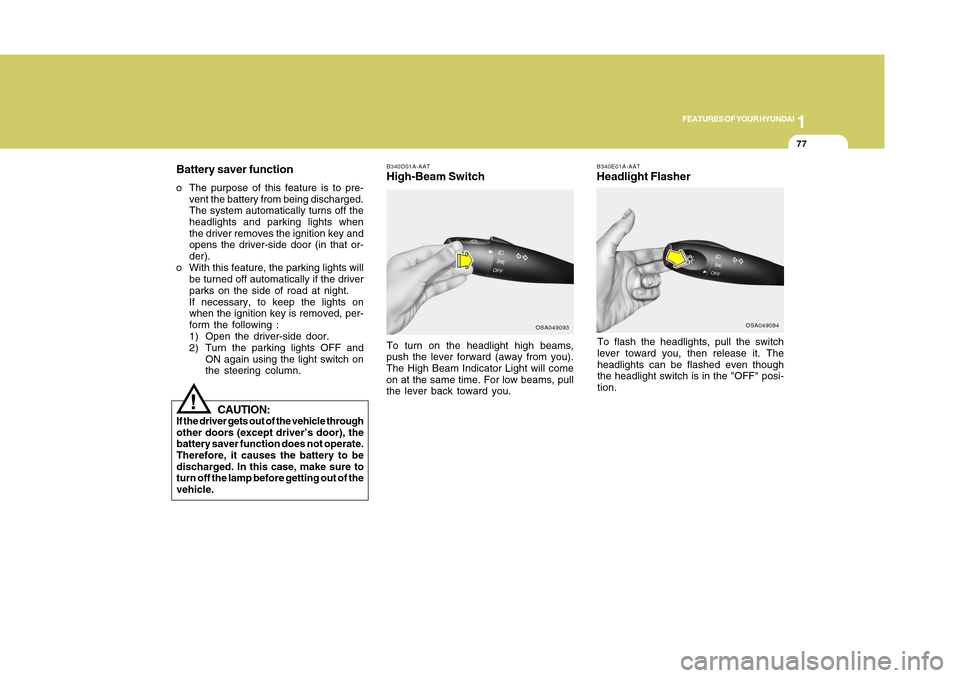
B340E01A-AATHeadlight FlasherTo flash the headlights, pull the switch
lever toward you, then release it. The
headlights can be flashed even though
the headlight switch is in the "OFF" posi-
tion.
B340D01A-AATHigh-Beam Switch
OSA049094
Battery saver functiono The purpose of this feature is to pre-
vent the battery from being discharged.
The system automatically turns off the
headlights and parking lights when
the driver removes the ignition key and
opens the driver-side door (in that or-
der).
o With this feature, the parking lights will
be turned off automatically if the driver
parks on the side of road at night.
If necessary, to keep the lights on
when the ignition key is removed, per-
form the following :
1) Open the driver-side door.
2) Turn the parking lights OFF and
ON again using the light switch on
the steering column.To turn on the headlight high beams,
push the lever forward (away from you).
The High Beam Indicator Light will come
on at the same time. For low beams, pull
the lever back toward you.
OSA049093
CAUTION:
If the driver gets out of the vehicle through
other doors (except driver’s door), the
battery saver function does not operate.
Therefore, it causes the battery to be
discharged. In this case, make sure to
turn off the lamp before getting out of the
vehicle.
!
Page 92 of 282
1
FEATURES OF YOUR HYUNDAI
811
FEATURES OF YOUR HYUNDAI
81
HAZARD WARNING SYS-
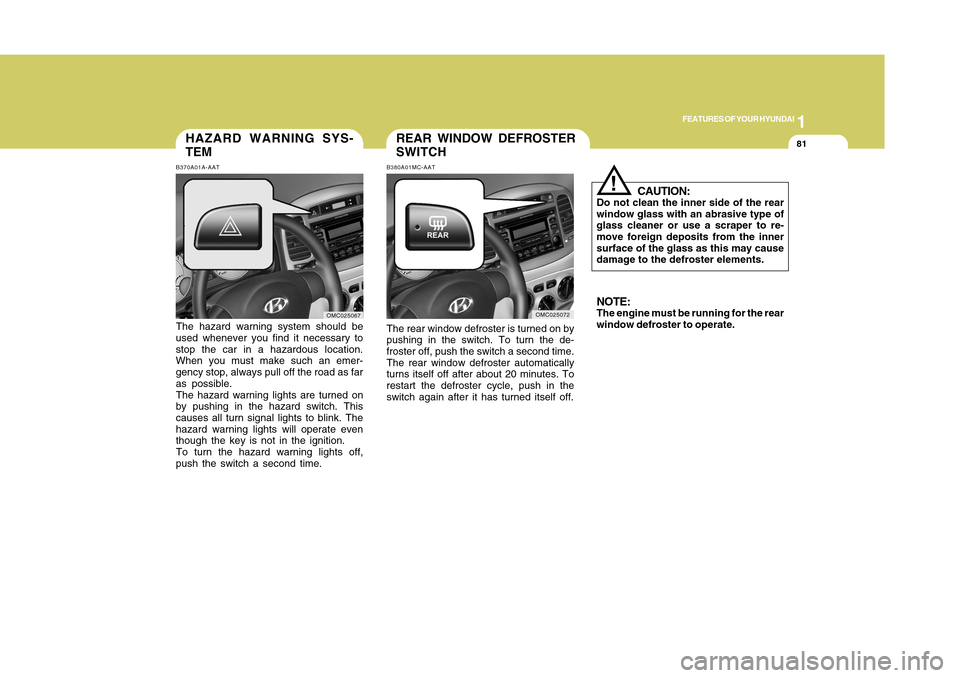
TEMB370A01A-AATThe hazard warning system should be
used whenever you find it necessary to
stop the car in a hazardous location.
When you must make such an emer-
gency stop, always pull off the road as far
as possible.
The hazard warning lights are turned on
by pushing in the hazard switch. This
causes all turn signal lights to blink. The
hazard warning lights will operate even
though the key is not in the ignition.
To turn the hazard warning lights off,
push the switch a second time.
OMC025067
CAUTION:
Do not clean the inner side of the rear
window glass with an abrasive type of
glass cleaner or use a scraper to re-
move foreign deposits from the inner
surface of the glass as this may cause
damage to the defroster elements.NOTE:The engine must be running for the rear
window defroster to operate.
!
The rear window defroster is turned on by
pushing in the switch. To turn the de-
froster off, push the switch a second time.
The rear window defroster automatically
turns itself off after about 20 minutes. To
restart the defroster cycle, push in the
switch again after it has turned itself off.
OMC025072
REAR WINDOW DEFROSTER
SWITCHB380A01MC-AAT
Page 96 of 282
1
FEATURES OF YOUR HYUNDAI
851
FEATURES OF YOUR HYUNDAI
85
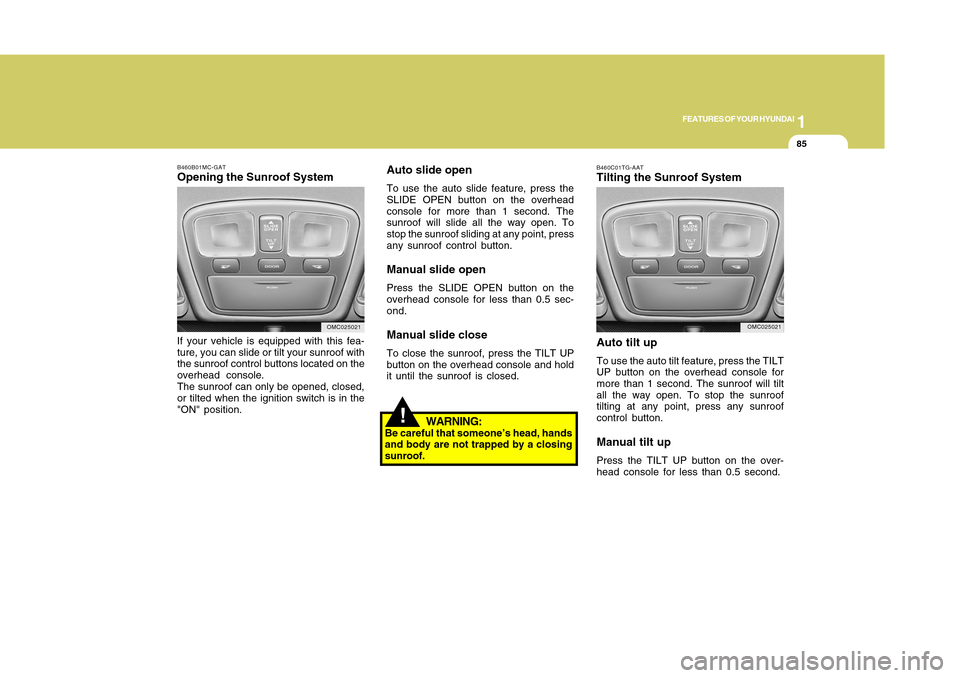
B460B01MC-GATOpening the Sunroof SystemIf your vehicle is equipped with this fea-
ture, you can slide or tilt your sunroof with
the sunroof control buttons located on the
overhead console.
The sunroof can only be opened, closed,
or tilted when the ignition switch is in the
"ON" position.
OMC025021
!
Auto slide openTo use the auto slide feature, press the
SLIDE OPEN button on the overhead
console for more than 1 second. The
sunroof will slide all the way open. To
stop the sunroof sliding at any point, press
any sunroof control button.Manual slide openPress the SLIDE OPEN button on the
overhead console for less than 0.5 sec-
ond.Manual slide closeTo close the sunroof, press the TILT UP
button on the overhead console and hold
it until the sunroof is closed.
WARNING:
Be careful that someone’s head, hands
and body are not trapped by a closing
sunroof.
B460C01TG-AATTilting the Sunroof System
Auto tilt upTo use the auto tilt feature, press the TILT
UP button on the overhead console for
more than 1 second. The sunroof will tilt
all the way open. To stop the sunroof
tilting at any point, press any sunroof
control button.Manual tilt upPress the TILT UP button on the over-
head console for less than 0.5 second.
OMC025021
Page 97 of 282
1FEATURES OF YOUR HYUNDAI86
!
CAUTION:
If the sunroof is not reset, it may not
operate properly.B460E02TG-GATResetting the sunroofWhenever the vehicle battery is discon-
nected or discharged, you have to reset
your sunroof system as follows:
1. Turn the ignition key to the "ON" posi-
tion.
2. Press the TILT UP button for more than
1 second to tilt up the sunroof com-
pletely when the sunroof is fully closed.
Then, release the button.
3. Press and hold the TILT UP button
once again until the sunroof has re-
turned to the original position of TILT
UP after it is raised a little higher than
the maximum TILT UP position. Then,
release the button.
4. Press and hold the TILT UP button
within 5 seconds until the sunroof is
operated as follows;
TILT DOWN → SLIDE OPEN → SLIDE
CLOSE
Then, release the button.
!
CAUTION:
o Do not open the sunroof in severely
cold temperature or when it is cov-
ered with ice or snow.
o Periodically remove any dirt that may
have accumulated on the guide rails.
o Do not press any sunroof control
button longer than necessary.
Damage to the motor or system com-
ponents could occur.
Manual tilt downTo close the sunroof, press the SLIDE
OPEN button on the overhead console
and hold it until the sunroof is closed.NOTE:After washing the car or after there is
rain, be sure to wipe off any water that is
on the sunroof before operating it.
!
WARNING:
o Do not close a sunroof if anyone's
hands, arms or body are between
the sliding glass and the sunroof
sash, as this could result in injury.
o Do not place your head or arms out
of the sunroof opening at any time.
o While the vehicle is moving, always
keep the head, hands and other parts
of the body of all occupants away
from the roof opening. Otherwise,
you could be seriously injured if the
vehicle stops suddenly or if the ve-
hicle is involved in an accident.
Page 98 of 282
1
FEATURES OF YOUR HYUNDAI
871
FEATURES OF YOUR HYUNDAI
87
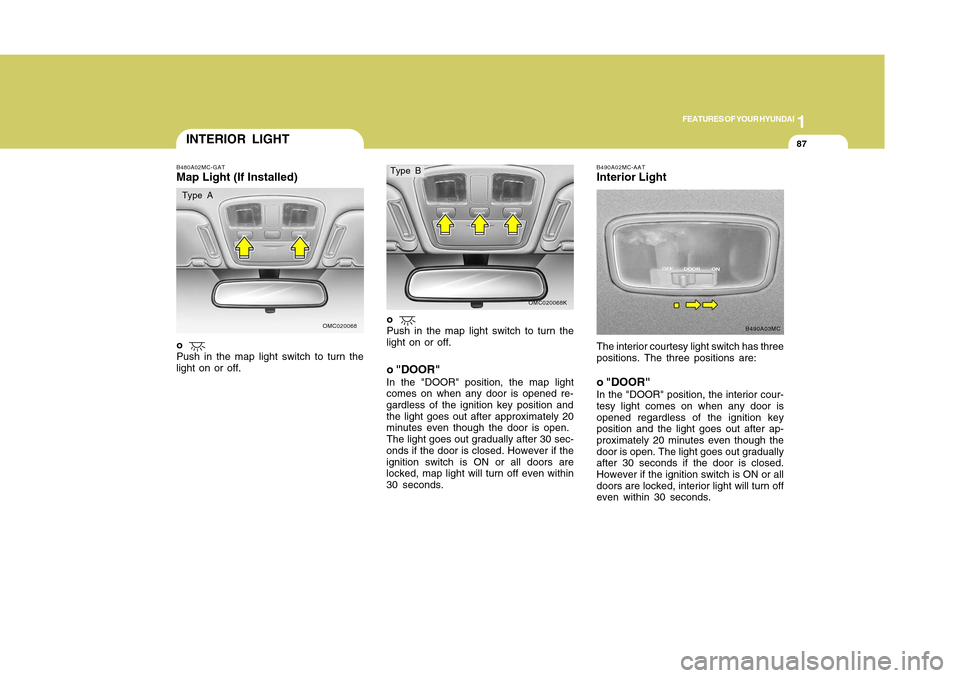
INTERIOR LIGHTB480A02MC-GATMap Light (If Installed)
o "DOOR"
In the "DOOR" position, the map light
comes on when any door is opened re-
gardless of the ignition key position and
the light goes out after approximately 20
minutes even though the door is open.
The light goes out gradually after 30 sec-
onds if the door is closed. However if the
ignition switch is ON or all doors are
locked, map light will turn off even within
30 seconds.The interior courtesy light switch has three
positions. The three positions are:
o "DOOR"In the "DOOR" position, the interior cour-
tesy light comes on when any door is
opened regardless of the ignition key
position and the light goes out after ap-
proximately 20 minutes even though the
door is open. The light goes out gradually
after 30 seconds if the door is closed.
However if the ignition switch is ON or all
doors are locked, interior light will turn off
even within 30 seconds.B490A02MC-AATInterior Light
B490A03MC
OMC020068
OMC020068K
o
Push in the map light switch to turn the
light on or off.
o
Push in the map light switch to turn the
light on or off.
Type A
Type B
Page 117 of 282
1FEATURES OF YOUR HYUNDAI
106
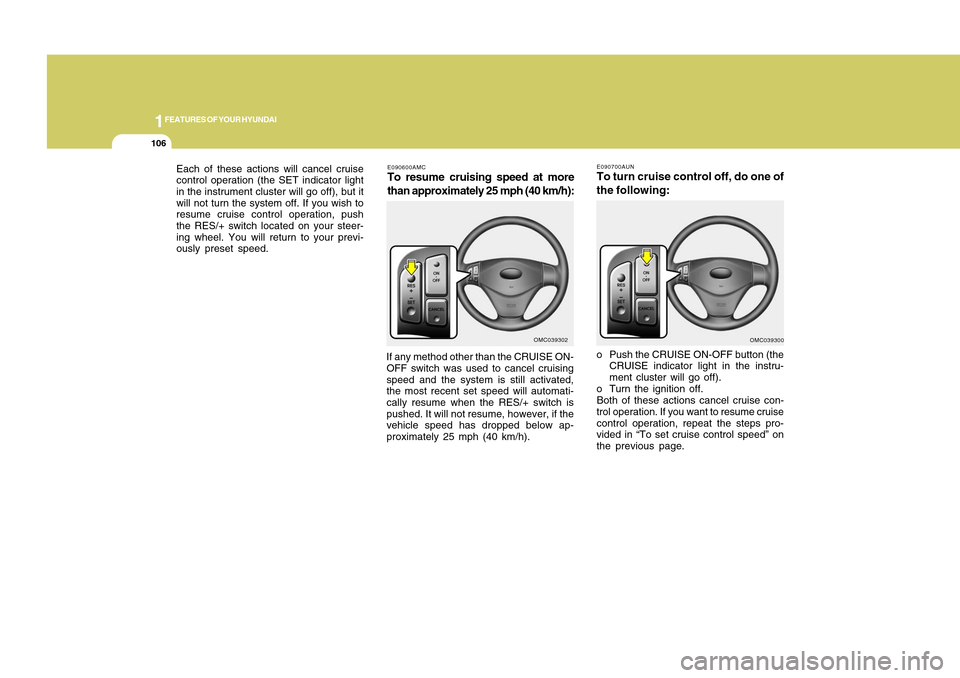
E090600AMCTo resume cruising speed at more
than approximately 25 mph (40 km/h):If any method other than the CRUISE ON-
OFF switch was used to cancel cruising
speed and the system is still activated,
the most recent set speed will automati-
cally resume when the RES/+ switch is
pushed. It will not resume, however, if the
vehicle speed has dropped below ap-
proximately 25 mph (40 km/h).
OMC039302
o Push the CRUISE ON-OFF button (the
CRUISE indicator light in the instru-
ment cluster will go off).
o Turn the ignition off.
Both of these actions cancel cruise con-
trol operation. If you want to resume cruise
control operation, repeat the steps pro-
vided in “To set cruise control speed” on
the previous page. Each of these actions will cancel cruise
control operation (the SET indicator light
in the instrument cluster will go off), but it
will not turn the system off. If you wish to
resume cruise control operation, push
the RES/+ switch located on your steer-
ing wheel. You will return to your previ-
ously preset speed.
OMC039300 E090700AUN
To turn cruise control off, do one of
the following: