ignition Hyundai Accent 2011 Owner's Guide
[x] Cancel search | Manufacturer: HYUNDAI, Model Year: 2011, Model line: Accent, Model: Hyundai Accent 2011Pages: 282, PDF Size: 14.82 MB
Page 135 of 282
![Hyundai Accent 2011 Owners Guide 1FEATURES OF YOUR HYUNDAI
124
PA710B01MC-AAT1. AM Selection ButtonPressing the [AM] button selects the AM
band. AM Mode is displayed on the LCD.2. FM Selection ButtonTurns to FM mode and toggles FM1 a](/img/35/14385/w960_14385-134.png "Hyundai Accent 2011 Owners Guide 1FEATURES OF YOUR HYUNDAI
124
PA710B01MC-AAT1. AM Selection ButtonPressing the [AM] button selects the AM
band. AM Mode is displayed on the LCD.2. FM Selection ButtonTurns to FM mode and toggles FM1 a")
1FEATURES OF YOUR HYUNDAI
124
PA710B01MC-AAT1. AM Selection ButtonPressing the [AM] button selects the AM
band. AM Mode is displayed on the LCD.2. FM Selection ButtonTurns to FM mode and toggles FM1 and
FM2 when the button is pressed each
time.3. Automatic Channel Selection
Buttono When the [SEEK
] button is pressed,
it reduces the band frequency by
200khz to automatically select chan-
nel. Stops at the previous frequency if
no channel is found.
o When the [SEEK ] button is pressed,
it increases the band frequency by
50khz to automatically select channel.
Stops at the previous frequency if no
channel is found.
4. Power ON/OFF & Volume Control
ButtonTurns on/off the set when the IGNITION
SWITCH is on ACC or ON. If the button is
turned to the right, it increases the volume
and left, decreases the volume.
5. SCAN ButtonIf this button is pressed, the frequencies
will become increased and receive the
corresponding broadcasts.
This function will play the frequencies for
10 seconds each and find other broad-
casts as the frequency increases.
Press the button again when desiring to
continue listening to the currently playing
broadcast.6. MUTE ButtonPress to temporarily cut off the Sound.7. SETUP ButtonPress this button to turn to the SCROLL
and P.BASS adjustment mode.
If no action is taken for 5 seconds after
pressing the button, it will return to the
play mode.(After entering SETUP mode,
move between items using the left, right
and PUSH functions of the TUNE button.)
The setup Items changes from SCROLL
<->P.BASS.
8. TUNE/ENTER ButtonTurn this button clockwise one notch to
increase frequency from current fre-
quency.
Turn this button counterclockwise by one
notch to decrease frequency from current
frequency.
The frequency cahnges by 0.2Mhz in FM
MODE and 9Khz in AM MODE.
Press this button while holding SETUP
button to activate / inactivate the item to.
Select SETUP item using left and right
function of the Tune button.9. PRESET ButtonPush [1]~[6] buttons less than 0.8 second
to play the channel saved in each button.
Push PRESET button for 0.8 second or
longer to save current channel to the
respective button with a beep.
!
CAUTION:
o Do not place beverages close to the
audio system. The audio system
mechanism may be damaged if you
spill them.
o Do not strike or allow anything to
impact the audio system, damage to
the system mechanisms could oc-
cur.
Page 137 of 282
1FEATURES OF YOUR HYUNDAI
126
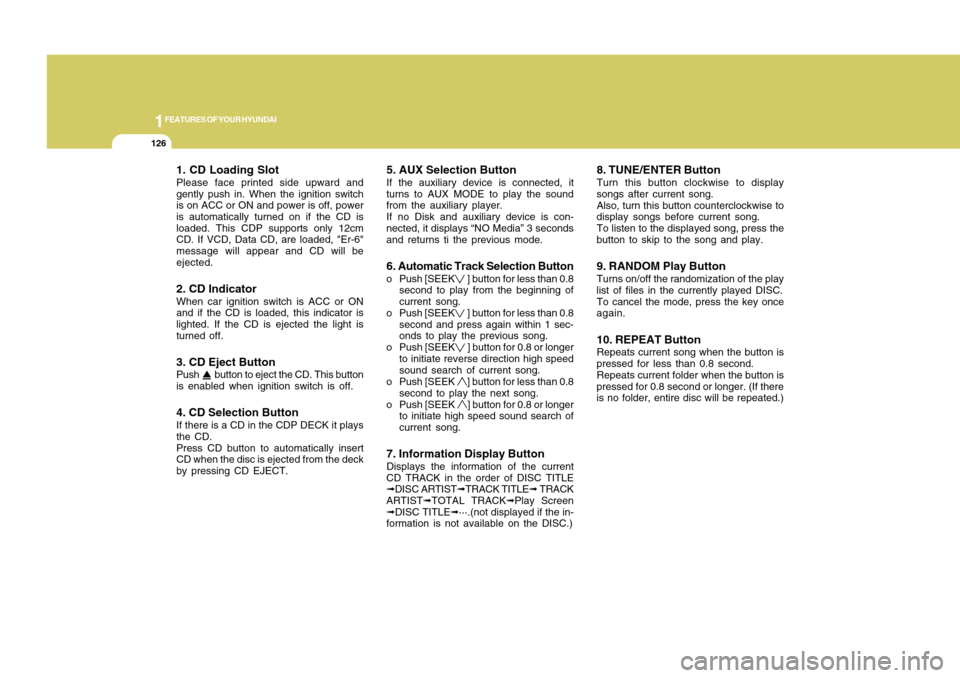
1. CD Loading SlotPlease face printed side upward and
gently push in. When the ignition switch
is on ACC or ON and power is off, power
is automatically turned on if the CD is
loaded. This CDP supports only 12cm
CD. If VCD, Data CD, are loaded, "Er-6"
message will appear and CD will be
ejected.2. CD IndicatorWhen car ignition switch is ACC or ON
and if the CD is loaded, this indicator is
lighted. If the CD is ejected the light is
turned off.3. CD Eject ButtonPush button to eject the CD. This button
is enabled when ignition switch is off.4. CD Selection ButtonIf there is a CD in the CDP DECK it plays
the CD.
Press CD button to automatically insert
CD when the disc is ejected from the deck
by pressing CD EJECT.
5. AUX Selection ButtonIf the auxiliary device is connected, it
turns to AUX MODE to play the sound
from the auxiliary player.
If no Disk and auxiliary device is con-
nected, it displays “NO Media” 3 seconds
and returns ti the previous mode.6. Automatic Track Selection Buttono Push [SEEK
] button for less than 0.8
second to play from the beginning of
current song.
o Push [SEEK ] button for less than 0.8
second and press again within 1 sec-
onds to play the previous song.
o Push [SEEK ] button for 0.8 or longer
to initiate reverse direction high speed
sound search of current song.
o Push [SEEK ] button for less than 0.8
second to play the next song.
o Push [SEEK ] button for 0.8 or longer
to initiate high speed sound search of
current song.
7. Information Display ButtonDisplays the information of the current
CD TRACK in the order of DISC TITLE
➟DISC ARTIST➟TRACK TITLE➟ TRACK
ARTIST➟TOTAL TRACK➟Play Screen
➟DISC TITLE➟···.(not displayed if the in-
formation is not available on the DISC.)
8. TUNE/ENTER ButtonTurn this button clockwise to display
songs after current song.
Also, turn this button counterclockwise to
display songs before current song.
To listen to the displayed song, press the
button to skip to the song and play.9. RANDOM Play ButtonTurns on/off the randomization of the play
list of files in the currently played DISC.
To cancel the mode, press the key once
again.10. REPEAT ButtonRepeats current song when the button is
pressed for less than 0.8 second.
Repeats current folder when the button is
pressed for 0.8 second or longer. (If there
is no folder, entire disc will be repeated.)
Page 146 of 282
![Hyundai Accent 2011 Owners Guide 1135135
DRIVING YOUR HYUNDAI
1
1. AM Selection ButtonPressing the [AM] button selects the AM
band. AM Mode is displayed on the LCD.2. FM Selection ButtonTurns to FM mode and toggles FM1 and
FM2 when](/img/35/14385/w960_14385-145.png "Hyundai Accent 2011 Owners Guide 1135135
DRIVING YOUR HYUNDAI
1
1. AM Selection ButtonPressing the [AM] button selects the AM
band. AM Mode is displayed on the LCD.2. FM Selection ButtonTurns to FM mode and toggles FM1 and
FM2 when")
1135135
DRIVING YOUR HYUNDAI
1
1. AM Selection ButtonPressing the [AM] button selects the AM
band. AM Mode is displayed on the LCD.2. FM Selection ButtonTurns to FM mode and toggles FM1 and
FM2 when the button is pressed each
time.3. XM Selection ButtonTurns to FM mode, and toggles in the
order of XM1➟XM2➟XM3➟···➟XM1···
when the button is pressed time.4. Automatic Channel Selection
Buttono When the [SEEK
] button is pressed,
it reduces the band frequency by
200khz to automatically select chan-
nel. Stops at the previous frequency if
no channel is found.
o When the [SEEK] button is pressed,
it increases the band frequency by
50khz to automatically select channel.
Stops at the previous frequency if no
channel is found.
5. Power ON/OFF & Volume Control
ButtonTurns on/off the set when the IGNITION
SWITCH is on ACC or ON. If the button is
turned to the right, it increases the volume
and left, decreases the volume.6. SCAN ButtonIf this button is pressed, the frequencies
will become increased and receive the
corresponding broadcasts.
This function will play the frequencies for
10 seconds each and find other broad-
casts as the frequency increases.
Press the button again when desiring to
continue listening to the currently playing
broadcast.7. MUTE ButtonPress to temporarily cut off the Sound.
8. SETUP ButtonPress this button to turn to the SCROLL,
XM option, RETURN and P.BASS adjust-
ment mode.
If no action is taken for 5 seconds after
pressing the button, it will return to the
play mode.(After entering SETUP mode,
move between items using the left, right
and PUSH functions of the TUNE button.)
The setup Items changes from SCROLL
<->XM<->RETURN<->P.BASS.9.Infomation Display ButtonInformatiom is Display Function opetion
(Information is displayed each time (the)
ey is pressed)
Pressing the Title ➟ Artist ➟ Album Cat-
egory ➟ Channel ➟ Title-KEY for 3 sec-
onds will display the corresponding text
then become restored.
Text Scroll operation
After pressing (the) Key, if the text to be
displayed is longer than the LCD text line,
then rotating the TUNE Knob will operate
the page up function displaying 8 charac-
ters for 3 seconds each-displayes the
maximum lines of text supported by XM.
Page 149 of 282
1FEATURES OF YOUR HYUNDAI
138
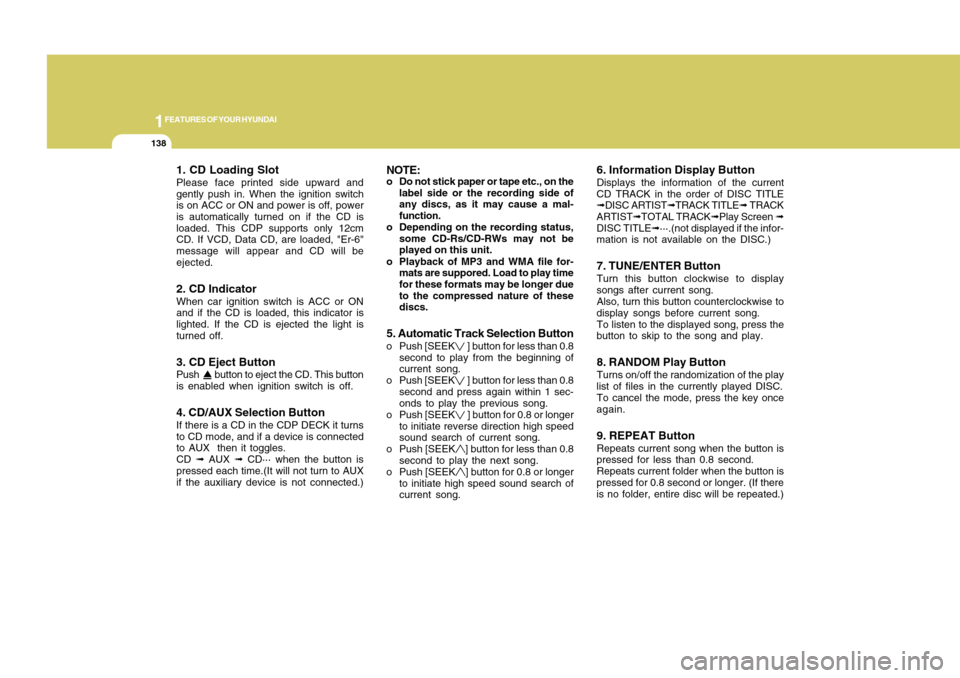
1. CD Loading SlotPlease face printed side upward and
gently push in. When the ignition switch
is on ACC or ON and power is off, power
is automatically turned on if the CD is
loaded. This CDP supports only 12cm
CD. If VCD, Data CD, are loaded, "Er-6"
message will appear and CD will be
ejected.2. CD IndicatorWhen car ignition switch is ACC or ON
and if the CD is loaded, this indicator is
lighted. If the CD is ejected the light is
turned off.3. CD Eject ButtonPush button to eject the CD. This button
is enabled when ignition switch is off.4. CD/AUX Selection ButtonIf there is a CD in the CDP DECK it turns
to CD mode, and if a device is connected
to AUX then it toggles.
CD ➟ AUX ➟ CD··· when the button is
pressed each time.(It will not turn to AUX
if the auxiliary device is not connected.)
NOTE:o Do not stick paper or tape etc., on the
label side or the recording side of
any discs, as it may cause a mal-
function.
o Depending on the recording status,
some CD-Rs/CD-RWs may not be
played on this unit.
o Playback of MP3 and WMA file for-
mats are suppored. Load to play time
for these formats may be longer due
to the compressed nature of these
discs.5. Automatic Track Selection Buttono Push [SEEK
] button for less than 0.8
second to play from the beginning of
current song.
o Push [SEEK ] button for less than 0.8
second and press again within 1 sec-
onds to play the previous song.
o Push [SEEK ] button for 0.8 or longer
to initiate reverse direction high speed
sound search of current song.
o Push [SEEK] button for less than 0.8
second to play the next song.
o Push [SEEK] button for 0.8 or longer
to initiate high speed sound search of
current song.
6. Information Display ButtonDisplays the information of the current
CD TRACK in the order of DISC TITLE
➟DISC ARTIST➟TRACK TITLE➟ TRACK
ARTIST➟TOTAL TRACK➟Play Screen ➟
DISC TITLE➟···.(not displayed if the infor-
mation is not available on the DISC.)7. TUNE/ENTER ButtonTurn this button clockwise to display
songs after current song.
Also, turn this button counterclockwise to
display songs before current song.
To listen to the displayed song, press the
button to skip to the song and play.8. RANDOM Play ButtonTurns on/off the randomization of the play
list of files in the currently played DISC.
To cancel the mode, press the key once
again.9. REPEAT ButtonRepeats current song when the button is
pressed for less than 0.8 second.
Repeats current folder when the button is
pressed for 0.8 second or longer. (If there
is no folder, entire disc will be repeated.)
Page 159 of 282
3
DRIVING YOUR HYUNDAI
2
!
BEFORE STARTING THE
ENGINEC020A03A-AATBefore you start the engine, you should
always:
1. Look around the vehicle to be sure
there are no flat tires, puddles of oil or
water or other indications of possible
trouble.
2. After entering the car, check to be
sure the parking brake is engaged.
3. Check that all windows, and lights are
clean.
4. Check that the interior and exterior
mirrors are clean and in position.
5. Check your seat, seatback and head-
rest to be sure they are in their proper
positions.
6. Lock all the doors.
7. Fasten your seat belt and be sure that
all other occupants have fastened
theirs.
8. Turn off all lights and accessories that
are not needed.
9. When you turn the ignition switch to
"ON", check that all appropriate warn-
ing lights are operating and that you
have sufficient fuel.
10. Check the operation of warning lights
and all bulbs when key is in the "ON"
position.
CALIFORNIA PROPOSITION
65 WARNING:
Engine exhaust and a wide variety of
automobile components and parts, in-
cluding components found in the inte-
rior furnishings in a vehicle, contain or
emit chemicals known to the State of
California to cause cancer and birth
defects and reproductive harm. In addi-
tion, certain fluids contained in vehicles
and certain products of component
wear contain or emit chemicals known
to the State of California to cause can-
cer and birth defects or other reproduc-
tive harm.
!
WARNING:
o Always wear appropriate shoes
when operating your vehicle. Unsuit-
able shoes (high heels, ski boots,
etc.) may interfere with your ability
to use the brake and accelerator
pedal, and the clutch (if installed).
o All passengers must be properly
belted whenever the vehicle is mov-
ing. Refer to pages: 1-22 through 1-
31 for more information on their
proper use.
o Always check the surrounding ar-
eas near your vehicle for people,
especially children, before putting a
car into 'drive'.
o When you intend to park or stop the
vehicle with the engine on, be careful
not to depress the accelerator pedal
for a long period of time. It may over-
heat the engine or exhaust system
and cause fire.
Page 160 of 282
2
DRIVING YOUR HYUNDAI4
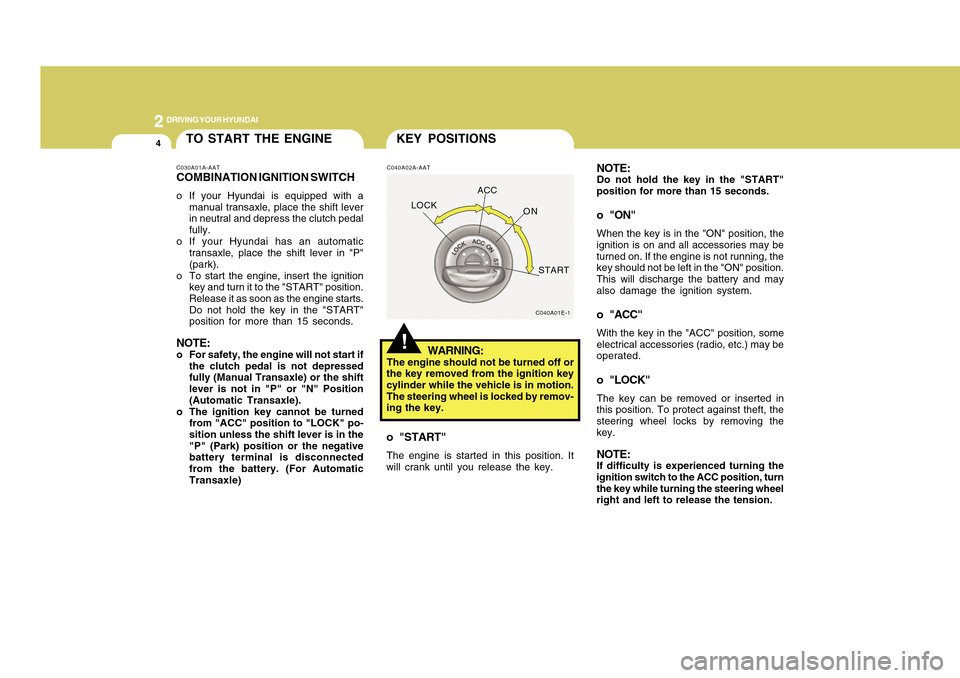
C040A02A-AAT
WARNING:
The engine should not be turned off or
the key removed from the ignition key
cylinder while the vehicle is in motion.
The steering wheel is locked by remov-
ing the key.o "START"The engine is started in this position. It
will crank until you release the key.
!KEY POSITIONS
C040A01E-1
LOCKACC
ON
START
NOTE:Do not hold the key in the "START"
position for more than 15 seconds.o "ON"When the key is in the "ON" position, the
ignition is on and all accessories may be
turned on. If the engine is not running, the
key should not be left in the "ON" position.
This will discharge the battery and may
also damage the ignition system.o "ACC"With the key in the "ACC" position, some
electrical accessories (radio, etc.) may be
operated.o "LOCK"The key can be removed or inserted in
this position. To protect against theft, the
steering wheel locks by removing the
key.NOTE:If difficulty is experienced turning the
ignition switch to the ACC position, turn
the key while turning the steering wheel
right and left to release the tension.
TO START THE ENGINEC030A01A-AATCOMBINATION IGNITION SWITCHo If your Hyundai is equipped with a
manual transaxle, place the shift lever
in neutral and depress the clutch pedal
fully.
o If your Hyundai has an automatic
transaxle, place the shift lever in "P"
(park).
o To start the engine, insert the ignition
key and turn it to the "START" position.
Release it as soon as the engine starts.
Do not hold the key in the "START"
position for more than 15 seconds.NOTE:o For safety, the engine will not start if
the clutch pedal is not depressed
fully (Manual Transaxle) or the shift
lever is not in "P" or "N" Position
(Automatic Transaxle).
o The ignition key cannot be turned
from "ACC" position to "LOCK" po-
sition unless the shift lever is in the
"P" (Park) position or the negative
battery terminal is disconnected
from the battery. (For Automatic
Transaxle)
Page 161 of 282
5
DRIVING YOUR HYUNDAI
2
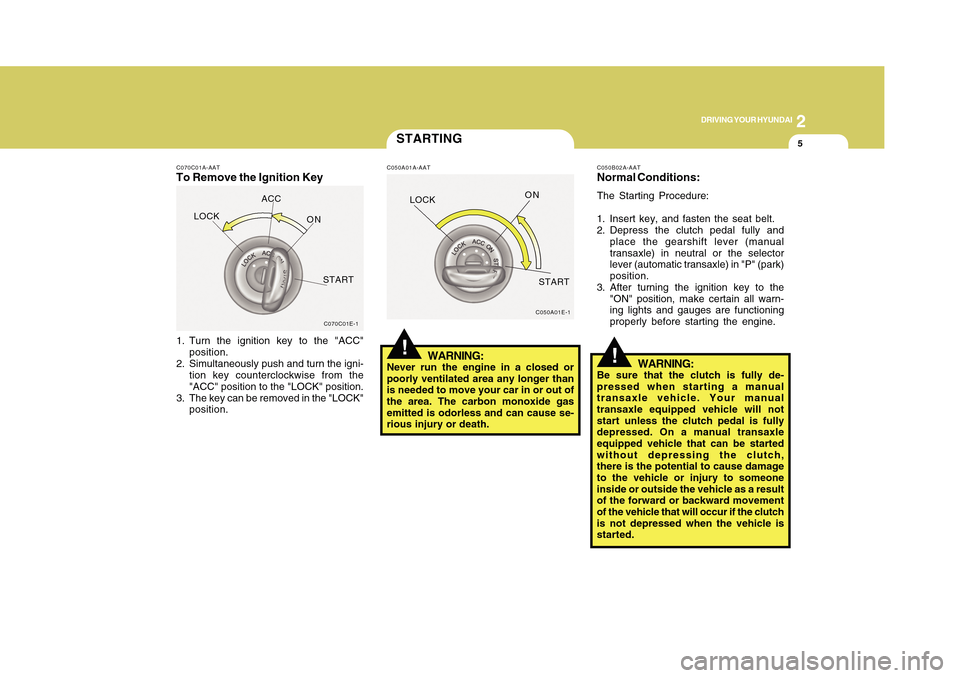
C070C01A-AATTo Remove the Ignition Key1. Turn the ignition key to the "ACC"
position.
2. Simultaneously push and turn the igni-
tion key counterclockwise from the
"ACC" position to the "LOCK" position.
3. The key can be removed in the "LOCK"
position.
C070C01E-1
LOCKACC
ON
START
STARTINGC050A01A-AAT
WARNING:
Never run the engine in a closed or
poorly ventilated area any longer than
is needed to move your car in or out of
the area. The carbon monoxide gas
emitted is odorless and can cause se-
rious injury or death.
C050A01E-1
!LOCKON
START
C050B02A-AATNormal Conditions:The Starting Procedure:
1. Insert key, and fasten the seat belt.
2. Depress the clutch pedal fully and
place the gearshift lever (manual
transaxle) in neutral or the selector
lever (automatic transaxle) in "P" (park)
position.
3. After turning the ignition key to the
"ON" position, make certain all warn-
ing lights and gauges are functioning
properly before starting the engine.
WARNING:
Be sure that the clutch is fully de-
pressed when starting a manual
transaxle vehicle. Your manual
transaxle equipped vehicle will not
start unless the clutch pedal is fully
depressed. On a manual transaxle
equipped vehicle that can be started
without depressing the clutch,
there is the potential to cause damage
to the vehicle or injury to someone
inside or outside the vehicle as a result
of the forward or backward movement
of the vehicle that will occur if the clutch
is not depressed when the vehicle is
started.
!
Page 162 of 282
2
DRIVING YOUR HYUNDAI6
!
NOTE:o To shift into reverse, rest the lever
in neutral for at least 3 seconds after
your car is completely stopped. Then
move the lever into the reverse po-
sition.
o During cold weather, shifting may be
difficult until the transaxle lubricant
has warmed up. This is normal and
not harmful to the transaxle.
o If you've come to a complete stop
and it's hard to shift into 1
st or
R(Reverse), put the shift lever in
N(Neutral) position and release the
clutch. Press the clutch pedal back
down, and then shift into 1st or
R(Reverse) gear position.
o Do not use the shift lever as a
handrest during driving, as this can
result in premature wear of the
transaxle shift forks.
OPERATING THE MANUAL
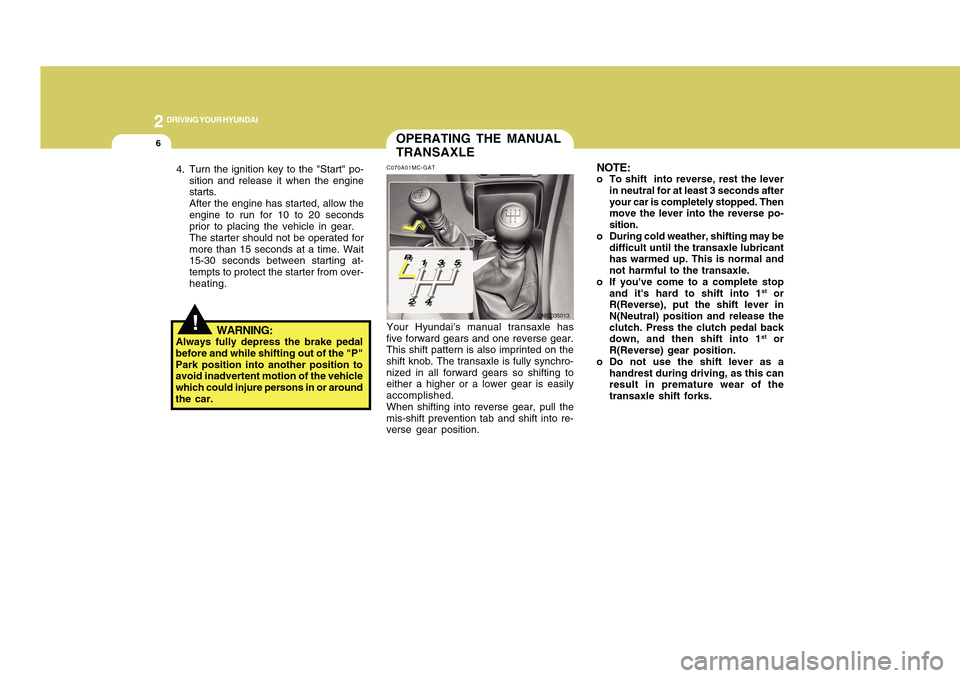
TRANSAXLEC070A01MC-GATYour Hyundai's manual transaxle has
five forward gears and one reverse gear.
This shift pattern is also imprinted on the
shift knob. The transaxle is fully synchro-
nized in all forward gears so shifting to
either a higher or a lower gear is easily
accomplished.
When shifting into reverse gear, pull the
mis-shift prevention tab and shift into re-
verse gear position.
OMC035013
4. Turn the ignition key to the "Start" po-
sition and release it when the engine
starts.
After the engine has started, allow the
engine to run for 10 to 20 seconds
prior to placing the vehicle in gear.
The starter should not be operated for
more than 15 seconds at a time. Wait
15-30 seconds between starting at-
tempts to protect the starter from over-
heating.
WARNING:
Always fully depress the brake pedal
before and while shifting out of the "P"
Park position into another position to
avoid inadvertent motion of the vehicle
which could injure persons in or around
the car.
Page 166 of 282
2
DRIVING YOUR HYUNDAI
10
C090H01A-AATNOTE:o For smooth and safe operation, de-
press the brake pedal when shifting
from "Neutral" position or "Park"
position to a forward or reverse gear.
o The ignition key must be in the "ON"
position and the brake pedal fully
depressed in order to move the shift
lever from the "P" (Park) position to
any of the other positions.
o It is always possible to shift from
"R", "N", "D", "2", "L" position to "P"
position.
C090G01A-AATo L (Low gear):Use for driving up a very steep grade or
for engine braking when descending
steep hills. When downshifting to "L", the
transaxle will temporarily remain in sec-
ond gear until the vehicle has slowed
enough for low gear to engage. Do not
exceed 31 mph (50 km/h) in low gear.C090F01A-AATo 2 (Second gear):Use for driving on a slippery road, hill
climbing or engine braking downhill. "2"
automatically shifts between first and
second gears.
This means that no shift-up to 3rd gear is
performed. However, the shift-up to third
gear is done when the car speed ex-
ceeds a certain value to prevent the en-
gine from over-revving.
Manually move the selector to "D" return-
ing to normal driving condition.
C090C01A-AATo R(Reverse):Use for backing up the vehicle. Bring the
car to a complete stop before shifting the
selector lever to "R" position.C090D02A-AATo N (Neutral):In the "N" position, the transaxle is in
neutral position, which means that no
gears are engaged. The engine can be
started with the shift lever in "N" position,
although this is not recommended except
if the engine stalls while the car is mov-
ing.C090E02A-AATo D (Drive):Use for normal driving. Bring the car to a
complete stop before shifting the selector
to "D" position. The transaxle will auto-
matically shift through a four-gear se-
quence. Never downshift manually to "2"
position or "L" position when vehicle
speed is more than 60 mph (96 km/h).
Page 167 of 282
11
DRIVING YOUR HYUNDAI
2
C090I05A-AAT
CAUTION:
o Shift into "R", "D" and "P" position
only when the vehicle has completely
stopped.
o Do not accelerate the engine in re-
verse or any of the forward positions
with the brakes applied.
o Always apply the footbrake when
shifting from "P" or "N", to "R", "D",
"2" or "L" position.
o Do not use the "P" (Park) position in
place of the parking brake. Always
set the parking brake, shift the
transaxle into "P" (Park) position and
turn off the ignition when you leave
the vehicle, even momentarily. Never
leave the vehicle unattended while
the engine is running.
o When accelerating from a stop on a
steep hill, the vehicle may have a
tendency to roll backwards. Shifting
the shift lever into 2nd gear will help
prevent the vehicle from rolling back-
wards.
!
o Check the automatic transaxle fluid
level regularly, and add fluid as nec-
essary.
o See the maintenance schedule for
the proper fluid recommendation.
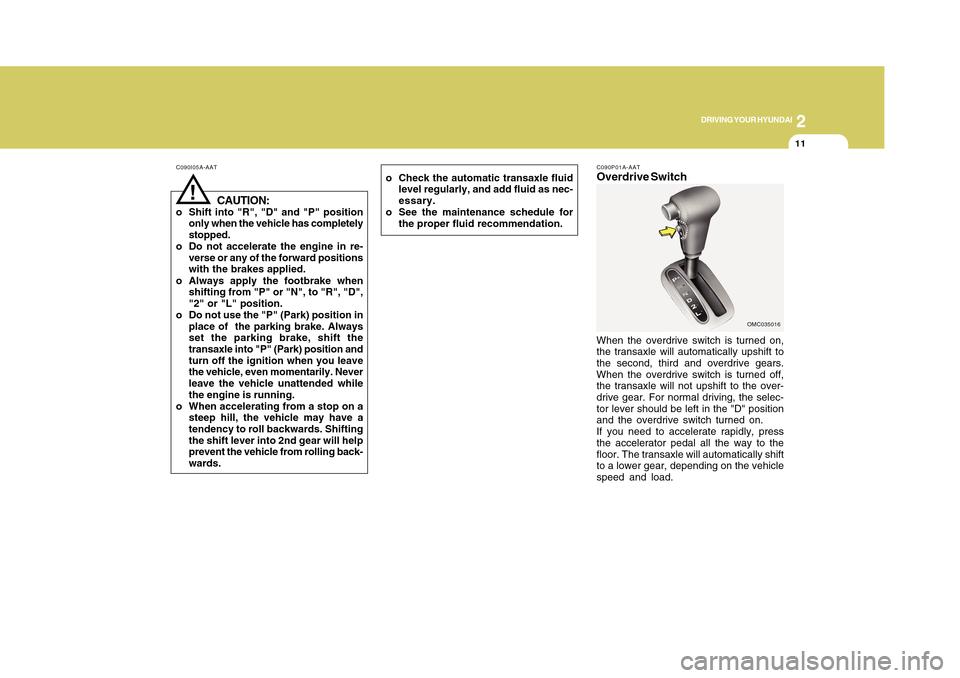
C090P01A-AATOverdrive SwitchWhen the overdrive switch is turned on,
the transaxle will automatically upshift to
the second, third and overdrive gears.
When the overdrive switch is turned off,
the transaxle will not upshift to the over-
drive gear. For normal driving, the selec-
tor lever should be left in the "D" position
and the overdrive switch turned on.
If you need to accelerate rapidly, press
the accelerator pedal all the way to the
floor. The transaxle will automatically shift
to a lower gear, depending on the vehicle
speed and load.
OMC035016